Tech - Page 38
Trending Stories
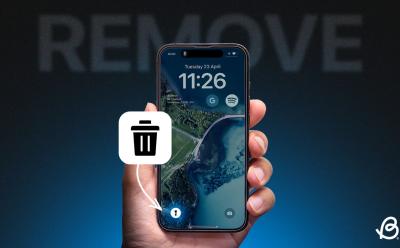
How to Remove Flashlight From Lock Screen on iPhone
 Kanika Gogia
 Ajaay Srinivasan
View quick summary
With the iPhone X, Apple added a flashlight icon as the default setting on the Lock Screen. With iOS 18, you can now remove the flashlight control from your iPhone lock screen pretty easily. If you're on iOS 17 or older versions, you will have to disable the Raise to Wake and Tap or Swipe to Wake features to prevent the flashlight from turning on accidentally.

You can easily change Siri's voice to make your voice assistant more convenient and fun to use. To change Siri's voice on an iPhone, go to Settings > Siri & Search > Voice and choose your preferred option. You can also change Siri's language by going to Settings > Siri & Search > Language.

 Sagnik Das Gupta
The Apple Vision Pro offers six different gestures to make use of. Pinch-to-select is definitely the most used gesture. This gesture acts as the select button for your Vision Pro. All you have to do is look at the item you are trying to select and bring your thumb and index finger together to 'pinch' it. Another important gesture is the pinch-and-swipe gesture which allows you to scroll on webpages, the gallery, etc. You can also use the pinch-and-drag gesture to resize app windows, zoom in/out, etc. You will find the entire list of gestures right here.
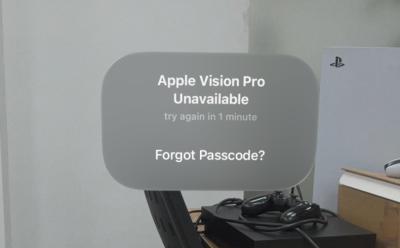
If you have forgotten your Apple Vision Pro's passcode, you can make your way into it. To do so, select Forgot Passcode? -> Start Apple Vision Pro Reset ->type Apple ID password -> Erase Apple Vision Pro. However, do note that this wipes out your Vision Pro data. But, you can restore it from your Vision Pro's iCloud backup, when setting up the headset again.

To rotate the screen on an iPhone, you have to turn off the Portrait Orientation Lock. On the home screen, swipe down from the top-right corner to reveal the Control Center and tap on the Portrait Orientation Lock to make sure it is Off. If your iPhone won't rotate the screen, you can quit & re-open the app or restart your iPhone.

 Beebom Staff
The best kind of RAM to get for DDR5 systems is something with CL30 to CL36 timing. For DDR4, the best kind of RAM is CL16 to CL18. Speeds matter too, such as 6000MHz being sweet spot for DDR5 and 3200MHz/3600MHz for DDR4. In terms of both DDR5 & DDR4 RAM, G.Skill is a very good brand and offers various memory kits suitable for AMD and Intel builds. Memory from the G.Skill brand also ranks the highest among other picks in this guide.
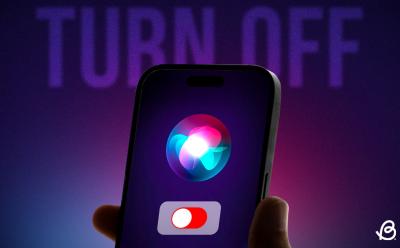
If you find Siri Suggestions overwhelming, you can easily get rid of them. On your iPhone, go to Settings > Siri & Search and turn off each option under Suggestions from Apple. If you want to turn off Siri suggestions in Spotlight search, go to Settings > Siri & Search and turn off the Show Suggestions and Show Recents toggles.
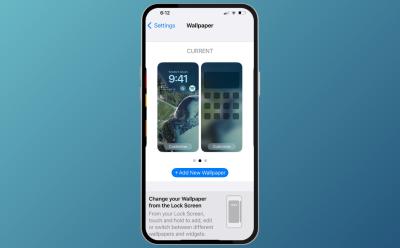
To change the home screen on an iPhone, you can customize the existing home screen. For this, go to Settings > Wallpaper and tap on Customize under the home screen wallpaper preview. You can choose a new wallpaper by going to Settings > Wallpaper > Add New Wallpaper. Once added, you can tap on the Customize Home screen option. You can also add widgets to customize your iPhone's Home Screen.

Did you know that you can FaceTime from the Apple Vision Pro? If not, to do so, go to Home View -> People -> big plus icon -> Start New FaceTime -> Enter ID -> FaceTime. If it's a non-Apple ID, it will convert into a link which you share with people for them to join the call. You can also share your Vision Pro screen by selecting the dedicated icon from the call panel.
 Arjun Sha
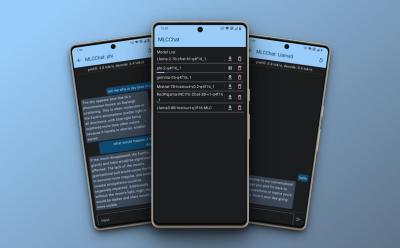
Do you want to run AI models locally on your Android phone? Well, with the MLC Chat app, you can now download LLMs like Gemma, Phi-2, Mistral, Llama 3, etc., and chat with them natively on Android devices. The token generation is slow though, especially on older Snapdragon-based Android devices.
 Anshuman Jain
Tinder's new feature, Share My Date, allows users to share their date plans and the other person's profile for safety. Users can share details like date location, time, and the other person's name, age, and photos via a link. The link can be opened even if the recipient does not have the Tinder app installed however, it will only allow them to view limited information about the person you are going out with.

To benchmark your GPU, you can download 3DMark's synthetic benchmark software. It is known to be the gamer's benchmark and has many intensive tests. Then, there is PugetBench content creation benchmark for Adobe's suite of apps. You can also run the Blender GPU benchmark to test your GPU's performance. Also, games like Cyberpunk 2077, Red Dead Redemption 2, Microsoft Flight Simulator and more have in-game benchmarking tools.
Mute and Unmute Notification Popup on AirPods Is Annoying and Here’s the Fix for it
Kanika Gogia
View quick summary
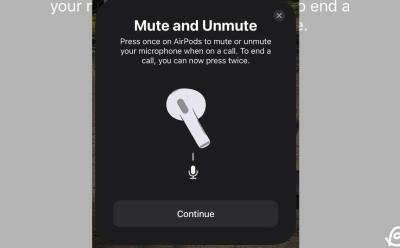
After updating to iOS 17, many users reported a weird issue where a mute/unmute message appears every time they connect their AirPods to iPhones. If you're also facing this, go to Settings -> Your AirPods and change the End Call setting to "Press Once". If this doesn't work, you can also reset your AirPods or check for firmware updates to fix constant mute/unmute messages on AirPods.

There's a hidden feature that has been spotted inside the Gemini Settings page which lets you "Choose your default media provider". It will help users select a streaming service as the default, allowing Gemini to start accepting commands related to music streaming, such as "Play my liked songs".

The Apple Vision Pro's Mac Virtual Display feature allows you to use it as a monitor for your Mac. To do so, simply wear the Vision Pro and look at your Mac's display. A Connect button will pop up, which you then just have to select to connect. Or, you can summon the down-arrow button -> Control Panel -> Mac Virtual Display icon -> select a connected device from the list. However, do note that the feature requires your MacBook to be running on at least macOS 14 Sonoma or above.
How to Enable and Use Quick Share (Previously Nearby Share) on Chromebook
 Abubakar Mohammed
View quick summary
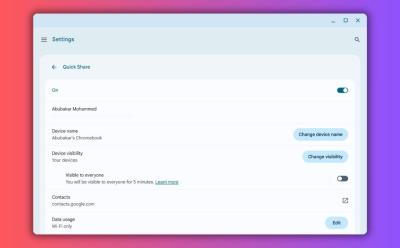
Quick Share (formerly Nearby Share) is Google's answer to AirDrop. It's available across devices in the Android ecosystem, and can help you swiftly transfer files from Android, to Chromebook, or even Windows. Enabling Quick Share on Chromebook is as easy as opening ChromeOS quick settings, clicking Quick Share, and selecting visible to my devices or visible to everyone.

150+ Best ChatGPT Prompts for All Kinds of Workflow
 Upanishad Sharma
Ajaay Srinivasan
Upanishad Sharma
Ajaay Srinivasan
View quick summary
This comprehensive list of 150+ ChatGPT prompts tackles everything from content creation to project management. You can use these prompts to streamline your workflow, unlock the AI chatbot's hidden functionalities, enhance your creativity, and optimize tasks at hand.

To share iCloud storage, you will first have to set up Family Sharing on your iPhone, iPad, or Mac. To do this, go to Settings -> Apple ID -> Family Sharing and follow the on-screen prompts. Once you've enabled Family Sharing, go to Settings -> Apple ID -> Family Sharing -> Subscriptions -> iCloud+ and share your existing plan. You can share one iCloud+ subscription with up to five people at once.

Meta released its Llama 3 models recently so we have taken the liberty to compare the 70B model with the flagship GPT-4 model. Surprisingly, Llama 3 performs as good as the GPT-4 model despite being a smaller model. In advanced reasoning tests, it demonstrates intelligence and does better than GPT-4 in following user instructions.
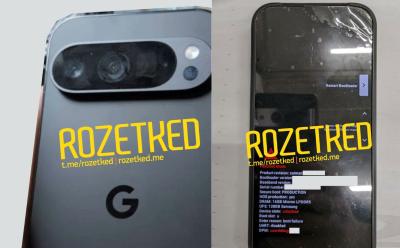
Pixel 9 series is the next big thing for Google and the Pixel brand, and the Pixel 9 Pro has already leaked six months before launch! The leaks show the device in its full glory and suggest a sharp. The photos of device's bootloader suggests the phone is still using the older UFS 3.1 storage rather than the latest, much faster, efficient UFS 4.0 storage.
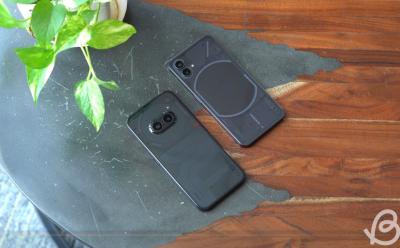
Will the Nothing Phone (3) Be the Flagship Killer We Desire? I Don’t Think So
Abubakar Mohammed
View quick summary
Given the launch of Nothing Phone (3) is due in Q2 this year, based on what the firm has done so far, you'd expect Nothing to launch a flagship killer to fill the void, but here's why we think there's barely any chance that might happen. Our reasons to believe the same are Nothing has to please people in terms of quality and price both. Hence, the Phone (3) won't be as cheap to be called a flagship killer, and not as spec-rich to be called a flagship.

If you are not aware, WhatsApp lets you create polls to get real-time answers from your WhatsApp Groups or individual chats. This not only makes coming to a decision easier, but also allows you to gamify the process as you wish. To use it on your Android or iPhone, open the app > select the WhatsApp Group > attach icon > Polls > fill in the questions and options > Send.
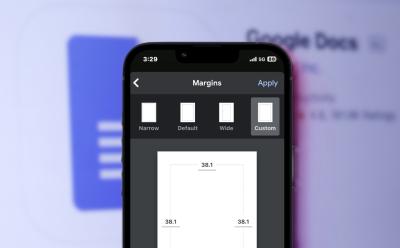
The white spacing you see in between your document and the edges of your canvas is your 'margin' in Google Docs. To change it when on a web browser, open a document on Google Docs > File tab > Page setup > Modify settings > OK. You can also use the ruler on the top and left sides of your document to adjust the margins. iPhone users can also easily change the margins by tapping the 3-dots icon > Page setup > Margins.

What Does Google’s AI-Hardware Merger Mean for Your Next Android Phone?
Abubakar Mohammed
View quick summary
Google has decided to merge AI and Hardware teams, and for those wondering, here's what this decision could mean for Android. This could mean users will get faster updates, better ecosystem features on Pixel, better AI features, and improvements to existing AI features.

 Akshay Gangwar
If you are a new Apple Vision Pro user, wrapping your head around it can take some time. If you are here, you are probably having a tough time switching off your Vision Pro. To do so, you can go to Settings -> General -> Shut Down -> Drag Power Off slider. Or, you can simply press and hold down the Digital Crown and top physical button to force shut down the Vision Pro.
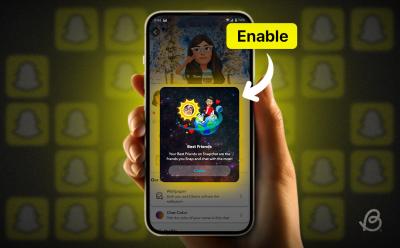
Snapchat's Friend Solar System is a feature that shows your closest friends based on planets closest to the sun. The feature is disabled by default, but users can re-enable it if they wish to use it. The reason to disable it by default comes from the criticism that it may negatively affect friendships among users.

In this article, we discuss how you can use Snapchat on your laptop or PC by visiting Snapchat for Web on your web browser. This is a web client that offers similar features to the mobile app, including messaging, video calls, and sending Snaps. However, it lacks some capabilities such as opening Snaps, shooting video Snaps, and posting stories. It's a handy tool for basic chat functions but falls short of the full Snapchat experience.

You can sometimes find exceptional deals in the used laptop market and save a lot of money, but buying a used laptop could be risky. If you are looking to buy a used Windows laptop, some of the things to check are the purchase invoice from the seller, benchmarks, keyboard and camera, display, and battery life.
There are various things you can do if your one AirPods is louder than the other. You can clean your AirPods, adjust the audio balance or restart your connected device to fix imbalanced audio output on your AirPods. Also, you can disable Spatial Audio and head-tracking or check for firmware updates. If nothing works, you can reset your AirPods or get them diagnosed at the nearest Apple Store.

After Years of Ban, Retro Games Are Now Playable on iPhones; Here’s How
 Anmol Sachdeva
View quick summary
After receiving flak from EU, Apple has finally allowed game emulators on iPhones and it means you can now play retro games like Super Mario Bros. and Castlevania on your iPhone without jailbreaking it. Riley Testut's Delta Emulator is now available on the App Store and it supports all the popular game systems along with save state functionality.

YouTube's new AI "Ask" button, allows viewers to ask video-related questions and receive real-time responses without pausing the video. It's currently available for YouTube Premium users in the US, for English videos only. It can provide summaries, discuss specific sections, or translate educational content into simpler language. This feature is a convenient tool, but could potentially affect video watch time.

Android 15 Will Let You Keep Tabs on Your Phone’s Storage Chip Health, Here’s How
Abubakar Mohammed
View quick summary
Google recently added support for APIs that can get your device's battery health and is now bringing to Pixels, the ability to check the health of your phone's NAND flash storage. When the DeviceDiagnostics Storage Health API is called, it returns a number which is the percentage of health remaining on the chip.

Safe mode can help you troubleshoot issues with Windows. There are five widely known ways to get into secure boot — click Restart while holding the Shift key, using Settings, using the Command line, forcing Windows into the recovery settings, and using the System Configuration tool. Once into advanced options, you'll need to go to Troubleshoot > Startup Setting > press F4 to boot into Safe mode.

AMD Radeon RX 7800 XT has 16GB of GDDR6 and Nvidia RTX 4070 Super has 12GB of GDDR6X VRAM. Both offer various advantages, such as AFMF with AMD. Nvidia has a suite of nice-to-have apps such as Chat with RTX. In raw performance, both GPUs stand tall against one another. However, Nvidia has better performance in ray-tracing. Overall, it is up to the user if they prefer the reasons we listed to get RX 7800 XT or RTX 4070 Super. AMD is more value for money, while Nvidia consumes less power.

The Nothing Ear (a) has gone official for Rs 7,999 in India as the brand's latest TWS ANC earbuds. For that price, you get to see a great battery life, commendable ANC, and a bass-heavy sound signature if you're into it. However, for Rs 3,000 less, the OPPO Enco Air 3 Pro just seems like a more value-for-money offering, with a more balanced audio output. If you ask me, it definitely feels like a better choice over the Ear (a).
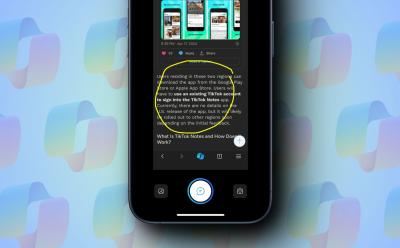
Microsoft is working on a Circle to Copilot feature that is similar to Circle to Search by Google. The feature is available to try out in the Edge browser on iPhone and iPad. The feature is still in development and there is no confirmation when it will come to Android devices.

To fix the MSVCP140.dll is missing error on Windows 11, you can try out several ways to fix the issue. The most optimal way to fix the MSVCP140.dll error is to make sure the correct Visual C++ Redistributable package is installed on your PC. The app or game that you are trying to run should have the setup files required to fix MSVCP140.dll is missing error. You can also try System Restore or SFC and DISM commands to fix the issue.

If you are looking for an easy solution that lets you chat with your documents locally, you can check out AnythingLLM. It has a slick GUI interface and works even on consumer-grade PCs. No need to have high-end GPUs. Apart from that, you can ingest a variety of file formats including TXT, PDF, CSV, audio files, spreadsheets, and more.
If you want to mass delete unnecessary junk mails from your Gmail, you can do so easily from the web. To do so, go to Gmail web using any desktop browser > More > All Mail > tick central checkbox > Select all conversations in All Mail > trash icon > OK. Using the web version, you can also use Advanced Search to filter, sort out and bulk delete specific types of emails as well.

Snapchat is introducing watermarks to AI-generated images to prevent misinformation. The watermark, featuring the Snapchat ghost with sparkles, will appear when users export images created with AI features. This move aims to inform users that the image is not real but generated with AI.

Nobody is safe from the clutches of AI as Logitech has now launched the new M750 AI Edition along with the Logitech Prompt Builder software. Combining ChatGPT integration with recipes, the builder can be assigned as a shortcut with certain Logitech mouse and comes up in a neat pop-up window. I had lots of fun with the app as it let me rewrite text, send custom e-mails, and even draft witty replies all with the power of ChatGPT! The app is free to use but does require the Logi Options App+.

There are several ways to fix "Hey Siri" not working on an iPhone. First and foremost, you must verify that you've enabled Siri on your Apple device. If you've set up everything and Siri is still not working, you must check Siri settings, check the microphone, restart your device, update software, or disable & re-enable Siri on your device. In case these don't help, you can reset your iPhone or seek Apple's support.