#Apple - Page 8
1274 Stories
Apple Announces macOS 15 Sequoia with iPhone Mirroring, Passwords App, and More
 Ajaay Srinivasan
View quick summary
Apple has unveiled macOS 15 Sequoia, the next big update for Macs, at WWDC 2024. It boasts a bunch of new features, like mirroring your iPhone on your Mac screen, a presenter mode for flawless presentations, a dedicated app for managing passwords, and more.

 Upanishad Sharma
At WWDC 2024, Apple announced the ever loved Game Mode on Macs is now also coming to iPhones! Gamers will be able to enjoy increased performance and responsiveness with controllers and AirPods with the upcoming mode. The Apple Game Mode is scheduled to release as part of iOS 18.

Apple Announces iOS 18 with Customizable Home Screen and new Control Center
 Anmol Sachdeva
View quick summary
At WWDC 2024, Apple has unveiled the much-anticipated iOS 18. Touted to be the biggest iOS update in a while, the new iOS 18 comes with a customizable Home Screen and and a new Control Center.

Depending on the model you own, AirPods offer up to 6.5 hours of listening time and up to 4.5 hours of talking time on a single charge. The AirPods battery life depends on volume, noise cancellation, environmental factors, usage, and other factors. Talking about the lifespan, your AirPods should easily last you up to two or three years, before you need a replacement.
Why Apple Is Better off Using Its Own LLM Model Rather than Relying on Others
 Kanika Gogia
View quick summary
According to the reports, Apple is seeking a partnership with OpenAI and Apple’s proprietary chatbot will still be missing. Rather than introducing a proprietary chatbot, Apple is planning to revamp Siri to catch up to its AI competitors. While it might be a safe decision for the short term, it won't reap benefits in the future. Here's why I want Apple to use its own AI model, rather than relying on OpenAI.

What to Expect from Apple WWDC 2024: iOS 18, macOS 15, and AI Features
Kanika Gogia
View quick summary
Apple's WWDC 2024 will be mostly centered around Apple's software ecosystem, where the giant will announce a raft of important software updates. This year, Apple is expected to make substantial strides in the already progressed AI space. We can expect iOS 18, iPadOS 18, macOS 15, visionOS 2, tvOS 18, and other major sofrware updates at WWDC 2024.

iPhone 16 Pro Poised to Get World’s Thinnest Display Bezels Beating Galaxy S24
Kanika Gogia
View quick summary
According to several leaks, the iPhone 16 Pro may surpass the Galaxy S24 and become the world's thinnest bezel mobile phone. Compared to the iPhone 15 Pro's 1.71mm & iPhone 14 Pro's 2.15mm bezels, the iPhone 16 Pro will have 1.2mm bezels, and the iPhone 16 Pro Max will have 1.15mm bezels. iPhone 16 Pro will feature a 6.3-inch display, whereas the iPhone 16 Pro Max will have the biggest 6.9-inch display.

If your AirPods are connected but have no sound, you can reconnect your AirPods, clean any build-up, or disconnect other Bluetooth devices. Also, make sure your Apple devices are up to date and your AirPods aren't in use with any other device. You can also check for firmware updates or reset your AirPods to fix no sound or glitchy audio problems.
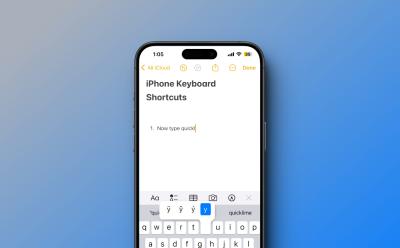
An iPhone has some useful keyboard shortcuts for faster and more efficient typing. You can access special characters & symbols, insert web domains, enable typing in capitals, and more. An iPhone also offers a "Text Replacement" feature to create custom keyboard shortcuts on iOS. You can use this feature to create shortcuts for the most frequently used phrases on your iPhone.
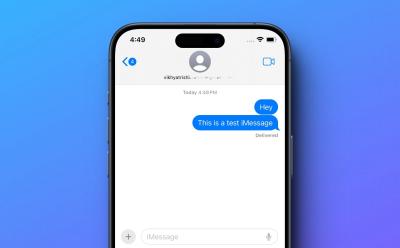
According to several sources, Apple is planning to add a new text effects feature to the Messages app on iOS 18. The new text effects in iMessages would allow you to animate individual words within a message. Since the Messages app is set to gain RCS support on iOS 18, the text effects may also work with green bubbles. The next-gen iOS 18 will also bring an AI-powered autocompletion tool and automatic reply suggestions to emails and text messages.
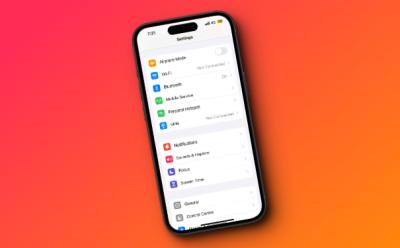
Apple Is Finally Ready to Revamp the Settings App on iPhones and Macs: Report
Kanika Gogia
View quick summary
According to Mark Gurman, Apple's iOS 18 will arrive with a revamped Settings app with a reorganized and cleaner layout that's easy to navigate. The iPhone users will also get to enjoy a customizable Home Screen experience. Also, macOS 15 is expected to feature a redesigned System Settings app. We may also see some worthy upgrades to the Control Center.

While Macs are comparatively less vulnerable than Windows computers, they can still get viruses. Apple's built-in anti-virus and other security measures inspect every app for malware and they won't let you open up to any software/tool that hasn't been approved by Apple. If you have some crucial data on your system and want the best protection, you may consider going for a dedicated anti-virus software.

Right from taking notes and drawing to editing and graphics design tasks, Apple offers some great iPad options for anyone studying in a school, college, or university. The iPad Air 2024 is an all-rounder that offers the best value for money. The latest 11-inch iPad Pro M4 is a great option for technology and engineering students. The iPad mini 6 makes the best iPad for note-taking. The 13-inch iPad Pro M4 is a solid laptop replacement, whereas the iPad 10 is the best budget option.
According to Mark Gurman's report, Apple is seeking a senior Android engineer to join the Apple TV app team and build an Android app that will be “used by millions to watch and discover TV and sports.” Today, the Apple TV app is only available on Android TV devices. Android smartphone and tablet users have to rely on tv.com.apple, which gives a basic streaming experience. At the moment, it is unclear when the Android version of the Apple TV app will be available to the public, or if development has started.
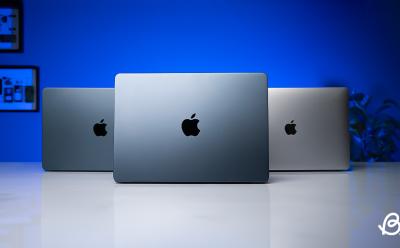
Buying a used MacBook can help you save great money. That said, it can also be a risky affair, if you don't know what to check when buying a used MacBook. This article discusses all the important things you need to keep in mind while buying a second-hand Mac.
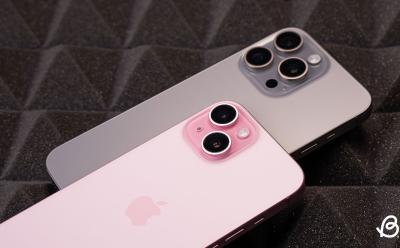
There are several reasons why you can't receive pictures on your iPhone. Some of the most common ones are incorrect MMS settings, corrupted network settings, poor internet connection, and Apple ID glitches. You can check your internet connection, MMS settings, and AirDrop settings to fix iPhone not downloading pictures in messages. If this doesn't help, you can sign out and back into your Apple account or reset the network settings on your iPhone.

To turn off Safari notifications on Mac, open the Safari browser, click on Safari from the top menu bar and choose the Settings option. Now, go to Websites -> Notifications, locate the website for which you want to disable notifications and choose Deny. To stop seeing website requests for permission to send you Safari notifications, go to Safari -> Settings -> Website -> Notifications and deselect the "Allow websites to ask for permission to send notifications" option.

There are three ways to get emojis on Mac. First, from the top menu bar, click on Edit -> Emojis & Symbols to get the emoji keyboard on Mac. Second, use the Control + Command + Space keyboard shortcut to get emojis on macOS. Third, you can press the Fn/Globe key on your Mac to use emojis and symbols.

If you wish to completely turn off your location on an iPhone, go to Settings -> Privacy & Security -> Location Services and turn off the Location Services toggle. To disable location services for specific apps on your iPhone, open Settings -> Privacy & Security -> Location Services and make adjustments for individual apps. You can also head to Find My app, go to Settings -> Apple ID -> Find My -> Find My iPhone and turn the toggle Off.


Some of the most common reasons why your MacBook overheats include poor air circulation, clogged vents, older macOS, and hardware damage. To fix MacBook overheats when closed problems, you can check the vents, check your charging accessories, ensure proper air circulation, and update macOS. If nothing works, you should contact Apple support.
Forget M4, Early Snapdragon X Elite Benchmarks Can’t Even Beat Apple M3
Kanika Gogia
View quick summary
The early Qualcomm Snapdragon X Elite benchmarks lag behind Apple's M3 and can't compete with the brand-new M4 processor. The Qualcomm Snapdragon X Elite pulls a 2,200 to 2,800 Single-core score and a Multi-core score of around 14,000 mark. The M3 Pro MacBook Pro manages to get a 3,000 Single-core score and 15,000 in the Multi-core test. The M4 processor can easily pull off a 3,700 Single-core score and up to a 14,500 Multi-core score, when it has 10 cores.

To fix date & time issues on a MacBook, you can set the date & time automatically, try changing the server, enable location services, and check your time zone and current region. If the automatic options don't work, you can manually set the date and time on your MacBook. You can restart your MacBook, update macOS, or boot your Mac in Safe Mode. If your own an Intel-powered Mac, you can also try resetting NVRAM/PRAM.

Early Report Indicates Snapdragon X Elite is Powerful But Runs Hotter Than Apple M3
 Arjun Sha
View quick summary
In an early report by Signal65, the Surface Laptop 7, powered by Snapdragon X Elite performs better than Apple MacBook Air M3 in multi-threaded tasks. Its battery life is also pretty good and outperforms the MacBook Air M3. However, when the system is fully loaded for an extended period, the Surface Laptop 7 tends to get hot.
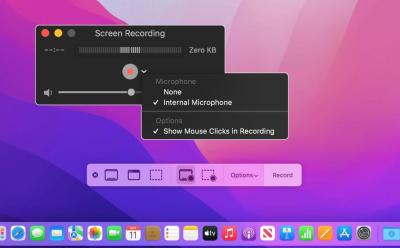
Apple offers some built-in options to record your Macs. On macOS Mojave or later, the easiest way to record the screen with audio on Mac using the Screenshot Toolbar. There's also a native macOS app, QuickTime that lets you screen record with audio on any Mac. Besides these built-in options, you can go for third-party screen recorders as well.

While the Apple Vision Pro brings stellar passthrough technology, display and computing power, it misses the mark with its scarce app selection, terrible discomfort and a kidney-selling price tag. Over a period of time, I found myself getting bored with it and with each passing day, my usage has only been decreasing. If you ask me, save those precious $3,500 bucks and go vacationing instead.

In an interview with The Wall Street Journal, Apple's vice president of iPad and Mac product marketing, Tom Boger explained how the new iPad compares to the Mac. He clarified that Apple doesn’t see the two devices as competitors. Rather, the Mac and iPad are "complementary" to each other. When asked about Touchscreen Macs, Boger replied “Oh, I can’t say we never change our mind”.

India’s First: Chennai Doctors Embrace the Apple Vision Pro for Surgery
 Sagnik Das Gupta
View quick summary
Using the Apple Vision Pro, doctors of Chennai's GEM Hospitals have performed nine laparoscopic procedures alongside a series of gastrointestinal procedures. The doctors have also used the mixed reality headset for spine and eye surgeries, making the total number of such surgeries go over 30. Dr. R Parthasarathy, the surgical gastroenterologist and COO at the hospital stated that the device allows him to see superimposed virtual screens in the real world, that display critical information like the patient's CT scans, MRI images, and so on. This prevents him from craning his neck having to constantly look up at the monitor.

This iOS Shortcut Brings Circle to Search Feature to Your iPhone, Sort Of
Sagnik Das Gupta
View quick summary
Using the Shortcuts app on an iPhone, you can create Google Circle to Search-like functionality. You basically trigger Google Lens using the iPhone back tap gesture. To set it up, first create a shortcut using the Take Screenshot and Search Image with Lens actions. Once that's done, head over to Settings -> Accessibility -> Touch -> Back Tap -> Double Tap or Triple Tap -> Select the created Shortcut. Then, whenever you are on a web page or even open your camera to point it at an object, simply double tap or triple tap the back of your iPhone to use the feature.
There's no doubt that Apple is lagging behind in the AI race, and needs to step right up to keep up. A new AppleInsider report suggests that they finally are. The report reveals that Apple maybe working on a new Magic Eraser-like feature called Clean Up right within the native Photos app. This will work similarly and let users remove objects from an image, from the looks of it.

Who is John Ternus, Tim Cook’s Most Likely Successor and Next Apple CEO
Kanika Gogia
View quick summary
As Tim Cook is set to turn 64, which nears the traditional retirement age, there are speculations about who could likely replace him as Apple's next CEO. One name that stands out is John Ternus, the Senior Vice President of Hardware Engineering at Apple who reports directly to Tim Cook. Read on to know why John Ternus seems to be Tim Cook's most probable successor.
M4 iPad Pro Outperforms the $2000 M2 Max Mac Studio (but iPadOS holds it back)
Anmol Sachdeva
View quick summary
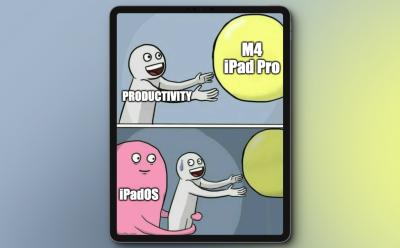
Apple has released the new iPad Pro with a mighty powerful M4 chipset. As per benchmarks, the M4 chip smokes even the $2,000 Mac Studio with the M2 Max chip. While this makes iPad Pro really powerful but will be able to harness that power with the incapable and half-baked iPadOS?
Early Geekbench scores for the Apple M4 chipset has just surfaced online and it has broken all records in the consumer chipset segment. Its single-core score has breached the 3,800 mark, outranking the Snapdragon X Elite and x86 chips from Intel and AMD. Apple is running the Apple M4 at 4.4GHz.
Apple's M4 chipset is clocked at a mighty 4.4GHz frequency and it delivers unrivaled performance and efficiency. In comparison to the Snapdragon X Elite's top variant, the M4 has a 23% lead in single-core CPU performance while drawing much less power. And the 10-core M4 GPU outperforms Snapdragon's 6-core Adreno GPU handily. That said, Qualcomm makes a comeback in NPU performance, outranking Apple's 16-core Neural Engine.
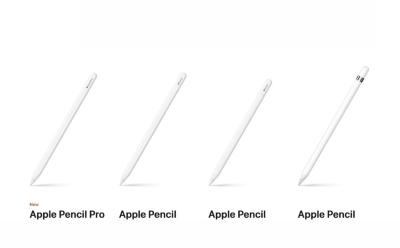
Apple Pencil Pro vs USB-C vs Gen 2 vs Gen 1: Specs Comparison and Compatibility
Kanika Gogia
View quick summary
Apple launched the new Apple Pencil Pro with some exciting features like barrel roll & squeeze gestures and Find My App support. In case you're planning to buy an Apple Pencil or are excited to swap the older stylus for a new one, we've compared all the Apple Pencils based on the features offered and their pricing.
Apple has unveiled its powerful next-gen chipset, the M4 with the OLED iPad Pro. In comparison to the Apple M2, the M4 delivers 1.5x better CPU performance, 4x better GPU performance, and 2x improvements in Neural Engine performance. It also packs a slightly faster memory and overall, the M4 brings big improvements over the M2.
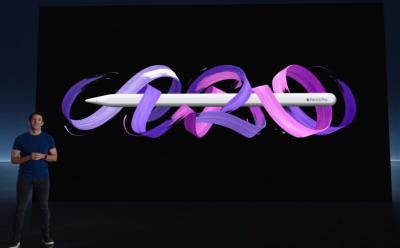
Apple has announced the Apple Pencil Pro along with the new iPad Pro. The Pencil Pro comes with new squeeze sensors for quick tool switching and color changes, a gyroscope for precision control, and haptic feedback to confirm actions. The devices supports Apple Find My and snaps magnetically to the side of the new iPad Pro for pairing, charging, and storing.
Apple Reveals New M4 Chip with 2x Faster Performance than M2 and AI Features
Anmol Sachdeva
View quick summary
Apple has announced the iPad Pro with a brand-new M4 chip, skipping the M3 altogether. Apple claims that the M4 chip is an outrageously powerful chip for AI. The chip is based on the 2nd generation 3nm chip fabrication process and features a new display engine to support the new iPad Pro's Tandem OLED Display.
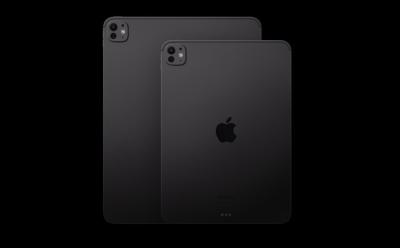
Apple announces its new iPad Pro with an OLED screen and M4 chipset. The 2024 iPad Pro features an Ultra Retina XDR OLED panel, an M4 chip, enhanced aesthetics, and other upgrades. The new iPads are available for pre-order starting today and will hit the shelves starting next week.
 Anmol Sachdeva
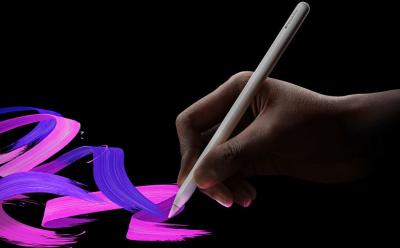
Apple unveiled new iPad models at its Let Loose event after almost a two year break. The new iPads are accompanied by the Apple Pencil Pro, which brings quite a few new features. So, in this guide, find out which iPad models are compatible with the the Apple Pencil Pro.
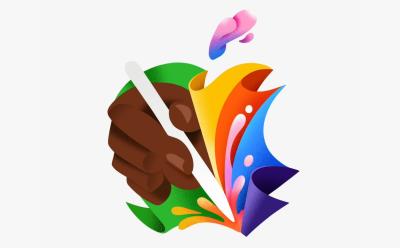
The code on Apple's official website for Japan has revealed multiple mentions of the name "Apple Pencil Pro." All the mentions are in the page source and developer views of the site, with no publicly visible references yet. Currently, Apple sells Apple Pencil (1st-generation), Apple Pencil (2nd-generation), and Apple Pencil (USB-C). Apple's Let Loose Event will primarily focus on the new iPad Pro, iPad Air, Apple Pencil, and other accessories.
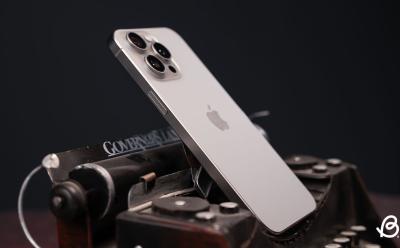
Foldable iPhone Is Real and Apple Is Reportedly Looking at 2026 Release for It
Kanika Gogia
View quick summary
According to a recent investor note, Apple reportedly plans to enter the foldable devices space with a 20.3-inch MacBook-iPad Hybrid and a foldable iPhone. The mass production of a 20.3-inch foldable device is expected to commence in late 2025, followed by a foldable iPhone in late 2026. Apple’s exciting and expensive foldable lineup would target the “ultra high-end market.”