Tech - Page 7
Trending Stories

Adobe Reader has been the go-to PDF Reader for most of us. However, it's bloated, slow, and its paid version is too expensive. So if you are looking for a free and light option, you can use some Adobe Reader alternatives. Some of the best alternatives include Sumatra PDF, Foxit Reader, UPDF, STDU Viewer, and SlimPDF Reader.

 Anshuman Jain
We are back with our monthly WhatsApp features list for February 2025. Whis time, the app has finally made colored chat themes available for everyone, while at the same time, the app is also testing some exciting new changes in the beta version as discussed in this read.

Mark Zuckerberg Aims to Release a Dedicated Meta AI App to Take on ChatGPT
 Arjun Sha
View quick summary
Meta is developing a standalone Meta AI app to take on ChatGPT. It might come with a paid subscription plan as well. Meta chief Mark Zuckerberg aims to make Meta AI the leading assistant by the end of this year.
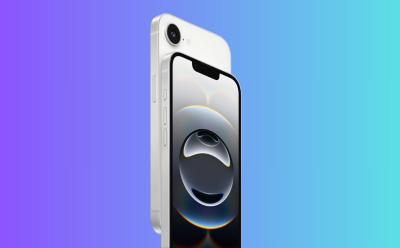
The iPhone 16e is out now, and if you want to protect your $600 smartphone for long them consider investing in a good screen protector for the device. We have compiled a list of the best screen protectors for iPhone 16e you can get right now.

In this list, we have mentioned the best cases that you can find right now for Apple's latest iPhone 16e. Some of these cases even include MagSafe compatible rings, which let the phone enjoy the luxury of the feature even though Apple mercilessly removed it from the device.

While the market is full of paid and free PDF editors, not all of them are secure and perform the assigned tasks with the desired efficiency. The choice of your PDF editor boils down to two pivotal aspects: Professional and Personal needs. Though other essential factors like proficiency, ease of use, and affordability also have major roles to play. Therefore, some of the best PDF editors you can use are Foxit PDF Editor, Nitro PDF, Xodo, LibreOffice Draw, PDF-XChange Editor, and more. Read this article to know more.

I Tested the Best PDF Reader Apps in 2026; Here’s What’s Worth Using
 Abubakar Mohammed
View quick summary
PDF files are used everywhere, from software help manuals and technical documentation to academic textbooks and novels. So it makes all the sense to have a capable PDF viewer in your arsenal of applications. And since there are quite a few of them, some of the best PDF viewers are Adobe Acrobat, Sumatra PDF, SodaPDF, and Foxit Reader, among others. You can also use your web browser to read PDFs with ease.

We have compiled the best AI apps for Android and iPhone, going beyond chatbots. We have included apps for studying, image enhancement, productivity, running on-device LLM, and more. Check out our updated article for the complete list of apps.

WhatsApp has finally rolled out its colorful chat themes feature, allowing users to personalize individual chats with 20 different shades and 30 new wallpaper selections. While it's late to the party, WhatsApp's theming experience is superior to Instagram and Facebook Messenger, offering customization options and preserving user privacy.
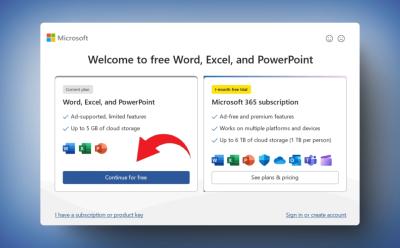
Microsoft Quietly Launched a Free Ad-Supported Office App, and No One Noticed
Arjun Sha
View quick summary
Microsoft has quietly introduced a free ad-supported Office that brings access to Word, Excel, and PowerPoint without any subscription. You will see a banner ad in Office apps, and most of the advanced features are locked. Go through our article to learn how to install the ad-supported MS Office for free.

Not enjoying your Prime Video subscription anymore? No worries, we will help you cancel your Amazon Prime Video subscription in no time with the help of easy to follow steps for both the website, along with the Android and iPhone apps.
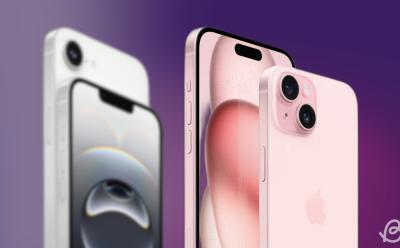
4 Reasons Why You Should Buy the iPhone 15 Over the iPhone 16e
 Ajaay Srinivasan

One UI 7 Delay: Samsung Risks Alienating Loyal Users for Galaxy S25 Sales
Abubakar Mohammed
View quick summary
The decision to delay One UI 7 for the Galaxy S24 series (reportedly) has already fanned disdain among fans, and Samsung's “reasons” aren't helping. The update could be pushed to April for Galaxy S24 series. While the company hasn't directly acknowledged it, it did say the delay is to make One UI 7 much more stable. However, users believe it is to upsell the newly-launched Galaxy S25 series.

One of the things that really sends people is when trying to get rid of a page, which could be both straightforward and confusing at the same time. But fear not! In this guide, let's go through all the possible ways and edge cases you may encounter when deleting a page in Google Docs. On Google Docs website, you can delete a page using the delete key or adjusting margins, line spacing. On the app, you can do the same or delete the page breaks.
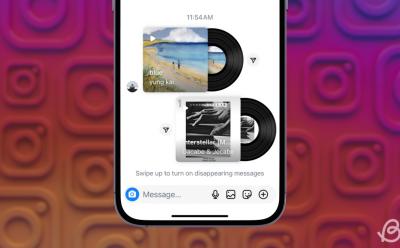
Instagram has introduced a music-sharing feature in DMs, allowing users to share song snippets from the app's music library. The feature is available for both Android and iPhone users with the latest version of Instagram, and can be accessed through the sticker menu in chat.

We have thoroughly tested the Grok 3 model along with its Reasoning model. xAI has indeed developed a frontier-class model that outranks OpenAI's o3-mini, DeepSeek R1, and more. Go through our article to check out all the key findings.

WhatsApp is rolling out a new feature allowing users to change their chat theme color on Android and iPhone. With 20 different colored hues and 30 new backgrounds to choose from, users can personalize their conversation screen. To access this feature, update WhatsApp to the latest version and go to the Default chat theme option in Chat settings.

iPhone 16e vs iPhone SE 3 Comparison: What’s New?
 Akshay Gangwar
 Anmol Sachdeva
If you are looking forward to buying the new iPhone 16e with its affordable pricing, check out these missing features before it.

Like every iPhone, the 16e comes with a new wallpaper to match the colorways. The SE 3rd Generation had some of the best wallpapers on iPhones ever, but the 16e falls short. You can download the new iPhone 15e wallpaper from here.

Apple has officially release the iPhone 16e and it packs more or less similar specs as the iPhone 16. That is why we decided to compare the two devices to help you find out which is the better buy of the two of them.

Apple has launched the new iPhone 16e. If you are wondering whether Apple Intelligence will work on iPhone 16e or not, here's the answer.
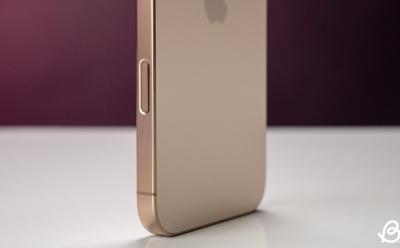
The iPhone 16e is the latest model in Apple's iPhone 16 lineup, and it features major improvements over the last generation by featuring a bezel-less display with a notch, Face ID, the newest A18 chip, and Apple Intelligence baked in. But does the new model have the iPhone 16's Camera Control button? There's indeed a new button on the iPhone 16e, but it's not Camera Control. Read along to learn more.

Here's everything about the new iPhone 16e, including its price, release date, specs and more. Check out this detailed iPhone 16e roundup.

Apple has finally released the iPhone 16e and the phone is available in two different color options. These include the black, and white colors in which you can pick up the device. Both colors are available in "elegant matte" finishes, so the 16e will be in line with the rest of the iPhone 16 series' back glass designs.

While Google has rolled out dark mode to most of its products, Google Docs is yet to get dark mode on PC. Dark mode for Google Docs is available on Android and iOS apps. Regardless of the platform, if you're a frequent Google Docs user, you can turn on dark mode on Google Docs app by going to the hamburger menu > Settings > Theme. On PC, you can download the Dark Reader extension to force Google Docs to go into Dark Mode.
Google is infamous for data collection, by using another Google service, we're essentially giving Google easy access to see and assume what's happening in our lives. Therefore, we'll show you some of the best privacy-focused and better alternatives to Chrome. Some of them include Firefox, Waterfox, Brave, Safari, and many more.
Spotify’s Upcoming “Music Pro” Plan Could Finally Bring Hi-Fi Audio But with a Catch
Ajaay Srinivasan
View quick summary
Spotify is working on an upcoming "Music Pro" tier that will finally bring Hi-Fi audio quality to songs on the platform. This new tier will offer CD-quality lossless audio, a remixing tool to mix two or more songs from multiple artists, and early access to concerts and deals on tickets. The Music Pro plan may set you back by $5.99 per month on top of your existing Spotify Premium subscription.
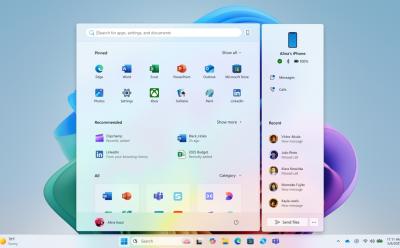
Microsoft is putting great effort into improving the Windows 11 experience. The company is testing new and exciting features in the Insider channel including a fresh Start menu layout, an AI agent for Windows Settings, several AI features for system apps, security features like Administrator Protection, and more. Check out our article for the complete list.

 Kanika Gogia
Want to pay using Apple Pay in stores or make purchases online? Here's how to use Apple Pay on iPhone, iPad, Apple Watch, and Mac.
We have curated a list of 10 best YouTube alternatives for both creators and viewers. You can find ad-free platforms where interesting videos are published by thoughtful creators. You can also learn about new topics from other video-sharing platforms. Go through our entire list to find more about websites similar to YouTube.
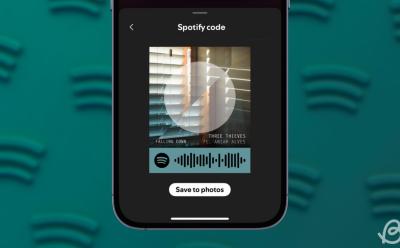
In addition to song links, Spotify offers a unique way to share what you're listening to with your friends and family. Enter Spotify codes, which are like QR codes but for accessing content inside Spotify. You can create Spotify codes for songs, albums, artist profiles, and playlists you like. And your friends will be able to listen to them straightaway by scanning it using the Spotify app on Android and iPhone.
If you own an AirTag, it is important to keep it updated for new features and bug fixes. Here's how to update your AirTag firmware.
There are many crucial settings in Microsoft Edge that are disabled by default. Go through our article and change the default settings to get the most out of Microsoft Edge.
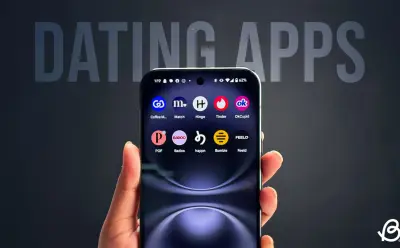
In this read, we have covered a list of the 10 best dating apps that you can find, covering all aspects of relationships. From casual hookups, to serious long term commitments. These apps will help you find the commitment that you have been looking for.
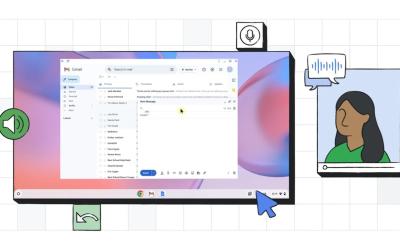
Google's new Face Control feature for Chromebooks lets you control the OS using your face, eyes, and head movements. It uses on-device ML models and the webcam to track your facial gestures.

If you want to keep your lock screen clutter-free, you can swiftly disable lock screen widgets on Windows 11. You can do so from the Settings page or customize the widgets from MSN's personalization page.
As useful as FaceTime is, there are times when it inexplicably stops working. If FaceTime is not working for you as well, read our article to find out how you can fix the problem.
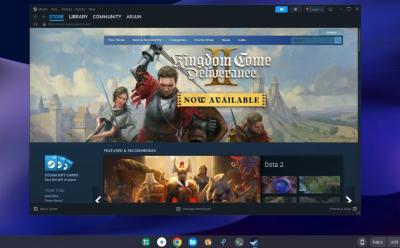
Thanks to the arrival of Steam on ChromeOS, you can now play desktop games right on your Chromebook, provided your device is capable of playing them. You can now simply install Steam on your Chromebook in just four steps. And unsupported Chromebooks can anyway install Steam manually, however, the performance might not be good. We have added both methods with detailed steps so go ahead and check them out.

While you can access DeepSeek R1 for free on its official website, many users have privacy concerns as the data is stored in China. In that case, you can run DeepSeek R1 locally on your PC, Mac, Android and iPhone.

Using an AI art generator, you can just type in a prompt and see the description come to life in the form of an image. These AI art generators work on a text-to-image basis and there are quite a few options to use out there. However, when talking about the best, Midjourney, Nano Banana Pro, and Flux come to mind. For your Android or iOS device, on the other hand, you can make use of StarryAI, Imagine AI, etc.

There are hundreds of Large Language Models (LLMs), but which one is the best? We have hand-picked the 10 best LLMs for all kinds of tasks including both proprietary and open-source models. On top of that, we have also added reasoning models.