How To - Page 82
Trending Stories
How to Breed Villagers in Minecraft: A Step-by-Step Guide
View quick summary
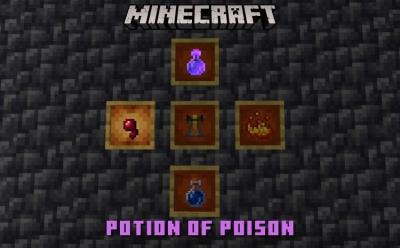
Villagers are one of the most useful Minecraft mobs, thanks to their amazing trades. So breeding the villagers is beneficial. To breed villagers in Minecraft, you will need two villagers, their food like bread, carrots and potatoes and also beds. Place the villagers in a safe location and add beds. Make sure there are more beds than villagers and throw food at them. You don't have to provide them with too much food, but if you do, they will have leftover food for the next breeding session. If the requirements are met, villagers will start to breed when they don't work
How to Create Polls on Snapchat
View quick summary
In this guide, we have discussed how you can create Snapchat polls and then share the poll results with your Snapchat buddies in no time. We have also outlined the steps to view the Snapchat poll results and then share them to your Snapchat story.
How to Change Your Netflix Password
View quick summary
You can easily change your Netflix account using the Android, iOS or Windows app, or take to the web version using a PC browser. To do so, head over to your Netflix Account Settings -> Change password. Now, if you want to take additional security measures, when changing the password, simply tick the "Sign out of all devices" box. Then, you can simply hand over your Netflix password to only those that you want to share the account with.
How to Download Snapchat Story or Video
View quick summary
In this read, we have discussed five methods to help you download Snapchat stories and videos from your own account as well as others. We have detailed steps for the iPhone and Android version of the Snapchat app, as well as Snapchat Web.
How to Cancel Your Netflix Subscription Easily
View quick summary
Cancelling your Netflix subscription lets you enjoy its streaming services up until the current billing cycle ends. To do so on the Android and iOS mobile app, tap Profile icon > Hamburger menu > Account > Cancel Membership > Finish cancellation. Meanwhile, on the web, visit Netflix and hover your mouse over the profile icon to reveal the Account settings. Then, select Manage Membership and finally, hit Cancel Membership.
How to Unblock Someone on Snapchat
View quick summary
This guide shows you how you can unblock someone on Snapchat with steps that work on both Android and iOS. And just in case you change your mind again, we have also thrown in the steps to block a user on the platform.