- Armor Stands can be crafted by using 6 sticks and 1 smooth stone slab in Minecraft.
- Players can even find armor stands generating naturally in Taiga villages in the game.
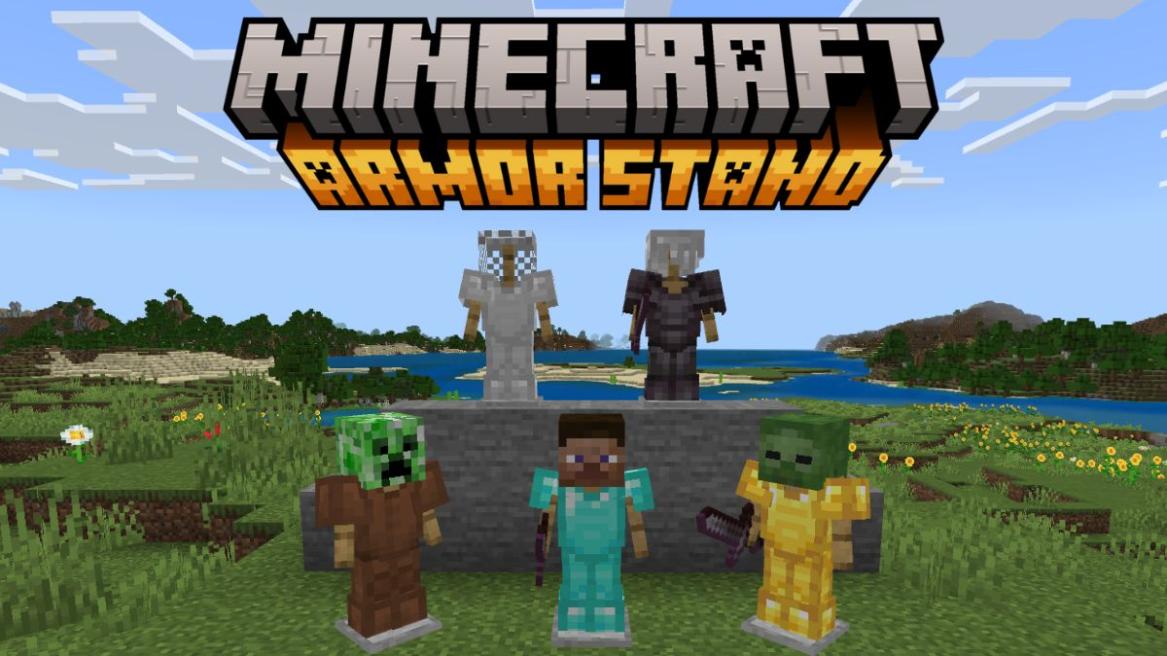
- These armor stands can be used to exhibit your armor and keep it on display at your base.
Minecraft now has a variety of armor, and you can customize them further using the armor trims in the game. So, now comes the question of whether there’s a way to store and showcase them at your base. And the answer is yes! You can display armor on, well, armor stands. So, in this guide, we will share the step-by-step process of how to make an armor stand in Minecraft and its uses in the game.
Quick Armor Stand Crafting Recipe
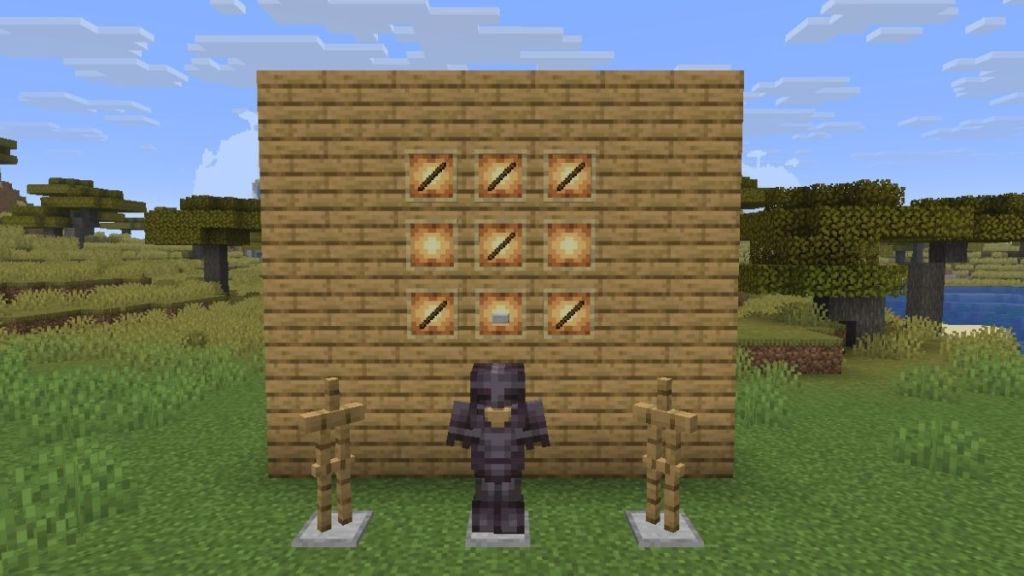
If you’re in a hurry and going through the whole ingredients and uses of the item seems a lot for you right now, here is the crafting recipe for how to make an armor stand in Minecraft:
- The armor stand requires 6 Sticks and 1 Smooth Stone Slab.
- Place three sticks in the first row, one at the center of the middle row, and two on the ends of the third row.
- Place a smooth stone slab in the center of the third row to get an armor stand in Minecraft.
If you are wondering how to make an armor stand in Minecraft Java or how to make an armor stand in Minecraft Bedrock, understand that the process is the same for both.
Materials Needed to Craft an Armor Stand (Sticks & Smooth Stone Slabs)
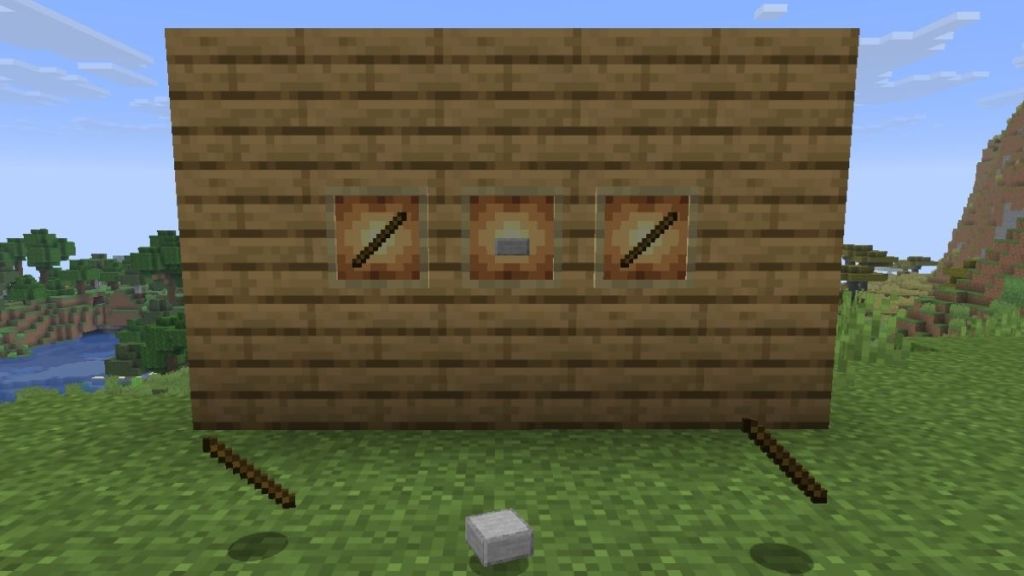
The crafting recipe for an armor stand requires the following resources:
| Crafting Recipe | Ingredients Required |
|---|---|
| 1x Armor Stand | 6x Sticks and 1x Smooth Stone Slab |
| 6x Sticks | 4x Planks |
| 1x Smooth Stone Slab | 3x Smooth Stones |
Sticks are one of the most basic items in the game. They can be made using two planks from any wood type. For crafting a smooth stone slab, you need to first make smooth stone. You will also require the crafting table, a utility block that allows you to craft items in a 3 x 3 crafting grid. On the other hand, you can also use the crafter, which is basically a crafting table, but it can only craft items using Redstone power.
How to Get Smooth Stone Slabs
If you’ve searched for how to make an armor stand in Minecraft because the recipe doesn’t work, chances are that you’re using the wrong slab. Either you get them from the Mason villager homes by mining the blocks using a pickaxe with the Silk Touch enchantment in Minecraft, or you have to make them in a furnace.
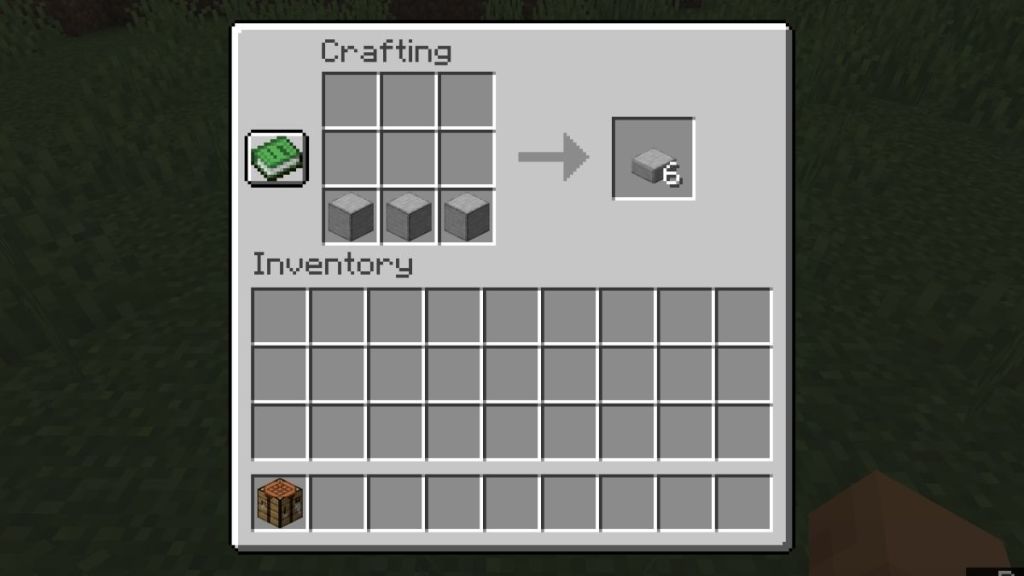
Yes, you need to smelt the cobblestone first in a Minecraft furnace to get the regular stone blocks. Then, smelt the regular stone blocks again to get smooth stone. Now, you can either use a crafting table or a stonecutter to get smooth stone slabs in Minecraft.
Armor Stand Step-by-Step Crafting Process
If you collected the required resources, let’s start crafting an armor stand.
- Place the crafting table or crafter in your world and right-click it to open its UI.
- Start by placing the smooth stone slab in the central slot of the bottommost row.
- Next, place one stick above the stone slab and then one to the left and right of it.
- Finally, fill the top row of the crafting grid with sticks completely.
- Then, you can click on the armor stand icon on the right to craft it.
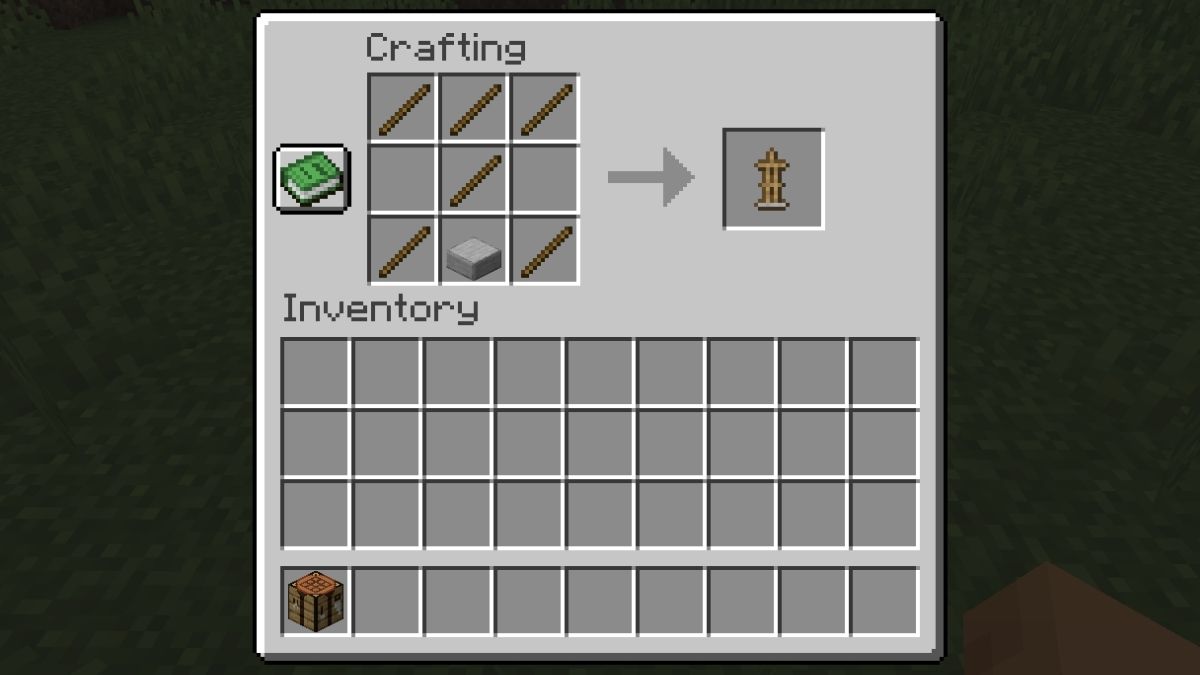
However, if you’re using a crafter, you’ll need to power the block with a button, lever, or any other redstone power source.
Java vs. Bedrock Edition: Default Differences
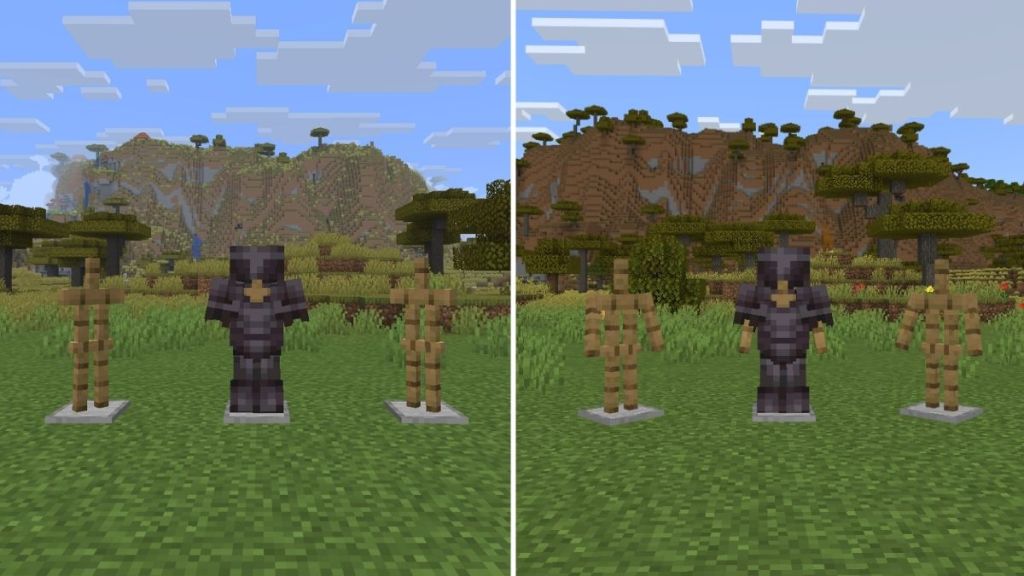
Minecraft Java and Bedrock editions handle the armor stands differently, and it directly affects their use cases as well. The armor stand in Java doesn’t spawn with arms and requires toggling on the commands to display its arms, change poses, and perform some advanced customization.
Whereas in Bedrock, most of these features are available through direct interaction and redstone signals. You can simply spawn an armor stand, let it hold a weapon or armor, and let the redstone components change the poses by themselves. Here is a quick comparison table for armor stands in Java and Bedrock:
| Feature | Java Edition | Bedrock Edition |
|---|---|---|
| Arms (by default) | No | Yes |
| Pose without commands | No | Yes |
| Redstone pose control | Limited | Supported |
| Customization with commands | Advanced customization | Limited customization |
| Holds weapons | Command-based | Native |
Where to Find Armor Stands Naturally
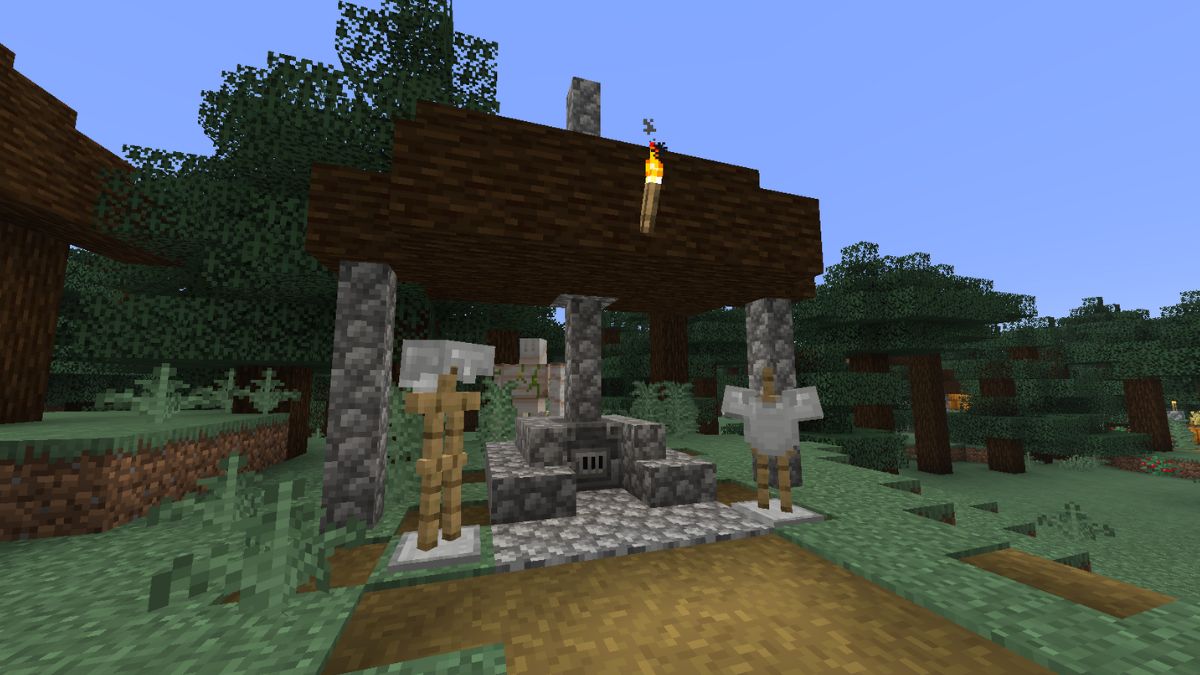
Armor stands generate naturally only in one location throughout your world – in taiga villages. But not in every single one. That village needs to contain an outside armory site. You will find that they are completely open with a blast furnace and an overhang above it.
Here, you’ll always find 2 armor stands with a couple of iron armor pieces. So, stumbling upon one of these in the early game would be a pretty good time-saver.
How to Make an Armor Stand Move and Dance
One of the most asked questions in the community related to this item is how to make an armor stand move in Minecraft or how to make an armor stand dance in Minecraft. And guess what? Although the armor stand appears static, it’s technically a living entity, and several game mechanics like pistons, slime blocks, honey blocks, fishing rods, can move it.
The Redstone Repeating Circuit for Dancing Stands
So, check the following redstone circuit that can help to make an armor stand move and dance:
- Place the armor stand on the ground and build a small Redstone clock using repeaters.
- Connect the loop to the block beneath the armor stand. Thereby, each redstone pulse cycles the stand into its next pose.
- Since the Bedrock armor stand responds to ticks, it will continue to change the poses, and the result looks very similar to dancing.
You can even make a proper dance floor using Minecraft Note Block, colored light source blocks, redstone lamps, copper bulbs, music discs, and more.
How to Build an Armor Stand Swapper (Bedrock Edition)
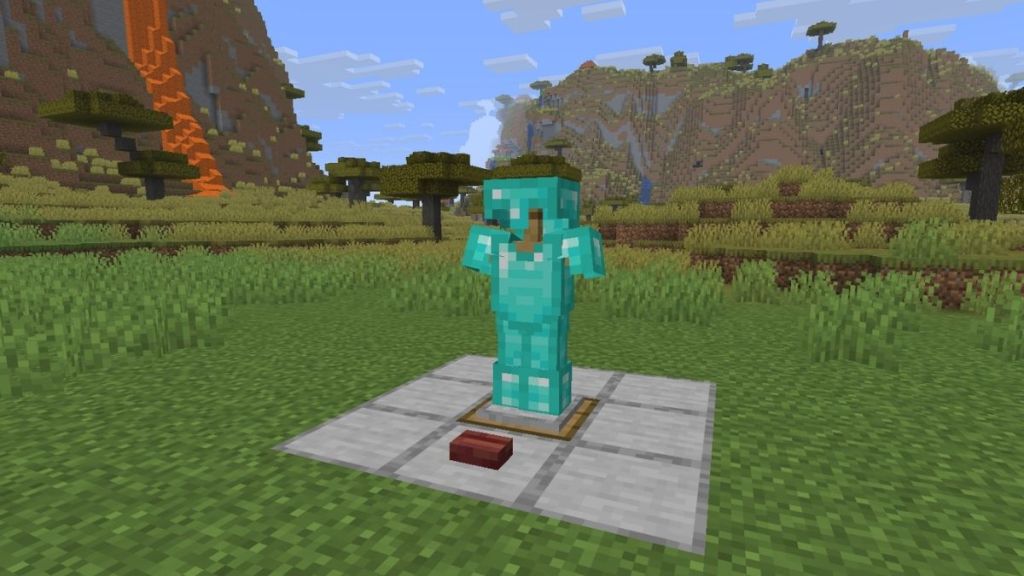
Another popular building design that is highly requested in the community is how to build an armor stand swapper in Minecraft. Imagine how cool it would look when you’re switching from your old iron armor to a full Netherite armor by simply pulling a lever. So, this is how you build the armor stand swapper:
- Start by digging a 3×3 hole that is five blocks deep.
- At the center of the hole, place a sticky piston facing upward.
- Attach a slime block to the top of the piston that acts as the platform to move the armor stand up and down.
- Place two Obsidian blocks beside the slime block and then place one Redstone Torch on each of these blocks. Put the redstone dust on top of the Obsidian blocks.
- Use some building blocks to cover the redstone system, leaving only a single opening directly above the slime block
- Place a trapdoor on the opening and then an armor stand on the trapdoor while sneaking.
- Now, complete the armor stand swapper with a button in front of it to make it work.
Advanced Commands: Creating Invisible Armor Stands
For all the veteran Minecraft players, here is a list of armor stand commands to gain complete control and unlock more customization options:
- Enable arms on an Armor Stand: /data merge entity @n[type=armor_stand] {ShowArms:1}
- Remove Armor Stand Base Plate: /data merge entity @n[type=armor_stand] {NoBasePlate:1}
- Make the Armor Stand Invisible: /data merge entity @n[type=armor_stand] {Invisible:1}
- Create a Small Armor Stand: /data merge entity @n[type=armor_stand] {Small:1}
- Change Arm Poses: /data merge entity @n[type=armor_stand] {ShowArms:1,Pose:{LeftArm:[0f,0f,0f],RightArm:[0f,0f,0f]}}
There you have it, folks; now you know how to make armor stands in your world. The most special feature of armor stands is their poses. Some members of the community have even developed entire art styles involving them.
You can make your world feel alive using armor stands, as well as tell stories in a unique way. What do you use the armor stand for? Let us know in the comments below.
Yes, armor stands can be broken by attacking them twice with your hand or any tool, but it doesn’t take any damage. Furthermore, armor stands are entities and are affected by gravity. So if you break a block below one, it will start to fall.
In Bedrock Edition, yes, you can put weapons such as swords and shields on armor stands. You can put all sorts of items in the armor stand’s hands. However, in the Java edition, you cannot, since those armor stands don’t even have arms.
Turn on in-game cheats and use the command ‘/summon minecraft:armor_stand ~ ~ ~ {Rotation:[0f,0f]}‘ to change the pose of armor stands in Minecraft Java.
The most common mistake is using Stone Slabs or Cobblestone Slabs instead of Smooth Stone Slabs. You can get smooth stone slabs in Minecraft by placing smooth stone blocks in all the squares of the bottommost grid in a crafting table.