How To - Page 44
Trending Stories

 Kanika Gogia
The latest iOS 18 offers a built-in option to schedule text messages on an iPhone. To schedule iMessages in iOS 18, type a message, tap on the + icon present, then tap on More and scroll down to choose the Send Later option. Now, pick a date and time and hit the Send button to set a scheduled message. On iOS 17 or earlier, you can use the Shortcuts app, set a reminder in the Reminders app, or use third-party apps to schedule text messages on your iPhone.
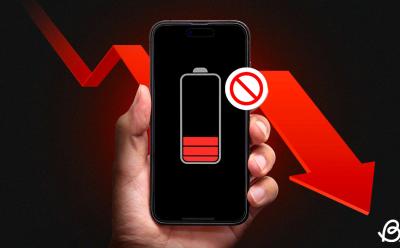
If your Android device struggling to hold a charge, there it's important that you identify the apps that are draining your battery and take control. To prevent excessive battery drain, you can enable Adaptive battery, restrict apps from running in the background, force-close apps you're not using, uninstall apps you no longer use, and update them to their latest available versions from the Play Store.

What Does ‘This Story is Unavailable on Instagram’ Mean and How to Fix It
 Anshuman Jain
View quick summary
If you encounter the "This story is unavailable" error message on Instagram, it might be because the story has expired or is from a private account. This could also happen if the story is restricted, hidden, removed, or there are issues with Instagram app and servers. To prevent this message from appearing, you can refresh your Instagram feed, check someone's highlights, use an alternate account, update the Instagram app, and clear the app cache.

 Akshay Gangwar
Want to close apps on your iPad? Read our detailed guide to learn how you can easily close apps on iPads with or without the Home button; plus, a clever trick to close multiple apps at once.

Spotify's new interactive feature, Song Psychic, offers a lighthearted way to find some musical insight. You can ask from a stream of pre-populated questions, ranging from lunch inspiration to a career change and Song Psychic will deliver a personalized song-based answer. You can use this feature by searching for "Song Psychic" on Spotify and the feature is available for both free and Premium members on the app.

Discord can sometimes have issues when displaying embedded Tweets shared on the platform. This guide shows how you can fix that - using modified link formats, adding "fx" or "vx" as prefix. You can also check if embeds and link previews are enabled inside Discord's app settings. If these methods don't work, clear your cache, update the app, or try reinstalling it to fix the issue.
 Satyam Kumar
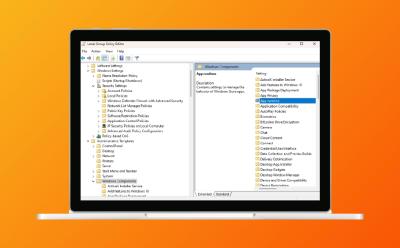
Enabling Local Group Policy Editor on Windows 11 Home is possible. Even though Microsoft only includes gpedit.msc for Windows 11 Pro, with the utility made available to download will help you enable Group Policy Editor on a non-Pro Edition of Windows. You simply download the utility, run two files (one being ".exe" setup and the other being a ".bat" file) to install various components. After that, gpedit.msc not found error gets fixed. There are also some troubleshooting steps that we have talked in case the user still cannot launch gpedit.msc after the tutorial.

Stardew Valley Leah: Favorite Gifts, Heart Events, & How to Romance Her
 Radojka Travar
View quick summary
Leah is usually in one of these locations in Stardew Valley: in her cottage, in the Cindersap forest, in Pierre's store, Stardrop Saloon, on the beach or north of the blacksmith. Her loved gifts are salad, wine and goat cheese and liked ones are diamond, fruit and various foraged items. Her heart events involve around her art and ex Kel. You can start dating Leah when you reach eight hearts with her and once you give her the bouquet. To marry Leah, you'll need ten hearts with her and to give her the mermaid's pendant.

 Sampad Banerjee
For Steam Deck users who are facing errors or simply want to clean it up, a factory reset is a perfect option. However, before you do, make sure to wipe all your private data by booting into recovery mode. Once done, factory reset your Steam Deck by going to Settings, navigating to System and selecting the Factory reset option. Confirming will wipe everything from your Steam Deck, resetting it back to stock.

Heavy core is an item you can obtain only in the new trial chambers in Minecraft 1.21. For that, you first need to get the ominous trial key by completing ominous trial spawners' challenges. You should then find the ominous vault block and use the key on it. Heavy core is one of the possible rewards from the ominous vault and there is a 7.5% chance of it being ejected. Once you get it, combine it with the breeze rod in the crafting grid to make a mace.

To delete any comment on Instagram, long press the comment itself and then tap on the delete icon. on iOS devices, you have to swipe left on the comment and on desktop browser you need to click on the three dot menu under the comment and then select the Delete option. You can also delete multiple comments at once from the "Your activity" section. This method also helps you delete comments made on posts by users who have blocked you.

If you are struggling to link your Discord and Xbox accounts then you can try these troubleshooting methods to fix your issue. These involve re-linking your Discord and Xbox accounts, performing a power cycle on the console, clearing Alternate MAC Address, enabling Remote features, and signing in and out of both your Discord and Xbox accounts.

To fix the install error 0x800f081f, which usually happens when trying to update Windows 11, we have listed some easy solutions. The first is to install .NET Framework 3.5 through Windows Features and also consider disabling & re-enabling it. Next, you can try resetting the Windows Update services & cache. The Windows Update troubleshooter can also help, along with running SFC & DISM commands in CMD.

Breeze rods are brand-new Minecraft 1.21 items that can only be obtained when killing Breeze mobs inside trial chambers. It drops 1-2 breeze rods by default, but the looting enchantment only increases this number. This item is used in several different crafting recipes. Those include the flow armor trim, wind charges and the mace weapon.

 Sagnik Das Gupta
Google Docs has an integrated word counter that you can make use of. Moreover, you can access it from both your web browser or the mobile app for Android and iPhone. When on the web browser, simply open the document on Google Docs and hit the Ctrl+Shift+C key to summon the word count panel. On the phone, head over to the 3-dots icon and select Word count from the available options.

Spotify Jam let's you listen to the same song with friends in real-time. To start a Jam session, you need a Spotify Premium account, while your friends can join with free accounts. Both the host and participants can add songs to the Jam playlist, but only the host can remove friends or end the session. The feature can be used on Spotify's mobile and desktop apps.

You can hide your Facebook posts from the past that you now find embarrassing and remove it from your timeline. You can always bring it back to your profile but doing so requires you to visit your account's Activity log and scroll through your list of hidden posts. When you actually find it, you can use the Add to profile option to restore it to your Facebook timeline.

Snapchat does not show the friend lists of other users to prevent their privacy and reduce cases of harassment and bullying. Some workarounds to this includes finding familiar people from the Quick Add list and checking the Mutual Friend tag. There's also the obvious way, that is, approaching your friends about their Snapchat friend list directly.

To delete your Facebook account permanently, you need to first backup your data and unlink third party apps from your Facebook account for privacy reasons. Then you can move on to the steps to delete the account. The deletion process takes 30 days, after which it gets initiated and cannot be reversed.

Just like iPhones and iPads, MacBooks also have a Low Power Mode that reduces energy use to increase battery life. This energy-saving mode on Mac reduces screen brightness, limits background processes, and decreases CPU processing speed. To enable Low Power Mode on Mac, go to Apple Menu -> System Settings -> Battery -> Low Power Mode and choose an option from the drop-down menu.

Striders spawn in every Nether biome usually on top of large lava seas. To ride a strider in Minecraft, you'll need a saddle and a warped fungus on a stick. Get close to a strider, use a saddle on it to equip it, interact with it to get on top and select the warped fungus on a stick. The strider will move in the direction you're pointing the stick at. To make it move faster use right-click. This is quite a fast method of transport in the Nether and with fire resistance potions also pretty safe.

After torturing us with Wordle and Connections, NYT is back yet again with Strands, a word searching adventure. NYT Strands gives you a scrambled grid of letters along with a daily theme hint. The aim of the game is to get all the letters along with the special word called the Spangram that spans across the board. Along your journey you can use the Hint bar by finding three unrelated words first. To make it even easier, you can use some of the best tips like being consistent, using the entire grid and well, not overthinking it.
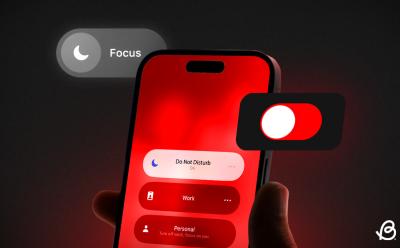
There are various ways to turn off Focus on an iPhone. The first way is to open the Control Center, tap on the Focus icon, and then tap on the currently enabled mode to turn off Focus on iPhone. Second, you can also disable a Focus mode directly from the Lock Screen. For this, long-press the label and tap on the selected focus. Lastly, you can always ask Siri to disable Focus for you.
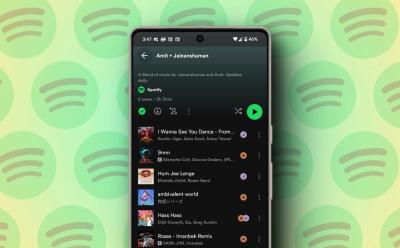
Spotify's Blend feature creates a playlist that combines the musical tastes of you and your friend. The feature is not locked behind a paywall and is available for free users. It can include up to 10 people. The playlist can be accessed through the library and shows the avatar of the person who added each song.

 Ajith Kumar
One of the most prominent anime series in the anime community is the Fate franchise. If you are interested in exploring the world of Fate but do not know where to start, we have got you covered with our comprehensive guide to watching the Fate series in order.

There are several ways to change your MacBook wallpaper. First, you can go to System Settings -> Wallpaper and choose from Apple's pre-installed backgrounds as your Mac wallpaper. Second, you can use an existing image on your Mac as the desktop background. Lastly, there's also a way to set your photos as Mac wallpapers.
 Arjun Sha
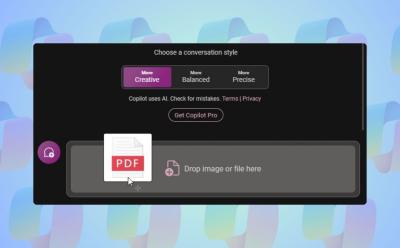
Microsoft is slowly adding new features to Copilot on Windows 11. Copilot has finally received the file upload capability on Windows 11. You can upload a range of documents including PDF, DOC, XLS, PPT, TXT, and more. Copilot seamlessly ingests the documents and answers from the provided document accurately. From analyzing financial sheets to summarizing PDFs and understanding private code documentation, the feature can be immensely helpful to all kinds of users.

The Finder has a batch rename tool that helps you rename multiple files at the same time on a Mac. First, open the Finder Window and select the files you wish to rename. Then, right-click on the files and choose Rename. You can change the entire name, add some missing text, or replace the text in the selected files.

If your Gmail account is filled with spam and junk, or there's an account that you don't even use anymore, getting rid of it is probably a good idea. However, there are two ways to go about it, and you can either delete just your Gmail service or your entire Google account altogether. We'd recommend going with the former if the Gmail service is bothering you specifically.
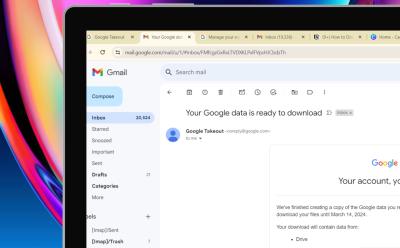
Google Takeout allows you to download your account data and make a copy of it alongside the cloud backup that already backs up your data. Making a physical copy of your data this way makes you store it to your computer for additional retrievability. To use the Google Takeout too, head over to the Takeout page and follow the on-screen instructions and manage the settings to finally create an export which will allow you to download the data easily.

 Ishan Adhikary
In Blox Fruits, unlocking the true potential of your fruit lies in Awakening it. You will need to level 1100 first and then find a Mysterious Scientist. Once done, Acquire a raid chip for 100,000 Beli or a physical fruit. Once a raid is complete, you will teleport to the Awakening room while gaining fragments. In the Awakening room, talk to the Mysterious Entity and spend fragments to Awaken your fruit's moves in order.

You can craft a lodestone with one netherite ingot, 8 chiseled stone bricks and a crafting table. Place the netherite ingot in the central slot of the grid and surround it with chiseled stone bricks. It's also possible to find it inside the bridge bastion chests in the Nether dimension. By using a compass on a lodestone, the lodestone's location will be assigned to a compass, so it'll always point towards it. This is very useful in case you settled far away from spawn, but is it really worth one netherite ingot? It's up to you to decide.

Tim Cook confirmed that Apple's Generative AI is coming later this year. Interestingly, the upcoming iOS 18 is expected to bring "Siri 2.0" that's largely relies on generative AI capabilities. I expect Siri 2.0 to deliver human-like interactions, automate tasks complex tasks, add personality to conversations, offer connected experiences, and support more third-party apps.

There are several ways to zoom in and zoom out on a Mac. You can zoom in and zoom out a specific window or the entire screen on your Mac. One of the most popular ways to zoom on Mac is using keyboard shortcuts. You can use the "Command + -" shortcut to zoom out a specific window and use "Option + Command + -" to zoom out the entire Mac screen. You can also use a trackpad or mouse to zoom out on a Mac.

To learn if someone has unfriended you on Snapchat, you can check for certain clues in the app. These include checking the "My Friends" list, looking for an "x" icon, visiting their profile page, noticing missing calling options and more. These signs can help determine if someone has unadded you on the app.

Google's latest update for Gemini allows users to modify and regenerate specific portions of a response according to their preferences. The feature can be used to replace portions of text with a different prompt or you can simply ask Gemini to regenerate selected text or make it shorter or longer. The new feature is available for everyone but is limited to the Gemini web app.

You can easily use the Gemini AI chatbot on your iPhone using the Google app or a web browser. All you need is a compatible device and a personal Google account. You can use the free version or upgrade to Gemini Advanced to unlock all the features.

Android 14 QPR3 Beta 2 is Soft-Bricking Pixels: Here’s How to Fix it
 Abubakar Mohammed
View quick summary
As soon as the Android 14 QPR3 Beta 2 update landed, a few users on Reddit reported their Pixels were soft-bricked after sideloading the update. The attempts to restart Pixels once the QPR3 Beta 2 update is installed resulted in the device getting stuck on the Google logo. Fortunately, flashing the previous Android 14 QPR3 Beta 1 update should restore your device to a working state.

You can use Events on Facebook to create and manage gatherings. To create an event, choose its privacy, add a location or virtual link, and invite guests. Users can also add co-hosts or enable chat with guests. Facebook Events can also be used to discover ongoing events.

X offers the ability to make audio or video calls to anyone for free. Since this feature is turned on by default, it can be a privacy concern for many users. Fortunately, you can turn off the audio and video call feature by heading over to your X inbox > cogwheel icon and turning off the Enable audio and video calling toggle.
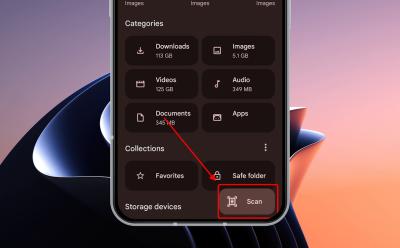
The Files by Google app on Android is now getting the ability to scan documents. To use it, open the app -> tap on the floating scan button -> point your phone at the document you want to scan -> once it automatically scans, tap one. This feature gives you additional options like crop & rotate, filter and clean. Also, note that the documents are automatically saved in the PDF format.
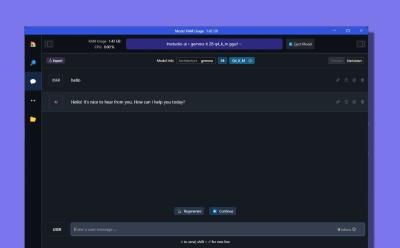
If you have a low-end computer, you can download and run Google's open-source Gemma model on Windows, macOS, and Linux. The model is just 1.5GB in size and takes up around 1.4GB RAM. For creative tasks in English, the model does a good job while running offline. You can download LM Studio and load the model to start using it right away.