- Players can teleport in Minecraft using commands, command blocks, Ender Pearls, and other in-game methods.
- Teleport yourself, friends, mobs, or entire groups using the /tp command on Java and Bedrock Edition.
- The teleport command can also help in bringing players to the current location.
Minecraft worlds are practically endless, making exploration in the game one of its biggest strengths. This brings us to the obvious issue of travelling greater distances in your world. Well, you need not worry, as Mojang has included multiple ways to teleport around the world. And you can discover them all in this guide. Though the in-game teleportation system is reliable, you should know how to make the most of it. So let’s quickly learn how to teleport in Minecraft.
How Does Teleportation Work in Minecraft?
Teleportation instantly moves a player or entity from one location to another without physically travelling across the Minecraft world. One of the ways of teleportation includes relying on the Minecraft mods, so make sure that you have Forge or Fabric installed first. Other than that, the most common ways of teleportation include using the ‘/tp ‘ command, Command Blocks, and Ender Pearls.
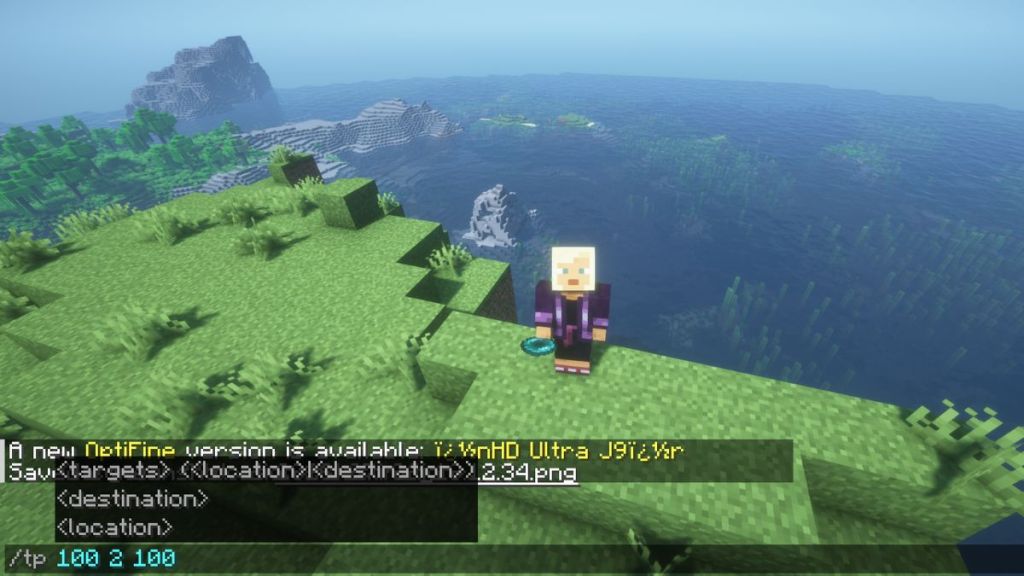

The teleport command can help in moving yourself, another player, multiple players, mobs, and other entities to the desired coordinates. To do this, you need to understand the coordinate system in Minecraft. There are three parameters: X means east and west position, Z means north and south position, while Y means height or elevation. Now, you can set these X, Y, Z coordinates while using the teleport command to easily move to that area.
How to Teleport in Minecraft using Commands
If you are playing the game on one of these best Minecraft seeds, either alone or with your friends, giving everyone the power of unlimited teleportation might be a viable option. If that’s the case, Minecraft has in-game commands or “cheats” to help you teleport. Follow these steps to learn how it works:
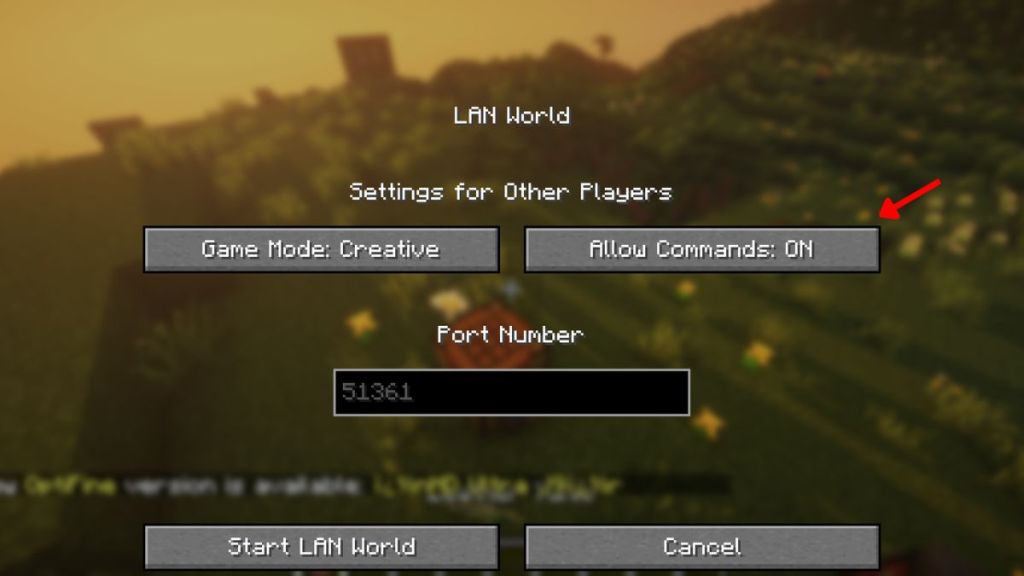
- For Java Edition: Press the Esc key and select the “Switch to LAN” option. Then, set “Allow Cheats” to ON.
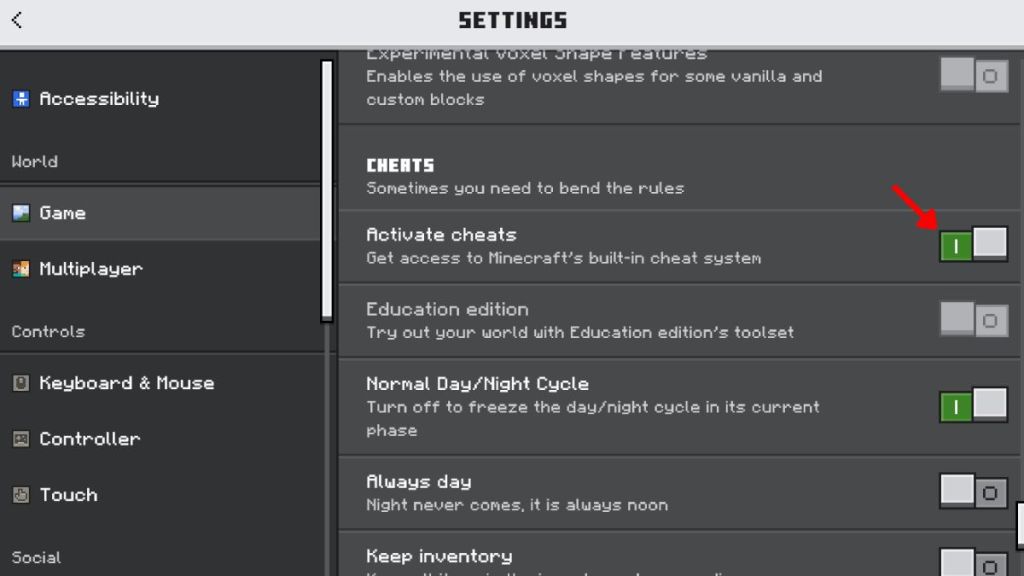
- For Bedrock Edition: Press the Esc key and select the “Settings” tab. Under the “Game” section, toggle “Activate Cheats” to ON.
- Now, for either the Bedrock or Java edition, type “/tp @p (x) (y) (z),” where x, y, and z (without the brackets) will be the coordinates of the location you want the command block to teleport players to.
- You can also type in “/teleport @p (x) (y) (z),” and it will have the same effect.
![How to Teleport in Minecraft [Complete Guide]](https://static.beebom.com/wp-content/uploads/2022/02/How-to-Teleport-in-Minecraft-using-Commands.jpg?w=1024)
This Minecraft command can also be used to teleport in more than one way, and you can learn about moving other players, entities, and more here:
- @e to teleport the entities present around you
- @r to teleport any random player
- @a to teleport all the players to a specific location
- @s or username to teleport yourself
- @p to teleport the player closest to you
- @e[type=entity] to teleport specific entities like @e[type=cow] to teleport cows
The /tp command is available on all Minecraft platforms, except the PS3 and Xbox 360. So let’s figure out how to teleport in Minecraft on platforms other than a Windows PC.
How to Teleport Someone to You in Minecraft
As long as you know the other player’s username, the process to teleport them to your location is simple. Follow the steps below to see how it works:
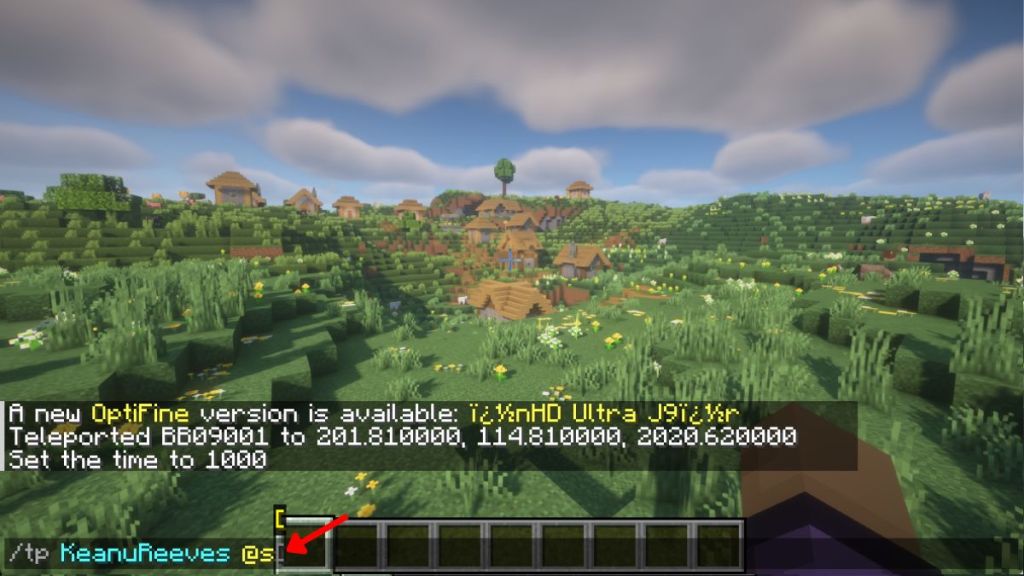
- The easiest option would be to type /tp “Friend’s Username” @s in the chat. It will teleport your friend to your current location.
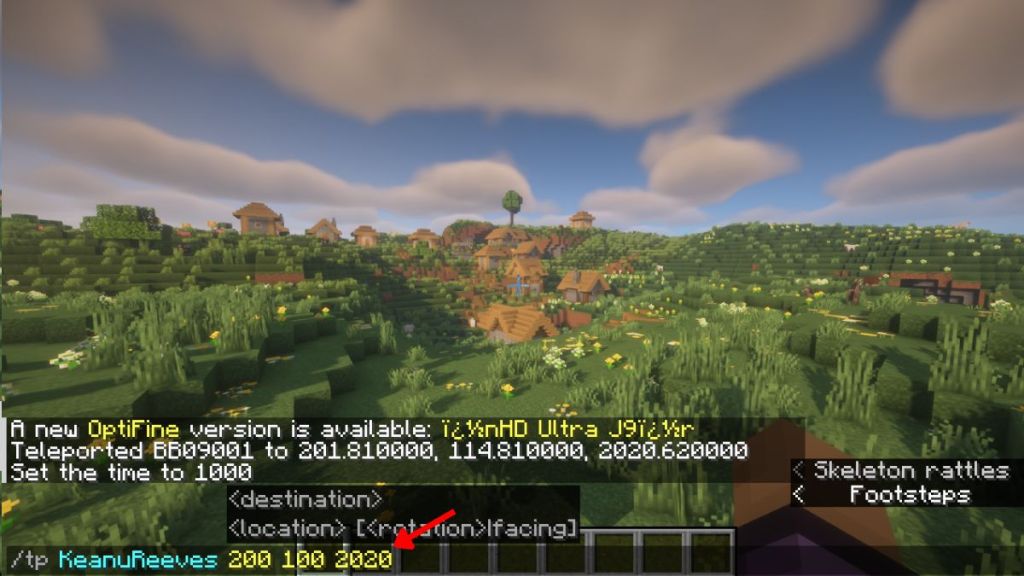
- You can also check your current coordinates by pressing F3 (Java-exclusive). Then, use those coordinates to teleport your friend using the command – “/tp <friend’s Username> (x) (y) (z).” Here, x, y, and z (without any brackets) will be your current coordinates at the location you are at.
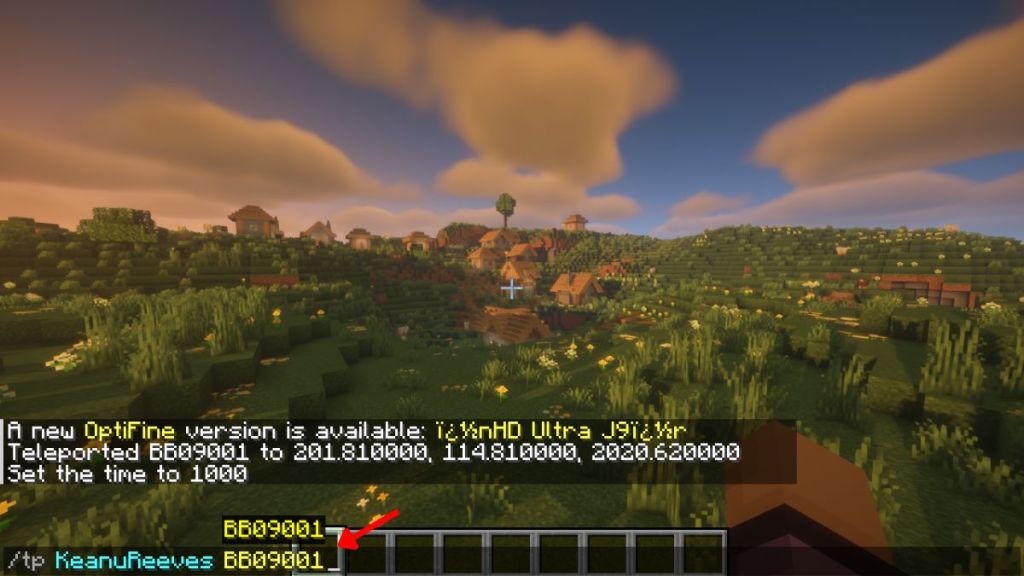
- Finally, if you have cheats enabled for the whole server, your friends can teleport themselves to you. They can use the command – “/tp username1 username2,” where a player with username1 will be teleported to the player with username2’s location. You can also use this command to teleport yourself to another player.
How to Teleport in Minecraft PC using Command Blocks
Now, let’s look at one of the most popular tools to teleport in the game. But first, you must learn how to get and use a command block in Minecraft. And then follow the steps below to teleport using the command blocks:
- Make sure that you have creative mode on.
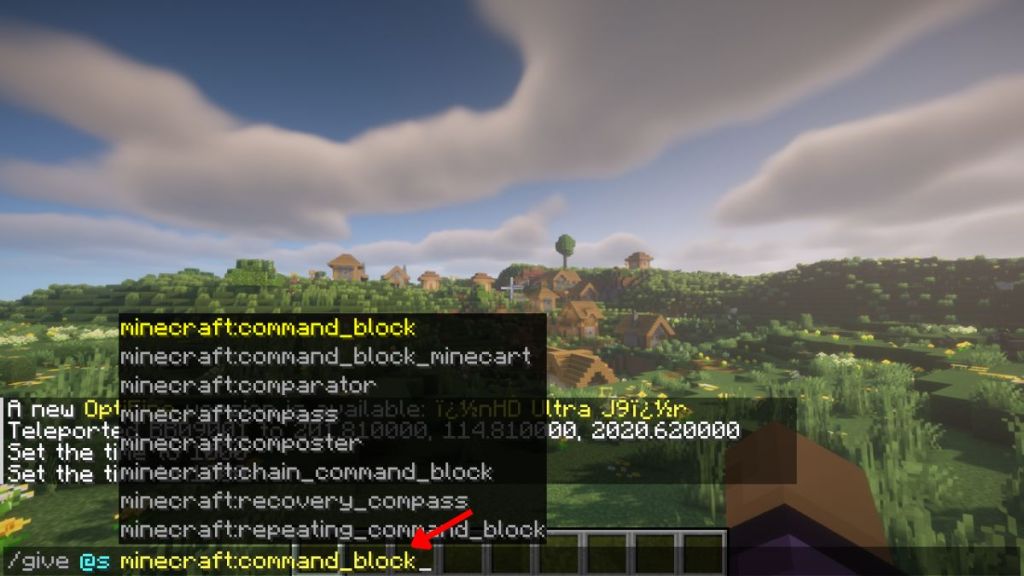
- Spawn the Command Block by typing “/give username Minecraft:command_block“. It will give you a command block that you can place on the ground.
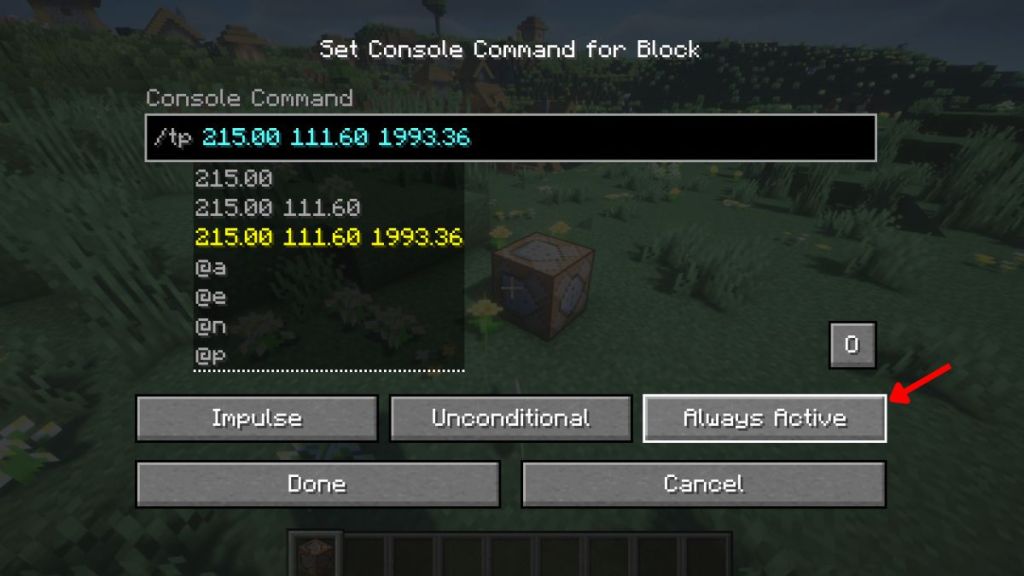
- Next, right-click on the Command Block and type “/tp @p [x] [y] [z]”. These will be the coordinates where you want the command block to teleport players.
- If you want it to teleport you back to spawn, the command will read /tp @p 0 ~ 0. Make sure the third button doesn’t say anything related to Redstone and has the “Always Active” label on it.
How to Teleport in Minecraft on PlayStation or Xbox Console
In general, PC gamers on Minecraft always stay on the better side of features. And teleportation is no different. Console players can only teleport while playing Multiplayer mode in the game. So, if you have a multiplayer world ready, let’s quickly learn how to teleport on PlayStation, Xbox, or Nintendo consoles.
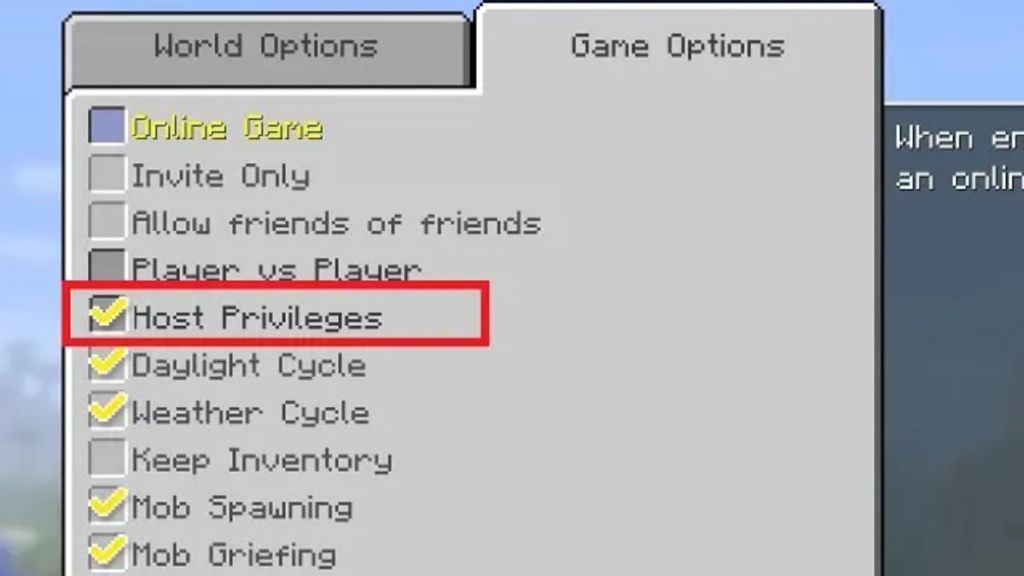
- Start by going to the “Game Options” of your world from the pause menu. There, make sure that the “Host Privileges” option is turned on.
- Next, load up your Multiplayer world as you normally would. Then, use the Options button by pressing the assigned key on your PS4 or Xbox controller to open the Host Menu.
- Now, select Teleport to Player from Host Options. This will give you a list of players to choose from, and selecting a username will teleport you to that player’s location.
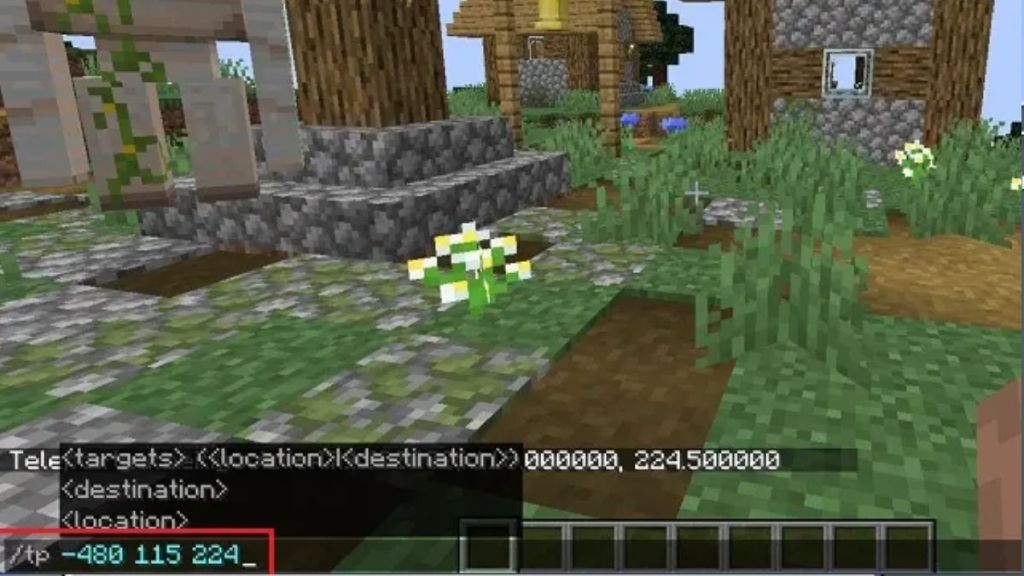
- If you want to teleport to specific locations, use the command “/tp @p (x) (y) (z),” where you want to teleport players. You will need to type this command in the chat window of your Minecraft world.
How to Teleport in Minecraft Pocket Edition (MCPE) on Android & iOS
Moving past powerful machines like Windows PCs and consoles, it’s now time to learn how teleportation works in Minecraft PE on mobile devices. After you’ve generated a cool world using the best Minecraft Pocket Edition seeds, go through the following steps to learn how to teleport in this system:
- To begin, open the Minecraft app on your iPhone or Android device and load your world. Then, go to the menu using the “Pause” option at the top of your screen.
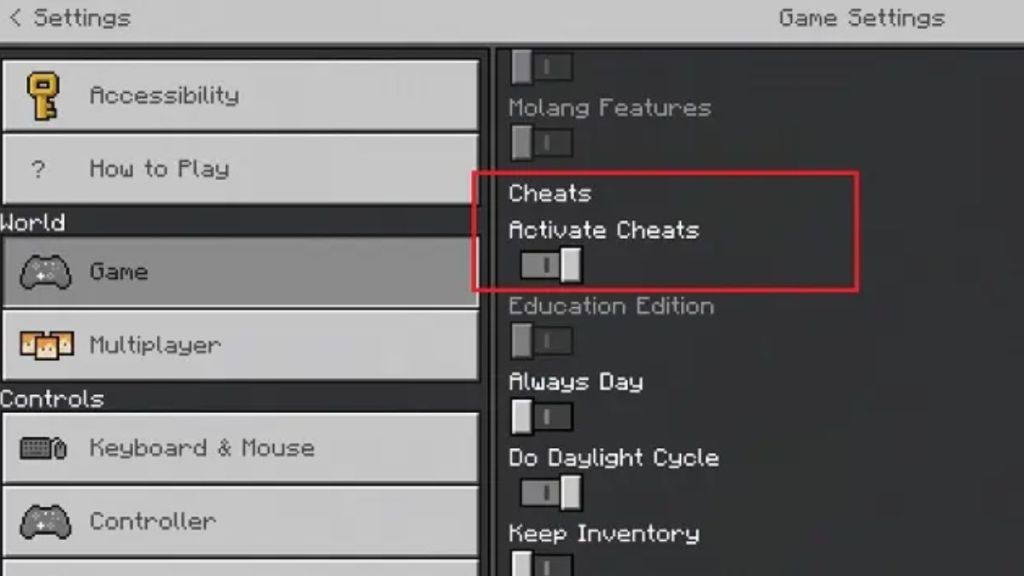
- From the pause menu, select the “Settings” option and switch on the “Activate Cheats” toggle under the “Game” settings. After that, you can go back to your game to start teleporting.
- In your world, click on the chat icon at the top of your display.
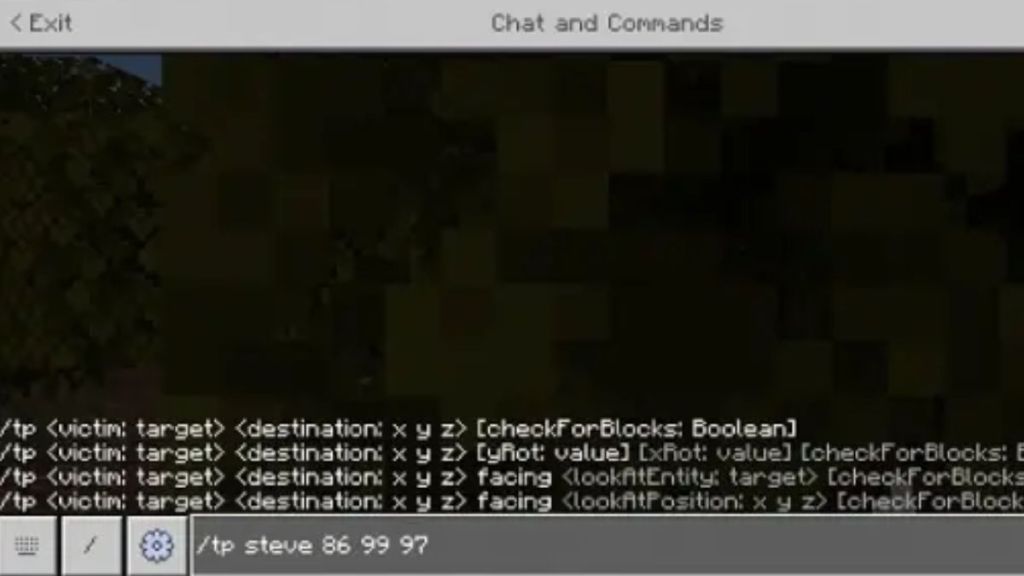
- Once it opens, type “/tp username (x) (y) (z).” Tap on the “send message” button to teleport to your desired coordinates.
How to Teleport in Minecraft Using Mods
Yeah, Minecraft has plenty of options when it comes to teleportation, and we haven’t even covered the one we are meant to use most often. Before that, though, let’s figure out how to use a Minecraft mod to teleport. Do note that mods only work in Minecraft Java Edition and not Bedrock. With that said, let’s check out one of the most popular teleportation mods in Minecraft.
- There are tons of Minecraft teleportation mods to choose from, but we are going for the fan-favorite Teleport++ mod. You can download its .jar file from Forge using the attached link.

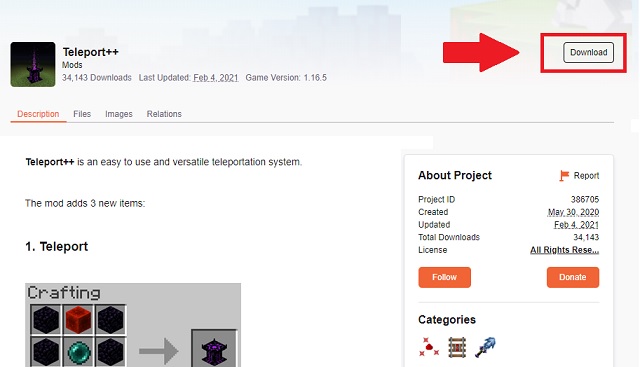
- Once you have downloaded the mod .jar file, copy it to the Mods folder, located at %appdata%\.minecraft\mods. You can also copy and paste the location in the Run prompt (Win + R) to quickly open the Minecraft Mods directory.
- Now, load your Minecraft world, and Forge will automatically run the teleportation mod. Here, you will notice the game has 3 new items in-game that you can use to teleport.
- There’s a personal teleporter that you can use to teleport back to any given area within 90 seconds of placing that teleporter.

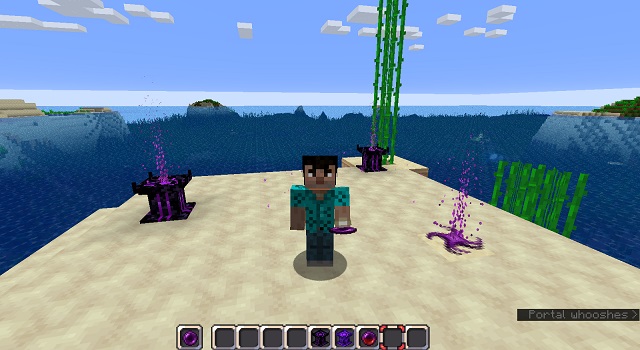
You also get a Teleporter machine that you can place throughout the map to make multiple teleportation spots for you and your friends to use at any time. The recipes to make all of them are available on the mod’s download page.
How to Teleport in Minecraft Using an Ender Pearl
Ultimately, Ender Pearls are the best way to teleport in Minecraft survival or hardcore mode with no external support. Here’s how to use an Ender Pearl for teleportation:
- First, get an Ender Pearl by killing an Enderman. It has a 50% drop rate of Ender pearls on death. Otherwise, you can also get an Ender Pearl by trading with expert-level cleric villagers or the Piglins, but that might take you some extra steps.
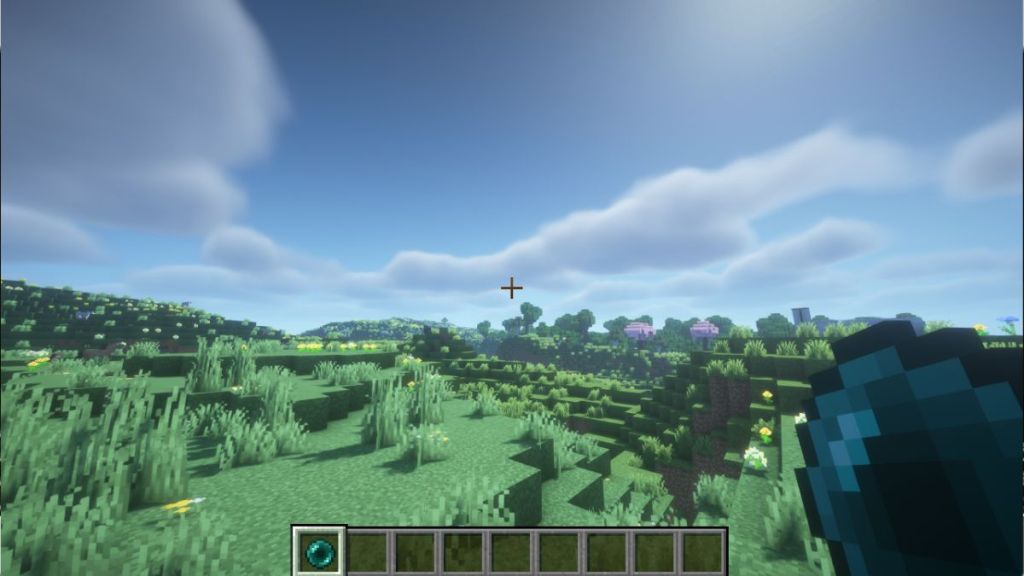
- Whether by trading or by violence, you are all set to teleport after getting the Ender Pearl. You just need to throw the pearl by clicking on any location on your site to get teleported there.
- As you get teleported, the Ender Pearl is consumed, and you also receive 5 points of fall damage. So, make sure you use your Ender Pearls wisely and follow our detailed guide to avoid fall damage in Minecraft. Also, you can use the best enchantments in Minecraft to shave off some of the damage inflicted in the process.
With so many unique ways to teleport in Minecraft, you now have the best way to travel in your arsenal. Now, what are you waiting for? Teleport yourself to an adventure right away!
Use the command /tp @s x y z in the Minecraft text box. Just replace the x, y, and z characters with the destination coordinates to teleport to that area.
Yes, you can teleport in Minecraft using the Ender Pearls in survival mode, without using cheats or commands.