In 2026, it’s silly to think that Macs can’t get viruses. Countless new reports suggest that hackers are now targeting macOS as its market share is rising. Apple’s built-in security protections like XProtect and Gatekeeper are not enough to fully protect you against emerging threats and sophisticated infostealers. So in this article, we have tested and ranked the six best antivirus programs for Mac. Now, let’s check them out.
Quick Comparison: Top 3 Mac Antivirus Apps at a Glance
Bitdefender is simply the best antivirus for Mac as its Shield engine can detect 100% zero-day malware on macOS. You can also check out the Intego Mac Premium Bundle X9 which bundles several security solutions for macOS. The Norton 360 Standard is also a powerful antivirus for protecting your identity on the web.
Antivirus for Mac Best Suited For Limitations Pricing Bitdefender Antivirus for Mac Users who want top-tier malware detection on Mac. Minimal impact on system performance. No free tier $24.99 for one year Intego Mac Premium Bundle X9 Power users who want Mac-exclusive apps for complete security protection. Bundles firewall, parental controls, backup, and optimizer. VPN sold separately $69.99 for one year Norton 360 Standard A strong antivirus with identity protection feature. Dark web monitoring, breach alerts, VPN, and more. No webcam/mic protection $41 for one year
How We Tested These Antivirus Apps for macOS?
To evaluate and find the best antivirus programs for macOS, we started with malware detection rates. There are many antivirus programs, but only a few are continuously updated to catch new and emerging threats. So, we looked at AV-TEST and AV-Comparatives data to find the best antivirus for Macs which have nearly 100% detection rate.
Next, we ensured that the real-time protection should not throttle the performance of Macs. You should have security protection but without slowing down the whole computer. So, we picked only those antivirus programs which are optimized for MacBooks. Next, we finalized the list after reviewing app’s interface for usability, feature set, installation experience, extra offerings, and more.
Do You Actually Need an Antivirus App for a Mac in 2026?
To the question whether you need an antivirus for macOS, well, the short answer is yes. Macs have now become a far more attractive target for cybercriminals as its market share has grown. Now, threats are more sophisticated and new kinds of malware include stealthy infostealers that collect your passwords, and banking details.
There are also browser hijackers, and ransomware on macOS that encrypts your files in seconds. In fact, in 2021, Craig Federighi, the senior vice president of software engineering at Apple, admitted in court that Mac malware had reached an “unacceptable” level.
Having said that, not all Mac users face the same risk. If you are a casual user who uses the App Store and avoids sketchy downloads from the web, Apple’s built-in security protection may be enough. However, if you do online shopping, work with sensitive files, or use public Wi-Fi, you should get an antivirus for your Mac to add an additional layer of protection.
The Myth of Mac’s Immunity
For years, the popular belief has been that Macs don’t get viruses, but back then, Windows dominated the market. And hackers had little to no incentive to target macOS users. But now that macOS has around 20% of the desktop/laptop market share, things are changing fast. According to the 2025 State of Malware report, 70% of known infostealer detections in 2024 were on Mac.
New Mac-specific malware like Silver Sparrow, XCSSET, and Atomic Stealer are on the rise and they can easily bypass the basic defenses of macOS. Even M-series MacBooks can be compromised. Basically that Mac is immune to viruses is a myth and you should definitely consider an antivirus if you want to protect yourself against new kinds of infostealers and malware.
How macOS XProtect Works (And Where It Fails)
In case you are not aware, XProtect is Apple’s built-in malware scanner and it silently runs in the background. It scans your files, and downloads against a list of known malware and when the signature matches, it blocks the file before it can run. On top of that, Gatekeeper adds another layer which refuses to open apps that are not signed by a verified developer.
This defense system works well if the threat is documented and Apple already knows about it. However, when the malware is unfamiliar or new, it can’t protect you or monitor your web activities. Countless new phishing methods pop up online and Apple generally updates its signatures within days of a new threat being recognized. That’s where dedicated antivirus programs fill the shoe and offer real-time protection even against zero-day threats.
Detailed Review of the Best Mac Security Software in 2026
For real-time security protection on Mac, Bitdefender is the gold standard as it works really well with macOS GateKeeper. The Intego Mac Premium Bundle X9 also bundles much-needed security and performance components, while the Norton 360 Standard leads in identity protection for macOS users.
Bitdefender Antivirus for Mac — Best Overall
In our testing, we found Bitdefender to the best antivirus for Mac, considering all the important factors. It detected nearly all zero-day threats without any false positive results. Its Bitdefender Shield engine is one of the best security engines out there and it works with macOS GateKeeper for always-on protection. The Safe Files ransomware protection protects your critical files and folders from unauthorized encryption.

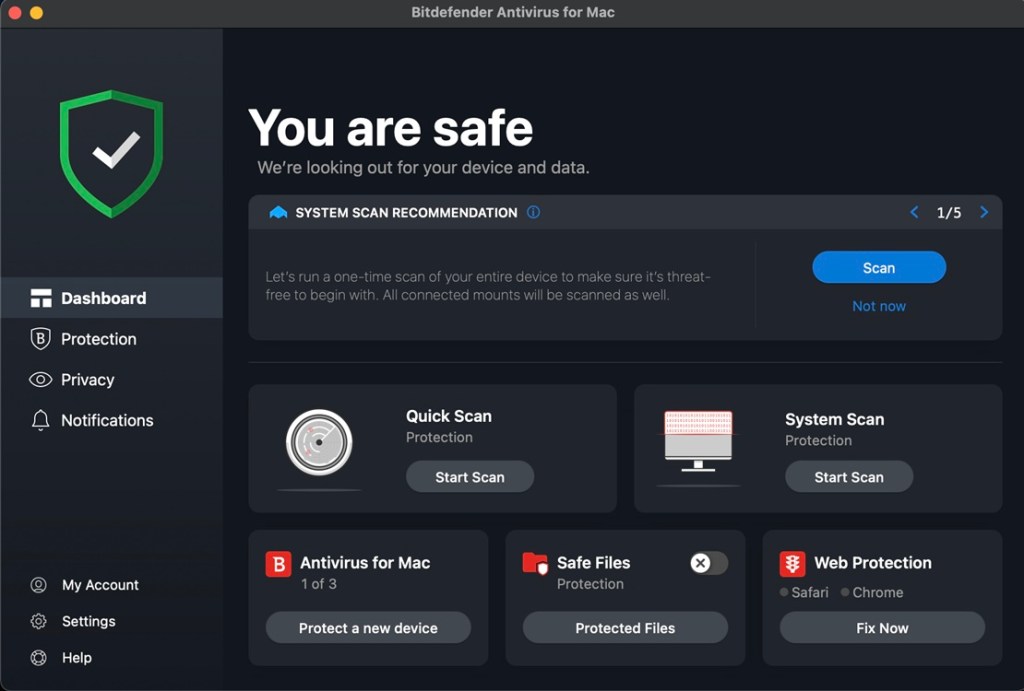
And the Time Machine Protection brings the security coverage to backups as well. Finally, you also get adware removal for browsers to keep web browsing clean and safe. Not to mention, Bitdefender also bundles a VPN starting with the base tier which is nice. Best of all, Bitdenfender doesn’t slow down MacBooks with its background scanning. Overall, if you want a complete antivirus package for Mac, go for Bitdefender.
Pros Cons 100% malware detection on Mac Full scan takes time Almost zero impact on system performance No free tier Protection against ransomware
Pricing: $24.99 for one year
Intego Mac Premium Bundle X9 — Best for Power Users
Intego has been exclusively developing one of the best security software for Mac since 1997. The Premium Bundle X9 is Intego’s best antivirus for macOS and its VirusBarrier X9 engine has a 99.4% malware detection rate on macOS. Intego also brings NetBarrier X9 which adds a two-way firewall with network-specific presets for home, work, and public Wi-Fi. Next, ContentBarrier brings the most granular parental controls for macOS.

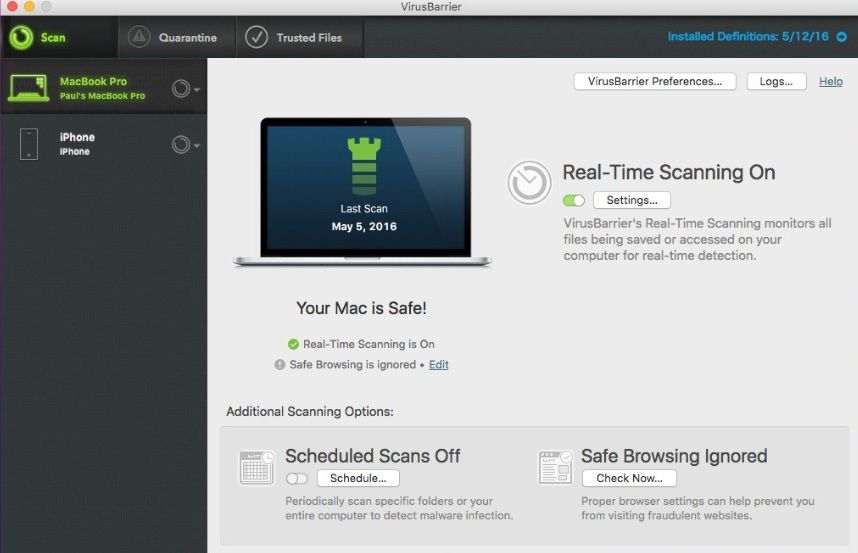
The Intego Mac Premium Bundle X9 has something called Personal Backup, an alternative to Time Machine, which supports bootable cloning as well. Finally, the fifth one, Washing Machine X9 looks for duplicate files, defunct apps, and accumulated junk to keep performance fast and snappy. That said, all apps are separate and there is no unified dashboard. Despite that, Intego is a household name for Mac users and you should definitely try its complete suite.
Pros Cons Antivirus developed exclusively for macOS No unified dashboard Includes firewall, parental controls, backup, and performance optimizer VPN requires additional purchase Firewall with per-network profiles
Pricing: $69.99 for one year
Norton 360 Standard — Best for Identity Protection
Norton 360 Standard has consistently scored 6/6 on AV-Test, and for that reason, it’s one of the best antivirus programs for Mac. It not only has a powerful malware detection engine, but also brings a number of identity-centric tools to protect you on the web. The Dark Web Monitoring tool, which is is powered by the LifeLock engine, continuously scans breached databases on the dark web to find your personal information and alert you.

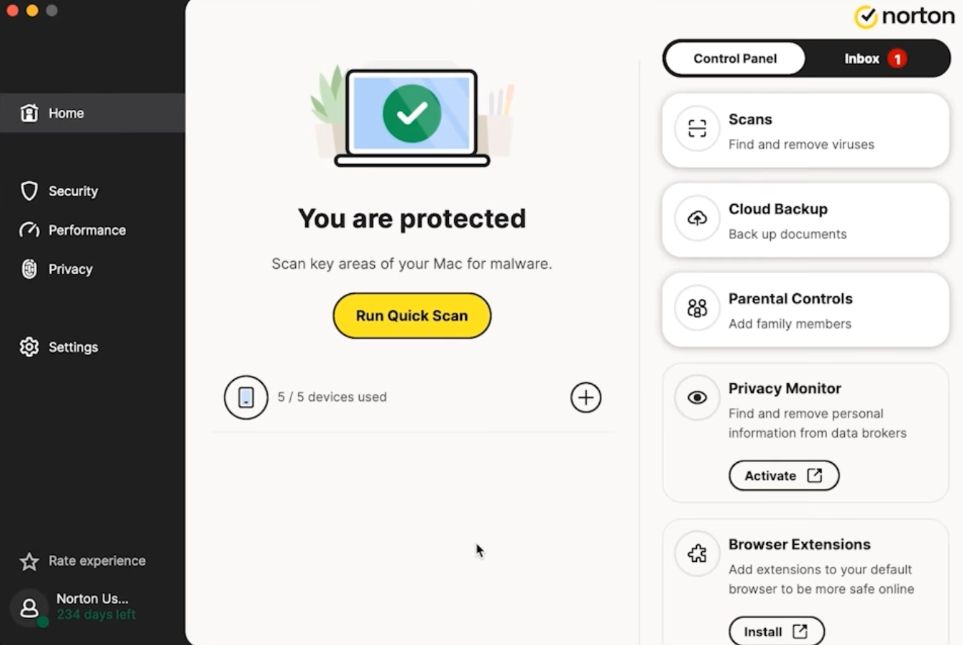
It looks for your email addresses, credit cards, bank accounts, and phone numbers, and alerts you immediately in case of any breach. Next, you get Norton’s Smart Firewall monitors your inbound and outbound connections in real time to block malicious traffic. Moreover, the Safe Web browser extension protects you on Chrome, Safari, and Firefox. Finally, there is VPN support, and a password manager too. To sum up, Norton 360 Standard is a feature-packed antivirus for Mac.
| Pros | Cons |
|---|---|
| Dark web monitoring for Mac users | No protection for webcam and mic |
| Strong malware detection engine | UI is a bit cluttered |
| Smart firewall with app-level control |
Pricing: $41 for one year
Malwarebytes Premium — Best Lightweight Antivirus for MacBook
Malwarebytes is no longer just a cleanup tool for Macs, but the Premium version brings a proactive antivirus to macOS. It’s one of the lightest antivirus software for MacBook, and it works incredibly well for catching threats and malware. It can complete threat scans in just 30 seconds, thanks to its Real-Time Protection which monitors downloads, app installs, and browsing behavior all the time.

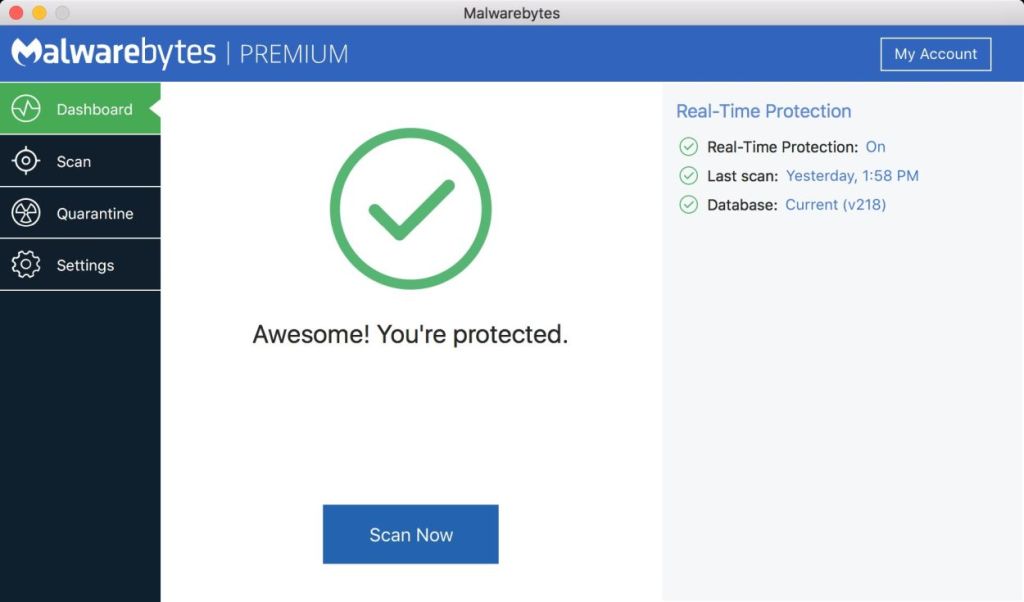
The Browser Guard extension works with Safari, Chrome, Firefox, and Edge, and blocks malicious websites, scam pages, trackers, and intrusive ads. Its UI is also great for non-technical users and quarantining viruses is just a few click away. That said, you don’t get a built-in firewall, password manager, or parental controls like Bitdefender or Norton. In terms of features, it may not be the best, but for real-time protection without affecting the performance, there is no better antivirus than Malwarebytes.
Pros Cons Lightweight antivirus for macOS, no impact on system resources No firewall on Mac Browser Guard blocks ads, scam pages, and trackers Fewer features than Windows version Fast threat scanning
Pricing: Free, $59.99 for one year
Surfshark One — Best Budget All-in-One Suite
You may know Surfshark as a VPN service, but it brings a complete security bundle with Surfshark One. While you get its excellent VPN service, it also packs a fully-functional antivirus engine for macOS. In fact, it got the top score on AV-Test with a 100% malware detection rate. There is also Surfshark Alert which, just like Norton, scans the dark web and monitors your email, passwords, credit cards, and personal IDs against breached databases.

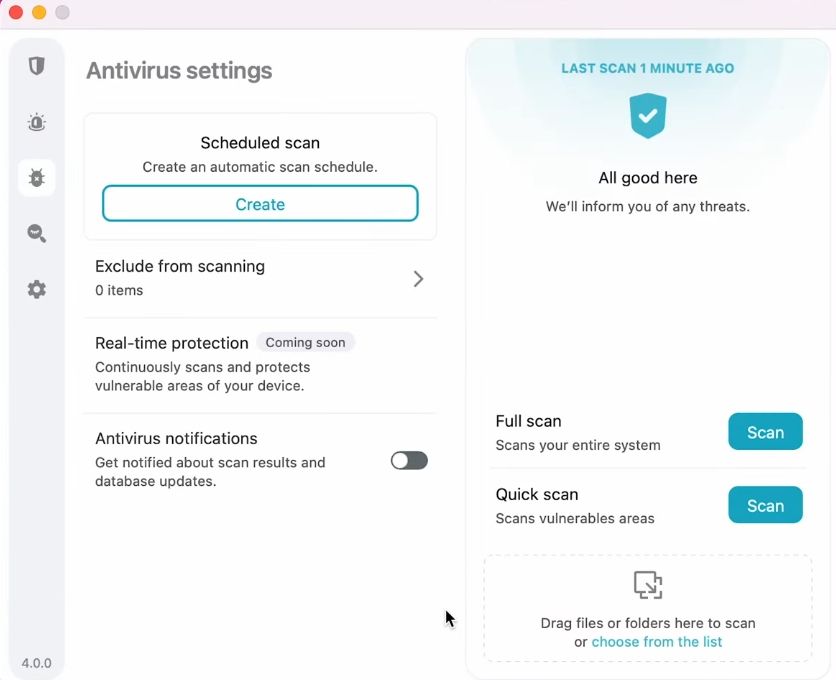
And if you want to mask your email address, you can use its Alternative ID feature too. As for the antivirus, you can do quick scans, full scans, and even scheduled background scans on Mac with real-time protection on. Besides that, there is a webcam protection module which restricts unauthorized camera access by sketchy apps. All in all, for just $3.39 per month, you get all of the security protections on Mac, which is quite affordable.
Pros Cons Antivirus, VPN, and breach alerts in single package No firewall or password manager Solid malware detection on macOS Alternative ID for email masking
Pricing: $3.39 per month
Avast Free Antivirus — Best Free Antivirus for Mac
If you are looking for the best free antivirus for Mac, there is no better program than Avast. It detected Mac-specific malware with 100% detection rate in various testing. The free tier offers real-time Core Shields protection, smart scan, deep scan, and even custom scheduling. There is a Network Inspector bundled which shows all the devices on your Wi-Fi and Traffic Monitor shows all the live data flowing on your Wi-Fi connection.

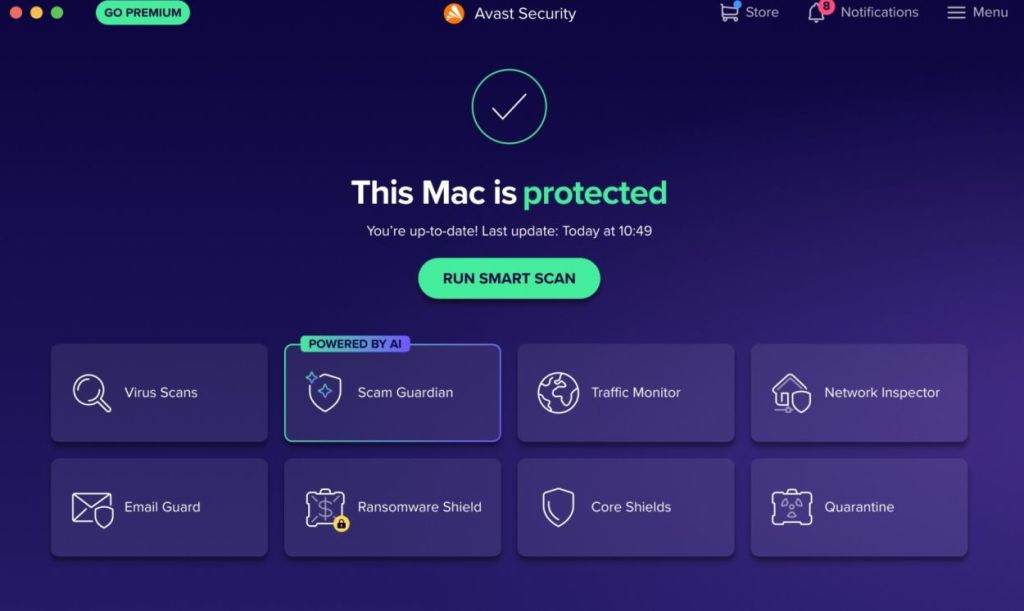
Best of all, there is no 30-day free trial cap on core features and real-time protection works without any subscription. That said, I don’t like that Avast persistently sends upgrade notifications, which can be irritating at times. Apart from that, you don’t get firewall protection, or password manager. Still, I would say, Avast is more generous than other antivirus programs and that’s the reason it’s the best free antivirus on Windows too.
Pros Cons A solid free antivirus for Mac Persistent notification to upgrade Easy to use, includes network inspector and traffic monitor Scam Guard doesn’t work that well Minimal performance impact
Pricing: Free, $4.09 per month
Factors to Consider: Performance, Price, and Features
First of all, performance is the number one thing most users notice after installing an antivirus. A poorly optimized antivirus can slow down app launches, file opening, and even drain battery life of your MacBook. That’s why you should look for an antivirus that offers good real-time protection without hampering the Mac performance.
As for price and features, do not pay for things that you won’t use. If you just want malware protection, just get something like Malwarebytes that offers an optimized antivirus engine for Mac. If you don’t want parental controls, password manager, VPN, etc., just skip the antivirus program. Similarly, if you want an all-in-one security suite, you can choose one of the antivirus apps mentioned above.
You should take a look at Bitdefender if you want the best antivirus for your MacBook. Its macOS antivirus engine gets nearly 100% on malware detection.
Mac’s built-in antivirus tool, XProtect, is good and works well, but only against known threats. For new and emerging zero-day threats, you should get a dedicated antivirus.
Yes, you can use Avast on Mac, which is free and offers real-time protection even after 30 days.