Beebom Score
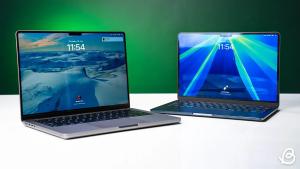
“You’re here because you know something… It’s like a splinter in your mind.” This famous line from Morpheous feels like the perfect fit here. We’ve been blue-pilled into believing that the MacBook is only for the professionals while students and teens had to settle for flimsy plastic Windows machines on a budget. But the MacBook Neo breaks this notion, bringing the same “Apple” quality and macOS pleasantries at a lower price. I’ve been using it for a week, and if you’re ready to take the red pill, then I will show you what you have been missing out, in this MacBook Neo review.
MacBook Neo Specs at a Glance
Before we go deeper into the rabbit hole of this MacBook Neo review, let’s take a quick look at its key specifications:
| Specifications | MacBook Neo (2026) |
|---|---|
| CPU | Apple A18 Pro chip (6‑core CPU) 2 x performance and 4 x efficiency |
| GPU | 5-core GPU (Hardware-accelerated ray tracing) |
| RAM | 8GB unified memory |
| Display | 13-inch LCD Display 2408 x 1506 (500 nits brightness) |
| Storage | 256GB or 512GB |
| I/O Ports | 1x USB Type-C 3 Port (10Gb/s) 1x USB Type-C 2 Port (480Mb/s) 1x Headphone jack |
| Battery and Charging | 36.5Wh Li-polymer battery 20W USB-C Power adapter |
| Wireless Connectivity | WiFi 6E (802.11ax) Bluetooth 6 |
| Weight | 2.7 pounds (1.24 kg) |
| Price (starts at) | $599 |
Design and Build
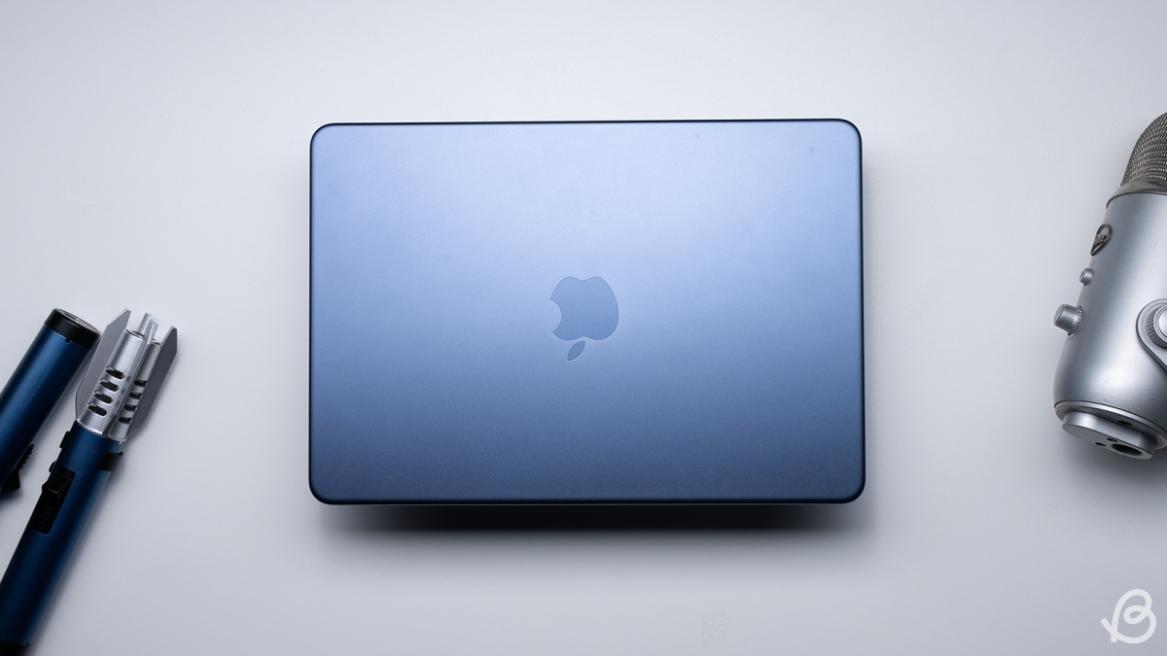
Woah! is the first thing I said as I unboxed the MacBook Neo. From a design standpoint, it looks identical to the $400 expensive MacBook Air. This is the same build quality as it is made out of aluminum alloy, with a soft metal texture on all color options. It even weighs the same as the MacBook Air M4, at 2.7 pounds and slightly thicker, despite featuring a smaller footprint.
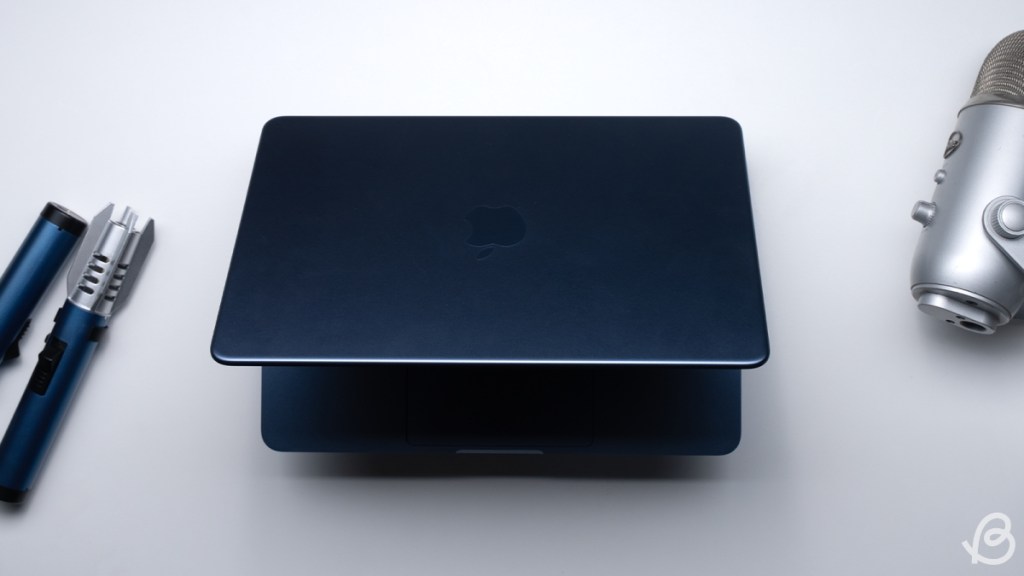
At the same time, it is still light enough that I could carry it in one hand while taking a call with the other. I have been using the Indigo color variant for this MacBook Neo review, but it also comes in more fun hues like Citrus (yellow), Blush (pink), and Silver (duh!). These colors add a lighthearted look to the Neo, while still keeping the professional feel of using a MacBook in public.

Opening the lid still feels as good as on any other MacBook, lifting with a single finger without applying too much pressure. As it unfolds, you are greeted with a color-matched keyboard, along with the 13-inch display with no notch in sight. Everything here looks clean and sharp, as you would expect. However, the port situation seems like a déjà vu from older-era of MacBooks.
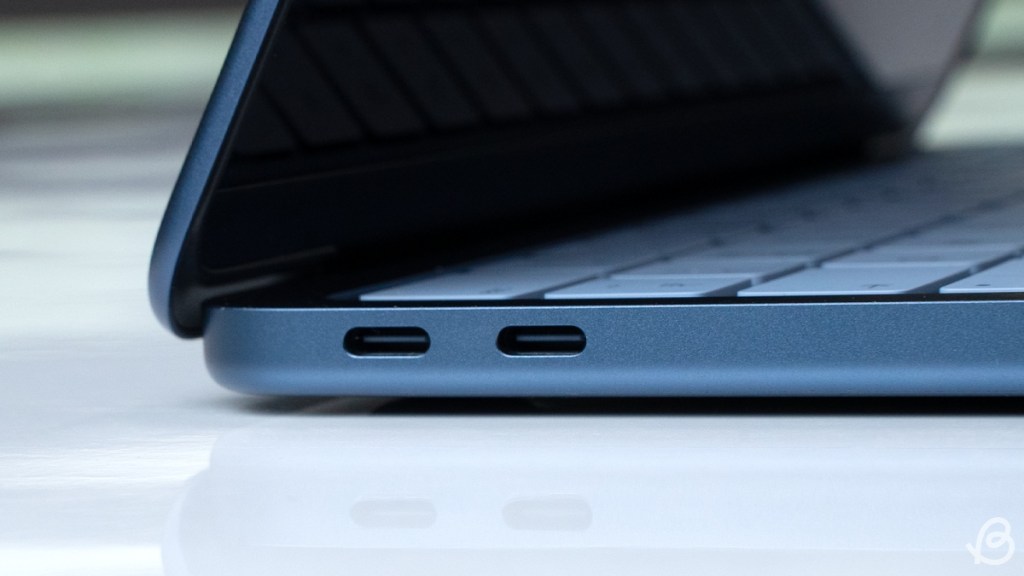
There’s a 1x USB 3, 1x USB 2 Type C port, along with a headphone jack. There’s no Thunderbolt, and Apple has skipped on MagSafe charging as well. Moreover, the 256GB variant doesn’t have Touch ID either. Still, I am impressed with the MacBook Neo’s design and build. Despite the price cut, its premium chassis is a clear cry for war against plastic notebooks.
Display and Audio Quality
The MacBook Neo comes with a 13-inch LCD screen with a 60Hz refresh rate and a 2408 x 1506 resolution. It’s the same Liquid Retina screen seen on the MacBook Air. As previously mentioned, the Neo doesn’t feature a notch like all modern Apple Notebooks. Instead, it has bezels surrounding the entire screen.
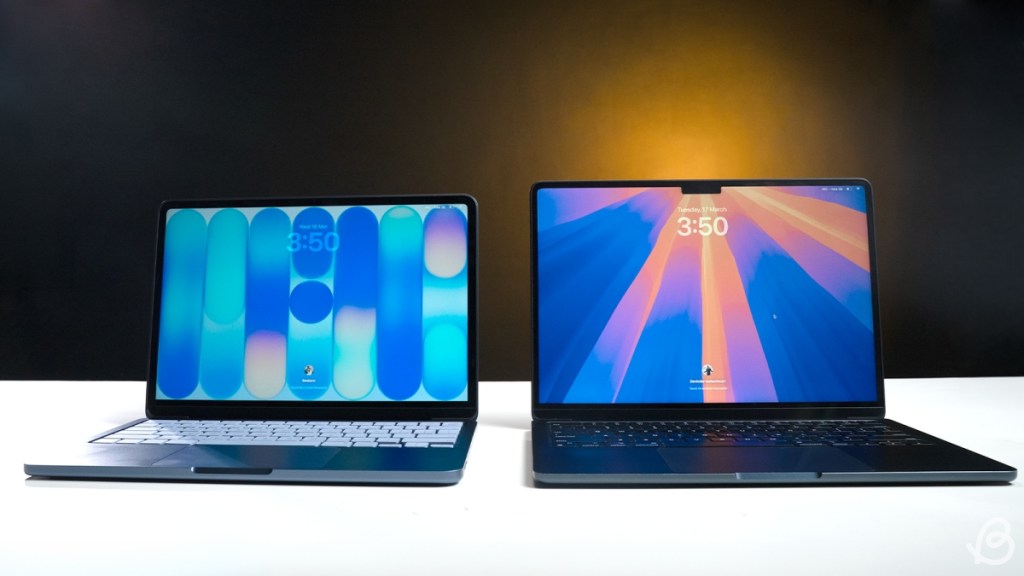
The lack of a notch means there’s no room for an ambient light sensor. As a result, there is no True Tone on the MacBook Neo. Auto-brightness works fine, but the LED camera indicator is missing.
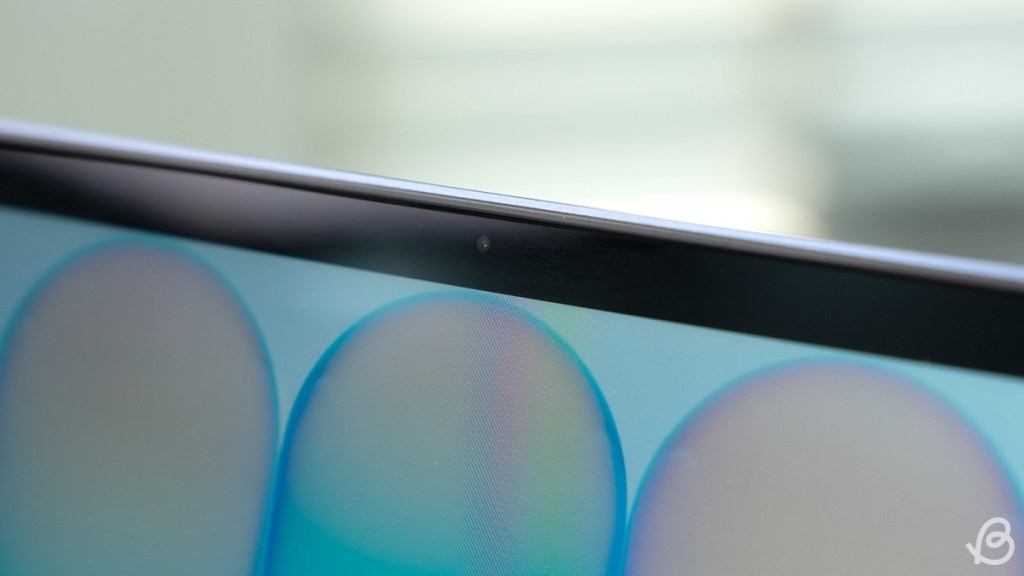
To me, this is an upgrade. I have used modern Macs, and seeing a notch on a laptop screen is still a bizarre thing I can never get used to. So, the Neo’s screen feels right at home. Even the brightness is the same as the Air at 500 nits. This was enough for me to read the contents clearly while working from the office, at home, or from an outdoor cafe during my MacBook Neo review period.
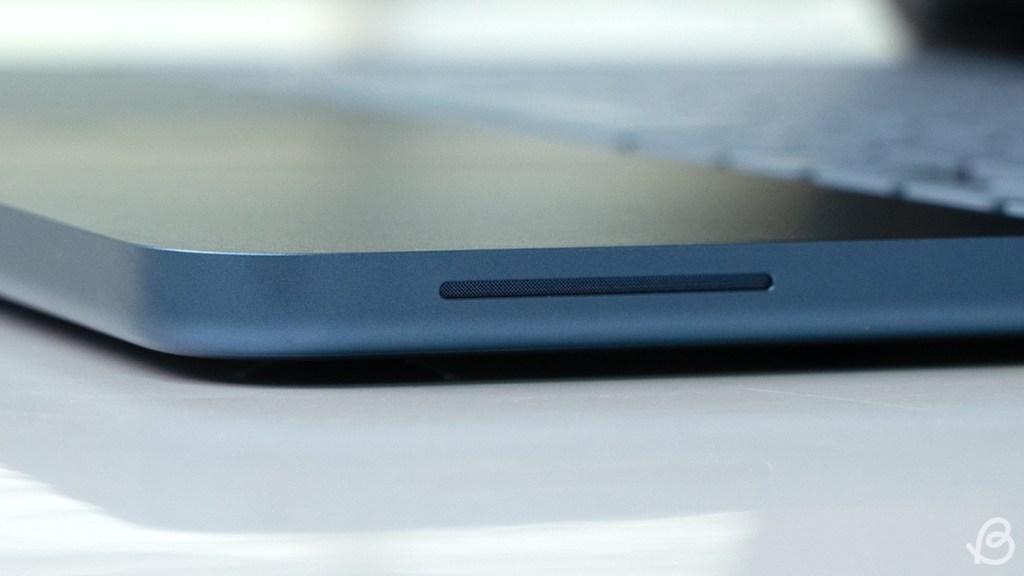
The speakers are where some of the price cuts become more apparent. There are two speakers on each side, and they sound fine for the most part. It gets loud, but the audio quality lacks depth. I also noticed a very obvious, shrill sound when you turn the volume to the maximum. I have always appreciated Macs for their uncompromised sound quality, but this is a let-down.
Keyboard and Trackpad
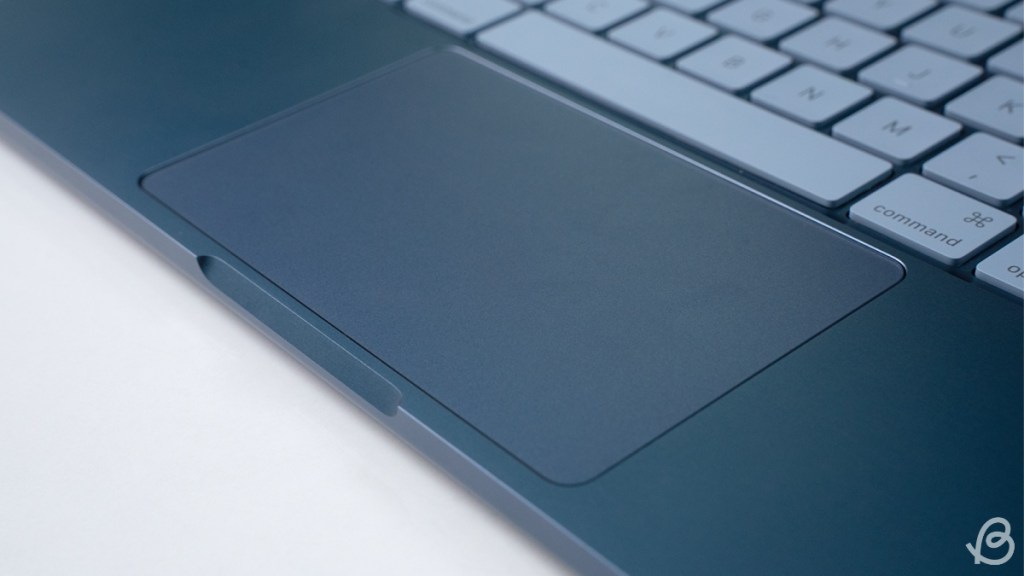
MacBook Neo features the same Magic keyboard as other models, so the typing experience should feel familiar for existing MacBook users. As a mechanical keyboard user, it took me some getting used to. A few days into my MacBook Neo review period, I got comfortable with the setup. The biggest letdown is the lack of backlit keys. It might not seem such a hassle, but for a night owl like most college students and me, this is a major compromise.

Speaking of compromises, the multi-touch trackpad is not haptic. This means it won’t react to your click with haptic feedback. It physically digresses as a button. So, the touch responses aren’t quite as tactile, and it can’t detect force touch either. I didn’t care for the Force Touch since I am a mouse guy, but the drop in quality is apparent.
FaceTime Camera and Microphone
The webcam is also an area where Apple decided to save some money. It is a 1080p FaceTime camera, but the sensor is smaller compared to the newer 12MP lens seen on the MacBook Air. The quality is clear and decent, but tends to overly brighten the face at times.

It also doesn’t support Center Stage. Meanwhile, the mic is still pretty good, and I didn’t notice any major issues or improvements during my MacBook Neo review.
Performance Review
The performance has been a real hot topic of debate around the MacBook Neo. That’s because Apple has recycled the A18 Pro processor from the iPhone 16 Pro for this affordable laptop. On paper, this is very concerning, because in what world can you expect a mobile chipset to handle desktop-level tasks? Plus, it only comes with 8GB of RAM, which is barely enough in 2026.
Benchmarks
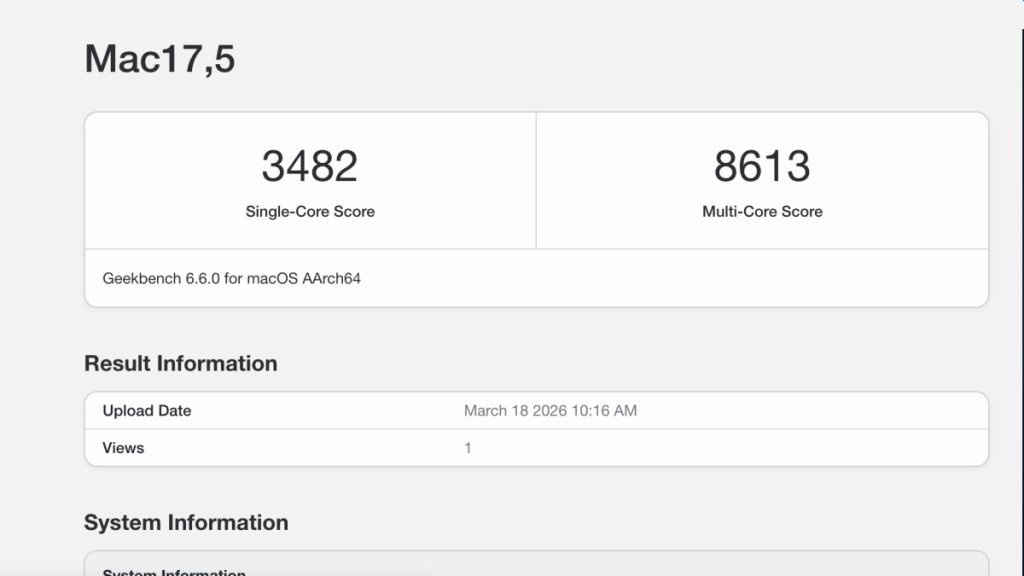
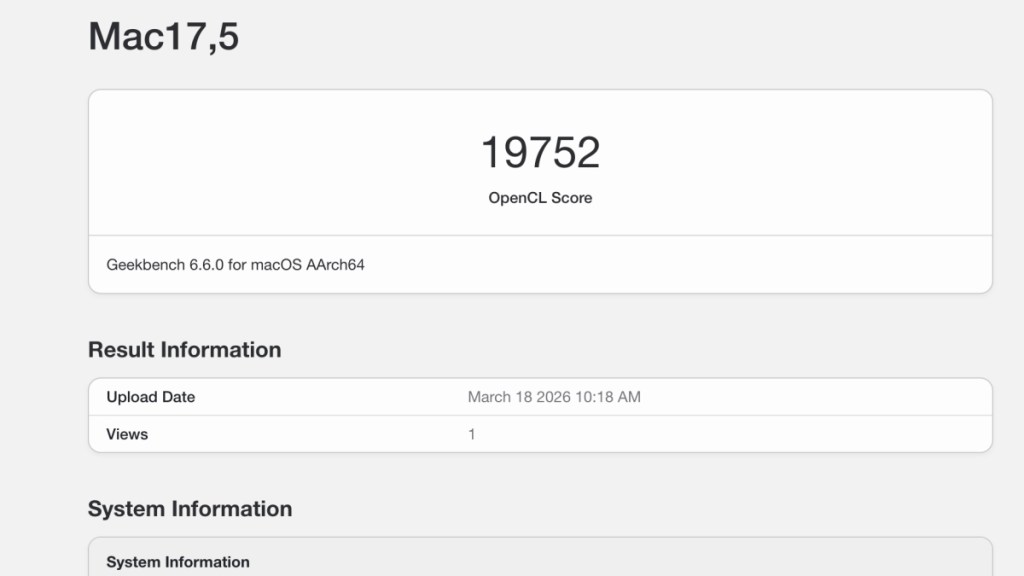
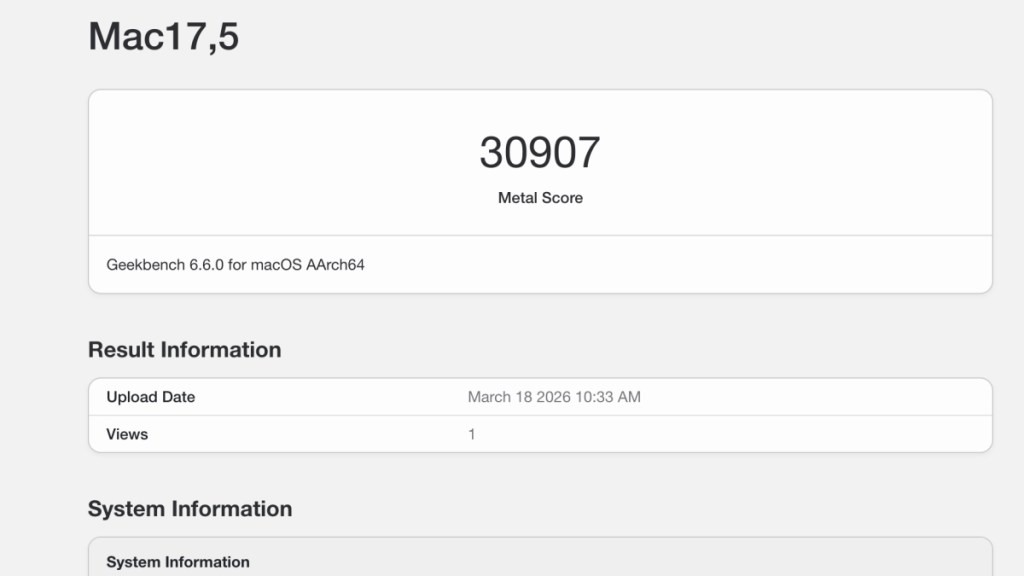
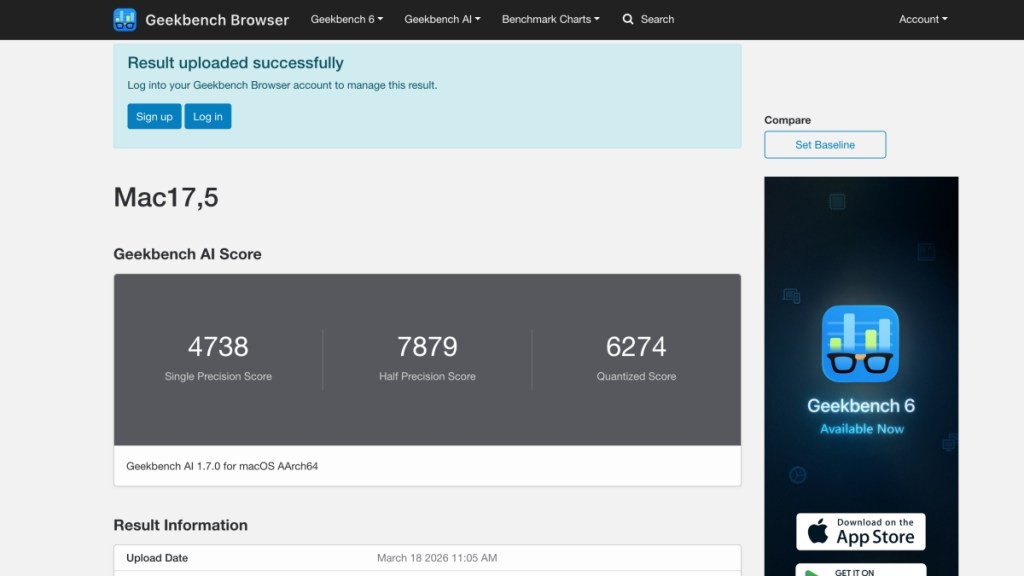
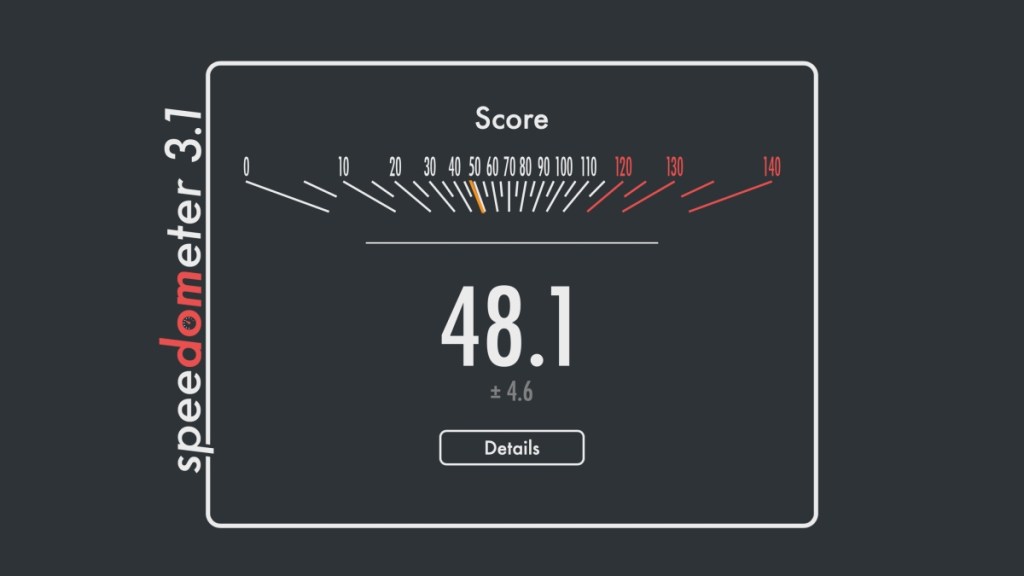
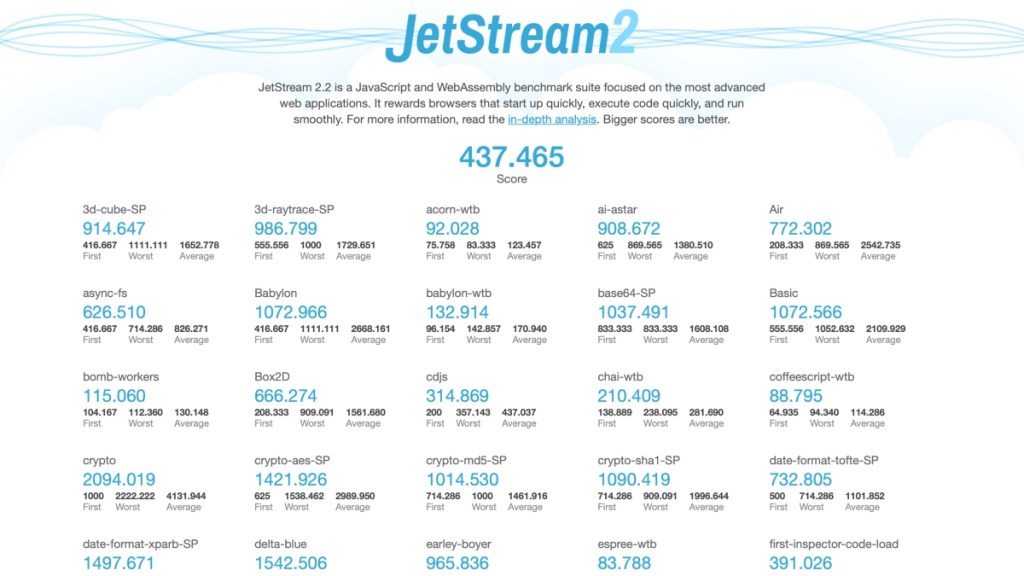
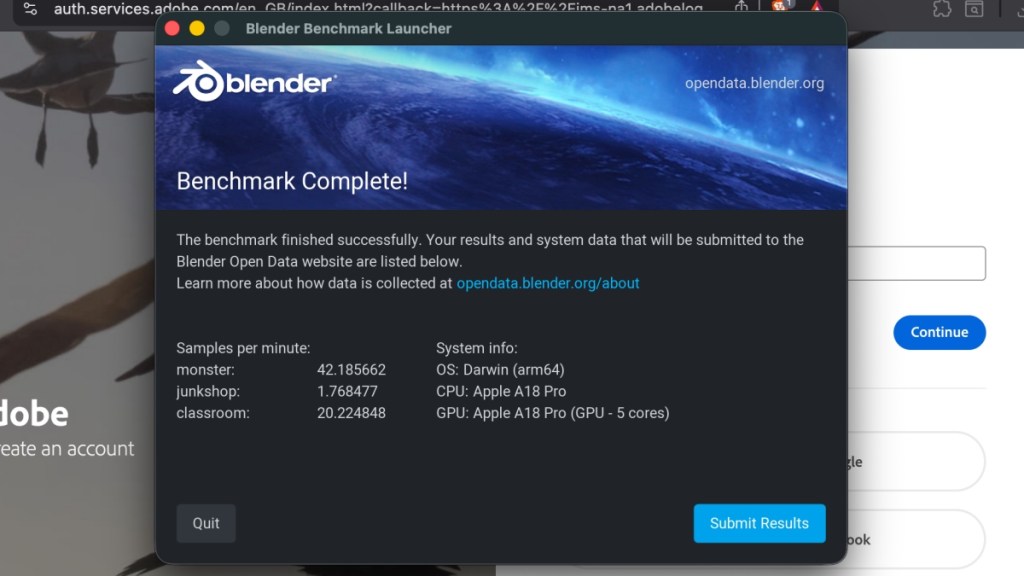
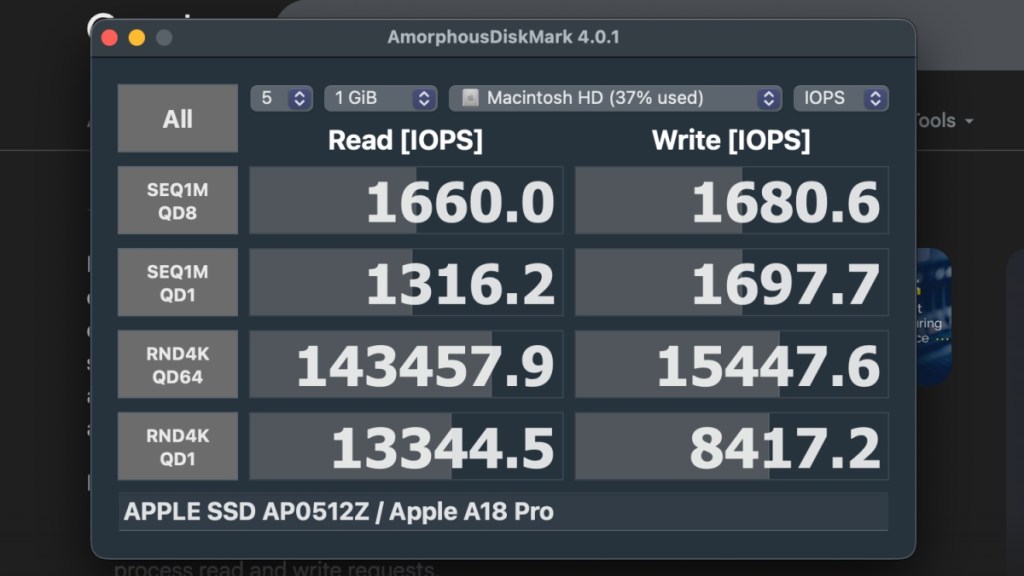
So when I got my hands on the MacBook Neo, I ran a bunch of benchmarks to test the waters and see how it handles excessive workloads. Here are the results:


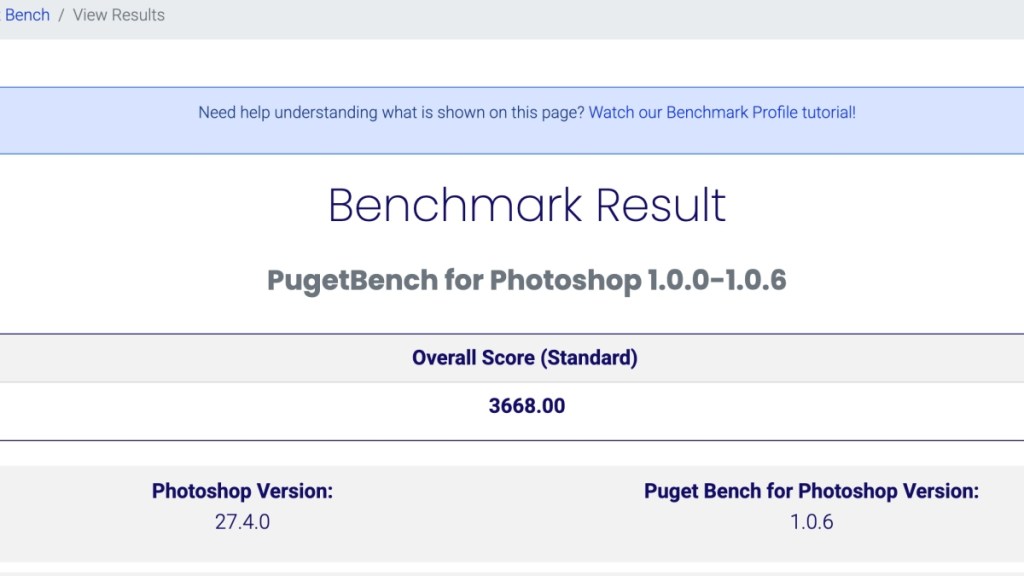
| Benchmark | Scores |
|---|---|
| Geekbench | single-core: 3,482 multi-core: 8613 |
| Geekbench AI | single precision: 4,783 half precision: 7,879 quantized score: 6.274 |
| Puget Bench Photoshop | 3,668 |
| Cinebench | single-core: 502 multi-core: 1,375 |
In benchmarks, it does quite well in single-core tests. But when I consider other scores, it falls somewhere between the performance of the base M1 and M2 series chipsets. That’s not bad, as those were still capable processors and many folks still use their M1 MacBook Air happily to this day.
Day-to-Day Usage
In everyday use, it is a hard pill to swallow, but “I am beginning to believe” that this mobile processor can take on desktop tasks. The Neo took up my daily tasks without a hitch. During my MacBook Neo review period, I had almost 2 dozen tabs open on the Brave browser, which is more resource-demanding than Chrome.
With a few extensions running on it, along with Slack, Spotify, and Steam, opened in the back. And it was a surprisingly smooth experience. Any Windows laptop with this workload would be struggling by now.

I then handed over the Neo to our in-house graphic designer, Dheeraj, who tried to handle his usual workload. And, he immediately ran into trouble opening a 200-layer PSD file on Photoshop. The Neo gave up and now it took a few seconds even to register a mouse click. He then switched to a 100-layer PSD, and it was the same story. Things finally got on track as he reduced the layer count to 50.

I also tried editing a minute-long 4K footage on Premiere Pro, with basic cuts, and that also turned out well. But longer, more demanding editing is not ideal on this machine. If you are a young professional in writing or business, then the MacBook Neo would be fine for you, but creatives in editing should think about something else.
For gaming, I played Cyberpunk, which I have reviewed on my base M4 Mac Mini, where it ran pretty well. But on the Neo, it struggles at 30 FPS without frame generation. With FSR and default settings, I could get around 45 FPS, but that’s the extent of it. So, the MacBook Neo isn’t made for playing demanding games. That would be the M5 Pro MacBook Pro.
Software Experience
As for software, it runs on macOS 26 with all its liquid glass glimmer and reflections. It is pretty much as smooth as you can expect. Apps open quickly, the open and closing animation from the dock is pretty slick, and multitasking works fine too. There wasn’t a scenario where the MacBook aggressively closed background activity. Or force close certain apps.

The only time I noticed a stutter in macOS during my MacBook Neo review period was while switching between apps in Stage Manager. But that was only a one-time instance. It’s been smooth sailing since. Most apps that I ran worked without a hitch. Since it has 8GB of RAM, it qualifies to get all the Apple Intelligence features, but in my week of usage, I couldn’t try them out properly.
I have my concerns over whether it will struggle with the upcoming software releases. But macOS has always been the best at working with limited hardware, and it could be the case on the Neo, too.
Battery Life and Charging
The MacBook Neo packs a 36.5Wh battery, and Apple claims up to 11 hours of battery life. However, during my MacBook Neo review period, it didn’t quite reach that mark. With a typical workflow that included writing, research, some light image editing, and music playing in the background, I was getting around 7.5 hours of use on battery.
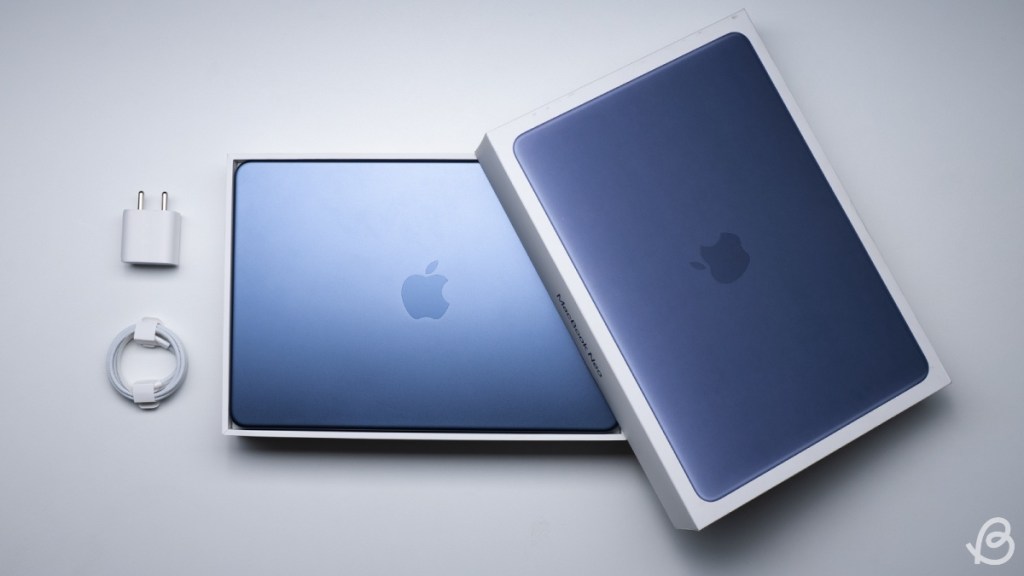
Charging is where things feel a bit slow. Apple includes a 20W USB-C adapter in the box, and it takes its time. A full charge can take a few hours, which isn’t ideal. Even when I switched to a 65W GaN charger, the difference wasn’t significant. The MacBook Neo still took 2 hours to go from 0—100%. Overall, battery life is fine for light work, but charging speeds could have been better.
Final Verdict: Should You Buy the MacBook Neo at $599?

The MacBook Neo is the proof of concept that an iPad can run macOS. And that you don’t need to spend the bug bucks to get a quality machine. Sure, some Windows laptops with more RAM and descrete GPU’s can K.O. in benchmarks and multitasking. But the Neo 360°-kicks the competition with refined software, longer battery, and a brighter display while dodging the “Copilot” bullet.
I still wish Apple adds backlit keyboard with more RAM in future iterations. But at $599, the MacBook Neo is a solid pick that will age like a fine wine with further offers and discounts.

Yes, there are some compromises, and if you’ve used higher-end Macs, you’ll notice them immediately. But for someone buying their first laptop, this is a pretty good starting point. You can even think of the MacBook Neo as the chosen one, handing you the red pill towards the reality that budget doesn’t mean poor quality.