Beebom Score
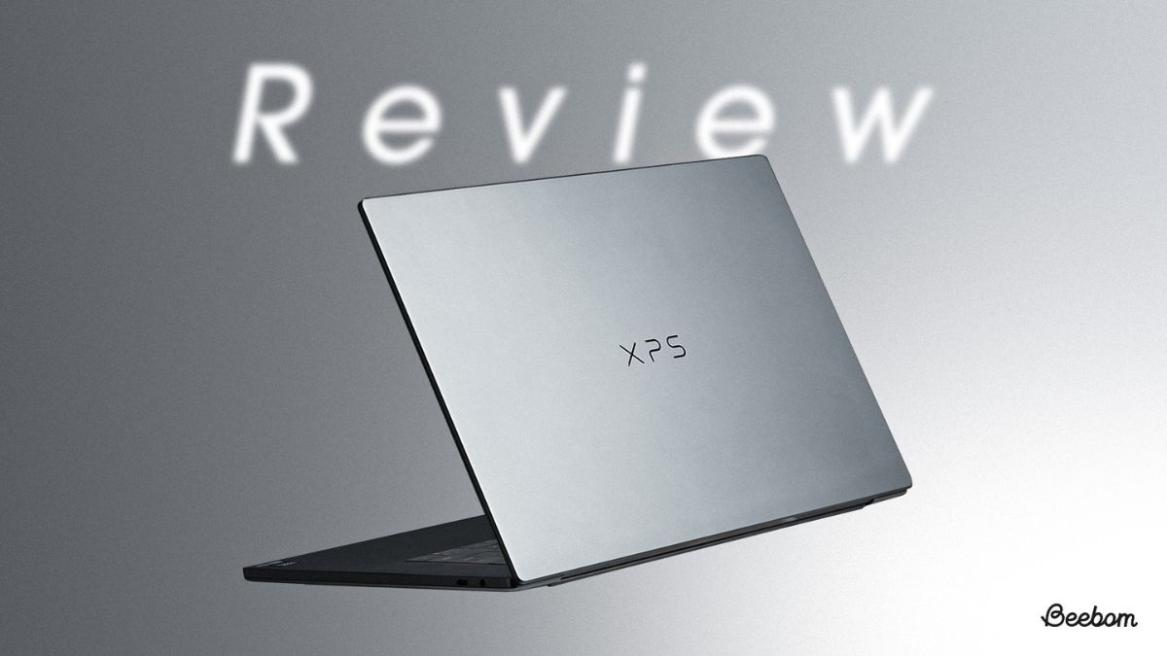
Dell had quite the moment last year when it retired the XPS line in favor of its ‘Premium’ lineup, only to take a hard U-turn a few months later. Having spent more than two weeks with the XPS 16 with an Intel Core Ultra X7 chipped-in, as my main everyday computer, I’ll say the comeback is well worth the wait.
This is a laptop that feels like Dell went back to what made XPS into the premium brand it’s famous for and built the best version of what an XPS laptop is supposed to be. Check out our Dell XPS 16 review to learn more about our experience.
Display and Build: The XPS 16 Is a Looker, and It Knows It
When you open the Dell XPS 16, its display is the first thing that stands out instantly, and it continues to pull you back in the longer you use it. My review unit had a massive 16″ OLED touch panel, running at 3200 x 2000 with a 120Hz refresh rate, and it’s one of the best screens I’ve used on a laptop yet.



The blacks on the panel were deep, colors were rich without tipping the oversaturation limits, and the resolution was sharp enough that text and fine detail were absolutely on point.
The higher refresh rate also substituted perfectly for my everyday gaming monitor (which is an Alienware 34″ curved panel) with an 180 Hz panel and made window movement feel noticeably smoother than my usual home laptop, which has a 60Hz panel.
Coming to the build quality, its chassis was made of aluminum, the palm rest was surprisingly made of glass, and the whole package felt tightly assembled with no flex or creak anywhere. It was also noticeably thin and lighter than the previous generation XPS laptops, coming in under 2 kgs despite the larger screen size.
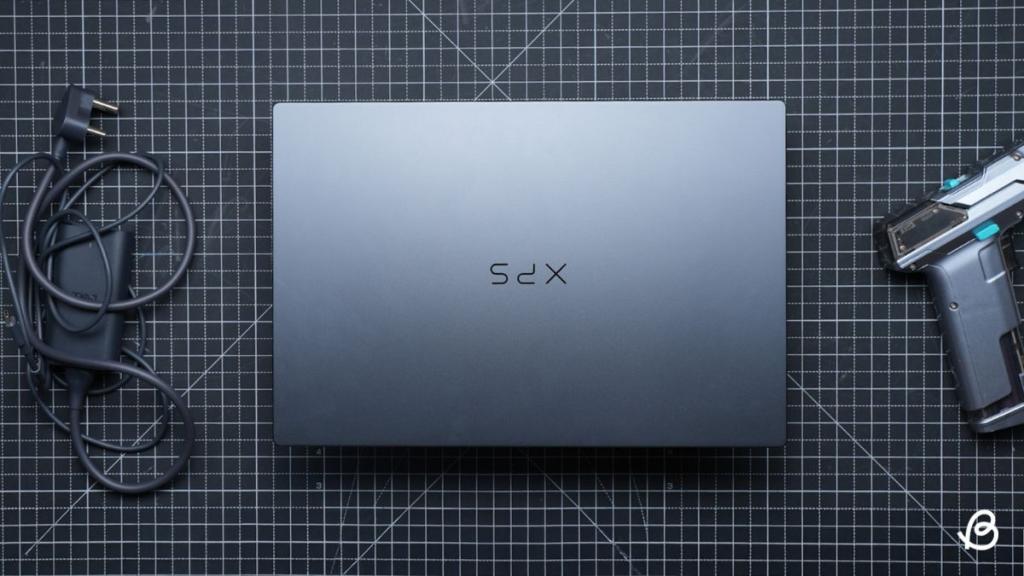
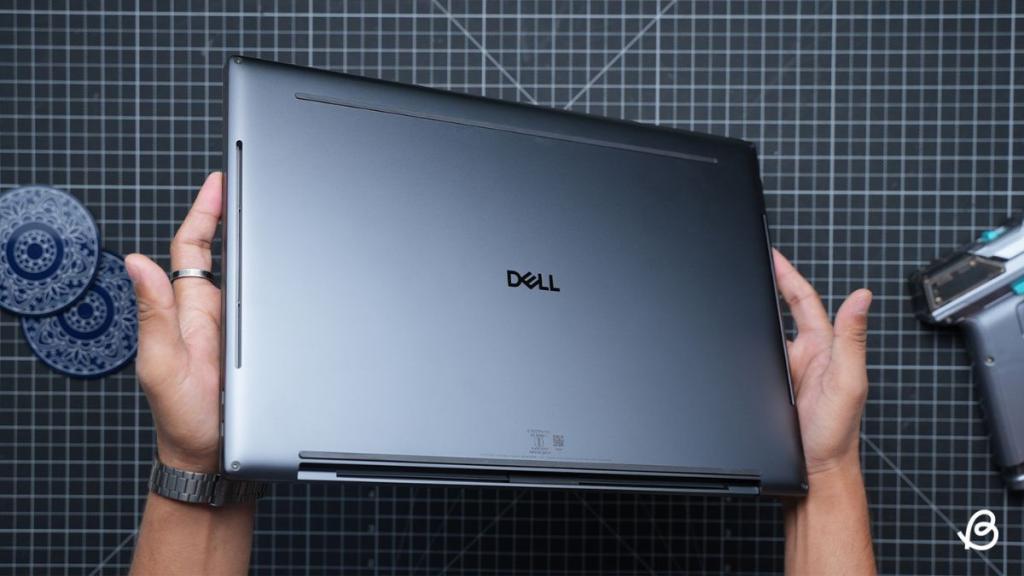
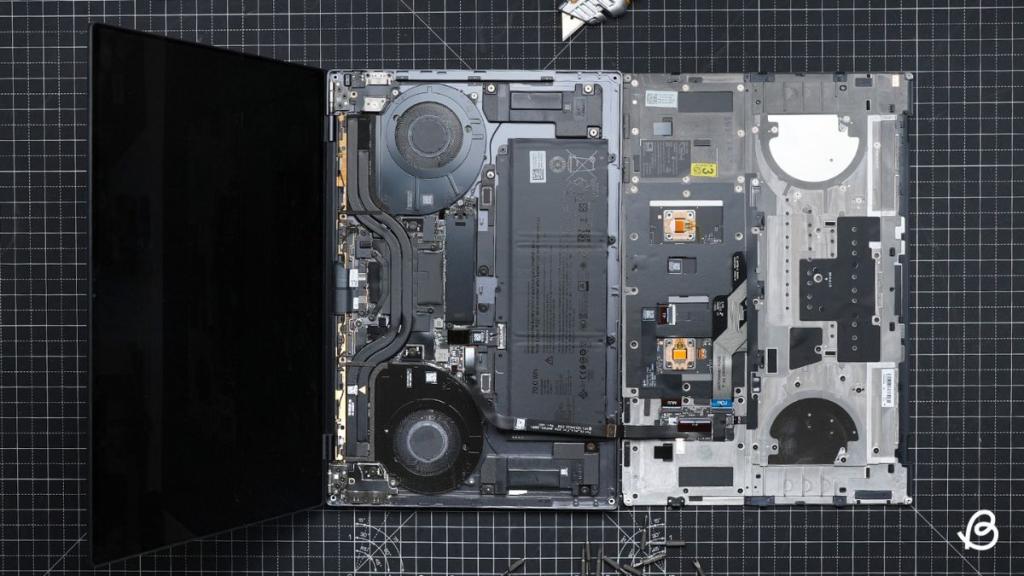
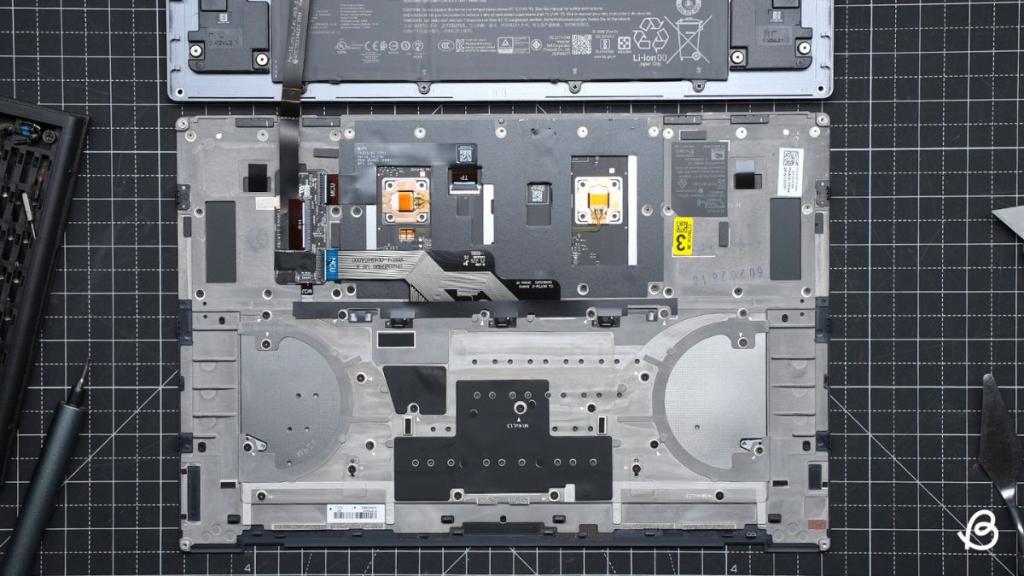
This further makes it easier to carry around than you’d expect from a 16-inch laptop. However, it’s a tad bit hard to open since you’ll need to remove screws from the back of the laptop, but you’ll need a pry tool for the edges of the keyboard to open the rig from the front body, rather than the back.
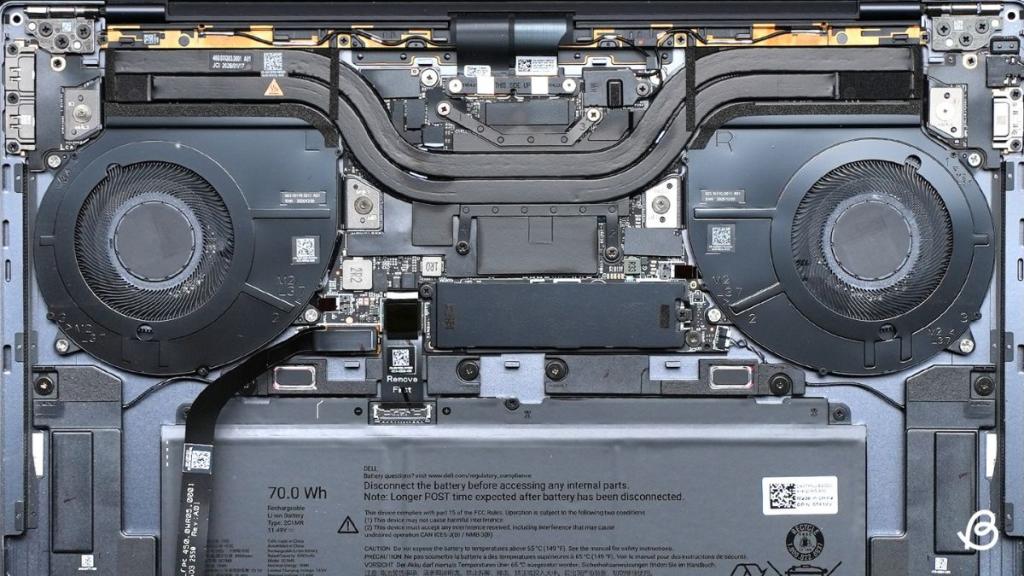
Once I opened it up, I got to notice some neat improvements that Dell has made in the XPS 16 from its premium series from last year. Dropping a dedicated GPU in the XPS 16 2026 model allowed Dell to make the cooling system remarkably efficient with two fans, which also helped shave down the chassis weight. The internal layout was dominated by a 70Wh battery that takes up the lower half.
However, if you’re a fan of DIY upgrades and like to tinker with your laptop, you’ll be disappointed as this year’s motherboard is entirely locked down. There’s only one M.2 PCIE NVMe SSD slot available, which means there’s no room for expansion. Seems like the memory prices are in full effect already.
This means if you want to expand your storage, and if you can afford the rising SSD prices, you’ll need to completely replace your current boot drive with a new stick. What’s worse is that the memory and wireless card are permanently soldered to the board, which means you’re stuck with whatever capacity you choose during checkout.
Ports and Connectivity: Minimalism Meets Seamless Functionality
One area where I noticed that Dell made a significant trade-off with XPS 16 is connectivity. You get three USB-C ports with Thunderbolt 4 support, and a 3.5mm headphone jack, and that’s it. There’s no USB-A, no HDMI, and definitely no SD card slot.
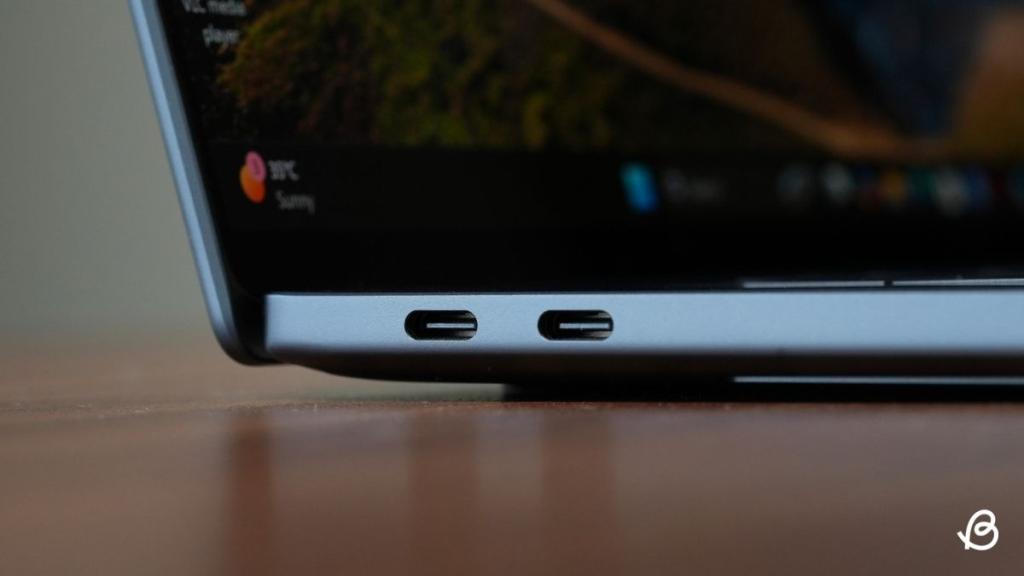
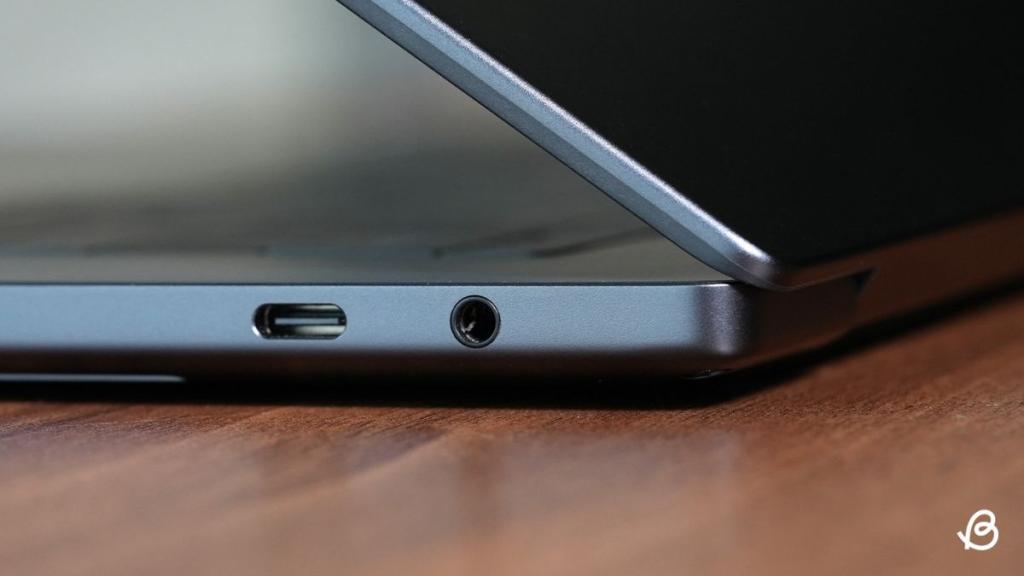
So if you regularly work with wired peripherals or use a second screen, you’ll need to plan around an extension or a dongle from a third-party retailer. But since the three Thunderbolt USB-C ports are modular, you can easily replace them if they ever fail down the line.
Wireless connectivity is where the XPS 16 shines through. My review unit ran Intel’s Wi-Fi 7 chip and driver, which supports wider channels and improved network handling over the previous Wi-Fi 6E standard, which often suffered from higher latency and poor throughput on a compatible router.
But when I put the XPS 16’s Wi-Fi to use at my 200 Mbps home connection, large file transfers and cloud syncs felt snappy as I usually expect from wired connections, and I never ran into any congestion that I usually get to see on other laptops at home; please blame my 18 devices connected to a single router.
Bluetooth is another standout feature I’d applaud. The latest Bluetooth driver is a lifesaver given there isn’t a single USB-A port to fall back on for a wireless dongle. I ran a mouse, keyboard, and headphones, all three using the Bluetooth feature, and I never experienced a dropout or lag during my testing, and the range held up well even a room away.
Battery and Charging: It’s Got the Juice You’ll Need
Battery life on the XPS 16 is the highlight of the laptop. Consisting of a single 70Wh cell, my laptop unit ran for just under 12 hours while using Microsoft Office and software like Adobe Lightroom while I edited my vacation images, thus comfortably covering a full workday while unplugged.
Doom scrolling on X and video playback stretched even further; the XPS 16 has shown real-world runtimes well past 20 hours at moderate brightness. While my OLED touch unit drew more power than the base IPS units, I expected its battery life to be closer to a 12-hour mark in daily use, and that’s exactly what I got.
However, gaming while unplugged is a whole different ballgame altogether. Running Fortnite or Marvel Rivals pulled considerably more power, and battery life drops to around 2 hours before you’ll need an outlet to plug in.
Charging comes via the bundled 100W USB-C adapter, which supports fast charging and tops the laptop back up in no time when you’re in a hurry.
Audio: Sound That Made Me Put Down My Headset
When it comes to audio experience, the Dell XPS 16 easily holds its own against some of the better-sounding laptops out there that I’ve tested. It packs four speakers with 10W of total output and two 3W main speakers and two 2W tweeters, and they get loud enough to fill a room without sounding weak.
The bass has decent punch for a laptop, so it won’t go super deep like a real speaker would. Dell tunes the sound with Waves MaxxAudio, and you can also add Dolby Atmos by downloading the Dolby Access app separately. It also kept the 3.5mm headphone jack, which some laptops have dropped, making this a solid pick for listening to music or watching movies.
Keyboard and Touchpad: The Glow-Up That Was Long Overdue
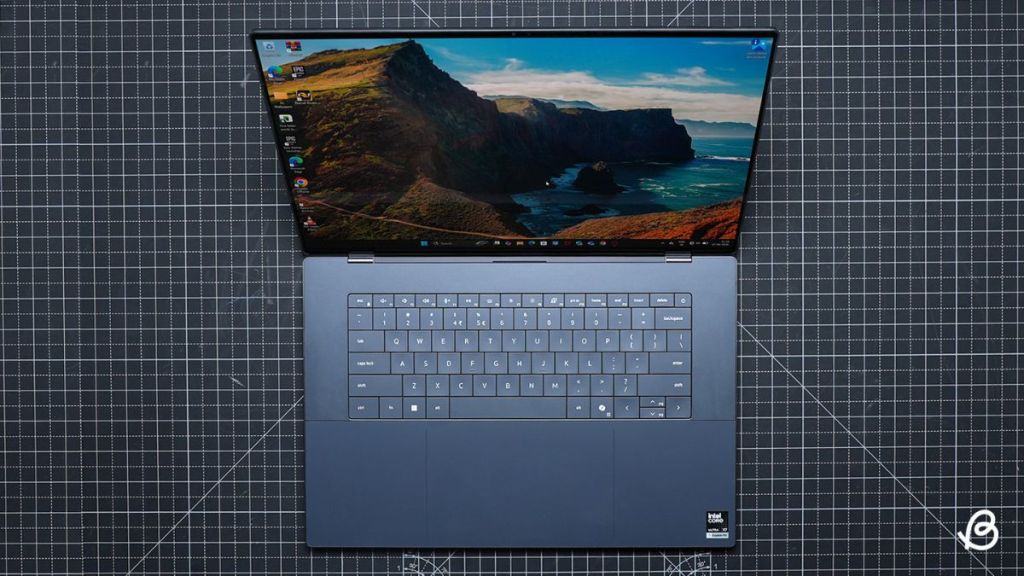
Gone are the frustrating touch-sensitive strip that Dell featured in its premium laptops after Apple tried that stunt with the MacBook Pro series. Now, finally, a proper physical function row is back, and it’s a small yet meaningful improvement for anyone who relies on those keys more often. Typing feel on the board is solid with a tactile response that doesn’t feel mushy.
The zero-gap key layout, where individual keys sit next to each other with minimal spacing, does take some time to adjust to, but once you get the hang of it, they make typing feel like gliding. Although it may not be for everyone, I noticed a few mistyped keystrokes in the first hour before my typing accuracy settled back to normal.
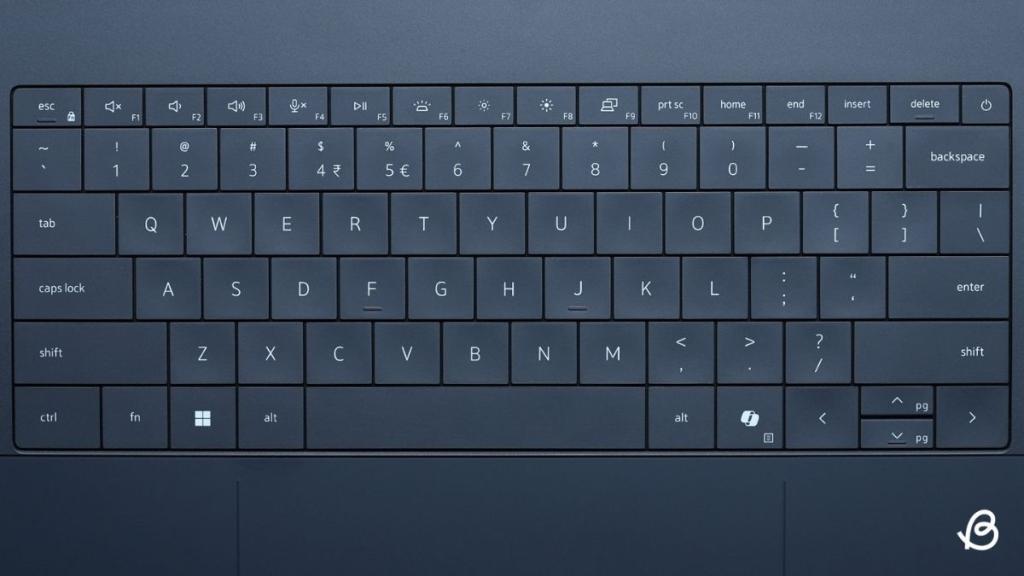
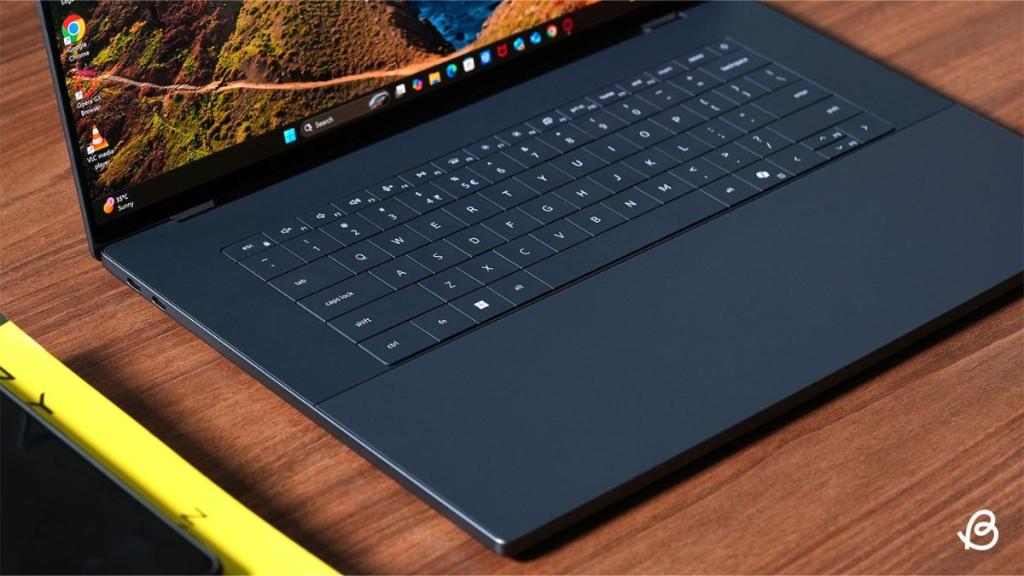
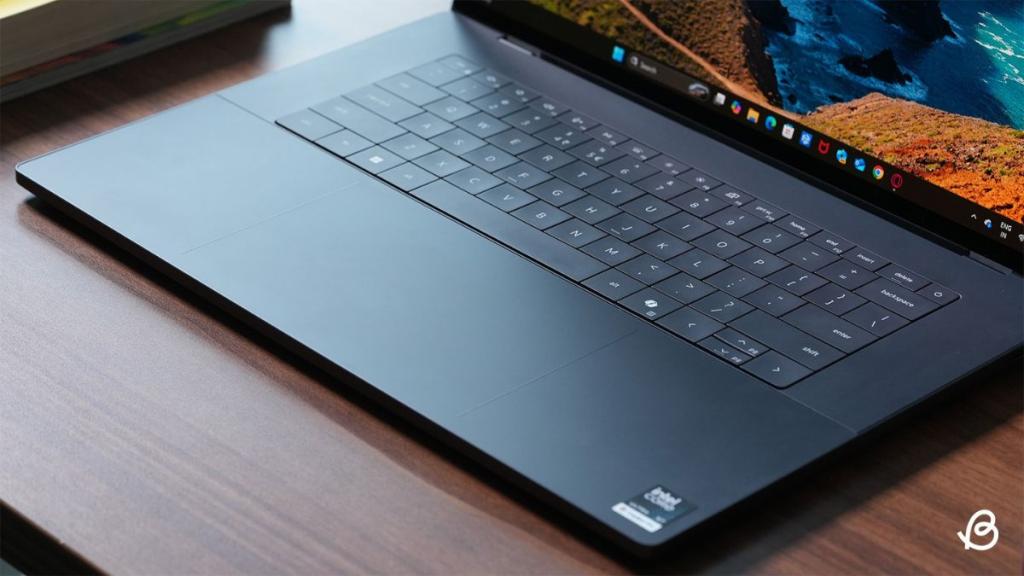
My main grief is with the arrow key cluster, which is compressed into half-height keys and makes it harder to locate by feel, especially if you’re used to a full-size keyboard. The placement of Home, End, and Delete keys also feels quite off and more like a design gimmick at this point.
The touchpad, however, is on a whole other level. It’s large, made of glass, and has a very subtle etched border so you always know its boundaries without needing to look down, and it is an absolute joy to use.
Performance: Runs Like It’s Got Main Character Energy
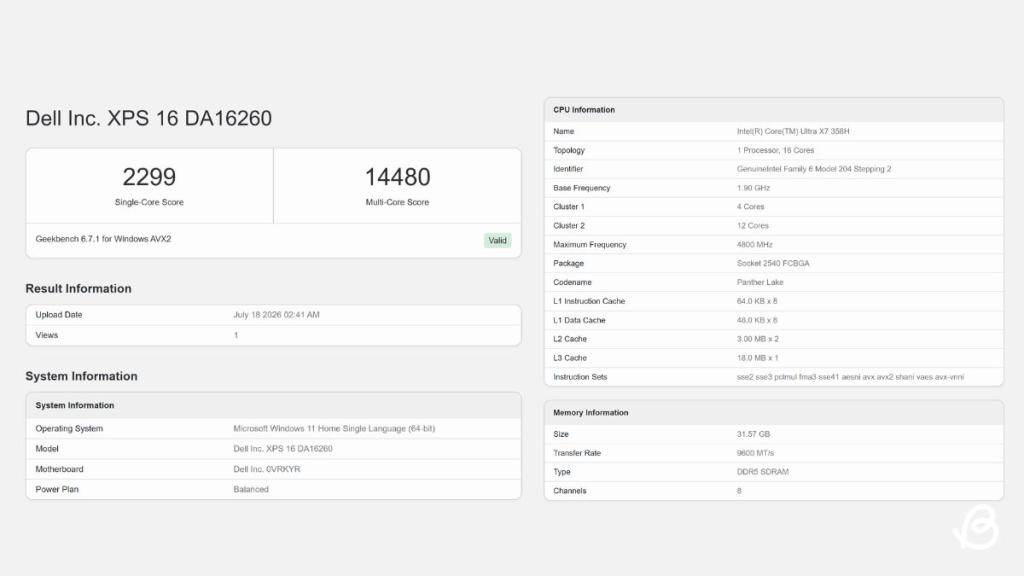
I’ll be honest here, I never used a laptop before with a spec sheet this impressive. My Dell XPS 16 review unit came configured with an Intel Core Ultra X7 358H, a Panther Lake chip with a 16-core layout split across 4 performance cores and 12 efficiency cores, clocking up to 4.8GHz.
It’s paired with Intel’s integrated Arc B390 graphics, 32GB of LPDDR5X memory running at 9600 MT/s across 8 channels, and a 1TB SSD. This generation of XPS 16 skips a physical GPU entirely, and for the vast majority of everyday tasks, that absence isn’t something you notice.
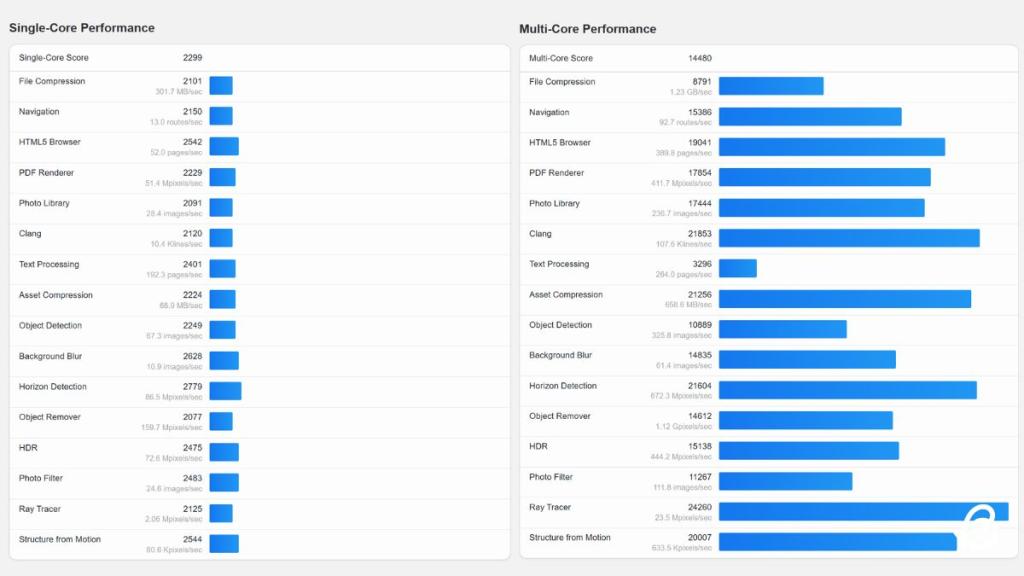
To back up that impression with something more concrete than my day-to-day usage, I ran the laptop through Geekbench 6, where it posted a single-core score of 2299 and a multi-core score of 14480, solid numbers for a laptop chip in this class.
The multi-core subscores tell a similarly good story, with tasks like ray tracing and horizon detection all landing north of 21,000, which explains why heavier, multi-threaded work never felt like it was slowing the system down.
I ran my usual daily workload on it: a large number of browser tabs, Slack running throughout the day, Photoshop for image edits, doom scrolling on X, and Spotify playing my GTA 6 playlist; it handled it all without any hesitation. App switching was near instant, and exporting a batch of photos didn’t slow things down. Same goes with exporting a video on Premiere Pro or After Effects where it all moved along at a solid pace.
Where a laptop like this one emits fan noise and some thermal throttling, given how thin it is, that simply wasn’t the case here. It stayed silent and cool for the most time and impressed me with how stable its performance stayed under sustained load.
Running demanding tasks back to back doesn’t cause the kind of performance drop-off you sometimes see on other thin and light laptops after a few mins of continuous use. Dell’s thermal design in a chassis this slim is highly commendable, and it clearly nails the job.
Gaming Experience: Intel Arc, I Owe You an Apology
Going into testing the XPS 16 for gaming, I didn’t expect much from it, given it lacks a dedicated GPU and I have very little faith in Intel Arc graphics. But in this instance, the Arc B390 integrated graphics turned out to be more capable than anticipated.
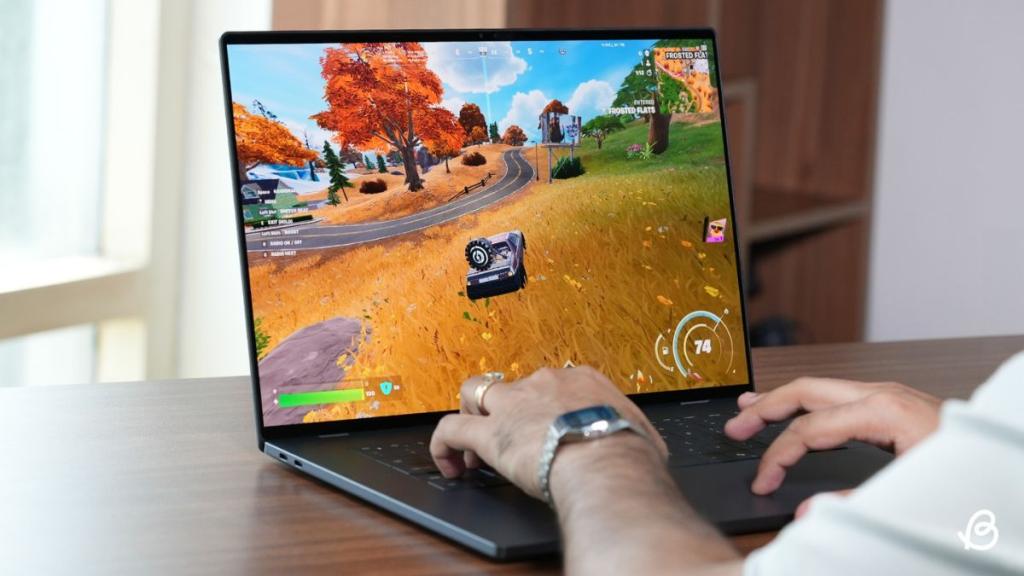
For the games I usually spend most of my time with, it performed impressively well. I tested Fortnite and Marvel Rivals, two live service titles I play each day at their highest graphic settings available, and they both ran at a steady 90 fps with little to no dips, even during a 3-hour-long session. However, the temperature fluctuated between 92-94°C during peak performance.
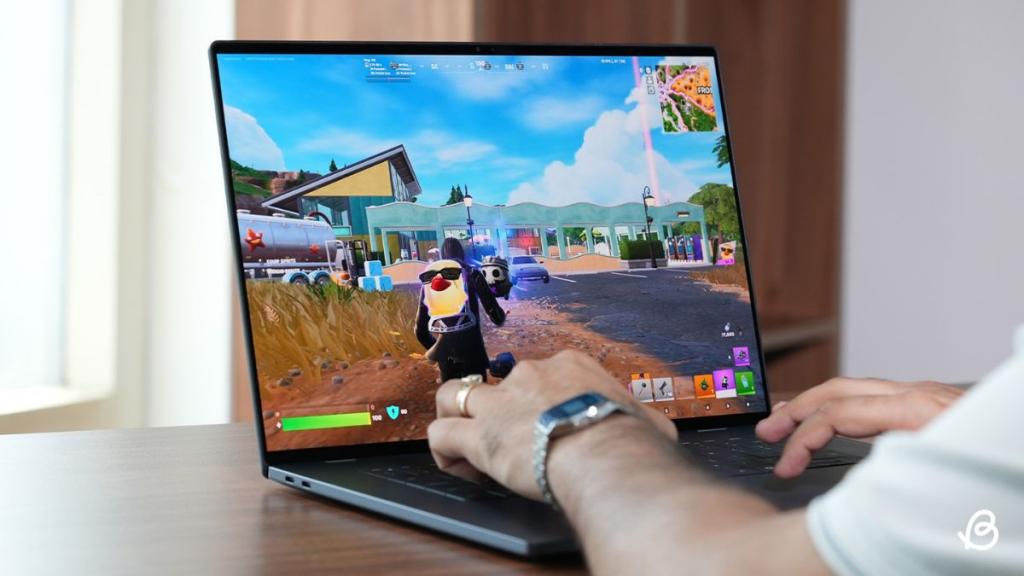
Combined with the 120Hz OLED panel, gameplay was incredibly smooth and responsive in a way that’s uncommon for integrated graphics like this one.
Movement and building structures in Fortnite looked clean, and the busy ability effects in Marvel Rivals Season 9 came through without any texture pop-ins or frame drops during intense battles.
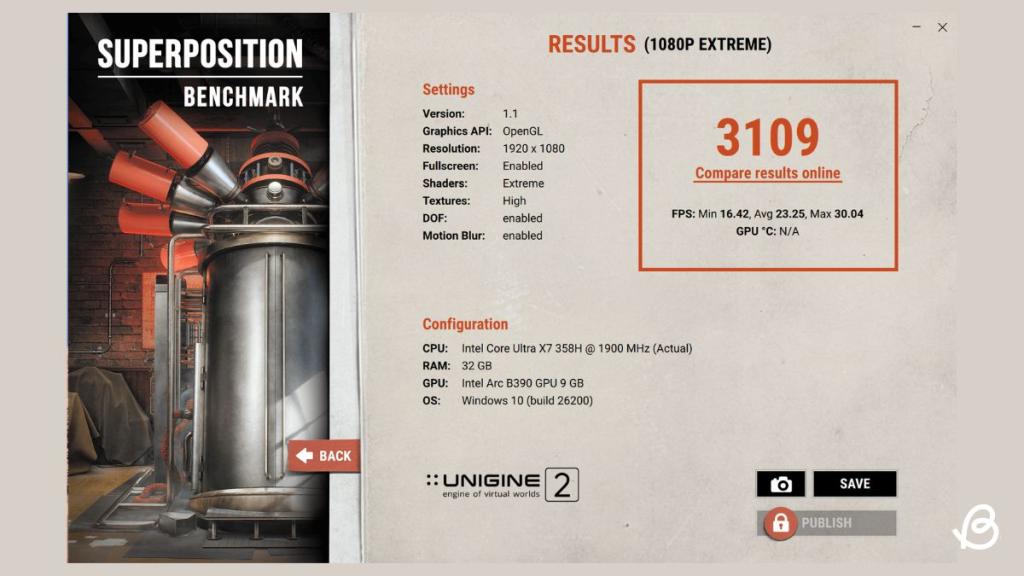
To get a more focused read on where the Arc B390’s ceiling actually sits, I also ran the Unigine Superposition Benchmark at its 1080p Extreme preset, which is a considerably more demanding synthetic load than either of those games.
It returned a score of 3109, with an average of 23.25 fps, a peak of 30.04 fps, and a minimum of 16.42 fps. That’s a much-needed reality check once you push shader and texture quality with effects like depth of field and motion blur to their extremes. The integrated graphics in this scale settle into far more modest numbers.
Verdict: Worth the Hype, If You Can Swallow the Price
After having used the Dell XPS 16 as both my daily laptop for work and a fair amount of gaming, this stands out as one of the most well-rounded laptops I’ve tested recently. The display alone justifies a significant part of its asking price, build quality feels every bit premium as expected, and performance remains consistent whether I’m ranting on an op-ed in the day or catching Sprites in Fortnite in the night.
The limited port selection and its absurd $2000 price are its real issues that make you reconsider your decision, but they don’t take away from how well this laptop performs for your day-to-day.