- Q-Lens is Bond's scanner mode that highlights the enemies, hackable devices, and environmental opportunities.
- Holding L1 or LB can help to enter the Q-Lens view and access the tactical information.
- Q-Watch gadgets activate inside Q-Lens, using the assigned buttons and consuming battery resources.
A James Bond game would never be complete without the use of stylish gadgets. 007 First Light embraces this legacy in full force, and instead of turning Bond into a superhero, the game encourages you to use the various tactical gadgets to the fullest and unlock a ton of creative ways to complete the mission. Among the most important gadgets are the Q-Lens and Q-Watch, which work together to form the backbone of Bond’s espionage missions. So, if you are wondering how these systems work, check this guide to learn how to use Q-Lens and Q-Watch in 007 First Light.
What is Q-Lens in 007 First Light & How to Use It?
The Q-Lens in 007 First Light is essentially Bond’s advanced tactical vision mode. Instead of functioning as a gadget itself, it acts like a specialized HUD overlay that gives you additional information about the environment.
Using the Q-Lens is fairly easy in 007 First Light. You can activate the Q-Lens by holding the L1 button on PlayStation or the LB button on Xbox. Whereas, for the PC players, they can activate it by holding down the Alt key.
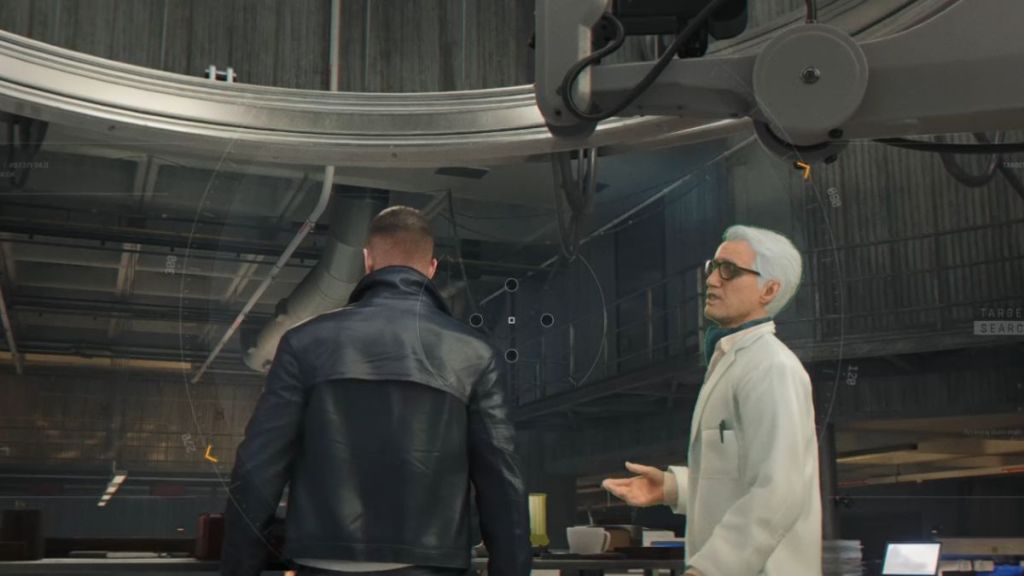

When activated, the Q-Lens transforms the surrounding area into a digital scanning interface. The rooms and objects gain a wireframe appearance, thereby making it easier to identify the important elements in the environment. You can now spot the hackable electronics, enemy positions, and the opportunities in the surroundings far more easily than before.
So, learning how to use Q-Lens in 007 First Light becomes extremely crucial for stealth-oriented missions. Rather than walking into a guarded room, you can activate the Q-Lens to spot the nearby cameras, determine the enemy position, and even manipulate the devices using your gadgets tied to the Q-Watch.
This is where an important detail comes into the picture. Activating your Q-Lens acts as a gateway to using the Q-Watch gadget system. So, keep reading to learn how to use the Q-Watch gadgets in the game.
How to Use a Q-Watch in 007 First Light
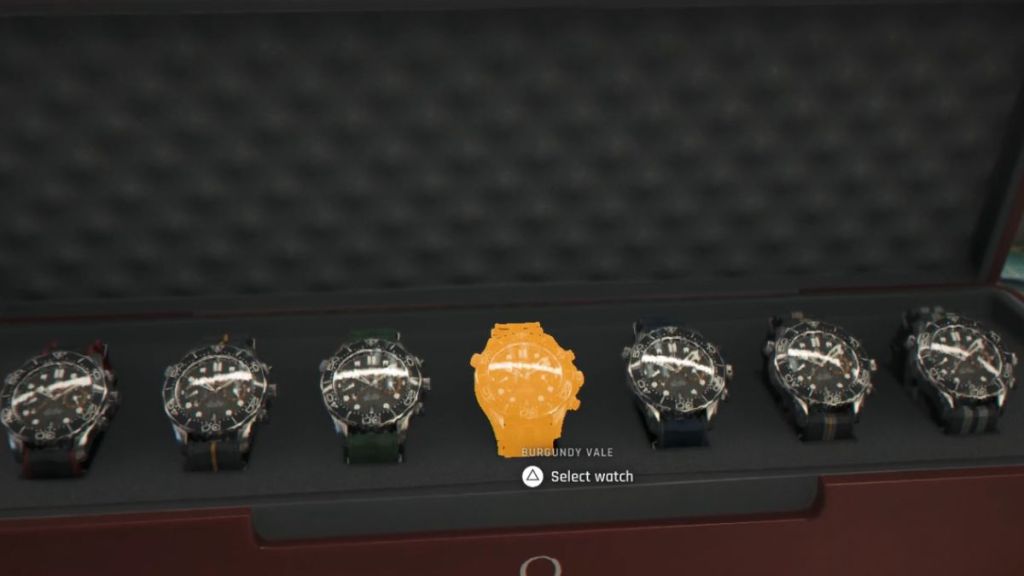
The Omega Q-Watch in 007 First Light is more than simply a stylish Bond accessory. It is the central hub for every gadget you want to use in the game. Before you start any 007 First Light mission, make sure to customize the gadget loadout that seems to best fit in the upcoming environment. Once on a mission, you can easily use the Q-Watch gadgets in the following way:
- Hold the Q-Lens assigned button (L1, LB, or Alt key).
- Having entered the Q-Lens view, press any one of the assigned gadget buttons to use them.
Now, assigning the gadgets to the four buttons is important because they determine your playstyle throughout the mission. For instance, in stealth-heavy operations, you might select the Dart Phone, Smoke Pods, and similar hacking tools or surveillance gadgets. Whereas aggressive approaches may include using the Flash Mine, Laser, Shockwave Camera, and similar crowd control gadgets.
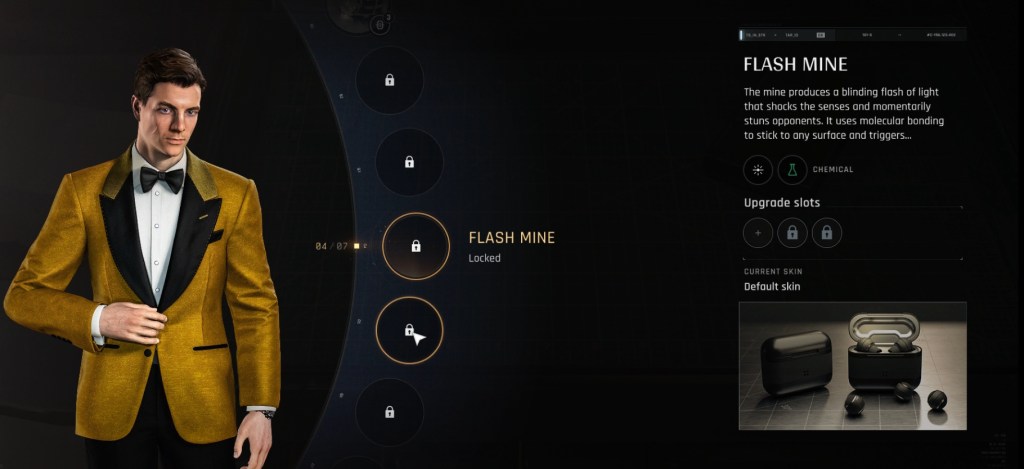

Our 007 First Light Gadgets guide can help you choose what’s best depending on the mission requirements. For instance, if guards are blocking a hallway, consider using the Q-Lens to locate a nearby electrical device and then activate it remotely using your Dart Phone through the Q-Watch. This distraction can pull the guards away without firing a single shot.
One important point to note is that using the gadgets through the Q-Watch consumes battery and chemical power. But you can easily replenish these resources by recharging through any electrical device with a blue battery icon.
And that completes the guide on how to use a Q-Lens and Q-Watch in 007 First Light. Since you’re here, do check the 007 First Light suits for some free cosmetics. So, have you explored the game to find the hidden cameos and movie references? Tell us in the comments below.
You can activate the Q-Lens by holding the L1 on PlayStation, LB on Xbox, or Alt on PC.
Hold the Q-Lens button first, and then press one of the assigned gadget buttons to use it. Gadgets are tied to the Q-Watch and can be customized in the loadout menu.