- Fortnite Geoguessr is a browser game where players can test their Fortnite map knowledge.
- Players are placed in random spots from different Fortnite seasons and must guess their location.
- Play solo or multiplayer, in different difficulty settings, rack up points, and climb the leaderboard.
Geoguessr is a popular game where you guess locations by studying a picture of the surroundings. Now imagine that same idea, but instead of real-life streets and landmarks, you’re dropped into the world of Fortnite. If you’re a Fortnite nerd, looking to test your map knowledge, this game is made for you. In this guide, we’ll explain what Fortnite Geoguessr is and how to play it.
What Is Fortnite Geoguessr?
Fortnite Geoguessr is a fan-made browser game that challenges players to recognize locations from the game’s ever-changing maps. Created by lostgamer, it is an excellent way to challenge yourself and others with your Fortnite map knowledge. The game is not affiliated with Epic Games or Geoguessr, made completely by fans. This is one of the Geoguessr alternatives that you will love playing with friends.
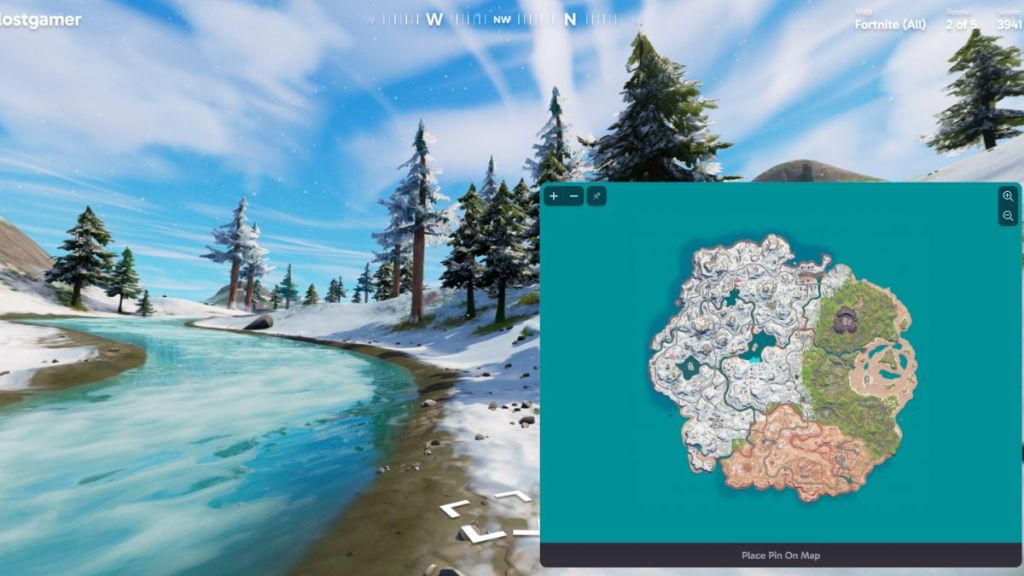
Instead of guessing real-world cities or countries like in traditional GeoGuessr, you’re dropped into a random spot from Fortnite and must pinpoint where you are on the in-game map. The closer you are, the more points you can earn.
Fortnite Geoguessr features the maps from Chapter 1, all the way to the Chapter 5 Season 3 map. It is both a trivia and a memory test. If you want a nostalgia trip from multiple chapters and seasons of Fortnite, you can try the game and get on the leaderboard. However, the Guessr has not been updated post-Chapter 5 Season 3, which means you cannot play on the Chapter 7 Season 1 map yet.
How to Play Fortnite Geoguessr
Now that you know what Geoguessr in Fortnite is all about, here is how you can play it:
1. Head to the Fortnite Geoguessr website
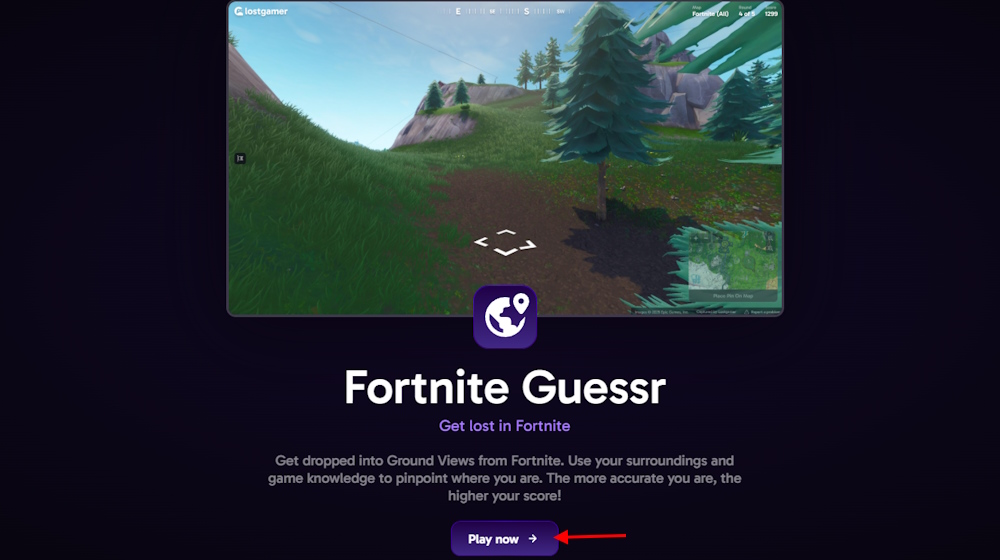
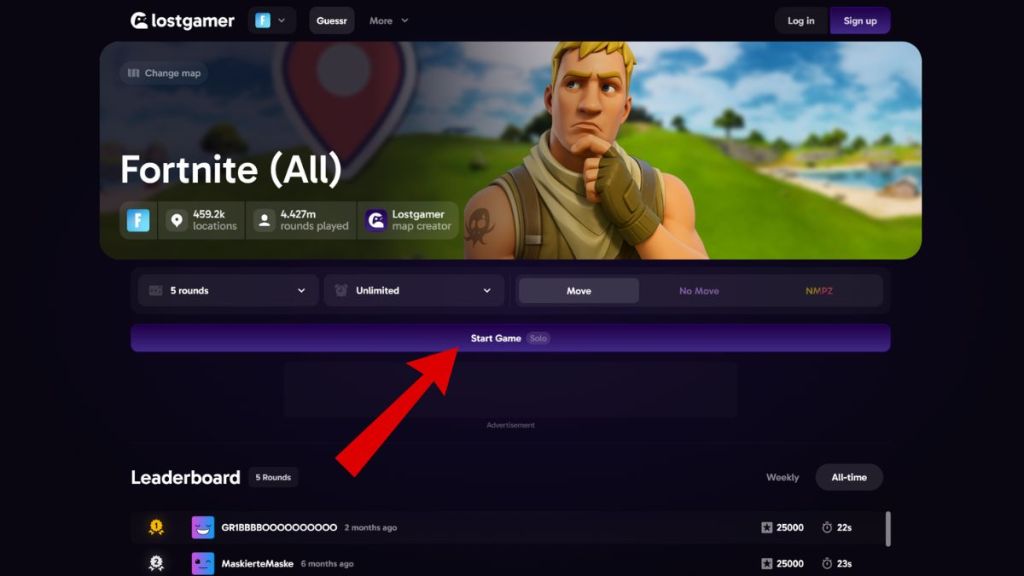
You’ll find Fortnite Geoguessr on Lostgamer.io. Once there, click the purple Play Now button. It nudges you into Ground Views from Fortnite’s map; you only need your game sense and map knowledge to guess your location.
2. Pick the Best Fortnite Geoguessr Maps
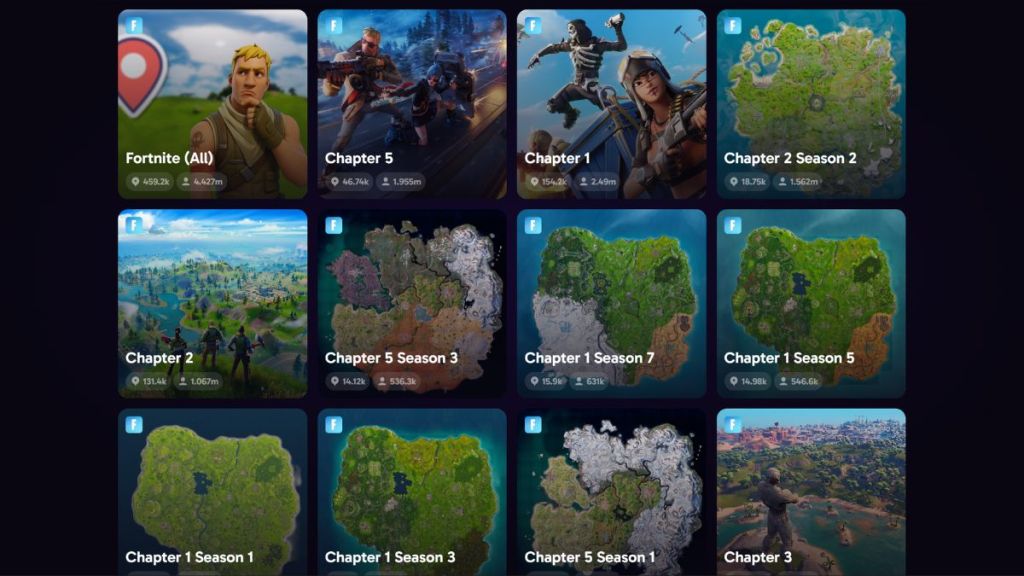
Lostgamer offers a range of map selections for Fortnite Geoguessr. You can go broad with ‘Fortnite (All),’ which includes over 459,000 possible locations, or narrow down to a specific chapter or season.
Scroll through the Fortnite Geoguessr map menu and select maps such as Chapter 1, Chapter 2, or Chapter 5 Season 3, each with its distinct area count and rounds played. You can also choose the “Fortnite (All)” option to play a mix of all maps available.
3. Fortnite Geoguessr Settings: Choose Solo, Multiplayer, and NMPZ
You get to decide how much challenge you want, and the game unfolds accordingly. The options in Fortnite Geoguessr usually include:
- Number of rounds: five is set by default, but you can go for 10, 20, or more.
- Time limits per round: anywhere from 5 seconds up to 10 minutes.
- Camera Movement: allow movement for easier spotting or disable it for a stiffer challenge (NMPZ – no move).
4. Play and Guess
After you have selected the desired settings, click the Start Game button to finally play Fortnite Geoguessr.
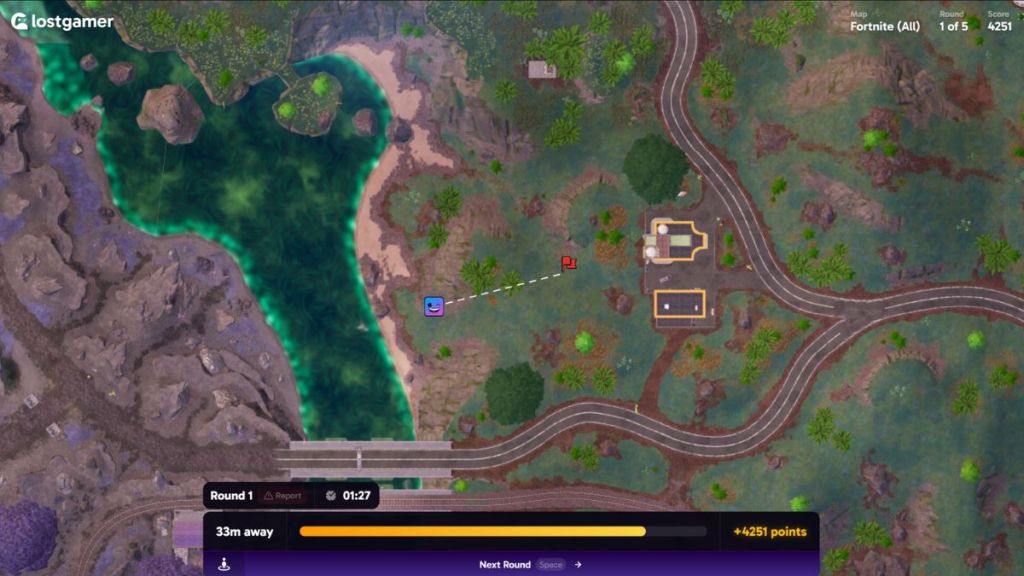
Each round drops you somewhere on the Fortnite map. Use any available context clues, such as terrain, buildings, or landmarks, to narrow down your guess. If you are not playing in NMPZ mode, use the arrows to move the camera around. After you are ready to make a guess, move your cursor to the minimap on the bottom right and pin a spot. Click ‘Next Round’ to go to the next guess.
5. See Your Fortnite Geoguessr Score
After your final round, you will get a total score. It sums your accuracy across all rounds (like the original GeoGuessr, with up to 25,000 points). Click on the View Game Summary to check it. If you are logged in, you can save your score, and it may show your rank on a global leaderboard.
How to Play Fortnite Geoguessr with Friends
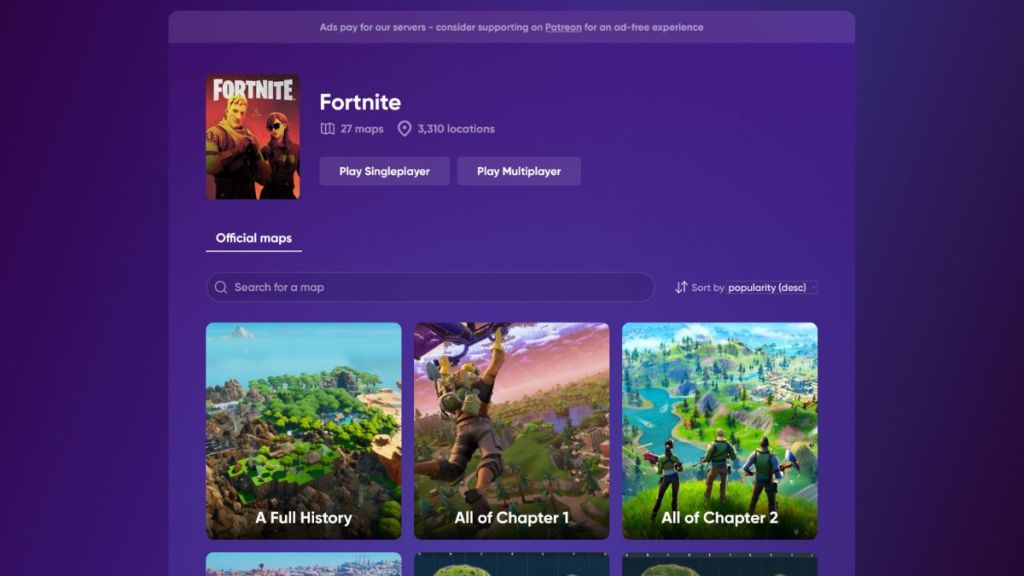
You can also play Fortnite Guessr with your friends in a multiplayer lobby. LostGamer.io has a separate website for player competitions. Here’s how you can get your competitive Geoguessr lobby running:
- On the landing page, choose the Multiplayer option.
- You will then be prompted to select the map you want to play on, alongside the gamemode of your choice.
- Invite your friends with the unique URL.
- Compete for the highest score.
Tips & Strategies to Win in Fortnite Geoguessr
Your knowledge of the Fortnite maps will only take you so far when trying to get the highest score in Fortnite Geoguessr. If you are looking to up your guessing game, you can use the following tips:
Check your surroundings
When playing a round of Geoguessr, the first thing you should do is gather all the clues you can. You need to look for “edge-of-map” markers like the ocean in the distance. Using these clues can allow you to triangulate your position much better than just focusing on one building or structure.
Look at the Sky
Certain locations and biomes in Fortnite can have hints hidden in the sky that can be helpful in guessing your location. This is especially potent for the Chapter 1 map during Season 4 and Season 5, which had a huge rift in the sky after the very first Fortnite live event, the Blast Off event. The rift was centered over Loot Lake, and you can use its position to orient yourself on the map.
Use the Compass
The compass at the top of your screen is not just for show, and you can use it to triangulate your position. Try lining yourself up with a road, and check your compass. If it says that you are facing east, look for horizontal roads on the mini-map. You can also use the compass to align yourself with mountains like Polar Peak and Mount Kay.
Look for Recognizable Structures
Structures like Ziplines can be immensely helpful in finding yourself on the Fortnite Geoguessr mini-map. You can look for location-specific assets like the No Sweat Insurance building, which places you in Tilted Towers and Lazy Lake. Meanwhile, if you find Nitro Hoops or Spiked Walls, you can deduce that you are in the Chapter 5 “Wasteland” area.
That is how you can play Fortnite Geoguessr on your browser for free. Have you tried your Fortnite nerd knowledge in this game? Do tell us in the comments below.




 Rishabh Sabarwal