- GTA 6 players have discovered a glitch that unlocks the game's 30 FPS cap on Xbox Series X|S.
- The trick uses Xbox Quick Resume and a 120Hz display, but frame rates aren't consistently 60 FPS.
- Gameplay animations can run much faster than intended, making the glitch less practical.
Players hoping to experience GTA 6 at 60 FPS might finally have a way to push the game beyond its usual 30 FPS limit, at least on Xbox consoles. A newly discovered glitch allows Xbox Series X|S players to unlock the game’s frame rate using the console’s Quick Resume feature. However, it also comes with some rather unusual drawbacks.
GTA 6 Xbox Glitch Unlocks Frame Rate Beyond 30 FPS
The glitch was first shared by Reddit user Meowwie64, who discovered that switching between display refresh rates and using Xbox’s Quick Resume feature could bypass GTA 6’s 30 FPS cap. This allows the game to run at higher frame rates without modifying any game files.
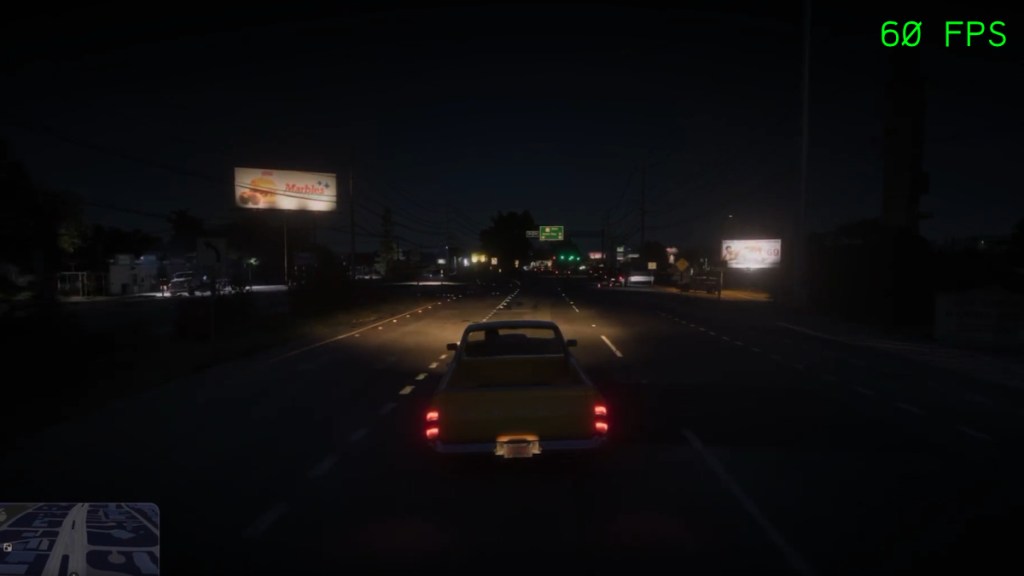

However, unlocking the FPS cap doesn’t guarantee a stable 60 FPS experience. During regular gameplay, players who tried the trick reported frame rates hovering around 40 FPS. The frame rate also fluctuates depending on what’s happening on screen, making the overall experience inconsistent.
There’s another catch. The game’s animations and movement appear to be tied to its frame rate. This means unlocking the FPS cap can cause characters and other gameplay elements, including the in-game clock, to run faster than intended. Some animations reportedly play at twice their normal speed, making the game feel unnaturally fast.
Cutscenes, however, appear to remain unaffected by these animation issues. Players with compatible displays can also use Variable Refresh Rate (VRR) to help smooth out frame-rate fluctuations. This doesn’t fix the accelerated gameplay animations.
How to Unlock 60 FPS in GTA 6 on Xbox
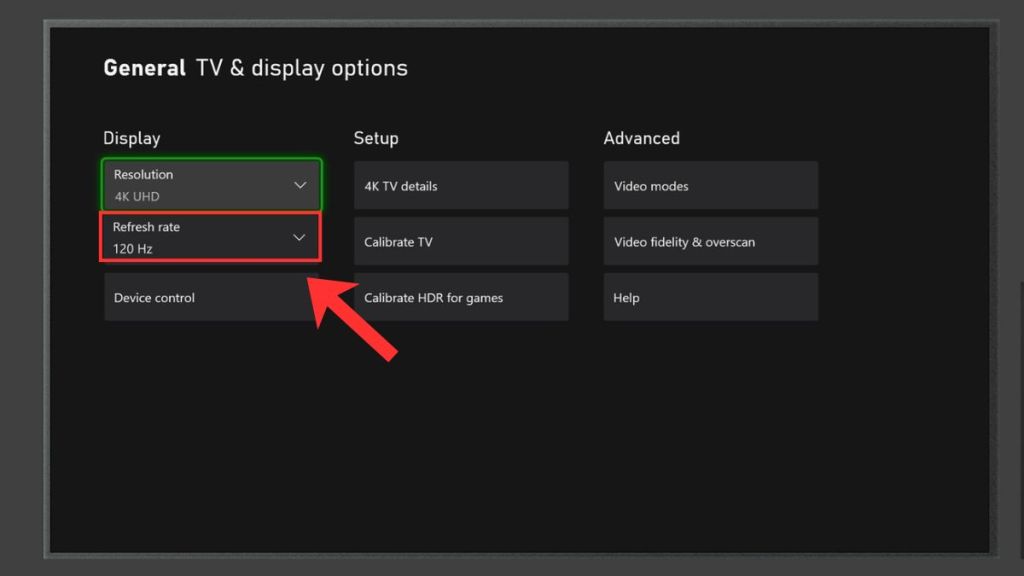
If you want to try the GTA 6 FPS glitch yourself, you’ll need an Xbox Series X or Series S and a display that supports 120Hz. Once you have those, follow these steps:
- Open your Xbox’s TV & Display options and change the refresh rate to 60Hz
- Launch GTA 6 and wait until the six stars appear during the introductory sequence.
- Return to the Xbox display settings and switch the refresh rate back to 120Hz.
- Without closing GTA 6, launch another game that isn’t already suspended in Quick Resume.
- Switch back to GTA 6 using Quick Resume.
If the glitch works, GTA 6 should now run with an unlocked frame rate. However, expect inconsistent performance and unusually fast animations. For now, Rockstar Games hasn’t introduced an official 60 FPS performance mode for GTA 6, and there’s no telling whether this workaround will survive future updates.