Doing a voiceover is no easy feat. You need expensive equipment and a separate studio to get the perfect recording. Thankfully, there are several AI voice generators that can do voiceover for your YouTube video, podcast, or Instagram reel. But which one sounds more natural and convincing? Well, I have tested over 30 options, and these are the best AI voice generators you can try out.
Best AI Voice Generators Compared
After testing them, I have picked the 10 best AI voice generators that deliver believable-sounding voiceovers without much effort. So, before we start with the list, here is a quick comparison between these tools, their use case, limitations and pricing.
| AI Voice Generators | Best Suited For | Limitations | Pricing |
|---|---|---|---|
| ElevenLabs | Very natural-sounding narration and voice cloning | Some advanced options locked behind paywall | Free, Paid plan starts from $5 per month |
| Murf.AI | Commercial use, presentations, e-learning tutors | Limited emotional range in AI voices | Free, Creator plan starts from $29 per month |
| Listnr | Quick voiceovers, podcasts, YouTube Shorts | Limited customization of nuances in the voice | Free, Individual plan starts at $19 per month |
| Hume AI | Story reading, customer support, and emotional support AI models | Voice translation available for few languages only | Free, Starter plan available from $3 per month |
| Lovo AI | Best for creating AI dialogue, multiple host podcasts | Some models sound too polished and synthetic | Free, Paid plan starts from $10 per month |
| WellSaid Labs | For companies, enterprises and coporate training programs | Voices sound too generic, and scripted | 7-day free trial, Paid plan starts at $55 per month |
| NotebookLM | Great for studying and research | Cannot tweak or customize audio overviews | Free |
| Speechify | Text to speech reading and accessibility | Not designed for creative voiceovers | Free, Paid plan starts at $29 per month |
| RecCloud AI | Quick audio transcriptions with a few customization options | Limited expressiveness in voice models | Free, Pro plan starts at $9 per week |
| VoiceMaker | Basic text to speech transcription of audio | Offers only a few controls and audio tweaking options | Free, Paid plan starts at $5 per month |
Overview of the Best AI Voice Generators for Effortless Voiceovers
So after testing many options, I have landed on these 10 AI voice generators, which not only sound natural, but also let you pick from different voice models, accents, and languages too. Most of them are pretty easy to use, and some are even free AI voice generators. Check them out yourself.
1. ElevenLabs – Best AI Voice Generator
ElevenLabs considers itself “The most realistic voice AI platform,” and I couldn’t agree more. It features a plethora of voices, including celebrities and famous historical figures like Alan Turing, J. Robert Oppenheimer, Amelia Earhart, and many more. It also delivers in terms of quality, as even without much customization, the models sound very human-like.
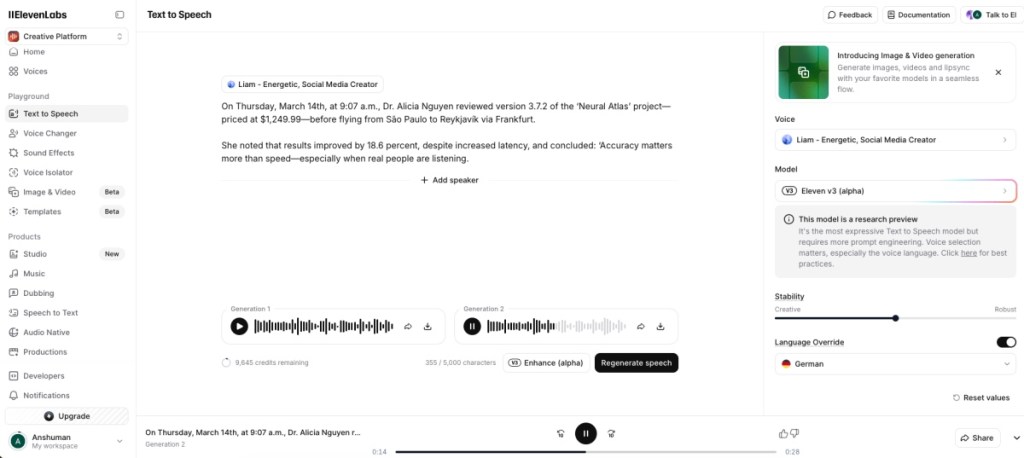
You can even create a new voice using your own or mixing and matching others. I’m impressed with how usable most of the voices are on ElevenLabs’ platform. You can even create an entirely new voice with your prompt, and tweak its nuances like speed, stability, similarity, and exaggeration. So if you just came here to find out which is the best AI voice generator, then here’s your answer.
| PROS | CONS |
|---|---|
| Generated voices sound very human-like | Limited credits in free version |
| Tons of voices and dialects to pick from | |
| Download generated voice in the free version | |
| Simple interface that is easy to use |
Pricing: Free, Paid plan starts from $5 per month
2. Murf.AI – Must Have for Commercial Use
Murf.AI features hundreds of different voices varying in age, tone, and gender, with 20+ different languages and accents. The generated voices are also quite decent, as most of them didn’t have that robotic tone. But voices in other languages require more polishing. It breaks down the text into sentences for easier editing.
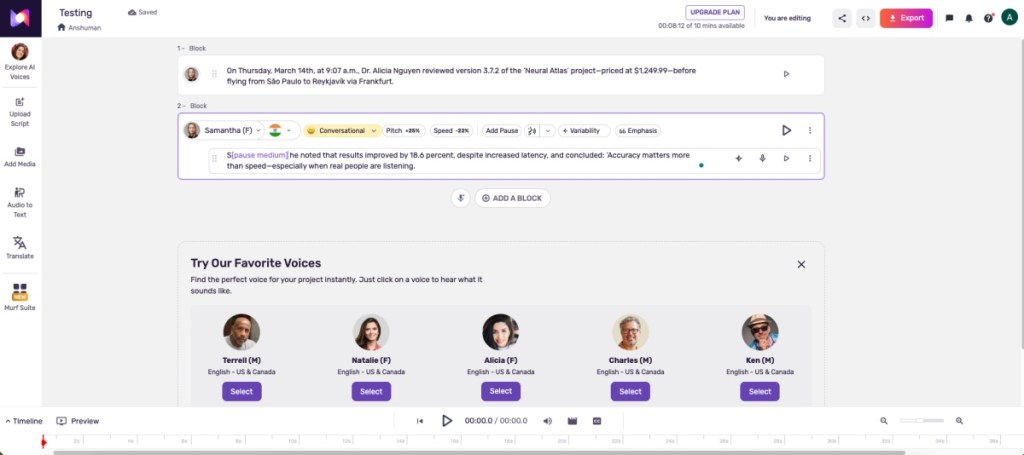
You can change the pitch, speed, emotional state, and word pronunciation, add pauses, and emphasis to get the best output you are looking for. Murf.AI even lets you add a video or image to create a custom AI voiceover based on it, which didn’t work that well in my testing. However, I will say the AI-generated voiceovers were impressive, to say the least.
| PROS | CONS |
|---|---|
| Good collection of realistic-sounding voice models | Voices in different languages sound robotic |
| Adjust emotional state, pitch, and speed | Allows only 10 projects in free plan |
| Add dramatic pauses between senetences | |
| Can create voiceover for videos |
Pricing: Free, Creator plan starts from $29 per month
3. Listnr – Best AI Voice Generator for Audiobooks
Listnr has one of the biggest databases with more than 900 voices, support for 140+ languages, and accents of AI voices. However, I did find that the premium voices sounded better than the free ones, which were monotone and robotic.
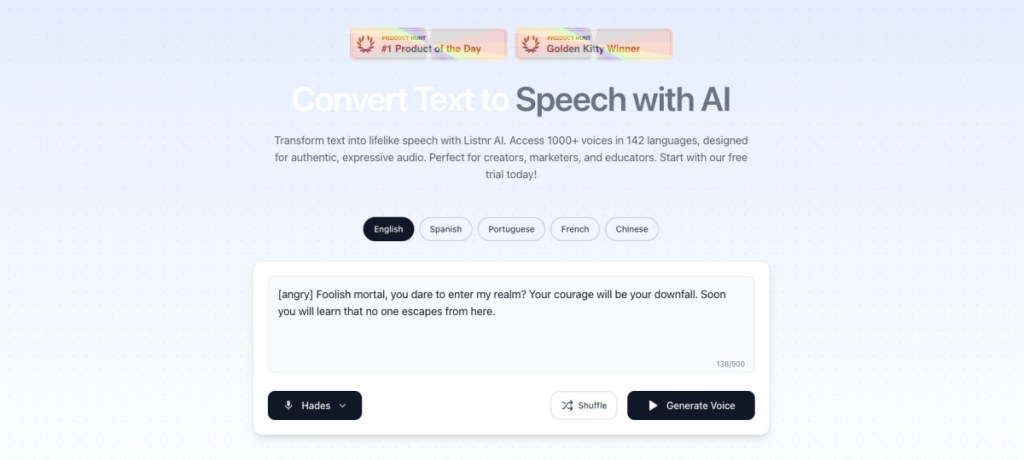
I loved the voice-overs generated by this tool. You can also embed Listnr on your blogs as it works well with WordPress, just like Play.HT. Like other AI voice generator tools here, it lets you add pauses in the middle of the sentences and edit word pronunciations. But these tools are only available in the paid version. The free version is extremely barebones and won’t let you make any of those adjustments.
| PROS | CONS |
|---|---|
| Download AI voices in WAV or MP3 formats | Free voices sound robotic |
| Supports over 140 different languages | Lack of voice customizations in the free version |
| Works well for articles, podcasts, and audiobooks | |
| Works well for articles, podcasts, and audiobooks |
Pricing: Free, Individual plan starts at $19 per month
4. Hume.AI – Best Character Driver AI Voice Generator
Hume AI is next on the list, and it features some convincing text-to-speech AI models, ranging from a TikTok influencer to a podcast host. And I like that, as it makes it easy to distinguish between different voices and their little nuances, rather than just calling them by a generic name. I also like how easy it is to use, and you can get around creating text-to-speech models in no time.
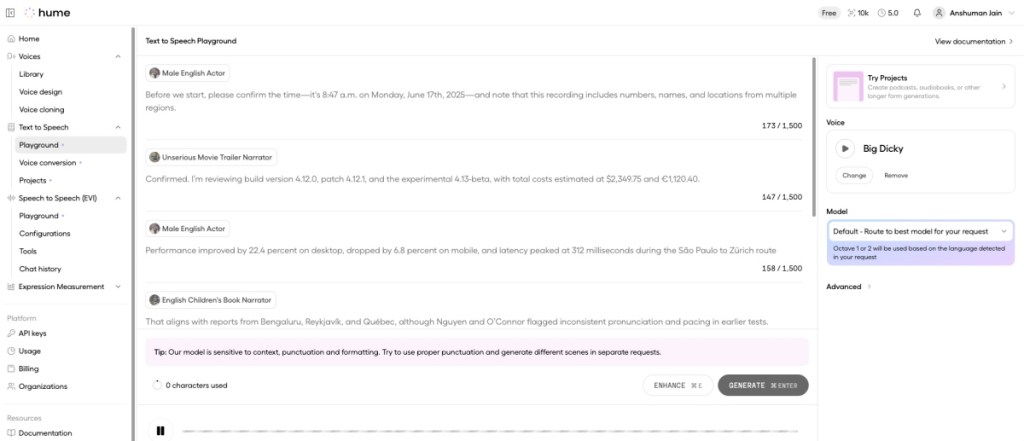
However, the language support is limited, and the voice models aren’t as many compared to ElevenLabs. But I loved the authenticity in the voice and the flow at which it speaks. You can also create a dialogue with multiple speakers, something I tried, and it turned out quite well. Do keep in mind, though, that not all voices sound equally good, as some did seem generic and robotic.
| PROS | CONS |
|---|---|
| Almost human-sounding voice generation | Limited language options |
| Easy to identify different models | Some voices sound too generic |
| Voices have a natural tone and flow | |
| Can add multiple different speakers |
Pricing: Free, Starter plan available from $3 per month
5. LOVO.AI – Best Voice Generator for YouTube Narration
If you are looking for a feature-rich option, then Lovo.AI should be the one to pick. Its AI voice generator, called Genny, bundles a collection of over 500 voice models. These models vary in categories, age, tone, and language. Even though not all of them sound convincing, there are a few voices that sound natural. Besides that, there is a full-fledged editing interface, with AI subtitles, a scriptwriter, and an image generator so you can get everything done in just one place.
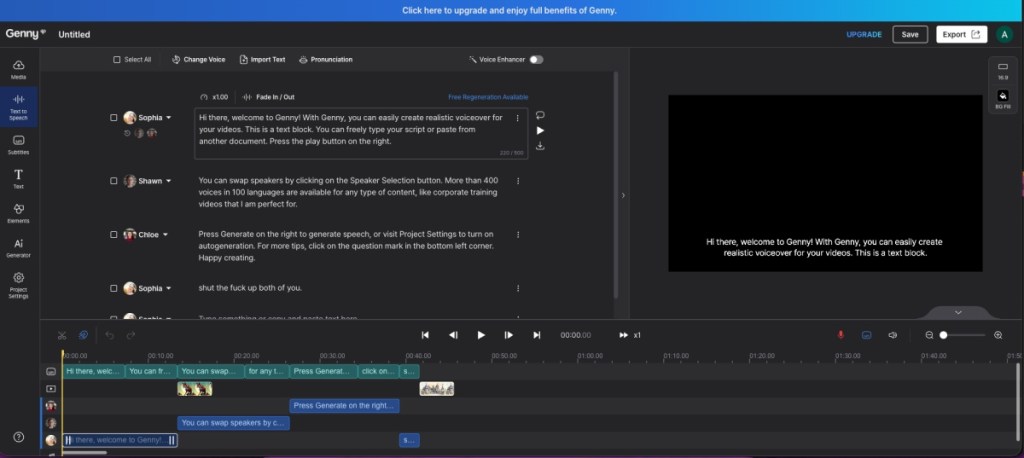
Lovo.AI also lets you adjust pitch speed and pronunciation, and you can add pauses and emphasis on certain words as well. I especially enjoyed that I can break down my text into sentences, which makes it manageable to work with, and I can choose different speakers to narrate different blocks of text. This way, I can generate a podcast-like environment.
| PROS | CONS |
|---|---|
| Good variety of AI voices | Video editing tool need improvement |
| Large library of over 500 voice models | Most voices sound soulless |
| Text blocks for multi-voice conversations | |
| Pixabay royalty-free image library |
Pricing: Free, Paid plan starts from $10 per month
6. WellSaid Labs – Good for Narration and Commercial Use
WellSaid Labs is the last voice generator we have for you on this list. It boasts over 120+ different voices, and you can pick them up based on their vocal prowess in different scenarios. So if you need a voice for a sponsored segment, then you can use a promotional tone, or use it for a video essay, then pick narration or even conversational, which is best for podcasts.
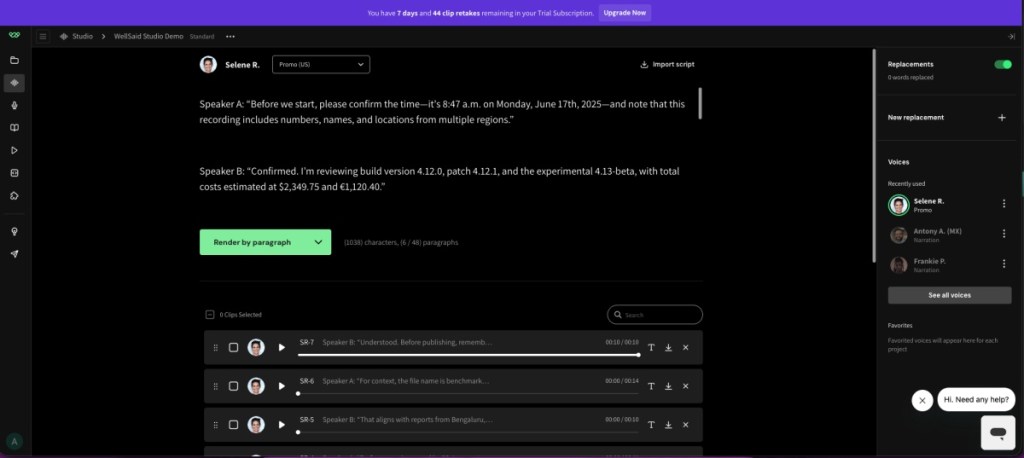
Once you have chosen your voice model, you can start with your project. It lets you manage the prompt sentence by sentence. However, pro users can have command over every single word. You have the option to combine it, rearrange it, or change the tone midway. You can even add another model if you are creating a podcast-like experience. The voice itself is decent, but it does feel flat at times.
| PROS | CONS |
|---|---|
| More than 120 voice models | Quite an expensive option |
| Manage voiceovers per sentence | No free option available |
| Add multiple voice models |
Pricing: 7-day free trial, Paid plan starts at $55 per month
7. Google NotebookLM – Best AI Voice Generator for Research
As I have said in my best AI research tool read, Google’s NotebookLM is not just helpful for students or researchers. It features a neat audio overview option that can turn any topic you share with it into a podcast. Yes, it can turn literally any topic into a full-fledged podcast-like conversation between a male and a female host. These AI hosts sound so realistic, beating most of the voice generators in this list.

They have all the human-like nuances, will interrupt each other, and will fetch other relevant information related to the subject. You don’t even have to do anything; just provide the source and wait as your podcast is prepared. And with a recent feature, you can also make a guest appearance as a caller in said podcast. They made an appearance in last year’s Spotify Wrapped as well. The only reason it is so low is that you cannot change host voices, and it only supports English as of now.
| PROS | CONS |
|---|---|
| Creates hyper-realistic podcasts | Cannot change voice model of hosts |
| Can talk about any subject matter | |
| Human-like nuances and conversation | |
| Easy to use, requires minimal input |
Pricing: Free
8. Speechify – Best for Celebrity Voices
Speechify is a bit different from the other AI voice generators in this list. It is a text-to-speech accessibility app that helps people with vision issues, ADHD, and other reading problems. Listeners can choose from a variety of different voice models, including celebrities like Gwyneth Paltrow, Snoop Dog, and even Mr.Beast, to read out any text document.
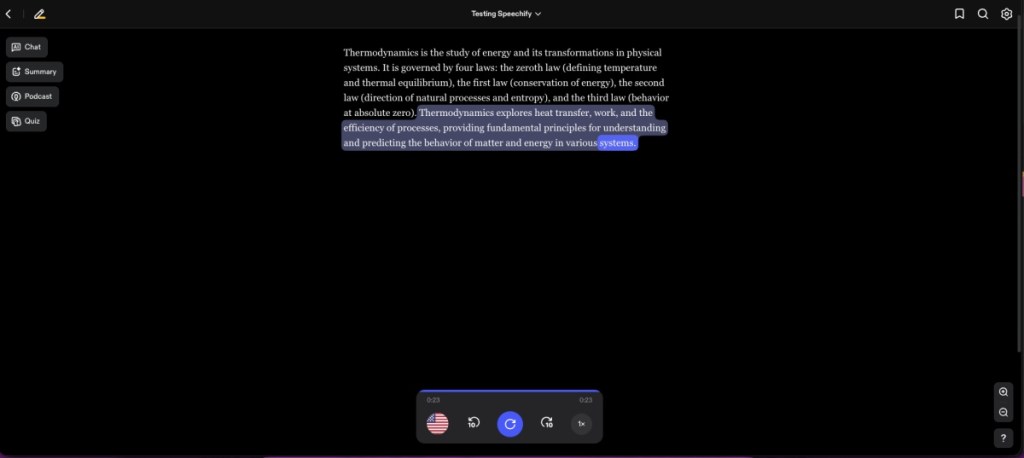
It even lets you manage the pace at which the content is read out to you. Since it is not aimed at creating realistic voice models, the narrators don’t sound that convincing, but the AI still does a good job of handling pauses and pronunciations. There is support for different languages. I tried listening to a Hindi news headline, and the voice model did a good job of narrating it.
However, the tool misunderstood certain symbols as punctuation, resulting in unintended pauses. The app is well-received on different platforms and is a must for people with vision issues, trying to learn a new language, or who prefer listening to blogs and articles.
| PROS | CONS |
|---|---|
| Voice models of celebrities and influencers | No options to tweak voice models |
| Adjust the words per minute reading speed | Primarily focused on text-to-speech |
| Voice models sound adequately lifelike | |
| Available on all major platforms |
Pricing: Free, Paid plan starts from $29 per month
9. RecCloud AI – Competent AI Voice Generator
If you just want an AI voice generator that gets the job done, then you might find RecCloud AI as a good option. It gets the basics right, allowing you to pick from different voice models, translate to different languages, and even supports multilingual options. However, the issue is its limited number of options compared to the rest of the tools we have discussed above.
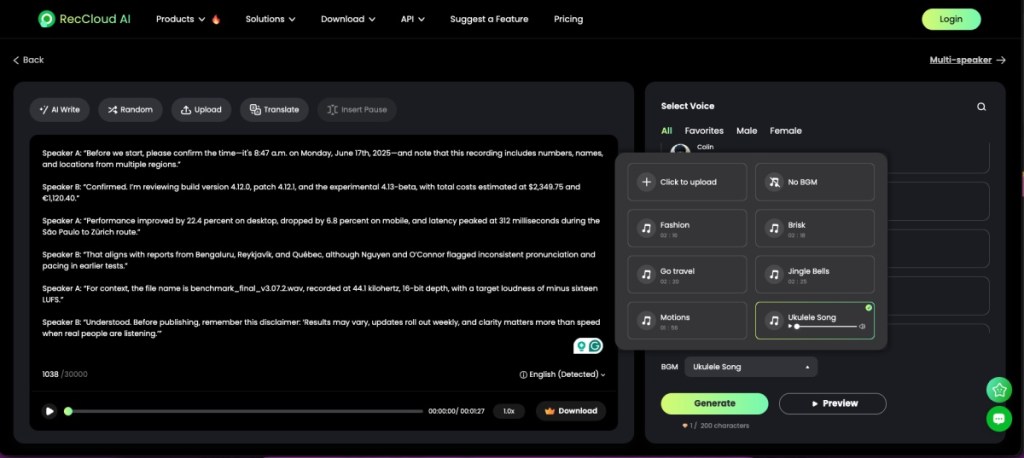
However, I like that it lets you add your own background score to the AI voice generation. You can also tweak the speech and volume of each character, and add pauses as necessary. It is worth noting that it takes a while to generate the output, so you will have to sit out for a few minutes. If that does not bother you, then RecCloud AI is a good option you can try out.
| PROS | CONS |
|---|---|
| Decent selection of characters | Limited option for characters, customization and language |
| Speech sounds close to natural | Voice generation takes a while |
| Supports multiple readers and language translations |
Pricing: Free, Pro plan starts at $9 per week
10. Voicemaker – Good Voice Generator for Text-to-Speech
You might confuse Voicemaker as a standard text-to-speech tool at first glance. But it is a pretty good AI voice generator that is great for beginners. Its neural TTS comes with a variety of voices that do a commendable job when it comes to generating realistic speech from text. Though slightly less convincing at times. You can filter between different languages, genders, emotions, and AI engines. The higher the engine, the better the results, but they also tend to be more unstable.

Some voices can express different emotions while reading the text, and you can adjust the volume, speed, and pitch beforehand. The UI is a bit lacking, but I will have no issues recommending it to someone new to all this voice generation. Besides the premium voice models, the tool is free to use and lets you download audio files for free. Its monthly plan is also affordable, costing the same as ElevenLabs. It can be a good starting point for many and is worth trying out.
| PROS | CONS |
|---|---|
| Easy to use, great for beginners | User interface is basic |
| Change emotions for certain voice models | No option to generate multi-voice conversations |
| Affordable monthly plan | |
| Download generated voices in the free version |
Pricing: Free, Paid plan starts at $5 per month
This brings us to the end of this topic. As you can see, most of the tools that we discuss here achieve the same goal, and you couldn’t go wrong with any of them. Certain tools like Play.HT, ElevenLabs, and Murf.AI are better at their jobs, while Lovo.AI and Synthesys pack in more functions to cater to a larger set of users. So which tool did you like the best? Do let us know in the comments below.