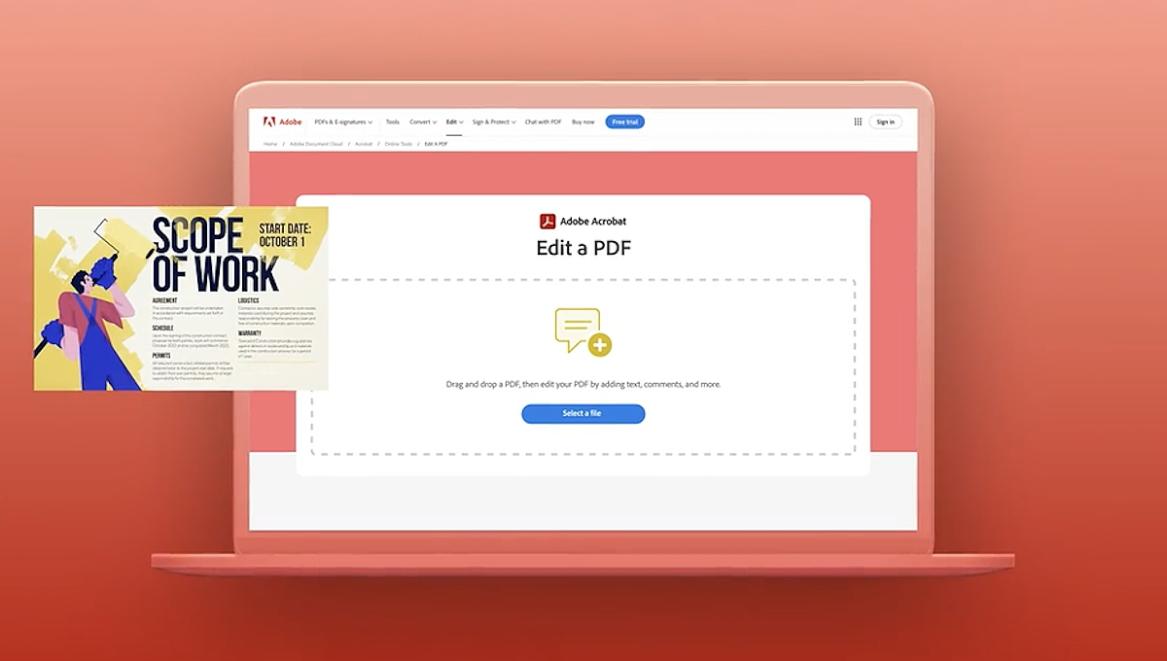
If you thought Adobe Acrobat was only available as a desktop app with a paid subscription, you haven’t been online enough. It’s free. In the past, whenever we needed to edit a PDF, we would open one of the online tools to get the work done. But Adobe now offers Acrobat right in the web browser at acrobat.adobe.com with 25+ PDF tools; completely free to use with no desktop app required.
We spent a good amount of time testing the Acrobat online PDF editor. So, if you want the best free tool to edit a PDF online, here’s why you should choose Adobe Acrobat Online.
Adobe Acrobat Online is a free, browser-based set of 25+ PDF tools for editing, converting, compressing, merging, and signing PDFs, from Adobe.
Is Adobe Acrobat Still a Paid Desktop App?
Adobe Acrobat is available as both a desktop app and a web app.
The Acrobat program you remember is the desktop software you installed on your PC and paid for every month. It still exists, but Adobe also offers Acrobat Online, which runs in your web browser and doesn’t require you to install anything.

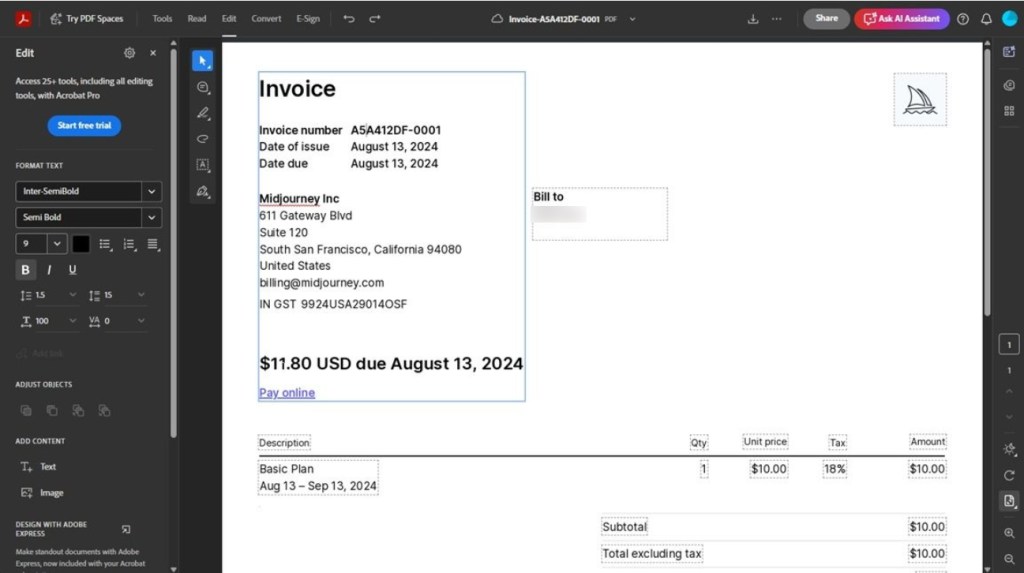
This means you can visit the website on any PC, upload your PDF, make changes, and download it, all from a Chrome window. The best part is that the online tool doesn’t cost you a dime.
Is Adobe Acrobat Online Really Free or Is There a Catch?
Online PDF editing tools generally offer some free usage but then ask you to enter card details to get a free trial. So we tested Adobe Acrobat Online, from uploading a PDF to editing it, downloading the final output, and the entire process was seamless and free.
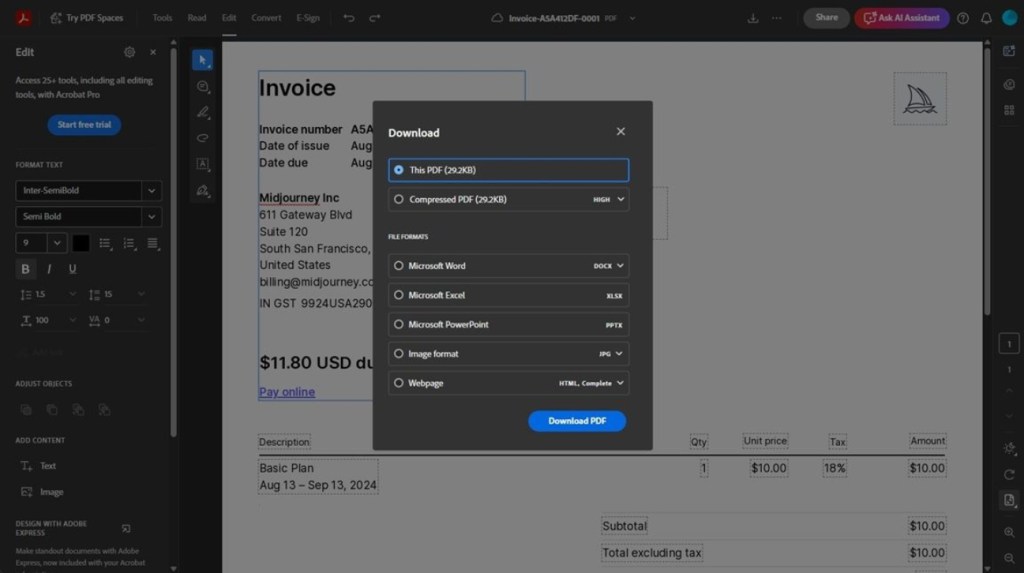
The only thing Adobe asked for was to sign in with a free account, which took us a minute to create. With a free account, you get unlimited use of its PDF tools, and Acrobat will not ask you to pick a subscription or your card details at any stage.
By the way, you can upload a file and explore the service without signing in. However, a sign-in is required if you wish to download or share the edited PDF. Once you create an account, you also get 5 GB of free cloud storage, so your documents stay synced between your laptop and phone.
How Good is Adobe’s Free Online PDF Editor? We Put It to the Test
To test the Acrobat online editor, we uploaded a PDF file with multiple elements. Other PDF editing tools fail to detect the text or image. Besides, when you edit text, these tools tend to replace it with a generic font that feels out of place. This didn’t happen on the free Acrobat online editor.
It Detects Every Editable Element
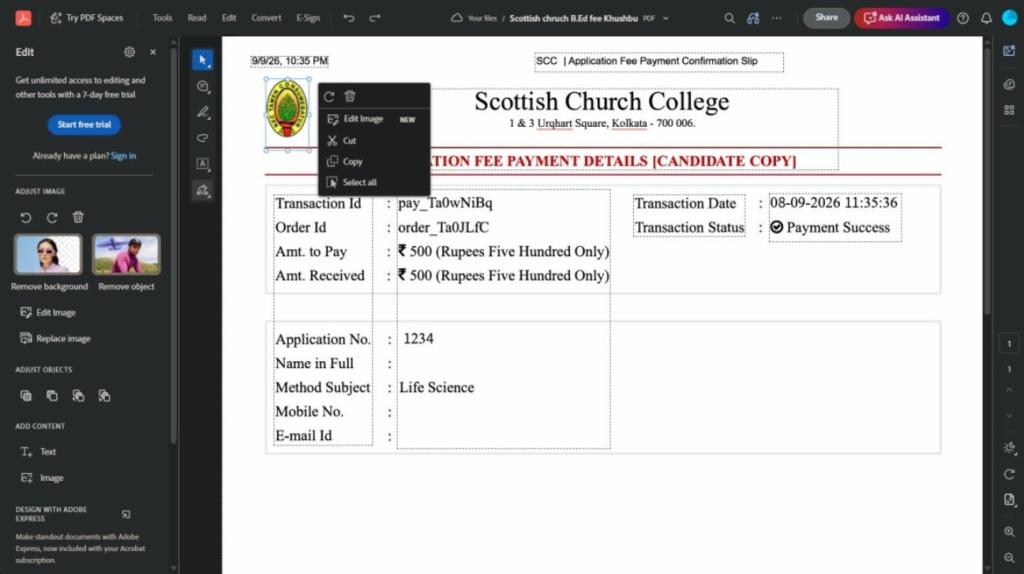
As soon as we opened the Edit tool, Acrobat detected every text block and image in the PDF document and created an outline around each element.
Everything, including the logo, heading, text, and each column of the tables, showed up as separate elements. So we could click any one of them and change it without disturbing the rest of the layout.
It Matches the Original Font Automatically
Most online PDF editors fail to match the original font, and this is where the online Acrobat tool outranks others. When we clicked on the heading and changed a word, the new text matched the original font and size automatically.

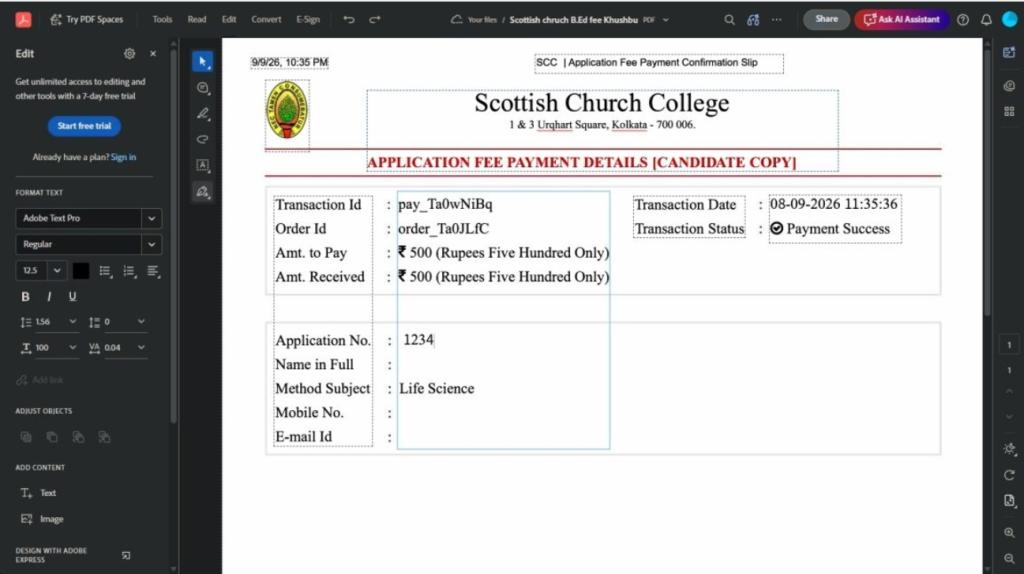
On top of that, the Font menu also shows the fonts installed on your computer, which we did not expect from a web-based tool. So if your business uses a specific font for invoices or quotations, you can pick it right from the list without installing a desktop app.
Comes with Built-in Formatting Tools
The Format Text panel on the left feels like a proper word processor baked inside Adobe Acrobat Online. You can change the font, weight, size, and color and add bulleted and numbered lists.
Next, you can also modify the alignment and adjust line spacing, paragraph spacing, horizontal scaling, and character spacing.
You Can Add New Text and New Text Elements
Using the Add Content section, you can insert new text boxes and images anywhere in the PDF. We added a line of text and an image to the document, and we could drag them around to position it exactly where we wanted.
Since everything happens in the browser, the editor works the same way on Windows, Mac, Linux, and Chromebook. So if you have been searching for a way to edit a PDF on Mac without buying an app, this is the simplest option we have come across.
We tested it on a Windows PC, and at no point did the experience remained the same, as we didn’t need to install anything.
Manage PDF Pages and Explore 25+ Tools
Besides the Edit tool, Adobe Acrobat Online offers Convert and E-Sign options in the same toolbar, so there is no need to hop between different websites. You can also organize PDF pages to reorder, delete, or insert pages; merge PDF files into a single document; or split PDF files into smaller ones.

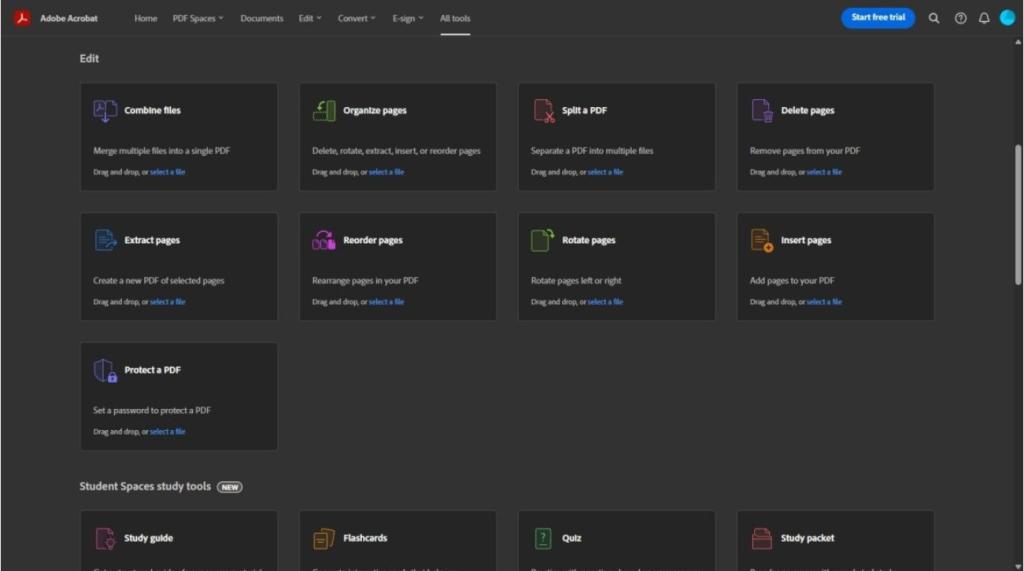
This comes in handy when you are combining several invoices for GST filing or putting together your ITR documents at the last minute (we have all been there).
And if a government portal rejects your file for being too large, you can compress PDF files on the same website. All of these tools come free with your Adobe account.
Adobe Acrobat Online vs Alternatives: Which Free PDF Editor is Best?
We have tested most of these tools over the years, and they all run in the browser too. So the actual difference comes down to how much you can do for free and whether you get actual text editing. Here is how they compare in 2026.
Tool Text Editing for Free? Free Usage Limit Account Needed? Paid Plans Adobe Acrobat Online Yes Unlimited with a free account in India Free account to download Rs 477.90 per month Sejda Yes 3 tasks per day, up to 200 pages or 50 MB per file No $7.50 per month (~Rs 720 per month) iLovePDF Yes One file of up to 100 MB per edit task No Rs 500 per month Smallpdf No, text editing is a Pro feature 2 tasks per day Free account for editing Rs 979 per month
As you can see, Smallpdf is the strictest of the lot. On the free plan, you get only two documents a day, and that quota is shared by every tool on the website. On top of that, editing the existing text in a PDF file requires a Pro subscription.
Sejda does let you edit existing text for free, and it does the job well. However, the free plan is capped at 3 tasks per day with up to 200 pages and a 50 MB per file limit. So if you are dealing with a large stack of invoices, you will run out of the free quota pretty soon.
iLovePDF is the closest rival here, as it also lets you edit existing text for free. That said, batch processing for its other tools is limited unless you pay for Premium.
On the other hand, Adobe Acrobat Online gives you unlimited access to its 25+ tools with a free account. And you can edit the existing text with accurate font matching. Not to mention, all this comes from Adobe, which came up with the PDF format back in 1993.
Is It Safe to Edit PDFs Online with Adobe Acrobat?
Since you are uploading contracts, invoices, and KYC documents to a website, you should always use a secure online tool. Adobe Acrobat uses AES-256 encryption and TLS 1.2 to protect your files, and whatever you upload stays visible only to you until you decide to share it with someone.
In short, if you are wondering whether it is safe to upload documents to a free online PDF editor, Adobe says your file is handled securely on its servers and is deleted unless you sign in to save it. You can also add a password to a PDF with the Password Protect tool.
Now, if you try any of their tools without signing in, Adobe clears the file from its servers within a short time. However, once you sign in to use a tool, Acrobat saves the file to your Adobe account, and it stays there until you remove it yourself.
So if you have edited a sensitive document, it’s a good habit to delete it once you are done. Anyway, for sensitive business documents, Adobe Acrobat remains trustworthy over lesser-known free websites that do not clearly explain what happens to your files.
Adobe Acrobat Online Pricing: How Much Can You Use for Free?
With a free Adobe account, you get unlimited access to 25+ PDF tools in the browser, including edit, convert, compress, merge and more. You also get 5 GB of cloud storage. As for file limits, most tools accept files up to 100 MB and documents up to 1,500 pages.
The paid plans are where the desktop app comes in, and you only need them if you want the AI features like AI Assistant to chat with or summarize a PDF. You also get advanced options like editing scanned PDFs with OCR. Here are the paid plans.
Plan Price (Annual Plan, Billed Monthly) What You Get Free (Acrobat online) Rs 0 25+ PDF tools in the browser, 2GB cloud storage Acrobat Standard Rs 477.90 per month Desktop app, online tools, mobile apps Acrobat Pro Rs 638.38 per month Everything in Standard, advanced editing, OCR and more Acrobat Studio Rs 797.68 per month Everything in Pro, AI Assistant and PDF Spaces
Edit PDFs for Free with Adobe Acrobat Online
We were fully expecting Adobe to ask for credit card details at the end, but there was no such pop-up, and we could download the edited file without any issue. Acrobat is not a paid app, as you can now use it for free right in your browser. What is interesting is that the online editor detected every element in my PDF and matched the original font accurately.
Sure, the online editor can feel slow once you get going, but that is a small price for a tool that costs nothing. We would recommend the Adobe Acrobat free PDF editor to small business owners and professionals who deal with invoices, quotations, and contracts every day.