Shueisha’s Manga Plus is one of the leading official manga reading platforms alongside Viz Media’s Shonen Jump. Manga Plus is on a mission to make popular manga from Japan accessible to readers around the world. In an era where bootleg anime merch is thriving, Shueisha has recently introduced a new feature, T-Shirt Maker, for fans to turn their favorite manga panel into a T-shirt. Learn more about Manga Plus’s T-Shirt Maker, and discover how to make a manga T-shirt here.
Shueisha’s Manga Plus Introduces T-Shirt Maker
Shueisha has collaborated with Tokyo Otaku Mode and unveiled the T-Shirt Maker for their Manga Plus platform. Now, when reading manga on their platform, fans can select a favorite panel and turn it into a T-shirt within a few clicks. Shueisha has revealed that fans can create the official manga tee from over 270 titles, from OG titles like One Piece, Haikyuu, to modern-gen shonen such as Dandadan, JJK, Chainsaw Man, etc., available on Manga Plus.

This is indeed a welcome move to counter the anime merch bootlegs, especially clothing merchandise, that have become increasingly popular in recent years. You can find all eligible titles on Manga Plus for T-Shirt making in the linked article.
How to Make an Anime Tee on Manga Plus Using T-Shirt Maker?
Important Note:
Although Shueisha has over 270 supported titles, only specific chapters are eligible to be turned into a T-shirt. We found the create button popping up only in certain chapters during our test. In addition, the panels you select won’t be printed in the language you are reading and it will automatically print the Japanese edition of the respective panel. We suggest you read all the rules and regulations before placing your order.
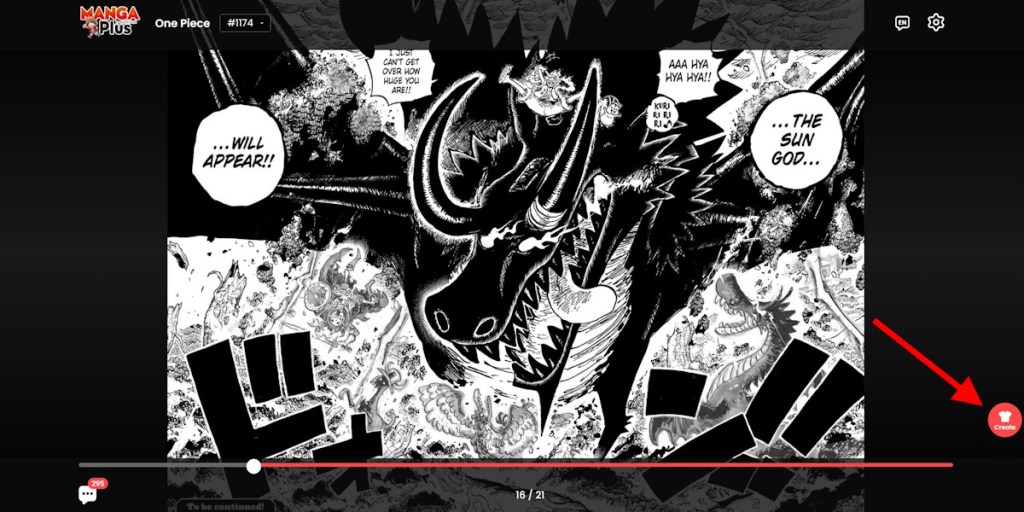
We made a tee using the panel of Loki’s dragon transformation from the latest One Piece chapter. So, if you are planning to make your own T-shirt on Manga Plus, here is what you need to do step-by-step:
- Head over to Manga Plus and select the manga chapter you wish to.
- Then select the manga panel you want to turn into a T-shirt by clicking the ‘create’ button on the bottom right side of the page.
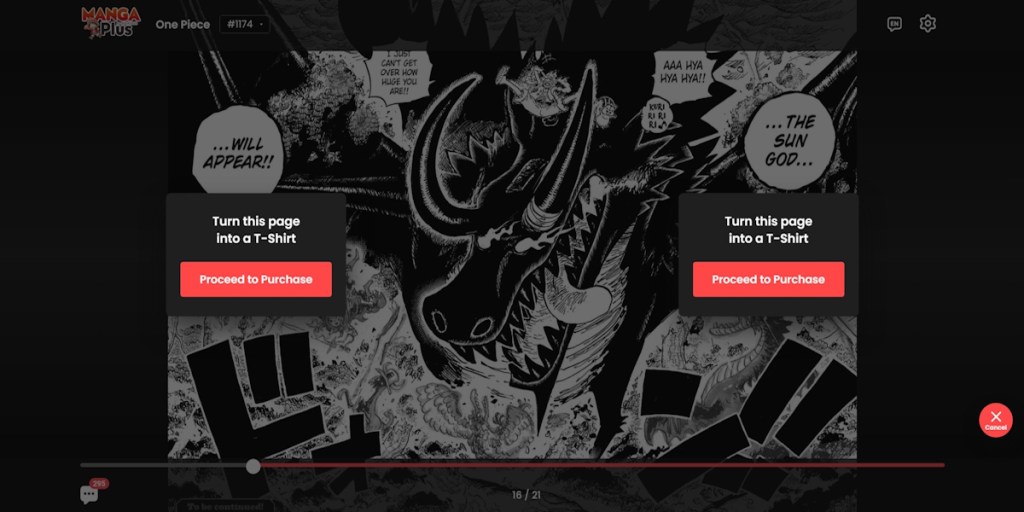
- Select the ‘Proceed to Purchase’ option to create your desired T-shirt.
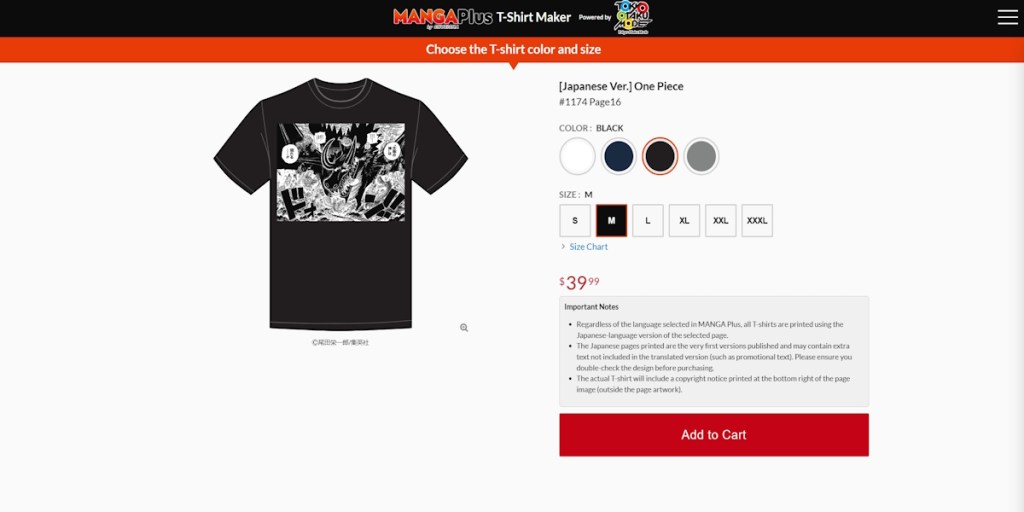
- A preview of your T-shirt is available now. Then, you can select the size and color you need, and add it to your cart.
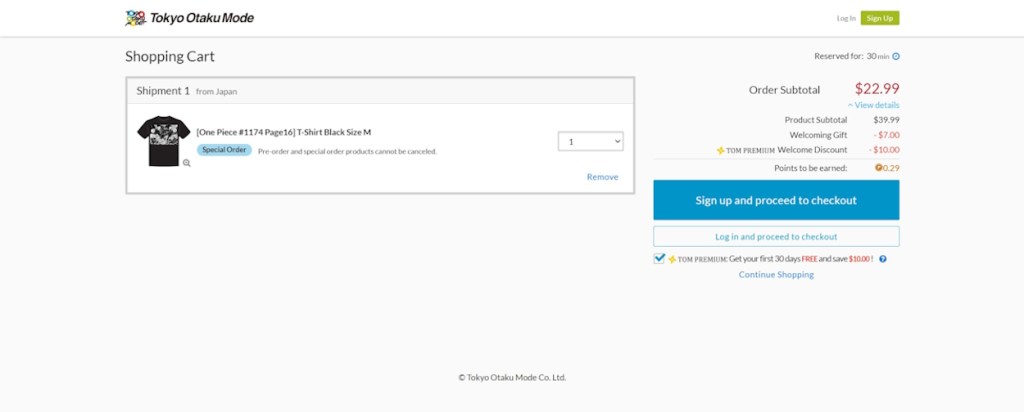
- Finally, you need to sign up by entering your details before checking out the items in your cart.
- Once the order is placed, Shueisha will let you know about the shipping details next.
Manga Plus’s Anime T-Shirt Pricings

No matter which shonen title you pick up, Shueisha offers a standard price of $39.99 for all T-shirts you make using their T-shirt maker. In addition, you need to pay the shipping charges applied based on your location. We received a $12 shipping fee for the delivery to our region.
However, Shueisha is offering two welcoming discounts at the moment that bring the price down to $22.99 (excluding shipping fee) for a T-shirt. Therefore, this is the best time to purchase if you are interested in buying an official anime T-shirt with your favorite manga panel.
This new initiative from Manga Plus received praise from manga fans worldwide. So, we can now easily buy our favorite anime T-shirt without any hassle. That said, are you planning to make a T-shirt with your favorite manga panel? Let us know in the comments below.




 Ajith Kumar