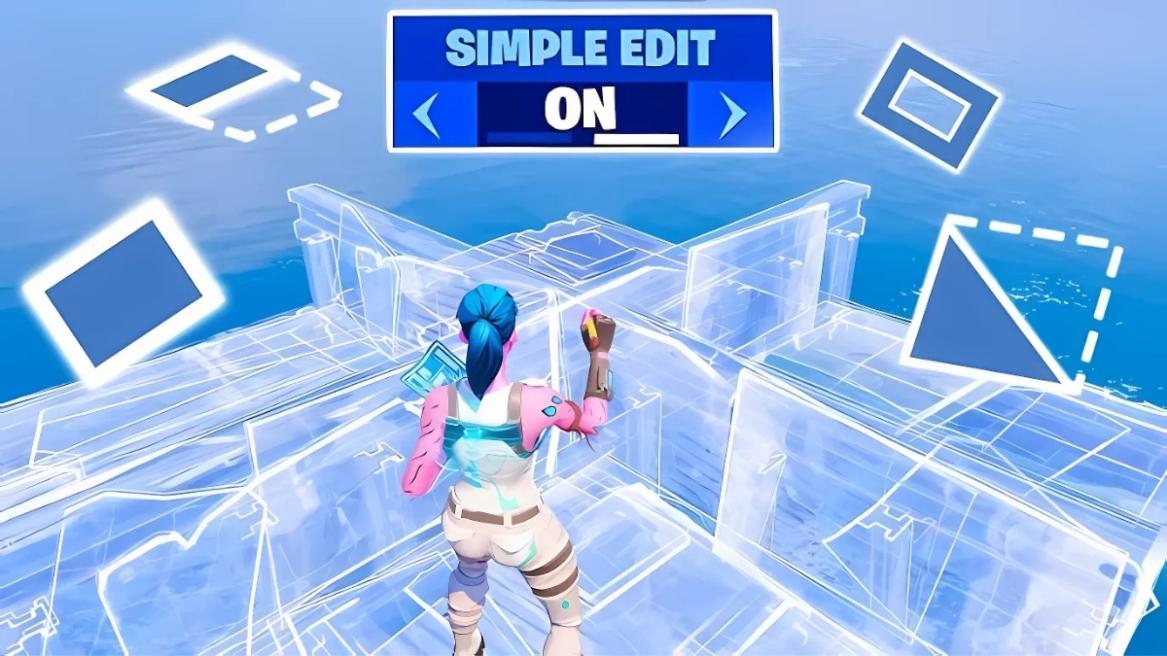
- Simple Edit allows you to modify builds in Fortnite with a single button press, eliminating the need to select individual tiles.
- Enable/Disable it through Game Settings > Building section > Turn on/off "Simple Edit" and "Tap to Simple Edit."
- Use G on PC, Circle on PlayStation, or B on Xbox to make quick edits while building.
Building is easily Fortnite’s biggest standout quality, and building quickly can be quite challenging, especially when you’re in the middle of a firefight. With the game getting more competitive by the day, Simple Edit can make this process much easier by letting you modify builds with just one button press.
Simple Edit was added to the game in Chapter 6 Season 1, and has now become a viable alternative to regular building. With the game growing more sweaty by the day in Fortnite Chapter 7 Season 1, knowing how to enable Simple Edit can make your life a lot easier. Here’s a complete guide on how to enable and disable Simple Edit in Fortnite.
How to Turn On Simple Edit in Fortnite
Getting Simple Edit up and running in Fortnite takes just a few clicks. Here’s how to do so:

- Start at Fortnite’s main menu and open Settings.
- Click on the Game tab and scroll to the Building section.
- Find “Simple Edit” and switch it to ON.
- Look for “Tap to Simple Edit” right below and turn that ON too.
The “Tap to Simple Edit” option is important. It lets you make edits with a quick tap instead of holding the button down. Most players prefer this setting because it’s faster.
How to Turn Off Simple Edit in Fortnite
To turn Simple Edit Off in Fortnite, simply toggle the On buttons to Off under the same Simple Edit options in the Building category. While it’s advisable to turn it off before you jump into a Battle Royale match, you can also do it mid-match if you want to build according to your choice against an enemy who’s cranking 90s against you.

How to Use Simple Edit in Fortnite
Simple Edit changes how you modify your builds in Fortnite. Instead of selecting individual tiles to edit walls, floors, or ramps, you just point at the section you want to change and press a single button. Want to add a window to your wall? Just look at the middle and press edit. Need to turn your wall into a triangle? Point at the corner and press edit. It’s that straightforward.
Once you’ve turned it on, here’s how to use Simple Edit in Fortnite:
On PC:
- Press Q to enter build mode.
- Place your build (wall, floor, etc.)
- Point at the part you want to change.
- Press G to edit.
On Console:
- PlayStation: Use the Circle button to edit
- Xbox: Use B to edit
Each time you press the edit button, you’ll cycle through different possible edits for that section of your build. You can see what shape you’ll get next by looking at the small icon under your build’s health bar.
Fortnite Simple Edit vs. Manual Editing: Which is Better?
The choice between Simple Edit and Manual Editing boils down to whether you prefer consistency or creativity. For a big part of the Fortnite player base, especially controller players and players with high ping, Simple Edit can be a much better choice. It removes the need to manually paint the tiles you want to edit, allowing single-button editing based on where your crosshair is pointing.
However, for players who are more competitive, Manual Editing remains the better choice. While using Simple Edit allows you to be faster and more consistent, it limits your edits to presets, taking away your ability to perform quick peeks.
Here are all of the differences in features between Simple Edit and Manual Edit to help you make a better choice:
| Simple Edit | Manual Edit |
| Uses a single tap to execute edits based on the crosshair position. | Requires a sequence of inputs (Start, Drag, Confirm) that takes longer. |
| Eliminates the chance of blank edits caused by failing to select a specific tile. | Messing up can lead to missed tiles or choking under pressure. |
| You are locked into the most common patterns. | You can create any edit shape possible, which allows for unpredictable peeks. |
| Resetting a structure is a one-tap action, making defensive play much faster. | Requires Edit, Reset, and Confirm, though the “Scroll Wheel Reset” trick can mimic this on PC. |
| You can’t hold an edit to look through the transparent tiles. | You can hold a 4-tile edit to track an enemy’s movement while remaining safe. |
| You must look exactly where you want the edit to happen before tapping. | You can start the edit and “flick” your mouse/stick through the tiles. |
If you are looking to simplify your mechanics and stop messing up basic edits, Simple Edit can be a massive upgrade when you’re trying to climb through the Fortnite Ranks. It takes some getting used to, but it’s worth the short learning curve. Once you’re comfortable with it, you’ll build and edit much more naturally. Don’t worry if it feels awkward at first – that’s normal.
Just keep practicing those basic edits, and the speed will come with time. Whether you’re just starting to build or looking to improve your game, Simple Edit can help make building feel less complicated and more intuitive. Additionally, mixing the Simple Edit option with the Fortnite Simple Build feature can make for even better results once you and your muscle memory get the hang of it.
Do you prefer the Simple Edit or Manual Edit mode in Fortnite? Let us know in the comments below!
Yes, Simple Edit works in Creative mode, with Creative being recommended as the best place to practice your crosshair placement for Simple Edit.
Yes, you can use Simple Edit while playing Fortnite on Nintendo Switch.
You might be looking in the wrong menu or playing a competitive mode, as Simple Edit is disabled in Ranked matches.



 Pranav Maytray