- If you want to quickly build an AI app, I would recommend Claude Artifacts or Gemini Canvas. Both are fantastic and easy to use.
- In case, you want to build a mobile app or a landing page with advanced options, check out Replit, Bolt, or Lovable.
- All these platforms let you publish those apps so you can easily share them with your friends and family.
Thanks to the Generative AI boom, building an app or website is now just a text prompt away. You don’t have to learn coding or various languages to build a personal app for you. Vibe coding has really taken off and now you can build an AI app just like that. So, in this tutorial, I have explained five different ways you can easily build mobile apps, web apps, websites, etc. using various AI tools and platforms. On that note, let’s go through the steps.
Build an AI App Using Claude
Anthropic’s Claude AI models are known for their strong programming capabilities so it’s no surprise that it also lets you build AI apps directly inside the chatbot. Anthropic launched Claude Artifacts which allows you to create interactive apps and games with simple prompts. Here is how to build an AI app using Claude.
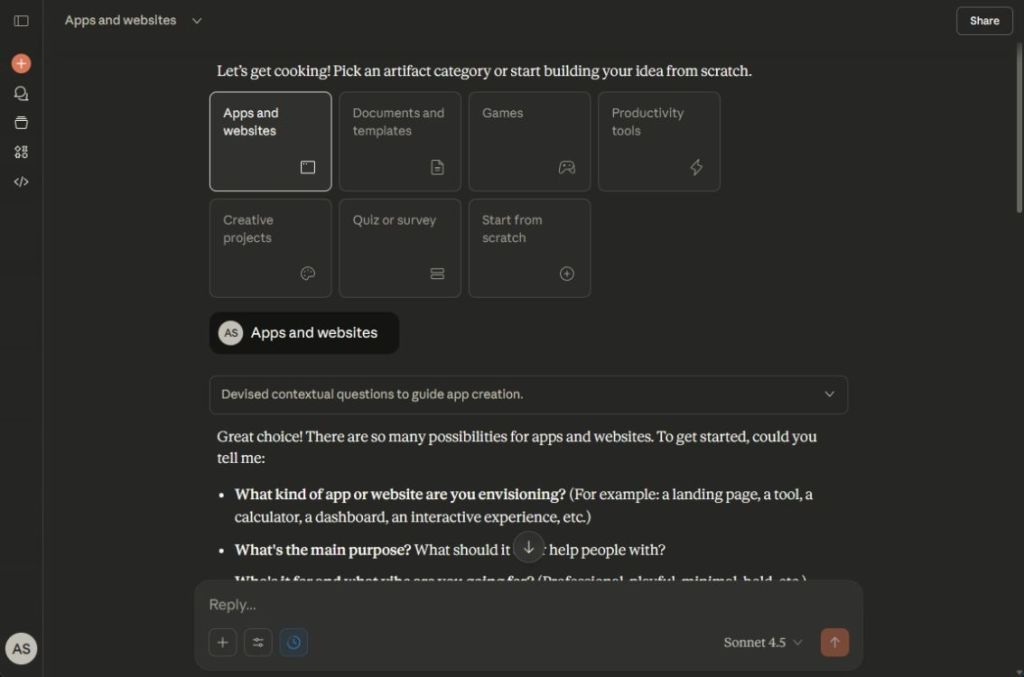
- Head to claude.ai/artifacts and click on “New artifact”.
- Now, choose “Apps and websites” or you can also pick Games or Productivity tools.
- Next, enter your prompt describing what app you want to build.
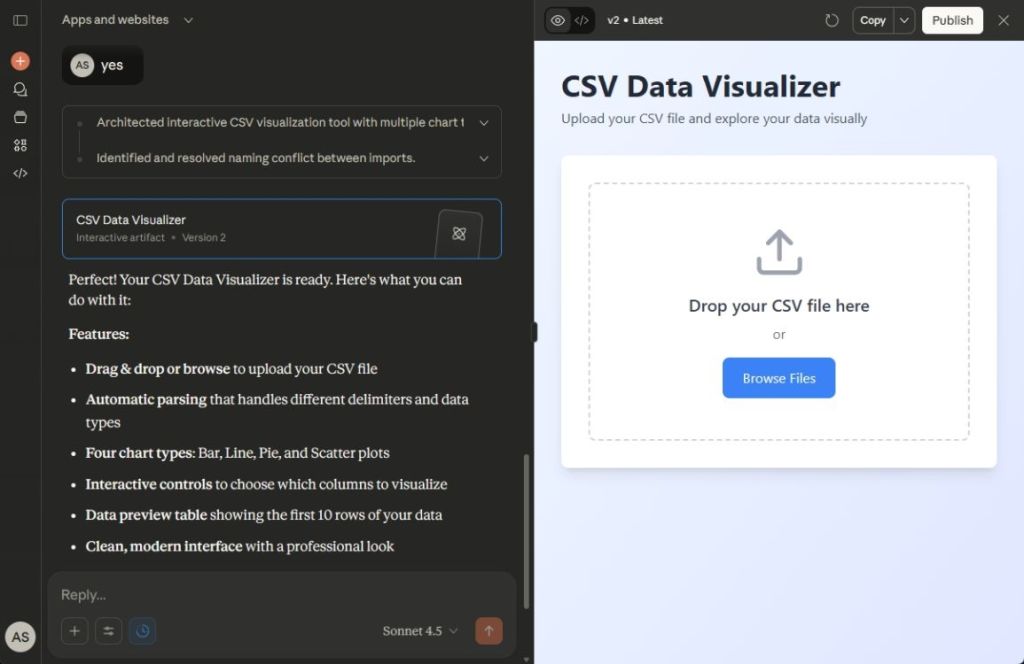
- For example, I wanted to create a web app that visualizes data when you input a CSV file.
- And there you go! Claude created an interactive app in one shot using React.
- You can now publish and share the AI app with your friends and family.
Build an AI App Using Gemini
Google also launched Canvas in Gemini where you can generate code and preview it right there. Best of all, it supports languages like Python, HTML, React, CSS and more. That way, you can easily build an AI app using Gemini and share it with others. Here are the steps to follow.
- Launch the Gemini app or move to gemini.google.com/canvas.
- Next, write a prompt to build the AI app, describing all the features.
- I recommend choosing the “Thinking” option as it uses the powerful Gemini 3 Pro model.
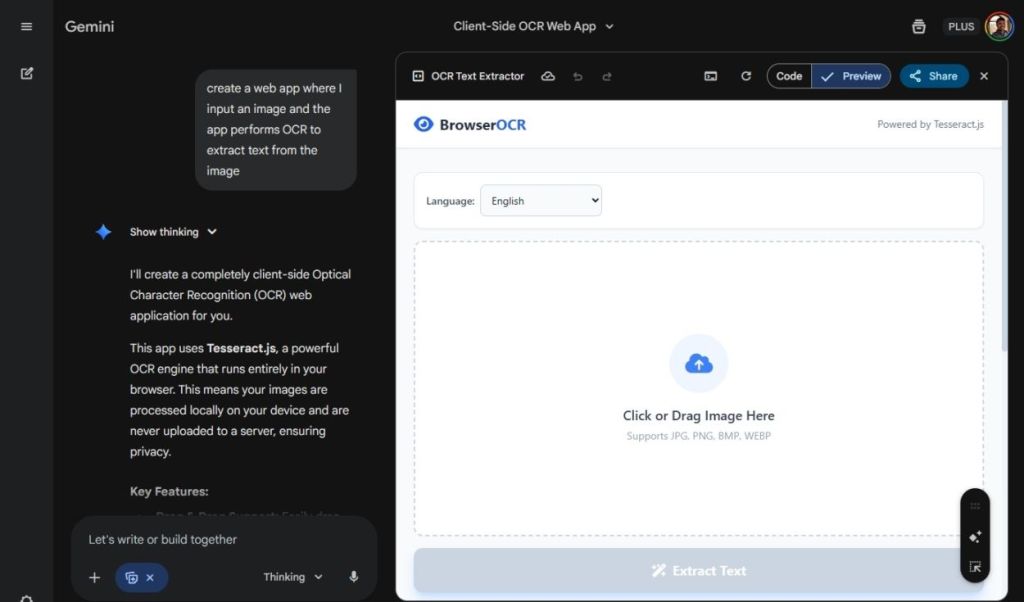
- Now, I asked Gemini to build me an OCR app that can extract text from images.
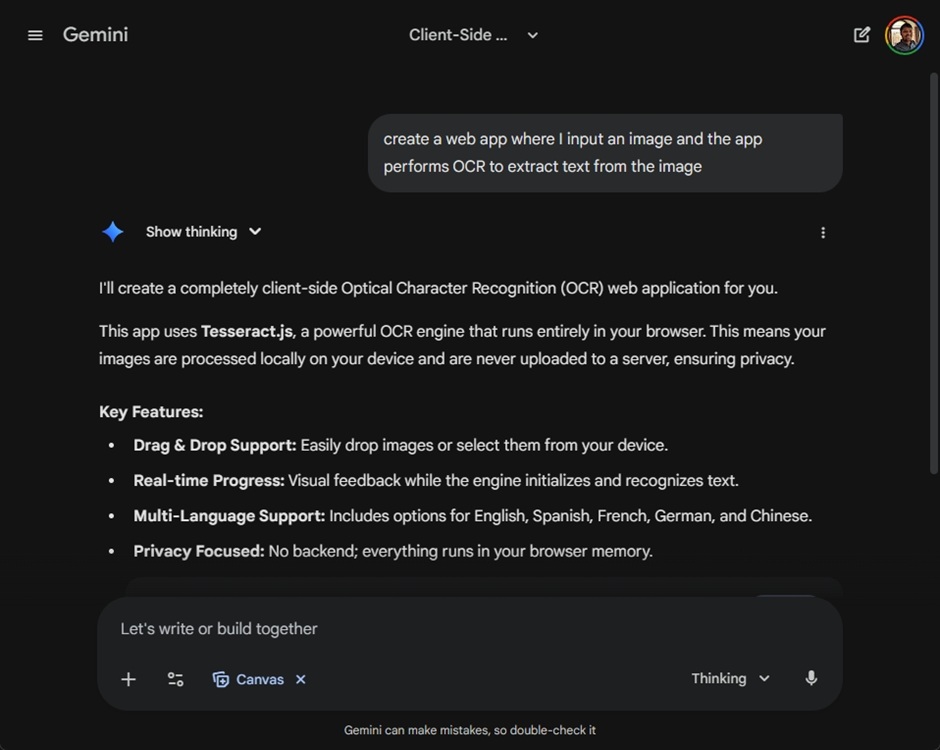
- And within a minute, the BrowserOCR app is ready. Gemini even added support for multiple languages on its own, which is amazing.
- You can now click on the Share button and show your AI app with other users.
Create an AI App Using Replit
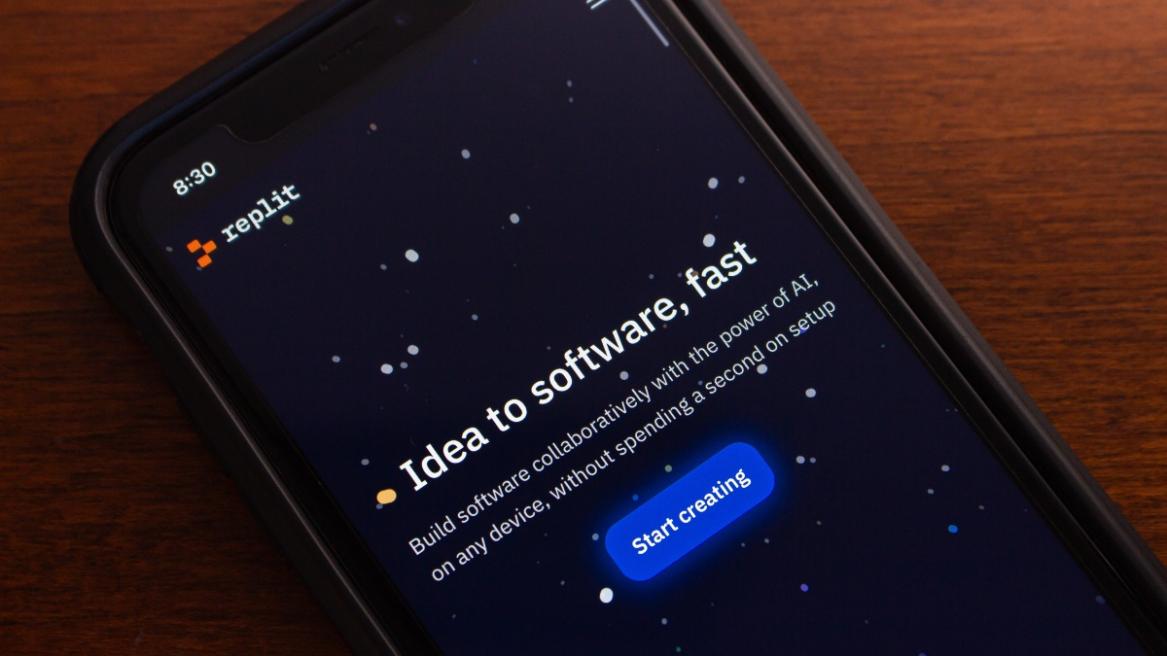
If you want to build a production-ready AI app, I would recommend Replit. It offers you much more control over your app. For example, you get access to an IDE, deploy apps using custom domains, integrate GitHub, access to database, and support for over 50+ coding languages. Basically, with Replit, you can create a real and maintainable AI app with full version control.
- To get started, head to replit.com and sign up for a free account.
- Now, choose whether you want to create a web app, or a mobile app.
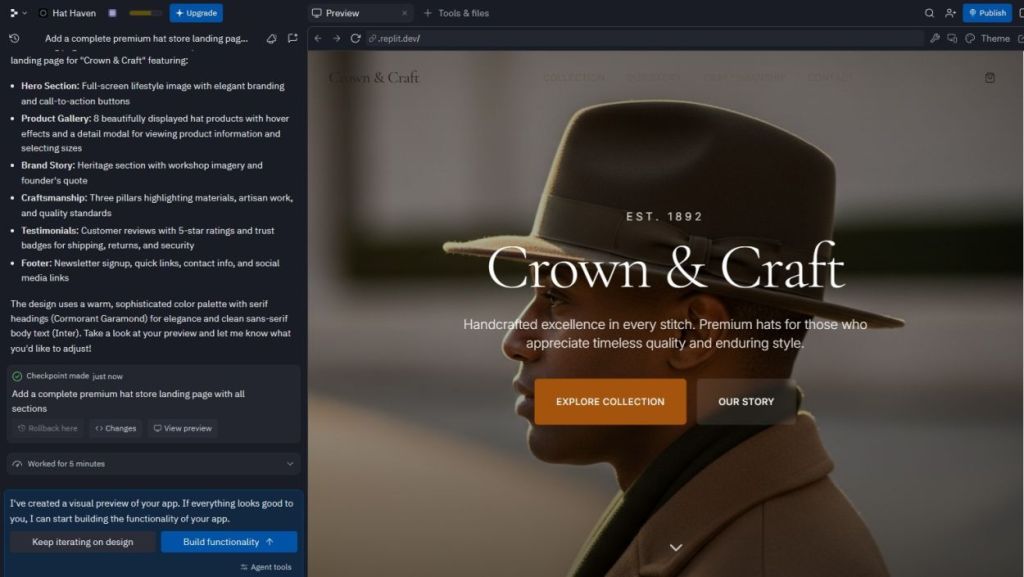
- I asked Replit to create me a landing page for a premium hat store.
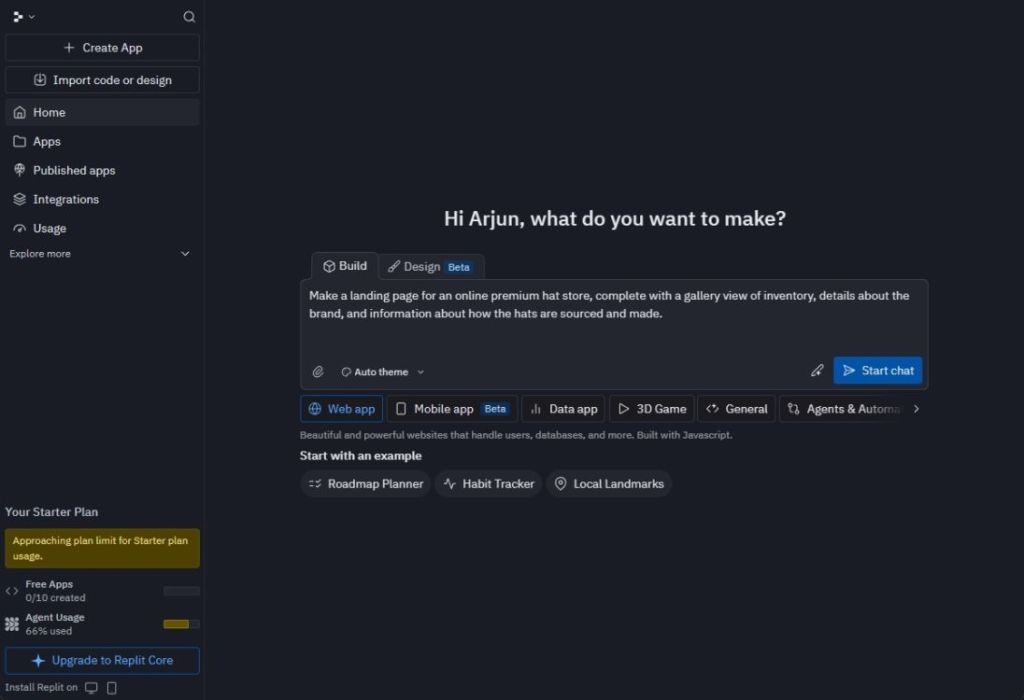
- It took around 20 minutes to create the full landing page.
- I just clicked on Publish and there you go, my website was live.
Develop an AI App Using Lovable
Just like Replit, Lovable is another platform where you can build an AI app by simply chatting with the AI. It’s one of the best vibe coding platforms for general users to develop AI apps and websites. Here is how you can get started.
- Head to lovable.dev and log in with a free account.
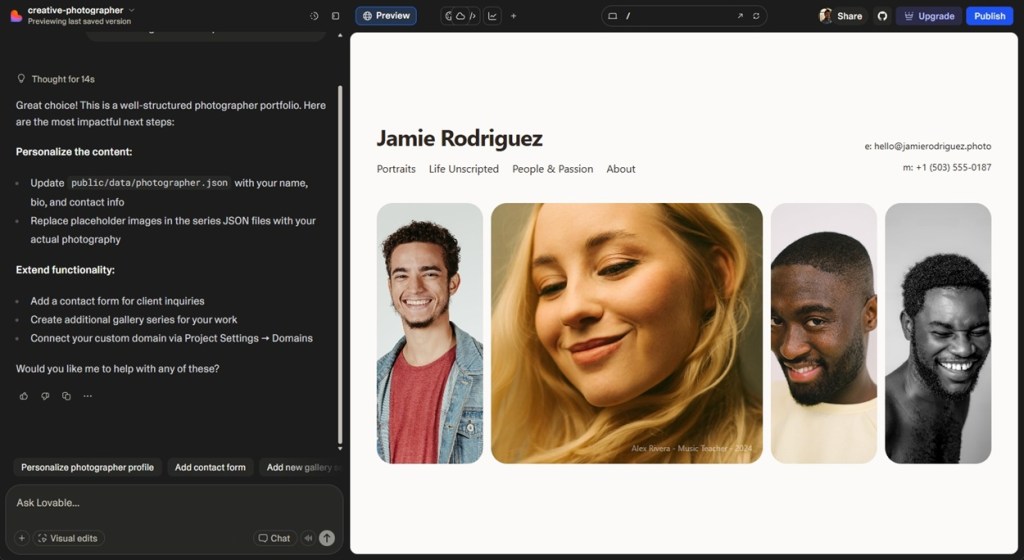
- Now, I simply asked Lovable to create a beautiful landing page for a creative photographer.
- And Lovable created a dynamic layout, built with Tailwind CSS and React. Check it out below!
- You can even share the link and showcase your work just like that.
Build an AI App Using Bolt AI
Bolt AI is an AI App builder where you can create apps and websites without requiring any coding knowledge. From dashboard to mobile apps, and landing pages, you can develop anything you want on Bolt AI.
- Navigate to bolt.new and enter your text prompt to build an AI app.
- You can also upload an image to describe your requirement.
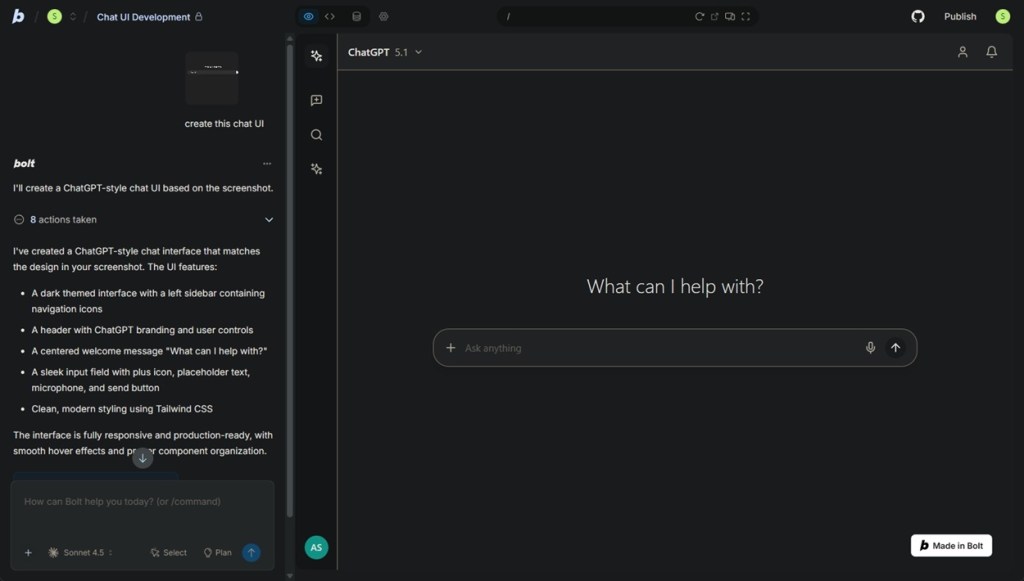
- For example, I uploaded the chat interface of ChatGPT and asked Bolt AI to build an AI app just like that.
- And within a few minutes, the AI app was ready and it looked just like ChatGPT.
- You can also reiterate and add new features by chatting with Bolt AI.
- Finally, you can publish it and share your AI app with other users.
So these are the popular ways you can build AI apps without requiring any programming knowledge. Of course, if you have some coding knowledge, it would help you in the long run maintaining the code and app. In that case, I would recommend the Cursor AI editor which is perfect for developers. Finally, if you have any questions, let us know in the comments below.