USB storage has long been the ruler when it comes to carrying large volumes of data. This is primarily because USB drive is universally compatible, lightweight, and portable, and does not have specific minimum power requirements which means that it can run as seamless with mobile devices as with laptops or desktops. But with the easy portability comes the possibility of easily misplacing or losing tiny thumb drives or other USB storage drives. That’s where USB encryption software can make your life so much easier. If you don’t want your confidential data to fall into the wrong hands, it’s a good idea to protect your vital USB drives with a password and encryption. There are a variety of options which will help you achieve it, either for free or for a price, and whether you’re an average Joe or a secret spy, encrypting USB drives is a reasonable measure to protect your data. In this article we are going to show you 8 best USB encryption software that you can use to encrypt USB drive to secure the data that you carry everywhere with you.
Best USB Encryption Software (Updated July 2020)
Here, we have enlisted all the USB encryption software that you can use to encrypt your data on a USB drive. You can easily switch between the tools from the link below. The good part is that most of the tools are free to use.
- VeraCrypt
- AxCrypt
- EncryptStick
- Rohos Disk Encryption
- Gilisoft USB Stick Encryption
- DriveCrypt
- Kakasoft USB Security
- BitLocker To Go
-
What is Encryption?
Encryption is a modern-day technique to protect data from unauthorized access. With encryption, you can convert original information (known as plaintext) to something random (known as ciphertext) which can’t be read by anyone except for the authorized users with decryption keys. In cryptography, there are many ways to encrypt a file, folder or a drive, but the most popular one is AES-256 bit encryption. AES-256 standard offers unbreakable encryption with key length of 256 bits. Even with the most advanced computers, it would take millions of years before you can guess the decryption key. So to sum up, if you want to protect your data stored on your computer or USB drive, you must use encryption.
-
What Happens if I Encrypt My USB?
When you encrypt a USB stick, the volumes of the external drives are encrypted instead of individual folders. Basically, it will be easier and faster for the software to encrypt and decrypt the data. Apart from that, even if your USB stick is lost, no one can retrieve the data because the whole volume has been encrypted. However, bear in mind, you should always keep a backup of recovery keys in case you forget the passphrase. Having cleared your doubts, let’s now go through the list, shall we?
Best USB Encryption Software to Secure your Flash Drives in 2020
1. VeraCrypt
Picking up where the hugely popular (but now defunct) TrueCrypt left off, VeraCrypt is an extremely feature rich encryption tool. Although it’s primarily geared towards encrypting hard disks, VeraCrypt plays equally nice with USB flash drives and is one of the best USB encryption software on the market. VeraCrypt basically works by creating password protected disk volumes, which are encrypted with industry standard encryption algorithms like AES, Serpent, and Twofish. It also lets you further secure the encrypted volumes via the use of passwords and keyfiles. All you have to do is plug-in the flash drive, and follow the steps mentioned in the volume creation wizard. 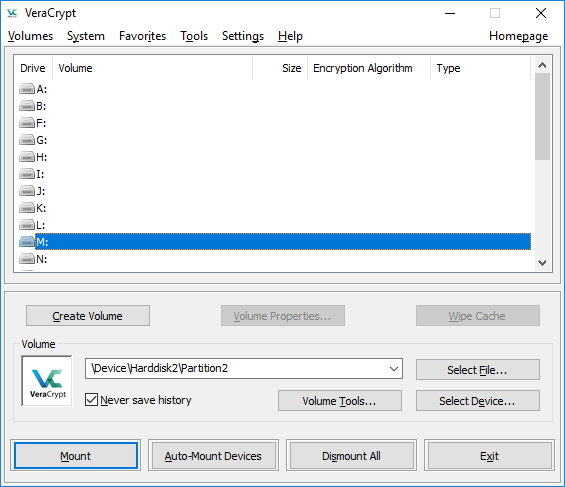

2. AxCrypt
VeraCrypt can encrypt volumes and external drives, but if you need a simple program to encrypt files and folders on a USB drive then AxCrypt is a great option. Arguably the easiest to use encryption software out there, AxCrypt can be used by just about everyone. The UI consists of just one window having two columns. The left column lists the drives and files on your computer, arranged in the familiar tree-like structure, and lets you easily browse the files/folders you need to encrypt. Once you’re there, right-click on the file/folder, and select the Encrypt option. 

3. EncryptStick
EncryptStick allows you to encrypt USB drives and create virtual vaults or folder protected with a password. It provides one of the strongest mechanisms to encrypt a flash drive or any fixed drive on your Windows, Mac, or Linux machines with inter-operability features. The software supports up to 1024-bit AES encryption which is harder to decipher than 256-bit encryption, which most common software that let you encrypt USB drives or disks offer. 

4. Rohos Disk Encryption
Not only does it have all the bells and whistles that you’d expect from an excellent USB encryption software, Rohos Disk Encryption also packs in some really nice extras that make it even more awesome. The core functionality of Rohos Disk Encryption is centered around creating encrypted volumes. When you plug in the USB flash drive, it automatically determines the best size of the encrypted volume (container) to be created on it. Of course, it’s also easy to specify a custom volume size, along with other parameters like encrypted volume’s container file location, and mount point letter. Once created, the data stored on the encrypted volumes can be conveniently accessed by mounting them. 

5. Gilisoft USB Stick Encryption
Having a pretty funky UI, complete with glossy buttons and a brushed metal finish, Gilisoft USB Stick Encryption is undoubtedly a looker. But good looks are just a part of the picture, and are complimented by simple but effective encryption features. Gilisoft USB encryption software is ridiculously easy to use. Simply plug in the flash drive, and it is automatically detected. After that, all you have to do is specify the size of secure (or encrypted) area that you want to create on the drive (via the handy slider), along with the encryption password, and the application will take care of the rest. 

6. DriveCrypt
If you often deal with some highly sensitive information, DriveCrypt could be the one-stop solution guaranteeing the security of files by any means. DriveCrypt comes in handy when you want to encrypt USB and fixed drives, and besides that, it even lets you encrypt files selectively. The software disguises the encrypted files as music files or fake disks, without any keywords or information suggesting that there is some sort of encryption or protection. This can be seen as a digital camouflage and if that’s not enough, the software comes with password sniffing protection features which prevent any trojan files or hackers from learning about your DriveCrypt password. 

7. Kakasoft USB Security
It’s easy to dismiss Kakasoft USB Security as yet another run-of-the-mill USB encryption software, given its diminutive size and a (fairly) limited feature set. But if you’re looking for exactly that, and don’t care for the other flashy features, it’s hard to go wrong with it. Just like LaCie Private-Public, Kakasoft USB Security is also completely self contained on the USB flash drive, and can thus be used anywhere. The utility installs on the USB flash drive itself, and can be configured to run automatically everytime the drive is plugged in. Like similar applications, it also supports other flash based memory devices such as memory cards and external disks. 

8. BitLocker To Go
Want a robust and capable USB encryption software but don’t want to use a third-party software? Not a problem, as BitLocker To Go has you covered. Built right into certain versions of Windows, BitLocker To Go is an extremely handy encryption utility that lets you easily secure the data stored on your USB flash drives. It can be configured in mere seconds using the BitLocker Drive Encryption applet of the Control Panel. The USB flash drives are encrypted using the AES 256 encryption algorithm. 

Bonus: Hardware Encrypted USB Drive
Apricorn Aegis Secure Key
While software to encrypt or decrypt USB drives are cheap and easily available, there still lies a possibility of a failure in these software methods. To keep hackers at bay, one must not only constantly upgrade the software but also their knowledge about potential attacks. Besides this, software encryption can be limited to those users who have sufficient knowledge of computers. 

Frequently Asked Questions
Q. Do We Really Need Encryption for USB Drives?
If you deal with sensitive data then encryption is a must to securely transfer files through USB drives. It will add an incredibly complex layer of security that can’t be brute-forced by anyone.
Q. What is The Best USB Encryption Software to Use?
If you are looking for a no-frills USB encryption software then VeraCrypt is the best. It’s free, open-source, and encrypts external volumes as well.
Q. How Do I Encrypt a USB Stick?
Just pick one of the software from the above list and install it on your computer. Now, simply right-click on the USB drive and you would get the option to encrypt the volume.
Q. How Can I Password Protect a USB drive Without Software?
If you don’t intend to use any third-party software then you can try BitLocker To Go that we have mentioned on point #8. It’s a native Windows tool and works like a charm.
Best Software to Encrypt USB Flash Drives
USB Encryption software help you secure flash drives which you might lose while also giving you the assurity that your personal data will not be misused by someone else. Many of these software packages also allow you to encrypt files or entire local drives, and ones like DriveCrypt and EncryptStick offer military-grade protection for your classified data. Depending on your utility, you can try free or trial versions of some of these software options to encrypt USB drives, to protect your data anywhere you go. You may also choose hardware encryption options if you want to cent-per-cent sure about your data. So, what is your preferred choice when it comes to encrypting USB drives? Let us and otehr know in the comments below.