Over the years, photo editing has changed rapidly and now, traditional software come with AI-powered tools and features. Adobe now ships Generative Fill and has integrated third-party AI models like Gemini 3 inside Photoshop. On the other hand, Affinity is now completely free under Canva’s ownership. So, if you are looking for the best photo editing software in 2026, go ahead and explore our list.
Our Top Photo Editing Software Picks: Quick Overview
Adobe Photoshop continues to be the best photo editing software in 2026 for its range of tools and AI features. And if you want a truly free photo editing software that is as capable as Photoshop, you can check out Affinity by Canva. Take a quick look at more such apps from the table below.
Photo Editing Software Best For Key AI Features Price Platform Adobe Photoshop 2026 Pro-grade compositing and retouching, AI-powered features Generative Fill, Expand, Erase, etc. Firefly, Gemini 3, Flux, etc. Free trial of 7 days, Paid plan starts at $22.99 per month, billed annually Windows, Mac, iPad, Web Capture One Pro Studio and tethered shooting AI Masking One-time fee of $329, Paid plan starts at $17 per month, billed annually Windows, Mac, iPad Adobe Lightroom Classic Catalog workflow and batch editing AI Denoise, Lens Blur, Generative Remove Free trial of 7 days, Paid plan starts at $11.99 per month, billed annually Windows, Mac, Web Luminar Neo Fast AI-powered editing GenErase, GenSwap, Sky AI, AI Assistant One-time fee of $119 Windows, Mac ON1 Photo RAW 2026 All-in-one Lightroom alternative NoNoise AI, Sky Swap AI, Depth Lighting One-time fee of $69.99, Paid plan starts at $7.99 per month, billed monthly Windows, Mac DxO PhotoLab 9 Best for noise reduction and RAW quality DeepPrime XD3 Free trial of 30 days, One-time fee of $239.99 Windows, Mac Affinity by Canva Free Photoshop alternative Generative Fill, Expand, Canva AI Free, Canva Pro plan starts at $15 per month Windows, Mac GIMP Free and open-source, best for Linux and Chromebooks Available via plugins Free Windows, Mac, Linux Pixelmator Pro Best for photo editing on Mac and iPad ML Enhance, Super Resolution, etc. Free, One-time fee of $49.99 Mac, iPad Photopea Best browser-based free editor Background removal Free, Paid plan costs $5 per month Web (any browser)
How We Tested the Best Photo Editing Software?
To find the best photo editing software, we tested each program on a MacBook M1 and a mid-range Windows PC (Intel i3 10th-gen and GeForce GT 730). We processed RAW files from a DSLR camera across all editors and ran various tools like Generative Fill, noise reduction, sky replacement tasks, and more.
Meanwhile, we measured the output quality, speed, and noticed artifacts on the images. After multiple rounds of testing, we came up with these 10 best image editing software.
Best Professional Photo Editing Software
Adobe Photoshop is clearly the best professional photo editing software as it houses both traditional compositing tools and advanced AI features. You can check out more such programs under this section.
Adobe Photoshop 2026: The AI Powerhouse
Adobe Photoshop is still the best photo editing software for professionals and now that it has received AI features, it has become an AI powerhouse for image editing. You now get AI features like Generative Fill on Photoshop along with Generative Expand, and support for third-party AI models such as Gemini 3 (with Nano Banana Pro) and Flux.

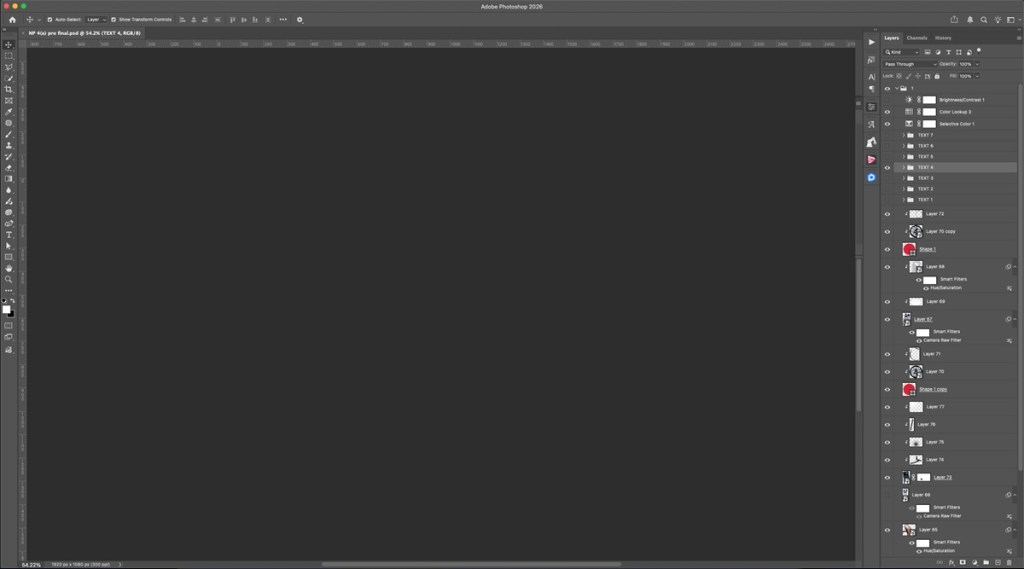
On top of that, Neural Filters are now smarter at preserving skin texture, style transfer, and colorization. Basically, Adobe Photoshop is a now a full-blown generative AI image editor. Apart from that, you can collaborate in real-time with your team and edit the same PSD together. If you are looking for a traditional photo editing software with powerful AI features, you can’t go wrong with Adobe Photoshop 2026.
Pros Cons Deeply integrated AI features, Generative Fill, Expand, Erase, etc. Steep learning curve Best tools for compositing and retouching Subscription only Industry-leading tool
Pricing: Free trial of 7 days, Paid plan starts at $22.99 per month, billed annually
Capture One Pro: The Color Professional’s Choice
Capture One Pro is for those who care about color accuracy above all else. In the ongoing debate between Lightroom vs Capture One for RAW, Capture One wins on color science, skin tones, and color grading tools. The advanced color editor with its multi-point control system is unmatched in the industry. It’s simply the best photo editing software for commercial and fashion photographers.

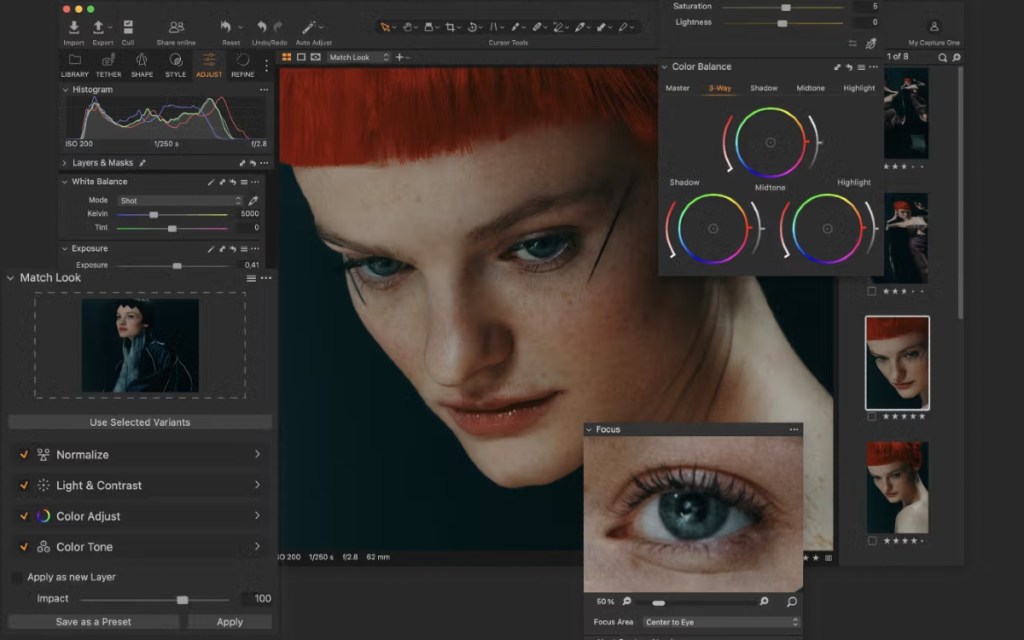
There is even an AI Masking tool that is faster and more accurate at detecting subjects. And for tethered shooting in a studio setup, I would highly recommend Capture One Pro. It offers real-time preview, instant image transfer, and remote camera control. Sure, the one-time fee has increased to $329, but if you are a professional photographer, you can get behind this photo editing software.
| Pros | Cons |
|---|---|
| Best for color grading and skin tones | Lacks several AI features |
| Tethered shooting support for photographers | Perpetual license no longer gets new features |
| AI masking tool |
Pricing: One-time fee of $329, Paid plan starts at $17 per month, billed annually
Adobe Lightroom Classic: Best for Batch Editing
If you are a photographer who shoots hundreds of images each session, you need Adobe Lightroom Classic. It’s one of the best batch photo editors for photographers in 2026 and its organizational tools are amazing. You get smart collections, keyword tagging, face recognition, map view, and more. You also get some important AI features such as Generative Remove which can remove distracting elements from images.
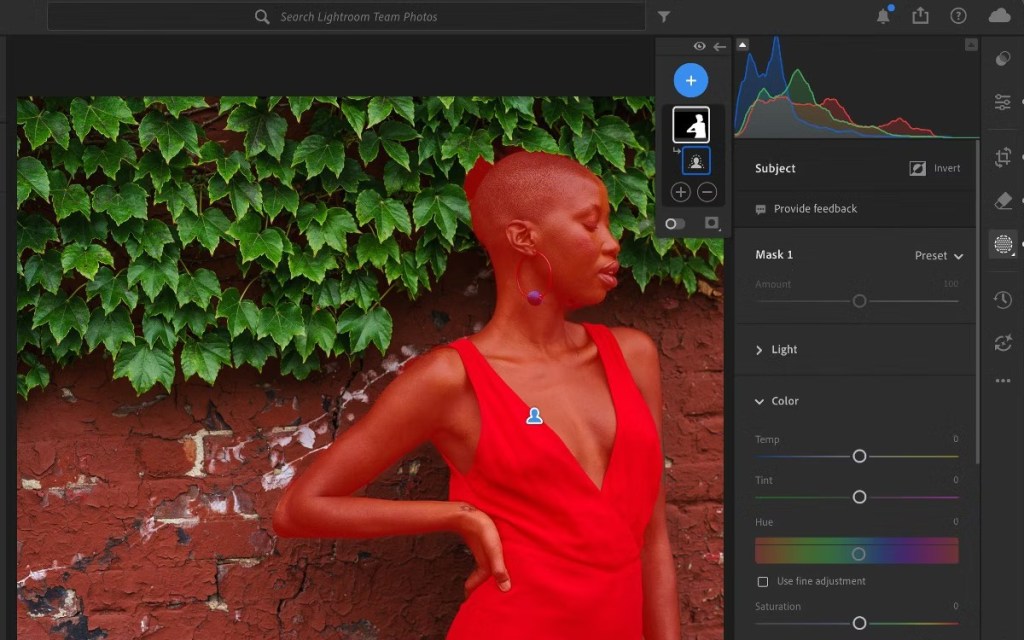
Then, there is AI Denoise which uses your local GPU to remove noise and retain important detail in images. It also offers Lens Blur which uses depth-mapping AI to simulate realistic bokeh on any photo. And best of all, you can use Lightroom on a range of platforms including your desktop, iPad, iPhone, and the web. So, if you want to do batch editing of images, simply pick Adobe Lightroom Classic.
Pros Cons Best software for catalogue and asset management No perpetual license Excellent AI Denoise and Generative Remove features Less precise than Capture One Multi-device sync
Pricing: Free trial of 7 days, Paid plan starts at $11.99 per month, billed annually
Best Lightroom Alternatives (Workflow & Management)
Luminar Neo is primarily an AI-powered photo editor and one of the best Lightroom alternatives. And if you want an all-in-one package, take a look at ON1 Photo RAW 2026.
Luminar Neo: Best for Fast AI Edits
Luminar Neo is perhaps the best AI photo editor in 2026 as it comes with powerful new features to make photo editing a breeze. It has built-in support for GenErase which removes objects from images, GenSwap which can replace elements via text prompts, and GenExpand that can extend scenes beyond the frame. There is even a brand new AI assistant that can analyze your image and suggest edits through a conversational interface.

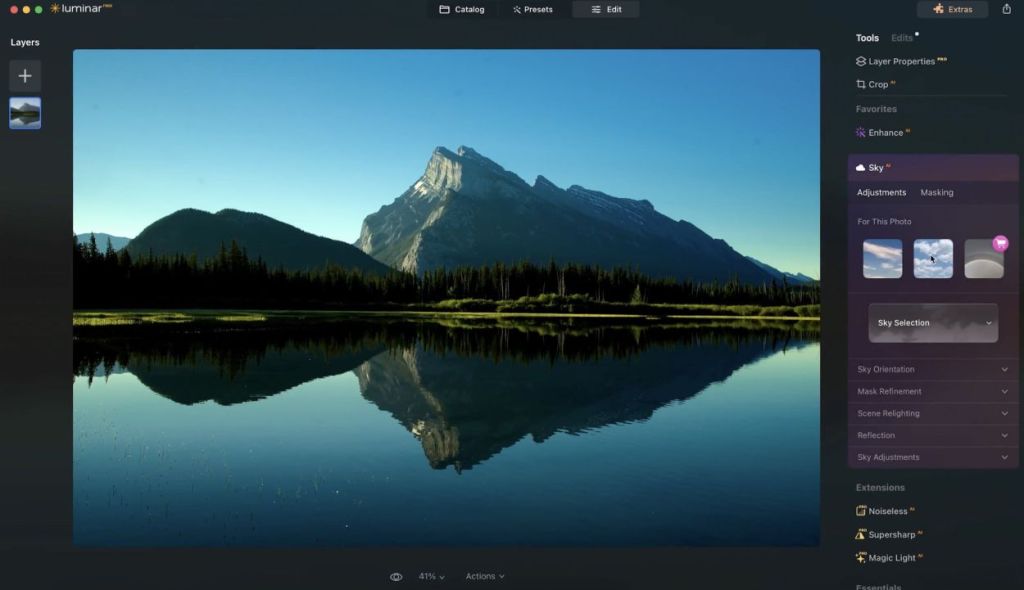
Another standout feature is Light Depth, which has replaced the older Relight AI tool, but now it can change light in 3D space. This feature allows you to adjust the direction, intensity, and virtual light sources within your image. To remove overhead lighting, this is a great feature in Luminar Neo. Finally, you also get Photo Restoration that can bring back damaged and old photos back to life.
Pros Cons Fastest AI-powered edits in the market High RAM usage on older machines Perpetual license available AI tools only for one year under perpetual plan Light depth and photo restoration features
Pricing: One-time fee of $119
ON1 Photo RAW 2026: An All-in-One Photo Editor
ON1 Photo RAW 2026 is an all-in-one photo editing software that wants to replace both Lightroom and Photoshop. It basically combines image organization, RAW processing, layers, HDR merging, tethered capture, and AI-powered editing tools into one package. The latest update has added Cinematic Depth Lighting, and Resize AI for image upscaling.

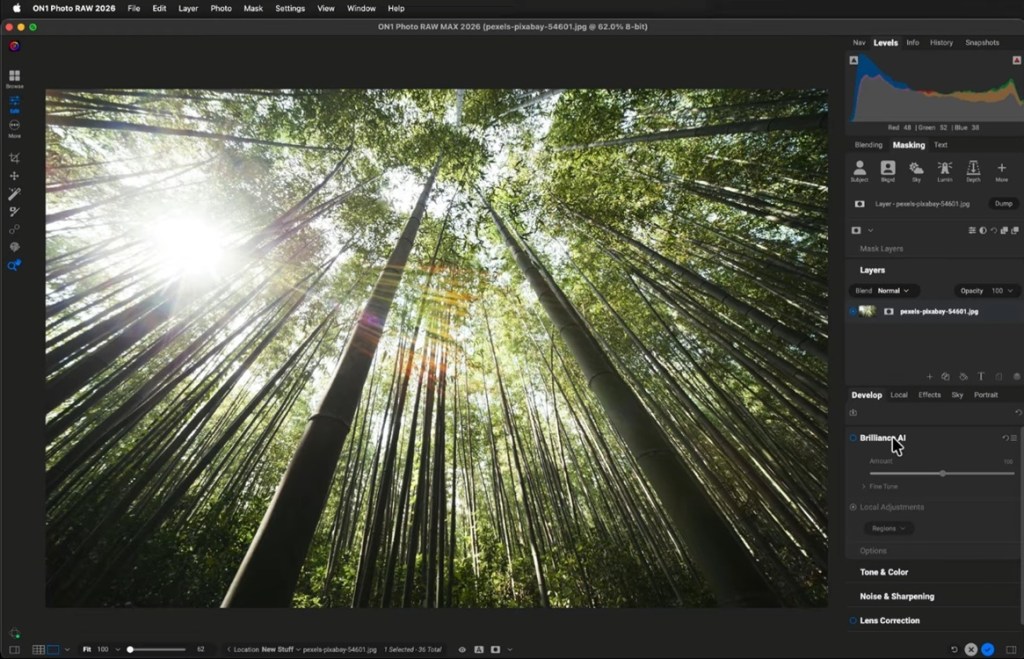
You can also do background or subject masking with just one click. And NoNoiseAI generates clean images at high ISO. Its Browse mode is also fast and keyword tagging works well with the search functionality. To sum up, from basic exposure sliders to full layers engine, you get everything with ON1 Photo RAW 2026.
| Pros | Cons |
|---|---|
| True all-in-one photo editor | A bit unstable on Windows |
| Excellent AI masking | Not meant for beginners |
| HDR merge, focus stacking, tethered capture |
Pricing: One-time fee of $69.99, Paid plan starts at $7.99 per month, billed monthly
DxO PhotoLab 9: Best for Image Quality
DxO PhotoLab 9 is highly preferred by photographers for noise reduction in high ISO settings. Its image output is pretty high even in low light, thanks to its DeepPRIME XD3 noise reduction technology. It consistently does better than Lightroom, and Capture One and produces cleaner and more detailed images. And the AI-powered masking feature with diffusion controls is something you won’t find on other applications.

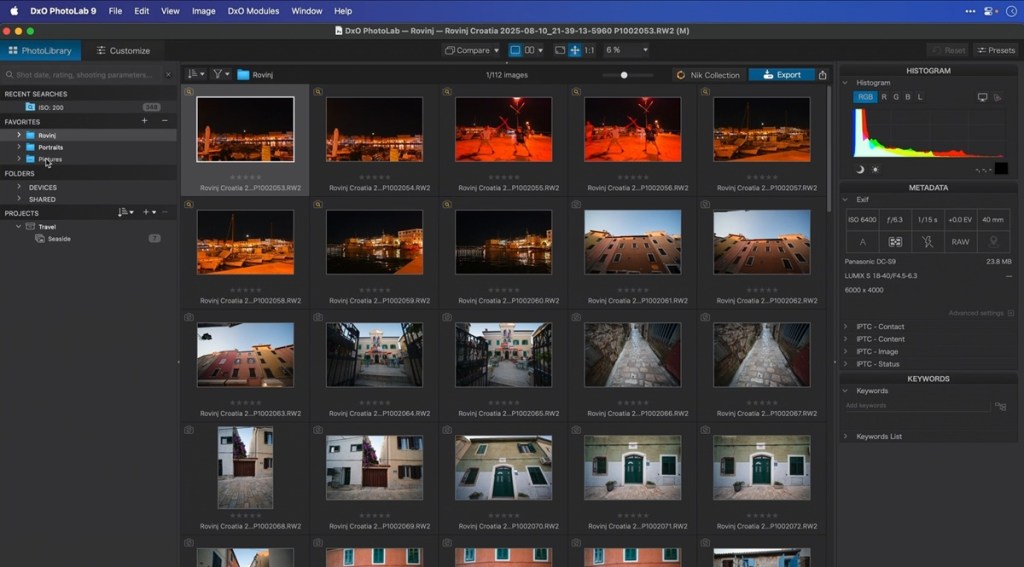
DxO’s another secret sauce is its lab-measured lens and camera profiles. Unlike generic algorithms, the software automatically applies corrections for distortion, chromatic aberration, vignetting, and even lens softness based on real optical data. This results in much better results. So if you shoot RAW and want the best image quality, DxO PhotoLab 9 is one of the best subscription-free photo editors.
Pros Cons Best noise reduction with DeepPRIME XD3 No Generative AI features Lab-measured optical corrections Expensive for new users Perpetual license
Pricing: Free trial of 30 days, One-time fee of $239.99
Best Free and One-Time Purchase Software
The best free photo editing software is Affinity by Canva. It really offers professional-grade tools and costs nothing. You can also check out GIMP and Photopea if you want a free Photoshop alternative.
Affinity by Canva: The Best Value for Mac and PC
While Affinity is itself a popular photo editing software, Canva acquired it in 2024 and made it completely free. Yes, it’s one of the best free Photoshop alternatives in 2026 and nothing comes close to it. It has now been unified into a single application, merging Affinity Photo, Designer, and Publisher. You get all the professional-grade pixel, vector, and layout tools.

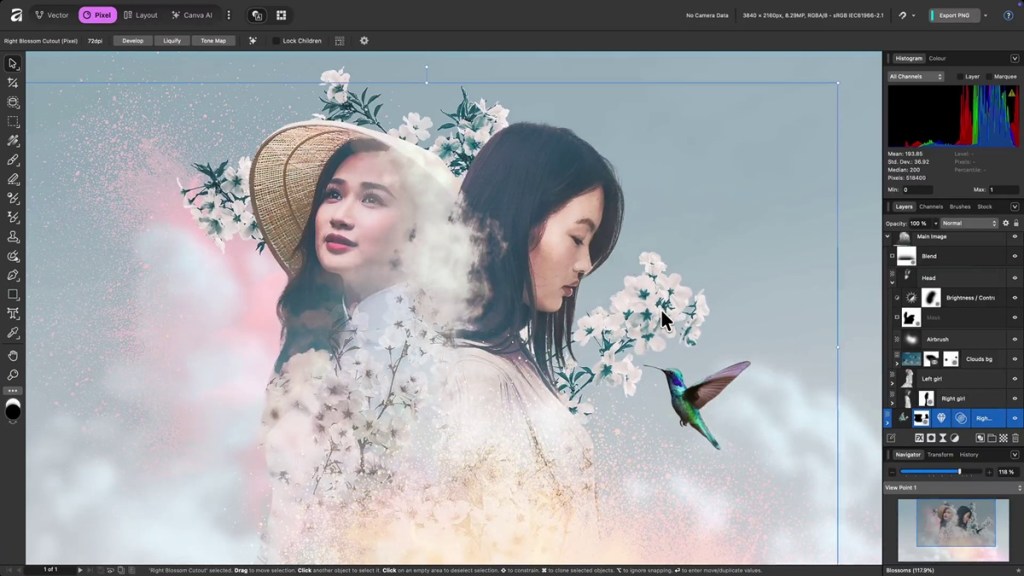
Users can access layers, masks, RAW processing, batch export, and edit PSDs with just a free Canva account. So, what is the catch? Well, in order to use AI tools like Generative Fill, Expand, Background Removal, which are powered by Canva AI, you need to get Canva subscription. That’s all, and it only costs $15 per month. I think Affinity by Canva is a great fit for those who want a full-fledged photo editing software for free.
Pros Cons Completely free, access pro-grade tools without restrictions AI features locked behind Canva Pro Photo, vector, and layout in one app Excellent PSD compatibility
Pricing: Free, Canva Pro plan starts at $15 per month
GIMP: Still the Best Open-Source Option
GIMP is arguably the best photo editing software for Linux and Chromebooks, and it’s also available on Windows and Mac. It’s completely free and open-source and features all kinds of editing tools that you find on Photoshop. First of all, GIMP 3.0 was released in 2025 and it introduced several new features after 7 years of development.

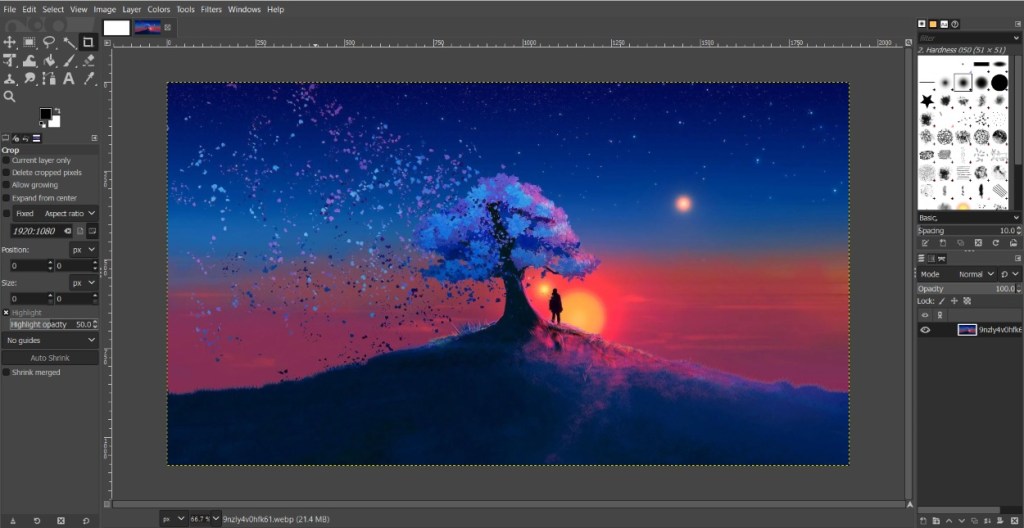
You get a GTK 3 interface overhaul, non-destructive layer effects, multi-layer selection, off-canvas editing, and improved PSD support. GIMP is no longer a hobbyist application, but a powerful image editing application for professional workflows. There is also a plugin ecosystem which you can use to integrate AI features, but it’s a bit hassle to set up manually.
| Pros | Cons |
|---|---|
| Completely free and open-source | No built-in AI features |
| Non-destructive layer effects | UI lags behind modern editors |
| Massive plugin ecosystem |
Pricing: Free
Pixelmator Pro: The Mac-Native Photo Editor
If you are looking for the best photo editing software for Mac, there is no better application than Pixelmator Pro. It’s built from the ground up for Apple hardware and runs natively on Apple Silicon. In fact, the software is so good that Apple acquired the Pixelmator team in 2025 and now it’s bundled with Apple Creator Studio along with other apps (Final Cut Pro, Logic Pro). You can also use Pixelmator Pro on your iPad.

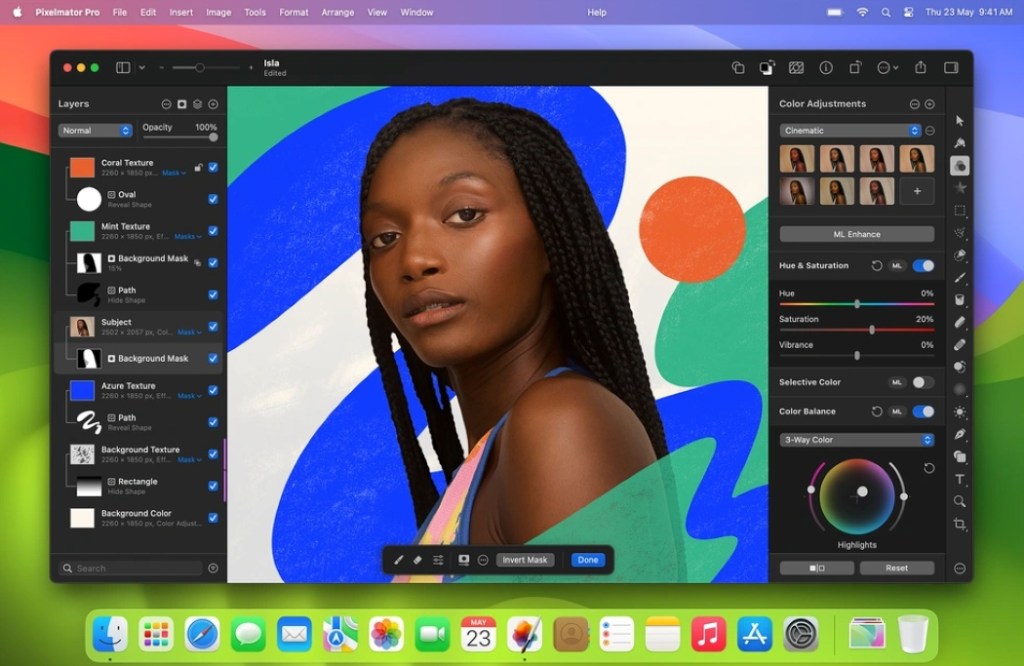
It leverages Apple’s hardware like CoreML for ML Enhance that intelligently adjusts white balance, expose and color in a single click. Super Resolution also upscale images using machine learning and ML Denoise reduces noise from images. Even if you run large RAW files, it can handle everything with ease. So, if you want a native photo editor for macOS, go with Pixelmator Pro.
Pros Cons Best photo editor for Mac and iPad users Less advanced than Photoshop Native integration with Apple hardware Limited plugin support Beautifully designed
Pricing: Free, One-time fee of $49.99
Photopea: The Best Browser-Based Photo Editor
Finally, we come to Photopea which is my favorite on this list. It’s a completely free, browser-based photo editor that can open PSD, XCF, Sketch, and XD files natively without installing anything. Just open Photopea in a browser tab and you can start editing right away. It supports layers, masks, blend modes, smart objects, pen tools, text editing, RAW files, and even batch processing.

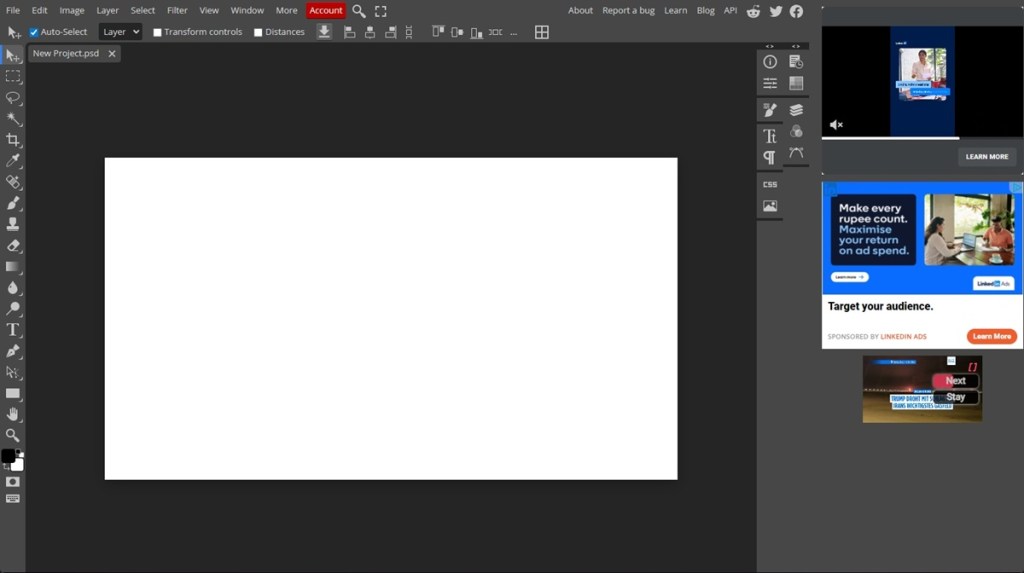
Basically, you get a lightweight Photoshop editor in your browser for free. I think Photopea is a great choice for students and casual editors. While the web app is free, it’s supported by ads. If you don’t want to see any ads, you can get the premium plan which costs just $5 per month and it also unlocks some helpful Generative AI features. All in all, Photopea is one of the best free Photoshop alternatives in 2026.
Pros Cons Free, runs in any browser without any installation Free version shows ads Best free Photoshop alternative Slow performance with very large files Full layer, mask, blend, compatibility with PSD
Pricing: Free, Paid plan costs $5 per month
How to Choose the Right Software for Your Needs
Not everyone requires a paid Photoshop subscription for photo editing. Most of your requirements may be covered by free applications. So when comparing the best photo editing software for Mac or Windows in 2026, keep these below points in mind.
- Beginners: If you are a beginner and want a free photo editing software to get started, I would recommend Affinity by Canva as it’s completely free and well-designed, minus any AI features. You can also check out GIMP and Photopea, and for Apple users, Pixelmator Pro is a great choice.
- Ease of Use: For ease of use, I would again prefer Affinity over other photo editors. It’s just so slick and its UI is not intimidating at all, unlike Photoshop or Capture One. Other than that, you can look at Luminar Neo which has an easy-to-use interface.
- RAW Processing and Color Science: Capture One has superior color grading tools while Lightroom offers a smoother catalogue-based workflow. You can check out DxO PhotoLab if you want pure noise reduction.
- AI Features: In 2026, nearly all photo editors come with AI features. That said, Adobe has done a fantastic job integrating various AI features into Photoshop. Next, Luminar Neo is also a great AI photo editor.
- One-Time Purchase: Increasingly, photo editing applications are moving to subscription pricing model. If you want to own a program perpetually, I would recommend Capture One Pro, Luminar Neo, or DxO PhotoLab 9.
And there you have it! You can find all kinds of photo editing software on this list, from free programs to professional-grade tools. You can also check out our dedicated list of AI-powered photo editing software. Anyway, that is all from us. If we have missed out on anything, let us know in the comments below.
Yes, Affinity by Canva is completely free and offers pro-grade photo editing tools with layers, RAW support, PSD compatibility, and more. You can also check out GIMP which is free and open-source and Photopea is a free, browser-based Photoshop alternative.
Not necessarily. You can use software like Affinity, Pixelmator Pro, and Photopea on mid-range hardware without any issues. However, some programs use the local GPU to offer some AI features. In that case, you will need a dedicated GPU with 8GB+ VRAM.
Yes, increasingly, professional photographers are shunning Adobe’s suite of tools and using Affinity for compositing and retouching.