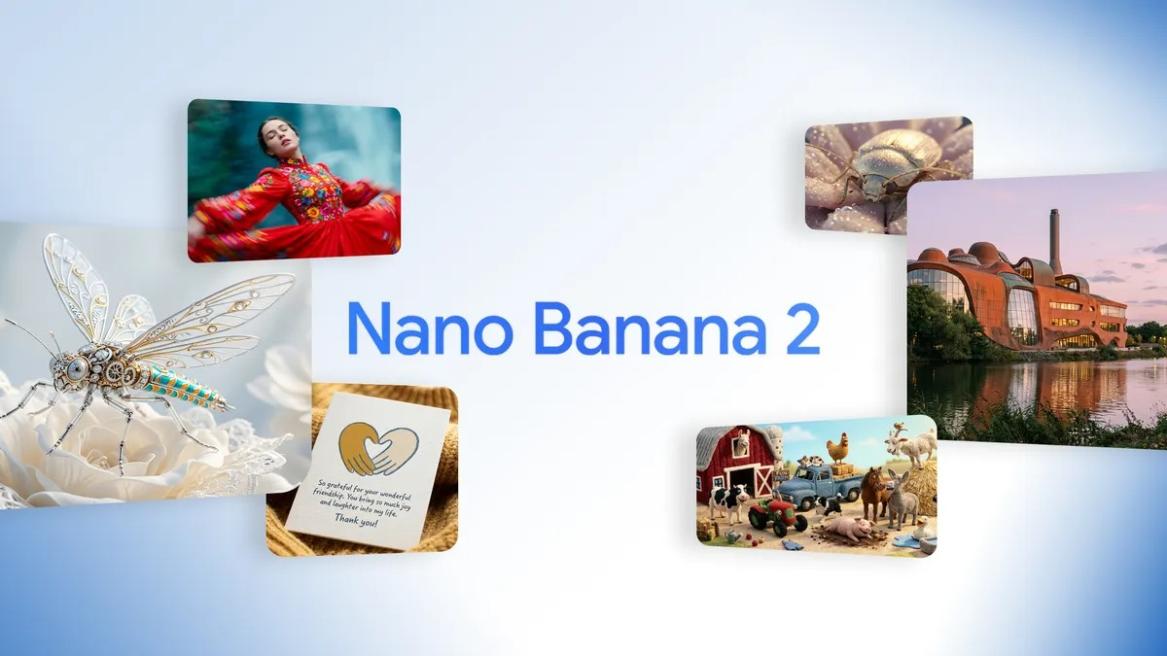
- Nano Banana 2 is Google's advanced AI image generation and editing model.
- It combines the Pro-grade intelligence of Nano Banana Pro and fast performance of the Flash model.
- You can start using Nano Banana 2 on Gemini for free. Choose "Create image" under Tools.
Google just released its impressive Nano Banana 2 image model that is both advanced and fast at image generation and editing. For quick and iterative image generation, currently, there is no better AI image model than Nano Banana 2. It even beats the larger Nano Banana Pro in some tests. So, if you are curious about Nano Banana 2 and want to learn more, follow our in-depth explainer below.
What is Nano Banana 2?
Nano Banana 2 is Google’s latest AI image generation and editing model, and it’s available for free on Gemini. It’s powered by the Gemini 3.1 Flash Image model and succeeds the powerful Nano Banana Pro, which was based on Gemini 3 Pro Image. The new Nano Banana 2 model combines the advanced world knowledge of Nano Banana Pro with the speed and efficiency of the Flash model.

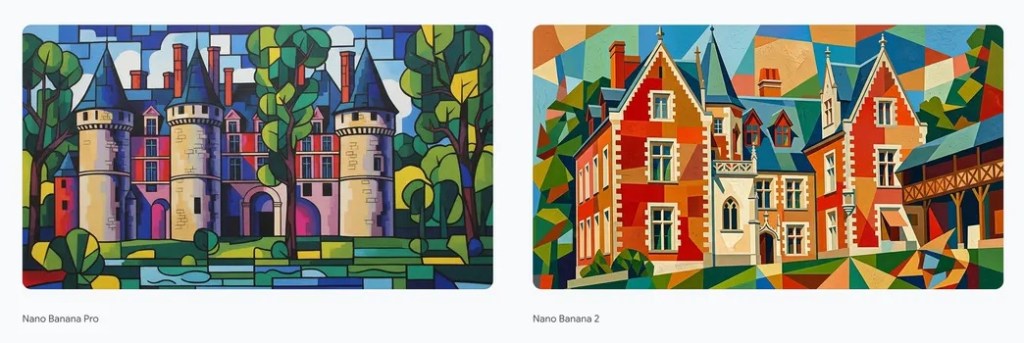
At its core, Nano Banana 2 is a natively multimodal model, meaning it’s not a separate Diffusion-based model. Instead, it leverages the multimodal capability of Gemini 3.1 Flash to reason in the same context window and generate/edit AI images with high consistency. And because of that, AI images generated by Nano Banana models look very natural, consistent, and lifelike.
The new image model is being praised for its subject consistency, studio-quality creative controls, advanced world knowledge, and highly detailed images. When Nano Banana was released last year, it completely changed AI image generation with its highly-consistent AI images. Then, Nano Banana Pro took it even further with incredible image editing across multiple iterations. And now, Nano Banana 2 is here with even better performance and lower latency.
A Brief History of Google’s Nano Banana Models
Google released Gemini’s first native image generation model based on the Gemini 2.0 Flash Experimental model last year in March. It generated low-resolution images, but was very consistent and showed the power of native image generation. After a few months, an incredible image model appeared on LM Arena under the codename “Nano Banana”.
Later, it was revealed that the mysterious Nano Banana image model is from Google, and it’s based on Gemini 2.5 Flash Image. Google kept the playful Nano Banana name, and it went viral for generating impressive images with coherent editing. Finally, Google released its most advanced Nano Banana Pro model in November, which was built on the leading Gemini 3 Pro model.
It showcased advanced real-world knowledge and had greater visual fidelity. However, it was also expensive to run and free users had limited access to it. Finally, Google’s new Nano Banana 2 model brings the Pro-grade intelligence and reasoning in a cheaper Flash package that is faster to use.
Nano Banana 2: Key Features
Let’s take a look at all the key features of Nano Banana 2 including its real-world knowledge, creative controls, visual fidelity, and more.
Advanced World Knowledge and Web Grounding
Unlike Diffusion-based image generation models, Nano Banana 2 can access and reason with Gemini’s real-world knowledge base. It allows the model to understand the intent behind image generation. On top of that, it can now connect with Google Search. This means Nano Banana 2 can access real-time images from the web to render specific subjects accurately.

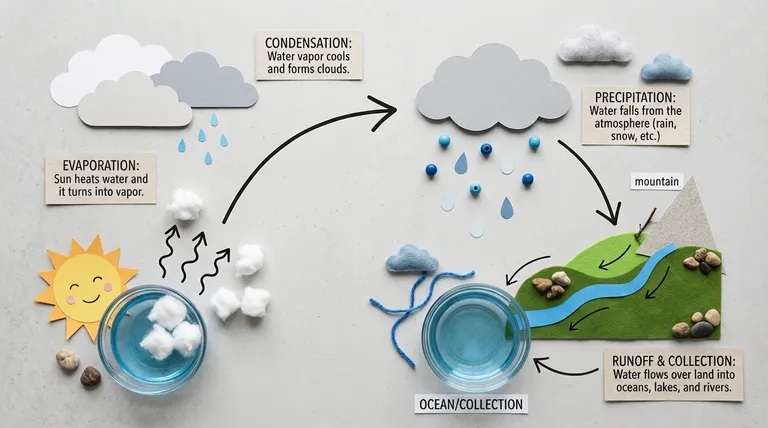
Not only that, it can access real-world locations, weather information, brands, and current events to improve its visual understanding before generating the image. Thanks to this powerful capability, you can generate up-to-date infographics on any topic, and produce accurate data visualizations.
Precise Text Rendering and In-Image Translation
While earlier Nano Banana models were quite good at text rendering, the new Nano Banana 2 takes it even further. It can now generate legible and accurate text within generated images. This can be used for marketing mockups, greeting cards, and UI prototypes.

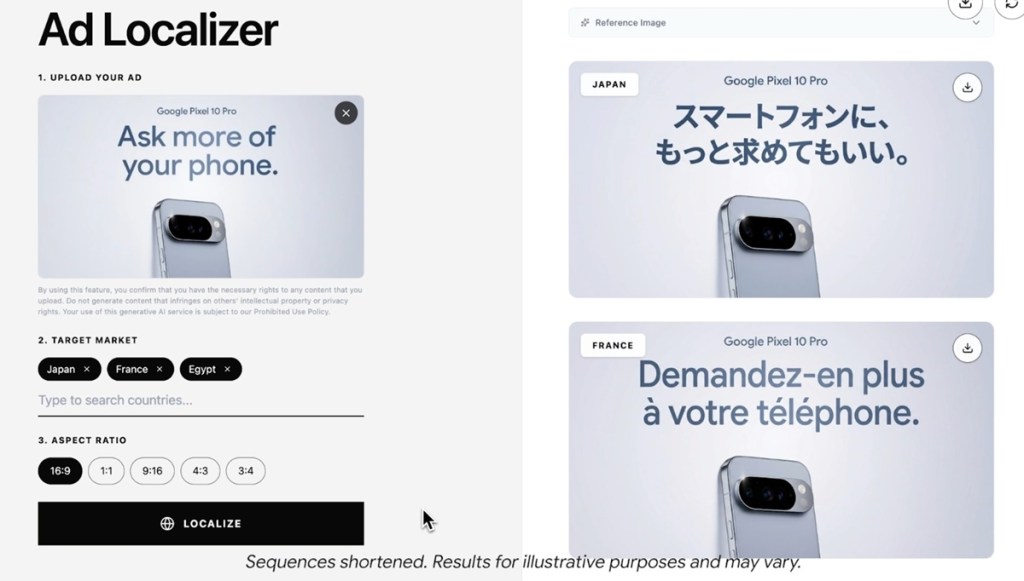
The best part is that you can now translate text within an image across multiple languages with impressive consistency. It will help you localize text in an image without altering the overall image to reach a global audience.
Subject Consistency and Improved Visual Fidelity
We know that image generation models struggle with subject consistency after a few editing iterations. Google says that Nano Banana 2 has improved a lot on this front and can keep characters consistent across multiple images. In fact, it supports consistency of up to 5 characters and 14 objects in a single image generation workflow.

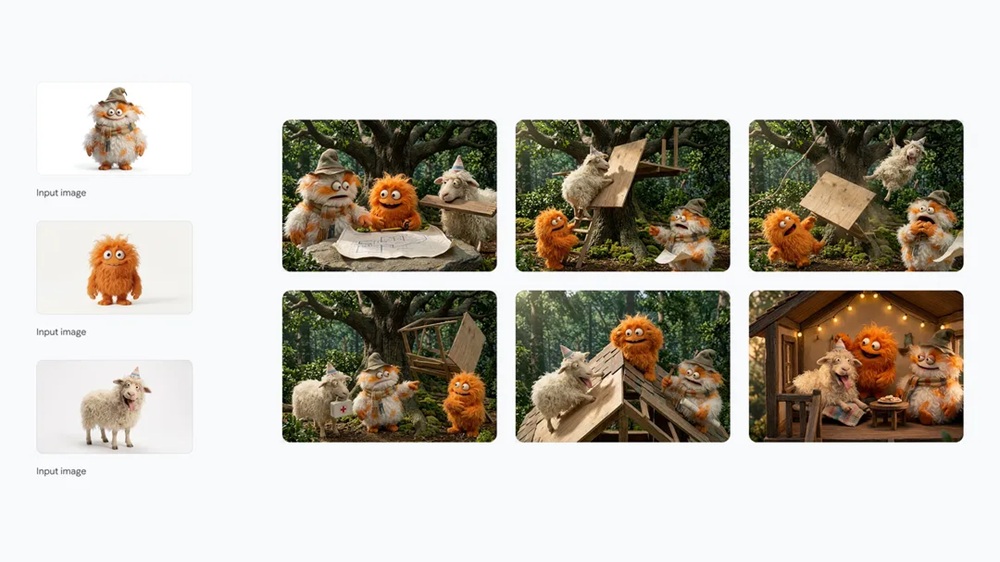
Next, the new image model is also much better at generating images with vibrant lighting, richer textures, and sharper detail. Images produced using Nano Banana 2 look photorealistic despite reducing the generation time to just 5–6 seconds.
Creative Controls and Instruction Following

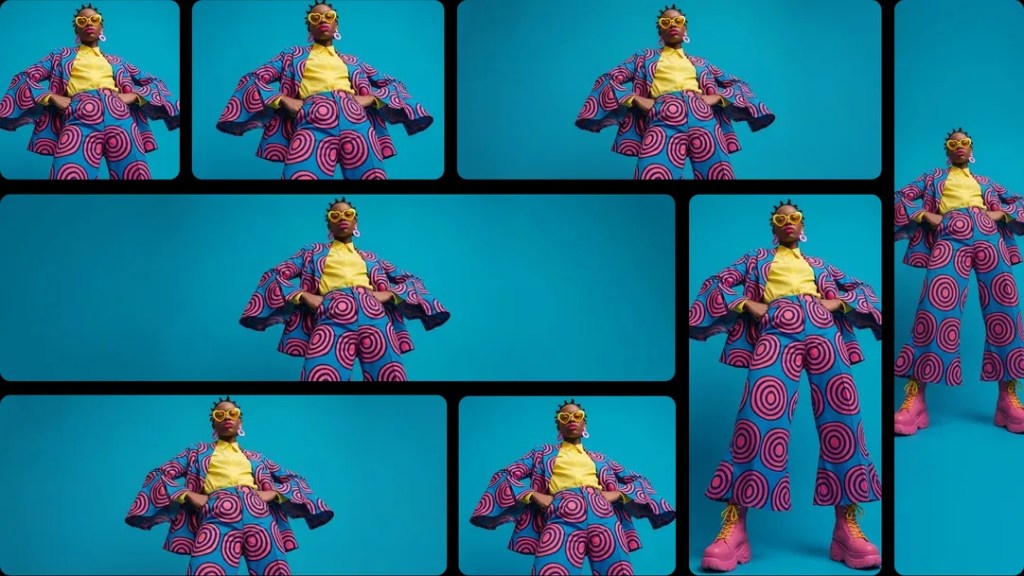
With Nano Banana 2, you can generate images in several aspect ratios. Along with existing aspect ratios, you can now produce images in 4:1, 1:4, 8:1 and 1:8. Apart from that, Nano Banana 2 supports image generation from 512 px to 4K resolution, which is awesome for generating highly-detailed images. Finally, Google says the new model adheres to complex and multi-layered prompts pretty well.
Nano Banana 2 Benchmark Results
On the LM Arena text-to-image leaderboard, Google’s Nano Banana 2 image model has topped the chart with an ELO score of 1280 points. It has even outranked Nano Banana Pro and OpenAI’s GPT Image 1.5 that powers image generation on ChatGPT.

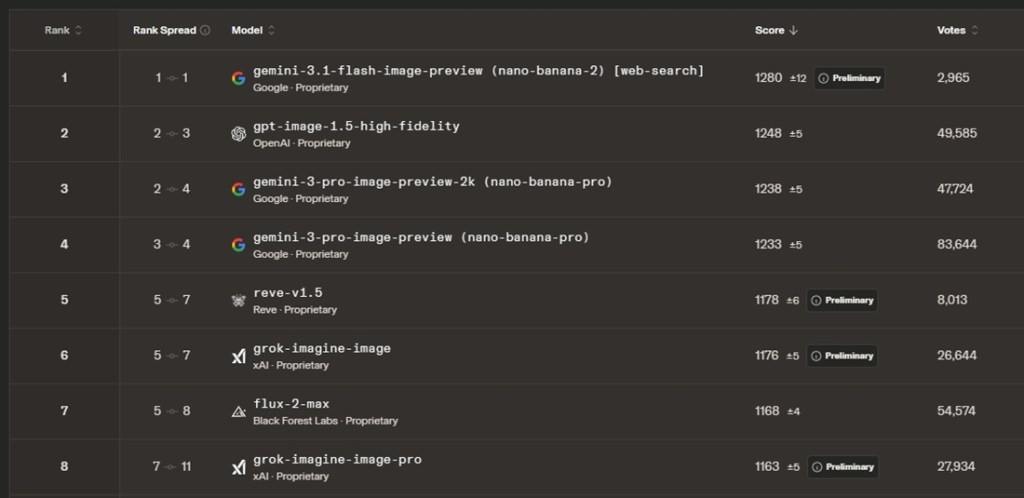
And on Artificial Analysis‘ text-to-image leaderboard, Nano Banana 2 has again taken the top spot, beating Seedream 4.5, Flux .2 Max, and GPT Image 1.5. However, in AI image editing, OpenAI’s GPT Image 1.5 is leading with a slight margin. Note that Nano Banana 2 costs half of what these frontier models cost.
Nano Banana 2 Pricing and Availability
Nano Banana 2 is available for free on the Gemini app for consumers. You can generate up to 20 images per day using the new Nano Banana 2 model, and you don’t need any subscription. Simply launch the Gemini app, and choose Create image under Tools. If you are subscribed to Google AI Plus plan (costs $7.99 per month), you can generate up to 50 images per day and can access the larger Nano Banana Pro model as well.
Besides Gemini, you can also access Nano Banana 2 inside the Flow AI tool, AI Mode and Lens in Google Search. As for developers, you can access Nano Banana 2 via Google AI Studio, Gemini API, and Vertex API. Nano Banana 2 is almost 2x cheaper than the larger Nano Banana Pro model. Nano Banana 2 costs $0.067 for a 1K resolution image while Nano Banana Pro costs $0.134 for the same resolution image.