
If you stumbled across LinkedIn Pinpoint and want to learn how to play this game, I have got your back. The game works on a simple idea. You get five clues, and you need to figure out the common category connecting them. The game reveals one clue at a time, so every new clue helps you narrow down the answer. But the challenge is to figure out the category in as few clues as possible. So, let’s learn how to play Pinpoint in this detailed guide.
Can You Play LinkedIn Pinpoint for Free?
LinkedIn Pinpoint is completely free to play, so you don’t need to spend any money to enjoy the daily puzzle.
Unlike some puzzle games that lock certain features behind a paywall, you can access Pinpoint and try to solve the daily puzzle without a subscription.
So, if you’re looking for a quick free brain teaser to squeeze into your daily routine, you can head to the official LinkedIn Pinpoint game page and get started right away!
Do You Need a LinkedIn Account to Play Pinpoint?
You don’t need a LinkedIn account to play and find the Pinpoint answer today. You can access the game and solve the daily puzzle as a guest user.
This makes the puzzle accessible if you simply want to try it out without signing up for another platform.
However, playing as a guest comes with certain limitations. Your score will only be available for 30 minutes, and the game will not save your progress or maintain your daily streak.
So, if you plan to make Pinpoint part of your daily puzzle routine and want to keep track of scores and streaks, signing in is the better option.
How to Play Pinpoint on LinkedIn: A Step-by-Step Guide
Here’s how to play Pinpoint on LinkedIn from start to finish.
1. Open LinkedIn Pinpoint
First, head to the Pinpoint game. You can find the game through the LinkedIn Games Hub or directly visit the Pinpoint game page.

If you’re logged into LinkedIn, you can look for the puzzle in the Puzzles section on the website or swipe right on the homepage to access the games section in the side panel mobile app. Once you’re on the game page, click on ‘Start Game‘ to begin.
2. Look at the First Clue
As you start the game, Pinpoint will reveal the first clue from a set of five hidden clues. Your job is to figure out what category connects all five words or phrases. This is where things get interesting!
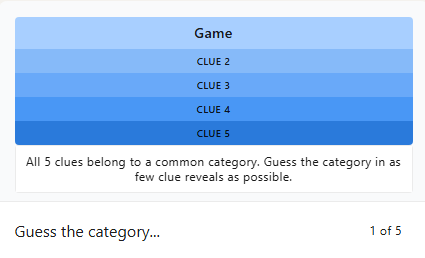
Since the first clue is independent, it can have several meanings. You won’t know which of the meanings is valid until you spot the connection. So, rather than jumping to the first category that comes to mind, take a moment to think about the different ways to interpret the clue.
3. Enter Your Guess
Once you have a possible connection in mind, type your answer into the ‘Guess the category‘ field and press Enter or tap on ‘Guess‘ to submit it. While doing so, remember you’re trying to identify a category that connects the five clues and not simply describe the first word.
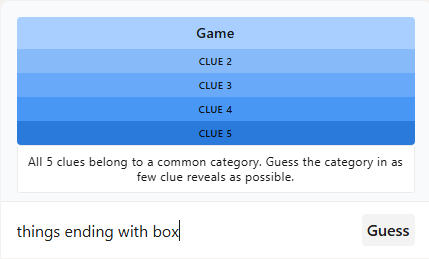
For example, if the first hint is Game, the answer could be board games, video games, sports, or even different types of board games. Or maybe something completely different. So, the trick is to consider other meanings and associations, too.
4. Use the Next Clues to Find the Connection
If your guess turns out to be wrong, do not worry. The game isn’t over. Pinpoint will reveal the next clue, giving you more information to work with. You can then reconsider your original guess for a connection that fits both clues.
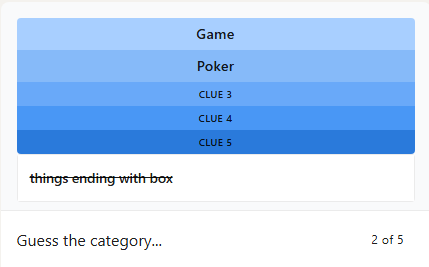
As you make incorrect guesses, the game will continue revealing more clues to help narrow down the possibilities.
For example, if by your fifth guess, you haven’t found the answer, you’ll have all five clues revealed. Say the clues are Game, Poker, Baby, Clock, and Smiley. Look at them together and notice what connects them. Here, each term can be paired with “face.” So, the answer is Types of “face.“

So, the trick is to use every new clue to test your theory. If a clue doesn’t fit, don’t keep forcing the same answer. Instead, take a step back and look at all the clues together. You want to find the connection while revealing as few clues as possible, so try to spot the pattern before reaching the final clue.
5. Check Your Results and Track Your Streak
Once you guess the correct category, Pinpoint will reveal the answer and show your results. If you’re playing while signed in to LinkedIn, you can track your game statistics, maintain your daily streak, compare scores on available leaderboards, and share your results with your connections.
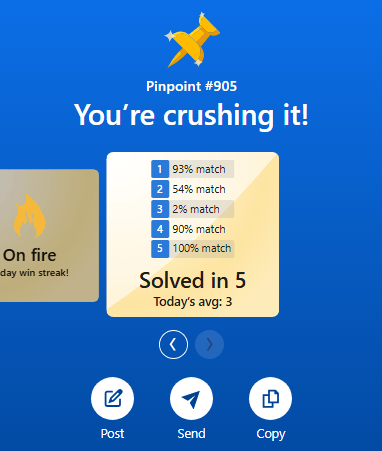
However, if you’re playing as a guest, your score will only be available for 30 minutes, and your game activity won’t be saved. So, if you want to keep track of your progress and see how consistently you solve each day’s puzzle, signing in to LinkedIn is your best bet!
LinkedIn Pinpoint: Game Mechanics
Now that you’ve gone through the steps, you’re all set to try your first Pinpoint puzzle. But if you’re new to the game, let’s quickly clear up a few rules so you know exactly what you’re working towards.
- Each daily puzzle contains five clues that help you identify the common category.
- You start with the first clue, and each incorrect guess reveals another clue.
- Your answer must identify the connection linking the clues, whether that’s a shared category, a word association, or a familiar phrase.
- If you exhaust all five clues without guessing the answer, the Pinpoint game will reveal the correct category, and you lose the round.
- Pinpoint refreshes at midnight Pacific Time (PT), and the previous day’s puzzle expires when the new one arrives.
Tips to Get Better at LinkedIn Pinpoint
Now, knowing how to play and figuring out those tricky connections are two different things. So, let’s look at a few tips that might help you solve the next puzzle with fewer clues.
- Look beyond the obvious connection: Don’t settle on the first category that comes to your mind. If a clue looks like it belongs to a category such as food, animals, or places, consider whether it would have another meaning or be a part of a phrase instead. Words can mean different things depending on the context. So, if your first interpretation doesn’t seem to fit, consider other alternate meanings.
- Try adding the same word before or after each clue: This is one of the most useful approaches in Pinpoint. Some clues form familiar expressions when you add a common word before or after them. For instance, clues like Game, Poker, Baby, Clock, and Smiley all connect to the word “face.” That gives you game face, poker face, baby face, clock face, and smiley face.
- Look at all the clues together: It’s easy to get fixated on the first clue and try to make every other word fit your theory. However, a good connection should explain all the clues you’ve seen so far. If one or two words don’t fit. your guess might need a rethink.
- Don’t rush to submit a guess: You can make a guess after each clue, but that doesn’t mean you should enter the first thing that comes to your mind. Take a few seconds to test your theory against the clues before submitting it. Since an incorrect guess reveals another clue, it’s worth considering the possibilities first.
So, that was all about how to play LinkedIn Pinpoint. I’ve covered the game’s rules along with the process of solving the puzzle. Since the game can seem tricky for first-time players, I’ve also shared some tips to make it easier for you. That said, give today’s puzzle a try, and see if you can crack the answer using just one or two clues. Good luck!
LinkedIn Pinpoint is completely free to play. You don’t need a subscription to access the game. You can visit the official Pinpoint page and start playing right away.
You can play Pinpoint as a guest without signing in to the LinkedIn website. However, your score is available for only 30 minutes, and your gaming activity isn’t saved. If you want to maintain streaks and access leaderboards, you have to log in to LinkedIn.
LinkedIn Pinpoint puzzle offers five clues. The game reveals the first clue when you start, and after that, every incorrect guess reveals the next clue.
LinkedIn Pinpoint resets daily at midnight Pacific Time. The previous day’s puzzle is replaced by a new puzzle at midnight, so make sure you finish your game before it resets.
You cannot play old Pinpoint puzzles via an official archive. The game does not offer archives yet, so the previous puzzle expires when the next one becomes available.

LinkedIn Pinpoint Answer Today (October 27, 2026)
 Daksha Gupta
Connections Hints Today & Answers for October 27
 Sanmay Chakrabarti

NYT Letter Boxed vs Spelling Bee – Key Similarities and Differences Explained
 Ajith Kumar

Wordle Hint Today - October 27, 2026 (Puzzle #1956)
 Rishabh Sabarwal

What Is Quordle Sequence and How Does It Work? Explained
Ajith Kumar
NYT Midi Crossword vs Crossword: Key Similarities and Differences
Daksha Gupta