

- The Minecraft Herdcraft snapshot completely removes the inventory in favor of the blocks following the player around.
- The crafting and combat are now physical and command-based instead of the usual mechanics in the core game.
- This is a separate snapshot that introduces the new mode in Minecraft Java and doesn't affect your other saved worlds.
Minecraft is no stranger to celebrating April Fool’s, and this year, the brand-new Herdcraft snapshot feels straight out of a fever dream. This is a bizarre yet fascinating update that completely removes a key mechanic in the game: the inventory. With this update, you can expect no more neatly organized inventory slots or bundles full of blocks.
Minecraft Herdcraft Is the Inventory-Free April Fools Update
Before the first Minecraft Chaos Cubed snapshot release, we received the Herdcraft update with a unique mechanic today. The Minecraft Herdcraft snapshot has flipped the traditional experience by removing the inventory system entirely. Instead, the hotbar at the bottom of the screen is now filled with a live inventory system that you carry behind you for everyone to see at all times.
As you start playing the new Minecraft April Fools’ update, you will see that opening the inventory won’t display the usual slots. Instead, it shows the blocks you have unlocked in the new world. Now, you may wonder how everything works in this chaotic and bizarre Herdcraft world. The only thing that is the same in both the regular version and Herdcraft is that you must first punch a block to grab it.
In Herdcraft, select the Punch option in your hotbar and hit any block to make it come alive. Then, you can select the Attack/ Mine option and perform the breaking action on the same block to pop out its spirit.
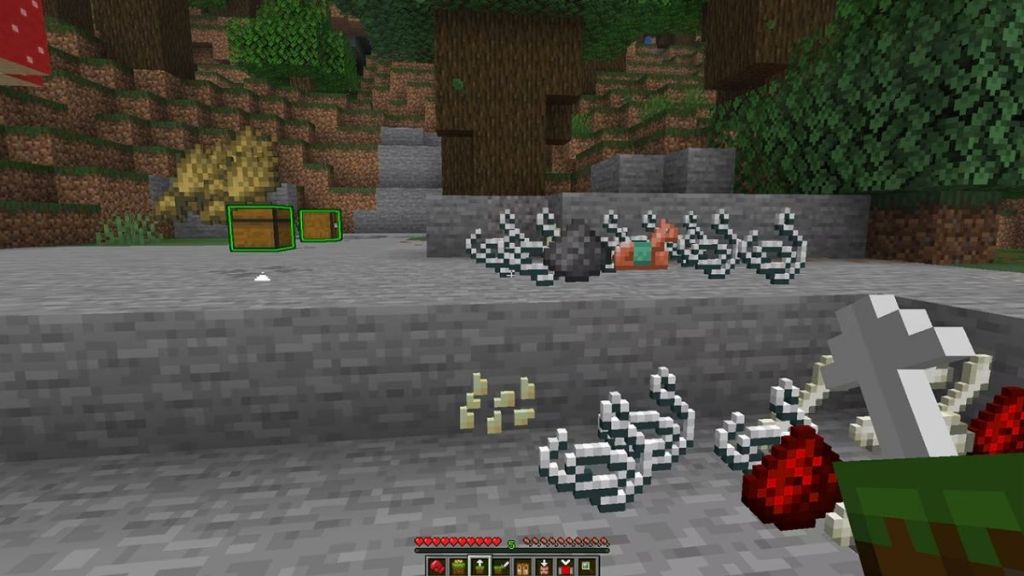

Once the block is popped out, you can make it follow you, direct it to go to any random space, and literally perform any sort of action. The blocks will be tied to you with a lead in Minecraft and follow you around.
Now, crafting is no longer done on the UI of a Minecraft crafting table. Instead, it will be visible directly on the surface, and the blocks must be placed by bringing them in one by one manually. Yes, that is quite a tiring task, and if you ask me, I would rather have my inventory messed up than bring one block at a time to craft something.
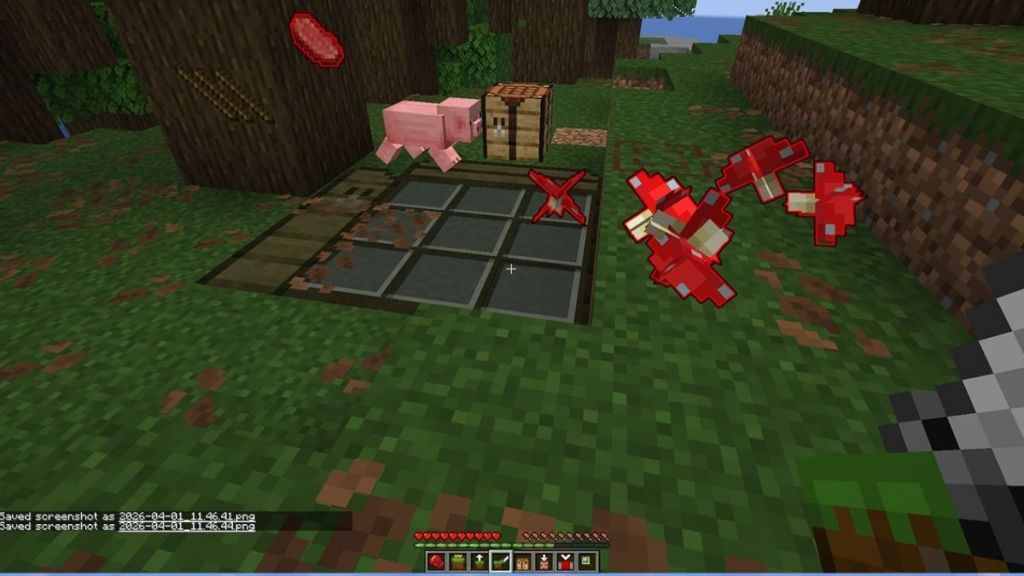
The combat in Minecraft April Fools’ Herdcraft snapshot has turned surreal as well. Rather than manually attacking the enemies, you can simply command the weapons you have collected to fight for you collectively.
Currently, the latest snapshot is available for the Minecraft Java Edition, and players can even try it on Realms. So, open up your Minecraft Launcher, select the latest snapshot labeled as 26w14a, and click on download. What do you think about this update? Would you love to remove your cluttered inventory as well, or dump them in the copper chests and wait for the copper golems to sort them out? Tell us in the comments below.
No, the inventory is not really gone forever from Minecraft. Instead, you can play this mode by downloading the Herdcraft Snapshot 26w14a and creating a new world that will have these unique mechanics solely for that world.
You can’t really store any item because there is no inventory in the Herdcraft snapshot. When a block is broken, its spirit will pop out and remain in place until you order it to move or do an action.

