Generative AI has opened the floodgates to so many new innovations and AI tools. From AI assistants to AI coding agents, there is so much to unpack. In this article, we’re going to specifically talk about the best AI for coding that can help you with software development. You can use these AI coding tools to generate code, fix bugs, explain code snippets, write unit tests, and much more. On that note, let’s go through the list.
Best AI Tools for Coding Compared
| AI Coding Tools | Best Suited For | Limitations | Pricing |
|---|---|---|---|
| Claude Code | Full-time programmers handling large code repositories | Token consumption is a bit on the higher side | Starts at $17 per month |
| OpenAI Codex | Async AI coding agent, delegate tasks, pull PRs | Recent Codex models are expensive | Starts at $20 per month |
| Cursor | Agentic IDE, plan and delegate tasks | Context issue with large codebases | Free with paid plan |
| GitHub Copilot | Integrates with GitHub, VS Code, terminal | The agent harness is not the best | Free with paid plan |
| Google Antigravity | New agentic IDE from Google, powered by Gemini 3 Pro | Not as mature as other platforms | Free with paid plan |
| Windsurf | VS Code fork, agentic IDE, Cascade feature | End-to-end task doesn’t work that well | Free with paid plan |
| Replit | Non-programmers, general users can build AI apps | Not intended for developers | Free with paid plan |
| CodeGPT | Bring your own key model, suitable for teams and enterprises | Some features fail at times | Free with paid plan |
1. Claude Code
Currently, the best AI for coding is Claude Code by Anthropic. It’s a terminal-based AI coding agent and works directly with your codebase. Claude Code can build new software, debug issues, and ship your software from the terminal. You just have to describe what you need to solve and Claude Code handles everything.

You can use Anthropic’s Claude Opus 4.5 which is the best rated AI model for programming. On SWE-bench Verified, Opus 4.5 continues to lead with 80.9%. For software engineering tasks, there is simply no better AI than Claude Opus 4.5 and Claude Code fully leverages the capability of this model. In fact, many programmers believe that Claude Code is almost AGI for coding tasks.
Pros Cons Best harness for AI coding agent Slightly expensive than the competition Powered by Claude Opus 4.5 Works in your terminal
Pricing: Claude Code is bundled with Claude subscription, Starts at $17 per month
2. OpenAI Codex
Just like Claude Code, OpenAI has released its own AI coding agent and it’s called Codex. You can integrate Codex in your terminal or IDE and connect your repository to starting solving programming problems. As it’s an AI agent, OpenAI Codex can edit files, navigate files and folders, run commands, and execute tasks seamlessly.

It also lets you fix bugs, find new solutions, ship new features, and more. You can integrate OpenAI Codex in VS Code, Cursor, and Windsurf. Codex is powered by OpenAI’s special GPT-5.2-Codex AI model which is suitable for real-world engineering tasks. There is also a Max variant, but it’s not available for GPT-5.2 yet. Overall, if you are looking for the best AI for coding, you can try OpenAI Codex if Claude Code doesn’t cut it for you.
Pros Cons Async coding agent Makes silly mistakes at times Powered by GPT-5.2-Codex Nearly as good as Claude Code
Pricing: Codex is bundled with ChatGPT subscription, Starts at $20 per month
3. Cursor
Cursor is one of the AI tools that gained traction pretty early in the AI coding space. It’s considered one of the best AI coding tools as it brings a completely new editor (fork of VS Code), designed for AI-first approach. You can delegate coding tasks to the agent and it starts working on your problem. What is interesting about Cursor is that it creates embeddings for your codebase so that the agent has full knowledge of your codebase.

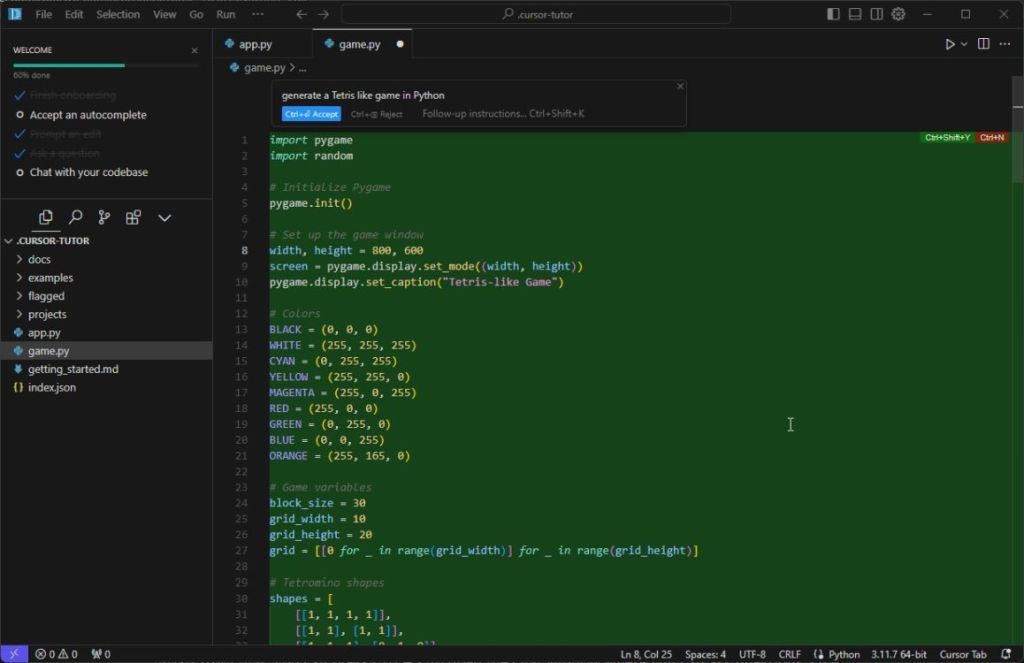
On top of that, you can choose flagship coding AI models such as Claude Opus 4.5, Gemini 3 Pro, GPT-5, and more. In fact, when I used Cursor to migrate my old code, it worked flawlessly well and read all the latest documentations to move the code to the OpenAI SDK. If you are a developer, I would suggest using Cursor for all kinds of programming tasks.
Pros Cons Offers an agentic IDE May lose context on large codebases Deep understanding of your codebase Access frontier coding AI models
Pricing: Free, Starts at $20 per month
4. GitHub Copilot
GitHub has also come up with its Copilot AI agent and it integrates directly into your GitHub projects. In addition, GitHub Copilot can be integrated into your IDE, terminal, MCP servers, chat apps, and project tools. You can use your own custom agent or bring a third-party AI agent to complete programming tasks.

You can use GitHub Copilot to explain codebases, autocomplete code, make edits, etc. You can also assign issues to GitHub Copilot and it writes code autonomously, creates pull requests and even responds to feedback in the background. The new GitHub Copilot CLI is even better as you can run it into your terminal and ask it to plan, build, and run complex workflows.
Pros Cons Directly integrated into GitHub Weak harness compared to the industry Context-aware autocomplete suggestions VS Code and terminal integration
Pricing: Free, Starts at $10 per month
5. Google Antigravity
With the release of Gemini 3 Pro, Google launched its next-generation IDE called Google Antigravity. It’s touted as one of the best AI platforms for programming as it’s powered by the capable Gemini 3 Pro model and the recently-released Gemini 3 Flash. The new Antigravity editor lets you autocomplete code with tabs, and allow you to configure your own agent.
You can review the coding agent’s activity, verify results and then push the code. What is interesting is that Google Antigravity offers agentic control across your terminal, editor, and browser for a complete development workflow. You can even run multiple AI coding agents across different workspaces to execute tasks in parallel.
| Pros | Cons |
|---|---|
| Agent-first approach | Community adoption is low |
| Control across terminal, editor, and browser | |
| Configure your own AI coding agent |
Pricing: Free, Bundled with Google One, Starts at $20 per month
6. Windsurf
Similar to Cursor, Windsurf is another AI tool built for coding (a fork of VS Code). It offers an agentic IDE where you can generate and edit code using AI in intuitive ways. The company recently introduced Cascade which deeply understands your codebase and combines it with advanced tools to generate seamless actions. Thanks to this, it generates relevant suggestions as you continue your work.

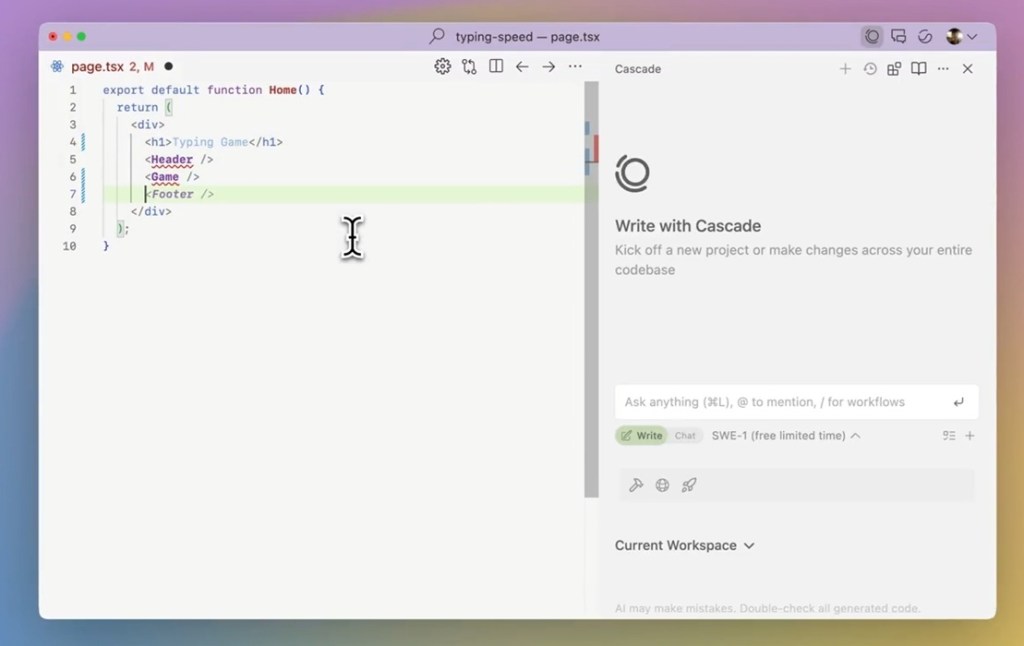
Not to mention, Windsurf suggests commands, detects issues and offers suggestions for debugging right away. As it’s an agentic IDE, it can navigates files and folder and perform multi-file editing as well. Basically, Windsurf lets you autocomplete code with relevant tab suggestions. Not to mention, you can access all the top AI coding models such as Gemini 3 Pro, GPT-5, Claude Opus 4.5, and more.
Pros Cons Generate, run, and debug code Not as mature as other agentic IDEs Integrated agentic IDE Cascade feature
Pricing: Free, Starts at $15 per month
7. Replit
Replit is not a platform meant for developers, but for general users, it’s one of the best AI for programming. You can vibe code using Replit and create apps and websites within minutes. You don’t have to learn programming or numerous other languages. Simply describe what you want to build in natural language, and Replit starts to plan and implement your decisions.


You can use Replit to build mobile apps for Android and iOS (in Beta currently), websites, web apps, 3D games, and more. The best part about Replit is that it also hosts your websites so you can easily share with others. Basically, if you want to build an AI app from scratch, Replit is the best solution for non-programmers.
Pros Cons Great for non-programmers Not intended for developers Build apps and websites using text prompts Maintains hosting too
Pricing: Free, Starts at $20 per month
8. CodeGPT
If you use VS Code extensively for programming, then you can take a look at CodeGPT. It’s a third-party extension developed for VS Code and JetBrains. You can add your own API key to access the best AI coding models, and start using the extension in your codebase. I have personally used the extension, and it’s one of the best AI for programming.

You can ask CodeGPT any coding-related questions and it will answer your queries right away. In addition, you can generate code, select a code snippet and ask CodeGPT to explain the function, find problems and solutions, refactor the code, document it, and much more. You can also write unit tests for various functions. And now, you also get an AI agent to do the planning and execute programming tasks.
Pros Cons Great extension for VS Code and JetBrains May face conflict issues at times Bring your own key (BYOK) model Access frontier AI coding models
Pricing: Free, Paid plan starts at $6.67 per month per seat
And that wraps up our list of best AI for programming tasks. If you are a full-time programmer, I would highly recommend Claude Code and use the Claude Opus 4.5 AI model for the best experience. You can also take a look at OpenAI Codex and Cursor. Finally, if you have any questions, let us know in the comments below.