AI assistants have started to take a more prominent place in our lives, helping us with things like summarizing content, writing code, creating playlists, or managing calendar events. It frees up valuable time and also boosts productivity. So if you are searching for the best AI assistant to make life easier, then you have come to the right place. I have showcased the top AI assistants for programming and personal use which you should try out in 2026.
Best AI Assistants Compared
These are not just any ChatGPT alternatives, but AI assistants based on action-driven features and usability that they offer. So here’s a quick comparison of all the best AI assistants featured on this list.
| AI Assistants | Best Suited for | Limitations | Pricing |
|---|---|---|---|
| Google Gemini | All purpose use case with deeper integration in Android and Google ecosystem | Lacks some Google Assistant features | Free, AI Pro plan starts at $19.99/month |
| ChatGPT | All-purpose general-use case | Lacks tight integration with OS platforms | Free, Plus plan starts at $20/month |
| Microsoft Copilot | General use, with deeper integration in Office 365, Windows 11 and other Microsoft products | Not quite as creative in image and video generation | Free, Copilot Pro for Individuals starts at $20/month |
| Cursor | Coding, real-time programming assistance | Not a general-purpose everyday AI assistant | Free, Pro plan starts at $20/month |
| Perplexity | Accurate research, general purpose use and a great assistant on Android and iOS | Sounds robotic in voice mode | Free, Pro plan for Individuals starts at $20/month |
| Claude | Strong coding performance, integration with third-party tools and services | Not tightly integrated with OS platforms | Free, Pro plan starts at $17/month |
| Siri with ChatGPT | Basic voice assistant for iOS | Siri’s own intelligence is questionable | Free, can pay extra for ChatGPT Plus membership |
Overview of the Best AI Assistant
Some AI-powered assistants integrate better with your smartphone and work environment, and offer more capabilities, making your job easier. After testing several options out there, I have compiled these seven AI assistants. Let’s have a look at them.
1. Google Gemini
If we are talking about the best AI assistant, then there’s no shadow of doubt that Google’s Gemini should be at the top of the list. It’s already present on your Android smartphone and connects very well with Google’s suite of apps, like Gmail, Chrome, YouTube, YouTube Music, Google Photos, Assistant, Keep, Docs, and more.
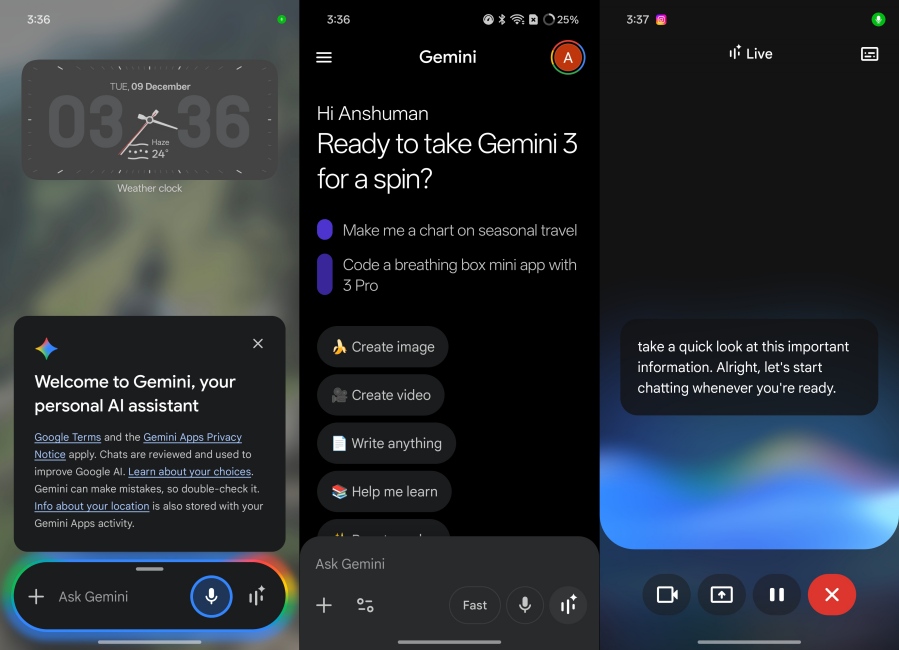
So it can set alarms, manage calendars, draft your grocery list, summarize YouTube videos, and a lot more. Plus, Gemini 3 Pro is a powerful AI model, doing everything from generating lines of code like a good programming assistant, nostalgic images with Nano Banana Pro, to even making AI videos with Veo 3. It’s a great overall option, and is mostly free to use, which is why it is at the top.
| Pros | Cons |
|---|---|
| Deep integration with Android and Google apps | Lacks some Google Assistant features |
| Easily syncs content across devices | |
| Great all-purpose AI Assistant | |
| Most features are free to use |
Pricing: Free, AI Pro plan starts at $19.99/month
2. ChatGPT
ChatGPT is another great AI companion, but it ranks behind Gemini because it doesn’t integrate well with any particular ecosystem. That said, I can still set it as the default AI voice assistant on my Android phone, and it will be able to answer any basic queries. However, it has recently received app integration, so ChatGPT can create a Spotify playlist and directly add it to the app as well. The same goes for Canva, Zillow, Expedia, and more.
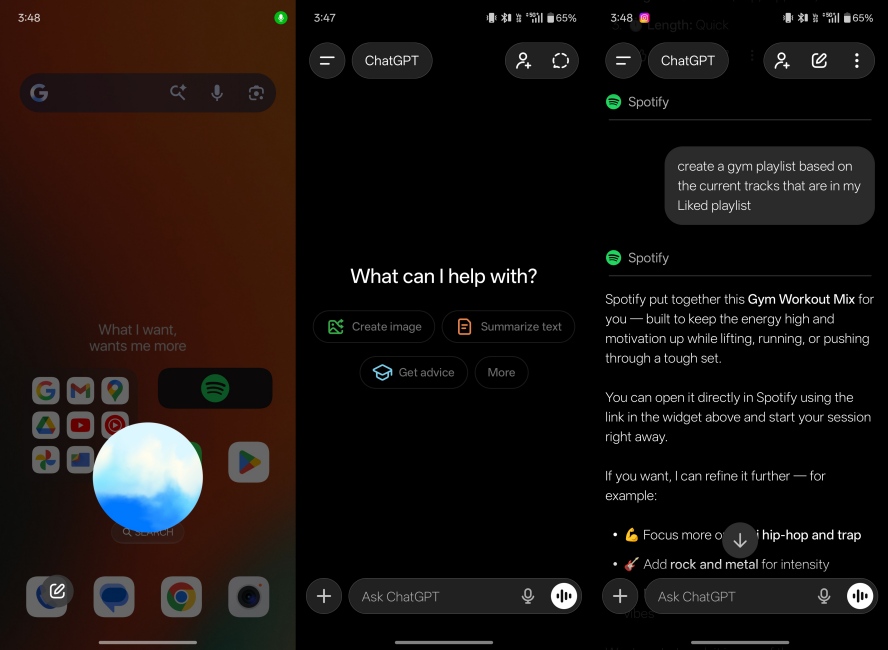
It is also an excellent AI research tool and coding agent that can solve problems in minutes. Its image generation capability is already well known, thanks to the Studio Ghibli trend. I use it every day, and I am sure you do it too. So, all that considered, ChatGPT is a seriously good option you can consider.
| Pros | Cons |
|---|---|
| Outstanding voice mode | Lacks deep integration with OS platforms |
| Can be set as default voice assistant on Android | |
| Supports some third-party apps | |
| Great at image generation and coding |
Pricing: Free, Plus plan starts at $20/month
3. Microsoft Copilot
If you use Microsoft’s suite of Office apps or daily a Windows 11 machine, then Copilot will be your trusty companion. As much bad rep as it gets, I have found in my testing that Copilot is actually quite competent, and integrates as well as Gemini does in the Google ecosystem. Whether it’s the Edge browser, Outlook Mail, or the Windows taskbar, Copilot is everywhere, ready to assist you.
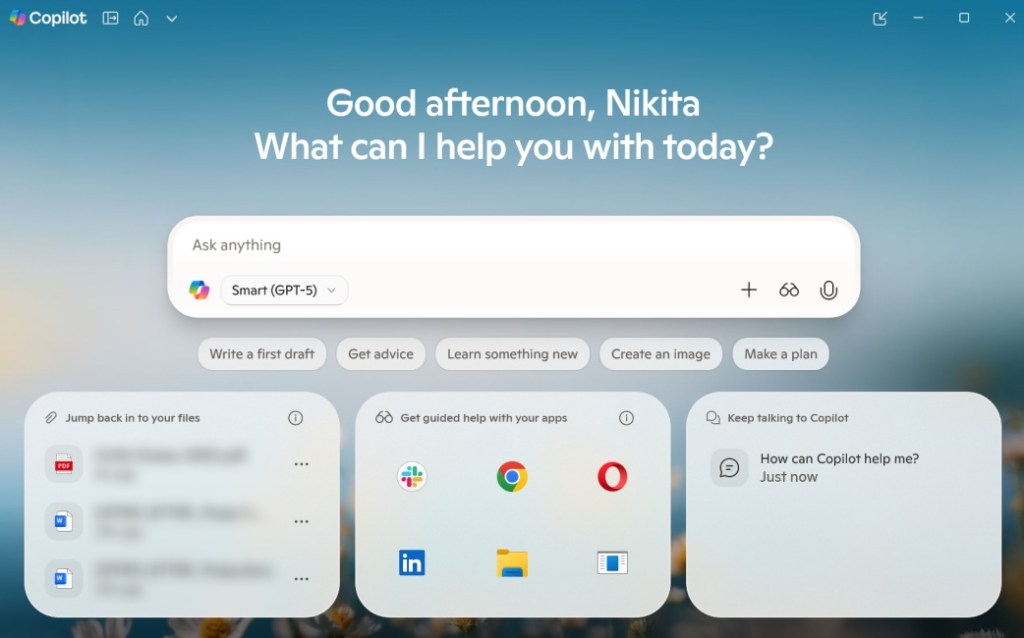
It might not be as creatively gifted as the above AI models, but for business-oriented needs like generating PowerPoint presentations, drafting Excel sheets, or simplifying your quarterly reports, it is the best there is. Plus, most of its features are available for free. I even prefer Copilot’s search summaries in Bing search over Google’s AI Mode.
| Pros | Cons |
|---|---|
| Integrates with Microsoft’s suite of apps | Not as creative in image generation and videos |
| Deeply integrated on Windows 11 | |
| Offers consistent results | |
| Well-suited for businesses and office use cases |
Pricing: Free, Copilot Pro for Individuals starts at $20/month
4. Cursor
An AI assistant doesn’t necessarily have to be the one that sets your alarm or creates your itinerary. It can also be an AI coding editor like Cursor that assists you in programming, understands your codebase, and provides real-time solutions. I am not a coder, but based on industry metrics, Cursor can accurately analyze codebases, imports, project structures, debug, and implement features effortlessly.
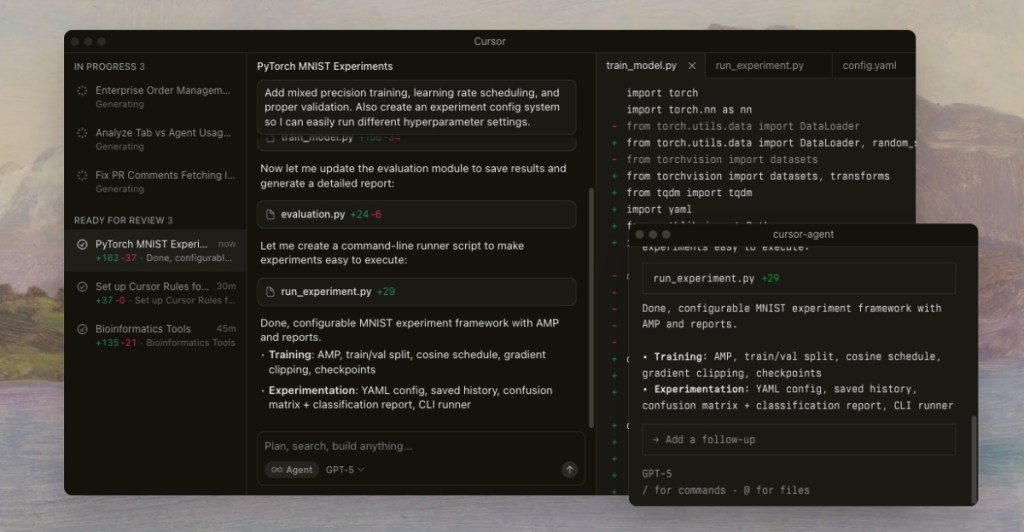
My coding friends say that using Cursor feels like working with a senior developer. It’s excellent at solving messy logic, fixing bugs by tracing their root cause, and helping beginner-level engineers like a good AI coding assistant should. So if you are a developer, Cursor might be the best AI assistant for you.
| Pros | Cons |
|---|---|
| Deep understanding of different codebases | Can occasionally offer unnecessary assistance |
| Great at debugging and refactoring | |
| Supports real-time coding | |
| Offers quick support in any programming environment |
Pricing: Free, Pro plan starts at $20/month
5. Perplexity
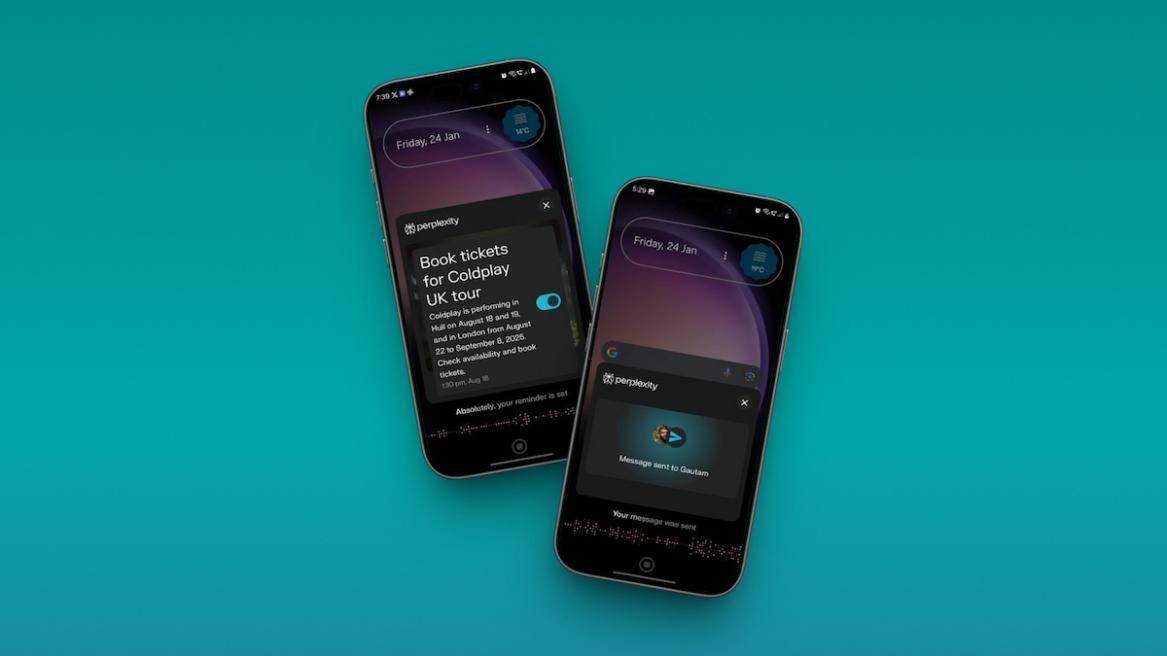
Perplexity is an amazing AI research engine, especially handy for students who want quick answers with correct citations. But that’s not why it is included in this list. Surprisingly, Perplexity integrates with Apple’s stock apps on iPhones, making it a better version of Siri than Siri itself. It can play songs from Apple Music, search for directions on Apple Maps, and even draft emails and send them to your contacts.
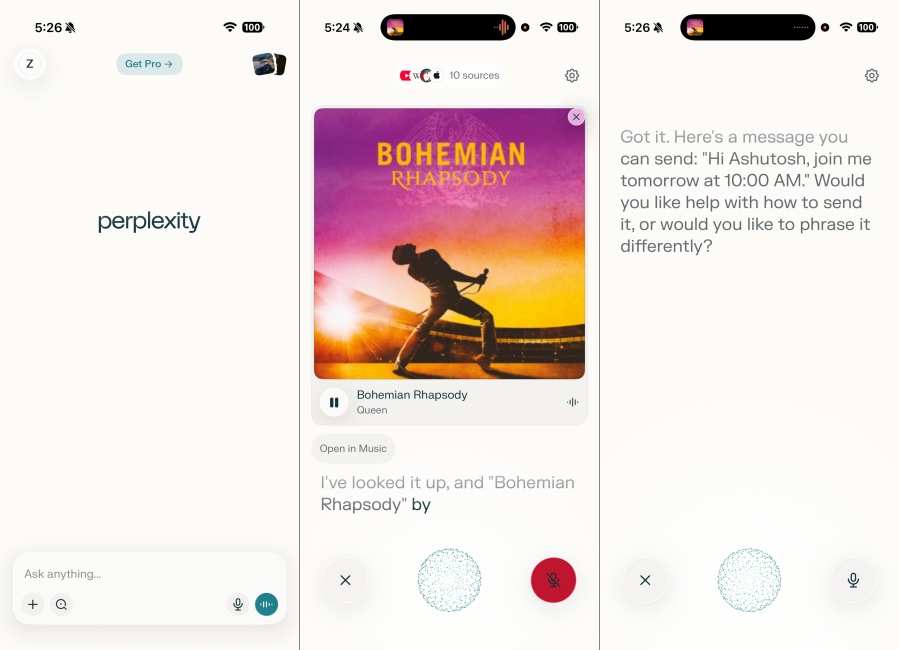
Just install the app and give it the necessary permissions on your iPhone to make it your AI assistant. Though the voice mode does sound robotic, it is more conversational and context-aware than Siri. The best part is that it is free and works on older iPhones. I guess this is why Apple planned to acquire Perplexity to train its AI-powered Siri. But without a doubt, it is a great AI assistant for iPhone users.
| Pros | Cons |
|---|---|
| Fast and accurate at research-based tasks | Can offer some long winded answers |
| Integrates well with iPhone stock apps | Might not correctly cite sources at times |
| Good at understanding more complex questions and prompts | |
| Lets you organize chats in Threads |
Pricing: Free, Pro plan for Individuals starts at $20/month
6. Claude
Claude is a lesser-known, but still popular AI assistant that excels in its ability to handle long, winding queries and offer a simpler, less nuanced answer. Not only does this make it a great companion if you have writer’s block and need brainstorming suggestions, but also a good AI assistant to have a conversation with.
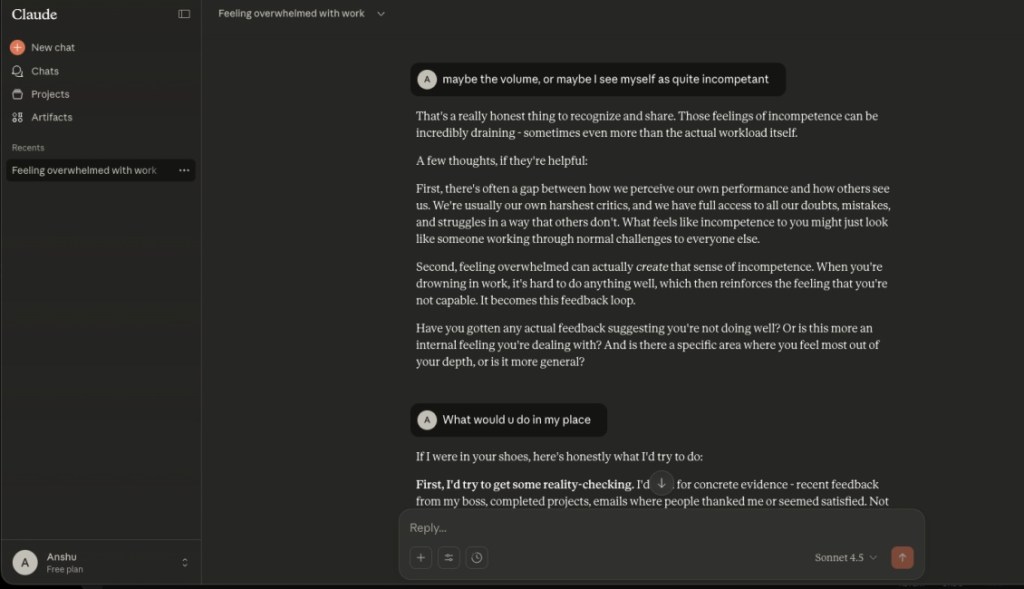
I tested it out, and it suggests some good, helpful advice for a variety of different situations, like a buddy who is always there to listen. I know other AI models can do the same, but they all sound more robotic, waiting for you to help them think for you. It’s the other way around for Claude. Anthropic has also integrated Claude on Android with some actionable tasks so that is great for AI assistance.
| Pros | Cons |
|---|---|
| Powerful coding ability | Native apps can be better |
| Can carry out very human-like conversations | |
| Does not hallucinate much | |
| Direct integration with GitHub |
Pricing: Free, Pro plan starts at $17/month
7. Siri with ChatGPT
Apple’s Siri is arguably the first AI assistant, the one that started it all, but sadly, it gets the last spot on this list. The reason is simple: it is not that smart compared to the latest AI assistants available today. It is not context-aware, cannot carry out any multi-step process, or even do a lot of basic things. Just try asking it, “Call me an ambulance”, and you will understand why.
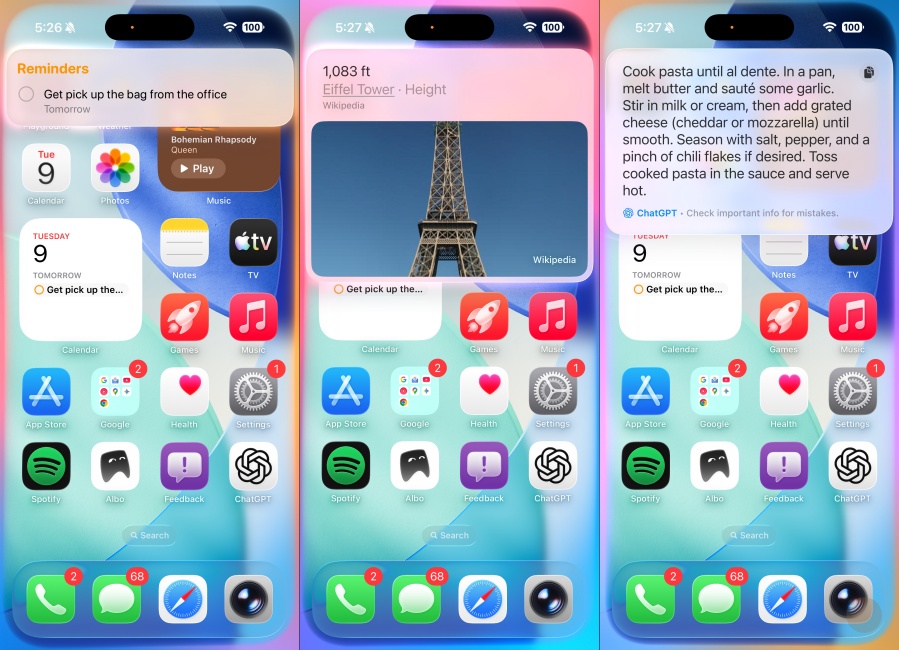
That said, it integrates well with Apple’s ecosystem of devices, so you can ask it to carry out a lot of tasks that rely on stock apps and services. Plus, you can use ChatGPT with Siri, so it can answer some complex questions, but not all of them. Apple has plans to turn it into a proper AI-powered assistant and will be re-releasing it with Gemini next year.
| Pros | Cons |
|---|---|
| Built into Apple devices | Requires a recent Apple device to try out |
| Can carry out cross-platform tasks | Shows incompetence in a variety of basic tasks |
| Hands-free accessibility with ‘Hey Siri’ command | Gets confused with multi-step instructions |
| ChatGPT integration helps answer complex questions | Least conversational among AI assistants |
Pricing: Free, can pay extra for ChatGPT Plus membership
So this brings us to the end of this list. Personally, I use Google’s Gemini and ChatGPT as my daily AI assistants to help me get sorted with my personal as well as professional tasks. But how about you? Which one will you be using, and in case there is any particular AI assistant that you think deserves a spot on this list, then let me know in the comments below. I’d be happy to add it.






 Anshuman Jain