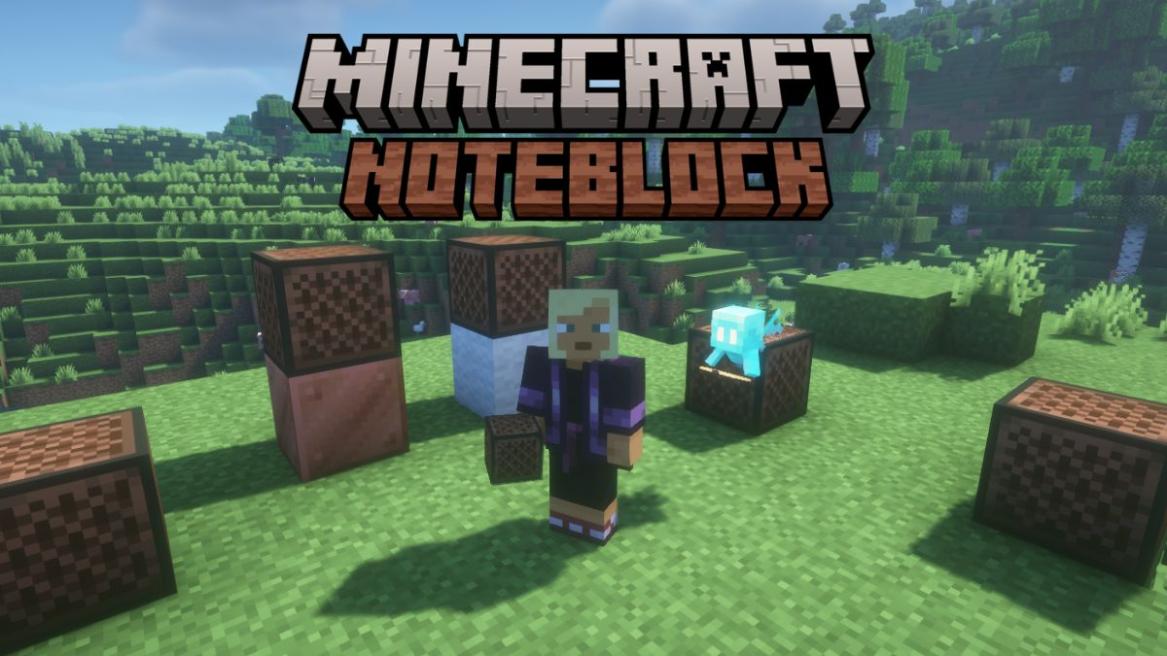
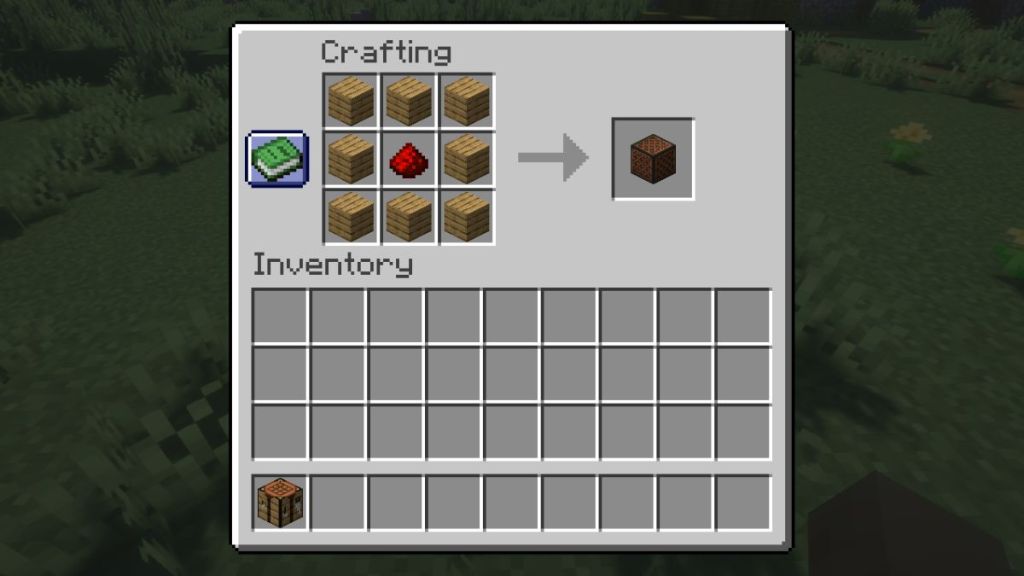
- Players can craft a Minecraft Note Block using 8 wooden planks and 1 Redstone Dust.
- Right-clicking the Note Block can help to tune it and cycle its 25 different pitch levels.
- Using Redstone, repeaters, and placing different blocks under the Note Block can help to create full-fledged songs.
Minecraft is one of those few sandbox games where you can literally do anything: break blocks, create structures, make farms, and if you feel bored, you can even create music. While most of the players focus on building massive castles or speedrunning the game, some take creativity to an entirely different level and are nothing less than real-life music producers. Well, this is only possible if you learn how to use a Minecraft Note Block.
From simple melodies to recreating famous songs and playing any instrument, even the sound of a Minecraft copper trumpet, the Note Blocks can make it possible. The block may look like a simple mesh-patterned wooden block. However, you can change its pitch, emit various sounds by placing different blocks underneath it, or even use multiple such blocks to play chords as well. So, if you’re wondering about creating your own orchestra, check this guide to learn how to make a Note Block in Minecraft and how to use it in the game.
Item Required to Craft a Minecraft Note Block
Before you can start your career as a Minecraft DJ, you’ll need some basic materials to craft the first Note Block. Fortunately, the crafting recipe is not expensive. Here is everything you’ll need to craft a Note Block in Minecraft:
Item Quantity Where to Get Wooden Planks 8 Crafted from any type of wooden log, or make a tree farm in Minecraft Redstone Dust 1 Mine the Redstone Ores found inside caves or dig underground to encounter them Crafting Table 1 Craft using four wooden planks 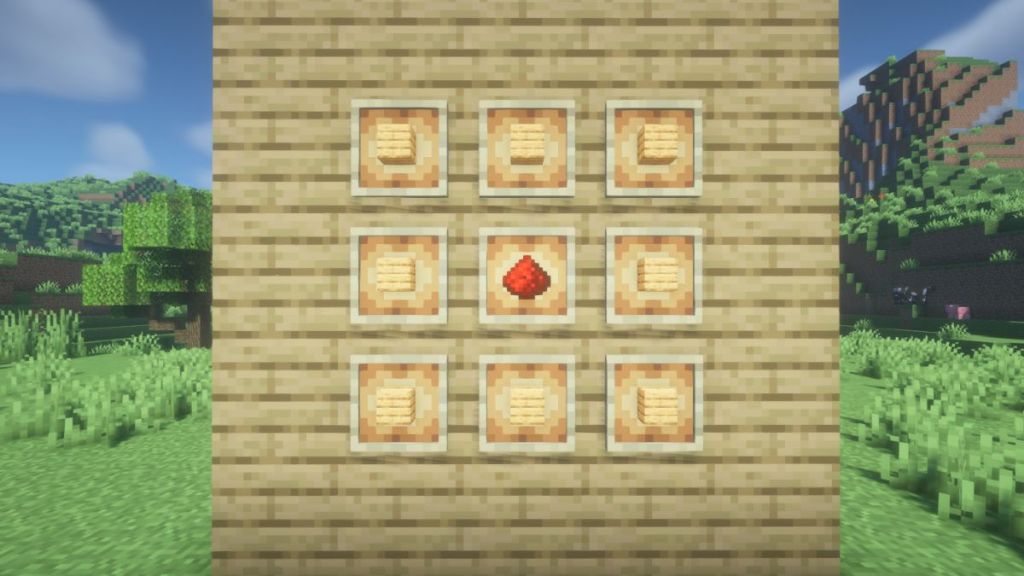

How to Make a Note Block in Minecraft
The crafting recipe for a Minecraft Note Block is surprisingly simple. However, you would first require a crafting table because the block requires 9 ingredients and cannot be crafted in your default inventory menu. Open up the crafting table and follow the steps below:
- Place 1 Redstone Dust in the center square.
- Fill in the remaining slots with wooden planks surrounding the Redstone Dust.
- Drag the resulting Note Block from the right into your inventory.
Other than manually crafting a Note Block in Minecraft, you can find them in Ancient Cities. The Note Blocks will be present inside the secret room hidden under the massive Ancient City Portal. Now, if you don’t want to spend a lot of time crafting this block, but instead, locating Ancient Cities and getting a Note Block seems a better idea, check the best Minecraft seeds to generate such a world instantly.
How to Use a Note Block in Minecraft
The Note Block in Minecraft can produce sounds in several different ways. So, if you want to master music in the game, understanding the interactions is essential.
Right-clicking the Note Block will change its pitch and immediately play a different sound. Left-clicking the block will play the current note without changing the pitch. This way, you can test the sounds and tune the block before using it for your blockbuster song. That said, here are the primary uses of a Note Block in Minecraft:
Playing Musical Notes
One of the primary points for using a Note Block in Minecraft is producing musical notes. As discussed above, when you interact with the block or power it using Redstone, it will play the currently tuned note.
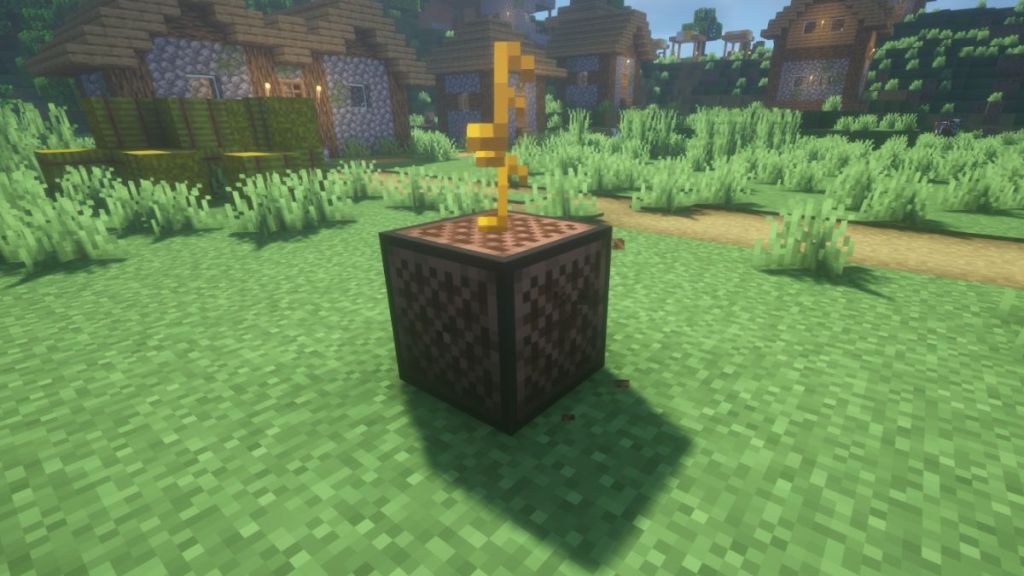
While playing the sound, a colored musical note will pop up above the block. So, by adjusting the pitch and combining multiple Note Blocks together, you can easily create melodies, jingles, and even some full-fledged songs.
The Minecraft Note Block supports 25 pitch settings across 2 octaves, thereby allowing immense flexibility for players to recreate some real-life music as well. Since you’re already here, you can check the list of all music discs in Minecraft for some inspiration on what you can create.
Activating With Redstone
It’s a fact that two is better than one. The same applies to the Note Block in Minecraft, and it becomes more powerful when several such blocks are connected to each other using the Redstone components.
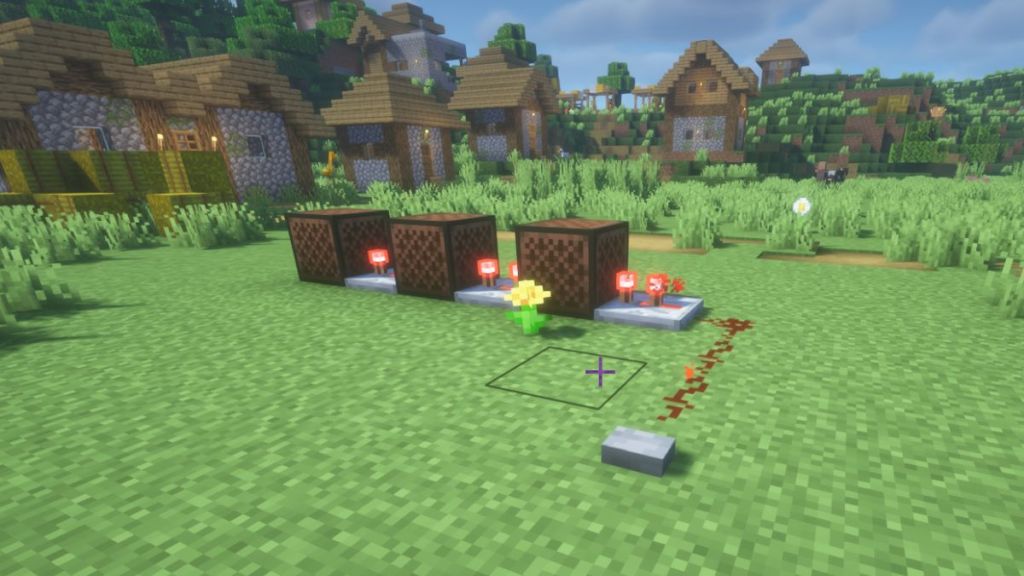
A Note Block can be activated by using buttons, levers, and pressure plates and connected using Redstone dust and repeaters. You need to make sure that the blocks connected in the circuit are tuned properly. Adding to that, you can also change the Repeater time to set the rhythm. This allows playing the notes in a sequence rather than all at once. And voila, you will have your own orchestra with a bit of engineering.
Working with Allays
Minecraft Allays have a unique interaction mechanic with the Note Blocks. If an Allay hears a Note Bloc playing within its hearing range, it will fly towards the block and treat it as a temporary drop-off point. This can help with item collection, and you can use this combination to make automatic Minecraft farms.
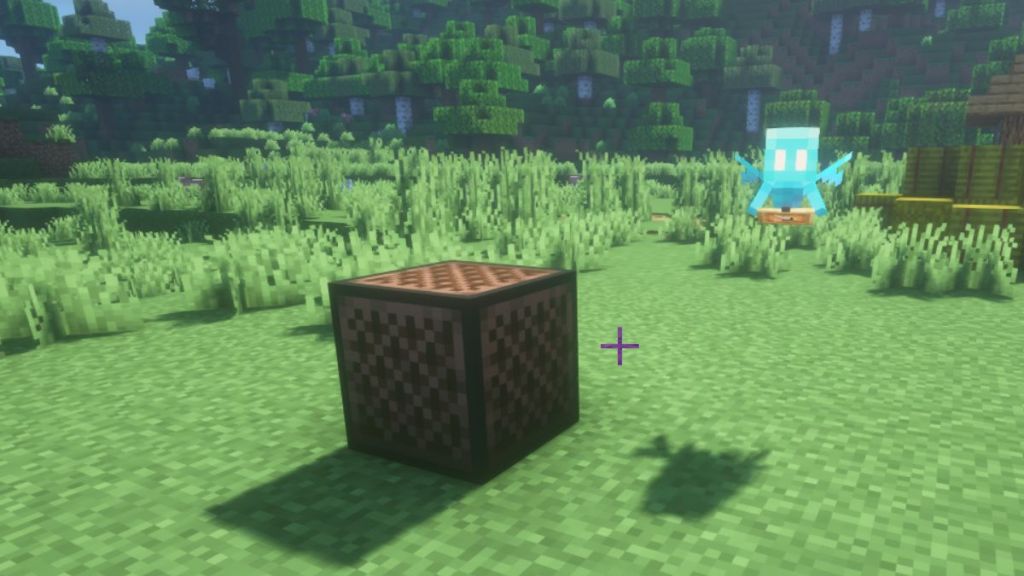
So, after the Allay hears the Note Block sound and drops its first item, it will keep doing the same for matching items for the next 30 seconds, instead of returning them to the player.
Decoration and Fuel
Lastly, the Note Blocks can also be used as some popular decorative blocks in Minecraft due to their unique texture. So, if you’re building your own studio room inside the game, keeping a Note Block in a corner will add a touch of realism because it has a mesh-like look similar to a speaker.
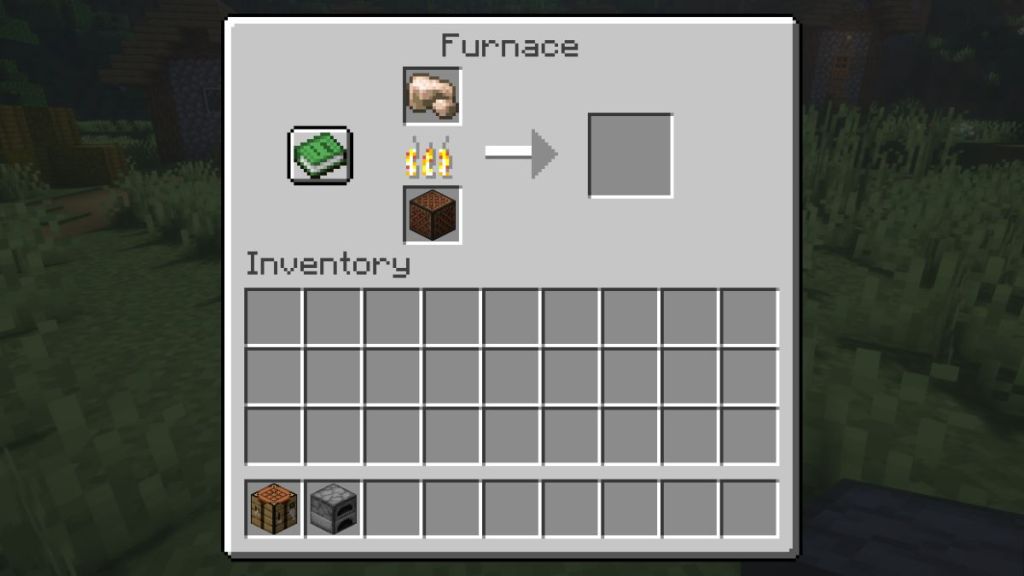
Other than decorative blocks, the Note Block also serves as a fuel, but a very inefficient one. Using Note Blocks inside a Minecraft furnace can help in smelting 1.5 items per block.
How to Set Minecraft Note Block Notes
One of the most important skills to learn is tuning Minecraft Note Block notes. Every time you right-click a Note Block, the pitch increases by one semitone. The block contains 25 such possible pitch settings and covers two whole octaves.
The pitch begins at the lowest F# note and gradually increases to the highest F# note. After reaching the maximum setting, the next click resets the block to the lowest note. So, here is a visual representation of the Minecraft Note Block pitches along with the number of clicks required to reach them:

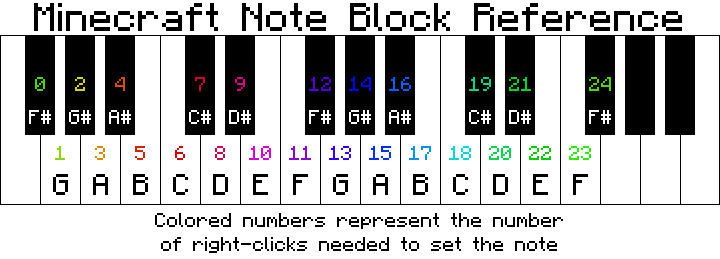
When tuning, you might have noticed several colored musical note particles popping up. These continue to change depending on the note played and therefore give a visual indication of the changing pitches. The color of the musical note is also shown in the above image for your reference. Now go ahead and place these Note Blocks in some of the best Minecraft houses and play a melody of your choice in the game.
How to Play Different Sounds on a Note Block
A lot of players might be unaware of the various instrumental sounds that a Note Block can emit apart from its default “ding” sound. The instrument played depends on the block placed under it. So, here are all the instrumental sounds played by the Minecraft Note Block:
| Block Underneath | Instrument |
|---|---|
| Air or most other blocks | Piano/Harp |
| Wood | Bass |
| Stone | Bass Drum |
| Sand | Snare Drum |
| Glass | Click |
| Wool | Guitar |
| Clay | Flute |
| Gold Block | Bell |
| Packed Ice | Chime |
| Bone Block | Xylophone |
| Iron Block | Vibraphone |
| Soul Sand | Cowbell |
| Pumpkin | Didgeridoo |
| Emerald Block | Bit Sound |
| Hay Bale | Banjo |
| Glowstone | Electric Piano |
| Copper Block | Trumpet |
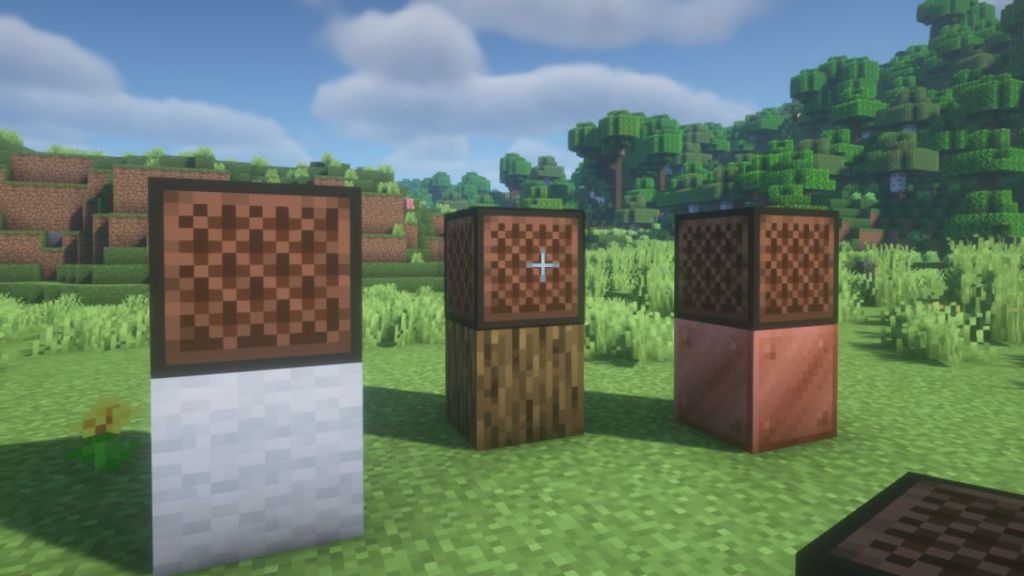
Apart from the instruments, you can also place unique mob sounds. This requires you to place certain mob heads in Minecraft right on top of the Note Block to generate the respective noises those mobs make. Here are the examples of the mob heads you can place:
- Zombie Head
- Creeper Head
- Skeleton Skull
- Wither Skeleton Skull
- Piglin Head
- Dragon Head
And that is all you need to learn about how to use a Note Block in Minecraft. That was enough information for the baby steps towards becoming a music producer in Minecraft. Or are you a combat-oriented player and can’t wait to get your hands on the Twisted Warden in Minecraft Dungeons 2? Tell us in the comments below.
Place 1 Redstone Dust in the center of a crafting table and surround it with 8 wooden planks to create the Minecraft Note Block.
A Note Block has 25 pitch settings and covers two full octaves from the lowest F# to the highest F#.
Yes, the Note Block in Minecraft can play different instrument sounds when different blocks are placed directly below it. This can help produce sounds like guitar, flute, bell, banjo, trumpet, and more.
Yes, Redstone can trigger Note blocks automatically, helping you create music and songs.
Yes, Allays can hear the nearby Note Blocks to use them as delivery locations for the items they have collected.





![[OPINION] Ice Caves Could Remind Fans Why Minecraft Has 'Mine' in Its Name](https://static.beebom.com/wp-content/uploads/2026/10/Ice-Caves-Make-Mining-Fun-in-Minecraft.jpg?w=300&quality=75)