- Calcite can be obtained from the Amethyst Geodes, Stony Peak biomes, and the upcoming Ice Caves in Minecraft.
- Players can use any pickaxe to mine Calcite and obtain it as a block.
- The upcoming update includes Calcite Pillars, Slabs, Stairs, Walls, Polished Calcite, and Polished Calcite Bricks.
Calcite is one of those Minecraft blocks that can easily make your humble survival base look like a royal Greek palace. This mineral block is a fantastic choice for marble-inspired builds and modern houses. So, if you’re wondering how to get Calcite in Minecraft and what blocks you can craft with it, here’s everything you need to know.
Where to Get Calcite in Minecraft
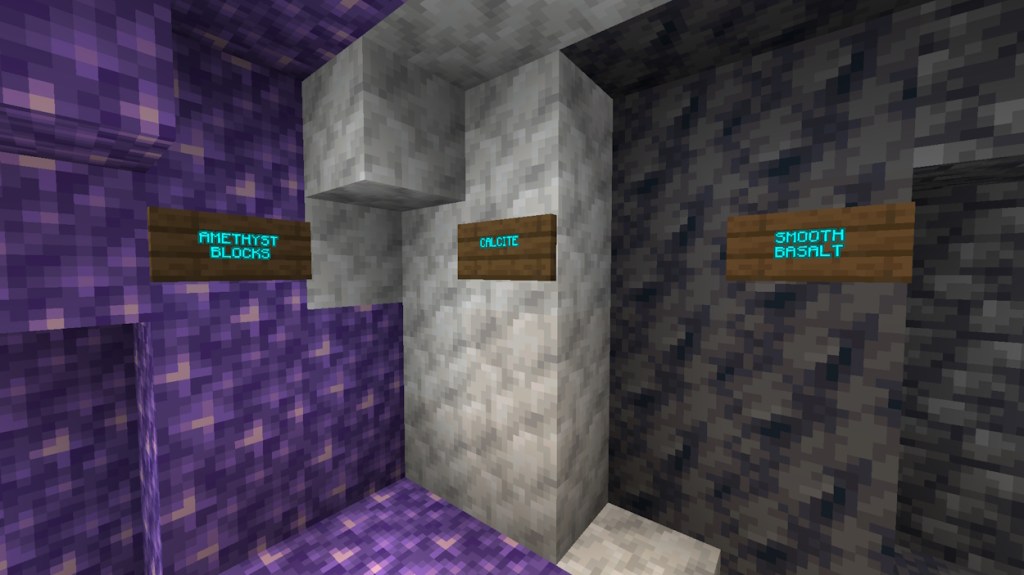
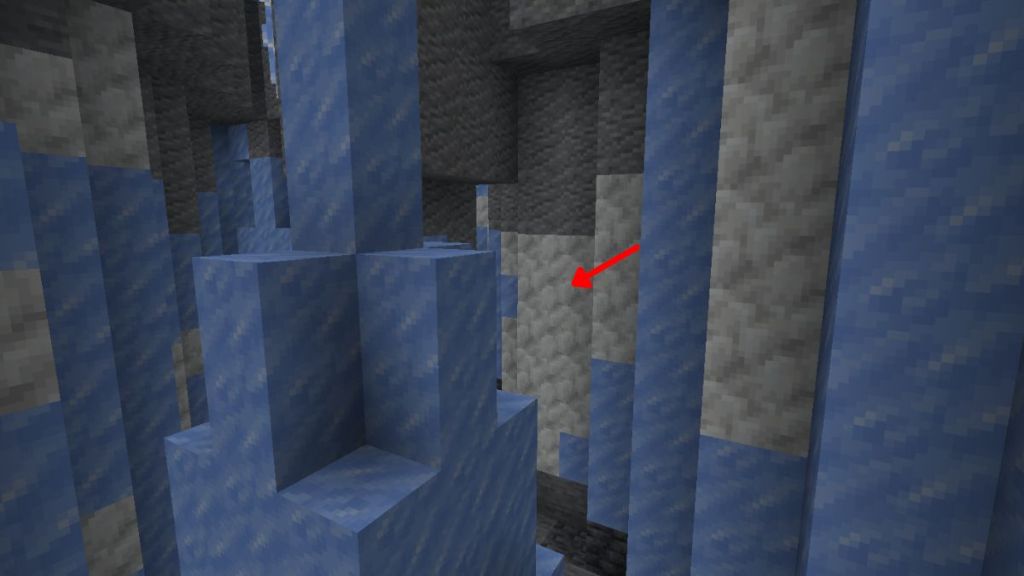
Calcite naturally generates in the Amethyst Geodes and Stony Peaks biomes of Minecraft. With the upcoming Minecraft 26.4 winter update, you can also discover Calcite inside the Ice Caves. So, here’s a quick look at where to find Calcite in Minecraft:
| Location | Generation | Best Way to Collect |
|---|---|---|
| Amethyst Geodes | Middle layer between Smooth Basalt and Amethyst | Explore the underground geodes |
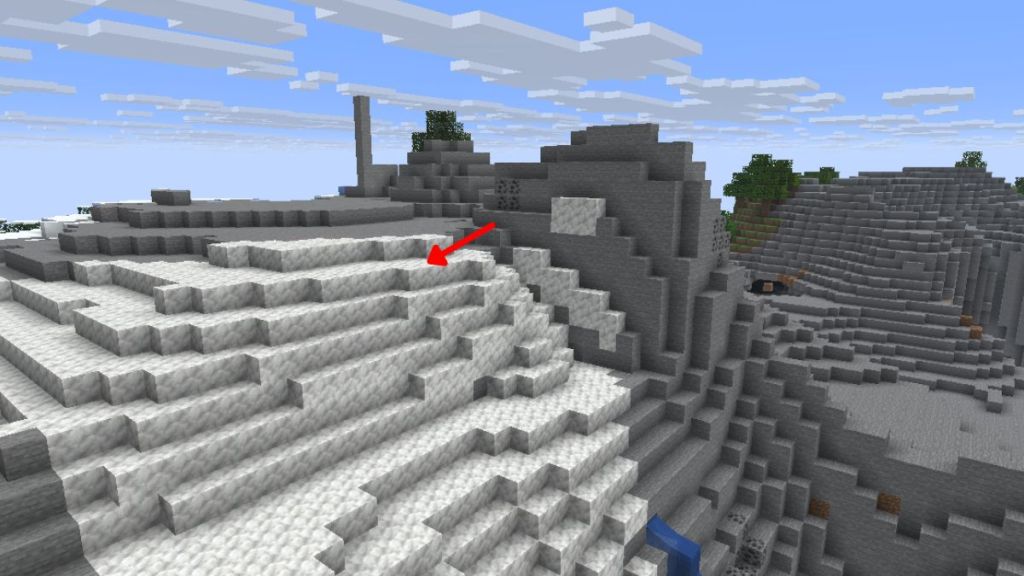
| Stony Peaks | Exposed patches across the mountainous terrain | Mine on the mountain surfaces using your pickaxe |
| Ice Caves | Natural deposits inside the Ice Caves of Minecraft | Explore the caves |
How to Mine Calcite in Minecraft
Finding Calcite does more than half the work for you, leaving only the job of choosing the right pickaxe. Fortunately, you can get the Calcite block by mining with any pickaxe, but using your hand will break the block and drop nothing. So, here’s what you need to do:
- Equip any pickaxe, regardless of its material.
- Use the pickaxe on the Calcite block and break it.
- Collect the dropped Calcite and add it to your inventory.
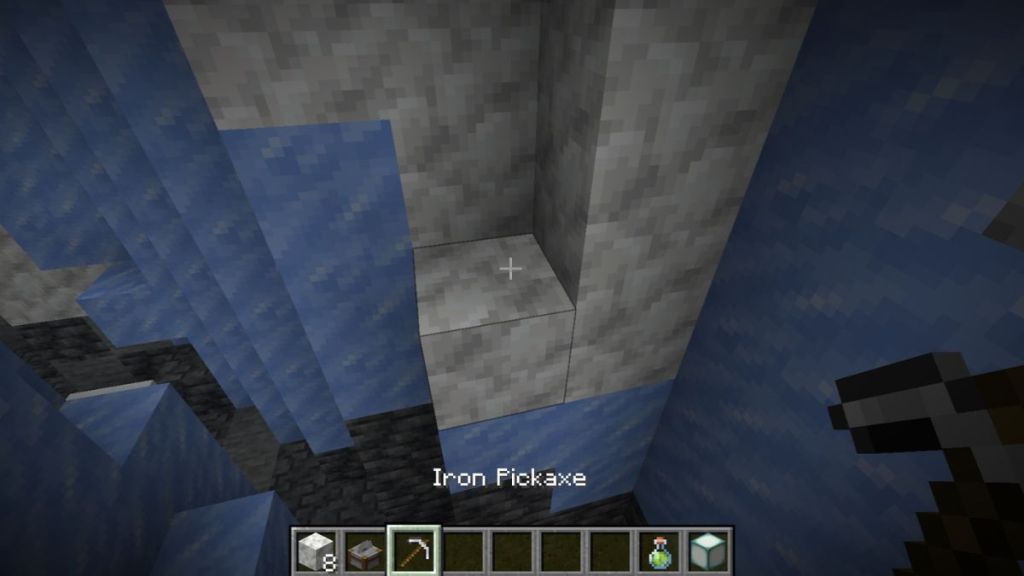
Additionally, there’s no need for your pickaxe to have the Silk Touch enchantment in Minecraft.
How to Make Calcite Block Variants in Minecraft
Calcite has always been a useful decorative block in itself since its addition in the Caves and Cliffs update. However, with the upcoming Minecraft winter drop, you will be able to turn Calcite into several architectural variants, including stairs, slabs, walls, pillars, polished blocks, bricks, and more.
Here are all the Calcite block variants that you can make:
- Calcite Pillar: Place 2x Calcite blocks vertically on top of one another on the 3×3 Minecraft Crafting Table grid to get the pillar variant.
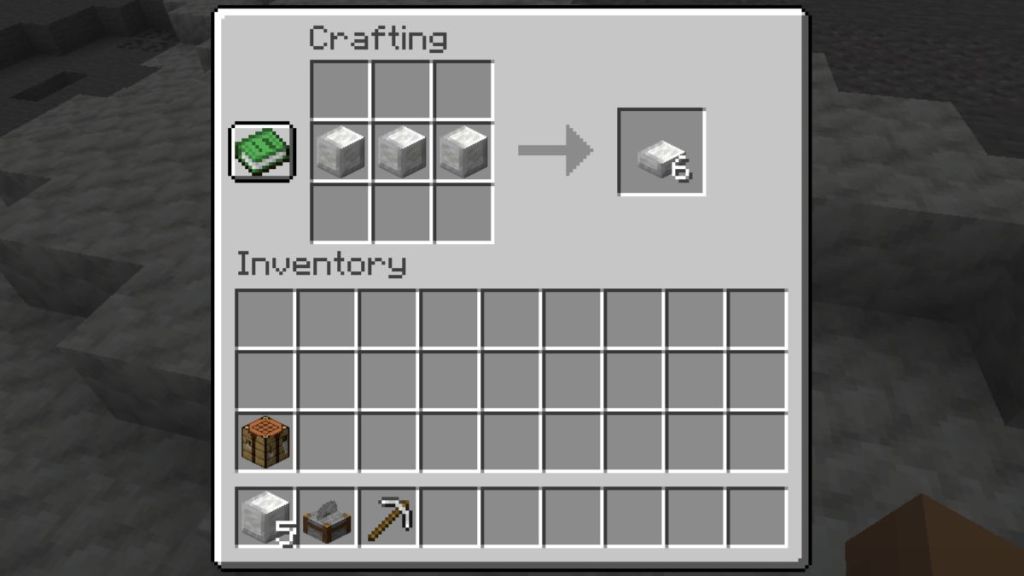
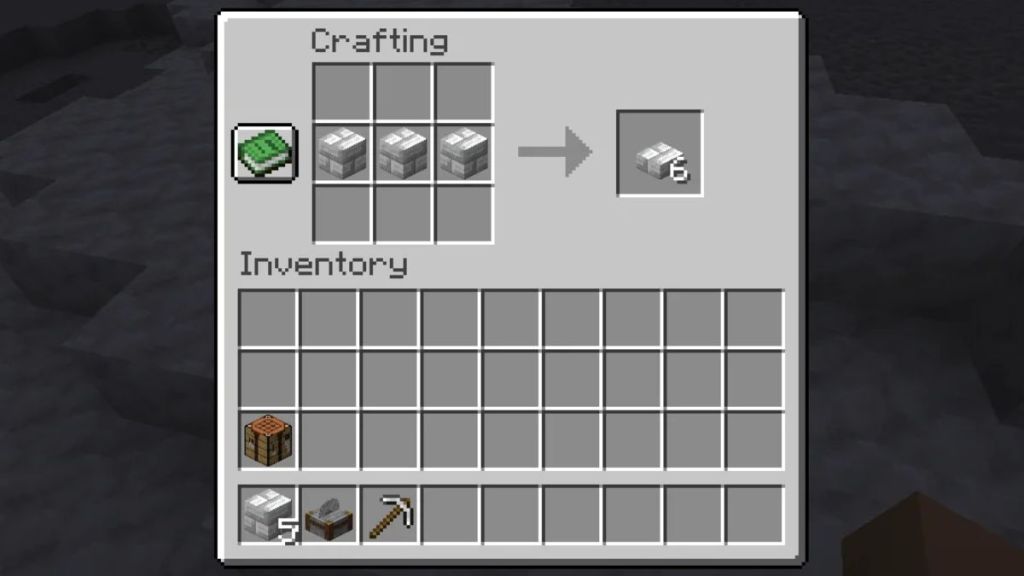
- Calcite Slab: This half-height block can be made by placing 3x Calcite blocks in a single row on the crafting grid.
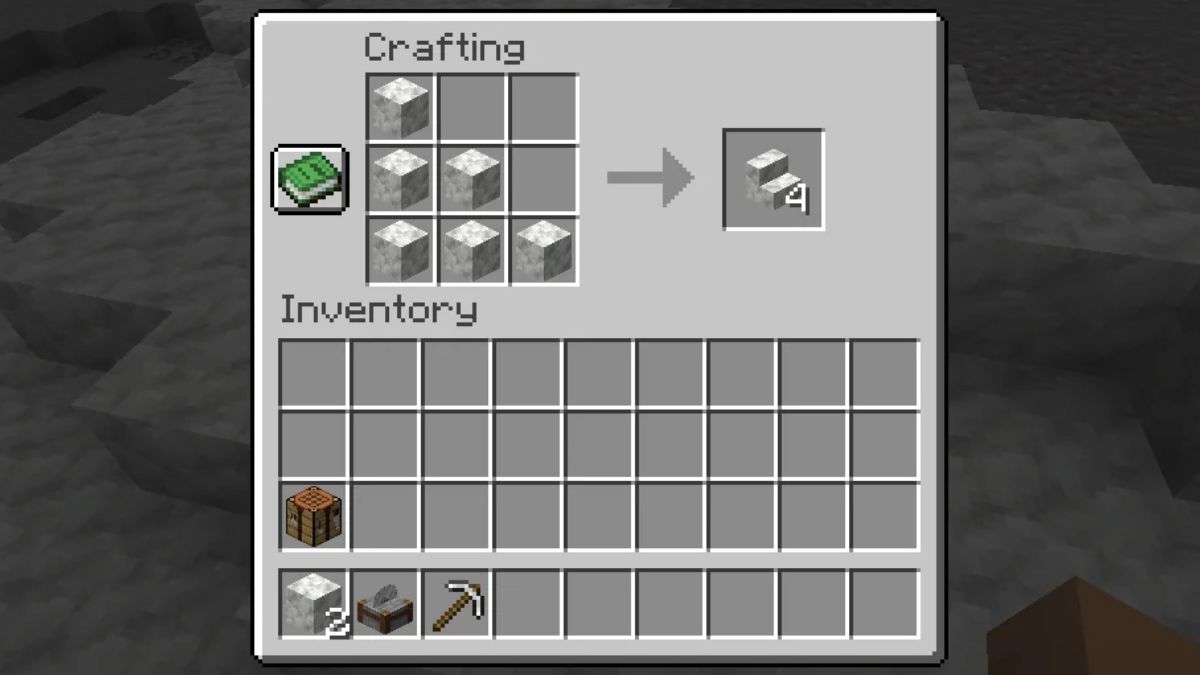
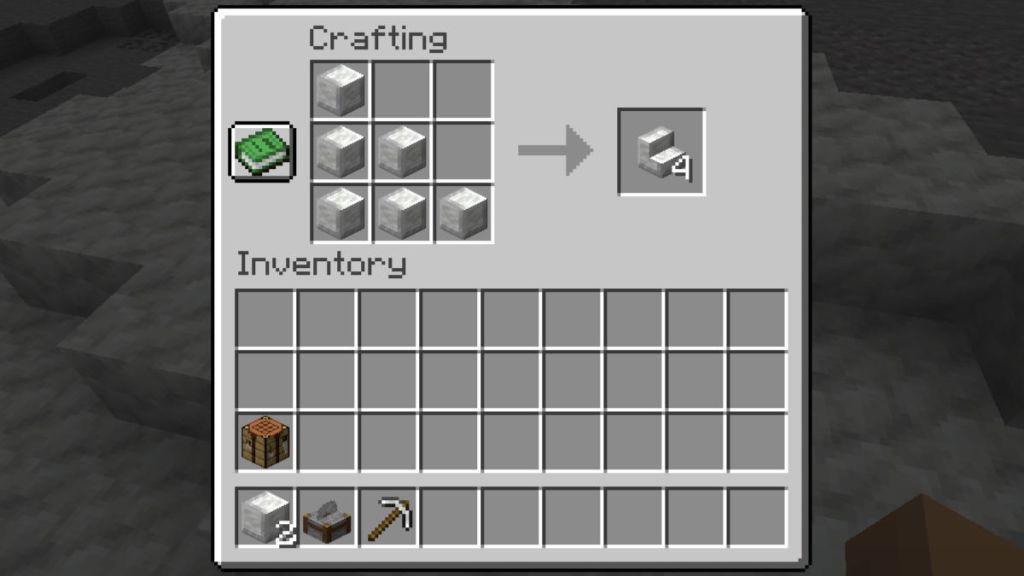
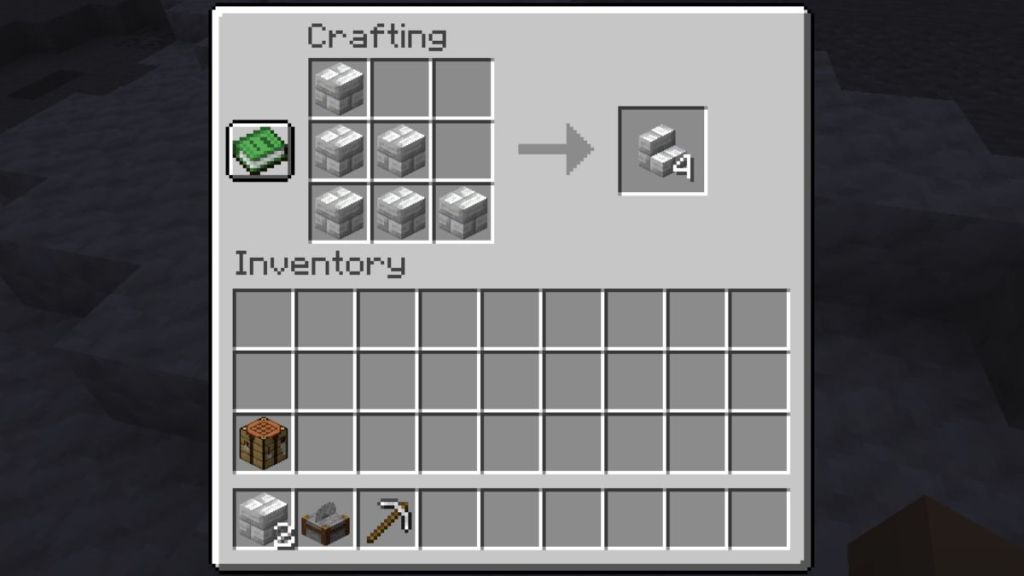
- Calcite Stairs: Place 3x Calcite blocks in the cells of the first column, 2x blocks in the third row, and one at the center to get the stairs.
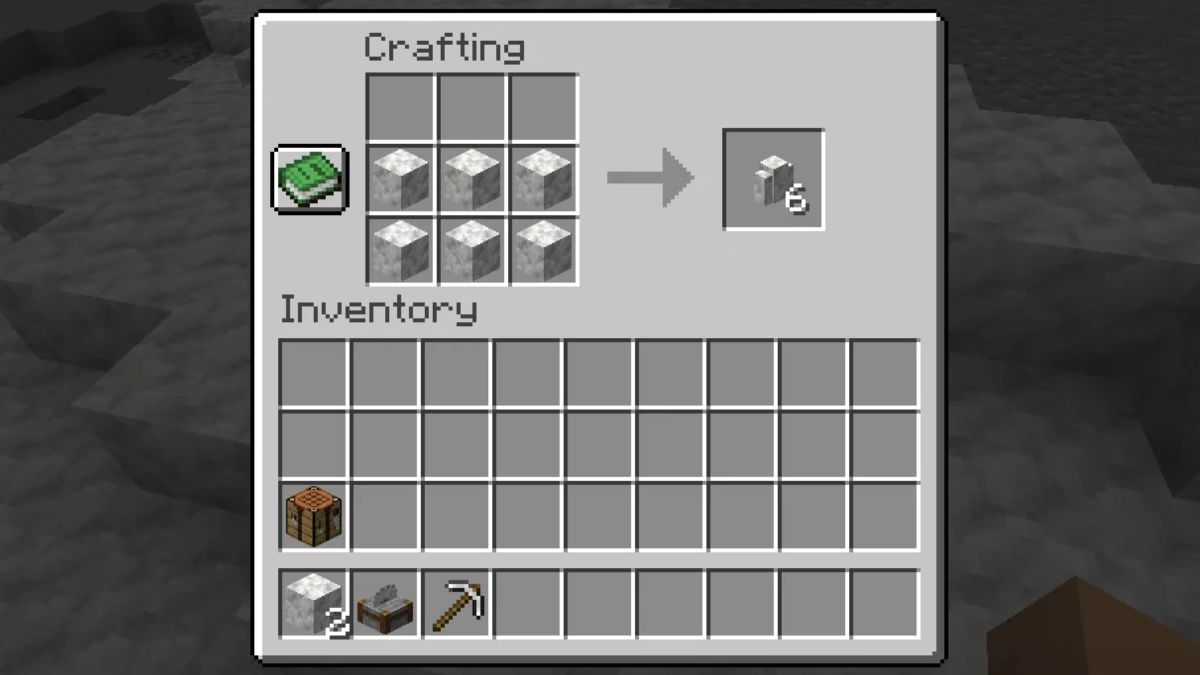
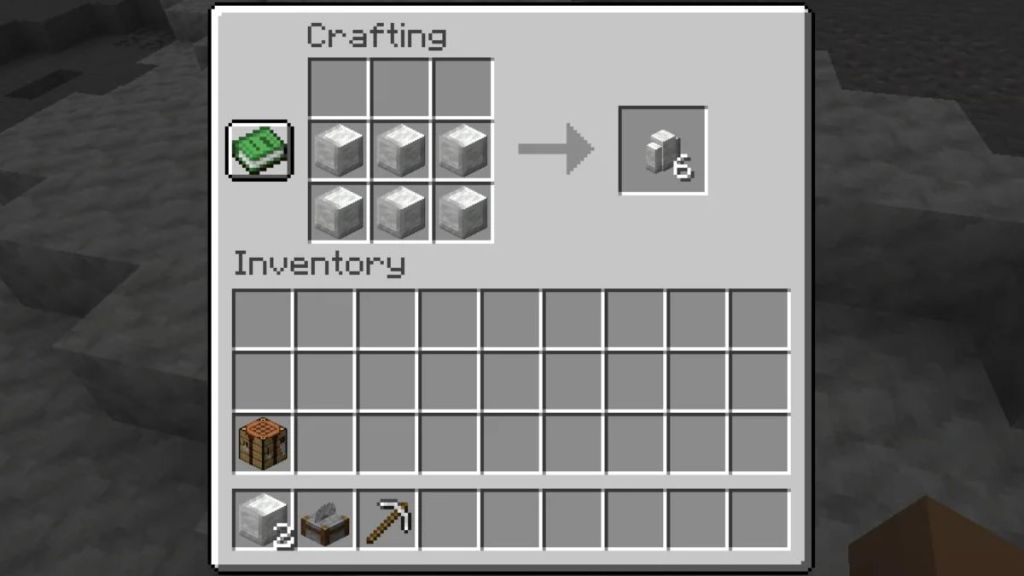
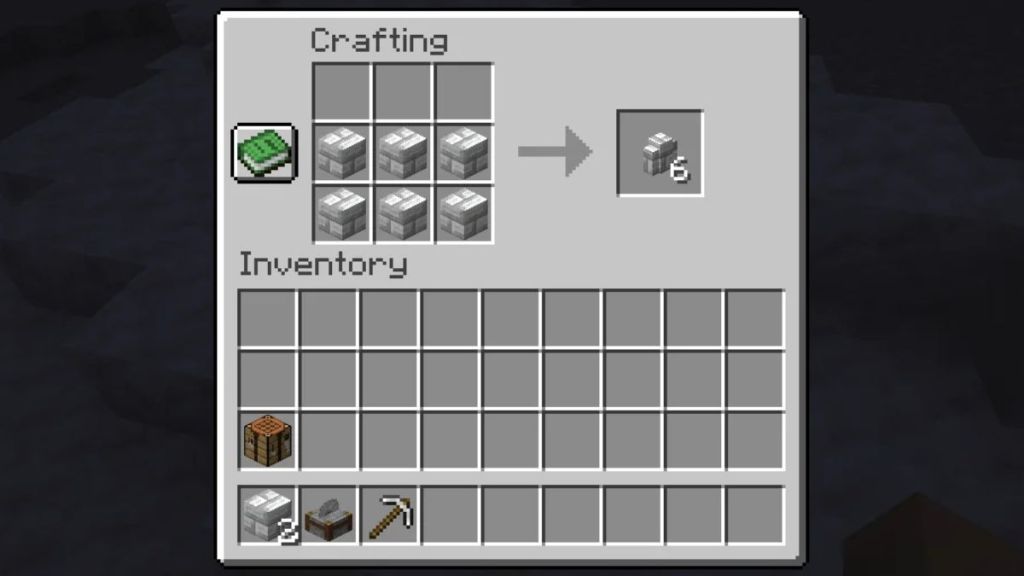
- Calcite Wall: Place 6x Calcite blocks in two adjacent rows of the grid to get wall variants.
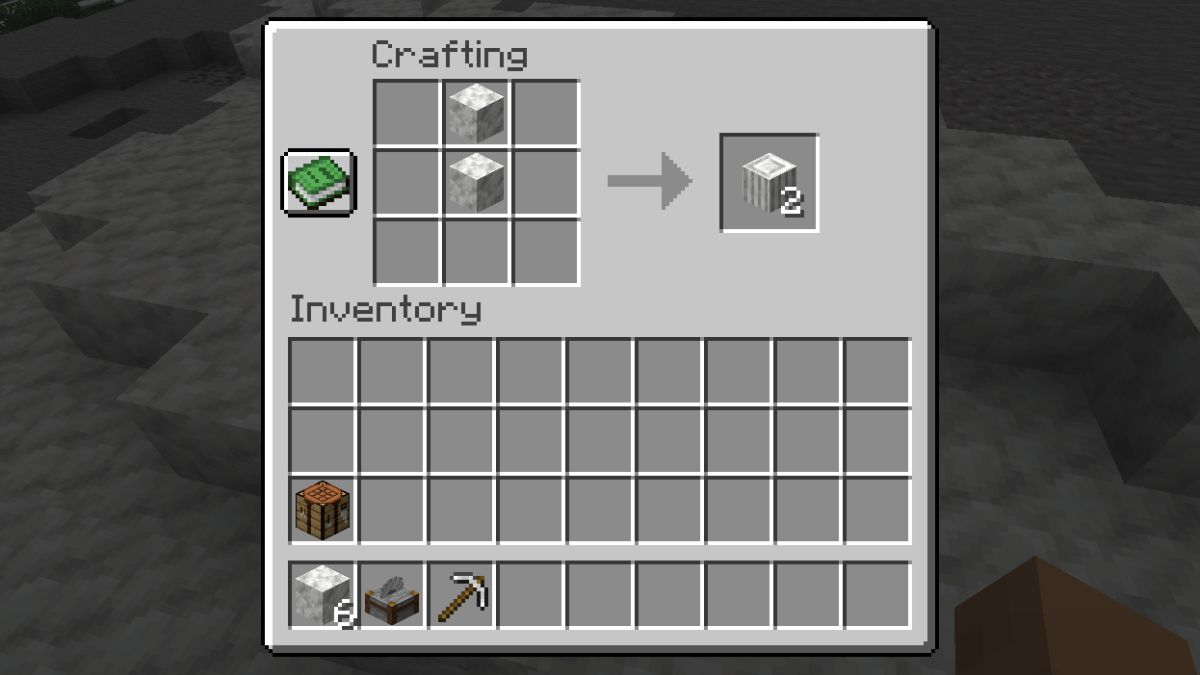
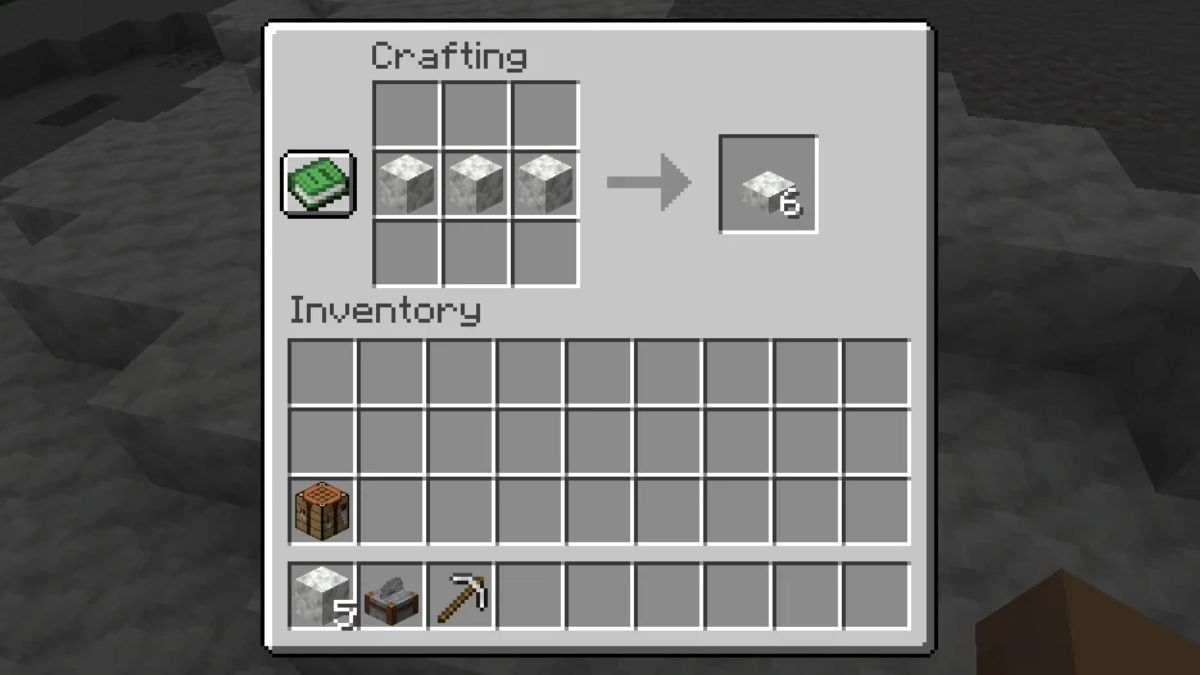
Apart from the above, you can further make the Polished Calcite blocks and the Polished Calcite brick blocks as well. If the Crafting Table seems to use up most of your resources, consider using the Stonecutter in Minecraft to get all the Calcite block variants discussed here.
How to Make Polished Calcite in Minecraft
Polished Calcite is a refined version of the regular uneven textured Calcite block. It can be perfect for building modern house ideas in Minecraft; use it for marble flooring, elegant hallways, or bright interiors. To make Polished Calcite in Minecraft, follow the steps below:
- Arrange 4x Calcite blocks in a 2×2 arrangement in your Crafting Table grid.
- Collect the Polished Calcite block variant from the right cell and store it in your inventory.
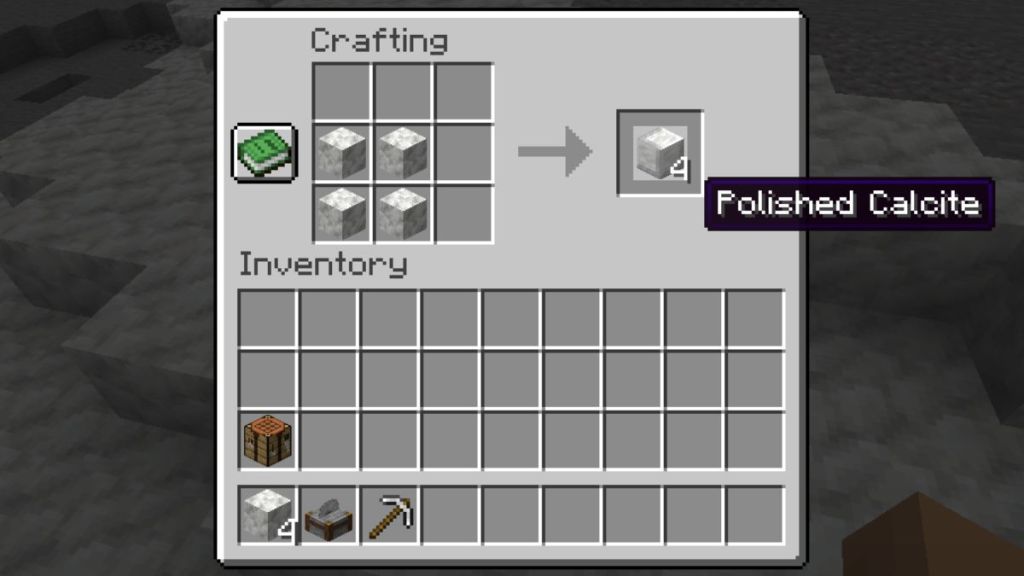
Once crafted, you can use the Stonecutter to process the block and make the following variants again:
- Polished Calcite Slab: Ideal for flooring, platforms, and layered structures.
- Polished Calcite Stairs: Useful for elegant staircases and polished entrances.
- Polished Calcite Wall: Perfect for decorative barriers and modern architecture.
How to Make Polished Calcite Bricks in Minecraft
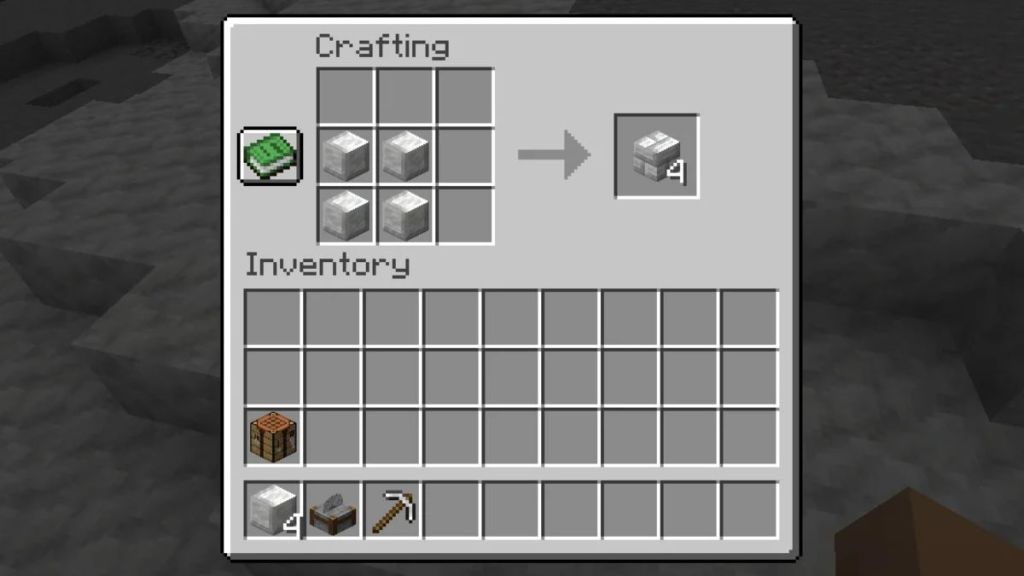
The Polished Calcite Bricks are another upcoming decorative block variant that expands the blockset for the Calcite family. Unlike the smooth appearance of Polished Calcite, these blocks feature a brick pattern that allows you to give your structure an architectural look. Apart from using the Stonecutter, here’s how you can make the Polished Calcite Bricks in Minecraft:
- Place 4x Polished Calcite blocks in a 2×2 arrangement on the Crafting Table grid.
- Collect the Polished Calcite Brick block from the right cell and store it in your inventory.
Similar to the previous blocks in this family, you can again make the three variants of the Polished Calcite Bricks and add them to your builds. Here are the three variants:
- Polished Calcite Brick Slab: Useful for making floors and layered structures in your base.
- Polished Calcite Brick Stairs: Use them for making grand staircases and entrances.
- Polished Calcite Brick Wall: These blocks are perfect for making castle walls, partitions, and decorative boundaries.
All Uses of Calcite in Minecraft
Calcite is mainly a decorative block that expands the building block set for players. So, here are all the uses of the Calcite block family in the game:
- Build Modern Houses: Calcite is an excellent material for building modern architecture, and its bright white texture works well with balconies and interiors. Combine the Calcite family of blocks with Polished Deepslate and Blackstone blocks to create an interesting contrast like Ebony and Ivory.
- Use Calcite in the Sulfur Cube Archetype: Feeding any of the above Calcite blocks to a Sulfur Cube in Minecraft will grant it the slow, bouncy archetype.
And that wraps up everything you need to learn about the brand new blocks for the Calcite family in the upcoming Minecraft winter update. So, what are you going to try with this block set in the game? Tell us in the comments below.