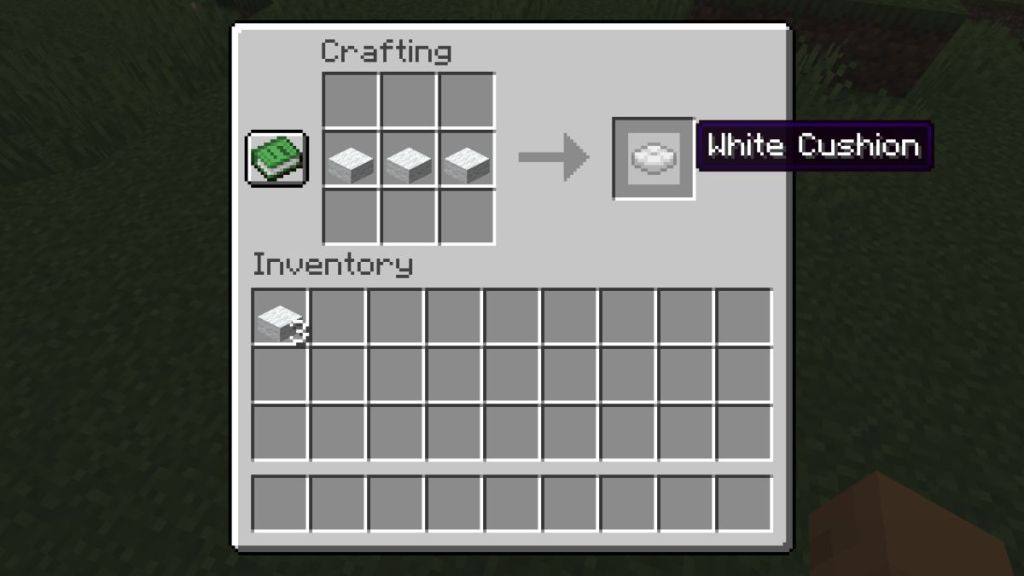
- Players can craft a cushion using 3 matching wool slabs placed horizontally on a Minecraft crafting table.
- This is a brand new sitting feature after the game's release that allows players to sit on cushions placed on most flat surfaces.
- The Minecraft cushion update in the latest snapshot adds 16 colorful cushion variants.
Minecraft players have achieved a ton of tasks that seem to be impossible in a pixelated sandbox game, ranging from building castles to making fully functional computers. However, we have never been able to do one simple thing — sit down. Thankfully, after 17 years, Minecraft has finally added cushions to the game that allow you to rest your back on almost any flat surface. So, if you’re wondering how to make cushions in Minecraft, follow this guide, and we will show you the crafting recipe, explain its mechanics, and list all available colors.
Items Required to Make a Cushion in Minecraft
The best part about cushions is that you don’t need to explore the rare Minecraft biomes or find the Ancient City to get one. Instead, the crafting materials of a cushion are fairly easy to gather, and you just need to be around a few sheep in the game. So, here are all the items required to make a cushion in Minecraft:
Items Amount Where to Find 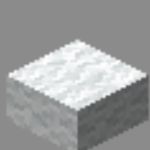
Wool Slabs3x Craft them using three matching wool blocks or find them in Abandoned Camps

You can explore the Abandoned Camps structure in the Minecraft Wilderness Bound update to find some ready-made wool slabs. Alternatively, you can simply use the Minecraft shears to grab some matching wool from sheep found all around the Overworld. Later, you can place three such wool blocks horizontally on a crafting grid to get 6 wool slabs.
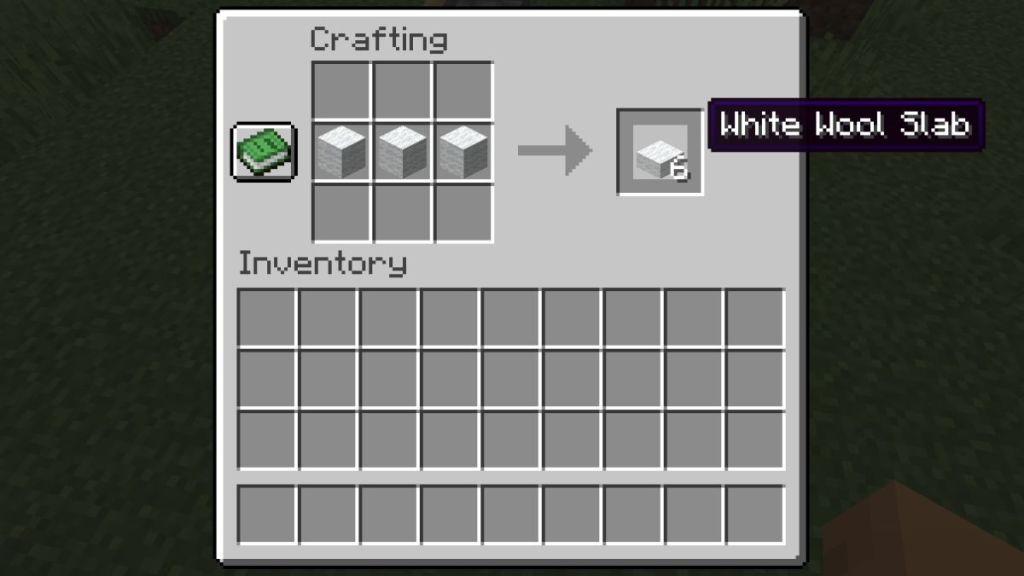

Remember that the color of these slabs will determine the cushion color. Apart from that, all you need is a crafting table in Minecraft to piece all the items together.
How to Make Cushions in Minecraft: Crafting Recipe
Creating a cushion is very simple and similar to crafting a wool slab in Minecraft. Once you have gathered your wool slabs, head over to your crafting table and interact with it. Now, you can follow the steps below to learn how to make cushions in Minecraft:
- Place 3 matching wool slabs side by side in any horizontal row of the crafting grid.
- On the right, you will obtain a cushion of the respective color.
- Now, you can select and drag the item to store it in your inventory.
Minecraft Sitting Feature Explained
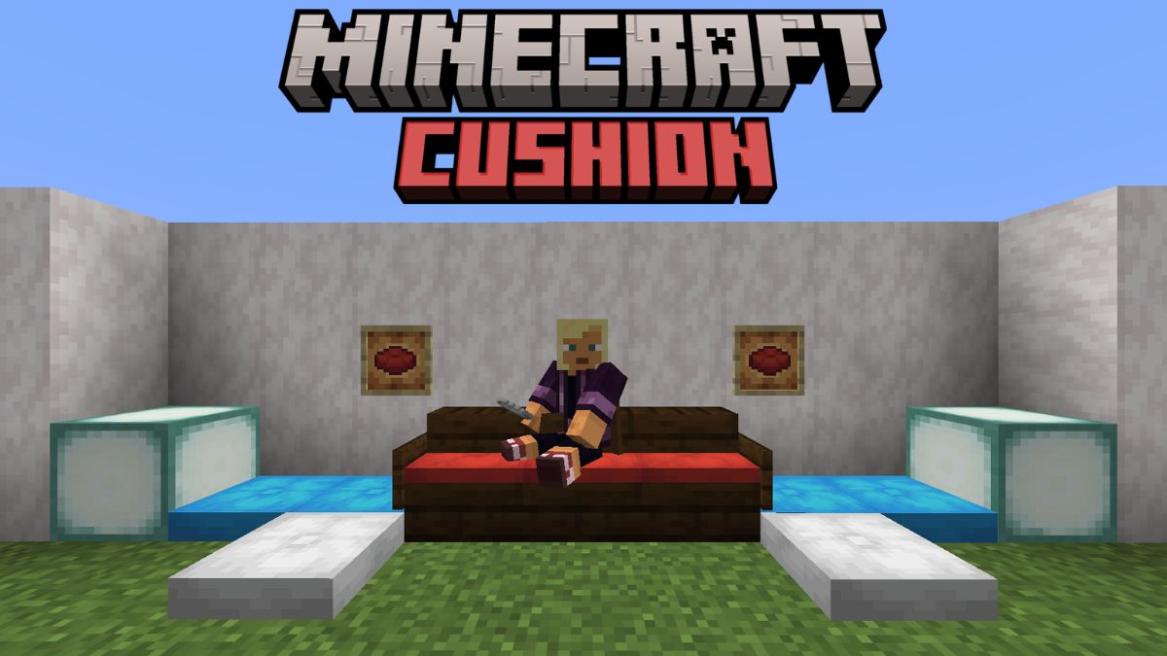
Coming to the new feature that everyone has been waiting for — actually sitting. All you need to do is place the Minecraft cushion on any flat surface and interact with it. Your character will immediately sit down, making this the closest thing Minecraft has ever had to proper chairs.
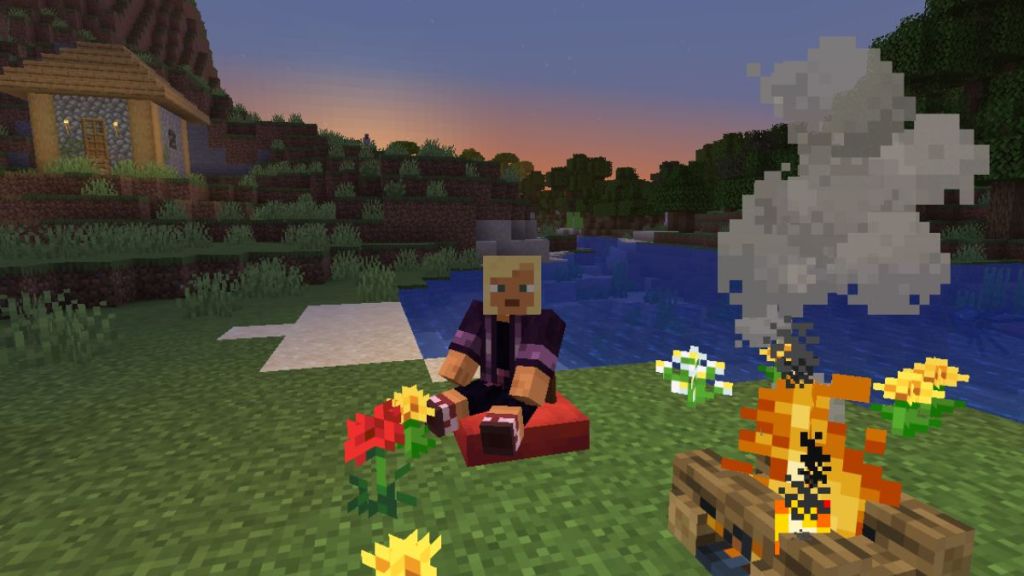
Previously, everyone had to rely on the best Minecraft mods for furniture to add some chairs and the sitting feature in the game. However, now, whether you want to take a short break from mining for hours or simply watch the sunset and cook your favorite food on a campfire in Minecraft, all of it is possible with the latest cushion feature coming in the autumn drop.
To stand back up, just press your crouch key (left shift on Minecraft Java by default) or any equivalent button on your platform. You can place them on slabs, stairs, snow layers, and enchantment tables in Minecraft, and almost any flat decorative blocks. This means that you can finally make a sofa in Minecraft using a set of cushions, stairs, some snow layers, and a signboard. The only rules for the cushions in Minecraft are as follows:
- Cushions need a solid support underneath them; otherwise, they will break if the block disappears.
- Cushions do not collide with most objects, making them easy to blend and make custom furniture.
- Cushions cannot move and should always align horizontally with the grid.
All Cushion Colors in Minecraft
Minecraft clearly doesn’t want anyone complaining about the limited furniture choices, as the cushions now come in all 16 classic wool colors. Once you have learnt how to make cushions in Minecraft, make sure to check every hue these brand-new sitting features are available in. The Minecraft cushion colors are as follows:
Cushion Name Cushion Image White Cushion 
Light Gray Cushion 
Gray Cushion 
Black Cushion 
Brown Cushion 
Red Cushion 
Orange Cushion 
Yellow Cushion 
Lime Cushion 
Green Cushion 
Cyan Cushion 
Light Blue Cushion 
Blue Cushion 
Purple Cushion 
Magenta Cushion 
Pink Cushion 
And that is it for all you need to know about how to make cushions in Minecraft. This brand-new sitting feature completely changes how the upcoming Minecraft house ideas and decorations will emerge from the creative crafters’ heads. So, check the latest Java snapshot or Bedrock preview to get hands-on experience with the Minecraft cushion update and build attractive bases in the latest Minecraft seeds.
Cushions are added to the Minecraft 26.3 update, released on September 15, 2026.
On the crafting table grid, place three wool slabs along the same line horizontally to get a cushion in Minecraft.
There are 16 cushion colors available in Minecraft, matching all the wool colors and dyes in the game.
No, cushions are stationary objects and cannot be pushed or moved using pistons in the game. If you try to do that, the piston will break and drop the cushion, even if you move it or the block underneath it.