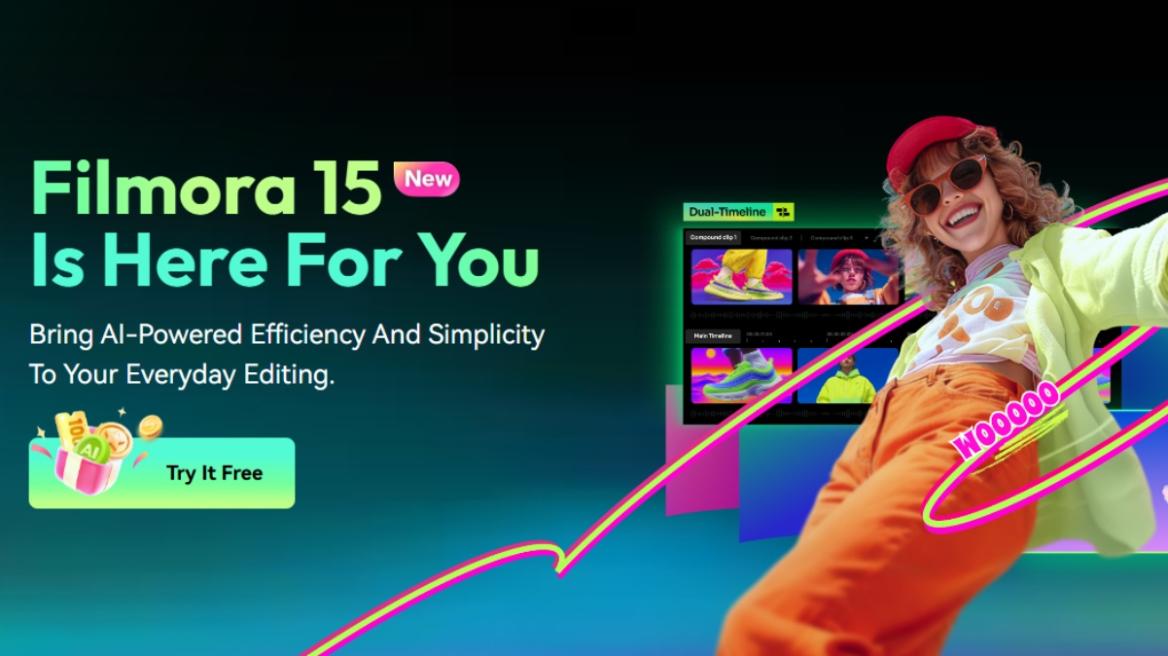
The demand for content is growing, and as someone in the media industry, I understand that creators need a video editing tool that is fast and also includes all the necessary professional tools, so as not to compromise on the quality. Wondershare Filmora V15 delivers just that with its new AI-powered features and a suite of professional-grade editing options. I have been testing it out lately, and I think it is one of the best AI video editors out there. Let me tell you why in this read.
What is Wondershare Filmora V15?
You might already be familiar with Wondershare, a really popular name in creator space, offering all kinds of creative solutions. Well, it has come out with the latest Filmora V15 video editor, which brings a variety of AI video generation features with Google Veo 3.1 and ChatGPT Sora 2. It also features a new AI Mate, a powerful assistant to accompany you and help with editing worries.
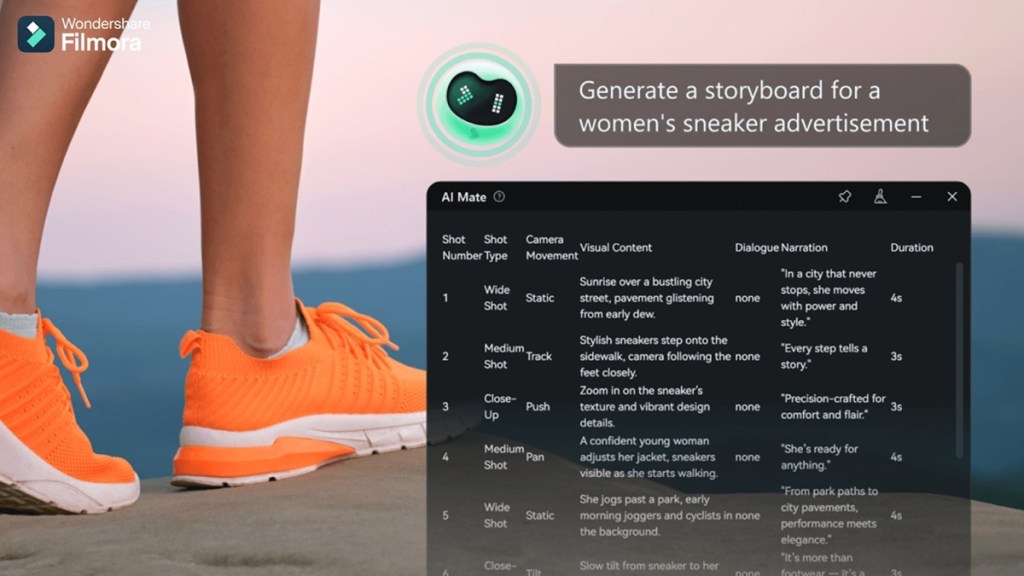
Beyond its headline AI video generation capabilities and the introduction of AI Mate, Filmora V15 is equally defined by the depth of its overall workflow improvements. The release introduces new tools such as AI Extend, Loudness Normalization, Audio Gain, Dual-Timeline Editing and Pen Tool, making advanced editing scenarios more accessible.
In addition, existing functions such as Smart Cutout, AI Video Enhancer, AI Object Remover and Dynamic Captions receive meaningful upgrades, further enhancing speed, quality, and creative control.
Highlights of Wondershare Filmora V15
The V15 is a massive update and brings so many useful AI video editing additions that it would be impossible for me to cover in this read. So here are the highlight features introduced with Wondershare Filmora V15.
- Advanced text-to-video and image-to-video generation using Sora 2 and Veo 3.1
- New AI Mate assistant for video editing and workflow assistance.
- AI Extend tool for intelligently expanding clips along the timeline
- Upgraded Smart Cutout with better edge refinement
- Upgraded AI Video Enhancer and AI Object Remover
- Dynamic captions with new animations and batch editing
- Loudness Normalization and Audio Gain quality for professional sound control
What’s New with Wondershare Filmora V15
I have used Wondershare Filmora V12 before, and now coming to V15 feels like a massive improvement. There are a lot of new tools that I tried out, that I know for sure will be helpful for casual and veteran video editors, and here are some of my favorite new tools.
Filmora’s Improved AI-Powered Video Generation
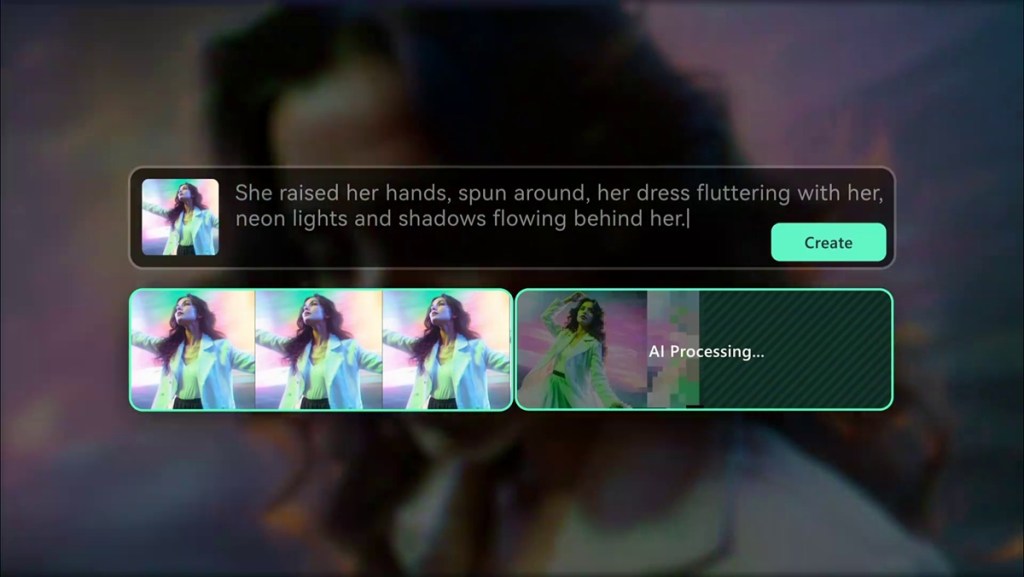
Filmora V15 introduces major improvements to its video generation models, turning the editing app into a more refined AI video generator for creators. Users can try text-to-video generation with tools powered by Sora 2, and Veo 3.1, allowing you to create clips with realistic motion, true-to-life look, and flexibility of generating any sort of video you have the mind.
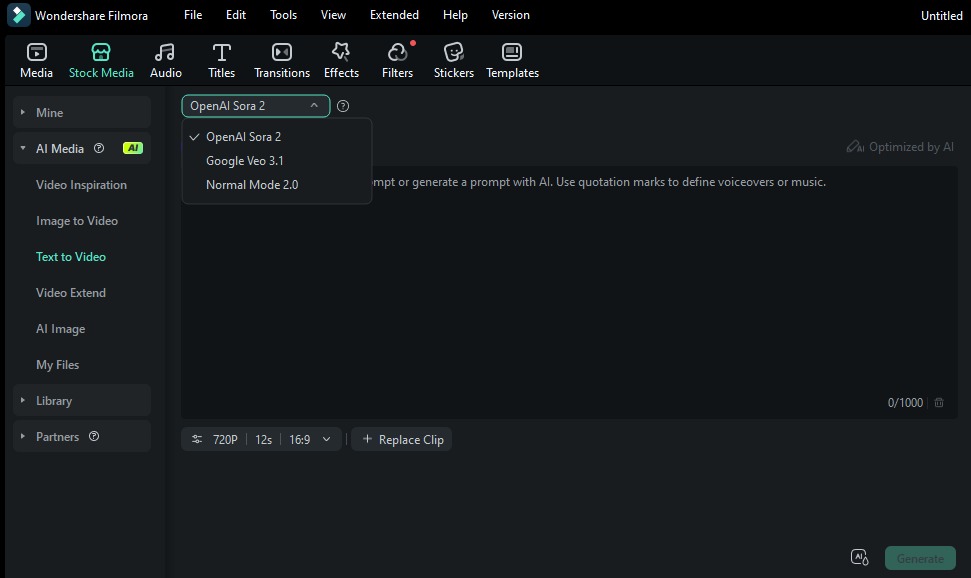
It also brings text-to-image generation powered by Google’s latest Nano Banana Pro model, allowing for quicker video generation with better results. This can come in handy for generating posters, thumbnails, or other required artwork. You can also use image-to-video to create even more refined video clips with Sora 2 and Veo 3.1. These features can be linked together to seamlessly complete the creative workflow.
AI-Powered Built-in Assistant
The headline feature of Wondershare Filmora V15 is its new AI Mate. This is a powerful assistant that is built into the tool itself and helps users generate or edit videos with basic text commands. Creators can type instructions like ‘cut the silent parts,’ and AI Mate will handle the rest. And it’s not just a handy assistant, but your video editing coach too.
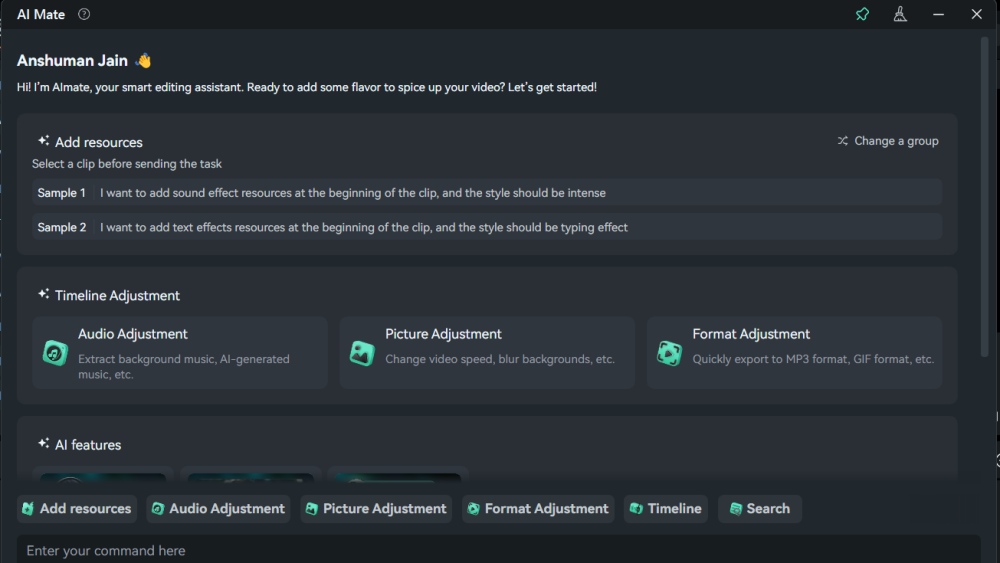
Users can ask it about certain tools, how to edit in different work environments, and ask for help whenever needed. AI Mate alone makes Filmora feel like a truly intelligent AI video editor.
Suite of AI Editing Features
Filmora V15 also solves the issue with current editing work environments by bringing a suite of AI-powered features that let you make the most out of your footage. AI Extend is a key example: rather than relying on reshoots, creators start by entering a prompt that describes how the scene should be extended.
With prompt-based guidance, a clip can be extended forward by up to five seconds or backward by up to eight seconds. New frames are then generated to align with the original visual context, helping maintain continuity and natural transitions.
Smart Cutout is upgraded in Filmora V15 with more accurate intelligent subject recognition, allowing creators to isolate people or objects cleanly with minimal manual adjustment. It also introduces stylish outline effects, enabling glowing or feathered edges that stay precisely aligned with the subject through motion, helping key elements stand out naturally from the background.
AI Object Remover is another useful upgraded tool that removes time-consuming cleanup work through its magic box feature, allowing creators to quickly eliminate watermarks, subtitles, people, logos, and other background distractions. The algorithm intelligently fills in removed areas with natural textures, keeping the results clean, seamless, and professional.
Complementing this, the upgraded AI Video Enhancer applies improved AI algorithms to enhance clarity and resolution, helping restore visual quality and deliver sharper, more polished video output, especially when working with less-than-ideal source footage.
Then there is Dynamic Captions, which lets you apply expressive animated fonts with a single click. The animations feel modern, fluid, and perfectly tuned for platforms like TikTok, Instagram Reels, and YouTube Shorts. Filmora also supports batch editing, so you can update font, colour, timing, and animation settings across multiple captions at once.
Suite of Professional Editing Features
Audio quality is the bane of any quality content, and Wondershare Filmora V15 introduces two new tools that bring pro-level audio editing to even newbie creators. First is Loudness Normalization, which automatically adjusts your audio to meet platform loudness standards (LUFS/LKFS).

Audio Gain adds even more precision, allowing both batch and individual adjustments. Video Editors can apply fixed gain, relative gain, or normalization based on peak levels. This is extremely useful for interviews, podcasts, or clips recorded with inconsistent audio quality.
Dual Timeline Editing in Filmora V15 is a massive quality-of-life improvement for anyone working on long or complex projects. It gives you a zoomed-out macro view of your entire timeline and a zoomed-in view for frame-level adjustments. You can navigate big projects effortlessly while keeping full control over detailed edits. This is a blessing for creators handling multi-layer videos, long-form content, or travel vlogs.
Wondershare Filmora V15 Pricing
With all these exciting new improvements and AI video editing features, Filmora V15 becomes the perfect option for anyone new to creating videos, and even professionals who want to streamline their work with an AI video editor. So if you are thinking about using Filmora, here are its pricing:
| Plans | Pricing |
|---|---|
| 7-day trial | Free |
| Basic (Monthly) | $9.99 |
| Advanced (Annual) | $34.99 |
| Perpetual license | $49.99 |
These are pretty reasonable prices compared to the other similarly competent video editors available in the market. But it is worth noting that the prices will vary based on regions.
Wondershare Filmora V15 Brings a New Era of Video Creation
Wondershare Filmora V15 delivers a major step forward in bringing AI video editing to everyone. Whether you’re a beginner looking to learn fast or an experienced creator wanting efficiency without, this tool brings the best of both worlds to you. It is a very intelligent AI video editor and AI video generator tool that you should definitely bring to your work setup.







 Shashank Shakya