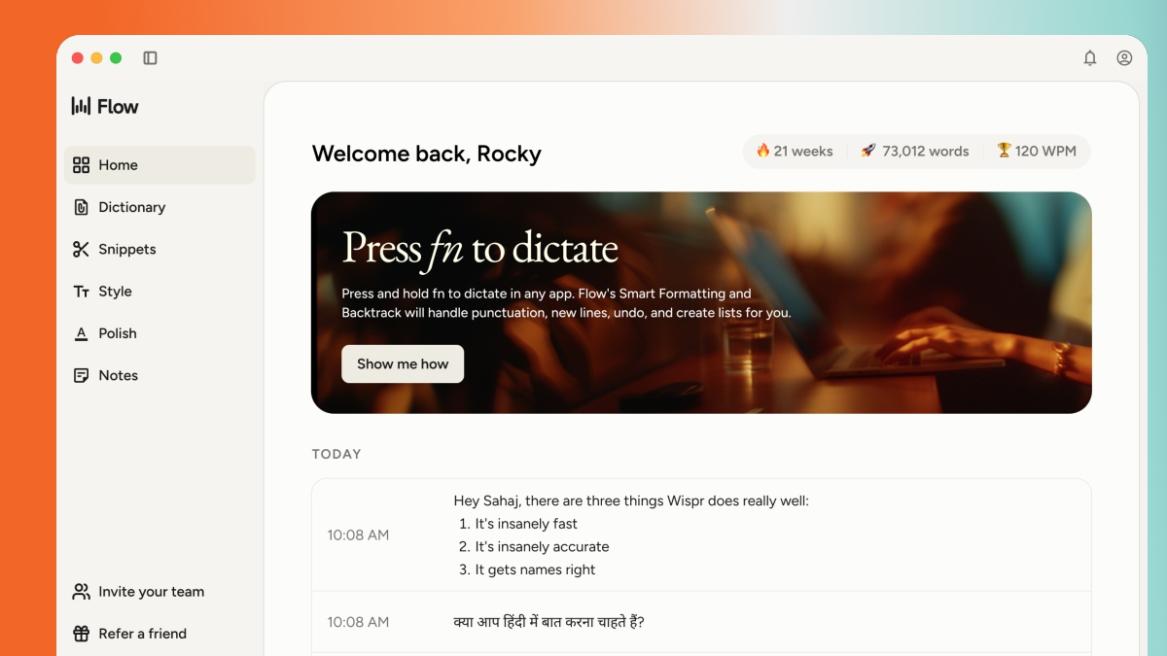
- Wispr Flow is a viral AI app that can turn your speech into text with flawless accuracy.
- It doesn't do literal transcription, instead, intelligently removes filler words and updates the text when you backtrack and make changes mid-sentence.
- Wispr Flow is now available on Android, along with iOS, macOS, and Windows.
Dictation apps have long existed before, but there is something very radical about Wispr Flow. It’s an AI-powered voice-to-text app that is effortless at voice dictation. You just speak naturally, and Wispr Flow transcribes the speech without requiring any manual editing. It’s that good, seriously. Along with iOS, macOS, and Windows, Wispr Flow is now available on Android, so let’s go ahead and check it out.
What is Wispr Flow?
Wispr Flow, as I mentioned above, is a voice-to-text AI that can turn speech into “clear, polished writing in every app”. You may hit 45 words per minute (WPM) with a keyboard, but with Wispr Flow, you can speak your mind 4x faster at 220 WPM. After keyboard, we finally have a voice-first tech that is actually usable for everyday communication, and it’s not just about speed.
Earlier speech-to-text tools were literal transcription engines. Even to this day, Gboard’s text-to-speech mode often requires manual editing and doesn’t get you. If you said, “Hey, um, can you come tomorrow, actually, wait, the day after tomorrow”, it may transcribe exactly what you rambled. You then had to spend more time editing than if you had just typed it yourself.

Wispr Flow is fundamentally different, and it acts like an intelligent, real-time AI editor. Its special AI model removes filler words like “ums” and “uhs”, add proper punctuation, and structure your thoughts just like you would want. If you correct yourself mid-sentence while speaking, it seamlessly updates the text.
In fact, it even comes with context-aware formatting, which means if you are using its voice dictation in Gmail, it will be professional, and if you are on WhatsApp, the tone will be casual. It really feels as if you are thinking out loud and Wispr Flow is catching all your thoughts. This new tech feels like a new chapter of human-computer interaction.
Wispr Flow Features
Firstly, Wispr Flow supports more than 100 global languages, and you can use it in any app on your computer or smartphone. You can speak inside apps such as Notion, Gmail, Google Docs, WhatsApp, Cursor, anywhere with a text field. What is even more interesting is that Wispr Flow spells uncommon names correctly as it uses surrounding context to learn about names.

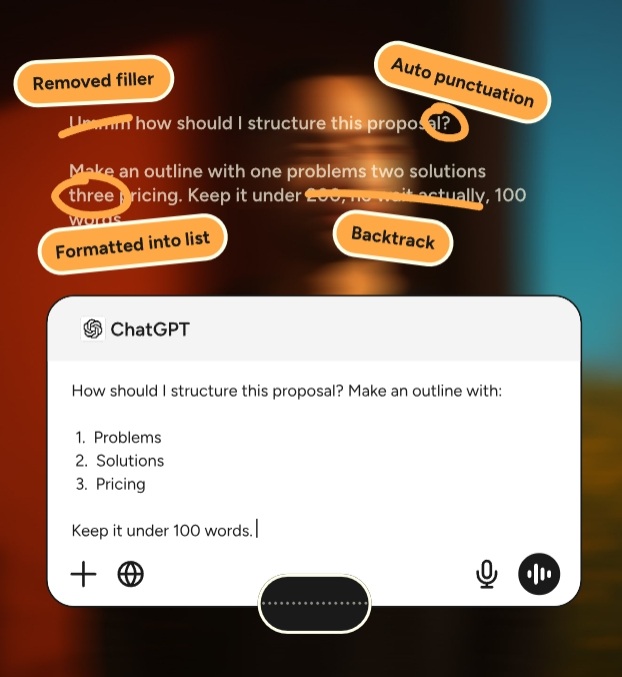
It learns your words, phrases, and tone and adapts to your writing style. You can backtrack while speaking and Flow writes the corrected version. It can even create numbered lists with proper formatting if you speak numbers while dictating. As for pricing, it offers a free version which lets you transcribe 2,000 words per week, and the paid version costs $12 per month with unlimited words.
Hands-On Experience Using Wispr Flow on Android
I installed Wispr Flow on my Android phone, and granted all permissions. To test it, I opened Google Keep, and a Wispr Flow floating icon appeared automatically. I just tapped on it and started speaking. You can’t see the real-time transcription, but once you hit the done button, within a second, the text appears flawlessly.

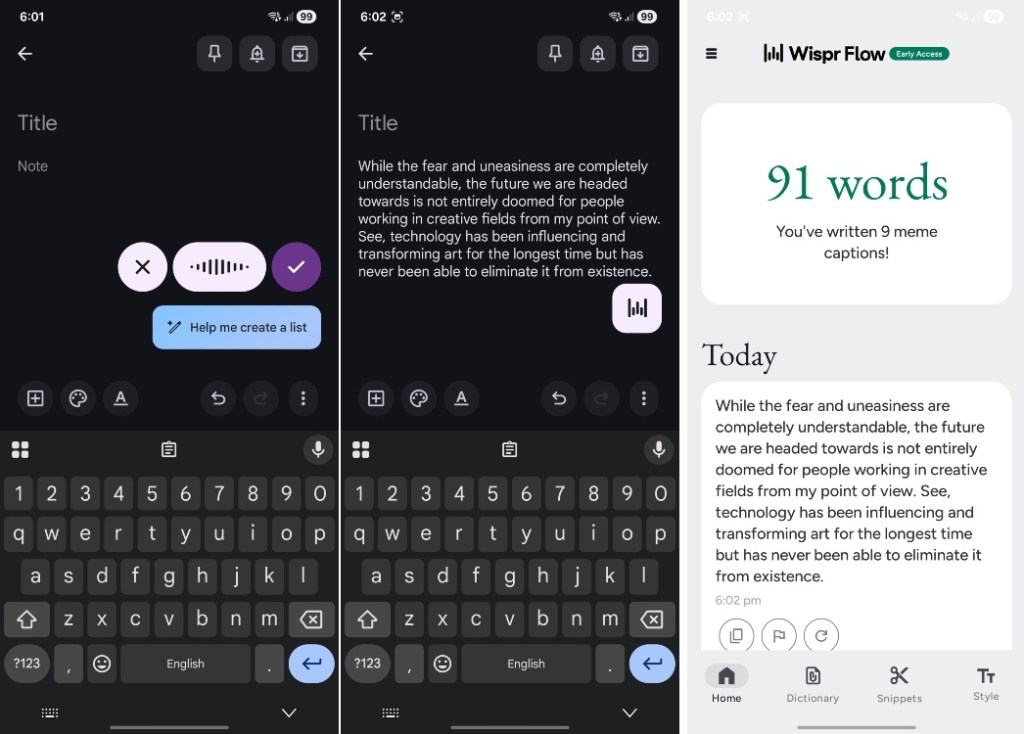
During my testing, I backtracked a couple of times just to check how well it handles error correction, and it did an impressive job, I must say. And once you exit the text field, the floating icon disappears automatically. That said, at times, the icon didn’t appear on WhatsApp, which might be because it’s in early beta. In addition, features like Dictionary and Snippets are not available on Android yet.
Nevertheless, what I liked about Wispr Flow is that I didn’t have to change the keyboard every time, so I had access to both flawless voice dictation and Gboard. However, you have to grant a sensitive accessibility permission to use Wispr Flow on Android, which may put off many people. The permission allows the app to view your screen.
Despite all that, Wispr Flow offers a glimpse into the future when AI glasses and other screenless AI devices will rule the market, voice will become the primary interface with which we will interact.