- Marvel Rivals received a Photo Mode in the Season 6 update.
- The Photo Mode can only be accessed in the Times Square map.</li>
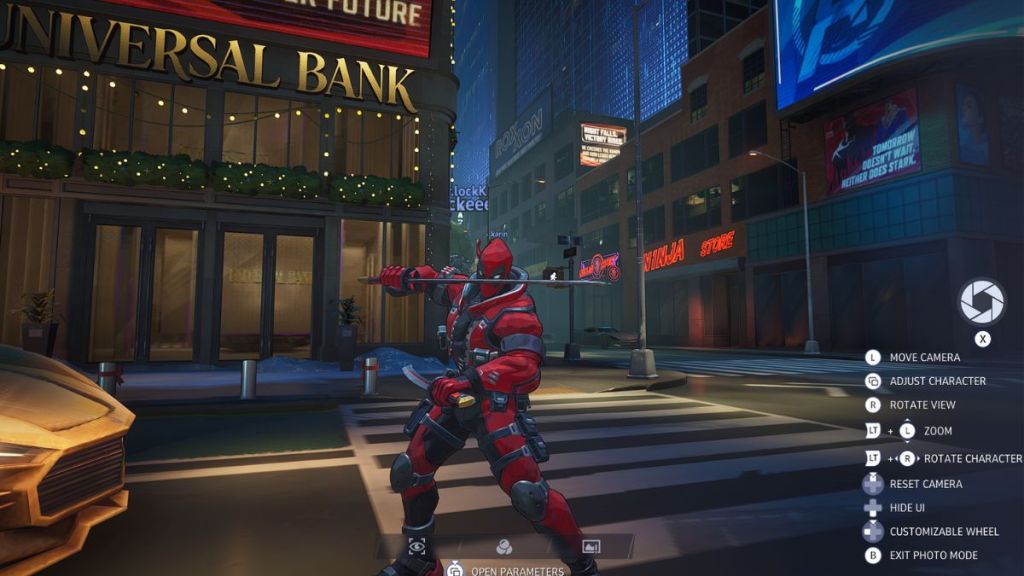
- Inside the mode, players can adjust the angle, rotate their character, and apply filters.
After months of requests from fans, Marvel Rivals Season 6 has finally added a Photo Mode to the game. While a dedicated mode for clicking pictures is an essential feature in most single-player titles, live-service games have yet to embrace the trend. In this vein, Rivals is somewhat of an outlier as it has managed to introduce a Photo Mode before games such as Overwatch 2 and Apex Legends.
With all that being said, here’s everything you need to know about the Photo Mode in Marvel Rivals, including how to access it.
Marvel Rivals Photo Mode Explained

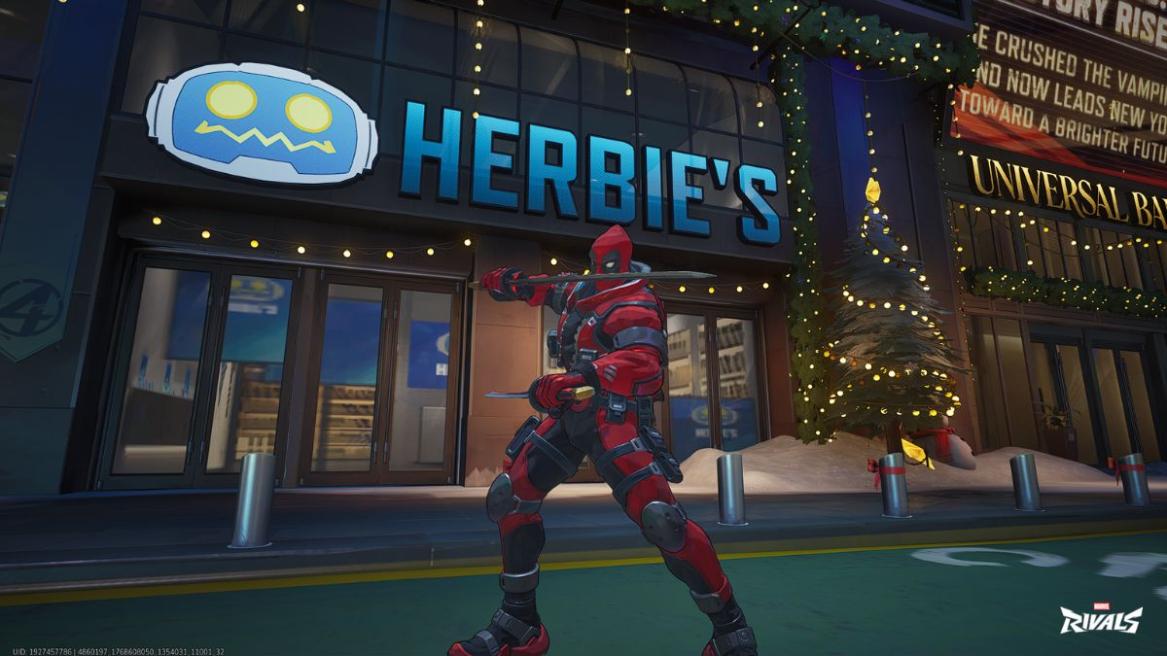
The Marvel Rivals Photo Mode can only be accessed on the Times Square map. The player interaction hub is basically a non-combat social arena for users to relax in, and as such, it pairs nicely with a Photo Mode. Unfortunately, this means that the Photo Mode cannot be used in other modes such as Quick Play, Competitive, or Practice vs AI.
Once you’re in the Times Square map, use these inputs to bring up the Photo Mode:
- PlayStation: Long-Press (☰) Options Button, then Press (LS) Left Stick
- Xbox: Long-Press (☰) Start Button, then Press (LS) Left Stick
- PC: Long-Press O Key
Inside the mode, you’ll be able to adjust the camera zoom, rotate the view and character, and also apply some filters. You can also hide any player names from popping up in the final image. It’s important to note that while your character can stay stationary in the Photo Mode, other players will be free to move around, so they’ll be photobombing you all the time.
Once you’ve got the shot lined up, press the key mentioned under the Shutter Icon. The next screen will display your capture, and you’ll have to screenshot it manually (via Windows Snipping Tool, Dualsense Capture Button, Xbox Capture Button, etc) to save it to your gallery.
As far as Photo Modes go, this one’s pretty skeletal on the features front. That said, introducing such a mode in an online-only hero shooter is still a solid achievement, so we’ll give Netease some grace.
And that is everything you need to know about the Marvel Rivals Photo Mode. Let us know your thoughts on the new feature in the comments.
To open the mode on consoles, long-press the Pause Button and then press the Left Stick. On PC, long-press the O key.
No, the Marvel Rivals Photo Mode can only be accessed in the Times Square map.