
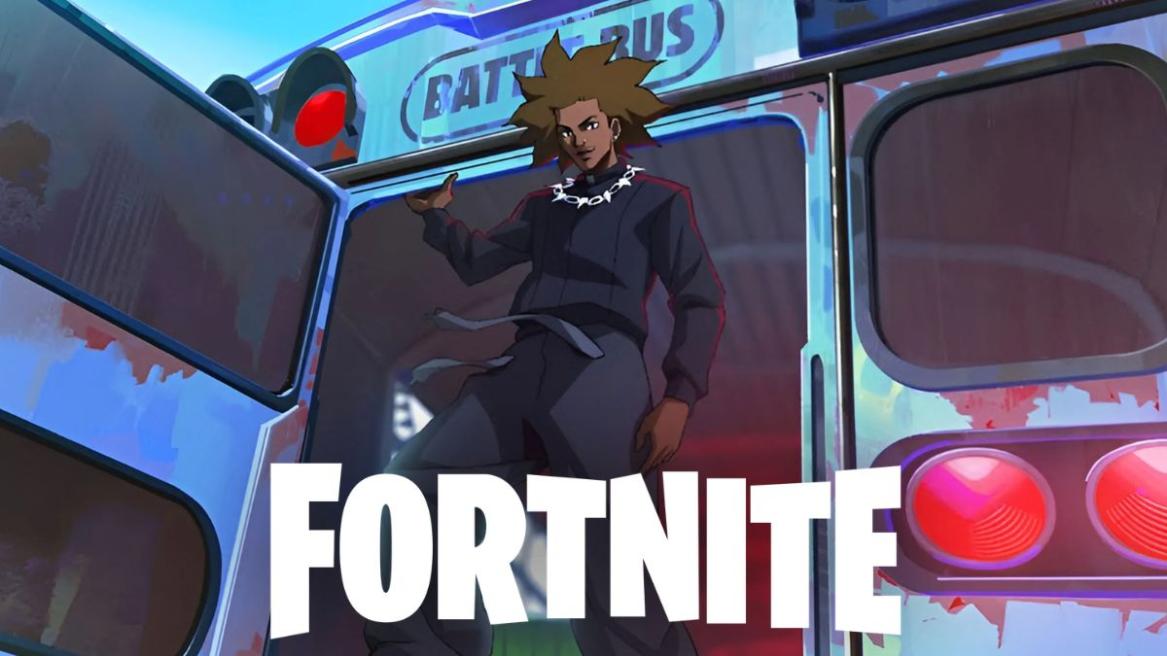
- Epic Games has announced full refunds for all Fortnite D4vd cosmetics after the recent charges against the singer.
- Players can claim the refunds through the in-game settings or the Epic Games Support website.
- It is currently unknown whether the Fortnite D4vd cosmetics will be completely removed from the game.
Epic Games has officially opened the door for players to refund all in-game cosmetics associated with the artist D4vd. The decision comes after a wave of community backlash over serious criminal charges against the singer that were brought to light. If you also own these cosmetics and are looking to secure Fortnite D4vd refunds after the recent charges, here’s how you can do it.
How to Get Fortnite D4vd Refunds
You can claim refunds for D4vd cosmetics purchased from the Fortnite Item Shop through the Return or Cancel Purchase option in the in-game settings. Here is a breakdown of the steps you can follow for the refunds:
- Launch Fortnite and click on your character icon in the top right corner of the screen.
- Click on the gear icon to open the Settings menu.
- Navigate to the Account and Privacy section to the far right of the menu.
- Select the Return or Cancel Purchase option.
- In the list of purchases, locate the D4vd cosmetics.
- Since the D4vd cosmetics are flagged for a special refund, you should see an option to return them for the full Fortnite V-Bucks amount without consuming a ticket.
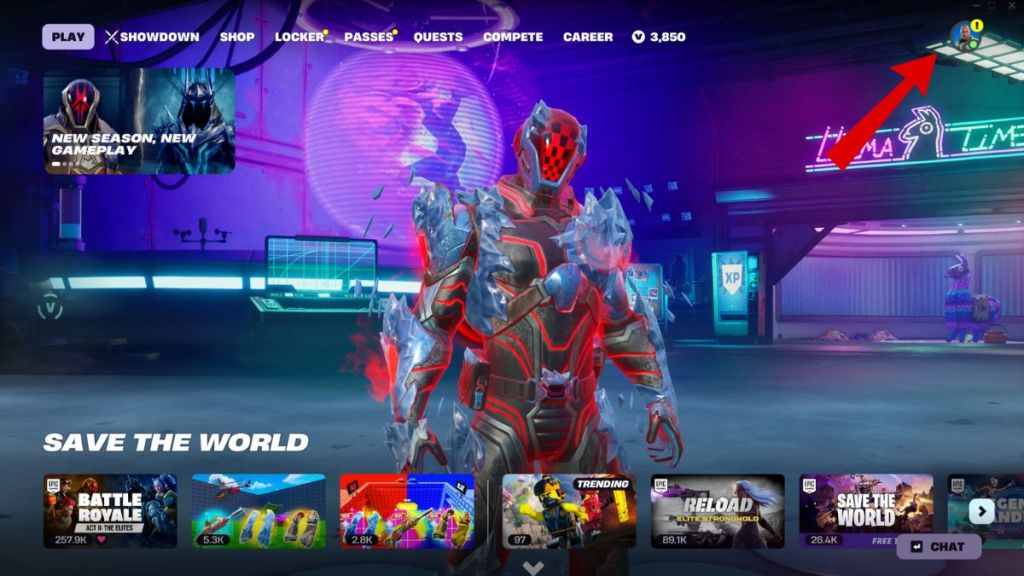
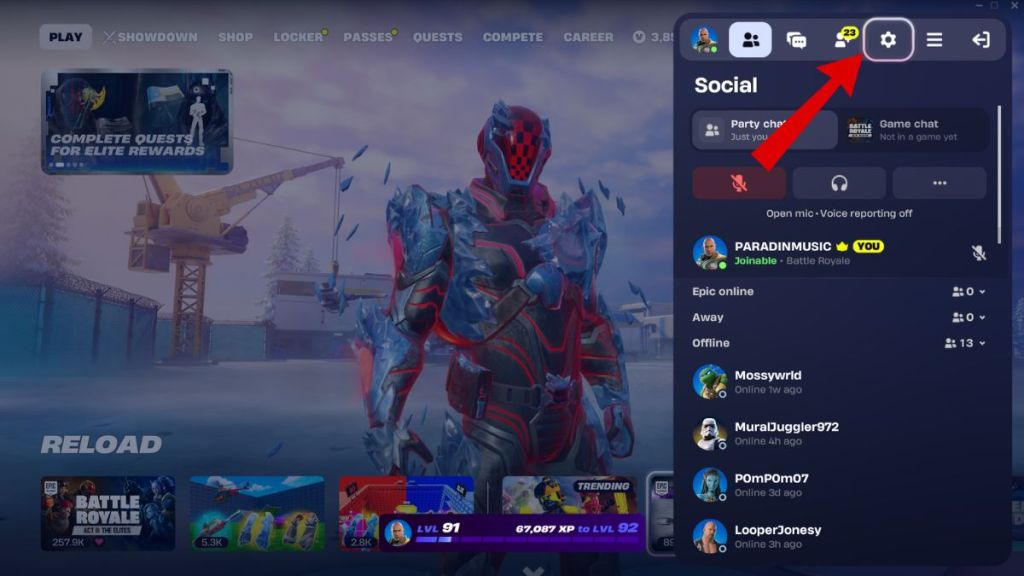
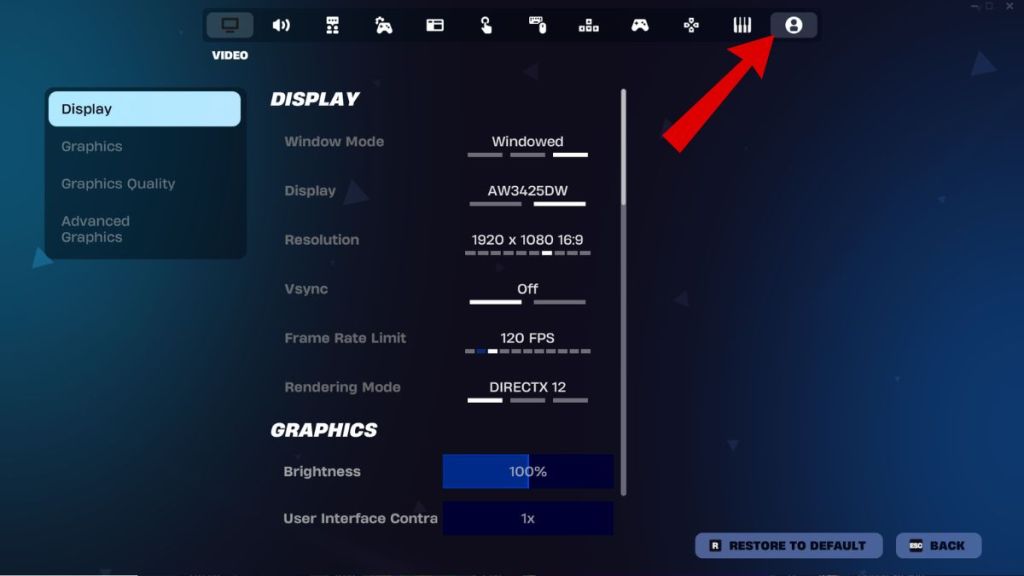
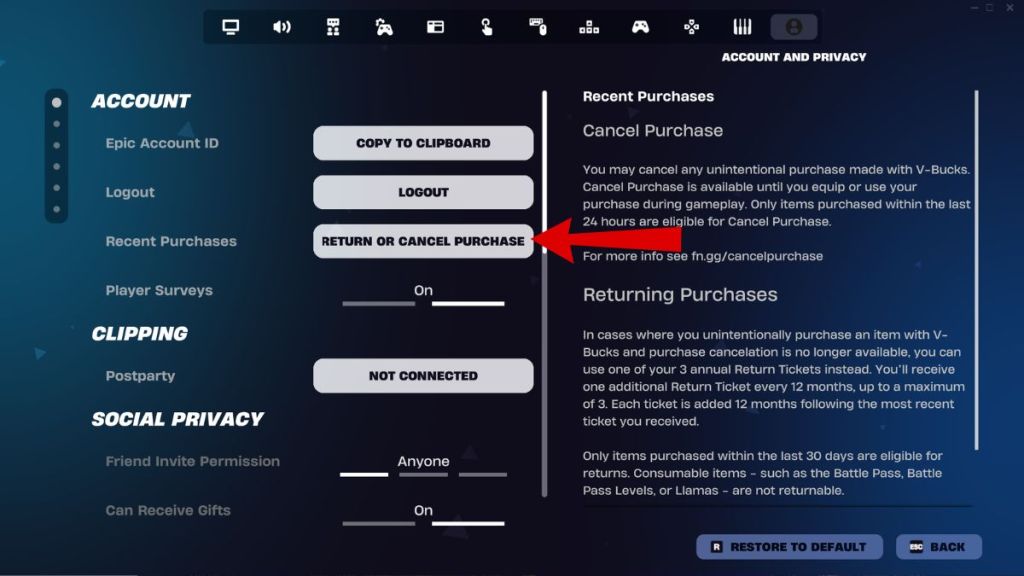
This should allow you to instantly refund the Fortnite D4vd cosmetics. However, if the self-service option is not appearing for you for some reason and you want to initiate the process immediately, you can also reach out to Epic Games Support. Here’s what you need to do:
- Visit the Epic Games Support website.
- Log in to your Epic account and select Fortnite.
- Submit a ticket specifically mentioning “D4vd Cosmetic Refund.”
- Support agents have been authorized to process these requests manually.
Which Fortnite D4vd Items are Eligible for Refunds?
The refund policy applies to all cosmetics and Jam Tracks or Fortnite Moments that were released as part of the D4vd collaboration. This includes the following cosmetics:
- Feel It emote
- Trophy Drop emote
- Locked & Loaded jam track
- What Are You Waiting For jam track
It is unclear whether items purchased as part of the D4vd locker bundle are eligible for refunds or not. This is because, despite the artist’s name being attached to the bundle, it also includes non-exclusive items like the Camille skin.
As of now, Epic Games has not confirmed if the items will be permanently removed from the Fortnite files. Currently, the refund is optional, which means players who choose not to refund the items will still have them in their lockers, alongside other Fortnite skins and cosmetics. However, given the severity of the charges, it is unlikely that these items will be a part of the Item Shop rotation moving forward.
Have you refunded your D4vd items in Fortnite yet? Tell us in the comments below!
