Minecraft Dungeons 2 is a seriously fun dungeon-crawling experience, but if you’re playing on PC, you don’t necessarily have to play it the way Mojang intended. The community was quick to come up with a ton of Minecraft Dungeons 2 mods that provide alternative movement controls, custom character skins, detailed gear stats, different camera POVs, and more such quality-of-life features. So, go through this list of the best 10 mods in Minecraft Dungeons 2 to reshape your experience.
List of All Mods in Minecraft Dungeons 2
The following Minecraft Dungeons 2 mods cover several different categories, such as improving the controls, providing basic information that the original doesn’t show, and more, instead of all doing the same thing. Some of these even make it useful for PC players who don’t own a controller.
Among them, the Blueprint Loader mod is particularly important because it acts as the foundation for others based on it. That being said, here is a brief overview of the best mods in Minecraft Dungeons 2:
Mod Category What it does Blueprint Loader Utility Loads blueprint-based mods and provides a Mods menu Custom Skin Loader Cosmetic Replaces character skins and capes with custom PNGs WASD Controls Gameplay Adds keyboard movement and removes click-to-move movement Item Stats UI / QoL Displays detailed weapon, armor, and artifact statistics Uncapped Cutscenes Visual / QoL Removes the 24 FPS cutscene limitation Third Person Mod Camera / Gameplay Adds an over-the-shoulder third-person camera Invisible Armor Cosmetic Hides equipped armor while keeping its effects Display Emeralds UI / QoL Shows emeralds and echo shards beside the hotbar Actually Pause the Game Gameplay / QoL Properly pauses offline gameplay when menus are open Overlay Map UI / Navigation Adds a larger map overlay while exploring
Blueprint Loader

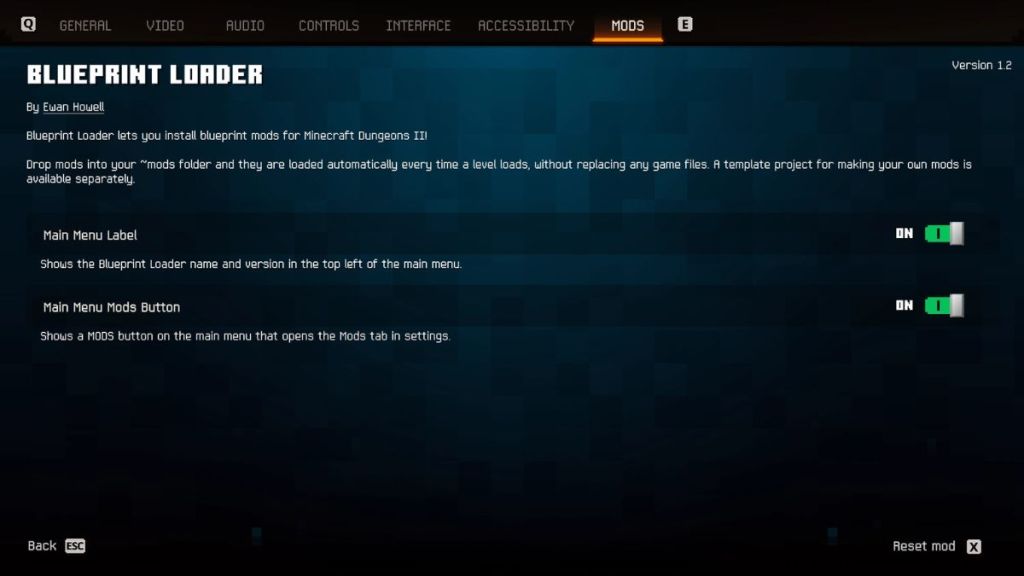
If you want to explore the mods in Minecraft Dungeons 2, Blueprint Loader is probably the first name that you should know. This provides the basic infrastructure that allows the blueprint-based mods to be loaded into the game.
Once you install it, a dedicated Mods tab will show up in your settings menu with individual pages for the installed mods and support for configurable settings. If you want to use some of the best mods mentioned below, such as the WASD Controls, Custom Skin Loader, Item Stats, and more, the Blueprint Loader should be installed beforehand.
The general setup involves downloading the Blueprint Loader file from the official page. Then locate the directory Dungeons II\Content\Dungeons\Content\Paks and create a ~mods folder if it doesn’t exist already. You can now open the ZIP file you downloaded and move the Blueprint Loader inside this mods folder to complete the process.
Custom Skin Loader
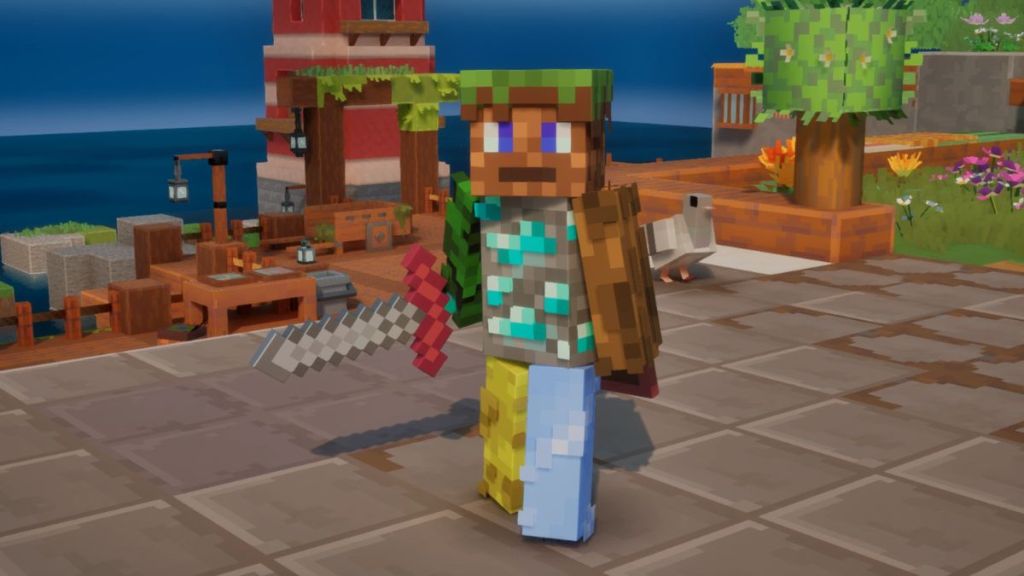
The community has always had a massive character customization culture with tons of Minecraft skins, Mojang providing us with unique Minecraft Dungeons 2 capes, and more. The Custom Skin Loader mod further improves character customization by allowing players to replace the game’s skin and capes with their own PNG files.
Instead of being stuck with the few visual custom characters provided by the game, you can bring your own Minecraft-inspired Steve or Alex designs to this dungeon crawler adventure. However, since the mod replaces the skin on your own client, other players won’t automatically notice the changed texture.
WASD Controls
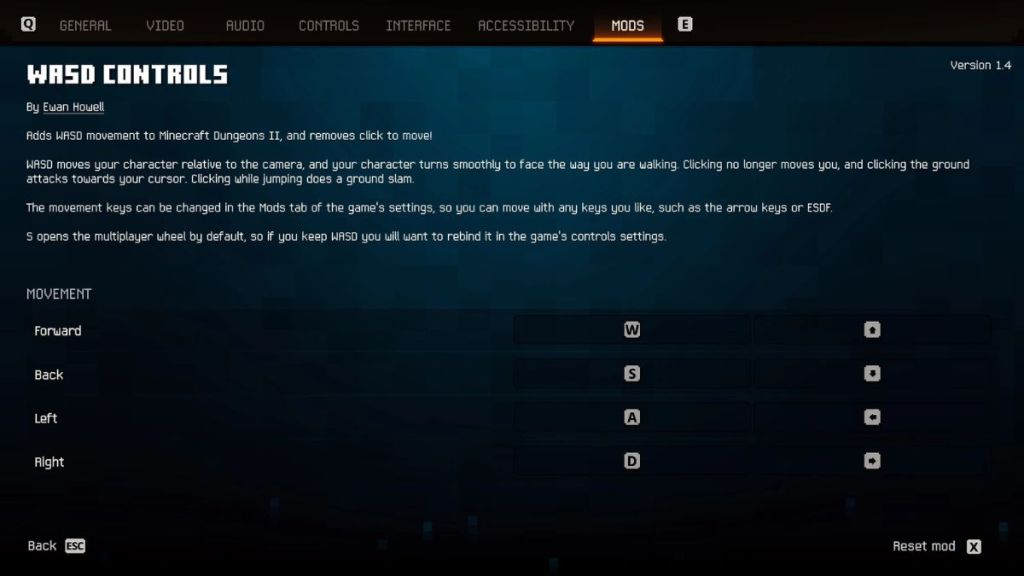
For PC players, the WASD Controls may be the single most transformative entry on this list of best Minecraft Dungeons 2 mods. If you’re not using a controller, the default movement on your PC is clicking to direct your character. It may not be everyone’s preferred way to navigate a dungeon.
This is where the WASD Controls mod comes into play and allows you to move your character using your keyboard. But the melee and ranged Minecraft Dungeons 2 weapon attacks remain with the left and right buttons of your mouse.
Why would you install it? Because if your muscle memory has been trained from years of WASD movement in vanilla Minecraft, action RPGs like this with a click-to-move feature can feel like asking your fingers to forget the native language. Using this mod, you will be able to move at a better pace and clear the dungeons easily.
Item Stats
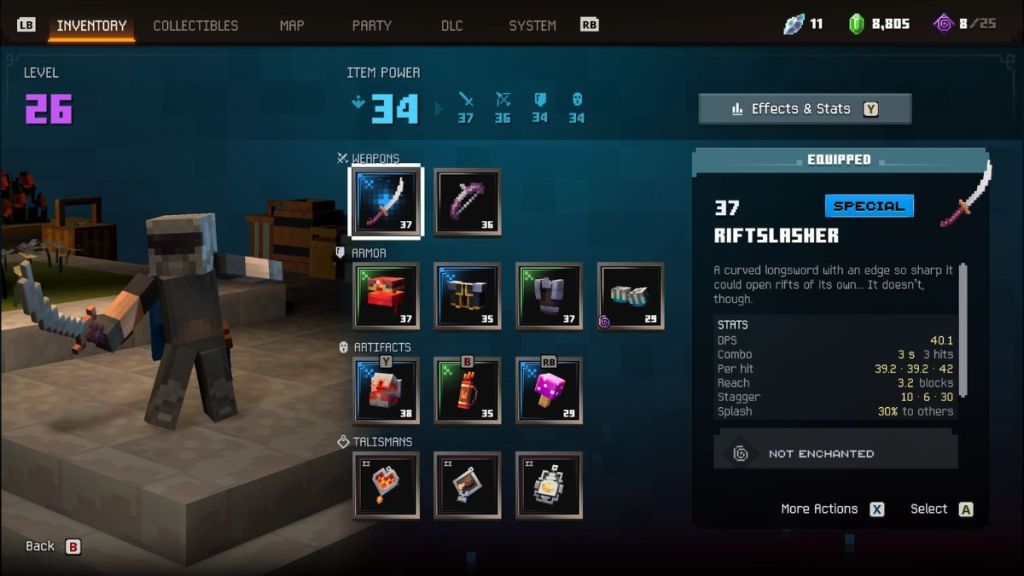
Loot is the beating heart of Minecraft Dungeons 2, and Item Stats is one of the best mods for players who take loot items seriously. Instead of relying on the descriptive information displayed by the game’s normal stats window, this mod adds a statistics panel containing detailed numbers about the weapon, armor, artifacts, and even the enchantments in Minecraft Dungeons 2.
In the early stages of the game, you might be content with whatever item looks strong and has a higher overall number. But as you progress and reach the post-campaign stages, you might start questioning how much damage or DPS this sword actually has.
The Item Stats mod is designed to answer those questions directly by showing the DPS, Fire Rate, Range, Combo, Stagger, Splash, and more such stat numbers.
Uncapped Cutscenes
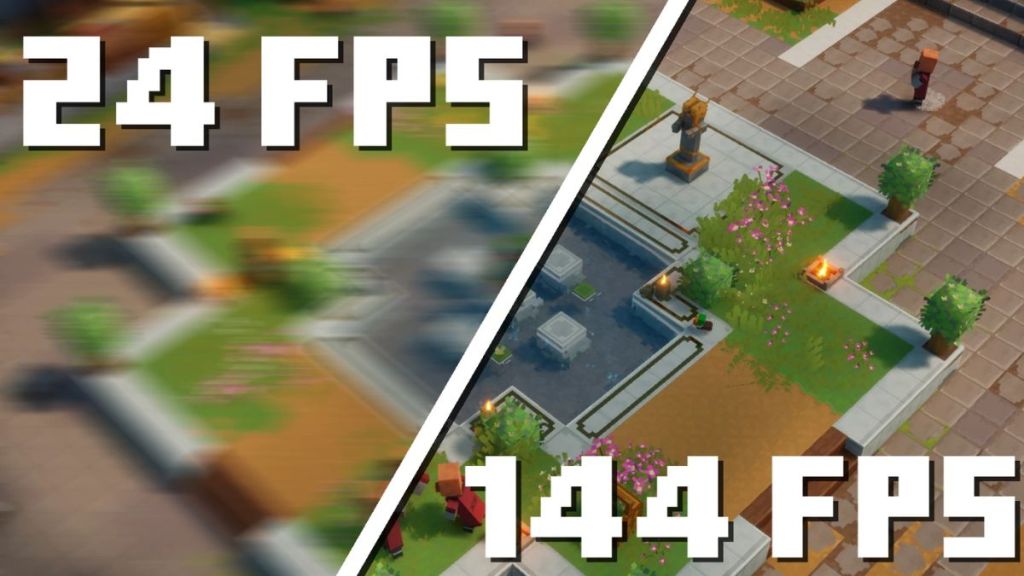
The environment, dramatic boss encounters, and the flashy actions feel beautiful in Minecraft Dungeons 2, but the 24 FPS cap is the most annoying part in the game’s cutscenes. Uncapped Cutscenes mod removes the FPS limitation and runs those sequences at the same frame rate your game is using.
This creates a consistent visual experience, which is otherwise noticeable to players running the game on high refresh rate monitors. This is one of those QoL mods that you may never rethink when it works, but removing the mod can make the game cutscenes feel strangely jarring.
Third Person Mod
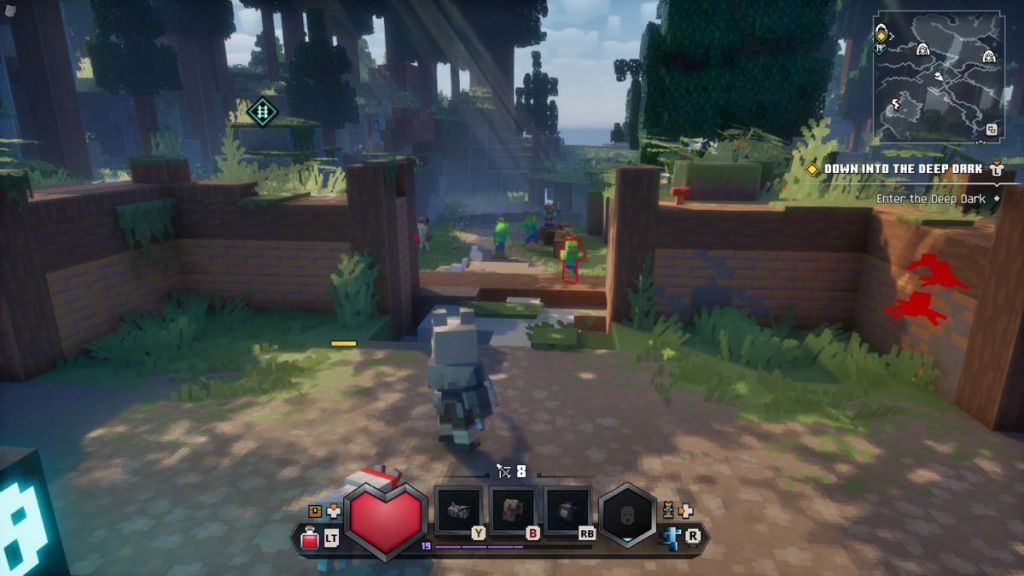
Now we get to the Minecraft Dungeons 2 mod that can make the game look and feel completely different than a Diablo PoV. The Third Person Mod moves the camera from a top-down perspective to a position behind your character, allowing you to explore the world from a third-person viewpoint.
Currently, the project supports features like a controllable camera, lock-on behavior, and camera collision. However, the developer also warns players to expect some rough edges because it is in the early development stage.
Another trade-off is that the mod is currently controller-only, with no keyboard or mouse support. If you’re done with the Minecraft Dungeons 2 beginner’s guide or have completed the main campaign, trying out the Third Person mod can give you a refreshing take on the game.
Invisible Armor
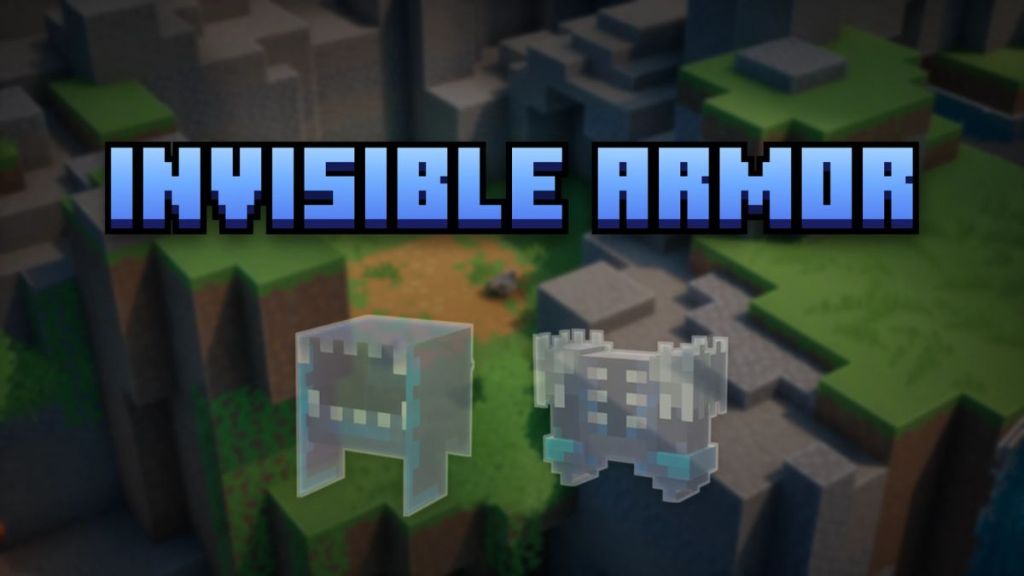
Invisible Armor is the perfect choice to pair up with the Custom Skin Loader mod in Minecraft Dungeons 2. Suppose you find a skin you love, equip it in the game, but it suddenly disappears beneath a pile of protective gear.
Invisible Armor mod solves that problem by hiding the visual appearance of the equipped armor while leaving the actual gameplay effects intact. The current version of the mod also allows you to configure which features you want hidden.
Maybe you want to hide the helmet only, or just the chest piece. All of that can be modified in the mod settings menu. On a side note, if you want to learn more about the free gifts and cosmetics in this game, the Minecraft Dungeons 2 codes are the first place you should look.
Display Emeralds
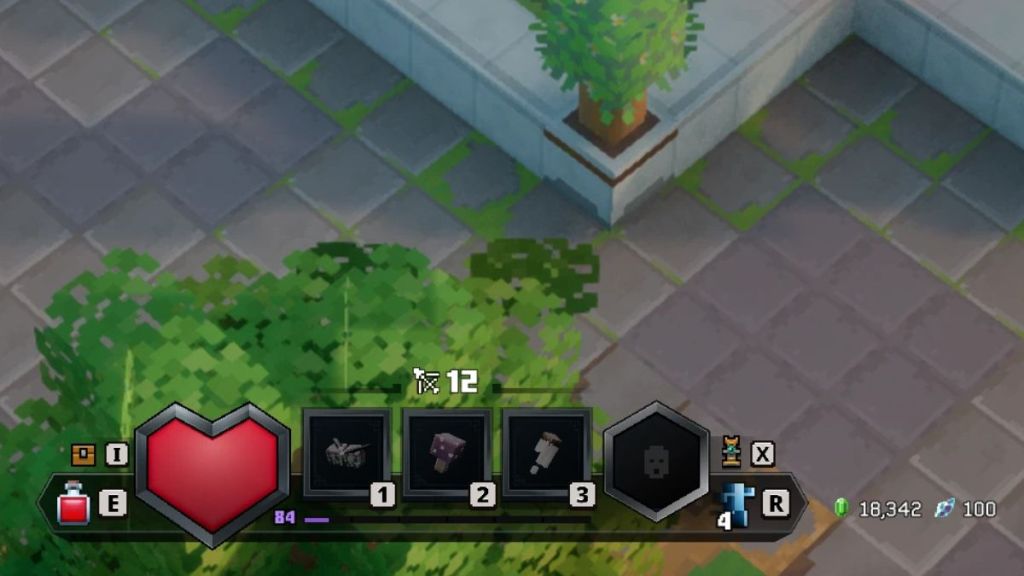
After starting this dungeon crawler, I’ve always wondered, “Why aren’t the Emeralds and Echo Shards visible on the game screen?” Yes, one can only view those numbers when opening your inventory screen, interacting with the Town Merchant, Blacksmith, or the Enchantsmith in Minecraft Dungeons 2.
The Display Emeralds mod changes that by displaying the total Emeralds and Echo Shards near your hotbar. Although this might seem like a minute QoL addition, I feel it’s a requirement that Mojang should have added in the first place.
Imagine moving through a dungeon, and you’re constantly encountering the annoying Illagers, Spiders, or other enemies in Minecraft Dungeons 2. Pausing the screen also doesn’t actually stop the game, and you’re constantly being attacked. Keeping a tally of your resources thereby becomes difficult, but this mod eases that task.
Actually Pause the Game
Like I was saying, pausing the game won’t stop the world activities in Minecraft Dungeons 2, and enemies keep on attacking if they’re nearby. Actually Pause the Game mod exists to pause the gameplay and prevent enemy projectiles.
Imagine a situation when you’re in a hardcore Sift area or a dungeon room, and you’re being called by someone. Without the mod, you’ll have to complete the area or stand in a safe area away from the enemies to prevent getting downed and returning to Brave Haven.
However, one main limitation is that this mod is designed for offline saves and not online sessions, because pausing the game can create some very strange situations for other players.
Overlay Map
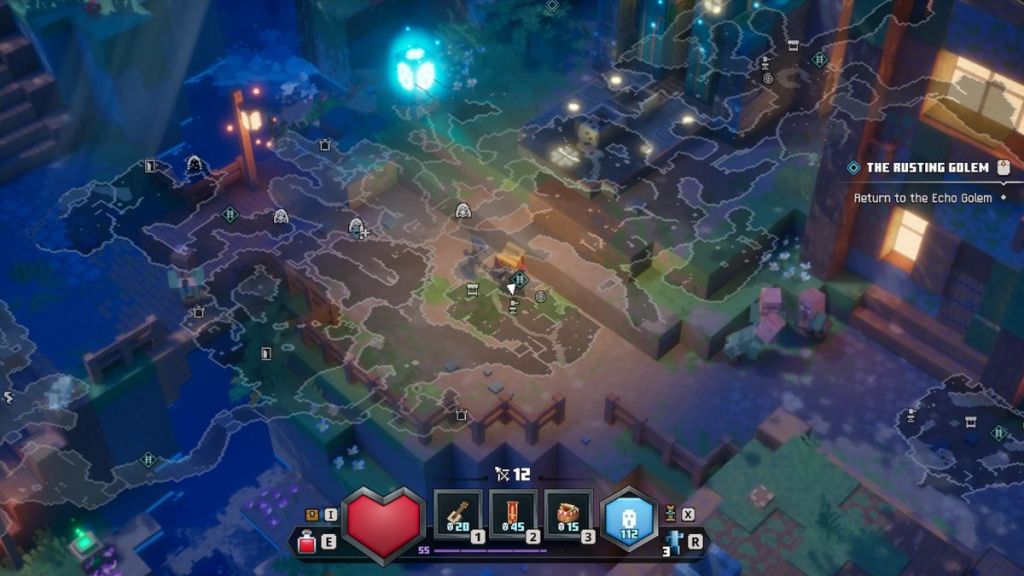
Finally, we have the Overlay Map mod in Minecraft Dungeons 2 that is aimed at players who keep losing track of the route or are too lazy to use the Guidance trail feature. Instead of opening the pause menu repeatedly to view the Minecraft Dungeons 2 map, this mod provides a toggleable map overlay that can be adjusted to suit your preferences.
It can also provide essential information such as nearby dungeons, side quests, or even boss markers. This makes navigation easier, as the large interconnected areas of the Sift in Minecraft Dungeons 2 can easily make you feel lost.
And that completes the list of the best Minecraft Dungeons 2 mods you should get your hands on right away. What are your thoughts on the above additions? Tell us in the comments below.