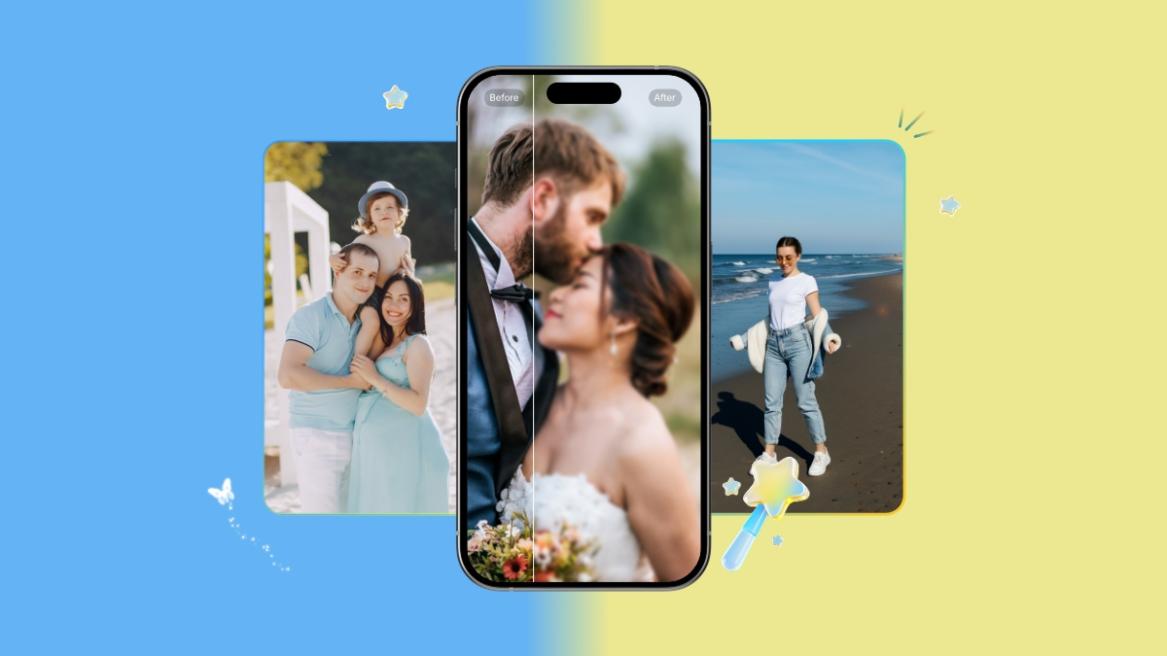
- Wondershare Relumi is an AI-powered photo retake app that fixes closed eyes, bad lighting, and awkward angles in images.
- It can also add life to still images by turning a static image into a animated video clip with ambient audio.
- You can download the Wondershare Relumi app on Android, iOS, and Windows for free.
We have all been there when we are trying to take the perfect photo, only for someone’s eyes to be closed or for a golden-hour shot to be ruined by some stranger in the background. In group photos, someone sneezes during the photo capture and there is no way to recreate the same moment. In such cases, no amount of editing tools or cropping can fix the images.
Well, not anymore. Wondershare Relumi, a globally recognized software company known for its innovative creativity and productivity solutions, has launched Relumi — an AI photo retake app that can retake moments that have already passed. Unlike AI photo enhancers, Wondershare Relumi lets you digitally change the image and capture it in the way you intended. It uses advanced AI models such as Nano Banana Pro and Nano Banana 2 to create missed moments.
Key Features of Wondershare Relumi
Most photo repair tools upscale blurry images or fix artifacts, but Relumi goes a step further and detects specific flaws in an image and reconstructs it as if the flaw never existed. Its slogan “Go Back. Take It Better.” aptly summarizes what the app is all about. Here are all the features you get with Wondershare Relumi.
Photo Flaw Repair
The core feature of Wondershare Relumi is Photo Flaw Repair. The advanced AI model scans an image for common issues such as closed eyes, awkward facial expressions, and minor pose problems. After that, it corrects them while keeping the original lighting, shadows, and background completely intact.
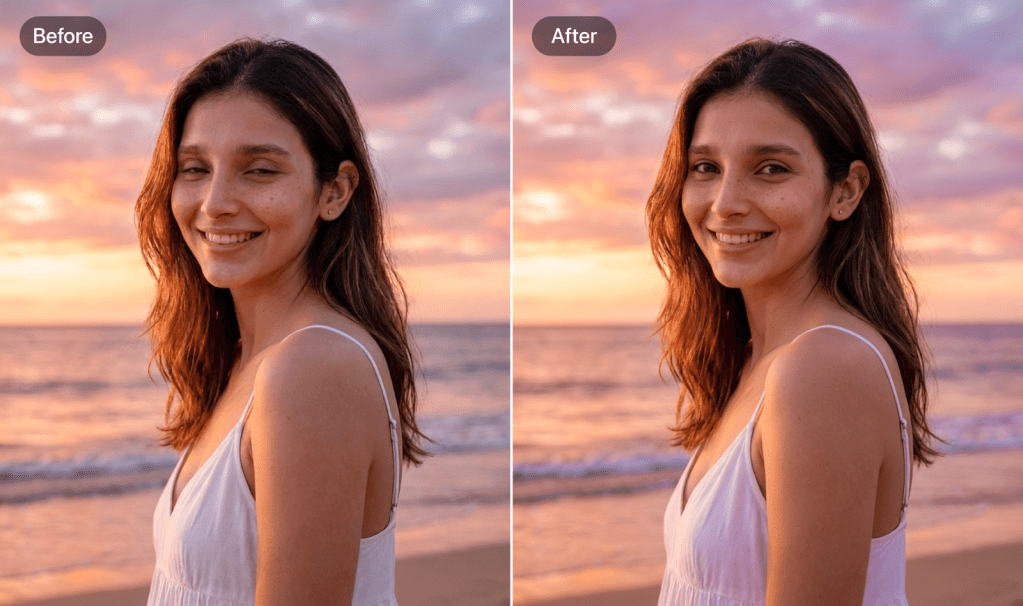
It focuses on a single subject at a time and makes precise adjustment that modify a poorly-taken image into something that looks perfect. Basically, by leveraging its advanced AI capability, you can reshoot a moment without actually reshooting it.
Multi-Person Photo Repair
We know that most of the poor photos are group photos where someone is blinking or squinting or simply looking away from the camera. Wondershare Relumi’s AI can identify every individual’s face and correct their expression independently. The best part is that while fixing one person’s closed eyes, it doesn’t alter the overall image or anyone’s expression.
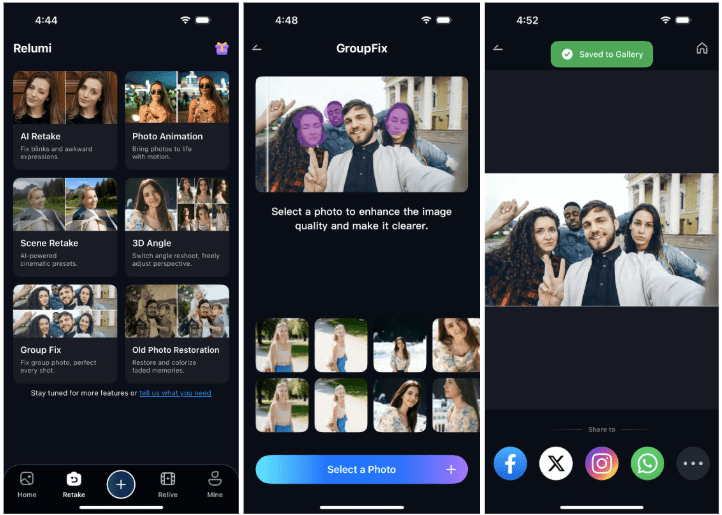
This can come pretty handy for wedding images or family reunion photos. As these images are taken once in a lifetime, you can use Wondershare Relumi to make the group photo perfect.
Smart Environment Preset Retake
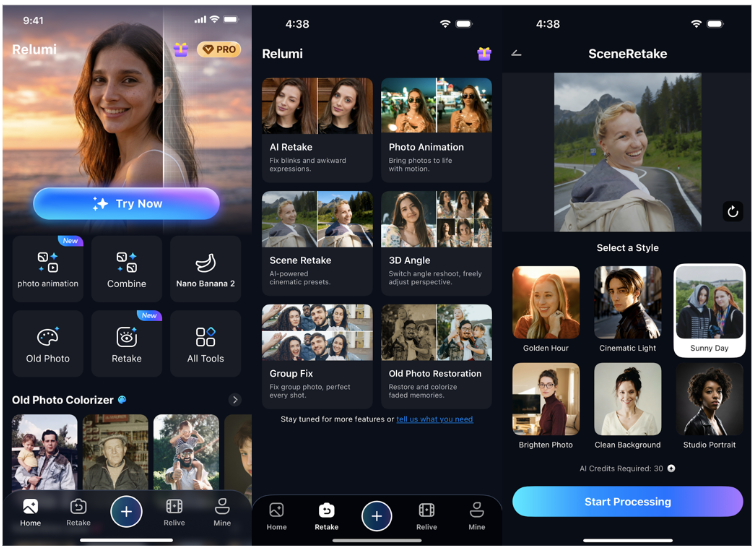
At times, the person in the photo looks great, but the background scene is not the best. For such cases, Wondershare Relumi offers environment presets that analyze the image and recommend lighting and atmosphere adjustments that match the original scene. You can choose to apply cinematic-style lighting, including warm golden tones, soft studio lighting, and dramatic contrast. And in just a single tap, you can make an image more professional with zero editing experience.
3D Angle Adjustment Retake
3D Angle Adjustment Retake is one of the advanced features of Relumi. It uses AI-powered 3D perspective reconstruction to change the camera angle of a photo. Basically, a top-down selfie can become an eye-level portrait and a low-angle shot can be easily reframed to make it a flat image. With this AI feature, you can break the limitations of a 2D images and recompose the image from different camera positions.
Photo-to-Video with Sound
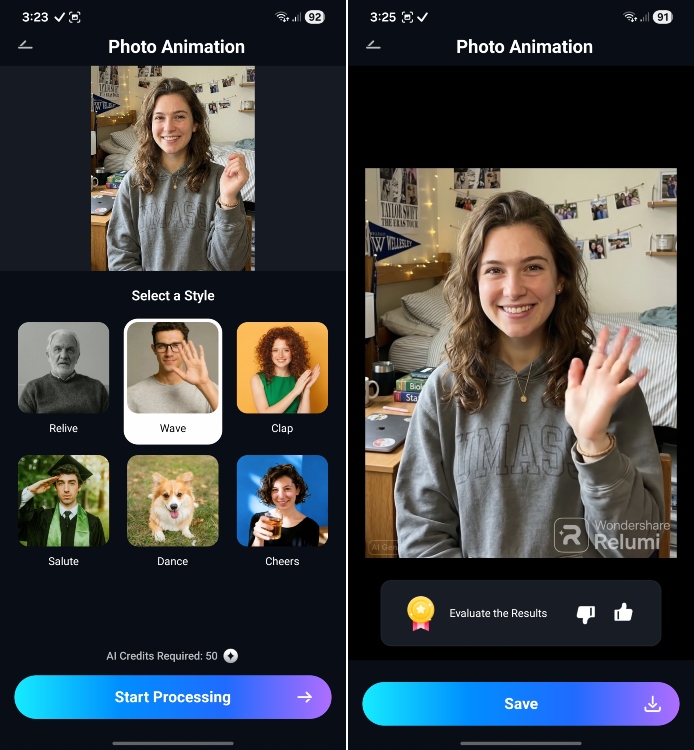
Now, we come to Relumi’s amazing photo-to-video feature that can create a short animated video with sound. Yes, you read that right. It can transform and add motion to still images. The AI generates subtle camera movement, and realistic facial expressions with audio to add life to images. If you have an old family photo, you can use it to create an animated video of your family members to relive their memory.
How Wondershare Relumi Helped Users Recreate Their Photos
Features can only tell half the story, here are stories from users who recreated their cheerful moments using Wondershare Relumi.
Sarah, 27 — Travel Blogger
Sarah, who is a travel blogger was shooting during golden hour on a trip. She wanted to capture the perfect frame with ocean, sky, and the warm light. However, she blinked and couldn’t take a second image as the sunset window last only minutes. Thankfully, Relumi’s AI detected her closed eyes, and corrected the expression naturally. It also preserved the exact sunset lighting of the original scene.
Marcus, 32 — Food Content Creator
Marcus, who works as a food content creator, took an image of a beautifully plated dish at a restaurant. However, the overhead lights washed out the image and there were no textures. Marcus used Relumi’s AI scene lighting feature and applied warm cinematic preset that simulated professional food photography lighting. The image was successfully restored without requiring any reshoot.
Emma, 29 — Photography Enthusiast
Emma took a selfie in front of an artwork at a gallery, but due to the wide-angle lens, the final image looked off. To fix it, she used Relumi’s 3D camera angle adjustment which modified the image and rendered a more natural perspective. It looked as if someone else took the image from a few steps away. Relumi successfully corrected the facial proportions and improved the framing while keeping the artwork the same as before.
Margaret, 55 — Retired Teacher
Margaret has a box of old printed photos containing images of her parents at their wedding, her kids as toddlers, and images of holidays from decades ago. She wanted to create an animated video from those images so scanned them using Relumi and the app added motion to those still images with ambient sound.
It didn’t change the characters in any way, but made the characters come alive, which was pretty emotional. Thanks to Relumi’s Photo-to-Video animation feature, she could share the clips with her family.
Wondershare Relumi: Pricing and Availability
Relumi is available as an app on Android (Play Store) and iOS (App Store). You can try the app for free, and for more details on pricing and subscription options, please refer to the official website.
Put simply, if you want something beyond an image upscaler or an AI photo enhancer, Wondershare Relumi is the one app you should get. It’s solving a different problem which is to recreate all those missed moments while keeping the overall scene intact. Be it a blink, harsh lighting, or a distorted selfie, Relumi gives you a second chance at preserving memories just the way you wanted.