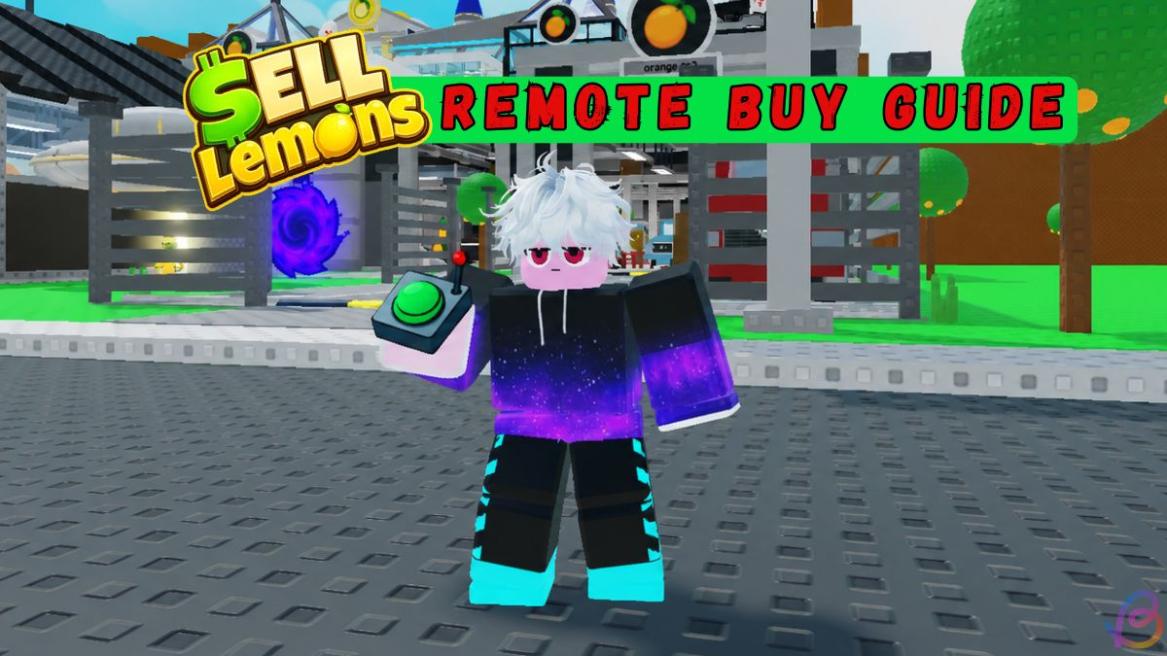
- Remote Buy can be purchased for 299 Robux or unlocked after reaching six evolutions in Sell Lemons, with 1 Trigintillion investors.
- The feature lets players instantly buy the next available upgrade without traveling across the map.
- The investor version resets after evolution and ascension, while the Robux version remains permanently unlocked.
If you are familiar with the gameplay loop of Sell Lemons, you already know how frustrating the manual unlocks can get. After each rebirth, you start from scratch and must visit all the locations again to purchase them. Luckily, if you have Remote Buy, that stress is completely gone. Here is a guide to obtain Remote Buy in Sell Lemons, along with its price, investor requirements, and more.
How to Unlock Remote Buy in Sell Lemons
To unlock the Remote Buy in Sell Lemons, you must purchase it using 299 Robux or 1 Trigintillion investors. The Robux method is simple. This will not require any progression or going through the Sewer Map in Sell Lemons. Just spend some IRL cash and boom, you are rich.
However, if you want to know exactly get the Remote Buy for free, follow the steps below:
How Much Is Remote Buy in Sell Lemons
There are no cash requirements to get the Remote Buy in Sell Lemons. However, to reach the level to unlock it, you will need 6 evolutions in Sell Lemons. Once done, you will also need a lot of investors.
How Many Investors for Remote Buy in Sell Lemons
To purchase the Remote Buy in Sell Lemons, you will need 1 Trigintillion investors. To get investors, you must keep using the rebirth feature. The faster you make money, the higher the investor count you can reach. Click the Alien button on the right and select Rebirth to get the investors.
You will see how many investors you are getting, so check it before you click the button. Remember that the rebirth process removes all your progress, and you must manually purchase and unlock everything again.

Purchase Remote Buy in Sell Lemons
Once you reach the investor number, here is how you purchase Remote Buy in Sell Lemons:
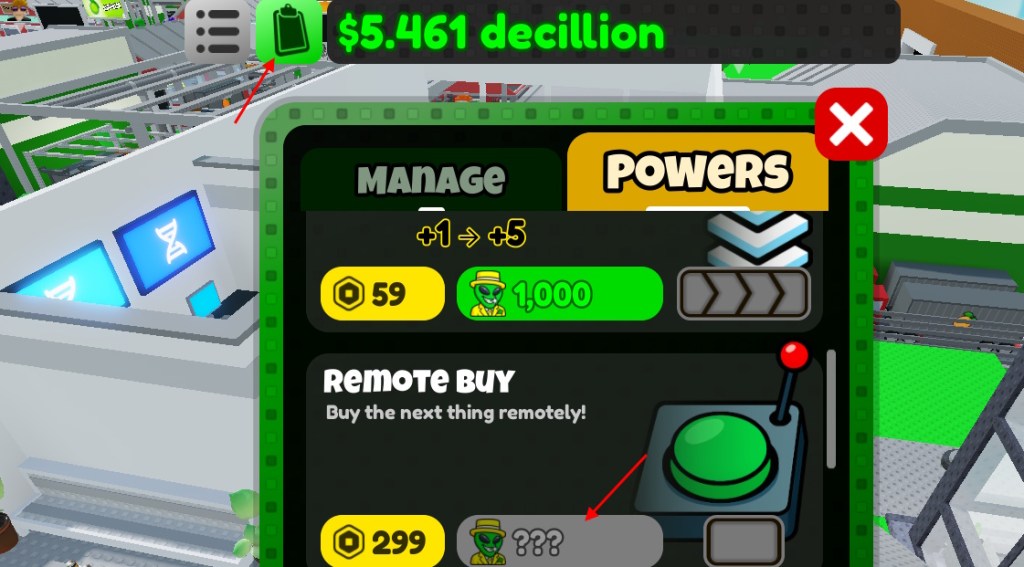
- Click the clipboard from the top menu.
- Scroll down and look for Remote Buy.
- Click the button beside the Robux icon.
- You now have remote buying powers.
How to Use Remote Buy in Sell Lemons
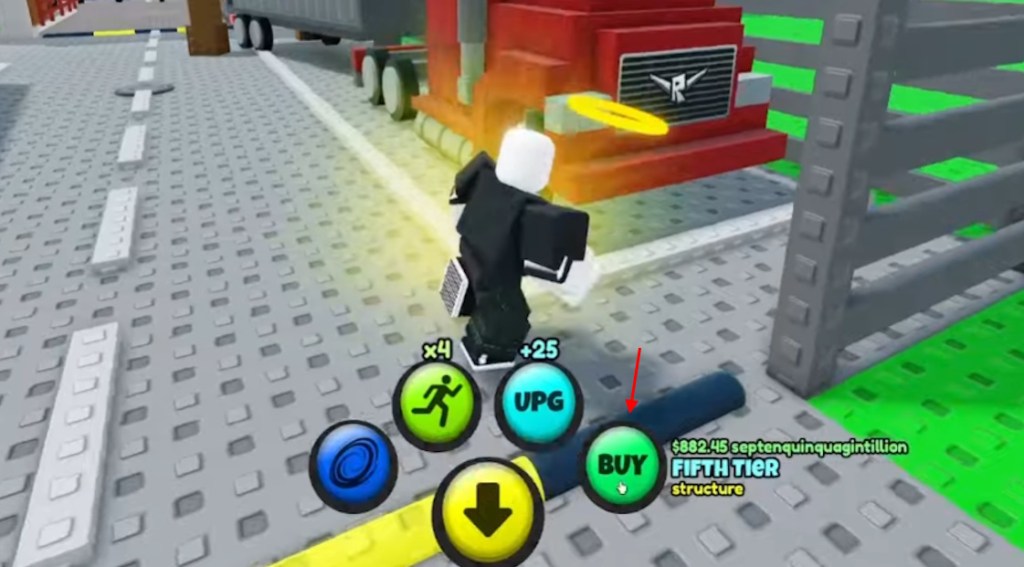
After you acquire the Remote Buy power, you get a new button. Click the green ‘BUY’ button to purchase the next money-making option you have available. This will help you purchase everything from one place.
Remember that using evolve or ascend will reset the Remote Buy. You only get to keep it if you paid Robux. Now that sounds like a bad deal. But you know what is not? Getting a permanent buff after you find the UFO Key in Sell Lemons and talk to another secret alien. But one question remains.
Should You Get Remote Buy in Sell Lemons?
Yes, Remote Buy is one of the most useful quality-of-life upgrades in Sell Lemons, especially if you rebirth often and are tired of manually running around the map after every reset. However, it is only truly worth pursuing if you can either afford the 299 Robux purchase or are already close to the massive 1 Trigintillion investor requirement.
- It lets you buy upgrades from anywhere using the green BUY button.
- It significantly reduces the time spent rebuilding after each rebirth.
- The free version requires an enormous investment of 1 Trigintillion investors.
- It remains permanently unlocked after rebirthing, but evolving and ascending take it away.
That is everything you need to know about Remote Buy in Sell Lemons. Did you get this strong item in the game already? Let us know in the comments.
Yes, Remote Buy stays permanently unlocked. However, after evolution and ascension, it resets.
You need to reach six evolutions before you can unlock and purchase the investor version of Remote Buy.