
- Players can enable crossplay in Fortnite by heading to the Gameplay Privacy section in the Account and Privacy Settings tab.
- Fortnite generally has crossplay turned on by default, as it shortens matchmaking queues.
- It is not possible to turn Fortnite crossplay off on PC and mobile.
Fortnite is a massive game, with players from all over the world joining the Battle Royale title on various platforms. With a community this large, Epic allows players to play with others, irrespective of their platform, thanks to Fortnite Crossplay. If you want to compete against other players across all platforms, too, and possibly get a better matchmaking experience, here is everything you need to know about Crossplay in Fortnite.
How to Turn on Crossplay on Fortnite
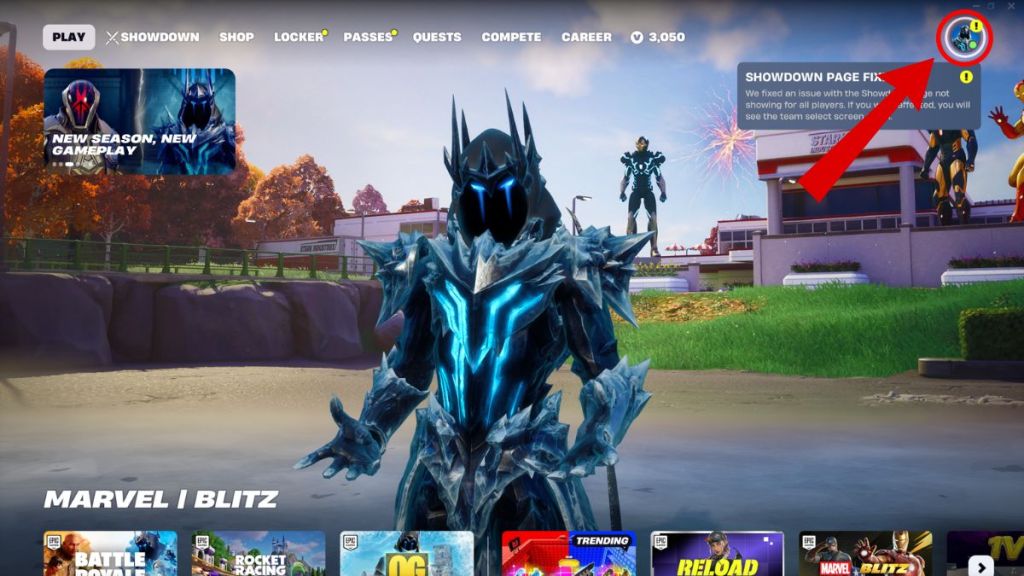
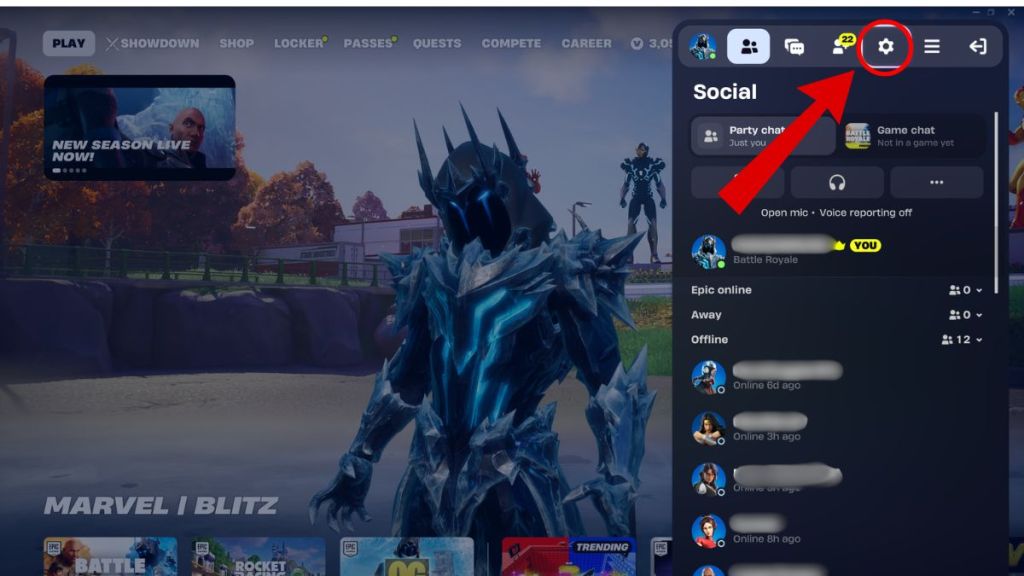
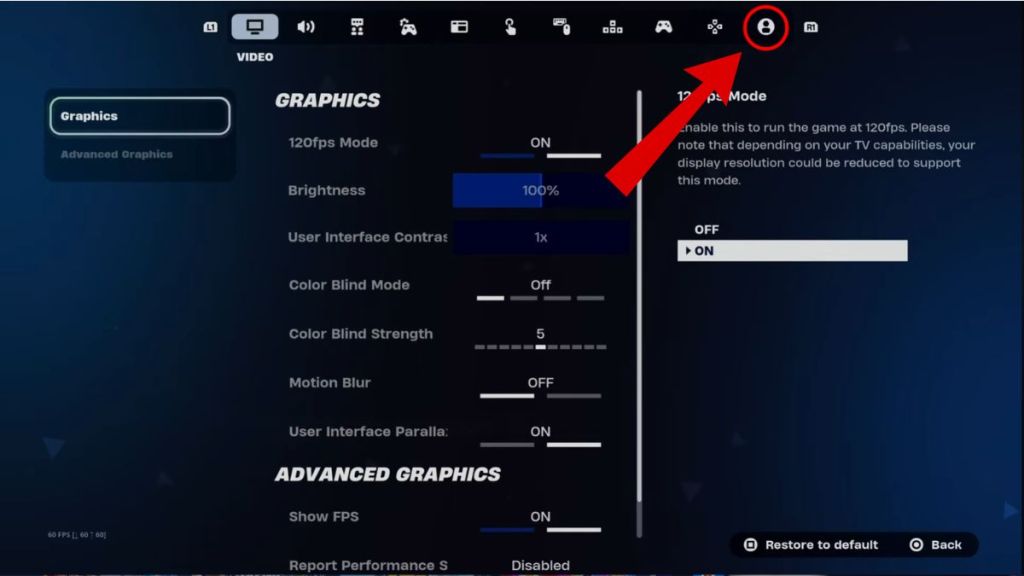
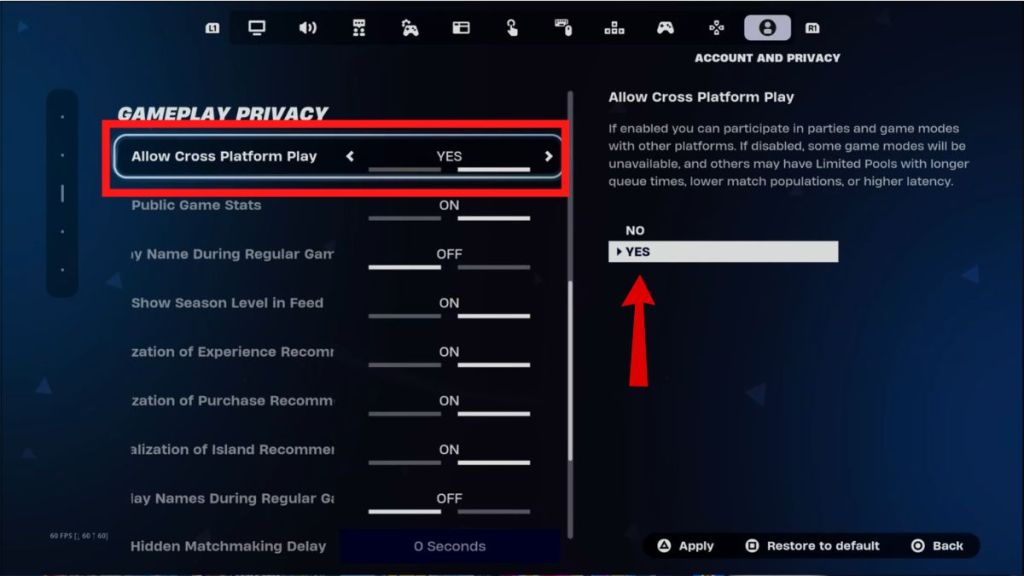
You can turn on crossplay by changing your Gameplay Privacy settings in Fortnite. As of Fortnite Chapter 7 Season 2, crossplay is enabled by default for all accounts to ensure faster matchmaking times. However, if you have accidentally messed with your privacy settings or are having trouble joining your friends on other platforms, here’s how to check if you have crossplay turned on in Fortnite:
- From the Fortnite Lobby, click on your profile icon on the top right.
- In the sidebar, click on the Gear icon to open the Settings menu.
- Tab over to the far right until you reach the Account and Privacy section, represented by a person icon.
- Scroll down to the Gameplay Privacy section.
- Make sure Allow Cross-Platform Play is set to Yes.
- Save your settings before exiting.
It is important to remember that, on PC and mobile devices, crossplay is mandatory and cannot be turned off. To make use of Fortnite’s cross-platform features, you simply need to add them using their Epic Games Display Name.
Does Crossplay Affect Fortnite Lobbies?
Yes, enabling or disabling crossplay significantly changes your Fortnite matchmaking experience. If you play on a console and invite a PC player to your squad, you will be placed into PC-dominant lobbies. Fortnite prioritizes the highest performance platform in your group to ensure fairness for other players.
Additionally, if you choose to turn crossplay OFF, your queue times for matches will drastically increase. Since the game has to try and find 99 other players on your exact platform who also have crossplay turned off, you may have to wait a while before you can jump on the Battle Bus in Fortnite. Also, there is a good chance you end up in a lobby dominated by bots, and we all know how unsatisfying those can be.
Keeping crossplay on at all times has essentially become a necessity for playing Fortnite in 2026, especially on older consoles like PlayStation 4 and Xbox One. Have you tried playing Fortnite without crossplay? Tell us in the comments below!
Crossplay is set to on by default. You can check its status by heading to the Gameplay Privacy section in the Account and Privacy Settings tab.
No, you cannot change Fortnite’s crossplay settings on PC and mobile.
Yes, thanks to the game’s platform hierarchy and SBMM, crossplay significantly impacts your gameplay.