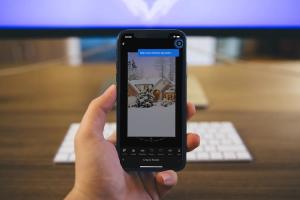
Most of us take plenty of pictures using our iPhone cameras and we want them to look as beautiful as possible, hence we use various photo editor apps that can enhance our pictures. These apps aren’t anything new and there are a slew of options to choose from, so things might get confusing for consumers. It’s not easy to pick the best ones from the App Store either, as the various photo editing apps are highly subjective. However, we’ve decided to help you guys in making your choice by shortening down the list. So, without further ado, let’s take a look at the 10 best photo editing apps for iPhone you should use:
1. VSCO
VSCO is a neat software if you want to quickly capture and edit your pictures without any hassle before you upload them to your social network accounts. Straighten, crop, skew, adjust contrast and exposure in your pictures, in addition to being able to add some great filters within the app. If the available filters don’t do the job for you, you can purchase additional preset filters from the VSCO shop. 

2. Snapseed
Snapseed is a photo editing tool made by the search giant, Google and as you’d expect, it’s completely free without any hidden in-app purchases. Unlike VSCO, Snapseed offers much more control when it comes to the number of available tools that users can take advantage of. Some of the unique tools that are available on Snapseed includes Healing, Selective, Brush and Transform. Users who prefer much more flexibility in editing photos might prefer this application above the rest, but if you’re someone who’s looking for a simpler solution, you might want to look elsewhere. 
3. Instagram
After being acquired by Facebook back in 2012, Instagram has come a long way over the course of 5 years. Instagram is primarily a social network app for sharing pictures rather than a fully-blown editing software with over 700 million monthly active users. That being said, let’s move to the editing side of things. Instagram was one of the first apps that came with plenty of cool filters like Gingham, X-Pro II, Nashville, Hudson, etc. to enhance your pictures at the touch of a button. The app also lets you adjust the intensity of these filters, as per your preferences. 
4. Enlight
Enlight is one of the most popular photo editing apps on iOS and rightly so. The app, released a couple of years back stands out from the rest of the competition due to its unique features. With Enlight, you will be able to turn your photos into art, reduce noise with minimal quality loss, neatly superimpose images and do 3D transformations, in addition to the usual stuff you might expect from a photo editing app like adjusting saturation, contrast and tint. The app also features an InstaFit tool to make the pictures ready for a quick Instagram upload. 

5. Adobe Photoshop Express
We all know that Adobe Photoshop is the most widely used software across the planet for editing photos professionally. On the other hand, we have Adobe Photoshop Express for iOS devices. Consider this to be a stripped down version of the desktop version with much lesser features aimed at performing better on a touchscreen device. Don’t underestimate the Adobe Photoshop Express app just because it’s a toned down version because it’s still way better than many of the photo editing apps that are currently available apps for iPhones and iPads. 
6. Polarr
Similar to almost all the photo editing apps, Polarr brings you everything you’d expect from an app of this type, providing you with the standard set of editing tools and filters to enhance your smartphone pictures within minutes. That being said, Polarr has one outstanding feature that makes it easily stand out from the rest of the competition and that is highly accurate face detection without the need of connecting to internet. We don’t think there’s any other app that can come close to Polarr in this department. 
7. Ultralight
Ultralight is another great photo editor for iPhone and while it brings features that are similar to the rest of the photo editing apps, offering a number of tools and filters to get started with, there’s one thing that Ultralight does better compared to most of its rivals and that’s the user interface, which is intuitive to say the least. If you just use the app for five minutes, you’ll understand exactly what I’m talking about. The layout and the overall interface is sleek and simple, with the right tools and sliders at the right places, for super-fast photo editing. 
8. Afterlight
Afterlight is one of the highest rated photo editing apps on the App Store, and that’s seriously impressive, especially considering the fact that it’s a paid app. Afterlight was previously known as AfterGlow and considering it was originally released back in 2012, the app has evolved a lot to meet present-day standards. For a price of just under a buck, you have a 15 adjustment tools, 74 filters, 78 textures, transformation tools, various frames and more to choose from which are constantly updated by the developer from time to time. 
9. Pixlr
Pixlr was originally a hugely popular website used by people to edit pictures online without much hassle. Once they released an app for smartphones, it instantly became a hit due to obvious reasons. Pixlr brings you some unique tools like autofix, smooth, blur, heal and splash, which some of the competition misses out on. A nifty feature called Double Exposure lets users combine two photos using opacity slider and blend mode. 
10. PicsArt Photo Studio
Just like every other photo editing app that we’ve discussed earlier, PicsArt gives you everything that you’d probably want from a smartphone photo editing application. However, it does bring you something more, like a built-in social networking platform for sharing pictures with fellow users, similar to Instagram. Tools like Curves, Clone, Perspective, Dispersion and red-eye correction can be used to test your editing skills. Apart from this, PicsArt provides everything that most of the competition has to offer, and in that regard, we’re quite impressed with the app. 
Try These Best Photo Editing Apps on Your iPhone
Well, it was definitely not an easy task to shorten this list to 10 from a huge list of photo editing apps that’s currently available on the App Store. That being said, these are some of the very best apps that you guys can make use of to enhance your breathtaking stills on your iPhone. As far as photo editing apps go, we cannot stick to just one app, because several apps offer unique features that might be lacking on the one you’re currently using. If you usually prefer editing pictures on your iPhone, we suggest you have multiple applications installed, depending on the kind of editing that you do. So, are you ready to try out these photo editors on your iPhone to make your photos look better? Do let us know your thoughts on these apps by simply dropping a few words in the comments section down below.