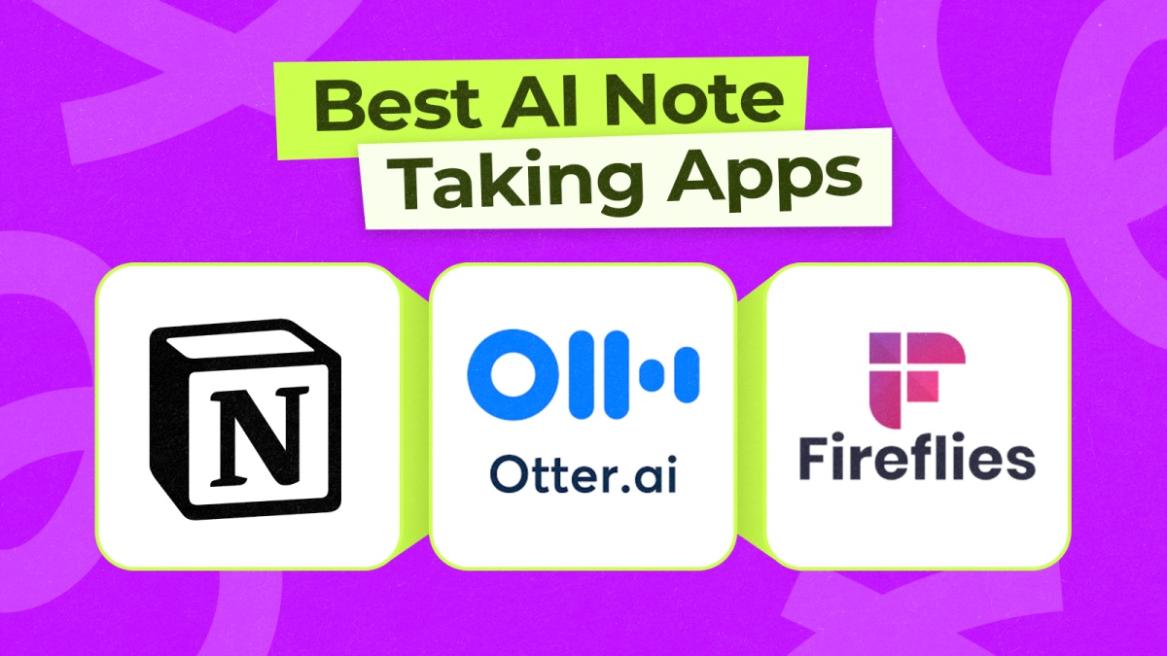
AI is proving to be helpful in various parts of life, whether we need suggestions for food, an itinerary for a trip, or a quick design idea. But how about organizing our lives? I have been scouring the web for some of the best AI note-taking apps that can help me achieve that, and after testing a few, I have come up with this list of apps.
Overview of the Best AI Note-Taking Apps
| Best AI Note Taking Apps | Best Suited for | Limitations | Pricing |
|---|---|---|---|
| Notion | Creating tasks, deadlines, managing teams and summarizing long content | Could feel too overwhelming for new users | Free, Plus plan starts at $10/month |
| OtterAI | Turning recordings into transcriptions, easily create summaries and insights | Not a full-fledged note-taking app in the traditional sense | Free, Paid plan starts at $16.99 per month |
| Fireflies | People who want to create notes from meetings, live sessions and other audio sources | Not suitable for traditional, written style notes | Free, Pro plan starts at $18/month |
| Evernote | Users who want an all-in-one note-taking app that also does reminders, tasks, and notes | Interface could look dated in comparison to some modern note-taking apps | Free, Starter plan starts at $14.99/month |
| Turbo AI | Students who want an AI note-taking app to record lectures, prepare lessons, and take quizzes | Some features are missing, and may feel redundant for everyday users | Free, Paid plan starts at $19.99/month |
| Notta | People looking to record meetings, video calls, and need an accurate transcription app | Not suitable for text-based notes | Free, Pro plan starts at $13.49/month |
| Google Keep | Simple and basic note-taking, integrated with Android and Gemini services | Experience may feel barebones to some users | Free to Use |
Best AI Note Taking Apps Compared
Many note-taking apps have emerged that use AI at their core, while some existing ones have adopted AI integration as well. I have included both in this list, so we can take a look at them.
1. Notion
Notion is the most powerful note-taking app that I have used in recent memory. It doesn’t just help with jotting down notes, but also blogs, ideas, to-do lists, and goals, tasks, assignments, and more. What truly impressed me was how AI helps organize dense blocks of content into summaries, making it easier to glance through blocks of information in a second.
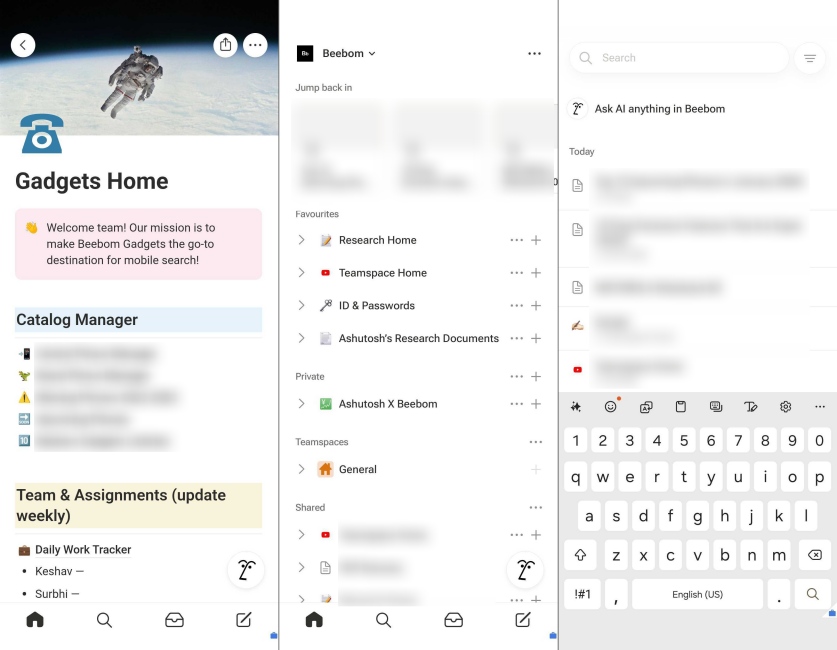
However, it also doubles as a workplace app, allowing you to collaborate with other members, create tasks, and set a deadline for them as well. They can even chime in on your work, as long as you have shared the sheet with them. However, all these features do make Notion quite convoluted and confusing, especially for new users, and it takes a while to get around all of its bells and whistles.
| Pros | Cons |
|---|---|
| Great for writing lengthy notes, articles, and stories | Interface might seem complicated for new users |
| Can create advanced workflows, tasks, and assignments with deadlines | |
| Syncs across devices | |
| Excellent tool for team collaboration |
Pricing: Free, Plus plan starts at $10/month
2. Otter.AI
In my experience with Otter AI, I discovered an exceptionally powerful tool tailored to streamline meeting workflows and capture every nuance of conversation. Otter AI leverages advanced speech-to-text algorithms that transform live meetings and recorded sessions into meticulously transcribed notes with impressive speed.
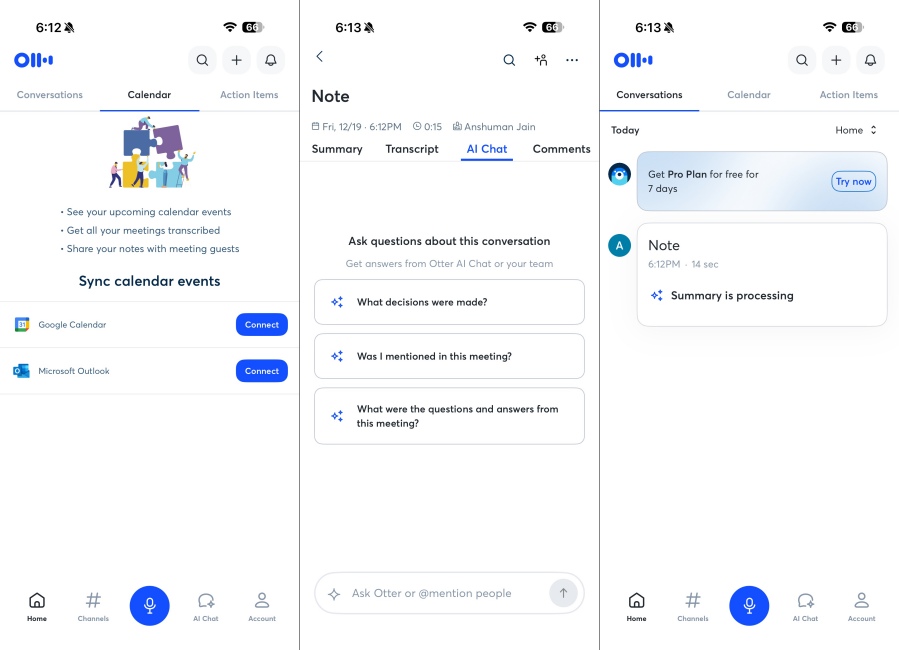
Its AI is designed to not only produce near-real-time transcripts but also to intelligently identify key discussion points, assign action items automatically, and even provide recaps that save me hours of post-meeting work.
| Pros | Cons |
|---|---|
| Accurate speech-to-text transcription | Interface could feel cluttered for some users |
| Works with recordings or real-time meetings | Accuracy drops in noisy environments |
| Help turn long transcripts into small notes | Not suitable for text-based note-taking |
| Makes it easy to distinguish voices in group recordings |
Pricing: Free, Paid plan starts at $16.99 per month
3. Fireflies
Fireflies is another app that tackles voice-recording meetings, calls, and conferences with its AI transcription feature. It’s not for users looking for a traditional text notes app, but rather for those who take a lot of meetings and calls, and need a way to keep a record of the discussions in an organized manner.
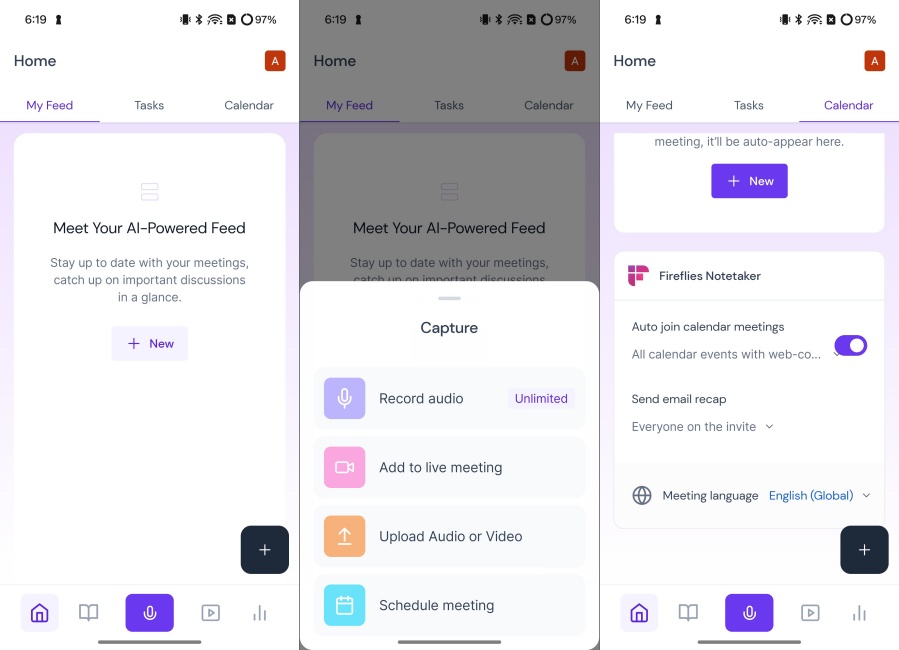
Its AI-driven feature set can accurately transcribe and support multiple languages, too. Fireflies works across all major video conferencing platforms like Zoom, Google Meet, Microsoft Teams, and Webex. It goes one step further and can use AI to extract key insights, generate summaries, and add tags based on the context of the discussion. The UI is also pretty easy to use, which is why I have put it in the 3rd position in this list.
| Pros | Cons |
|---|---|
| Turns lengthy recordings into short summaries | Some important features require subscriptions |
| Works seamlessly with video conferencing tools | |
| Includes highlights, tags, and action items |
Pricing: Free, Pro plan starts at $18/month
4. Evernote
Evernote has been a popular note-taking app and has received numerous editor’s choice awards for the same. It integrates AI-powered tools to help you digitize your scribbled ideas, organize information, and find items across your digital notebook. It is not a deeply AI note-taking app, but it uses AI in a subtle way that does not overwhelm the experience of existing EverNote users.
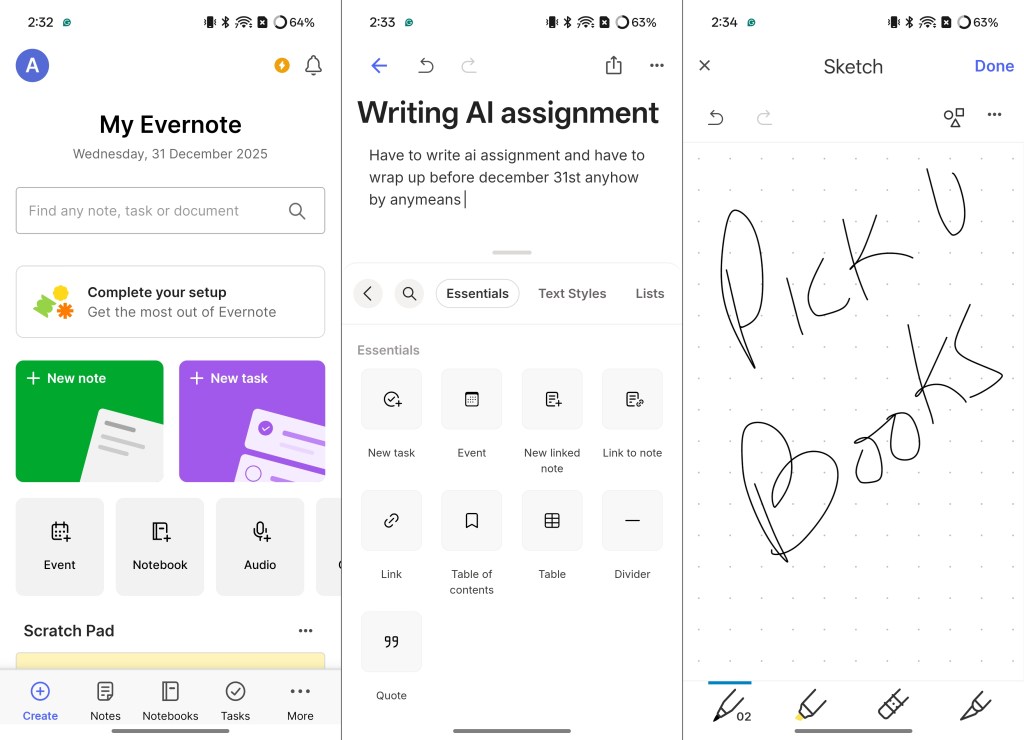
In my testing, Evernote’s AI felt truly helpful when tackling my messy note collections. It also syncs notes across devices, which is another perk, since I switch between my desktop, tablet, and phone quite often. The app also features tasks, reminders, and document scanning, making it a helpful app for both personal and professional note-taking tasks.
| Pros | Cons |
|---|---|
| Can quickly digitize and transcribe your notes with AI | Does not feature thorough AI integration |
| Helps organize notes, tasks, reminders, and other items | The UI may feel dated compared to latest options |
| Syncs data across devices | |
| Easy-to-use interface |
Pricing: Free, Starter plan starts at $14.99/month
5. Turbo AI
Turbo AI is not just another note-taking app, but also serves as one of the best AI apps for students, as it lets you record lectures, meetings, and lessons to transcribe them. But it smartly understands the context of the transcriptions, organizing the information and turning it into easy-to-understand lessons all by itself.
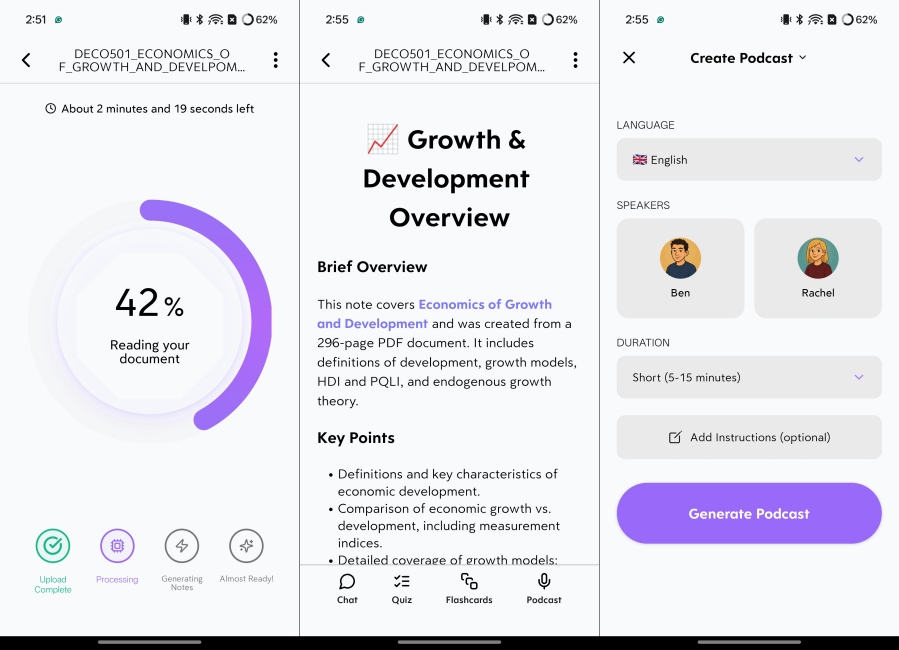
This way, you can turn the transcribed lectures into a Quiz and flashcards for revision later. It can even prepare visuals like graphs with the help of AI. And just like Google’s NotebookLM, there’s also an option to turn the recording and uploaded documents into AI podcasts. So you can listen and learn while on the go. So if you are a student and looking for a perfect AI note-taking app, then you must try out Turbo AI.
| Pros | Cons |
|---|---|
| Can accurately transcribe recordings | Lacks some note-taking features |
| Organizes transcriptions into lessons | More advanced features require paid plans |
| Prepares quizzes, visuals, flashcards for revision | |
| Can also generate AI podcasts out of recordings |
Pricing: Free, Paid plan starts at $19.99/month
6. Notta Transcribe Audio and Text
Notta is another app that focuses on audio transcriptions, offering generous AI features to help you transcribe meetings and calls with up to 98% accuracy. This is made possible thanks to the integrated GPT-4 model, which also allows you to summarize the minutes of a meeting and ask follow-up questions later on about it.
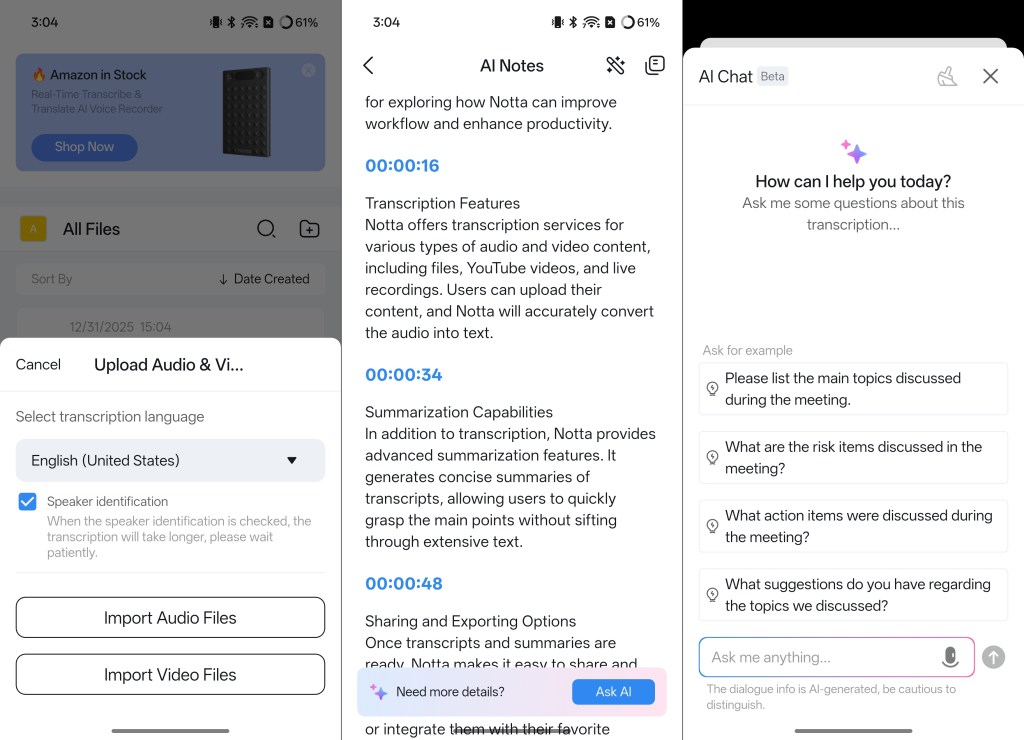
Notta can also sync all these details to Notion, the app we mentioned at the top of this list. You can also use it for recording video calls, and in my testing, it works effortlessly. So if you are someone who is working from home and needs to attend multiple calls and online meetings, then Notta has to be the AI note-taking app for you.
| Pros | Cons |
|---|---|
| Transcribes audio with 98% accuracy | Not a full-fledged note-taking app |
| Supports both live recording and file uploads | Not ideal for non-audio-related notes |
| Easy export files, or sync with other apps like Notion | |
| Can also record and transcribe video calls |
Pricing: Free, Pro plan starts at $13.49/month
7. Google Keep
Google Keep is my tried and tested note-taking app that I have been using for over 10 years now. While its basic working has remained the same, it has received a few Gemini integrations, allowing you to save notes to Google Keep directly from the Gemini AI assistant on Android devices. You can even ask Gemini to prepare an itinerary for a holiday, and it will save it to Keeps so you can access all the details later on.
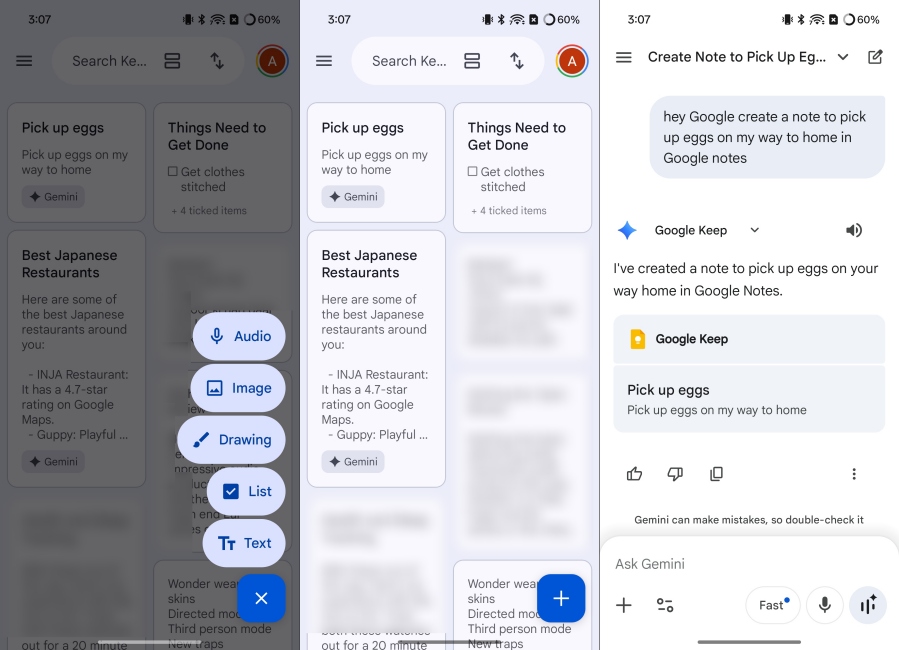
In the app itself, you can use Gemini to help summarize long notes, complete your notes, and sync notes and reminders with Google Calendar automatically. The reason I have put it last is that its key AI features are tied to Google’s AI and are mostly exclusive to Android devices.
| Pros | Cons |
|---|---|
| Simple, and easy-to-use note-taking app | Does not feature a ton of AI additions |
| Syncs with Google’s suite of apps | Pretty simple and barebones experience |
| Can add notes using Gemini voice assistant | |
| Use AI to draft or summarize long notes |
Pricing: Free to Use
So these were all the best AI note-taking apps that I have managed to find. I have tried to include most of the free options that are currently available out there, while also offering a robust feature set; otherwise, what is the point? If you think I am missing any particular app or have questions about any of the options in this list, then be sure to let me know in the comments down below.