Having an AI app on your phone has become the norm in 2025, but with so many options available, it can be confusing to determine which app to download and which one to avoid. Well, we have done the testing for you and ranked the best AI apps for iPhone that will bring the “smarts” to your smartphone. Now, let’s check out the list.
Best AI Apps for iPhone Compared
I have mentioned some of the best AI apps for iPhone that will come in handy for everyday use, and some prove to be a great replacement for Siri, too. But before moving on to the complete list, here’s a quick overview of all the apps, along with their best use cases, limitations, and prices.
| AI Apps | Best Suited for | Limitations | Pricing |
|---|---|---|---|
| ChatGPT | Quick searches, summaries, planning, and general information | Advanced features not available in the free version | Free, Pro plan available at $20/month |
| Perplexity | Deep research, fact checking, AI replacement for Siri | Cannot be set as the default AI assistant on iPhones | Free, Pro plan for Individuals starts at $20/month |
| Google Gemini | Real-time help with real world problems that could be hard to describe | More advnaced thinking is limited to the AI Pro plan. | Free, AI Pro plan starts at $19.99/month |
| Otter | Best for students, journalist and professionals | Transcription accuracy might drop with heavy accents | Free, Pro plan starts at $16.99/month |
| Replika | Deep, thoughtful conversations, and mental wellness | Not suited for factual results | Free, Pro Plan starts at $14.99/month |
| Arc Browser | Quick web browsing and ad-free experience | Steep learning curve for Safari users | Free to use |
| Welling AI | Calorie counting and weightloss advice | Not ideal for complex medical nutritional plans | Free, Paid plan starts at $15/month |
| Grok AI | Everyday conversations and general queries | Not ideal to be used by kids since it is has limite gaurdrails | Free, SuperGrok starts at $30/month |
Overview of the Best AI Apps for iPhone
There are hundreds of AI apps in the iOS App Store, so sorting the ones that are the best out there is difficult. For that reason, I went out of my way to test each app individually on my primary phone, used them everyday and came up with this list. So take a look at the must-have AI apps for iPhone.
1. ChatGPT
Starting with the obvious, it’s ChatGPT. It’s a must-have app on your iPhone since it can basically help you out with everything and anything your mind wanders to. Have any query, ask ChatGPT, need help writing a mail or a blog, it can help you out. Want someone to talk and listen to you, well, you know the answer by now. And now it even lets you have group chats with your friends too.
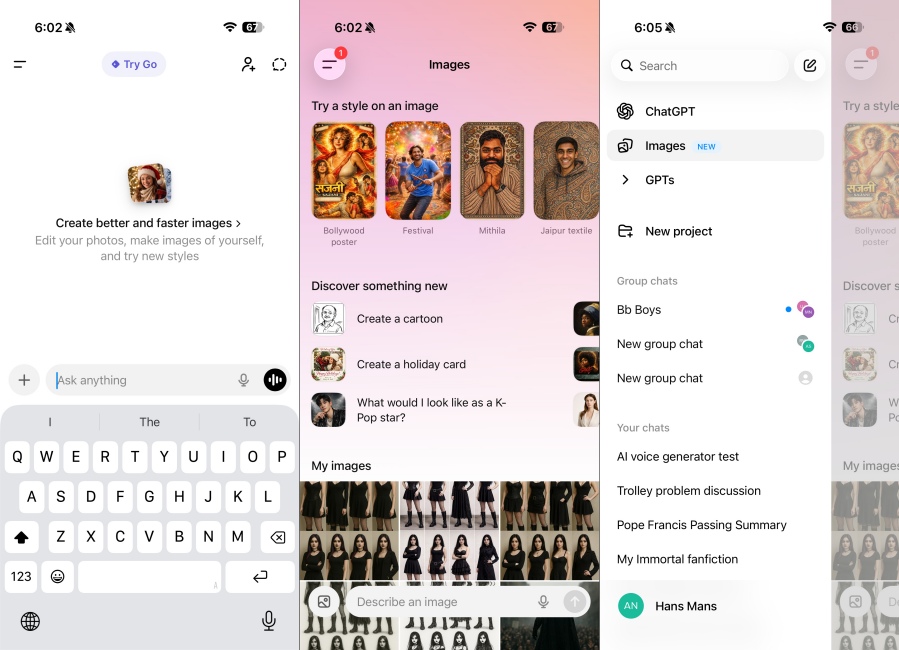
It can create some amazing pictures, as we have already seen in the Studio Ghibli trend in 2025. Plus, its new GPT 5.2 version is even faster and smarter in generating answers with improved context understanding. So if you have been holding off on getting ChatGPT, this is your open invitation to go ahead and try out ChatGPT, and I bet you won’t be uninstalling it anytime soon.
| PROS | CONS |
|---|---|
| Great for writing summaries, explainations and brainstorming | Limited offline usage |
| Even works as a quick search tool | More Advanced model is locked behind subscription |
| Integrates with several popular apps and services | |
| Can generate hyper-realistic and creative images |
Pricing: Free, Pro plan available at $20/month
2. Perplexity
Perplexity is my most-used app on my iPhone, and it’s simply because it is the best alternative to Siri out there. It is a standalone AI app, so you can use it just like you would use ChatGPT for summaries, research, explanation or brainstorming ideas. But its voice mode allows you to play songs from Apple Music, add events to your Apple Calendar, send emails to your Contacts, and much, much more.
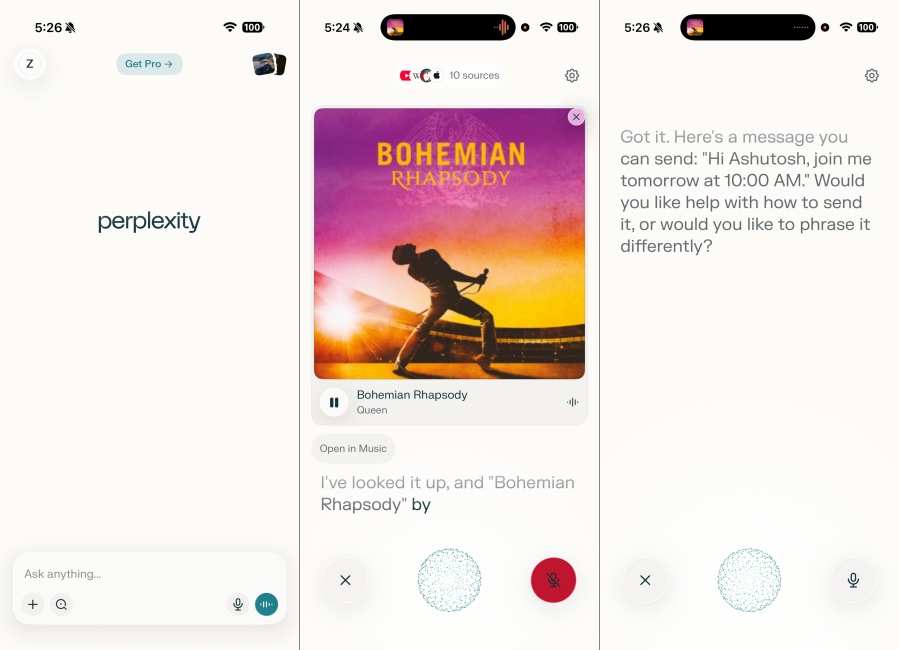
This kind of integration is only available on iPhones, and it is also great at understanding natural language. So I don’t have to say monotonous commands like I have to do with Siri, and I can be just myself when talking with Perplexity. It is genuinely one of the best AI assistants I have used on an iPhone, and until Apple sorts out its “intelligent” Siri.
| PROS | CONS |
|---|---|
| Can perform deep real-time research | Image generation not as good as ChatGPT |
| Voice mode works great for conversations | Cannot be set as the default AI assistant |
| Integrates with Apple’s first-party apps | |
| Can interact with it in natural language |
Pricing: Free, Pro plan for Individuals starts at $20/month
3. Google Gemini
Google’s Gemini is not just another ChatGPT alternative; it has grown out to be something more than that. Not only has it become an excellent tool for explanations, summaries, and other AI tasks. However, it also has a Gemini Live mode where you can show the AI whatever you are looking at and ask follow-up questions about it in real time. This is extremely helpful if you are stuck in a tricky situation and need some help.
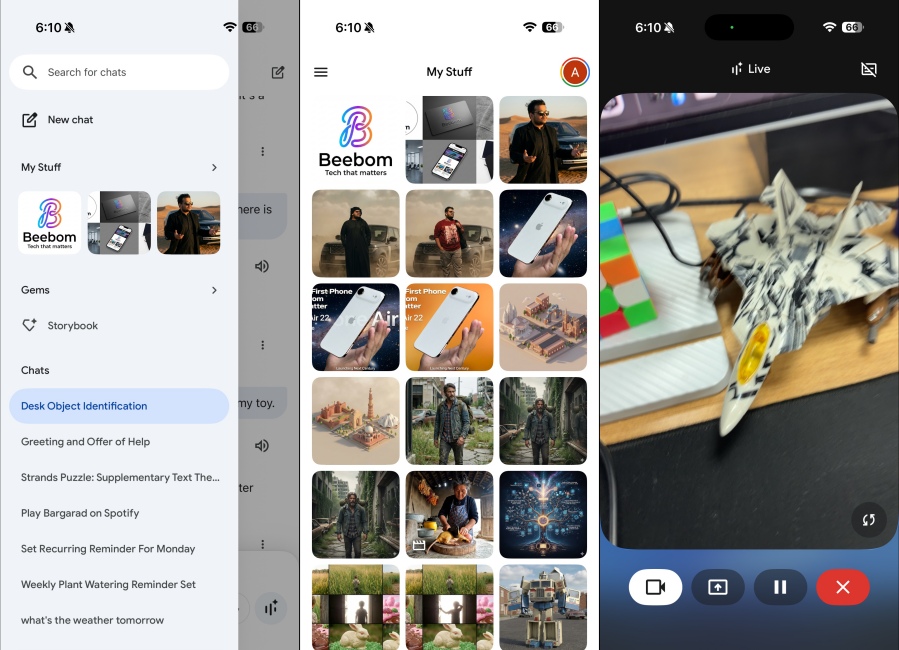
I have used it to fix my car, even though I am a complete car noob. It can highlight particular items while in the Live mode, clearly outdoing Apple’s Visual Intelligence features. The Nano Banana Pro model excels at creating amazing images, with utmost details and creativity, even with pretty simple prompts. This is another reason why I have added Gemini, and it can also perform Google Search for you using its dedicated Search AI mode.
| PROS | CONS |
|---|---|
| Have real-time live video conversations | Can have occasional inconsistencies at times |
| Creates outstanding images with Nano Banana Pro | |
| Can perform advanced AI Google searches | |
| Even generate realistic AI videos for free |
Pricing: Free, AI Pro plan starts at $19.99/month
4. Otter Transcribe Voice Notes
If you often find yourself taking notes on your iPhone, then Otter is the app for you. It is hands down the best AI note-taking app, which can create transcriptions in real time. So you can record your lecture, meeting, or any other discussion and go through it later. It accurately captures spoken words and slides, records audio, and generates summaries. The app can also share notes with teammates to keep everyone in sync.
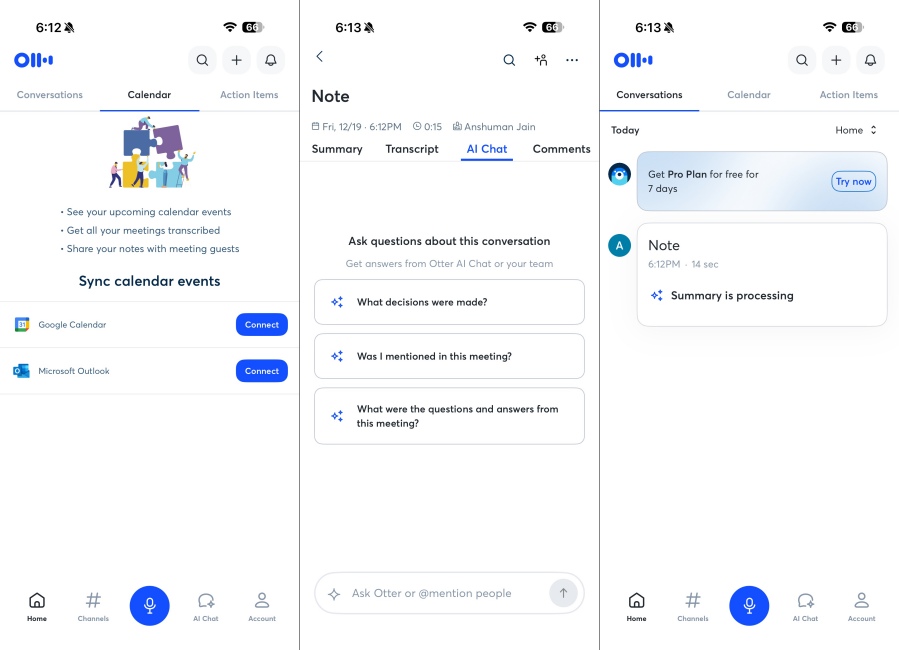
This AI app for iPhone is also compatible with Microsoft Teams, Google Meet, and Zoom. To ensure convenience and flexibility, the user can import or record audio directly to the app. That’s not all. This free AI app for iPhone offers a ton of exclusive features optimized for iOS.
| PROS | CONS |
|---|---|
| Excellent real-time transcriptions | Free plan only offers 300 minutes of monthly recording |
| Syncs recordings across devices | Accuracy might suffer depending on language and accent |
| Includes speaker identification | |
| Easy to share and export transcripts |
Pricing: Free, Pro plan starts at $16.99/month
5. Replika Virtual AI Companion
Replika is by far the most popular AI companion on iPhone, and for a good reason. It’s a full-scale chatbot that engages users in meaningful conversations and provides companionship. Replika is an AI friend who’s as unique as you are. You might start as an acquaintance, but Replika will soon become your friend and even progress to a lover with the premium subscription. As you chat, Replika slowly learns from your interactions and becomes a personalized AI chatbot.
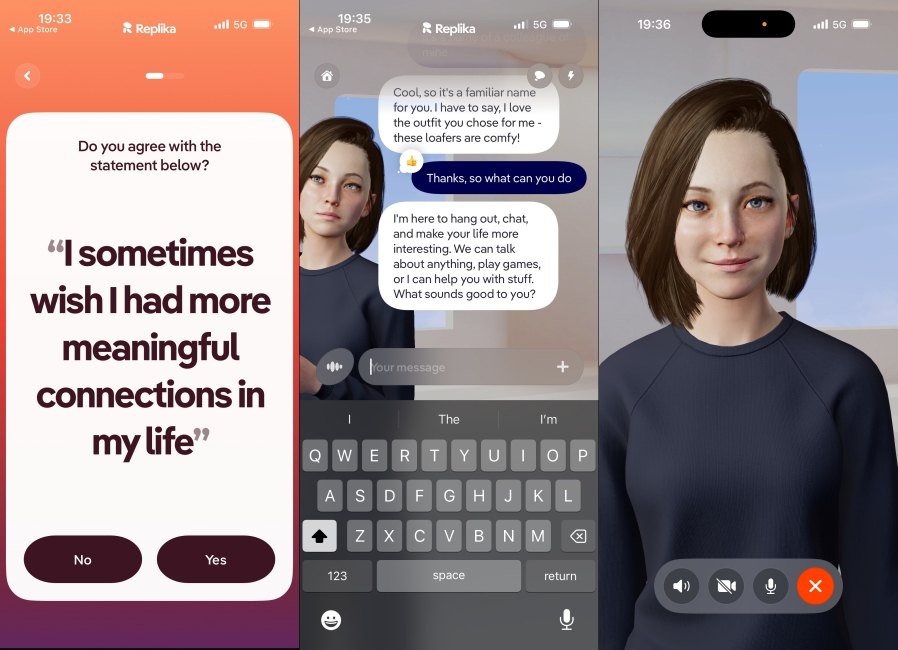
You can fully customize Replika’s avatar across genders and appearances. You can talk about your feelings, emotions, anxiety, victories, lament failures, and discuss anything you wish to share without being judged. This AI app for iPhone can track your mood, calm anxiety, help you with stress management, or even find love for you. In short, this AI app for iOS gives you a safe and judgment-free space to chat.
| PROS | CONS |
|---|---|
| Great emotional support and companionship AI chatbot | Not a reliable option for factually accurate answers |
| Remembers your preferences | Advanced features are available with paid plans |
| Customizable avatars and personalities | |
| Helps with journaling, mood swings and self reflection |
Pricing: Free, Pro Plan starts at $14.99/month
6. Arc Browser
Safari is a good browser, but if you want to take your browsing experience to the next level, then you must try Arc. This AI-powered web browser brings a blend of beautiful design and structured information. You can use its “Browse for me” feature to get quick answers as it will search the web for you, and get you the important details within a second. All shown in a well-summized format.
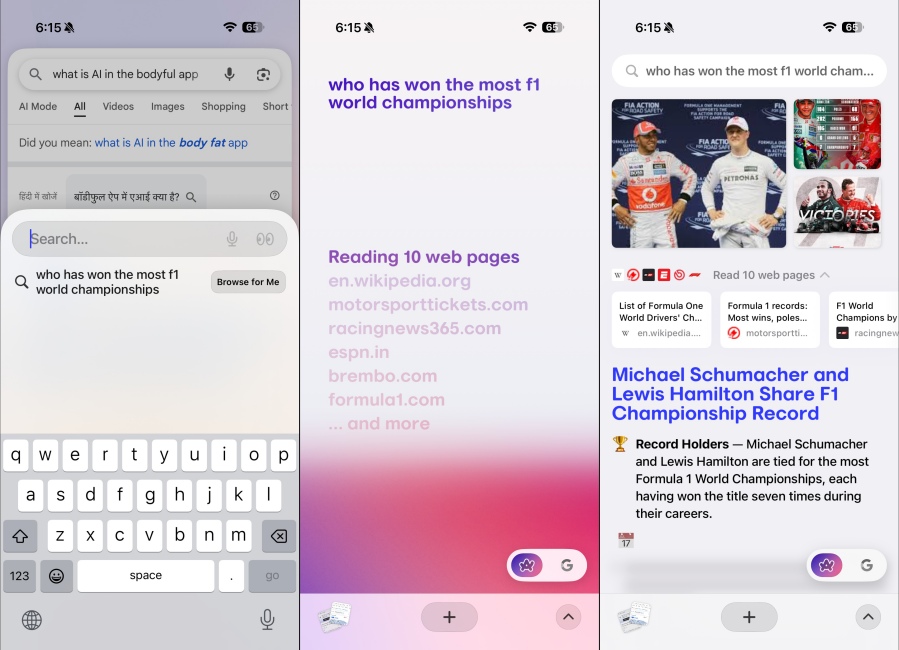
It’s not just that; it can also block ads and trackers. So you can enjoy an ad-free experience no matter which website you visit. If you have Arc installed on your Mac or any other desktop, then it will sync data across devices. This way, you can get back to whatever you were looking up, no matter which device you are on. This is why Arch is one of the best AI apps you can have on your iPhone.
| PROS | CONS |
|---|---|
| Modern, clean and beautiful UI | Safari users might have a steep learning curve getting used to Arc |
| Can search any topic across websites | |
| Quickly generates summaries out of website content | |
| Syncs data with Arc Browser on Desktop |
Pricing: Free to use
7. Welling AI Weightloss Coach
AI is not all about research and information; it can also help to improve your lifestyle and lose weight. That is why I picked Welling, an AI app for iPhone that features a clean and minimal interface, and uses AI to understand what you eat, count calories, and hit your goals every day. You can have a chat with the built-in AI, share details about your lunch, and ask follow-up questions about your meal and its macros.
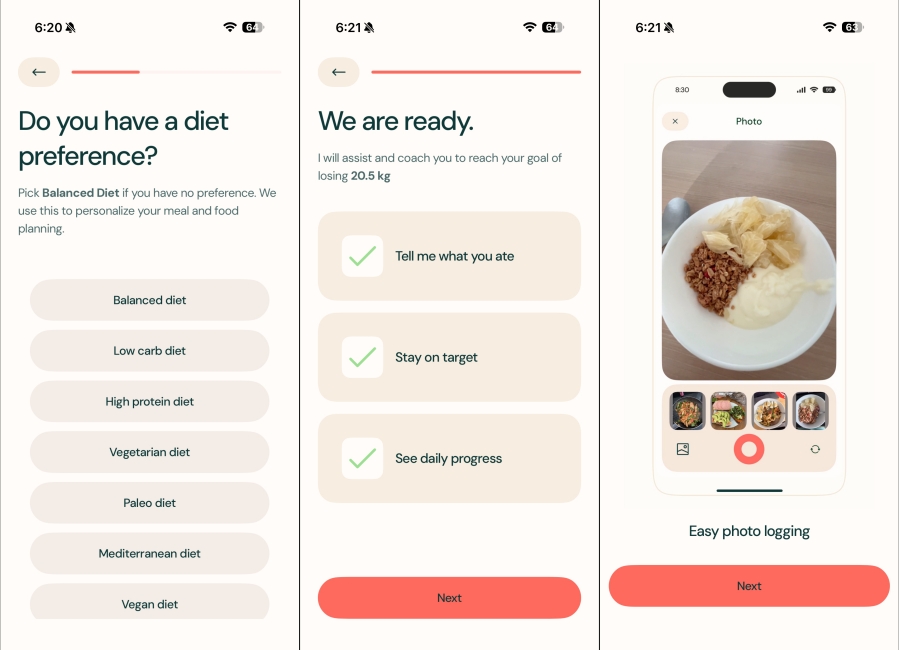
It will display it all in an easy-to-understand fashion and will provide words of encouragement so you stay motivated on your journey. I am on a weightloss journey too, and Welling has helped me a lot to track my calorie intake. It also syncs with Apple Health, so I can keep count of the exercise I have done and how it is affecting my weight loss. So if your plan is to stay healthy, then you must download this app.
| PROS | CONS |
|---|---|
| Provides personalized weightloss guidance | Some advice could sound generic |
| Can chat with AI to check-in calorie intake | Inaccurate calorie count in traditional or lesser-known dishes |
| Tailored meal and activity suggestions | |
| Syncs with Apple Health |
Pricing: Free, Paid plan starts at $15/month
8. Grok AI
Grok AI is the unhinged cousin of Google Gemini and ChatGPT, which is why I mentioned it last. It can do web searches, summarize information, and get you real-time data, without any bias. It can swear if you want it to, create unimaginable images that other AI apps wouldn’t even dare to make, and have steamy conversations with its AI companions to satiate your 2 AM fantasies.
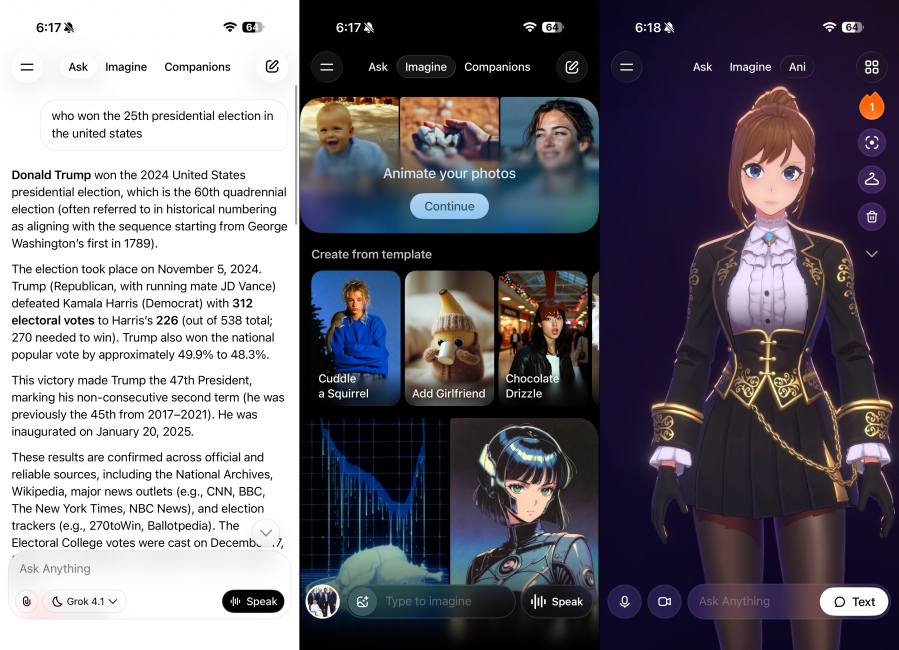
I had a conversation with Grok’s AI companion Ani, and things went south real quickly. But I thought it deserves to be on the list, because it does the job well. It is quick at collecting and representing information, and has access to the vast X (formerly Twitter) database. This can help it find some lesser-known information you might not be able to find with other chatbots.
| PROS | CONS |
|---|---|
| Conversational AI chatbot that provides quick responses | Tends to misunderstand prompts sometimes |
| Good at summarization, brainstorming, and idea creation | Can have inappropriate conversations due to fewer restrictions |
| Can have roleplay conversations with AI companions | |
| Able to create images and videos with limited filters |
Pricing: Free, SuperGrok starts at $30/month
These were the 10 best AI apps for iPhone that are a must-have. I hope you found this piece useful and that it helped you pick the best AI app for you. If you think I’ve missed an app that deserves a mention, feel free to drop the names in the comments below.