When it comes to the best translation apps, Google Translate easily tops the chart. But other better options can become quite essential if you are planning a trip to another country. Plus, it can make it easy to navigate the place, without a guide too. So, if you don’t know how to speak more than one language, don’t worry. We tested out and picked the best translation apps to accompany you in your travels in 2026.
Overview of the Best Translation Apps in 2026
Before starting with the list itself, here is a quick overview of our picks for the best translation apps. We have also mentioned whether they mention camera translation and offline mode, as well as pricing.
| Best Translation Apps | Camera Translation Support | Offline Mode | Pricing |
|---|---|---|---|
| Google Translate | Yes | Yes | Free to Use |
| DeepL Translate | Yes | Yes | Free, Paid plan starts at $8.74/month |
| iTranslate | Yes | Yes (subscription required) | Free, Paid plan starts at $9.99/month |
| Microsoft Translator | Yes | Yes (limited features) | Free to Use |
| Apple Translate | Yes | Yes | Free to Use |
| SayHi Translate | Yes (limited features) | No | Free to Use |
| Papago | Yes | Yes (limited features) | Free to Use |
| Reverso | No (only image translation supported) | Yes | Free, Paid plan starts at $9.99/month |
How We Tested and Chose the Best Translation Apps
The reason I tested out the best translation app was because of my recent trip to Vietnam. My friends and I wanted an authentic experience, but we only knew English and Hindi. So, I tried out several language translation apps on our phones, be it an iPhone or an Android. I checked whether it can accurately translate words, phrases, ads, banners, and conversations.
Moreover, I also ensured whether these apps have camera support to translate signs in real time. As well as offline mode, so we don’t have to struggle if we get lost in a no-network area during our trip. Based on all these factors, I made a ranked list, and here are my top picks.
The Best Translation App for Every Need
Let’s start with the best translation apps for every need. These include apps that are overall considered the best and most common options for travelers, like Google Translate and DeepL.
Google Translate: The Best All-Rounder
The one and only translation app by Google itself that provides almost every feature that you can ever wish for in a translation app. It supports more than 240 languages from around the world, and more are being added with each update. The prominent languages include English, Spanish, German, French, Hindi, Arabic, Chinese, etc. It even supports regional languages as well.
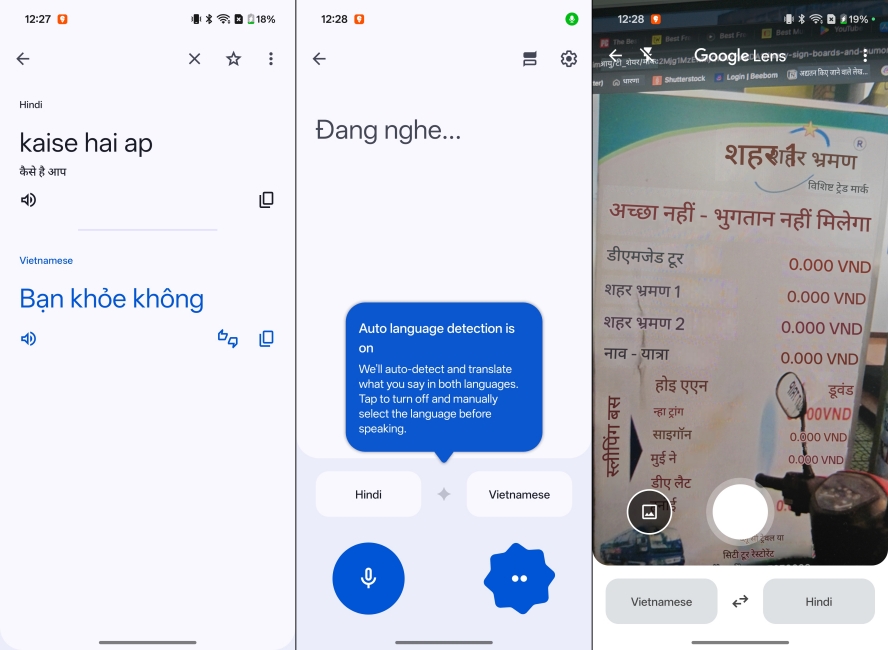
The best feature is the camera translation, where you just use your camera, and the text will be translated to the language of your choosing. This makes it one of the best camera translation apps for signs, too.
You can also download different language packs on your phone; this way, you don’t need to be always connected to the internet, and you can even translate when offline. The best part is the conversation mode that lets 2 people talk, translating their words in real time. It is very accurate for the most part, which is why I have put it in the top spot.
| Pros | Cons |
|---|---|
| Supports a large number of languages | Interface can feel cluttered for new users |
| Camera and real-time conversation translation | Accuracy can vary for complex sentences |
| Offline translation available | |
| Free to use with no major restrictions |
DeepL: The Best for Accurate AI Translation
DeepL Translate is a new app, but it has already managed to build a strong reputation for itself, delivering more natural and context-aware translations compared to other apps. This is the app I used during my trip. The reason being it uses advanced AI models to understand sentence structure and tone, which makes it particularly useful for translating local conversations, as well as texts.
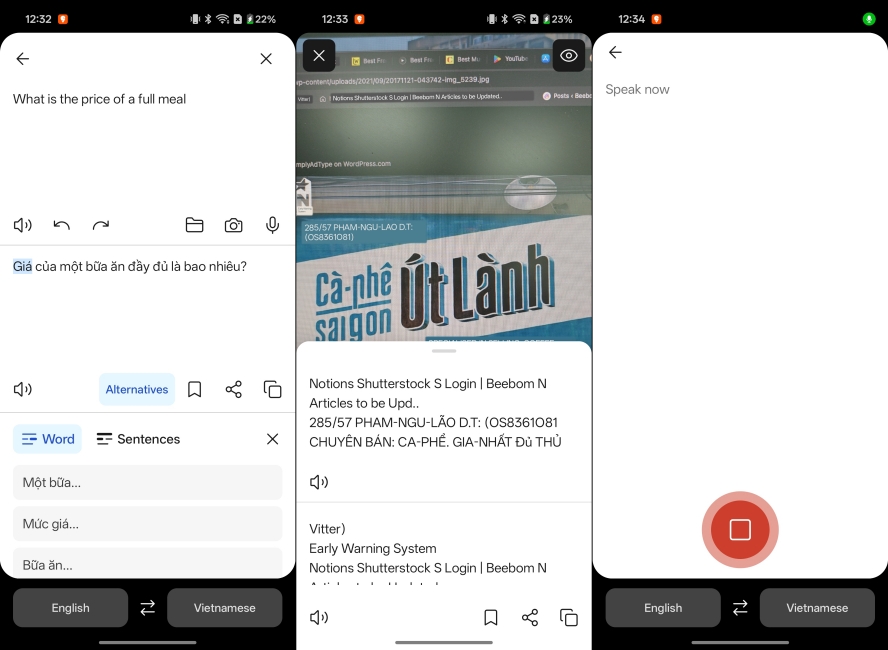
DeepL consistently provides high-quality translations. But I did notice that it works better for European languages than Asian ones. It does preserve more meaning and nuance than traditional translation apps, which makes it ideal for travelers.
They have also added support for camera view and voice translations for one-on-one conversations, which makes it one of the best choices you can pick for a translation app.
| Pros | Cons |
|---|---|
| Highly accurate and natural-sounding translations | Fewer supported languages than Google Translate |
| Supports document translations too | Limited offline functionality |
| Clean and easy-to-use interface | |
| Voice input and camera view support available |
iTranslate: Best for Apple Watch & Wearables
iTranslate is an award-winning and popular translation app that supports more than 100+ languages. This is not the regular translation app that just provides you with the meaning of the words in different languages. It also offers a mix of travel-friendly tools and language learning features.
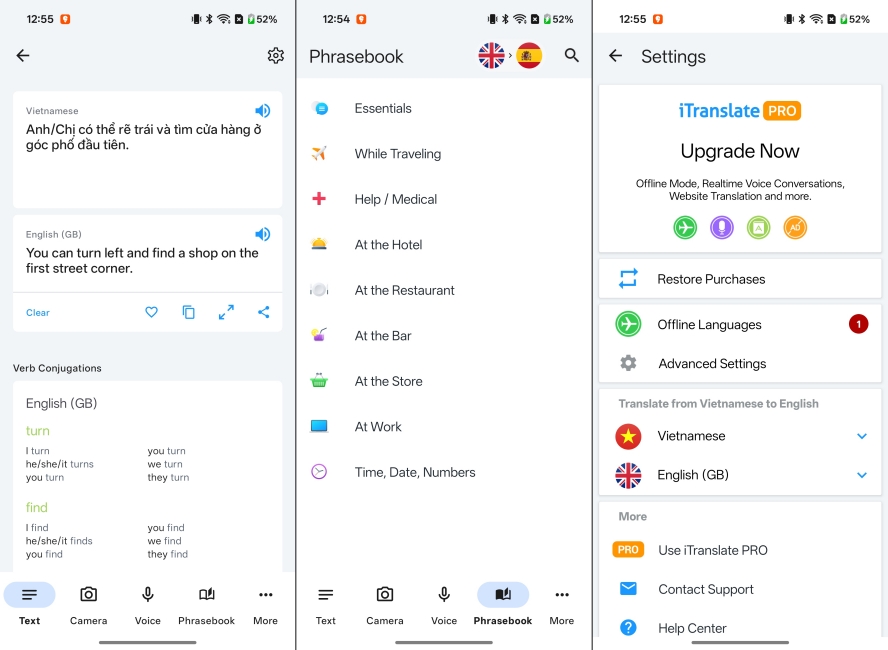
Instead, you can also choose to listen to the text in different dialects from different parts of the world, so you know how to speak in different countries. Hearing is better, but you can also speak to the app, and it will translate your spoken words in real-time.
The combination of voice conversations, camera translation, and customizable phrasebooks makes it particularly helpful for travelers who want more than text translation. While the free version is very limited, the overall feature set still makes it one of the best translation apps in 2026.
| Pros | Cons |
|---|---|
| Supports 100+ languages with multiple input methods | Most features are locked behind the Pro plan |
| Voice conversation and camera translation features | Translation accuracy is not always the best for complex sentences |
| Built-in phrasebook and dictionary | The interface can feel cluttered |
| Offline mode available |
Best Camera Translation App for Signs
Some apps also offer camera translation, which helps you decode signs, menus, and other items in a foreign country. For that, apps like Microsoft Translator and Apple Translate are some of the best solutions.
Microsoft Translator: Best Group Translation App
Starting with Microsoft Translator, which stands out because of its powerful group conversation feature. This allows multiple people speaking different languages to join the same session using a and see translations in real time on their own devices.
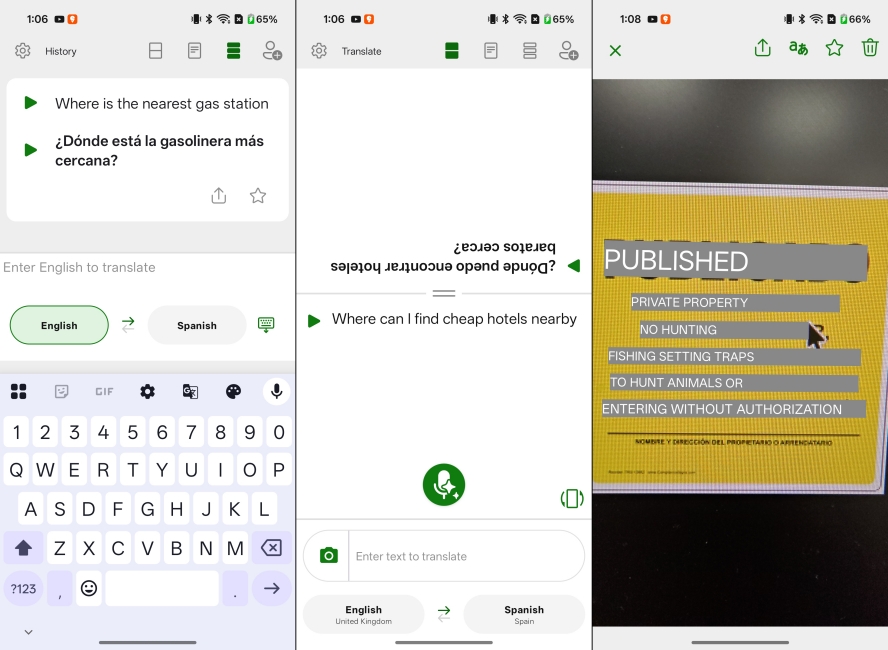
One of my buddies suggested this app, since he travels a lot with different groups of people. This app makes it easy to communicate with them. It supports text, voice, and image translation across 100+ languages, making it useful for travel, meetings, or classrooms.
It handles group conversations far more smoothly than other competitors. Microsoft Translator is also free and works across platforms, which makes it accessible for teams or families traveling together. While it may not match DeepL in language accuracy, its real-time collaboration features make it one of the most practical translation apps in 2026.
| Pros | Cons |
|---|---|
| Excellent real-time group conversation mode | Limited features in offline mode |
| Supports 100+ languages across multiple input types | Interface feels less polished than some competitors |
| Completely free to use | |
| Cross-platform availability |
Apple Translate: Best for Apple Users
One of my friends, who is an iPhone user, wanted to stick with Apple Translate as his primary translation app. And it actually managed to impress me a lot. The app supports text, voice, and conversation translation, along with an offline mode to translate without an internet connection.
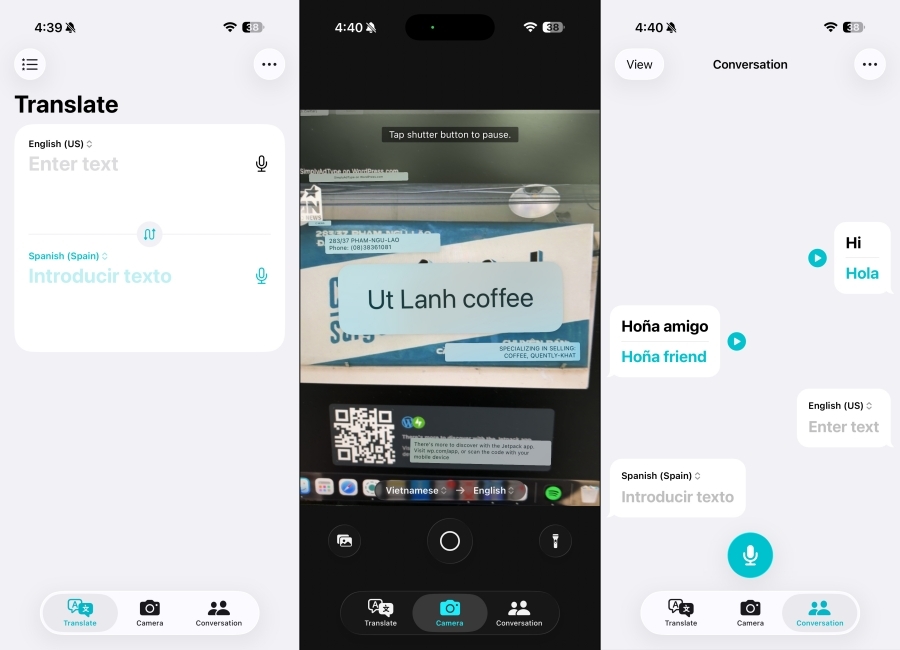
Since it is a first-party Apple app, it also works seamlessly with features like Live Text and system-wide translation on Messages and FaceTime. Moreover, Apple Translate is one of the easiest-to-use Translate apps I have tried out.
The interface is clean, minimal, and obviously has a tight integration with iOS. Which is why I understand why my friend wanted to stick to it. It feels faster and more convenient than third-party apps. However, it supports fewer languages than Google Translate, so it works best if your needs fall within its supported language set.
| Pros | Cons |
|---|---|
| Deep integration with iPhone, iPad, and the Apple ecosystem | Supports fewer languages than competitors |
| Offline translation with on-device processing | Some advanced features require newer Apple devices |
| Completely free to use app | Not available on Android |
| System-wide translation in calls and messages |
Lesser-Known Best Translation Apps
Now that we have discussed the best translation apps in the industry, let me also discuss some of the lesser-known translation apps that deserve some much-needed attention. Like Say Hi Translate, Papago, and Reverso.
Say Hi Translate: Best for One-On-One Translations
If you’re looking for a real-time interpreter that helps you in your face-to-face conversations, then look no further because the SayHi Translate app will guide you in such situations. This app will provide the duties of an interpreter by giving you real-time translations of the words and sentences you speak in over 100 languages.
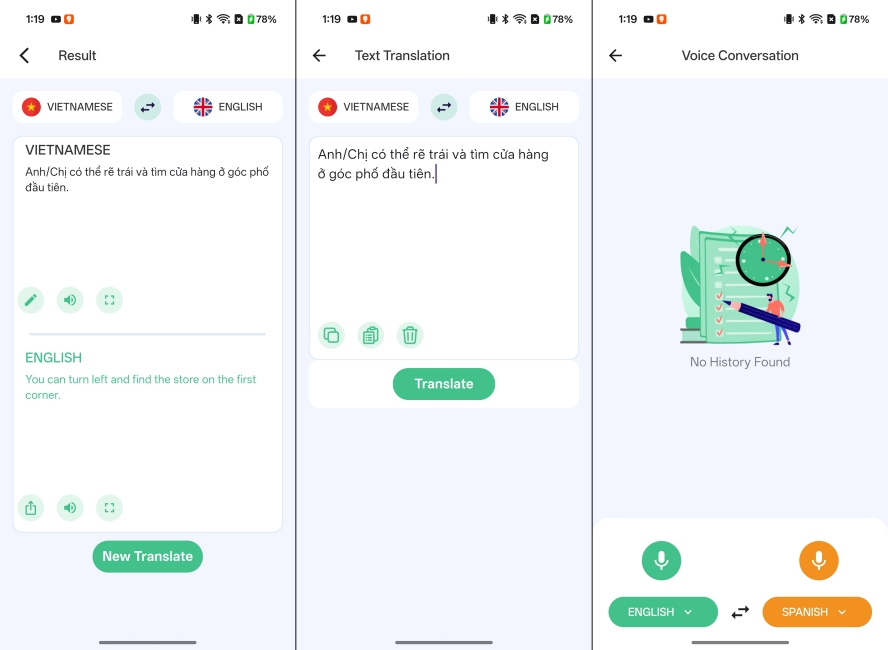
Best of all, you can choose different dialects for each language, giving you a more specific way of saying words that you never knew before. Dialects include Canadian French, Indian English, South African English, etc and many more.
However, buying the premium version will give you over 100 languages and unlock many more dialects that you can use. You can save translations and also send them to your friends via email or social media with a quick tap.
| Pros | Cons |
|---|---|
| Excellent real-time voice translations | Limited camera and text translation features |
| Simple and beginner-friendly interface | Requires an internet connection for most functions |
| Supports multiple dialects and speech speeds | |
| Free to use |
Naver Papago: Best for Asian Language Translation
Naver Papago is one of the best translation apps for Asian languages like Korean, Japanese, Chinese, and Vietnamese. The app supports text, voice, image, and conversation translation, along with handwriting input and offline language packs for select languages.
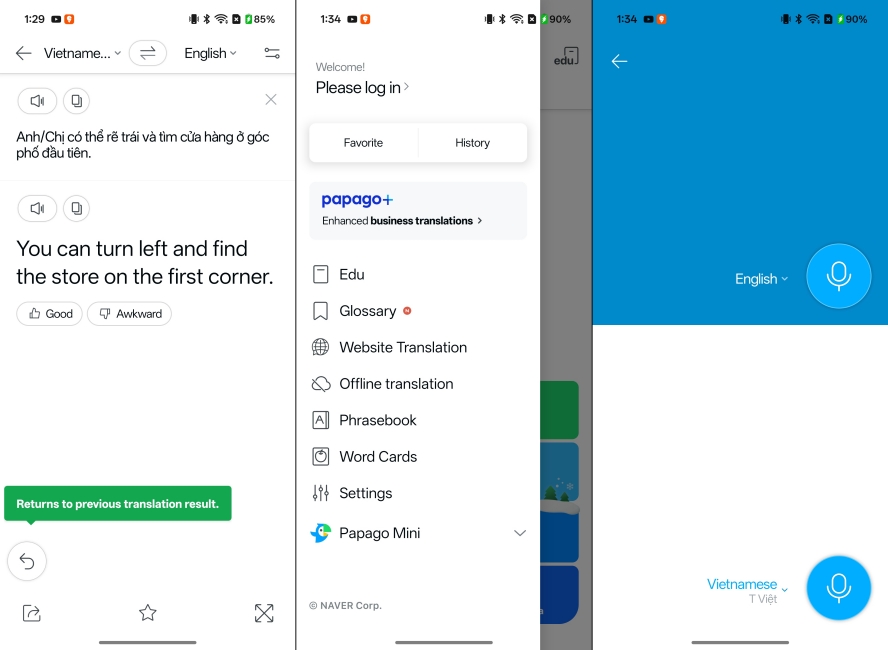
This app intrigued me when I first heard about it, and I genuinely wanted to try it out on my Vietnam trip. And I was very impressed by it. It works quite fast, and managed to understand some weird phrases that even Google Translate struggled with.
I especially loved its conversation mode to interact with Vietnamese locals and shop owners. While it supports fewer languages overall, it is easily one of the most reliable apps if you are heading to East or Southeast Asia.
| Pros | Cons |
|---|---|
| Excellent accuracy for Vietnamese and other Asian languages | Supports fewer languages than competitors |
| Supports voice, image, text, and conversation translation | Works best with an internet connection |
| Offline translation available for select languages | |
| Clean and easy-to-use interface |
Reverso: Best Translation App for Learning Language
Reverso is different from the other translation apps in this list because it focuses heavily on contextual translation. It pulls examples from real-life sources like books, subtitles, and official documents, helping you understand how phrases are actually used in conversations. It supports text, voice, and image translation, along with some offline functionality for downloaded content.
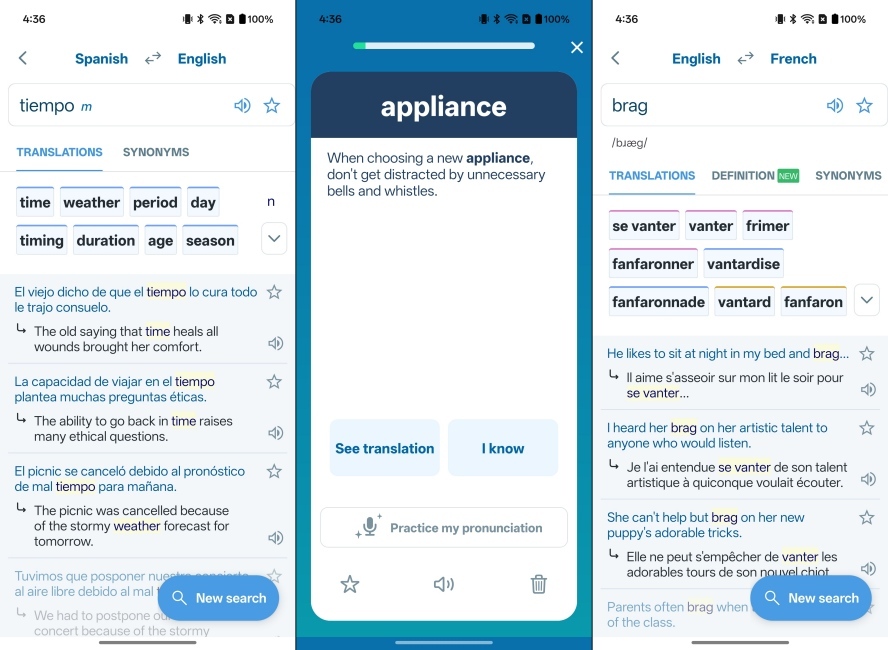
The reason I picked Reverso is that it not only helps with translation, but also with learning a new language. It can show you nuances and sentence structure, which is necessary to understand a local language. While it is not as travel-focused as Google Translate, its contextual accuracy and learning features make it extremely valuable for frequent travellers.
| Pros | Cons |
|---|---|
| Built-in learning tools like flashcards and quizzes | Some features require internet for full functionality |
| Synonyms, pronunciation, and verb conjugation support | Not quite suitable for travel scenarios compared to other apps |
| Voice and text translation available |
Key Features to Look For in a Translation App (Voice, Camera, Offline, etc.)
After using some of these translation apps during my trip to Vietnam, I realized that the best translation app is not just about accuracy. It is about how quickly and reliably it helps you communicate in real situations. So, here are the features you should look for if you are traveling to a country whose language you don’t speak:
- Voice Translation: Real-time voice translation is essential for conversations such as asking for directions, ordering food, or communicating with taxi drivers without typing anything.
- Camera Translation: The ability to point your camera at menus, street signs, or product labels and instantly translate text can save a lot of time and confusion.
- Offline Mode: A good translation app should function without internet, as you may not always have mobile data while traveling.
- Conversation Mode: Some apps offer a split-screen conversation mode where two people can speak different languages and see translations instantly.
- Language Support: Make sure the app supports the local language and dialect of the country you are visiting, especially for regions with multiple language varieties like India.
- Context Understanding: Literal translations are not helpful and can lead to a lot of confusion. So apps that understand context provide more reliable results.
- Speed and Ease of Use: When you are in a hurry, the app should open quickly and provide translations without too many steps or confusing menus.
Why You Can Trust Our Picks for the Best Translation Apps?