The Witcher 3 is one of the best games of all time, featuring Geralt of Rivia and his hundreds of adventures. The game can be quite challenging, as Geralt often needs specific potions or items to defeat certain monsters. Sometimes crafting these can be a pain, and using console commands or cheat codes can solve the problem effortlessly. If you think the same way, then learn about all The Witcher 3 console commands and cheat codes from our guide here.
Full List of The Witcher 3 Console Commands and What They Do
Before you can use The Witcher 3 Wild Hunt console commands, you will need to enable the console. These commands will also work on The Witcher 3 Songs of the Past DLC.
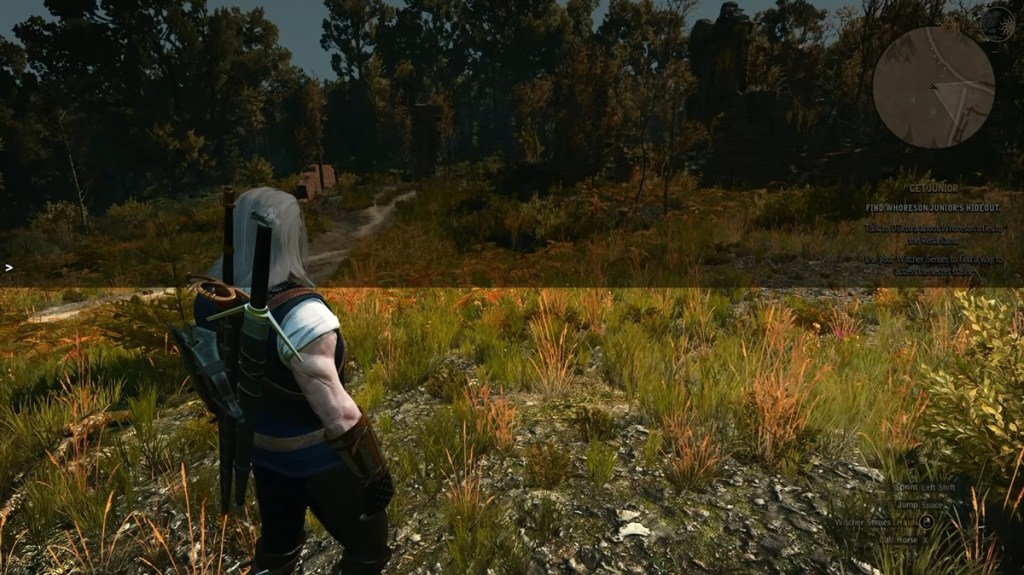

If you don’t know how to do it, make sure to check the section below. Other than that, to summon something, players would need to know the item ID as well. With that said, here is the full list of console commands in The Witcher 3:
Category Command Description Player god Toggles invincibility mode; you will not take damage Player healme Fully replenishes your health bar Player likeaboss Toggles mode where all damage dealt equals 40% of the target’s maximum health Player Ciri Switches player character to Cirilla Player Geralt Switches player character back to Geralt Player fadeout Fades out the screen using a cutscene effect Player fadein Fades the screen back in after using fadeout Character setlevel(Level) Sets player level to the specified number Character levelup Increases player level by 1 Character addexp(Amount) Grants specified amount of experience points Character addskillpoints(Amount) Grants specified number of skill points Character learnskill(‘Skill ID’) Unlocks skill matching specified ID, for example, learnskill(‘sword_s3’) Character Cat(0 / 1) Enables (1) or disables (0) night vision Character Drunk(0 / 1) Enables or disables ‘Drunk Mode’, distorting vision and dialogue Character addHair1 Sets hairstyle to the default style Character addHair2 Sets hairstyle to a ponytail Character addHair3 Sets hairstyle to long, loose hair Character addHairDLC1 Sets hairstyle to a loose, short haircut Character addHairDLC2 Sets hairstyle to a mohawk with a ponytail Character addHairDLC3 Sets hairstyle to Elven Rebel’s haircut Character WitcherHairstyle(‘1’ / ‘2’ / ‘3’) Sets hairstyle to the specified number (‘1’, ‘2’, or ‘3’) Character setbeard(#, #) Sets beard style or forces beard growth Character shave Cleans facial hair Character settattoo(0 / 1) Shows (1) or hides (0) the The Witcher 2 tattoo Character setcustomhead(‘Head ID’) Applies a custom head using a head ID Character removecustomhead Removes custom head and reverts to default Character addabl(‘Buff ID’) Grants the specified buff, for example, addabl(‘ForceCriticalHits’) Character rmvabl(‘Buff ID’) Removes the specified buff Character buffme(‘Effect Type ID’, Seconds) Applies specified effect for a set duration in seconds Character cleardevelop Resets Geralt to level 1, clears inventory, and restores starting gear Inventory addkeys Gives all keys required to open all doors Inventory additem(‘Item Code’, Amount) Spawns specified item code and quantity into inventory (e.g., additem(‘Dye Red’, 1)) Inventory removeitem(‘Item Code’) Removes specified item from inventory Inventory addmoney(Amount) Adds specified amount of Crowns Inventory removemoney(Amount) Deducts specified amount of Crowns Inventory witchcraft Grants one copy of every item in the game (may take time/crash) In-Game / World spawn(‘NPC ID’, Amount, Distance, true/false) Spawns specified NPCs with quantity, distance, and hostility options In-Game / World killall(Distance) Defeats all nearby enemies (distance optional) In-Game / World dismember Dismembers the currently targeted NPC In-Game / World appearance(‘Appearance ID’) Changes the visual appearance of the targeted NPC or character In-Game / World SpawnHorse Spawns a standard horse In-Game / World staminaponystamina Spawns a horse with unlimited stamina In-Game / World instantMount(‘NPC ID’) Spawns and instantly mounts specified NPC, for example instantMount(‘horse’) In-Game / World spawnBoatAndMount Spawns a boat and immediately mounts you to it In-Game / World makeitrain Starts a storm In-Game / World stoprain Stops ongoing rain or storms In-Game / World changeweather(‘Weather ID’) Changes world weather to a specific type, for example changeweather(‘Winter Epilog’) In-Game / World settime(Day, Hour, Minute, Seconds) Sets environmental time of day In-Game / World TM(Multiplier) Adjusts time passage speed (default is 1, 0.5 is half speed, 2 is double speed) Map & Travel AllowFT(0 / 1) Enables (1) or disables (0) the ability to fast travel from any location Map & Travel ShowAllFT(0 / 1) Shows all Fast Travel pins on the map Map & Travel ShowPins(0 / 1) Shows all map pins Map & Travel ShowKnownPins(0 / 1) Reveals (1) or hides (0) all question mark (?) locations Map & Travel gotoWyzima Teleports character to Wyzima Map & Travel gotoNovigrad Teleports the character to Novigrad Map & Travel gotoSkellige Teleports the character to Skellige Map & Travel gotoKaerMorhen Teleports the character to Kaer Morhen Map & Travel gotoProlog Teleports the character to Prologue Map & Travel gotoPrologWinter Teleports character to Prologue Winter Map & Travel xy(X, Y) Teleports character directly to entered X and Y coordinates Gwent secretgwint Starts a Gwent match instantly anywhere Gwent winGwint(true / false) Instantly wins (true) or loses (false) the current Gwent match Gwent addgwintcards Grants one of every Gwent card (except Katakan) UI & System activateAllGlossaryCharacters Unlocks and reveals all characters in the glossary UI & System activateAllGlossaryBeastiary Unlocks and reveals all monsters in the bestiary UI & System dlgshow Hides the in-game HUD/GUI (use dlghide to reveal) UI & System testpause / testunpause Pauses or unpauses the game UI & System ToggleCameraAutoRotation Toggles automatic camera rotation following the character
How to Enable and Use The Witcher 3 Debug Console for Cheat Codes
Although The Witcher 3 comes with a debug console, the feature is disabled by default by the developers. To use the Witcher 3 console commands, players have to enable the console first. Maybe along with Geralt’s new love, Lilia, the upcoming DLC also introduces this feature directly in the game. But till then, here is how you can enable the console in The Witcher 3:
- Open your Steam library and look for The Witcher 3. Right-click on the game and select Installed Files.
- Click on Browse to open the folder where the game has been installed.
- Search for the bin folder and open it.
- Next, open the config folder and then the base folder.
- Right-click on the general file and open it with Notepad.
- The file will have ConfigVersion=5 written inside, and you don’t need to change it. On the next line, add the line DBGConsoleOn=true. Save the file and close it.
- Now open The Witcher 3 and press the ‘~’ (tilde) key to open the console. If this button doesn’t work, try the ‘@’ and ‘#’ keys instead.


Other than that, players can use The Witcher 3 console mods to enable the console in the game. However, I prefer doing it this way instead, as it is less complicated. Also, if you are planning to get the new DLC, make sure your PC meets the The Witcher 3 Songs of the Past DLC system requirements.
Are The Witcher 3 Console Commands Available on PlayStation, Switch, and Xbox?
No, The Witcher 3’s console commands don’t work on PlayStation, Switch, and Xbox consoles. This is because console is disabled in the game, and players cannot edit the General.ini game file on consoles; neither can they install mods for it. So, if players want to use The Witcher 3 cheats, they have to do it on PC.
So, that’s it. Now you know about all The Witcher 3 console commands and cheat codes, along with how to enable the console. If you have any questions, ask us in the comments section below.
To enable console commands in Witcher 3, players must either edit in-game files or use console mods.
No, you cannot use the Witcher 3 console on PlayStation, Switch, or Xbox. Players must edit game files or use mods, which they cannot do on gaming consoles.
No, using Witcher 3 Wild Hunt console commands and cheats doesn’t disable achievements.