
Wordle has quickly become one of the most popular daily puzzles, and lately, everyone seems to be playing it, and for good reason. It’s simple, fun, and just challenging enough to become a daily habit. Maybe you’ve heard or seen on your social media the green, yellow, and grey tiles popping up everywhere, but you couldn’t figure out how it works. Well, you don’t need to worry anymore. If you’re new to Wordle and ready to jump in, you’re at the right place. This guide will walk you through exactly how to find Wordle hint step-by-step, so you can start solving the daily puzzle in no time.
How to Play Wordle: A Step-by-Step Guide
If you’re new to Wordle and figuring out how to play this daily word puzzle game, we’ve got some simple steps listed down for you that will guide you through it in no time:
- The first step to play Wordle is to head to its official website. Once you’re in, all you need to do to play the popular word game is click the ‘Play’ button.

- A pop-up box will appear that will present you with the rules of playing Wordle. Since they’re quite straightforward, it shouldn’t be too hard for you to grasp.
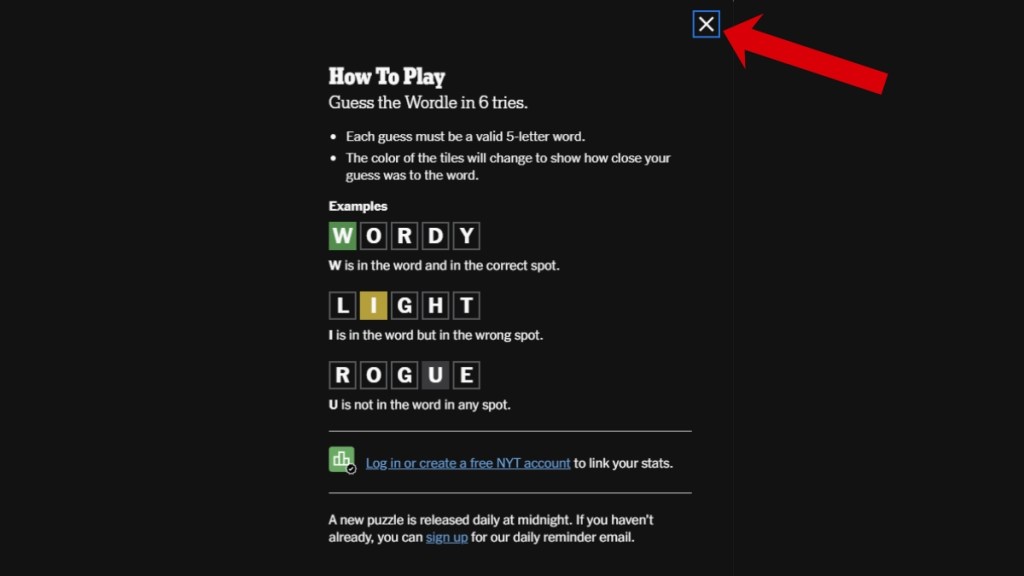
- Once you’ve read those and understood the game, close the window by pressing the ‘X’ icon.
- Enter a five-letter word to start your game that you think would be the correct answer. Make sure that you’re using a healthy mix of vowels and consonants for that guess. You can find out the most optimal words to use with our guide on the best Wordle starting words. Once you’ve got the word locked in, press Enter to proceed.
- As soon as you do that, you’ll notice a change in the colors of the letters on the grid. ‘Green’ means a correct letter, ‘Yellow’ denotes that a correct letter is in the wrong position on the grid, and ‘Grey’ altogether means an incorrect letter.
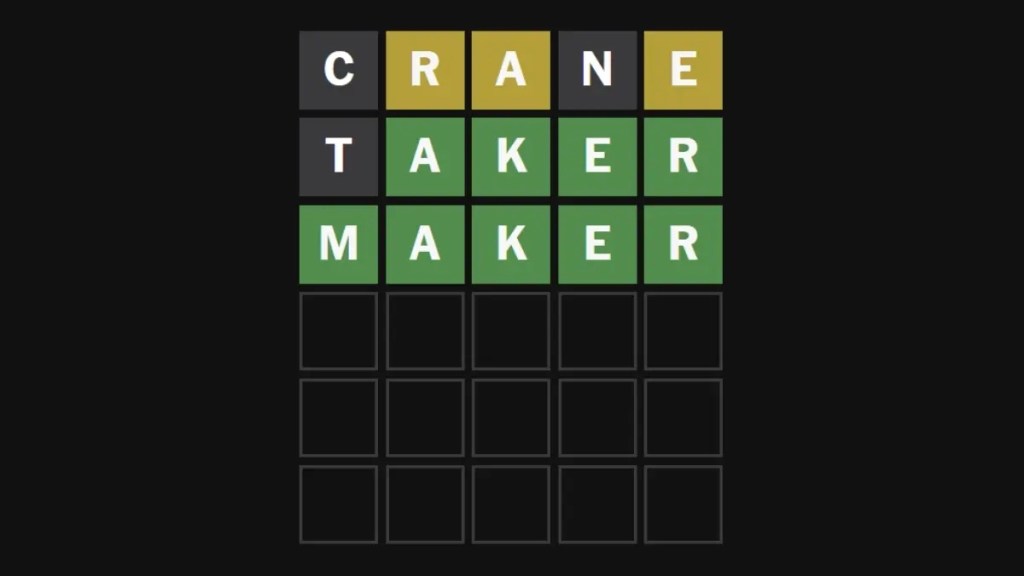
- To continue with the game, guess another five-letter word. Remember, you’ve only got six tries, so take extreme caution with those guesses.
- Hit the Enter button only when you’re sure about a guess. As you keep progressing, you’ll get closer to your goal as the colors start making sense.
- Finally, keep guessing words until you get to the correct answer, and you’ve solved today’s Wordle for good.
- If you’d like to make a guess in fewer attempts, make sure to check out today’s Wordle answer to see how we’ve solved the puzzle.
How to Play Wordle for Free
If you are new to Wordle and wondering if it’s a paid game, then you are mistaken. You don’t have to worry about paying or subscribing to play the original, daily Wordle. It is completely free to play and accessible to everyone across the world.
While there are several clones online, the only official and legitimate version of Wordle is owned by The New York Times and is a browser-based game. This means you can play it directly on the NYT website without needing to download an app or create a paid account.
Simply open a web browser on your phone or your computer and type in the official URL: https://www.nytimes.com/games/wordle/index.html, and you are in!
You will get to play one new puzzle every day, and you don’t even need to have an NYT subscription or an account to play that single daily game. You can also play Wordle using the official NYT Games app on iOS or Android.
Make sure to check out yesterday’s Wordle answer if you haven’t already right here.
How to Play Wordle With Friends
Even though Wordle is a solo game meant for a more personal experience, it becomes much more fun and competitive when you share the challenge with your friends. You can either play with them collaboratively or competitively.
There are three easy ways to play Wordle with your friends:
1. Compete by Sharing Your Score
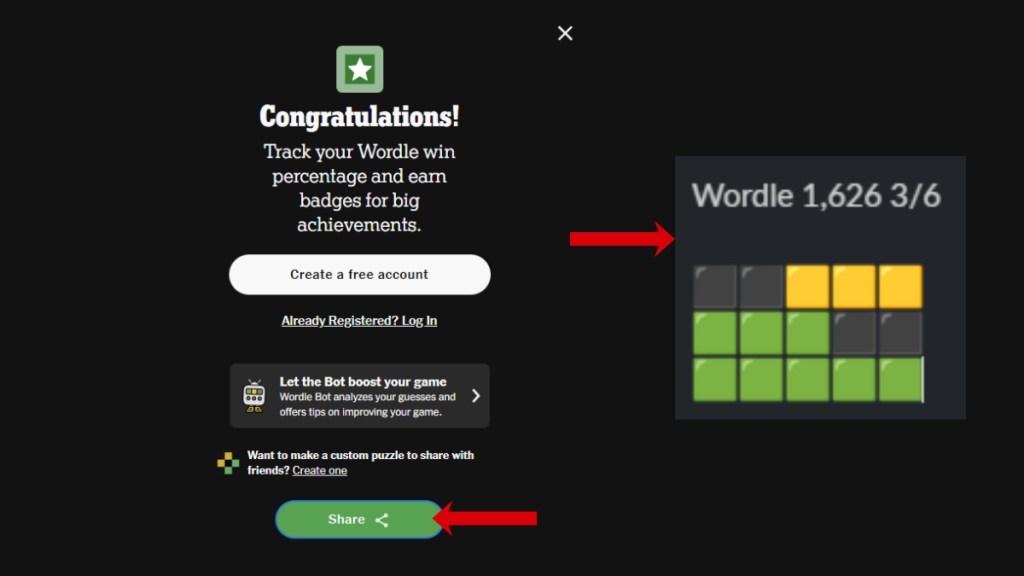
Wordle allows you to share your score after you’ve solved the daily puzzle. It gives you a grid of colored squares that summarizes your performance.
Once you win (or lose), look for a “Share” button or icon on the top right of your screen. When you tap it, it copies a block of emoji squares to your clipboard.
Paste those squares into a messenger to your friend or even on a social media post or story. Since the grid doesn’t reveal the actual word, your friends can see how you performed without spoiling the answer for them.
2. Working Together
If you prefer to work together with a friend, you can easily play Wordle with them or even teach them how to play it. For starters, you can gather around a device together and discuss your first guess using one of the best starting words, like CRANE or ADIEU.
Then once that word is locked in, you can debate on which letter would come next based on the clues. You can also join an online voice or video call with a friend and share your screen to solve the Wordle together.
3. Sharing the Puzzle Link
You can also share the daily puzzle link with your friends so you can solve the Wordle as they’re solving it in real time. Then compare your time, score, and how you performed in today’s puzzle.
Be sure to check out these Wordle tips and tricks to stay ahead of the competition.
How to Replay Past Wordle Games
Since the official Wordle website only allows you to solve one new puzzle every 24 hours, you might be wondering how you could replay past Wordle games you missed or play some more puzzles more than once a day.
While the official website doesn’t exactly allow you to do that, we’ve got some alternative methods on the internet that you may like:
1. Using Official NYT Archives
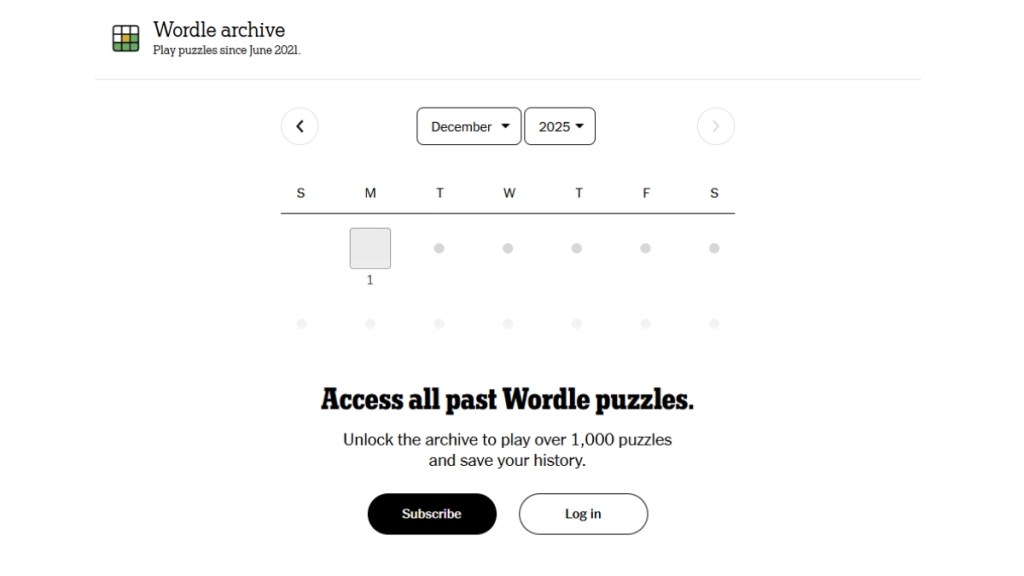
The only way to access past Wordle games is through the NYT subscription. It grants you the full Wordle archive (over 1,000 puzzles), plus features like Wordle Bot and all other NYT games like Connections, Mini, Crossword, etc.
While the Wordle itself is free, the archive is locked behind a subscription paywall. The standard price for an annual NYT Games subscription is often around $50 per year, though The New York Times frequently offers promotional or introductory rates (sometimes as low as $18 to $20 for the first year).
2. Turning Back Your Device Clock
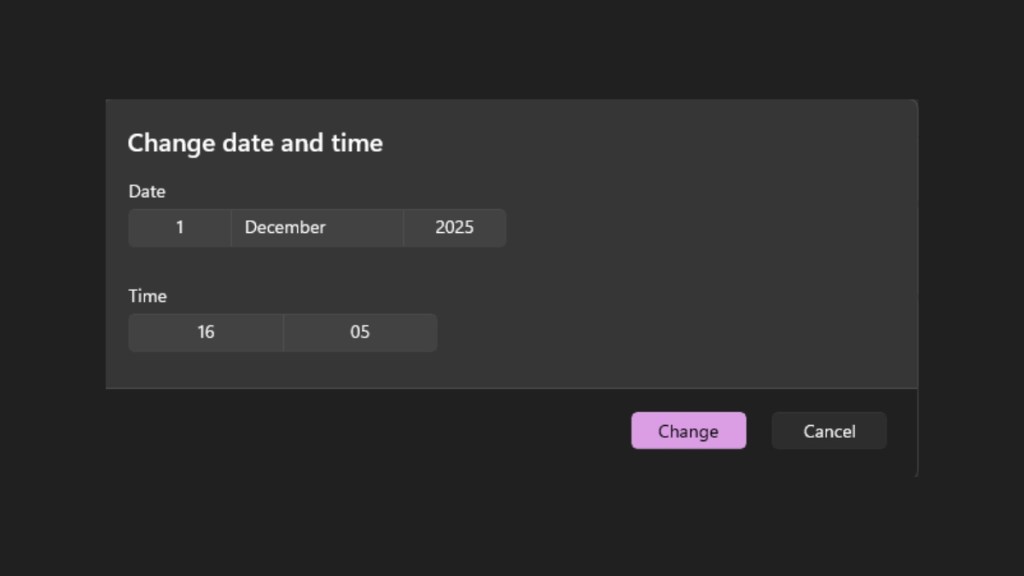
The original Wordle website relies on your computer’s date to decide which puzzle to show. By manually setting your computer’s clock to a past date, you can trick the website into loading that day’s puzzle.
Head to your time and date settings and turn off the “Set Time Automatically” option, and manually set the date and region you’d like to go back to the day you want to play. While it works, this trick is less recommended as it may mess up your official Wordle streak or cause issues with other apps that rely on the correct date and time.
3. Play Unlimited Wordle Alternatives
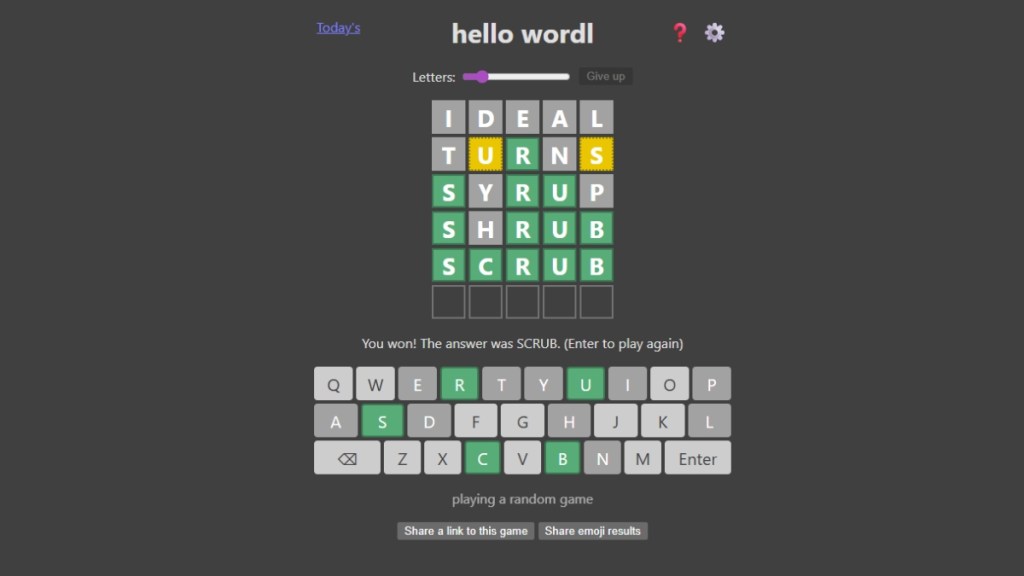
There are some unofficial Wordle alternatives you can play to solve past Wordles and some unique puzzles as many times as you want.
HelloWordl offers an “unlimited” mode where you can solve a new, random puzzle as many times as you want without waiting. Another alternative is Wordplay, which is designed specifically as an unlimited practice tool with challenge modes.
You can also check out the full list of past Wordle answers that can help you solve old puzzles.
How to Play Wordle on Discord
Did you know that you could play Wordle on Discord too? That’s right! For Discord users who want to play with friends in their servers, the easiest and most reliable way is through the official Discord Activities feature, which includes Wordle as a game.
Discord has officially licensed Wordle from the NYT, allowing users to play the current daily puzzle together within a voice channel. You can also set up dedicated Wordle bots in a server to launch the activity without using the activities feature. We’ve explained both methods below.
1. Using the Official Discord Activity
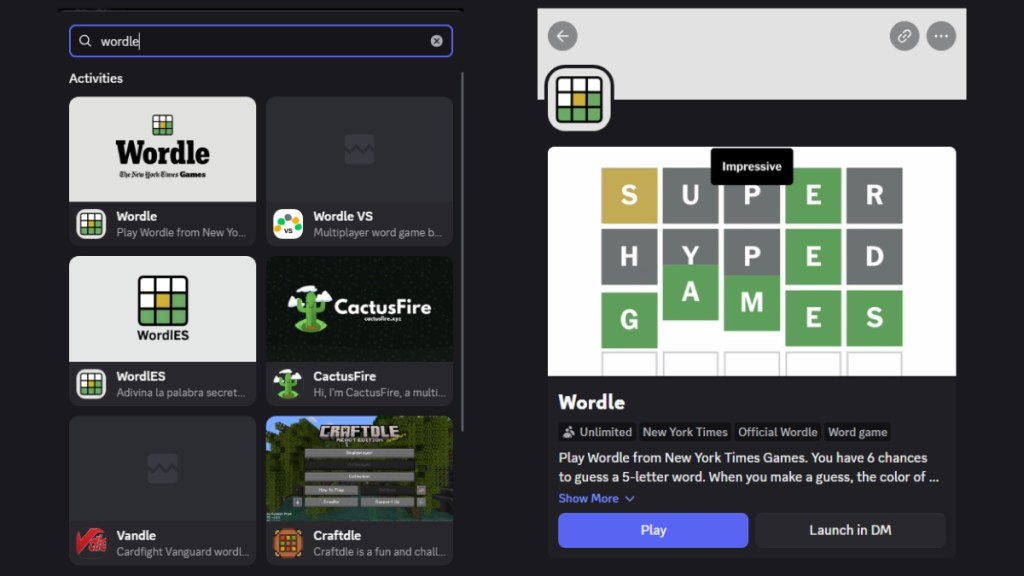
- Join a voice channel on your server or get on a private call with your friends.
- Look for the Activity Icon (usually a rocket ship or a game controller) at the bottom of the voice chat panel.
- Click the Activity Icon and select Wordle from the list of games.
- The game will start and anyone else who joins the voice channel can click “Join Activity” button to play the same puzzle with you.
2. Using a Wordle Bot
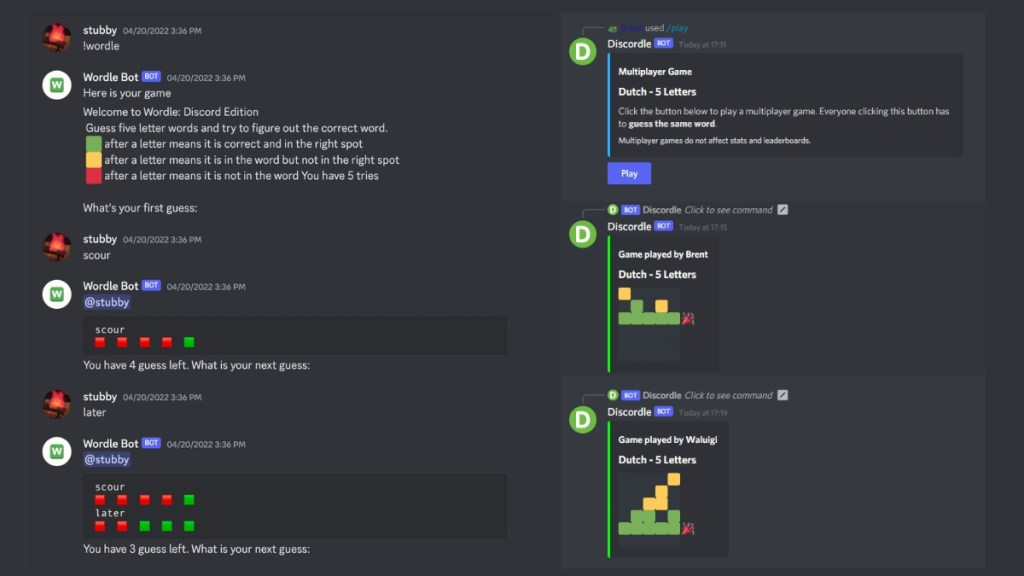
The most common Wordle bot that Discord servers use is Wordplay. To begin using a bot, a server administrator must first invite the bot to the server using its specific invitation link (usually found on a bot list website like top.gg). Once invited, you can use the slash commands (/) directly in any text channel. Here are some commands you can use with the Wordplay bot:
- Start a game (/play) – Starts a new random Wordle puzzle in the channel.
- Guess a word (/guess word: ROUND) – Submits your five-letter guess. The bot will then reply with the color-coded emoji grid in the chat.
- Multiplayer challenge (/play multiplayer: true) – Starts a single, shared word that multiple friends solve concurrently, often in a direct message (DM) interface to prevent cheating.
- View stats (/stats) – Displays your personal solving statistics, including your current streak and average score.
Now that you know how to play Wordle using different methods, go out there and win each game in fewer guesses and beat your friends to the competition!