- Minecraft 26.4 Snapshot 2 completely redesigns the F3 debug screen with clearer headers and grouped information.
- Improved Transparency now blends the sky and clouds into the terrain render distance fog.
- The snapshot also updates data or resource pack versions and adds new shaders.
Mojang is already polishing the upcoming Minecraft 26.4 update with another Java Snapshot that brings a few noticeable quality-of-life changes. The Minecraft 26.4 Snapshot 2 redesigns the F3 debug screen, improves render distance fog, and adds a new way to occlude celestial objects.
The F3 screen has always been one of Minecraft’s most useful tools for checking coordinates, FPS, or server information. However, its information-heavy layout could feel scattered and difficult to scan.
That changes with the Minecraft 26.4 Snapshot 2, as Mojang has reorganized the debug overlay with clear headers and grouped information. This makes the Minecraft F3 debug screen easier to understand and read.
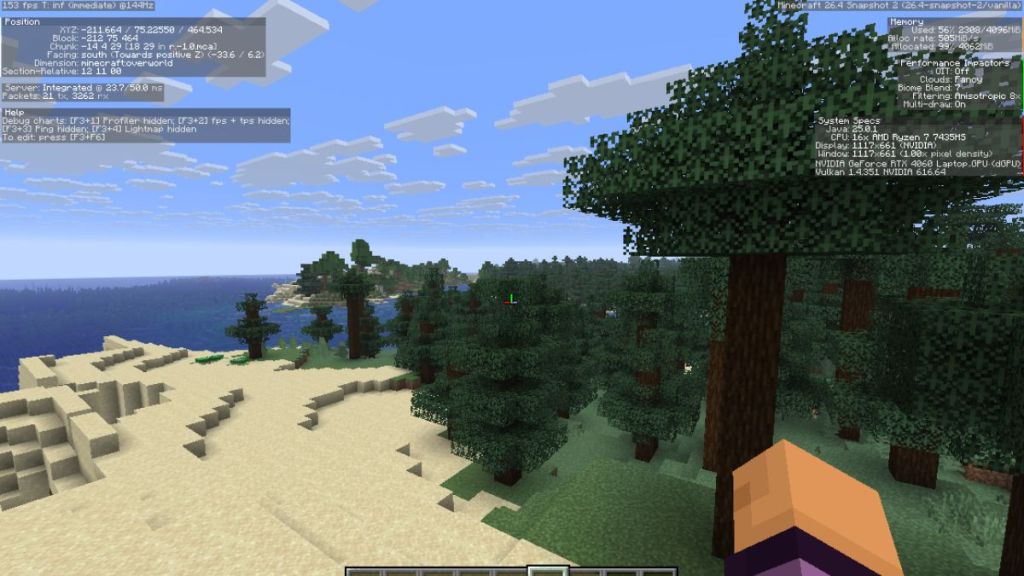
Starting from the top-left corner, the redesigned F3 screen begins with FPS and refresh rate. Below that is the Position section, which displays your XYZ coordinates. Further down, there will be a server and packet information section. Finally, there is a Help section that provides relevant debug controls and information.
The top-right side of the redesigned F3 screen starts with Minecraft’s current version number and then comes the memory usage section. Under that, there’s a detailed performance section, and finally there’s a section for system specifications. Here, you’ll be able to see whether your Minecraft Snapshot is running on Vulkan. If not, check our guide on how to enable Vulkan in Minecraft.
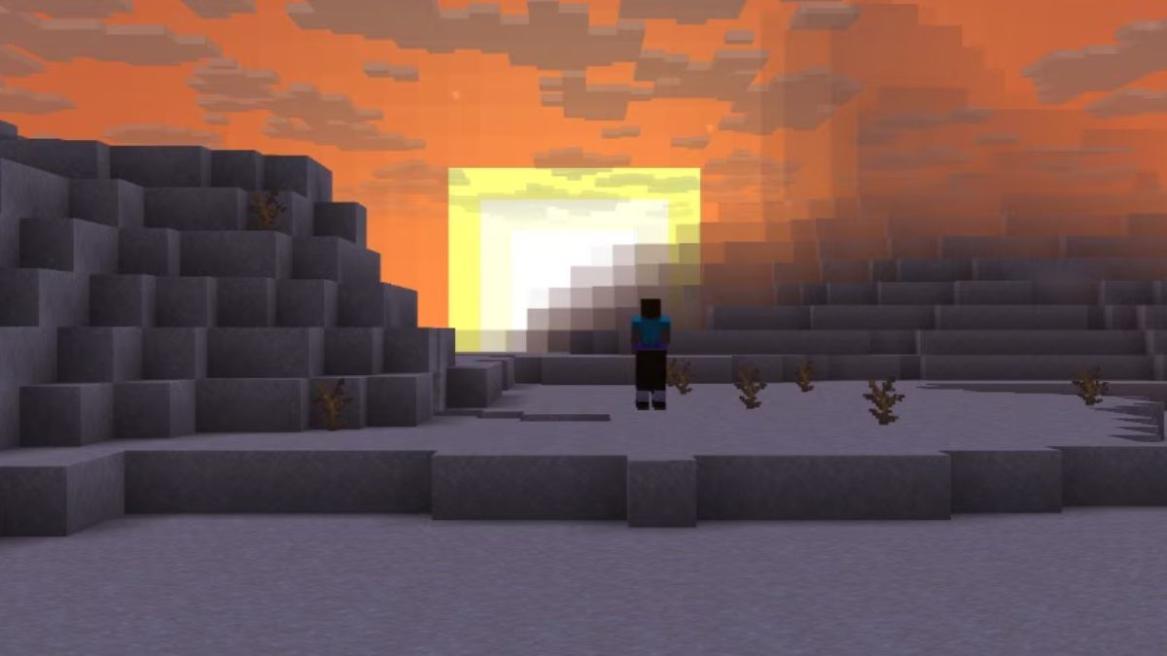
The Minecraft 26.4 Snapshot 2 also makes interesting visual improvements to render distance fog. When Improved Transparency is enabled, the sky background and clouds positioned behind the terrain are now blended.
Another visual change in the Overworld is that the bottom half of the skybox now occludes celestial objects, including the Sun and the Moon. There is also a dedicated shader for the new sky occlusion system that allows the skybox to be occluded at a certain angle with the fog color, making a smooth transition at the border.
That brings us to the end of the new features added to the Minecraft 26.4 Snapshot 2. With an all-new design for the F3 debug screen, it’s time to update our F3 debug screen explanation guide.





 Sagnik Adhikary