- Players cannot directly sell a property in GTA 5 Online.
- Instead, players can trade in their older properties when purchasing a new one.
- In addition, players only get 50% of their property's original price as trade-in value when exchanging.
Purchasing and owning properties are integral parts of GTA Online. Properties aren’t just cosmetics to show off in GTA Online, but they also play a pivotal role in your progression throughout the game. Just like in real life, properties come in handy when you need some extra cash. So if you own multiple properties and are wondering if you can put a few on sale, here is how to sell properties in GTA Online.
Can You Sell Properties in GTA Online?

Unfortunately, there is no way to directly sell properties in GTA Online. Be it a luxury mansion or a passive income-generating nightclub, none of the properties you own in GTA Online can be sold outright. So, regardless of how expensive the property is, you won’t be able to sell it for a profit or get back the value you paid in GTA Online.
So, if you are wondering why Rockstar doesn’t allow players to sell their mansions in GTA Online, the developers have instead implemented a trade-in system. Instead of selling a property directly for cash, players are eligible to trade in any older properties when purchasing new ones. In this way, players can technically sell their older properties.
However, it should be noted that you only get 50% of your property’s original price as trade-in value. For example, if you own a $1 million penthouse ($500K is the trade-in value) and decide to trade in this property for a $100K apartment, the remaining $ 400K is credited to your account.
How to Trade in Properties in GTA Online
Now that you have learned about how the trade-in system works in GTA Online, here is how to sell your properties in the game:
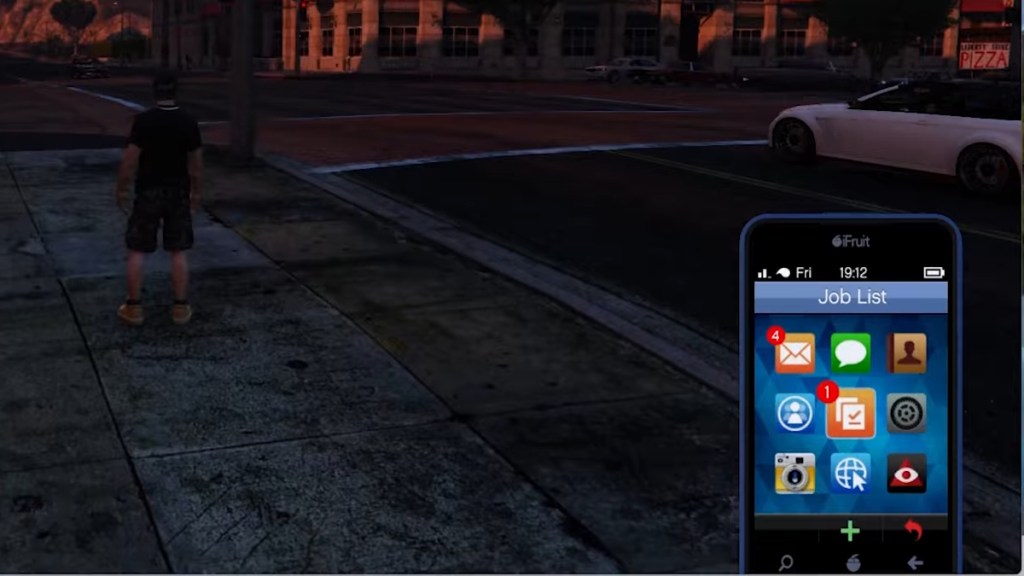
- Get your phone by pressing the up D-pad button.
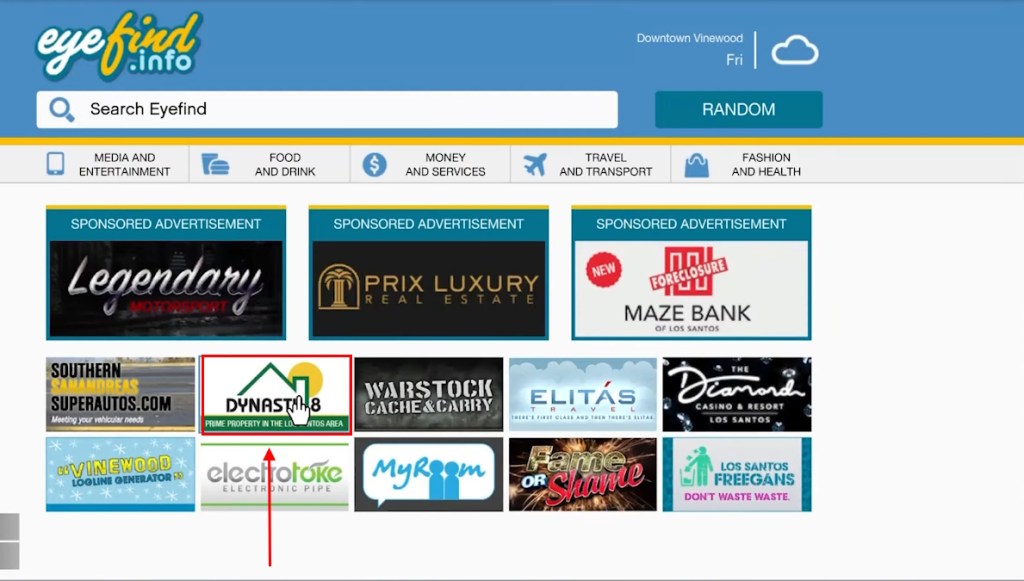
- Select the Internet app and click Money and Services.
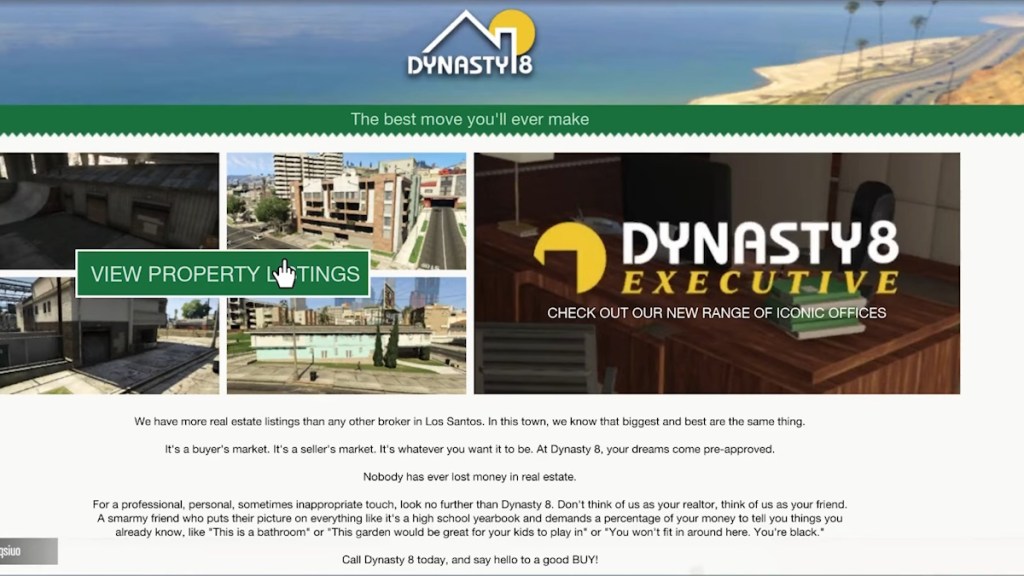
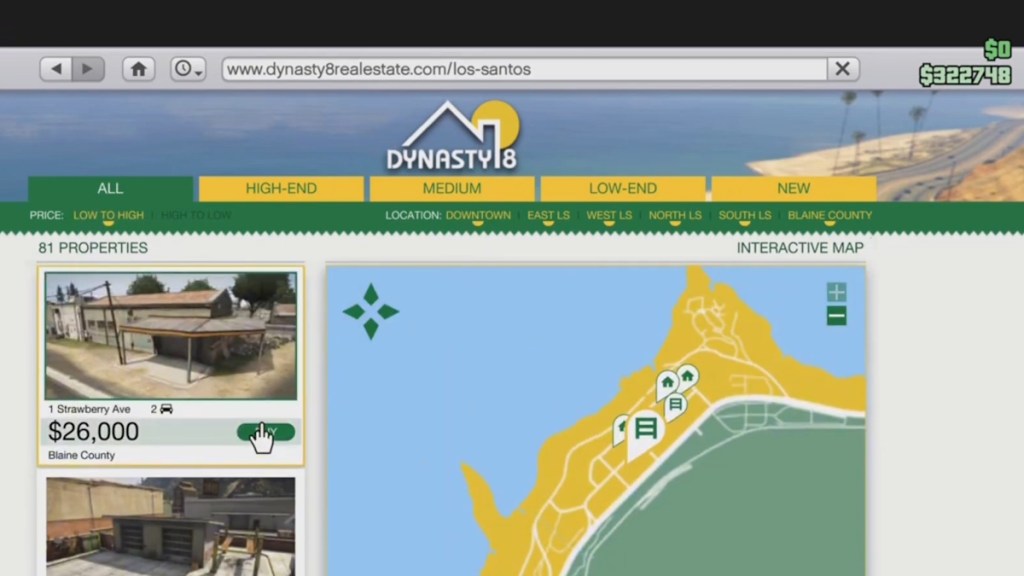
- Now, depending on the property you are trading in, select the most appropriate real estate website: Dynasty 8 (apartments, garages, mansions, and more), Maze Bank Foreclosures (nightclubs, Bunkers, etc), and Dynasty 8 Executive (CEO offices).
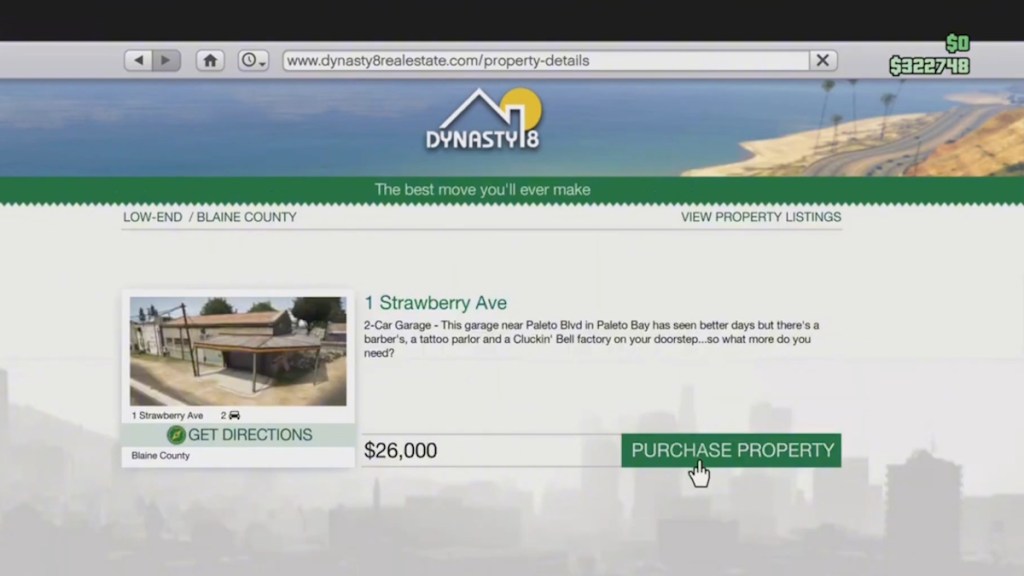
- Now, select View Property Listings and click the buy button for the new property you want to purchase.
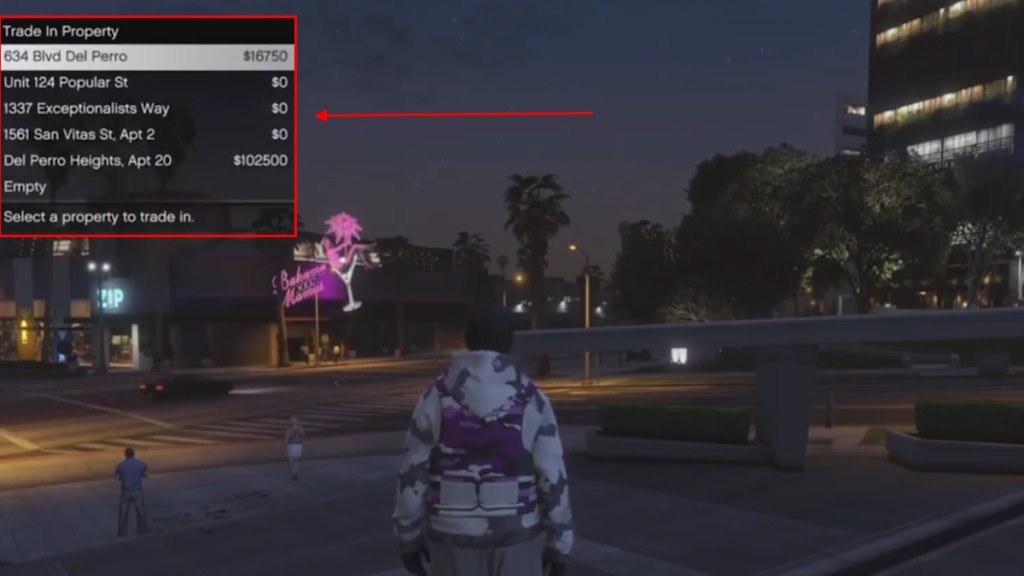
- Select the purchase property button once again, and now you will receive a prompt to trade in one of your properties.
- Select the property you were planning to sell, and you now have to either pay or receive the difference depending on the property’s trade-in value.
Also, keep in mind that trading in businesses will reset the particular business’s progress. Since GTA Online won’t be shut down after GTA 6 launches, players have no time limit, and they can collect or trade in properties as they wish.
And that’s a wrap on our guide on how to sell property in GTA Online. The trade-in system may be a bit hard to grasp at the beginning. But as you start exchanging your properties, you will understand it better. That said, what do you think about the trade-in system in GTA Online? Let us know in the comments below.