- Play Minecraft Dungeons and Dungeons 2 to obtain the Hero Cape, and then claim it in Java and Bedrock.
- Pre-order Minecraft Dungeons 2 before September 28, 2026, to claim the bonus from the same Minecraft amount.
- The Hero Skin packs features Valori, Kellen, Flores, and Ren available separately for Java and Bedrock.
Mojang has released new capes for Minecraft Dungeons 2, and you can claim them for your avatar in the Java and Bedrock Editions as well to showcase your fandom. Alongside the capes, there are new Dungeon-exclusive skin packs that can customize your vanilla experience. So, dive right in to learn how to get the Dungeons 2 capes and skin packs for Minecraft Java and Bedrock.
How to Get the Hero and Twisted Cape in Minecraft Java and Bedrock
Here’s an important note: the capes and skin packs are obtained in different ways, but first we will take a look at the former. The Hero Cape requires you to play both Minecraft Dungeons and Minecraft Dungeons 2 using the same Microsoft account.
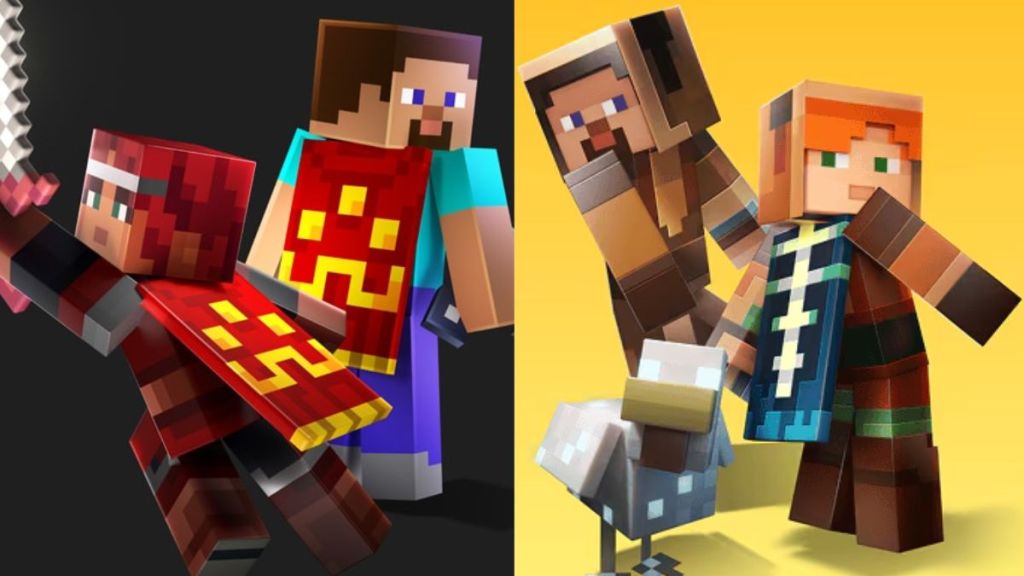
Meanwhile, the Twisted Cape is a Minecraft Dungeons 2 pre-order bonus. The official store listing states that the offer ends the day before launch, that is, September 28, 2026. So, here’s how you can claim both Dungeons 2 capes in Minecraft Java and Bedrock:
- Play Minecraft Dungeons and Minecraft Dungeons 2 using the same Microsoft account tied to your Java or Bedrock world.
- Purchase the pre-order for Dungeons 2 before the offer expires.
- Launch Minecraft Dungeons 2 once it releases on September 29, 2026.
- Sign in using the same Microsoft account, and you will find both capes as reward items.
- Once the reward is synced to your account, you can exit the game and launch Minecraft Java or Bedrock to unlock the capes there.
How to Get Minecraft Dungeons 2 Skin Packs
If you want to make your character look like a Dungeons 2 hero, apart from simply chasing the Corrupted Creeper Cape or other cosmetics, there’s good news for you all – The Dungeons 2 Hero Skin Pack is now available. It features the characters Valorie, Kellen, Flores, and Ren. Alongside this, the classic Minecraft Dungeons Hero Skin Pack is also available.
So, here are the detailed steps to get the Skin Packs for both Minecraft Bedrock and Java.
Get Minecraft Dungeons 2 Skin Pack for Bedrock
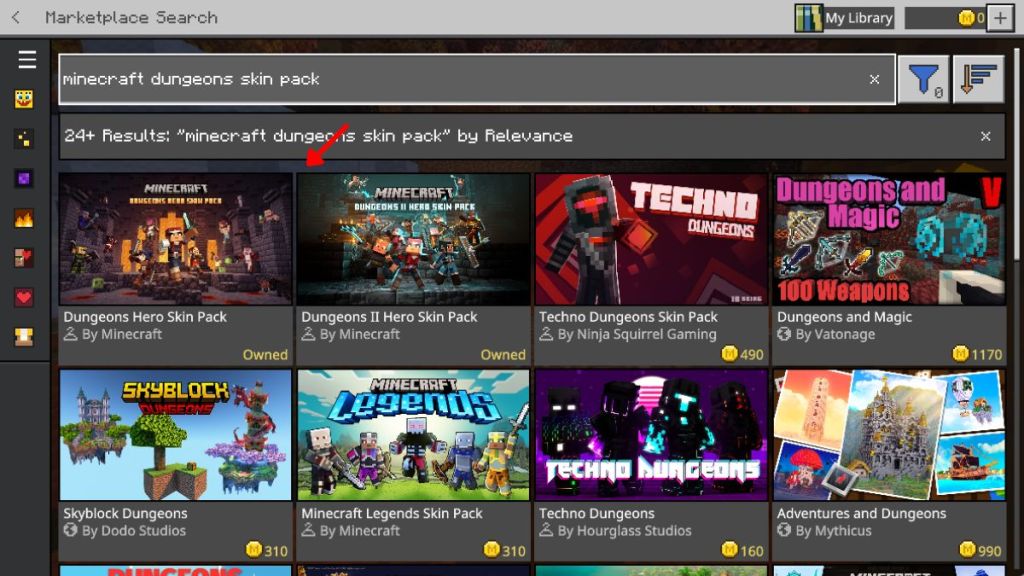
- Launch Minecraft Bedrock and select the Marketplace option in the main menu.
- Search for the Minecraft Dungeons and Dungeons 2 Skin Pack.
- Select the one you want to download, and purchase the pack for free.
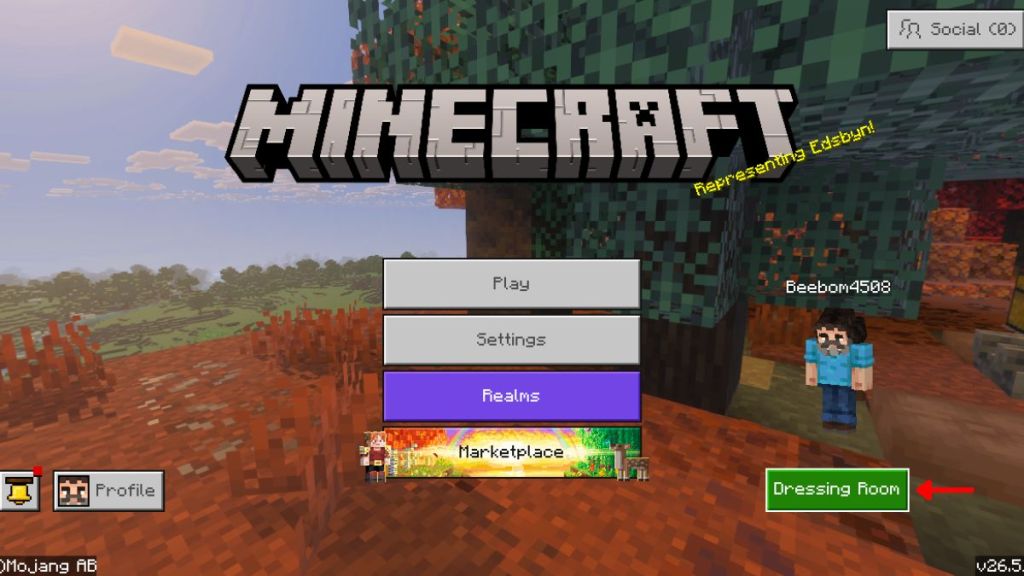
- You can then head back to the main menu and click on the Dressing Room.
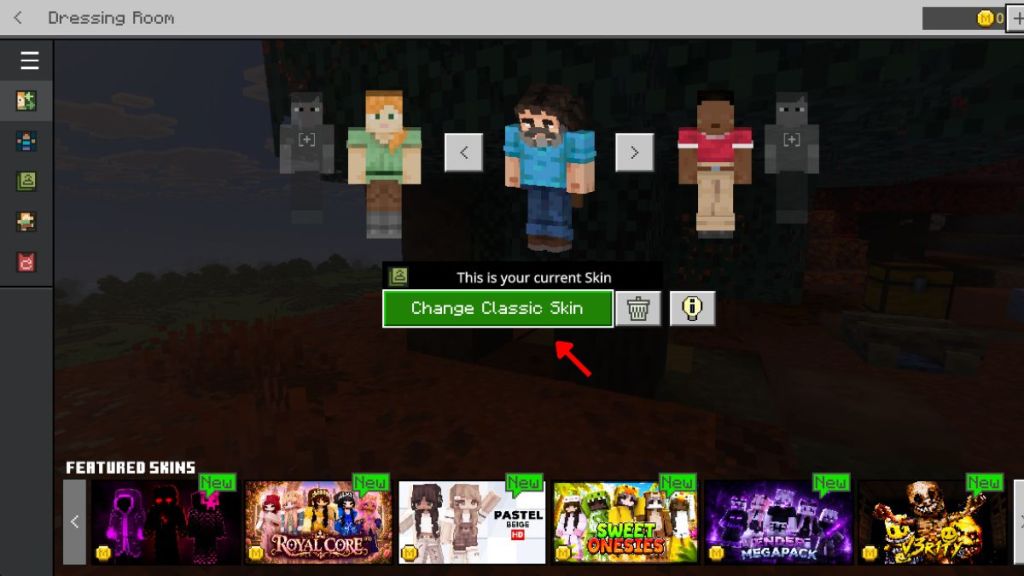
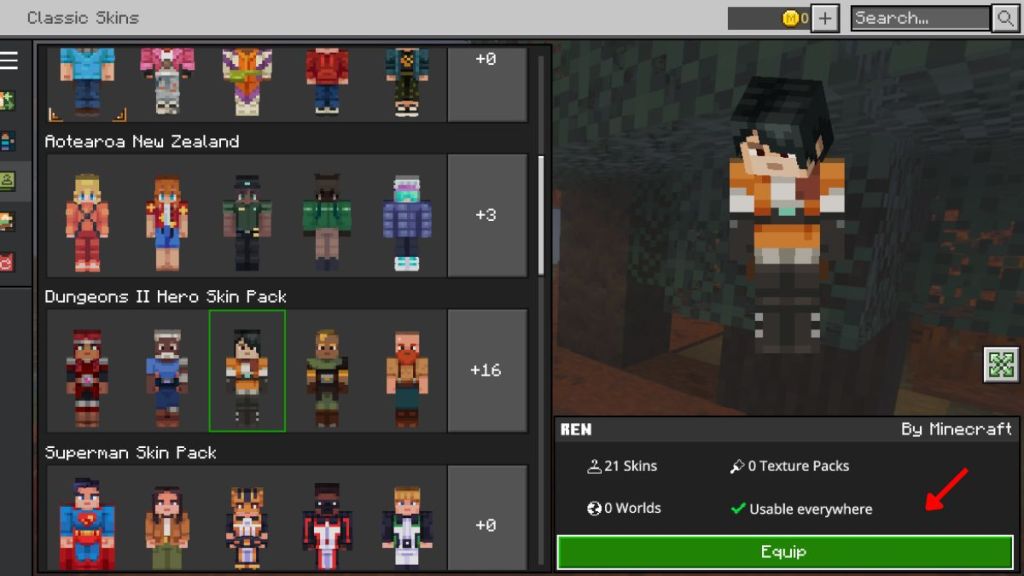
- Select the Change Skin button and then switch to the Dungeons Hero skin you want to play with.
Get Minecraft Dungeons 2 Skin Pack for Java
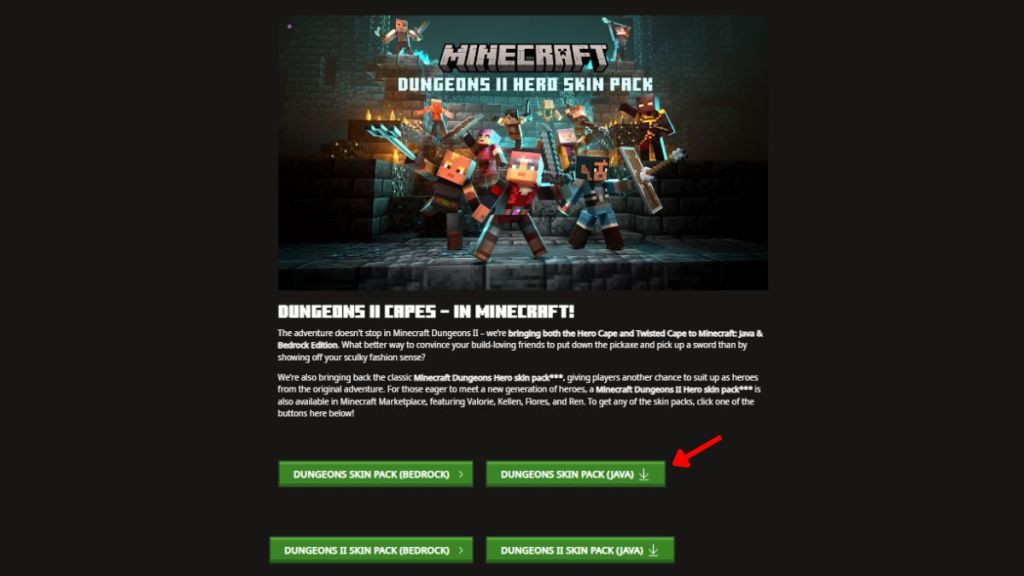
- Head to the Minecraft Dungeons 2 Capes promotion page to find the Skin Packs for Java.
- Click on the buttons for Dungeons Original and Dungeons 2 Skin Pack to get the texture.
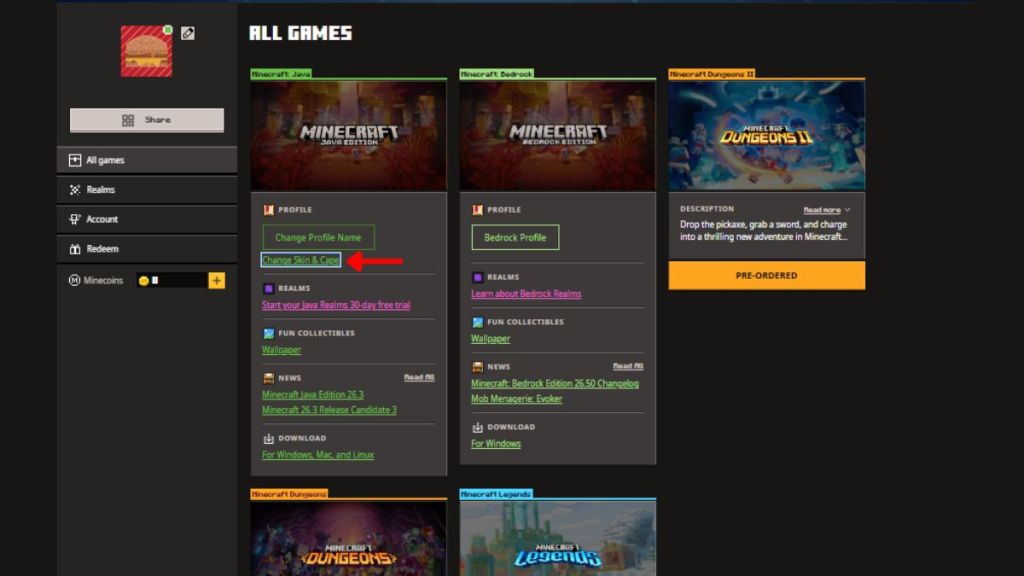
- Sign in to the official Minecraft website using the Microsoft account linked to your Java world.
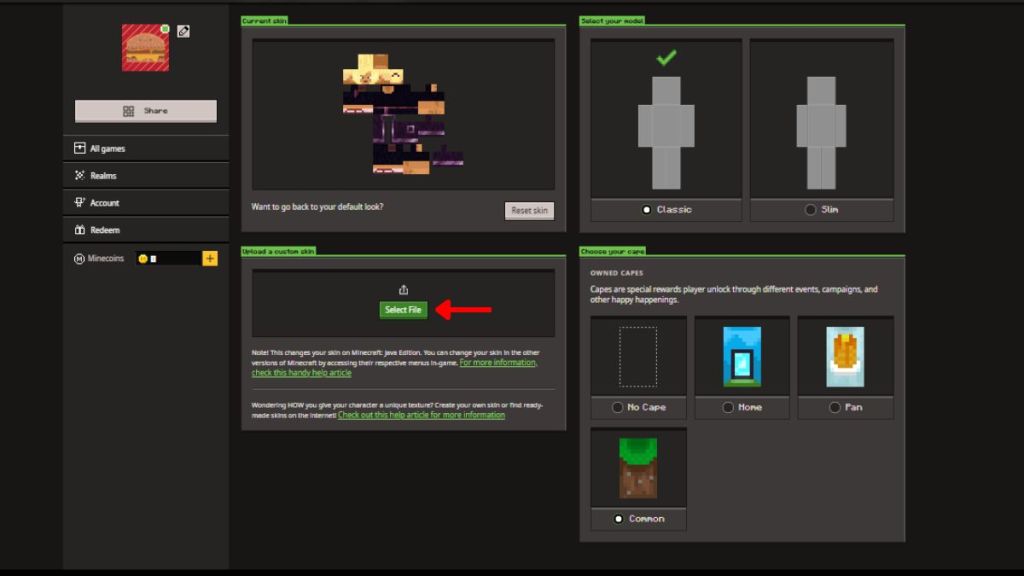
- Go to your account and, under the Minecraft Java Edition profile, select the Change Skin & Cape option.
- Now, drag and drop the file you downloaded before in the skin drop box to change your skin to a Minecraft Dungeon or Dungeon 2 Hero.
And that sums up all the methods for receiving the Dungeons 2 Cape and Skin Packs in your Minecraft Java and Bedrock worlds. So, have you checked out the latest Sift Dimension in Minecraft Dungeons 2? Tell us in the comments below.