- You can unlock and upgrade Loot Hacks in Fortnite from the Override menu found in-game using Sprite Dust.
- A total of five Fortnite Loot Hacks can be active at any given time.
- You can refund Loot Hacks in Fortnite for free and get back any Sprite Dust that was spent.
Loot Hacks are a new feature to get loot pool items in Fortnite Chapter 7 Season 4. They can be purchased and upgraded to give you access to ‘hacked’ items in a Battle Royale or Zero Build match and are available for everyone to use. That said, here’s what you need to know about Loot Hacks in Fortnite and how to unlock and upgrade them.
What Are Loot Hacks in Fortnite?
Loot Hacks in Fortnite are a new feature used to unlock items, weapons, and consumables that you can activate to get from Chests in a Battle Royale match. These items/weapons are part of the Fortnite Chapter 7 Season 4 loot pool, but they won’t appear unless they’re ‘hacked’ in or unlocked. Here’s a list of all current Loot Hacks in Fortnite:
- Thorne’s Vampiric Blade
- Finger Guns
- Gatekeeper Shotgun
- Hunting Rifle
- Slap Splash
- All Sprite Variants

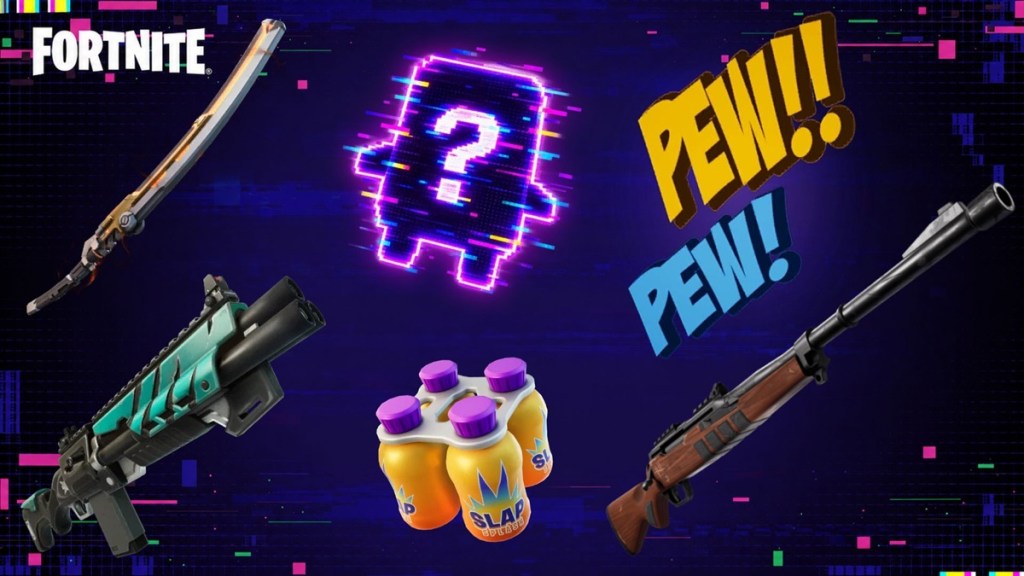
Up to six Loot Hacks can be activated at any given time. This could change as Fortnite Chapter 7 Season 4 progresses, and if it does, we’ll update the information. Until then, you can ‘hack’ in the aforementioned unique weapons/items in every match.
How to Unlock Loot Hacks in Fortnite
Loot Hacks can be unlocked by purchasing them with Sprite Dust in Fortnite. Sprite Dust is obtained in a variety of ways, with the easiest being extracting Sprites. You can also use a few Fortnite Lobby Hack (Admin Panel) Codes to earn some, if needed.
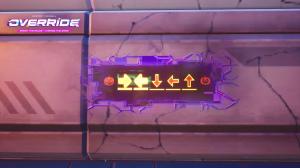
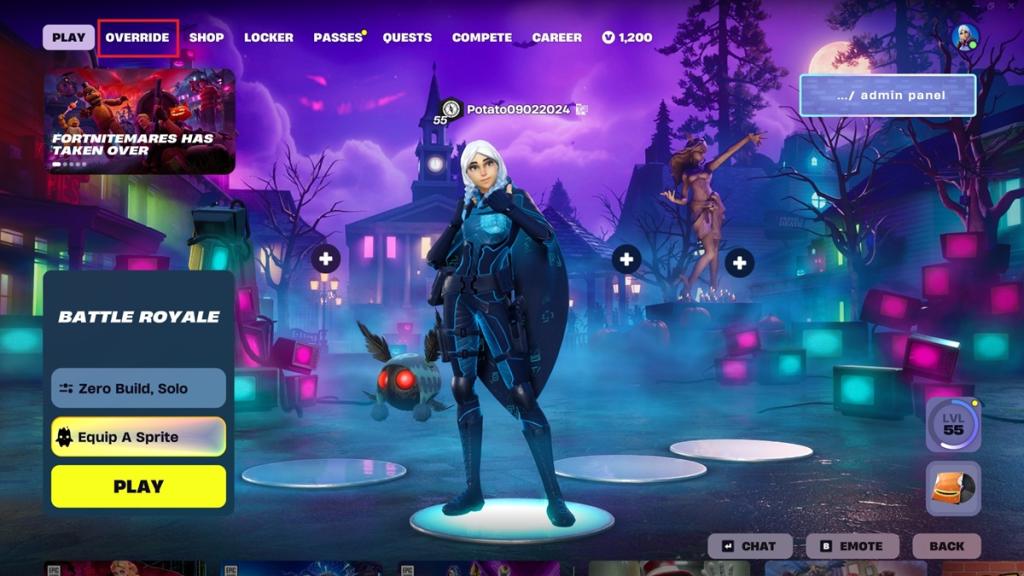
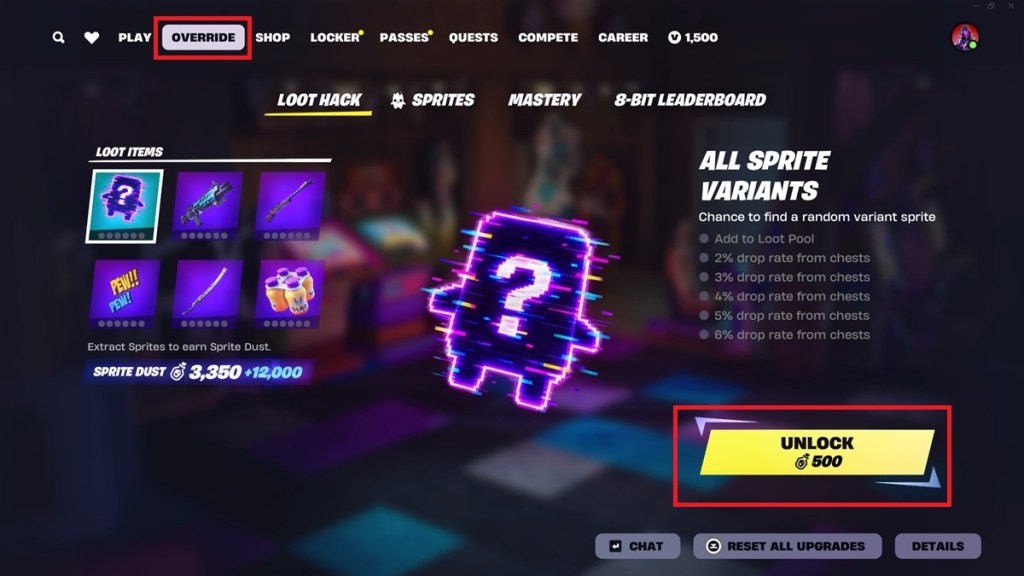
When you have enough Sprite Dust in Fortnite, click on the “Override” section at the top of your main lobby screen. Within this section, you can see Loot Hacks up for sale on the left side of the screen. On the right, you can see their drop rates.
Click on an item, and on the bottom right, an “Unlock” button appears. Press it to unlock the Loot Hack in Fortnite. This enables it to appear in-game when searching Chests. You can also come across new Sprites in Fortnite Chapter 7 Season 4 while searching Chests, so it’s a win-win situation.
That said, don’t expect to come across a ‘hacked’ weapon or item in every match. They are rather hard to come by. On a side note, we personally recommend unlocking the Caduceus Staff, allowing you to heal your teammates. Alternatively, you can try an Overshield Sprite in Fortnite to boost their defensive capabilities.
How to Upgrade Loot Hacks in Fortnite
To upgrade Loot Hacks, go to the “Override” section. Items/weapons that have been unlocked show an “Upgrade” option on the bottom right of the screen. You can use Sprite Dust to upgrade them one at a time.
Upgrading Loot Hacks in Fortnite improves their drop rate during a Battle Royale match. The more you upgrade, the higher your odds of receiving that particular item/weapon from Chests. If you need more Sprite Dust, consider extracting Cheat Master Sprites in Fortnite.
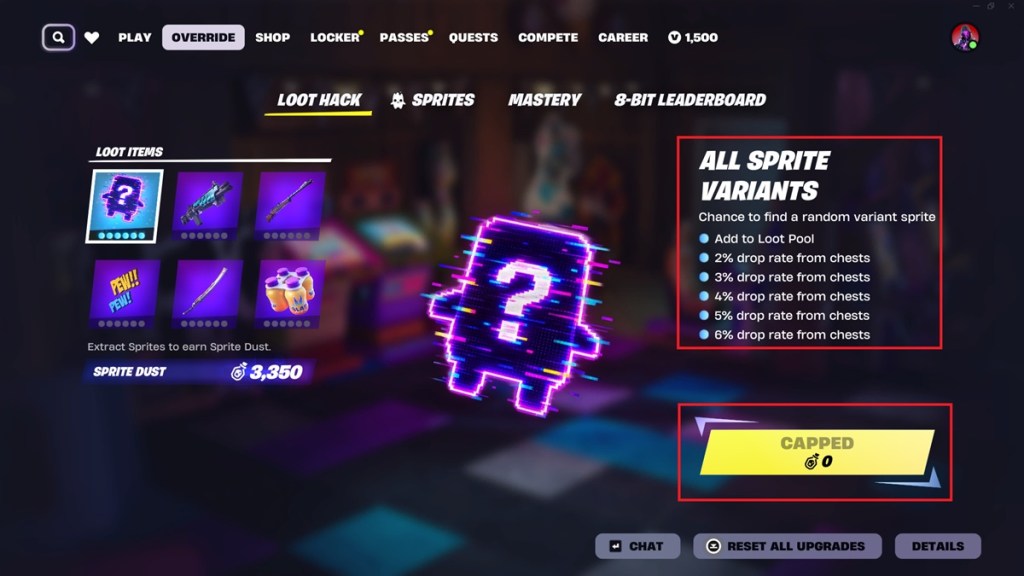
As a final note, purchasing and upgrading Loot Hacks in Fortnite is an expensive venture. Choose wisely before investing Sprite Dust, as Sprite Dust is needed to summon Sprites that were lost in a match. This includes the elusive Fortnite Crown Sprite.
Can You Reset Loot Hack Upgrades and Get Sprite Dust in Fortnite?
Yes, you can definitely reset Loot Hacks and get your Sprite Dust back in Fortnite. To do so, you need to press and hold the “Reset All Upgrades” button. It is located just below the unlock/upgrade options. Once Loot Hacks are reset, all Sprite Dust is refunded, which you can spend once again.


You can reset Loot Hacks as many times as you want. There is no limit, and we’ve tested it out to confirm this feature. If you end up losing your precious Klombo Sprite in Fortnite and need Sprite Dust to bring it back, this is a quick fix you can apply.
Let us know in the comments below which Loot Hacks you’ve decided to purchase and upgrade in Fortnite.
No, Loot Hacks in Fortnite are subject to refresh every few days.
Yes, if you find a ‘hacked’ weapon/item from searching a Chest, you can trade/share it with teammates during a Fortnite Battle Royale/Zero Build match.