Calorie counting on Android and iPhone has moved away from manual searches to AI-powered photo logging. You can now simply take an image of your meal and calorie counter apps can accurately estimate the caloric value. There are many such apps which have combined traditional barcode scanning and AI-based photo logging. In this article, we have listed the 10 best calorie counter apps for Android and iPhone, which can help you lose weight.
Overview of Best Calorie Counter Apps for Android and iPhone
MyFitnessPal is still considered the best calorie counter app for Android and iPhone. It’s packed with features and has a massive database of verified food. You can also take a look at Lose It! which is cheaper and supports photo-based tracking. Find all the top calorie counter apps right below.
| Calorie Counter Apps | Best Suited For | Free Barcode/AI Scanning | Pricing |
|---|---|---|---|
| MyFitnessPal | General users who want a massive food database, integration with health apps and devices | No | Free, $99.99 per year |
| Lose It! | Simple interface, fast logging, and photo-based food tracking | No | Free, $10 per year |
| MyNetDiary | Verified food entries with meal-planning tools, accurate analysis, quick logging | Yes | Free, $60 per year |
| HealthifyMe | Asian users looking for local food calorie value, AI-powered analysis, check micronutrients | Yes | Free, Offers in-app purchases |
| Lifesum | Beautiful UI, barcode logging, meal plans, log through image or voice | Yes | Free, $99.99 per year |
| Cal AI | AI-first calorie counting experience, minimal manual input, social feature available | Yes | Free, $49.99 per year |
| YAZIO | Users who are focused on fasting, meal plans, and clean UI for calorie tracking | Yes | Free, $47.90 per year |
| FatSecret | Budget-conscious users who want a free calorie tracker with macros support | Yes | Free, $9.99 per year |
| Cronometer | Highly accurate macro and micronutrient tracking, Best for advanced users | Yes | Free, $39.99 per month |
| Journable | Those who prefer chat-based or photo-based logging, ChatGPT-like assistance | Yes | Free, Offers in-app purchases |
How We Tested Best Calorie Counter Apps for Android and iPhone?
To find the best calorie counter apps for Android and iPhone, we downloaded each app and checked its database accuracy. We uploaded and logged food images, and tested barcode scanner with various packaged items. We also analyzed cooked meal with AI-powered apps to check how well these apps can identify food items and volume to accurately estimate the total calorie.
While nearly all apps have a paid plan, we picked those apps which offer at least calorie tracking for free. It could be either manual searches or photo logging. These apps also integrate well with health trackers like Apple Watch, Fitbit, and Garmin. We considered all these points to pick the best calorie counter apps for Android and iPhone.
How to Choose the Best Calorie Counter Apps?
Before you pick a calorie counter app, you should find out your goal. Are you looking for an app that can track calories of packaged items or cooked meal? If it’s the former, you should go for database-driven calorie counter apps as they have a massive database of verified food and are pretty accurate.
In case you want to track calories of cooked meal, pick an AI-powered calorie counter app. These apps use the power of AI to accurately calculate the caloric value. At times, it might get it wrong, but 90% of the time, AI-powered logging is accurate. In addition, you should choose whether you want to track macros or micronutrients too.
For a detailed analysis of micronutrients, you will have to get a premium subscription as most apps offer advanced insights behind a premium plan. Finally, before committing to an app, take a free trial and see if you are able to quickly log calories and track progress of your health.
Role of AI in Modern Nutrition Tracking
Artificial Intelligence (AI) has nearly replaced the traditional form of calorie counting. Instead of database searching, AI-powered calorie counter apps analyze photos of meals and estimate the total calorie. In fact, some apps use the depth sensor to get a good idea about the food volume, which helps in accurate calorie tracking.
Besides that, AI systems can analyze your eating habits, and identify your nutritional deficiencies. It may give you deep insights on how to improve your health and lose weight. Not to mention, when an AI-powered app has access to your health metrics from various fitness trackers, it can analyze and alert you about your health issues. In short, AI is not just transforming nutrition tracking, but also revolutionizing the health sector.
Best Database-Driven Calorie Counter Apps
For barcode scanning, database-driven calorie counter apps are the best as they are very accurate. MyFitnessPal is one of those apps that can accurately track your calories of both packaged items and cooked meal. You can also check out other options like FatSecret and YAZIO.
MyFitnessPal
MyFitnessPal is one of the oldest apps for calorie counting and it’s the industry leader with millions of users. While nearly all calorie counter apps have added AI-powered logging, MyFitnessPal uses its reliable database of 20 million foods to accurately identify the calorie count. MyFitnessPal has also added AI-powered voice logging for hands-free tracking and a Meal Scan feature to analyze food images and calculate the calorie count.
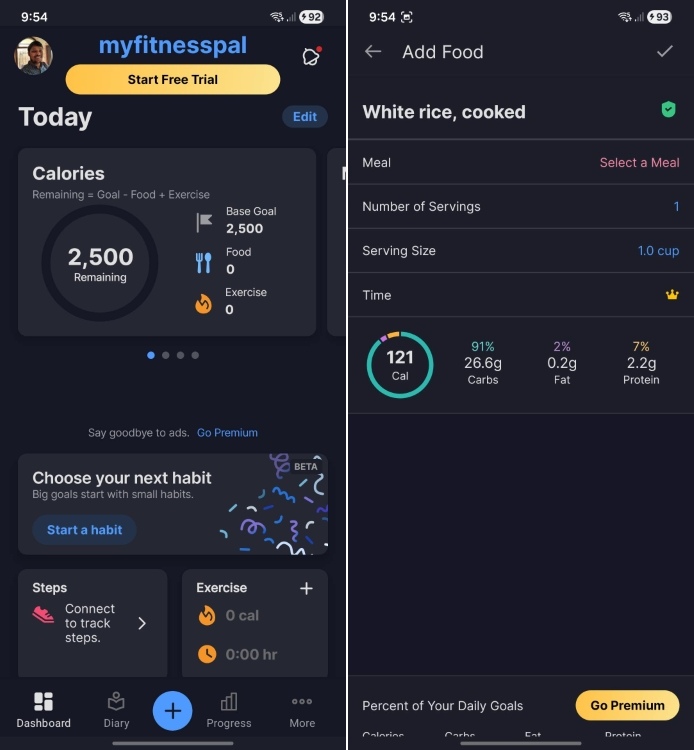
And if you get the premium plan, you can also access the Meal Planner tool. Apart from that, the app has features like Weekly Habits that offer insights to build sustainable routines, which goes beyond simple calorie counting. Next, you can connect fitness devices and apps with MyFitnessPal including Apple Health, Fitbit, and Garmin wearables. Free users can access core tracking features including barcode scanning, and basic nutrition insights.
| Pros | Cons |
|---|---|
| Large database of verified food | Expensive premium plan |
| Voice logging and AI-powered meal analysis | |
| Fitness tracker integration |
Pricing: Free, $99.99 per year
Lose It!
Lose It! is another great calorie counter app for Android and iPhone. While it does come with AI-powered food recognition system, you can also use the barcode scanner to find the caloric value of packaged foods. Thanks to the massive database, you get accurate information on how much calorie you are consuming. You can also use the Snap It feature to estimate calories from meal photos.
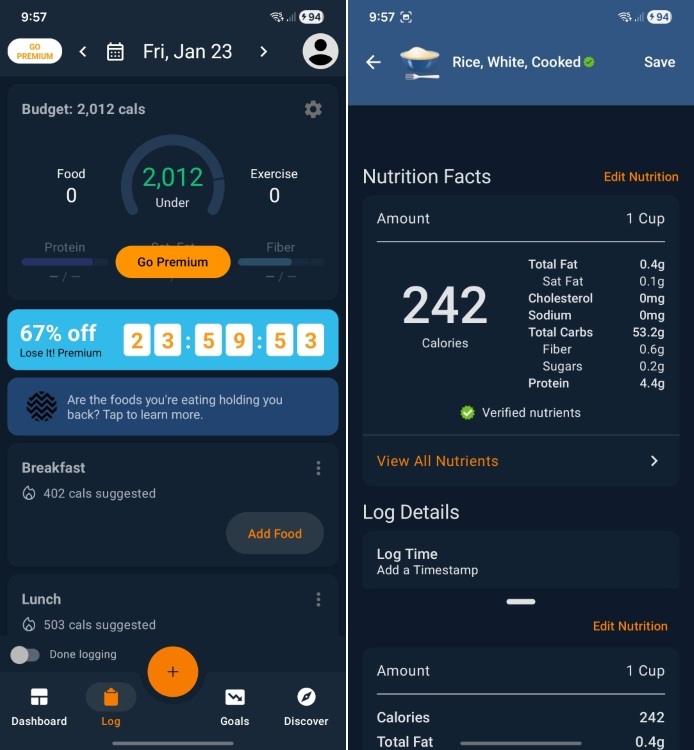
The app also brings something called Calorie scheduling. It lets you eat more on weekends or special occasions without moving away from your goals. The free version of Lose It! offers basic tracking, and barcode scanning. I would suggest getting the paid plan if you want macro goals, meal planning, and advanced insights into your eating habits.
| Pros | Cons |
|---|---|
| User-friendly interface | Photo logging can be inaccurate |
| Affordable premium pricing | |
| Calorie scheduling |
Pricing: Free, $10 per year
FatSecret
FatSecret is one of the best free apps for calorie counting on Android and iPhone. The app has a premium version, but you get the core tracking for free and without any ads. Just like other apps, FatSecret has a feature called Smart Food Scan which uses AI to identify meals and provide instant calorie information from photos. In addition, the food database helps in accurately estimating the caloric value of packaged items.
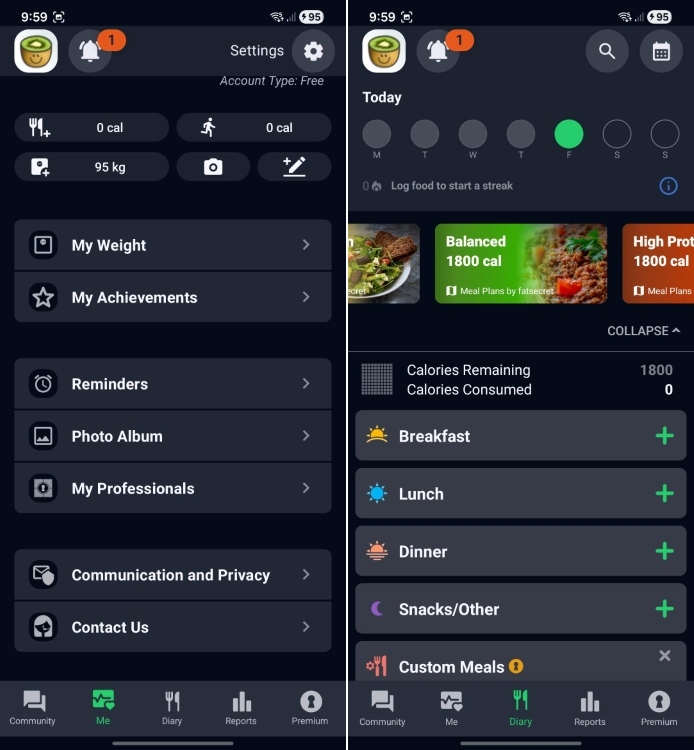
As for the free version, you can track calories, macros, access barcode scanning, log your exercises, and track your weight as well. The premium version adds support for a professional dietitian for meal planning and unlocks more detailed tracking. Overall, for those who want a free calorie counter app, FatSecret is a worthy choice.
| Pros | Cons |
|---|---|
| Completely free core features for calorie tracking | Image analysis less advanced |
| No ads in free versions | |
| Offers various diets |
Pricing: Free, $9.99 per year
YAZIO
YAZIO is a fantastic app on Android and iPhone to streamline calorie counting. It has a verified database of 4 million food items and has a user base across various countries. It combines database-driven calorie estimation and AI-powered meal analysis to accurately identify the caloric value. The Barcode scanner handles packaged food while the AI scanner analyzes meal photos.
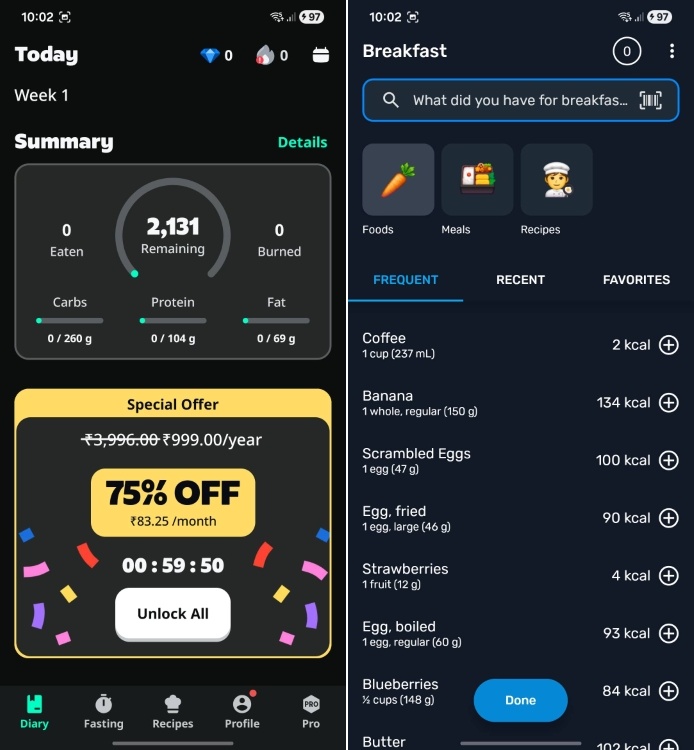
YAZIO is one of the apps that promote long-term sustainability over intermitted fasting and strict dieting. And the app is inherently designed to promote this approach. You get all the comprehensive tracking tools for free, and Pro subscription adds custom meal plans. You can also check advanced nutrient information with the paid plan and connect your Apple Watch, Fitbit, or Garmin devices.
| Pros | Cons |
|---|---|
| Clean and simple user interface | AI photo tracking needs improvement |
| Usable free version | |
| Supports long-term sustainability |
Pricing: Free, $47.90 per year
Best Calorie Counter Apps with AI Logging
Cal AI is simply the best AI-powered calorie counter app on Android and iOS. It’s quite accurate and uses a depth sensor to measure the volume. You can also check out Journable which bring ChatGPT-like simplicity to calorie tracking.
Cal AI
Cal AI is an AI-first calorie counting app for Android and iOS. It has been developed by Zachary Yadegari and the app quickly exploded to 8+ million downloads since its launch in May 2024. The app uses AI to calculate food volume and analyze nutritional content. It claims 90% accuracy and the streamlined interface focuses solely on photo-based tracking. This makes it the fastest way to log meals without database searches.
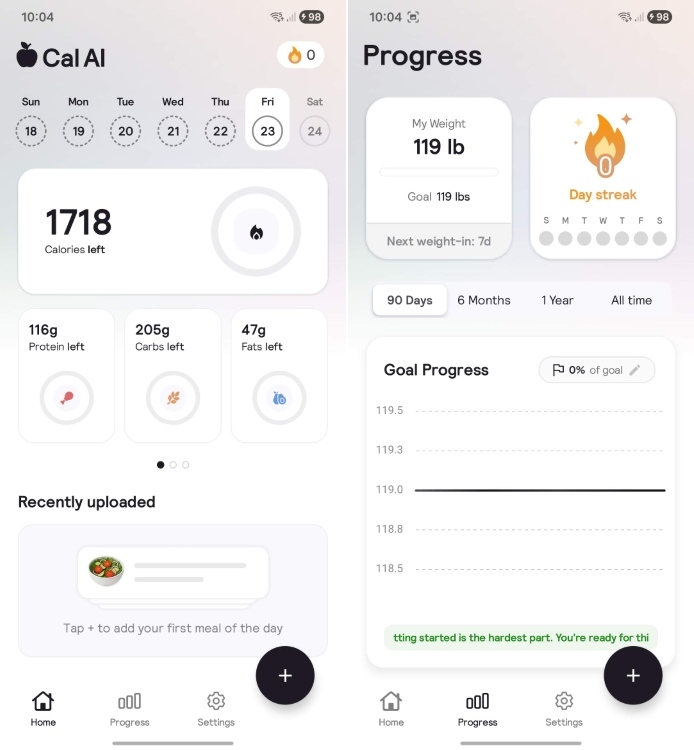
Cal AI has a 3-day free trial and the paid subscription starts at $2.49 per month. You can also track your progress with friends and create groups as well. This social angle makes the calorie counter app even more enticing to use. If you want an AI-powered calorie counter app, just install Cal AI.
| Pros | Cons |
|---|---|
| AI-powered calorie estimation | Limited to photo tracking |
| Depth sensor for volume calculation | |
| Social features |
Pricing: Free, $49.99 per year
Journable
Unlike traditional calorie counter apps, Journable has a conversational AI chat interface where you can snap and upload meal images and it handles the rest. Even when you don’t have an image, you can simply tell the app, and it will update your calorie value for the day. It doesn’t do manual database searches, but uses AI to parse the information and estimate total calories.
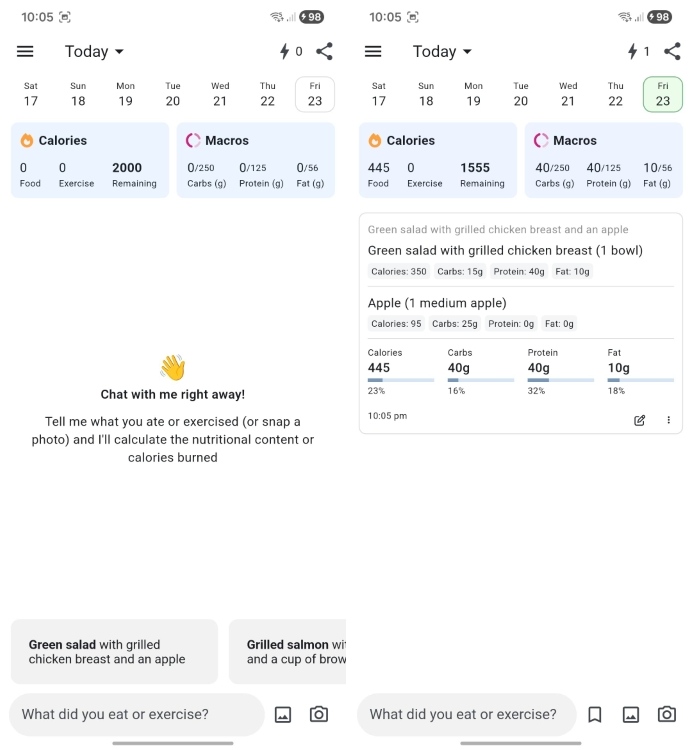
The app tracks calories, macros, carbs, and micronutrients including fiber and vitamins. I like Journable because it’s easy to use and helps you in quick logging. You can also set custom reminders for routine calorie logging and you can also share your weekly progress with trainers or dietitians. If you want a ChatGPT-like interface for calorie counting, Journable is for you.
| Pros | Cons |
|---|---|
| ChatGPT-like conversational interface | Image analysis can be off at times |
| No database searching | |
| Track micro and macronutrients |
Pricing: Free, Offers in-app purchases
Best Calorie Counter Apps for Nutrition Tracking
For nutrition tracking, MyNetDiary is one of the top apps on Android and iPhone. I also like Lifesum’s beautiful UI and diet recommendations. You can find these calorie trackers in this section.
MyNetDiary
MyNetDiary ranks among the best calorie counter apps for Android and iPhone. It has a verified database of over 2 million foods which can track up to 108 nutrients. It’s simple to use and very quick to log your caloric intake, thanks to its fastest barcode scanner. In addition, you don’t need to create an account to access the app, which is nice.
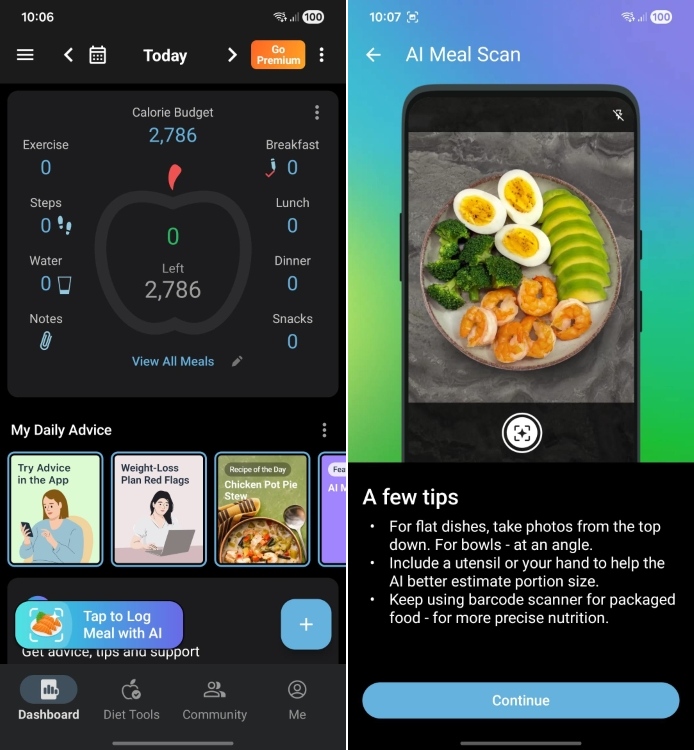
The free version offers a custom dashboard where you can track your progress. You can also set meal reminders, and access coaching tips free of charge. The premium version unlocks dietitian-based recipes and diet-specific plans including Keto, vegetarian, and Mediterranean. Finally, the app automatically adjusts your calorie budget to help in your weight loss journey.
| Pros | Cons |
|---|---|
| Track micronutrients | Custom food entry limitations |
| Fast barcode scanner | |
| Feature-rich calorie tracker |
Pricing: Free, $60 per year
HealthifyMe
HealthifyMe is one of the best calorie counter apps for Asian countries. It has over 40 million users and accurately tracks more than 20,000 Asian foods. It combines AI-powered tracking with its database to provide a personalized diet. You can also scan and upload meal photos to quickly gauge the caloric value. You can even check micronutrients level for each food item.
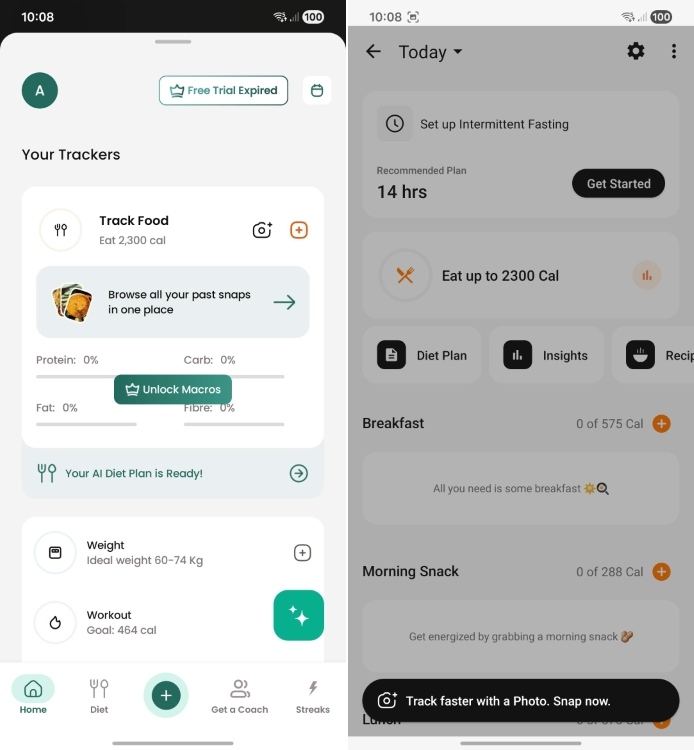
If you choose to get the HealthifyPro plan, you can integrate CGM sensors and smart scales to get a personalized diet recommendation based on your metabolic data. Plus, there is an AI coach called Ria which provides custom guidance for your meal and fitness. If you want to lose weight, I would highly recommend you use HealthifyMe as your calorie counter app.
| Pros | Cons |
|---|---|
| Great Asian food database | Limited to Asian markets |
| Nutritionist coaching available | |
| AI coach for daily guidance |
Pricing: Free, Offers in-app purchases
Lifesum
Lifesum is a premium calorie counter app for Android and iPhone. It’s beautifully designed and brings a fresh approach to nutrition tracking. The app features a multimodal tracker which combines photo, voice, text, and barcode scanning in a conversational AI interface to track your calories. It even gives a unique Life Score which evaluates your eating habits, hydration and activity levels to encourage fitness and wellness.
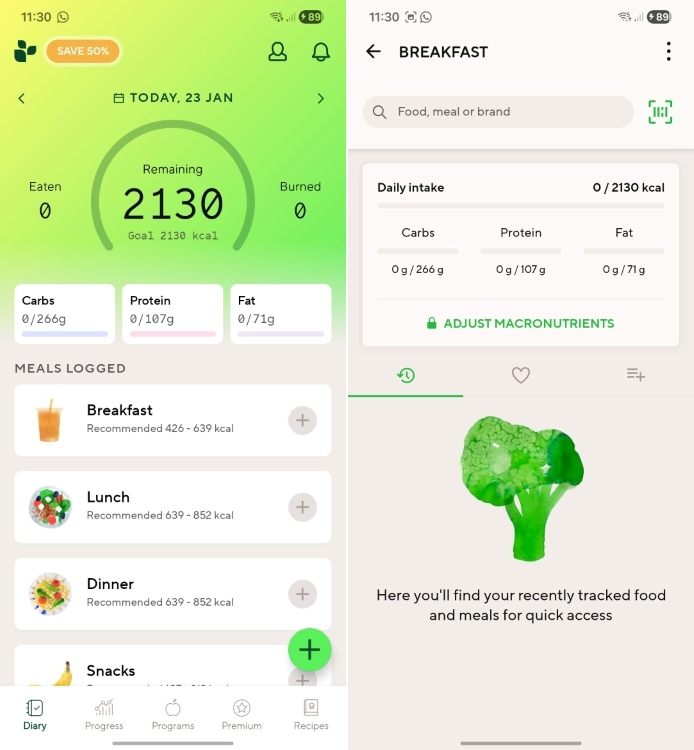
Other than calorie counting, Lifesum also offers special diet plans including keto, paleo, Mediterranean, etc. There are about 2,000 recipes with grocery lists and you can plan your meal using various tools. All in all, Lifesum is a beautiful and intuitive app for diet planning and calorie counting.
| Pros | Cons |
|---|---|
| Beautifully-designed app | AI photo analysis issues |
| Life Score to understand your health | |
| Diet planning available |
Pricing: Free, $99.99 per year
Cronometer
Cronometer is not just a calorie counter app, but also the most comprehensive nutrition tracker. It can track up to 84 nutrients including vitamins, minerals, and amino acids. Cronometer is generally trusted by health professionals and athletes as the app uses lab data from USDA and other reliable sources. It focuses on accuracy above everything else.
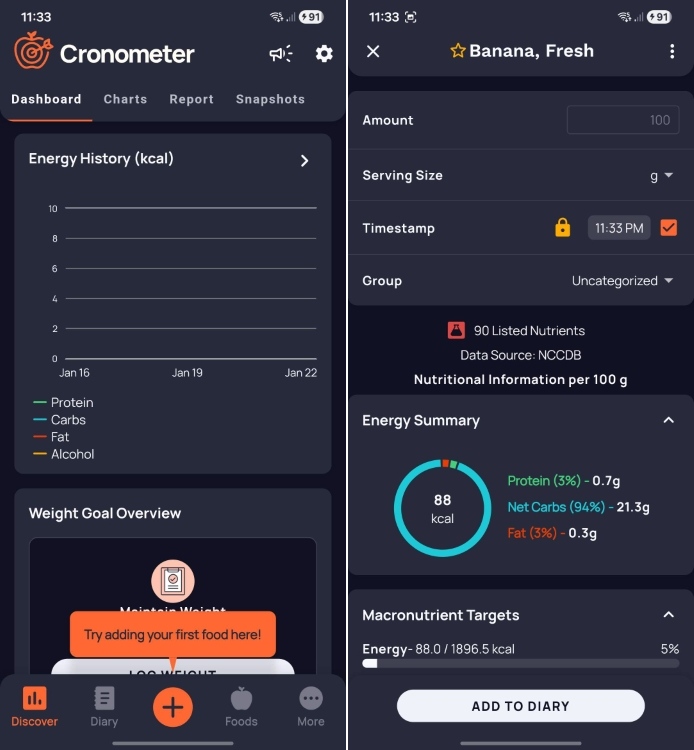
The free version tracks all kinds of nutrients, and provides barcode scanning as well. The Gold version lets you access AI photo logging with verified accuracy. Its Nutrient Oracle has a huge database of foods rich in specific nutrients so you can choose your kind of food. You can also integrate Cronometer with Fitbit, Apple Health, Garmin, CGMs, and other health monitoring devices.
| Pros | Cons |
|---|---|
| Tracks multiple nutrients | Quite expensive |
| Verified database | |
| Professional-grade accuracy |
Pricing: Free, $39.99 per month
So that wraps up our list of the 10 best calorie tracker apps for Android and iPhone. I personally use HealthifyMe and Journable which offer core calorie tracking for free. Lifesum is also beautiful, but it requires a premium subscription to access many health features. Anyway, which is your favorite app? Let us know in the comments below.
MyFitnessPal and MyNetDiary are considered very accurate for calorie counting. These apps use verified database for calorie logging.
Yes, MyFitnessPal is still free, but core features have been moved behind a paywall. You can’t use barcode scanning on the free version.
I would recommend Lose It! and FatSecret if you are looking for a free alternative to MyFitnessPal.