I have struggled a lot with subjects like maths, physics, and chemistry in my school and college days. But learning doesn’t have to be that hard, which is why I have looked into several AI tools that can make studying easy and come in handy for those last-minute assignment submissions and surprise tests. After testing out a plethora of options, here are my picks for the best AI tools for students.
Best AI Tools for Students Compared
Here’s a quick breakdown of all the tools included in this list, their use case, pricing, and limitations.
| AI Tools for Students | Use Case | Limitations | Is it free? |
|---|---|---|---|
| Google NotebookLM | Learning, researching, and understanding topics | Takes a lot of time to process data | Yes |
| Natural Reader | Auditory listening to notes and lessons | Limited AI voices and no text translation | Yes |
| Thetawise.AI | Best for learning maths | Cannot solve advanced problems in free version | Yes |
| Tutor.AI | Create custom learning plan for any subject | Limited upload limit | Yes |
| AskCode | Helps to write, document and learn coding better | Does not include any token in free tier | Yes |
| Quillbot Paraphrasing Tool | Improve writing, change tone | Word limit on long texts | Yes |
| Gamma AI | Create presentations from scratch | Only lets you create 10 slide presentations in free version | Yes |
| SudoWrite | Fictional writing suggestions for stories and novels | Does not help write emails or assignments | Yes |
| SciSpace | Deep research tool | Limited tokens in free version | Yes with limited credits |
| KickResume | Create professional resume in an instant | Limited templates in free tier | Yes |
Overview of the Best AI Tools for Students
Before you ask, I am not going to include your usual suspects like ChatGPT, Gemini, and Copilot. That’s because these are already popular options. I wanted to look into other AI tools that can help or benefit students in other ways, or have something extra to offer. So here are my picks:
1. NotebookLM
Google’s NotebookLM is arguably one of the best AI tools for students because it helps break down and understand any topic from any subject in fun, interactive ways. You can upload your notes, project files, or PDFs and turn them into an interactive audio podcast that you can listen to while on the go.
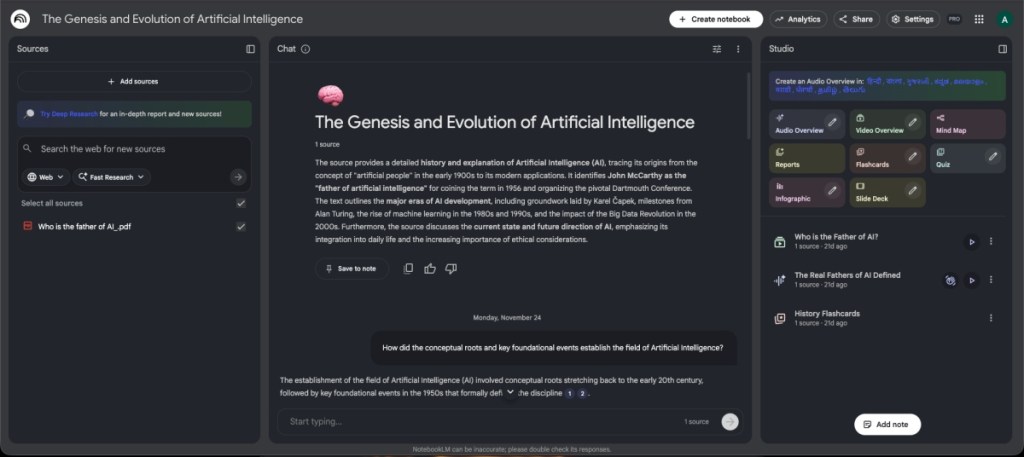
It can also make video summaries, or if you think you have got the gist of the topic, it also provides flashcards for revision. The best part is that it is one of the best AI tools for research, which is completely free-to-use and available on the web and mobile.
| Pros | Cons |
|---|---|
| Fun and interactive learning tool | Generating audio or video summaries can take a while |
| Creates AI podcast to learn topics | |
| Has flashcards for revision | |
| Completely free to use tool |
Pricing: Free
2. Natural Reader
If you are an auditory learner or like to listen to lectures as you make notes, then you will love Natural Reader. This text-to-speech platform features a variety of AI voices that can easily dictate notes, documents, or webpages with fluid pronunciations. It lets you pick from several models that support multiple languages, and the Plus model unlocks even more AI voices.
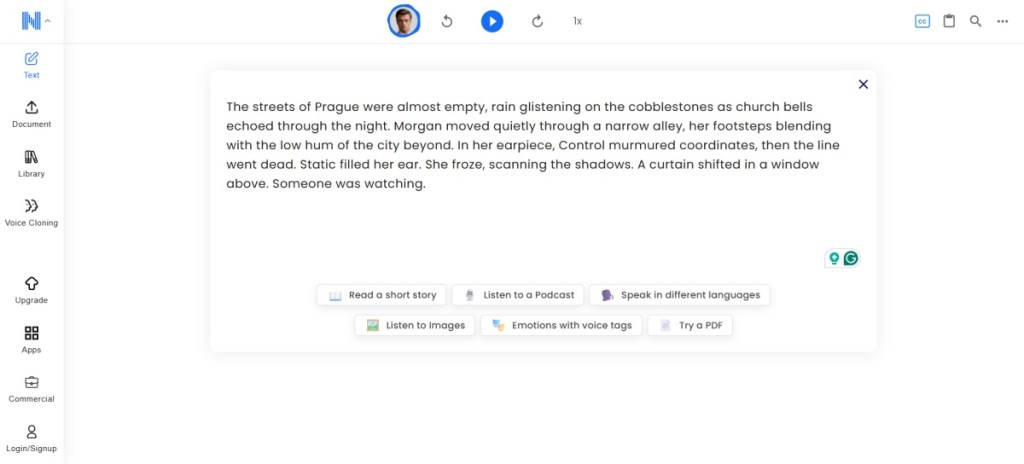
The subscription also unlocks the OCR text scan and MP3 downloads so you can listen to your notes on your way to school or college. But you wouldn’t need to pay up, as most features are unlocked in the free version, making it more accessible for students.
| Pros | Cons |
|---|---|
| Features a variety of AI voices | Does not support text translation |
| Highlight text or take notes side by side | |
| Download MP3 audio to listen to later | |
| Mostly free to use |
Pricing: Free, Plus plan available for $9.95/month
3. Thetawise.AI
Many students struggle a lot with Maths, needing personal attention which is not possible in class. For that, there is Thetawise.AI. It’s your personal maths tutor that will not only solve the problems, but also tutor you on how it did it.
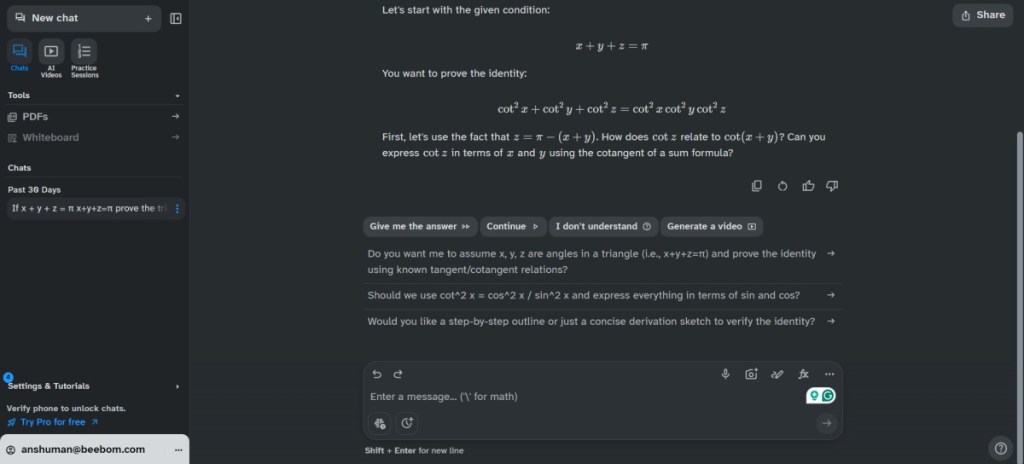
One feature of Thetawise.ai that I am sure many students will love is the ability to create videos. Think of them like personal YouTube lessons made for you, explaining the solution.
| Pros | Cons |
|---|---|
| Helpful AI maths solver | Advanced problem-solving exclusive to Pro subscription |
| Can create videos to explain problem-solving | |
| Creates helpful transcripts for solutions | |
| Offers tailored practice sessions |
Pricing: Free, Pro version available for $19.99/month
4. Tutor.AI
Not every student is the same; some learn at their own pace, and for them, there’s Tutor.AI. This AI-powered platform helps to create custom courses for any topic or subject to help you understand it better.
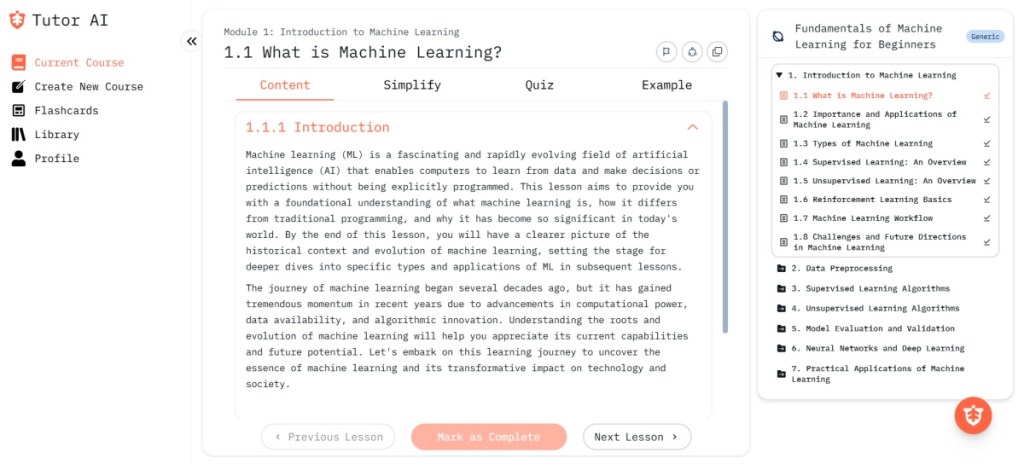
You can upload your own documents to create your own course, or let AI generate them for you. It also features Flashcards for revisions and a library where you can get back to your previous courses. That said, Tutor.ai has an upload limit of 4MB, which is not enough for many PDFs.
| Pros | Cons |
|---|---|
| Creates custom courses on any topic | Limited upload limit on free plan |
| Offers AI-generated study plans | |
| Flashcards for revision |
Pricing: Free, Premium plan available for $16/month
5. AskCodi
Another field that students often struggle with is coding, and to help with that, I have found AskCodi. This is one of the best AI tools to help students learn to code, understand what they are writing, and get answers to all their queries.
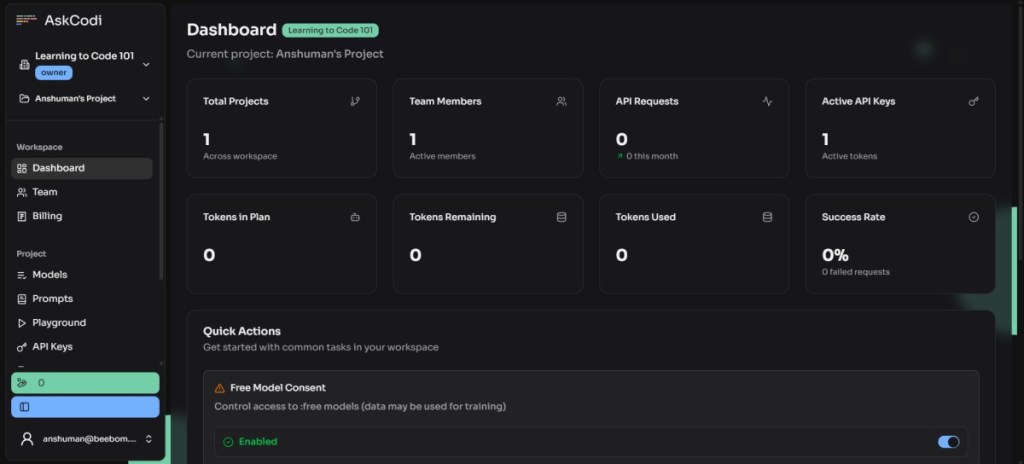
It can write code in over 55+ languages and also create documentation. Unlike other AI tools, such as Cursor, AskCodi helps you master coding instead of using AI to write it.
| Pros | Cons |
|---|---|
| Supports 55+ coding languages | Does not include any token in free tier |
| Can code, test, and document | |
| Ask follow-up questions about the code | |
| Can pick different AI models |
Pricing: Free, Premium plan starts at $20/month
6. Quillbot Paraphrasing Tool
Quillbot is one of those AI tools that I am sure you must be using already. It’s the preferred paraphrasing tool for millions of students worldwide to help polish essays, help them change the tone of emails for college applications, or just learn how to write better.

It also includes other tools like a plagiarism checker, an AI detector, a grammar checker, and more. With all these options, Quillbot easily becomes one of the best AI tools that is a must for students.
| Pros | Cons |
|---|---|
| Features variety of writing styles | Word limit in the free version |
| Instantly change tone of paragraphs | |
| Offers other useful tools | |
| Most features available in free tier |
Pricing: Free, Premium plan available for $9.95/month
7. Gamma AI
Whether you are in a business school or someone who needs to make a lot of presentations, Gamma AI is the only tool you will need as a student. This is the best option for making last-minute presentations, as it will create an outline and a professional artwork to go along with it.
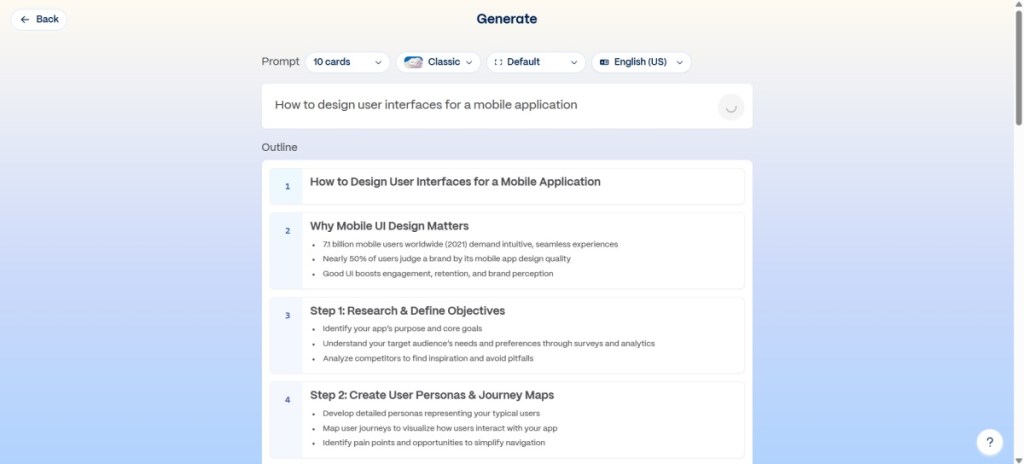
It lets you pick presentation slide themes, the number of slides, and image styles as well. If Gamma makes a mistake, you can edit the content later on. It is the perfect AI tool for making presentations.
| Pros | Cons |
|---|---|
| Create presentations with a single prompt | Can create limited slides in free version |
| Lets you choose slides, style and themes | |
| Upload documents to create presentations | |
| Generates images to go with the theme |
Pricing: Free, Pro plan starts at $10/month
8. SudoWrite
For students of the literary arts, SudoWrite is the best AI tool you can get your hands on. This one helps you overcome your writer’s block, write fiction, expand on story ideas, and help you better describe any plot element. It gives you multiple suggestions you can pick from to add to your text.
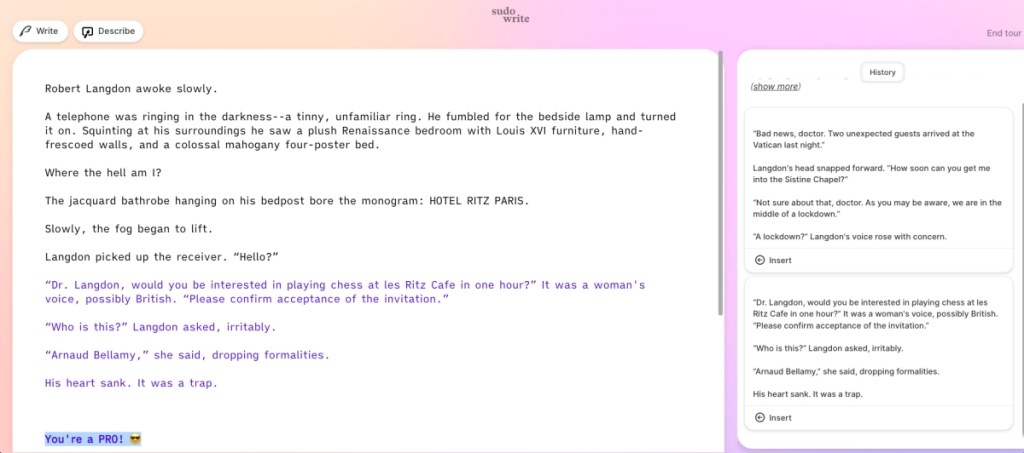
It can even complete the rest of the story for you, or give you a path to take your characters further. SudoWrite is an excellent option to learn how to write better, aspiring young book writers.
| Pros | Cons |
|---|---|
| Helps brainstorm ideas for fictional stories | Only generates limited texts in free version |
| Suggests multiple plot lines to pick from | Writing sounds uninspired in some occasions |
| Can help better describe any character or object | |
| Best suited for students and young novelists |
Pricing: Free, Pro plan starts at $29/month
9. SciSpace
SciSpace is the best AI tool if you want to do a quick, in-depth research on any topic. It’s basically like Wikipedia on steroids, as it can get you research papers, find datasets, or extract relevant sources all at a whim.
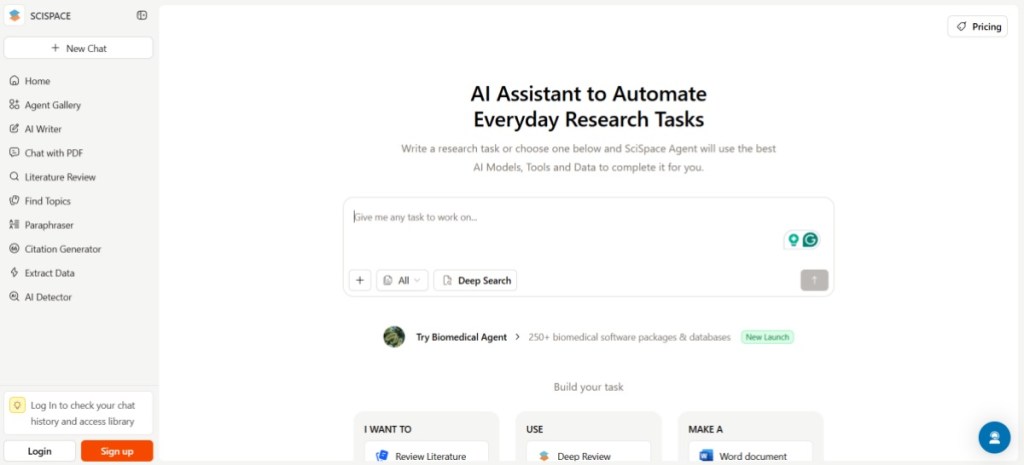
It goes even a step further, allowing you to quickly turn the researched draft into a Word document, PDF, presentation, or manuscript. It’s the perfect tool for students who have to submit last-minute reports and assignments.
| Pros | Cons |
|---|---|
| Helpful for a quick deep research on any topic | Limited uses in the free tier |
| Can extract sources, research papers and data sets | |
| Instantly export drafts to different file formats |
Pricing: Free, Premium plan available for $12/month
10. KickResume
Students applying for campus placements or their first job need to make a strong resume. I have the perfect AI tool for that. KickResume offers a good selection of professional-looking formats that will make your resume stand out among your fellow batchmates. Plus, it can even help you write convincing goals and achievements with the help of AI.
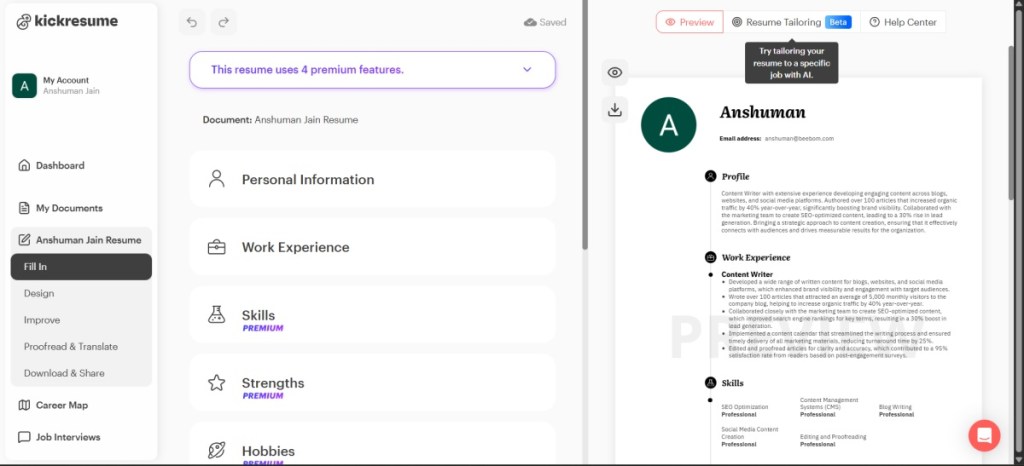
This is my personal favorite because I have even used it to help my niece make a better resume. So if you are a student looking for a job, be sure to try out this AI tool.
| Pros | Cons |
|---|---|
| Offers professional resume templates | Some of the better templates are not available in free version |
| Helps write convincing CVs with AI | |
| Instantly export your resume for free |
Pricing: Free, Premium plan available for $24/month
These were some of the best tools I could find to simplify your studies and other tasks you might need as a student. I swear, if I had access to these tools back in my student life, I would have aced every single test. However, it goes without saying that you should use these AI tools as a guide, and not to take shortcuts.