Anomalies are one of the biggest threats you will face in Animal Hospital, as letting the wrong patient inside can quickly end your run. They can appear in different forms, with some only showing up in photographs or CCTV cameras instead of their normal appearance. Learning every anomaly is the best way to protect your patients and keep your sanity intact. Check the guide below for all Animal Hospital anomalies and how to identify each one.
List of Animal Hospital Anomalies
The Animal Hospital anomalies system is split into three categories: Appearance, Photo, and CCTV anomalies, with each requiring a different way to identify them. While recognizing these signs is important, your role also matters, so be sure to understand the Animal Hospital classes to pick the best class for surviving longer shifts.
Now that you have a brief idea of the anomaly mechanics, here is a full list of all anomalies in Animal Hospital and their identifiers:
Anomaly Type Identifier Twitching Appearance The patient repeatedly twitches their limbs and neck while standing still. Three Eyes Appearance The patient has three glowing red eyes instead of two. Hollow Face Appearance The patient has hollow eye sockets and a wide-open mouth. Wide Eyes and Creepy Smile Appearance The patient has unnaturally large eyes and a disturbing grin. Human Teeth Appearance The patient has realistic human teeth instead of normal animal teeth. Mismatched Eyes and Sharp Teeth Appearance One eye sits higher than the other, while sharp teeth are visible. Different Eyes Photo The eyes in the photograph do not match the patient. Different Ears Photo The ears shown in the photo differ from the actual patient’s. Incorrect Photo Photo The photograph displays a different animal or appearance. Unnatural Photo Photo The photo contains distorted facial features that are not visible in person. Static Photo Photo The photograph has a static overlay, indicating an anomaly. Cursed Photo Photo Picking up the photo before it finishes processing drains sanity. Censored Eyes CCTV A black bar covers the patient’s eyes on the security camera. Unnatural Body CCTV The patient’s body appears stretched or distorted on CCTV. Hollow Face CCTV The hollow face only appears when viewed through security cameras. Staring at Cameras CCTV The patient constantly looks directly into the CCTV camera. Void Bodies CCTV The patient’s entire body appears completely black. Skinwalker CCTV A monstrous shapeshifter is only visible through CCTV footage. Mismatched Ears or Eyes CCTV Facial features differ between the patient and the camera feed. Black Eyes CCTV The patient’s or visitor’s face is covered by a black bar with a pair of realistic eyes staring back at you. Camera Twitching CCTV Twitching only appears while viewing the patient through CCTV. Disguised Shapeshifter/Skinwalker CCTV The patient appears normal in person but reveals its true shapeshifter form only through the security cameras after reaching the check-in area. Bed Monster Monster A shadowy creature hiding beneath hospital beds with glowing red eyes and long black arms reaching out. Head Banger Monster White cat-like creature with hollow black eyes and a sad expression that repeatedly slams its head into the check-in window. Ghost Monster Translucent ghost with black teary eyes, a stitched mouth, and a ghostly tail. Shapeshifter Monster A normal-looking patient that transforms into a white creature with a huge mouth full of sharp teeth and green slime. Stalker Monster A tall black creature with long ears, oversized eyes, a wide grin, and unusually long limbs. Tendril Monster Large purple fleshy mass with long tentacles growing from a patient on the operating table. Camera Figure Monster A shadowy cat-like figure with glowing red eyes, crooked teeth, and black particles surrounding its body. Mass of Eyes Monster A large red fleshy mass covered with dozens of eyes that constantly watch nearby players. Hiders Monster Thin, paper-like creatures with glowing eyes and wide smiles that blend into nearby walls and surfaces.
Appearance Anomalies
The anomalies that you can detect directly through their unique appearance are in this category. To identify them, you won’t need any extra tools.
Twitching

Unlike most appearance anomalies, Twitching can be easy to miss if you rush through check-ins. Watch the patient for at least four to five seconds, as the jerking movements usually happen in short bursts around the neck, arms, or body. If you are unsure, spend a few extra seconds observing instead of admitting them immediately.
Three Eyes

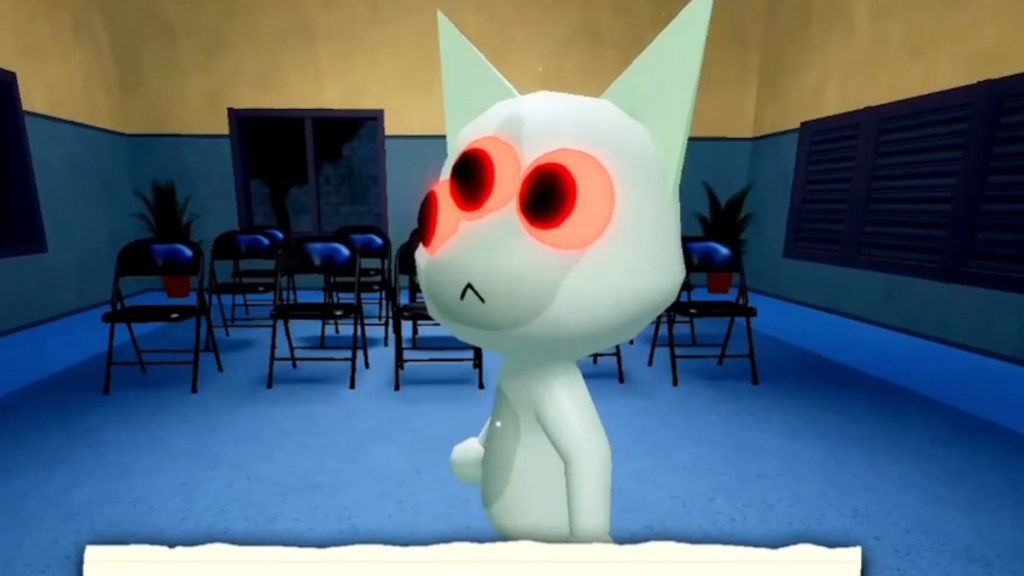
Three Eyes is one of the easiest anomalies to identify because of its glowing red third eye. In some cases, the normal eyes are still visible beneath the extra one, making the appearance even more unsettling. As soon as you notice the extra eye, close the shutters without wasting time on additional checks.
Hollow Face
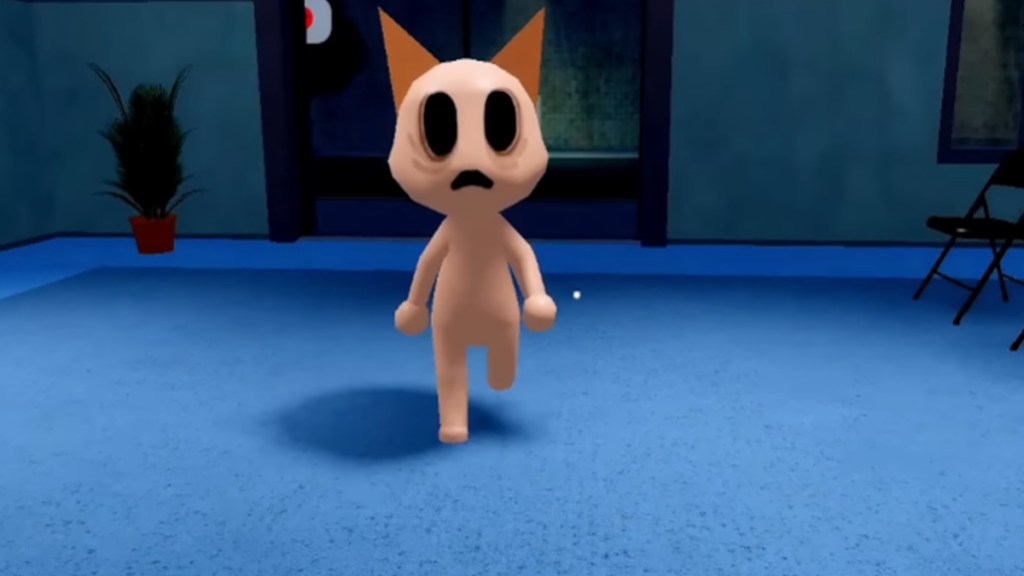
At first glance, the Hollow Face anomaly stands out because of its empty eye sockets and lifeless expression. These patients often appear hunched and may twitch, making them even easier to identify. Do not let them inside, as this appearance is linked to dangerous events later in the shift.
Wide Eyes and Creepy Smile
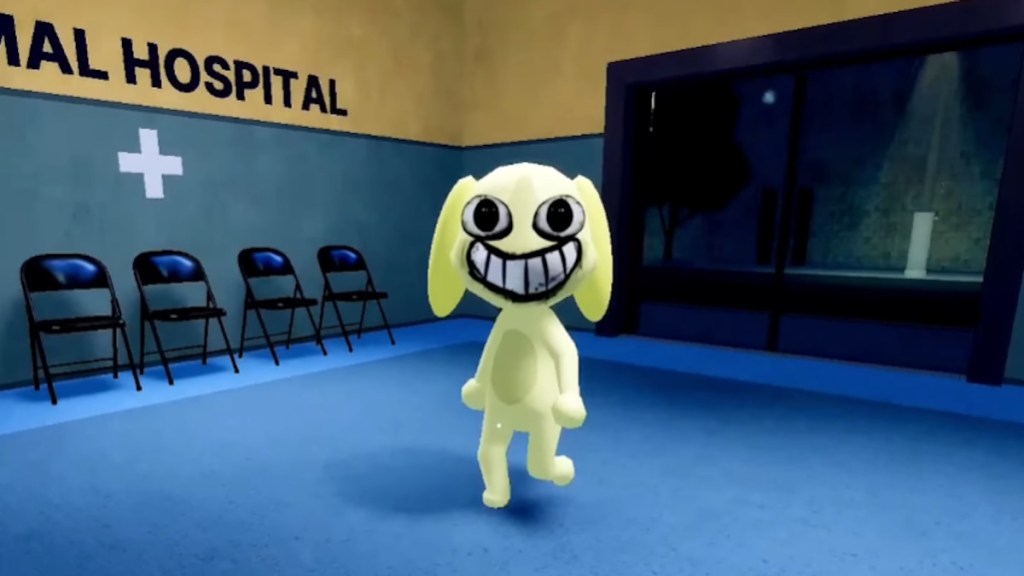
Few anomalies look as unsettling as this one, thanks to its exaggerated eyes and unsettling grin. The expression never looks natural, even from a distance. Trust your instincts here, because this is one of the quickest appearance anomalies to spot.
Human Teeth
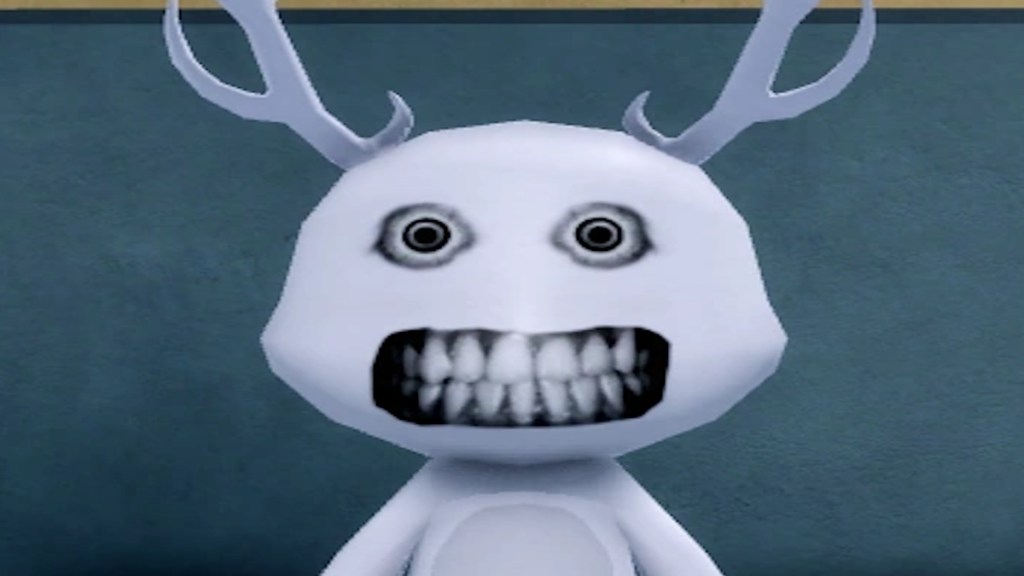
Instead of normal animal teeth, this patient flashes a realistic human smile that immediately looks out of place. It shares similarities with the creepy smile variant, but is much easier to distinguish once you know what to look for. Reject them immediately instead of spending time checking photos or cameras.
Mismatched Eyes and Sharp Teeth
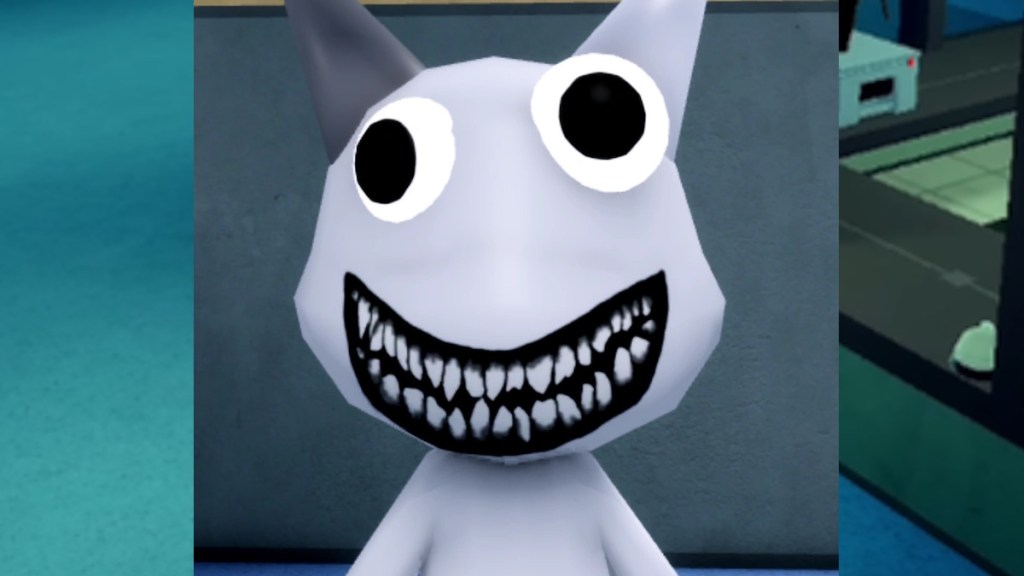
Crooked, glowing eyes paired with razor-sharp teeth make this anomaly fairly obvious once you notice it. The patient’s head may also track your movement, making the behavior even stranger. If the eyes do not line up naturally, it is safest to deny entry right away.
Photo Anomalies
Some of the Animal Hospital anomalies only appear after you click a picture of them and check the photo. Here is the full list:
Incorrect Photo
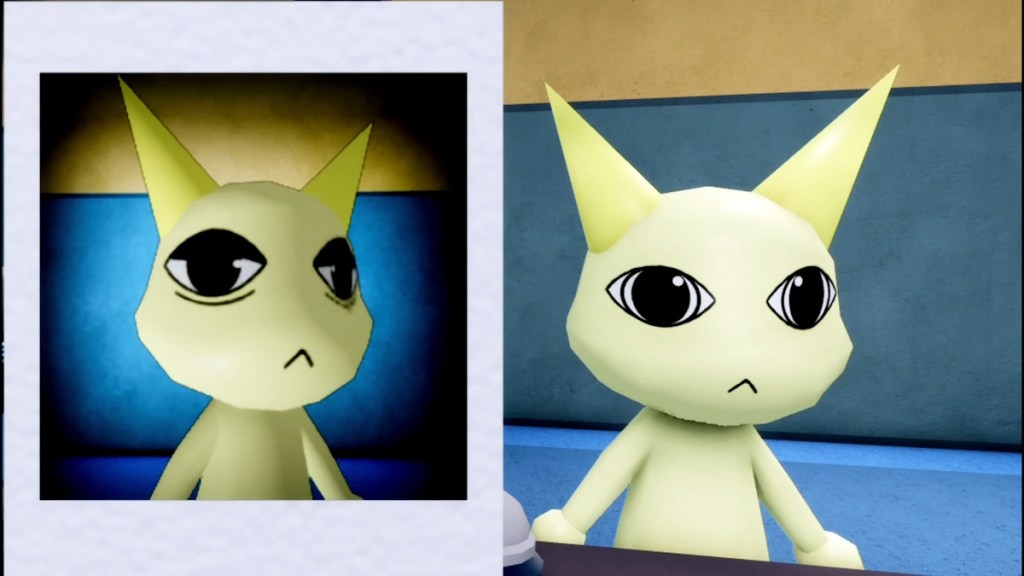
Sometimes the photograph shows an entirely different patient instead of the one standing outside. The changes may include different colors, markings, or even another animal altogether. If anything in the image fails to match the patient, close the shutters immediately. There are two proper variants of it:
Different Eyes
This photo anomaly only becomes visible after taking the patient’s picture. Compare the photograph with the patient instead of relying on memory, as the differences can be very small. Even missing pupils or added eyelids are enough to identify an anomaly.
Different Ears
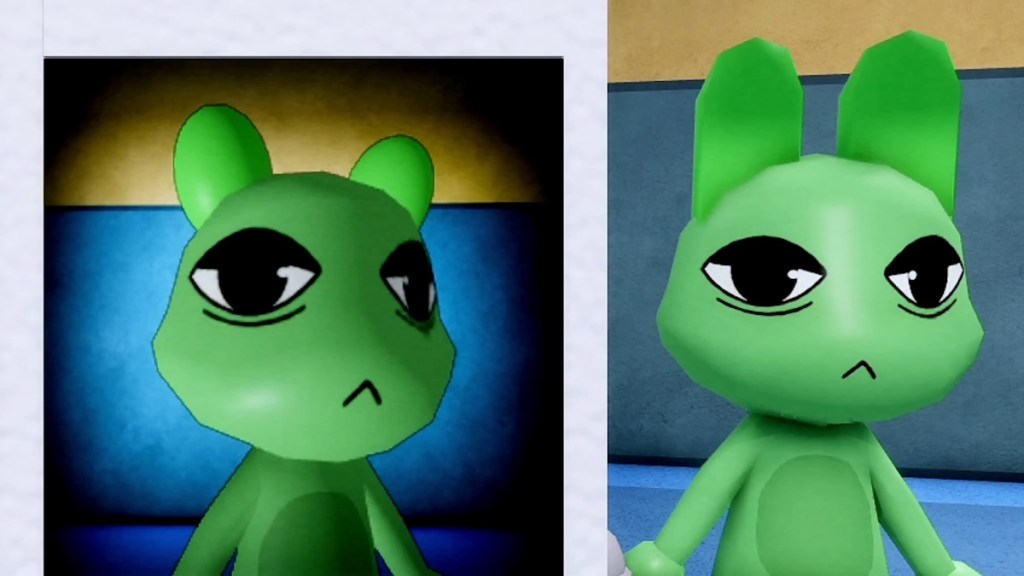
The patient may look perfectly normal until you inspect their photo. Ear shape, size, or even the animal type can change between the patient and the picture. A careful side-by-side comparison usually reveals the difference.
Unnatural Photo
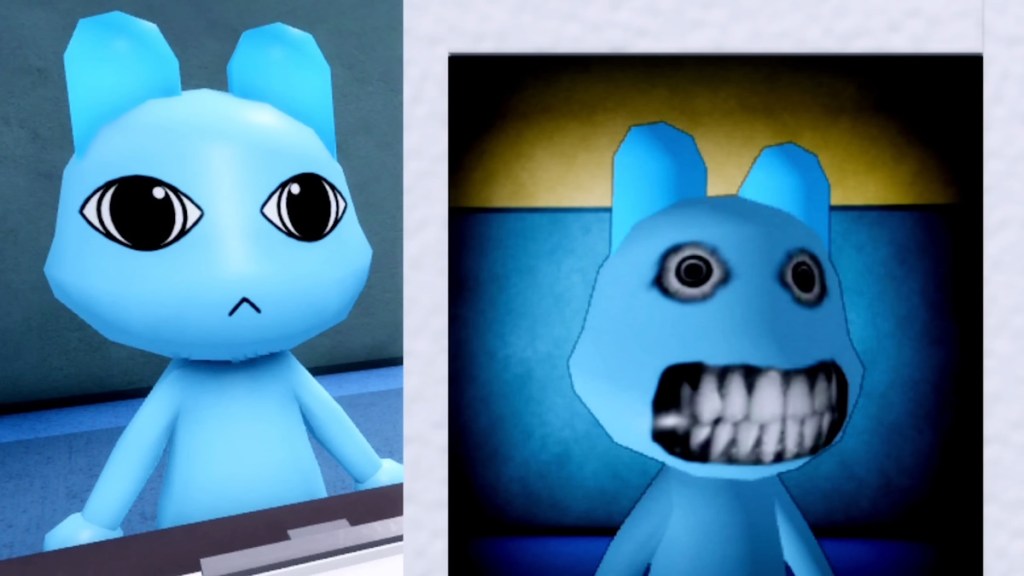
Rather than changing the patient, this anomaly distorts only the photograph with unsettling facial expressions. You may notice blurred features, creepy smiles, or other unnatural details that never appear in person. Always inspect the finished photo before picking it up.
Static Photo
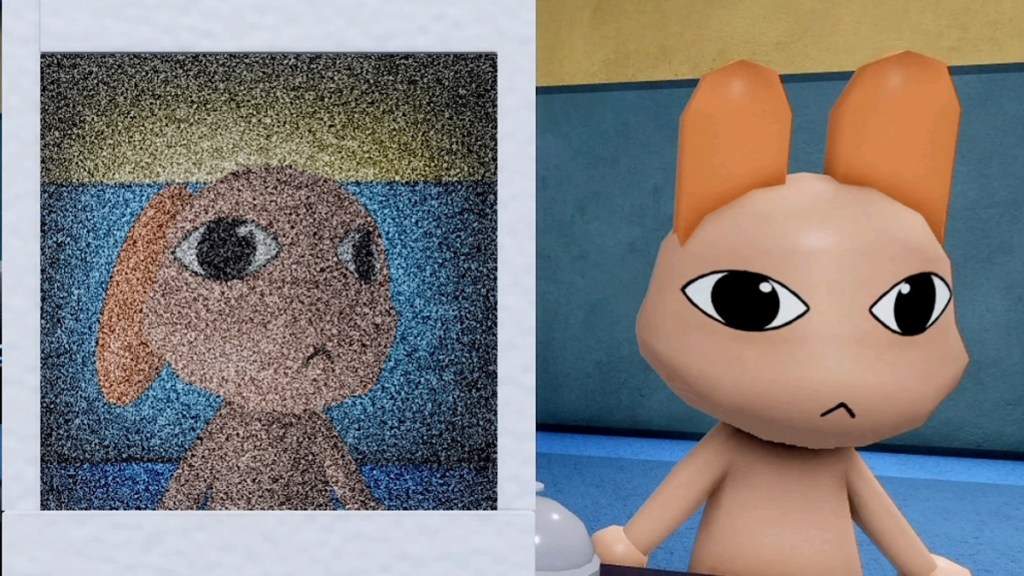
A thick layer of static covers the entire photograph, making it difficult to identify the patient clearly. While it usually points to an anomaly, later shifts may occasionally produce false alarms. When in doubt, using the shutters is generally safer than attacking the patient.
Cursed Photo
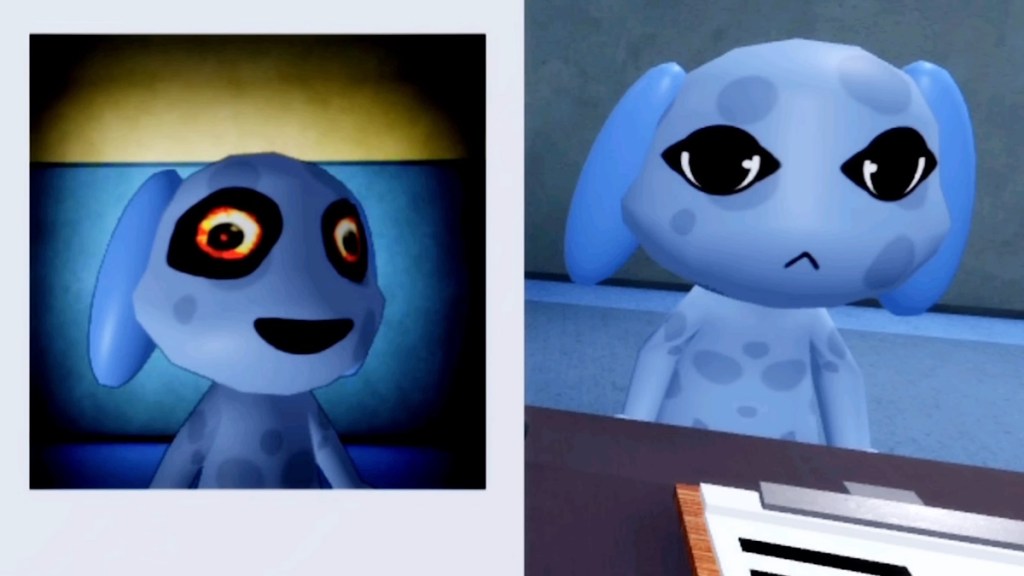
The real danger here comes from interacting with the picture too early. Picking it up before it fully develops immediately drains your sanity, even if you correctly identify the anomaly afterward. Let every photo finish processing before touching it to avoid unnecessary sanity loss.
CCTV/ Security Camera Anomalies
The CCTV anomalies in Animal Hospital are only detectable through the security cameras. So, make sure to always check them before letting any patient into the facility.
Unnatural Body
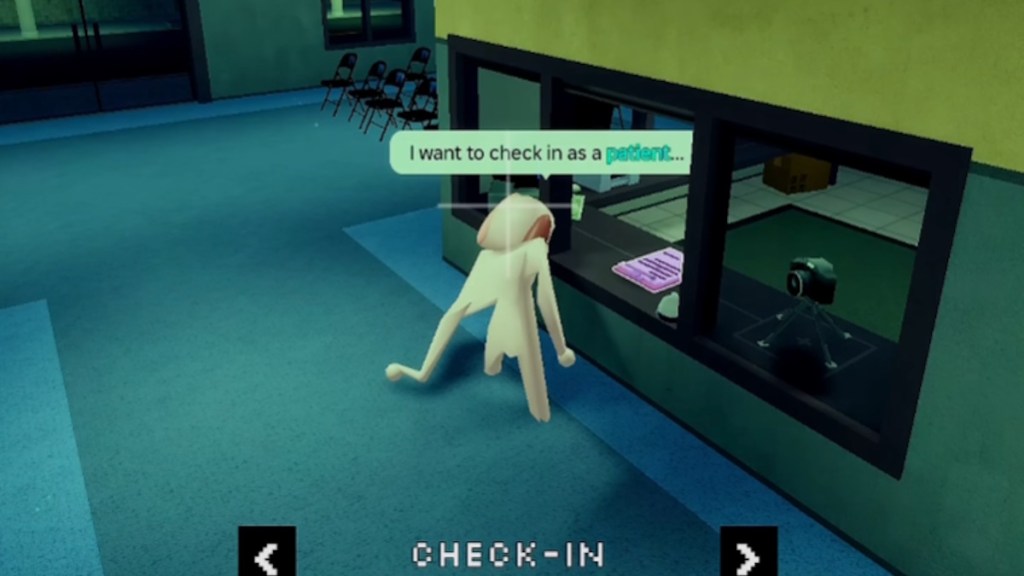
Instead of a normal body shape, this anomaly stretches into impossible proportions on CCTV. The distortion can change each time you reopen the security feed, making it look different from one glance to the next. If a body looks unusually long, wide, or twisted, avoid admitting that patient.
Hollow Face (CCTV)
Some patients only reveal their hollow facial features when viewed through the security cameras. This makes the waiting room camera one of the most important tools in the hospital. Zoom in on the face whenever you are uncertain before opening the shutters.
Staring at Cameras
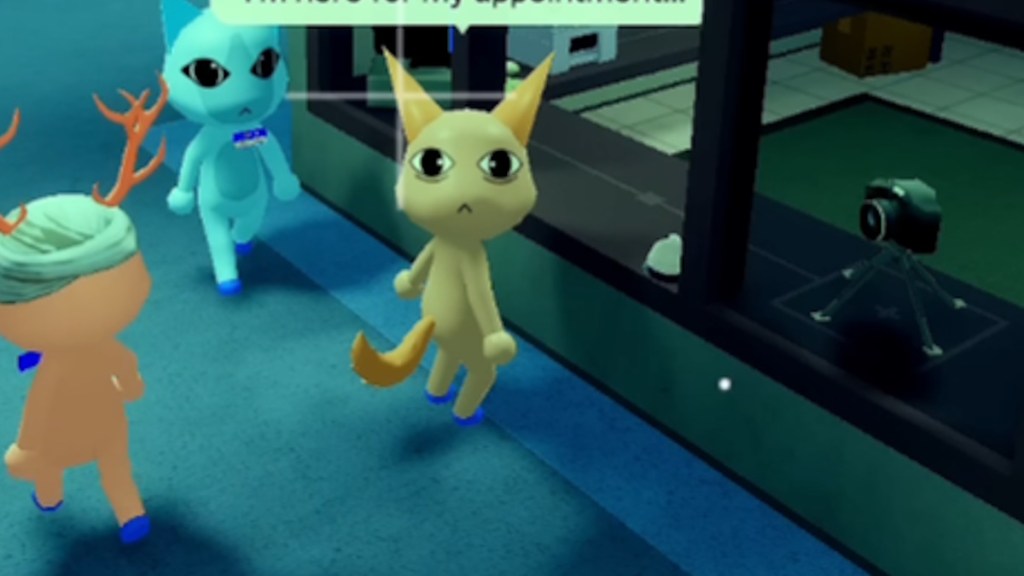
Normal patients face the reception desk, but this anomaly keeps its eyes locked on the CCTV camera wherever it moves. The constant eye contact makes it surprisingly easy to recognize once you know the behavior. A quick camera sweep before each admission can save you from missing it.
Void Bodies
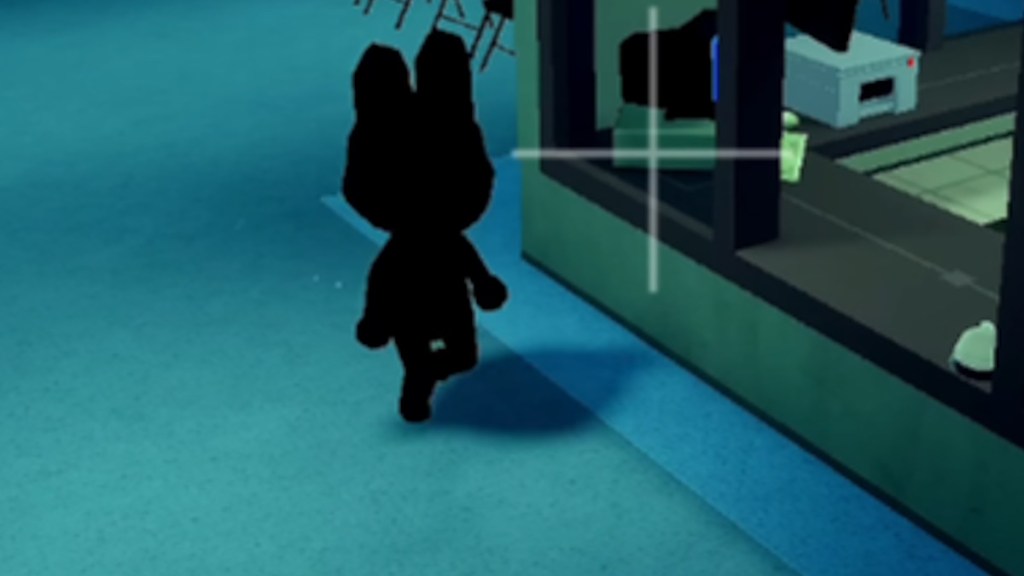
This anomaly removes every visible feature by turning the patient’s body completely black. Since nothing else is visible, it is one of the simplest CCTV anomalies to recognize. The moment you spot a silhouette with no details, deny them entry.
Mismatched Ears or Eyes
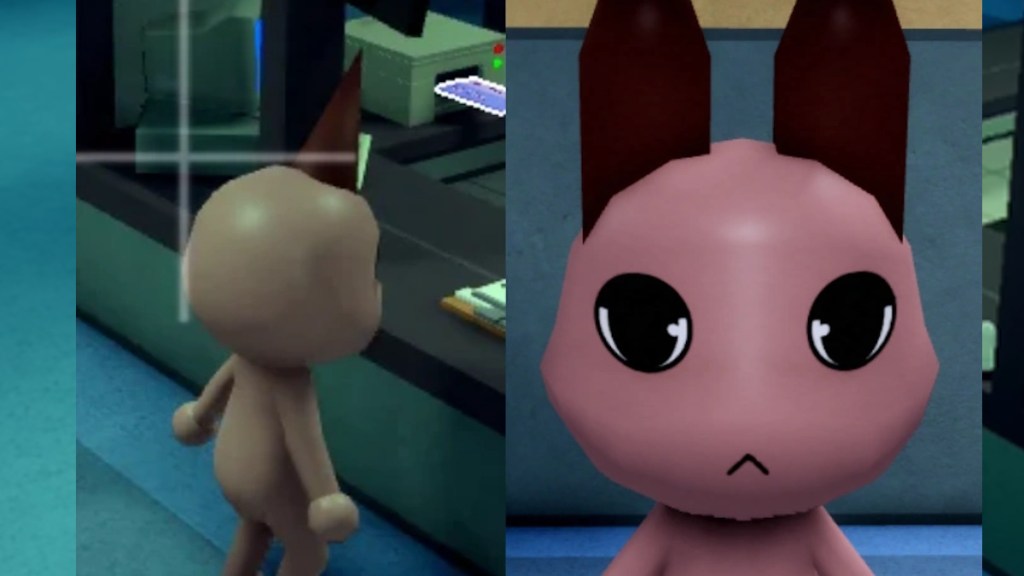
This is considered one of the hardest CCTV anomalies because the differences are often very subtle. Compare the patient’s ears and eyes at the reception desk before switching to the lobby camera. Even a small change is enough to confirm an anomaly.
Black/Censored Eyes
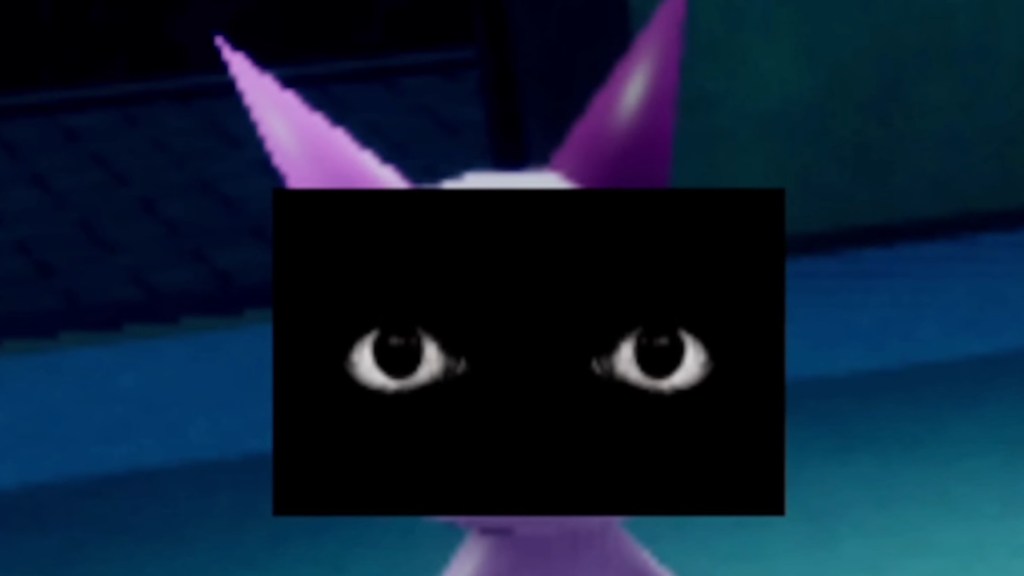
Instead of a normal face, this anomaly displays a black bar with realistic eyes staring directly at you through the CCTV feed. The unsettling gaze makes it stand out once you notice it. Since it never appears in person, skipping camera checks is the easiest way to miss it.
Camera Twitching

Unlike the regular Twitching anomaly, this version only happens on the security cameras. The movements are brief and easy to overlook if you switch cameras too quickly. Let the footage play for a few seconds before deciding the patient is safe.
Disguised Shapeshifter/Skinwalker
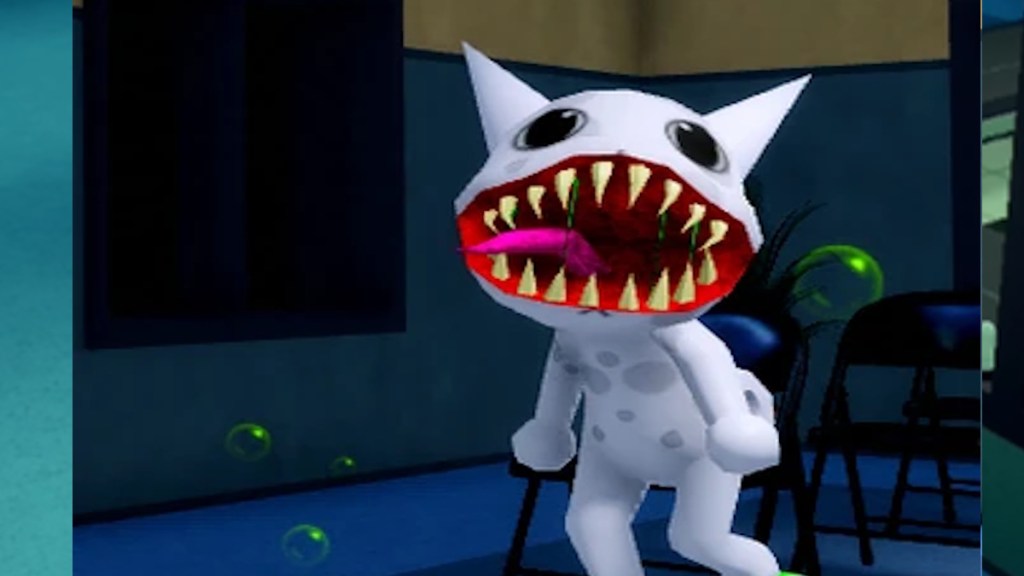
Although the patient looks harmless at the counter, it transforms into a shapeshifter only after reaching the check-in position on CCTV. The lobby camera offers the best angle to catch the transformation, while the check-in camera can hide important details. If something feels off, wait until the patient reaches the proper spot before making your final decision.
All Monster Anomalies in Animal Hospital
Enemies in Animal Hospital are one of the biggest dangers. They are slightly different than the anomalies that arrive at the hospital. You can encounter them in the hospital before even patients walk in. Here is the full list of monster/enemy anomalies in Animal Hospital:
Bed Monster
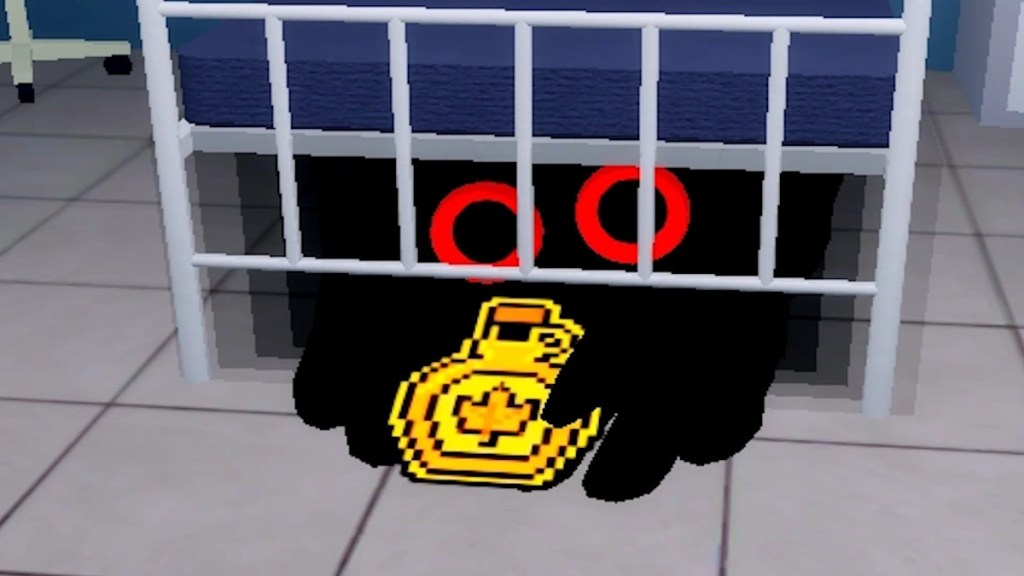
The Bed Monster is easy to spot because its long black hands stick out from underneath hospital beds. Stay away from the red danger zone around the bed or it will grab and drag you underneath while draining your Sanity. Feeding it Maple Syrup is the safest way to make it disappear.
Head Banger
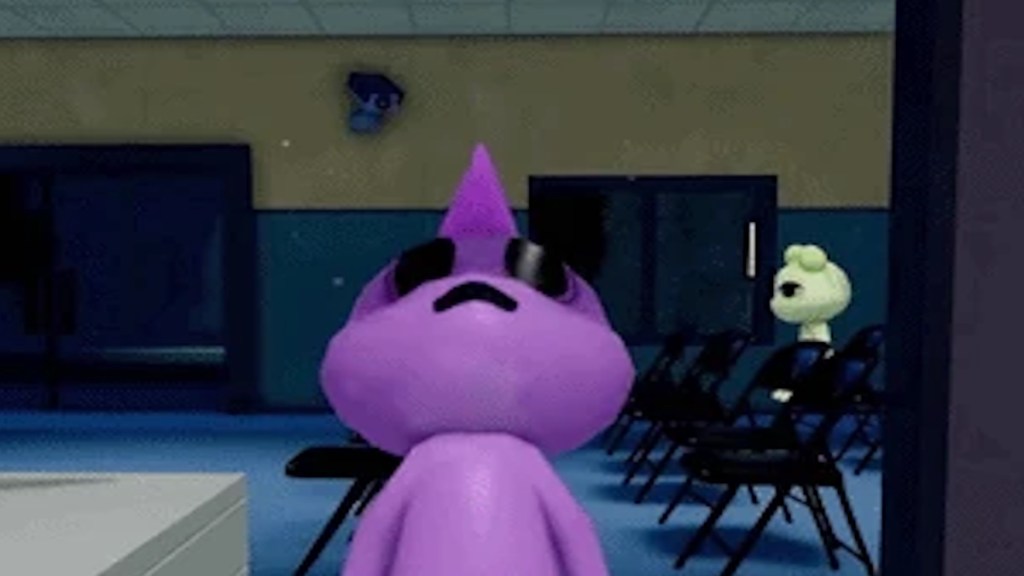
The Head Banger always appears at the check-in window instead of roaming the hospital. It repeatedly bangs its head against the glass and blocks you from using the shutters while it stays there. Giving it coffee or waiting for it to leave is usually the safest option.
Ghost
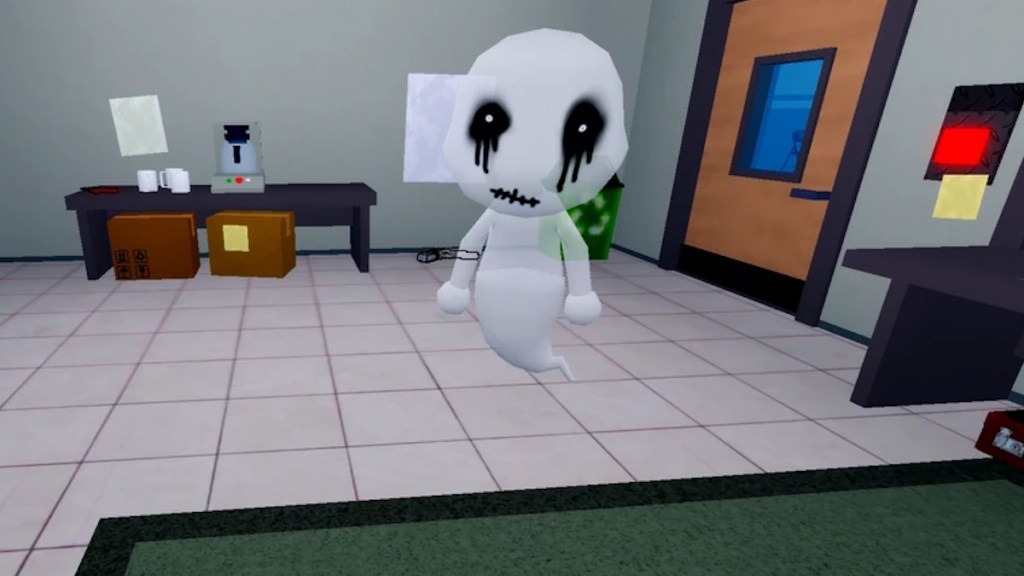
Ghosts often reveal themselves through floating particles, strange sounds, or doors opening by themselves. They wander around the hospital and slowly drain your Sanity when they get close. A taser or gun can remove them once you locate their position.
Shapeshifter
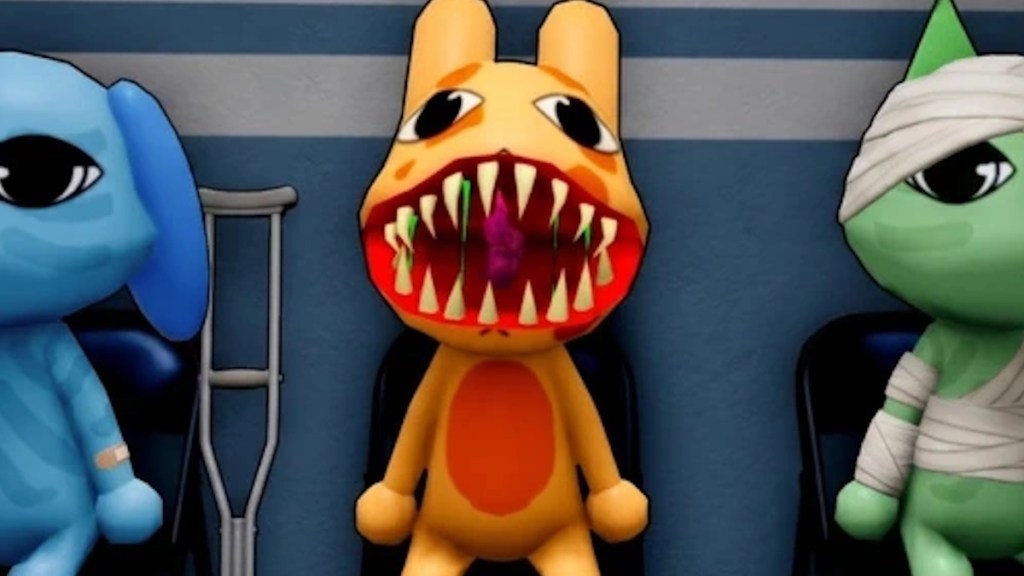
The Shapeshifter looks like a normal patient until it suddenly transforms. You will usually hear or notice the transformation before it attacks the nearest player or patient. Defeat it quickly with a taser, gun, or teamwork before it causes chaos.
Stalker
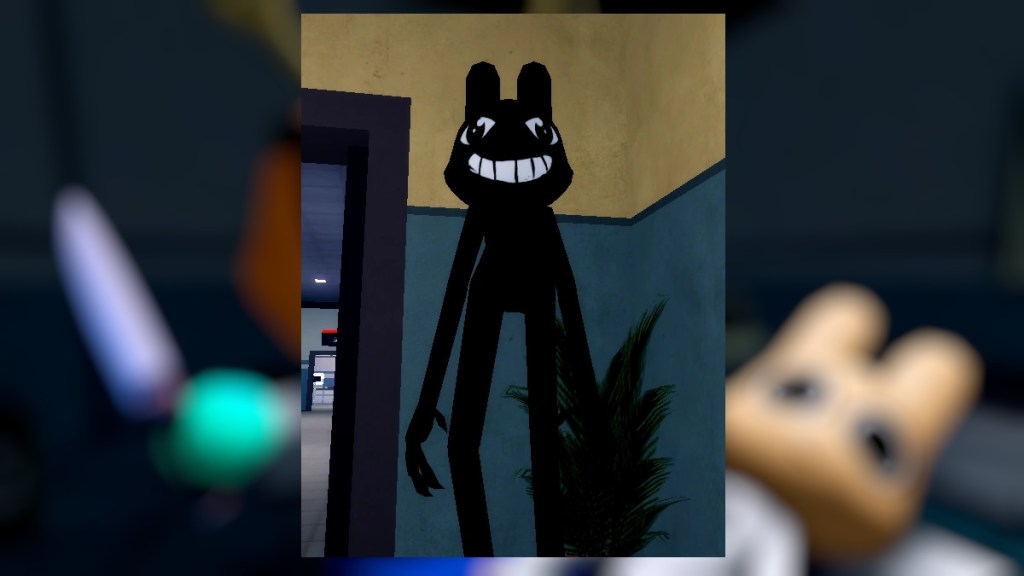
The Stalker hides around hallway corners and briefly flickers nearby lights before revealing itself. Looking directly at it causes Sanity damage, so take corners carefully. Keeping your camera angled lower makes it easier to avoid eye contact.
Tendril
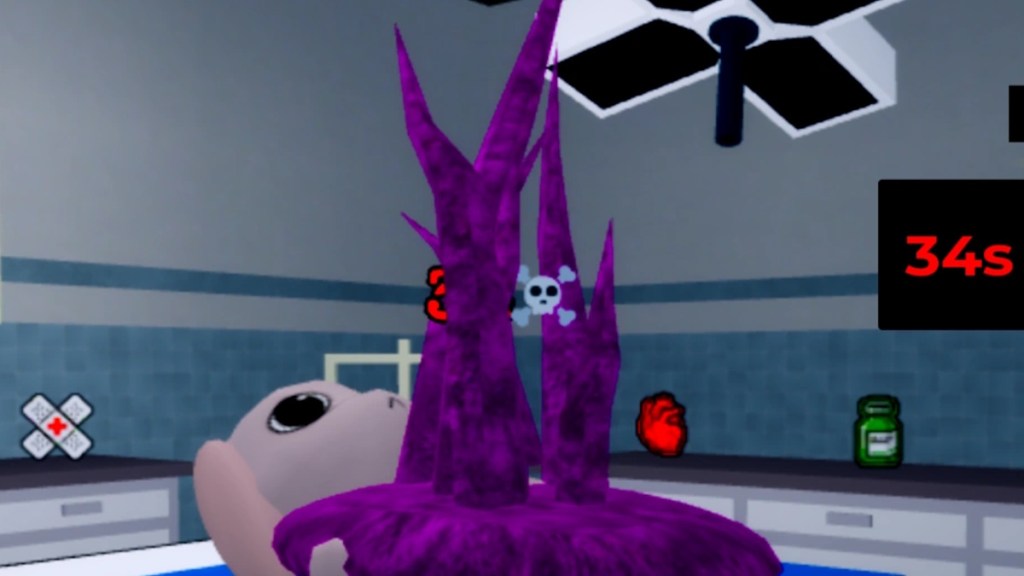
The Tendril only appears in Room 8 after a surgery patient develops complications. It does not attack players directly but starts a timed emergency surgery event. Complete the correct procedure before the timer ends to save the patient.
Camera Figure
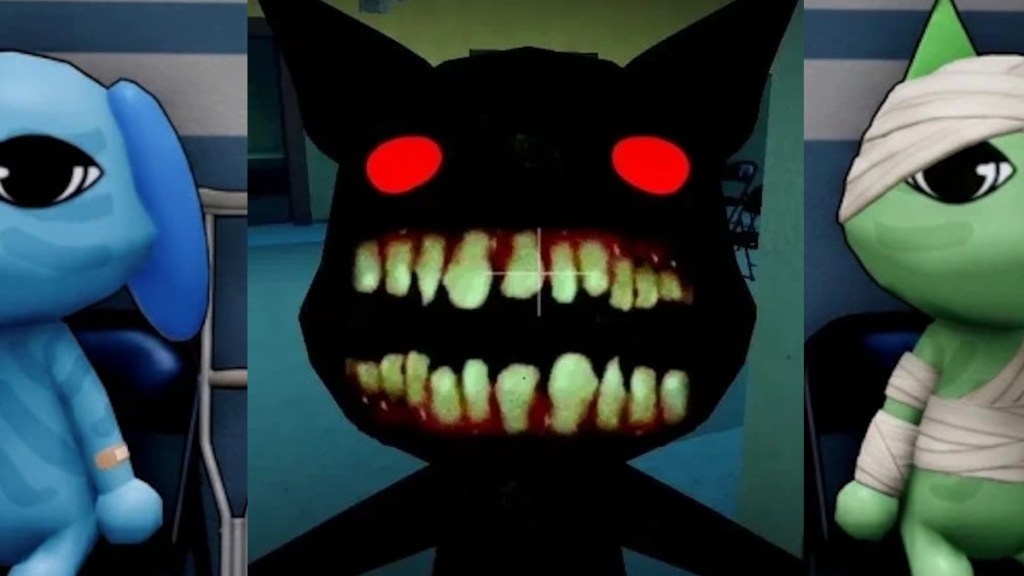
The Camera Figure only appears on broken CCTV feeds. If you keep watching the camera, it slowly moves closer until it triggers a jump scare. Switch away from the feed or repair the camera before it reaches the screen.
Mass of Eyes
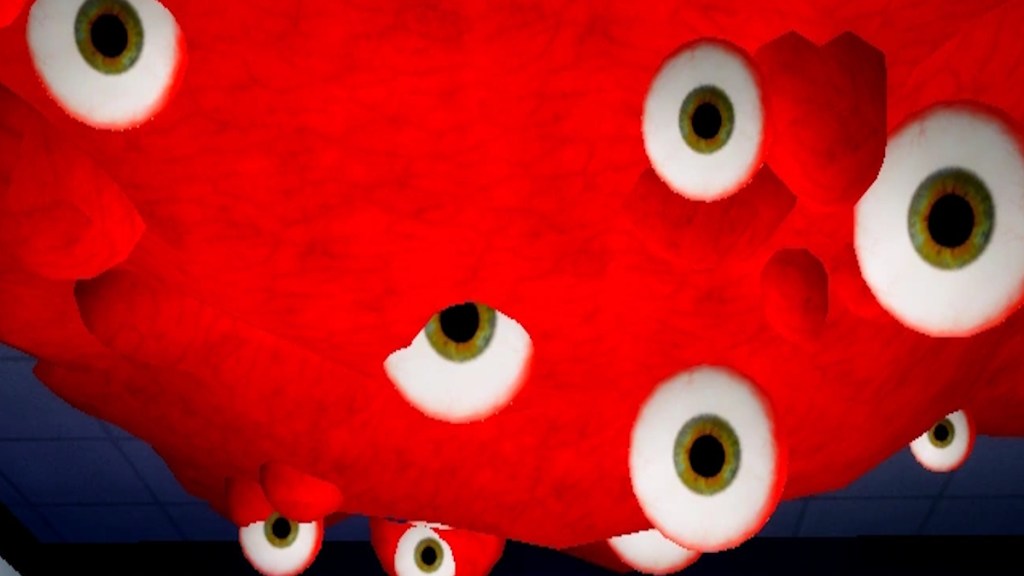
The Mass of Eyes clings to ceilings, making the “Don’t look up” warning an easy clue that it has spawned. Looking directly at it rapidly drains your Sanity. Simply avoid staring at the ceiling or use Eyedrops to calm it.
Hiders
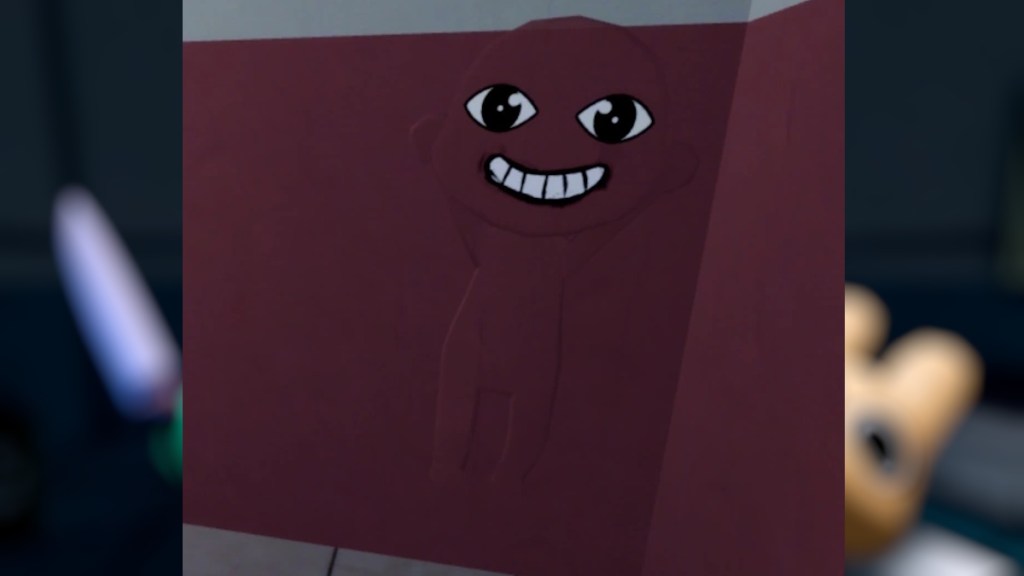
Hiders blend into walls, curtains, and windows, making them difficult to notice at first. Their heavy breathing is the biggest clue that one is hiding nearby. They often appear in groups and will chase you if you get too close, so keep your distance or eliminate them with a weapon.
That is everything you need to know about all the available Animal Hospital anomalies. Apart from them, enemies in Anima Hospital can also be problematic. So, make sure you are prepared for the shift in the hospital.
You can identify anomalies by checking the patient’s appearance, taking their photo, and reviewing the CCTV cameras. Some anomalies are visible immediately, while others only appear in photographs or on security cameras. Always inspect all three before admitting a patient.
Admitting an anomaly in Animal Hospital can trigger dangerous events, reduce your sanity, or allow it to transform into a hostile enemy like a Skinwalker.
Mismatched Ears or Eyes is one of the hardest anomalies because the differences are often very subtle. You need to compare the patient’s appearance at the reception desk with the CCTV feed to notice the changes.