- The Megaphone is a permanent gear item in Grow a Garden 2 that lets players play custom Roblox music codes across the server.
- Players can buy the Megaphone from George at the Gear Shop for 8,000 Sheckles.
- After equipping it, enter any valid Roblox song ID to play music and adjust the volume.
GAG 2 introduced the Megaphone as one of the game’s most entertaining gear items, letting players blast music across the server and annoy their neighbors in the process. Since Megaphone supports custom Roblox music codes in Grow a Garden 2, you can play everything from viral songs and meme sounds to complete chaos with just a few clicks.
That makes the Megaphone a must-have item for anyone looking to stand out in their garden. In this guide, you’ll learn how to get and configure the Megaphone in Grow a Garden 2, along with the best Roblox song IDs to use with it.
Best Grow a Garden 2 Megaphone Codes and Sound IDs
There is no right or wrong choice when it comes to music, so the best song is ultimately the one you enjoy hearing the most. We recommend browsing through our Roblox music codes list to discover tracks that match your taste. You can also bookmark the page and come back whenever you want to switch up the tunes playing through your Grow a Garden 2 Megaphone.
With that in mind, here are some of our favorite Grow a Garden 2 Megaphone codes for phonk, memes, funny tracks, and more, from our music IDs list and the official Discord server:
- 5410086218: Noisestorm – Crab Rave
- 142376088: Raining Tacos
- 103561309094892: 67
- 106000088638410: 67 Brainrot
- 127798544476125: 67 Meme
- 104758630343793: $TARS Align
- 17422173467: AB4T
- 130434970640054: Alien Boy
- 138801603792399: Analog Vibes
- 94560286217320: Backseat
- 136350225160627: Bloody Phonk
- 107128147864287: Bombardiro Crocodilo
- 138391671909650: Brainrot Divine Drop
- 129839967918512: Brainrot Gang Rap
- 125498129824026: Brazil Fiesta
- 126271266950979: Brr Brr Patapim
- 119369874444335: Bumboclat
- 136579058345590: Burn the Night
- 95002349594321: California Love
- 16190760005: Cowbell God
- 130886899193236: Crying Dude
- 105529482486905: Dark Phonk Damage
- 1837015626: Tokyo Drift
- 1626996526: Windows XP Theme
- 168208965: Whatcha Say
- 1846368080: Stadium Rave (SpongeBob SquarePants)
- 515669032: Spooky Scary Skeletons
- 7363412529: You’ve Been Rick Rolled
- 9106904975: Better Call Saul Theme
- 9119119619: Elevator Music
How to Get Megaphone in Grow a Garden 2
Grow a Garden 2 players who love annoying neighbors before stealing from their garden will love the Megaphone. It is available on the Gear Shop 24/7 and once purchased, stays with you forever. Despite being cheap, it is one of the best gears in Grow a Garden 2 as it lets you play any music. Here are the steps to get the Megaphone gear in Grow a Garden 2:
- Click the seeds or sell button to teleport to the middle lobby.
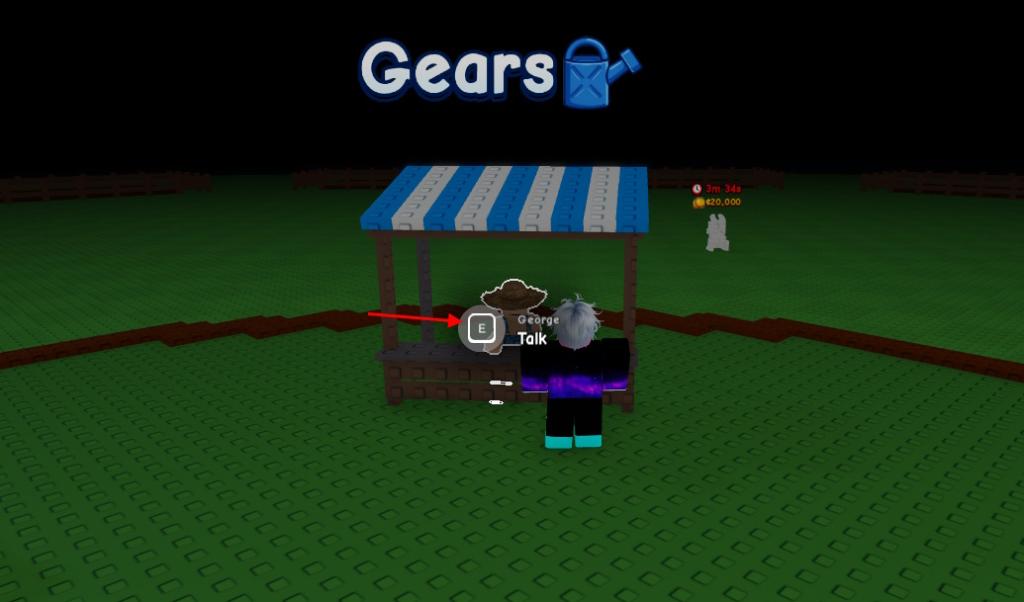
- Go near the ‘Gears’ counter and talk to George.
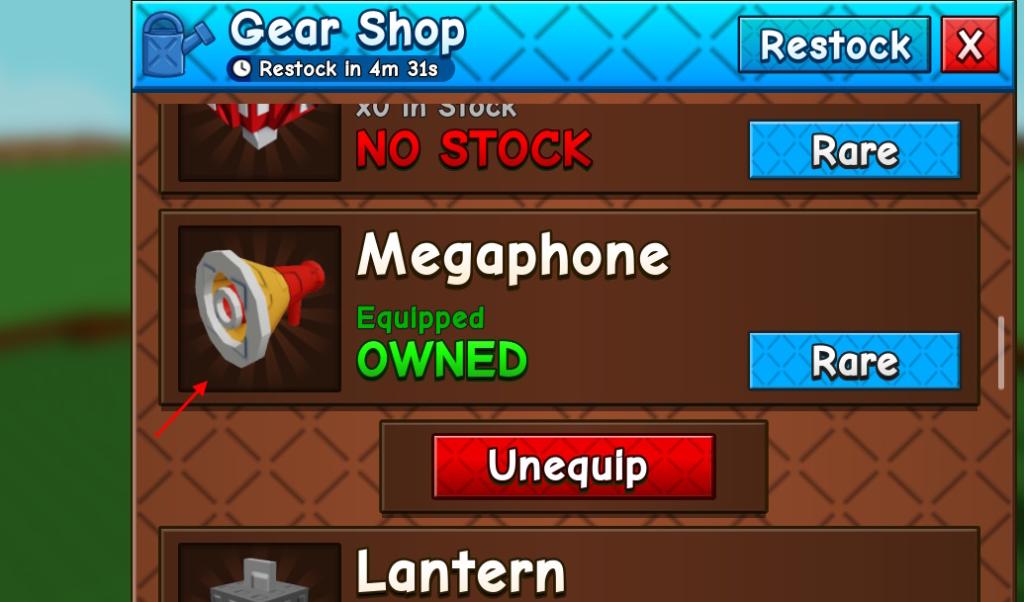
- Scroll down and spend 8K Sheckles to purchase Megaphone in GAG 2.
- This will permanently add the gear to your inventory.
How to Use Megaphone in Grow a Garden 2
To use the Megaphone in GAG 2, you must equip it first. It is done, just like how you equip the GAG 2 sprinklers. After doing so, you must configure it. Here are the steps to equip and configure Megaphone in Grow a Garden 2:
- Click the button on the hotbar that is assigned to the gear.
- You can also go to the gears shop and click the equip button under the Megaphone.
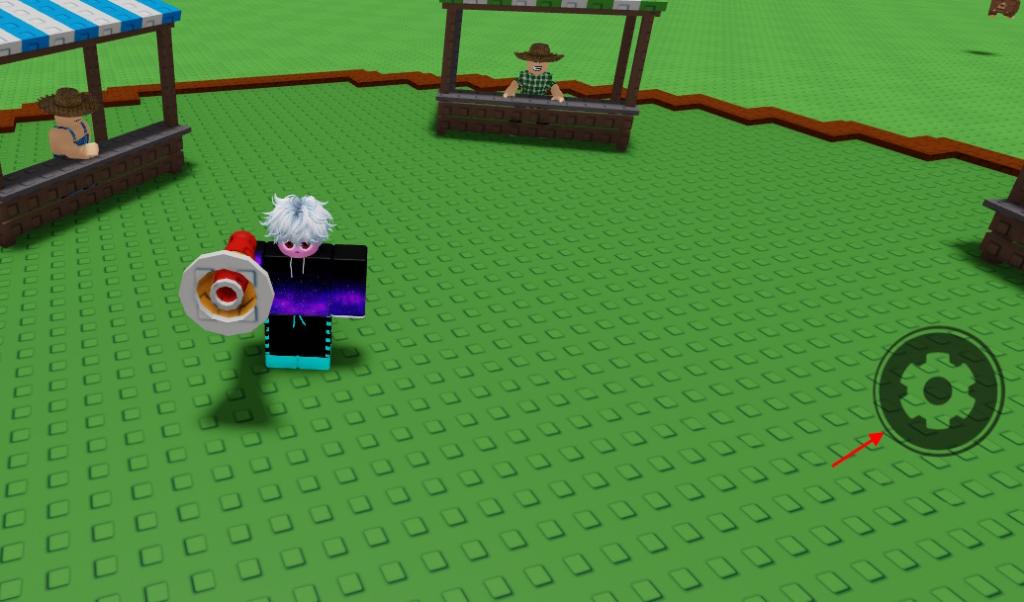
- Once done, click the gear button on the screen.
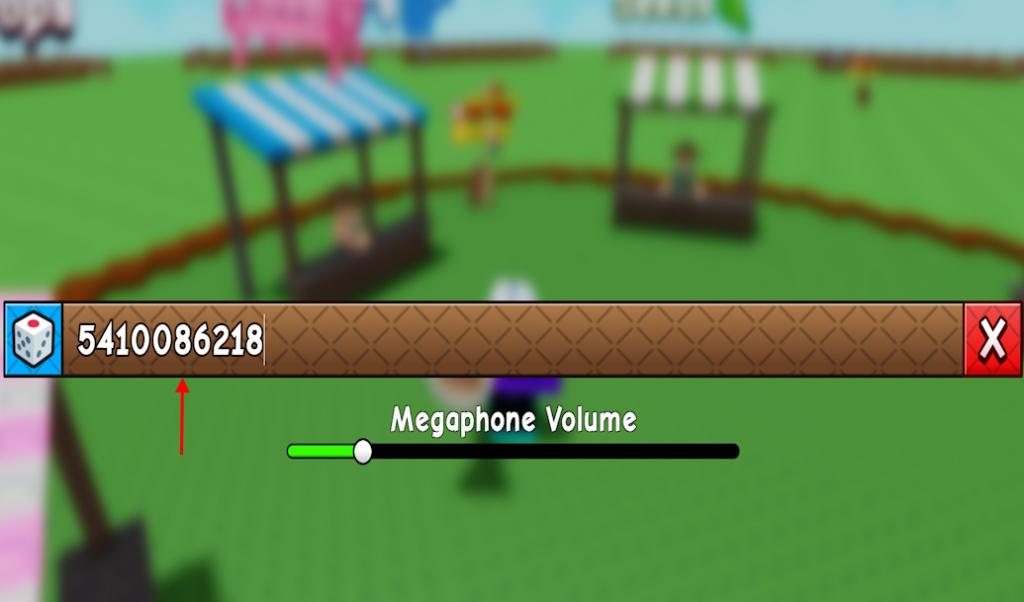
- Type a Roblox music code in the song ID section and click the enter button.
- You can also adjust Megaphone volume in GAG 2 from the same menu or the main menu.
So, these are some of the best music codes you can use on the Grow a Garden 2 Megaphone. Did you get this gear in the game yet? Let us know in the comments.
The Megaphone costs 8,000 Sheckles and can be purchased at any time from George in the Gear Shop.
Yes, you can enter any Roblox music code in the Megaphone settings menu and switch songs whenever you want in GAG 2.